
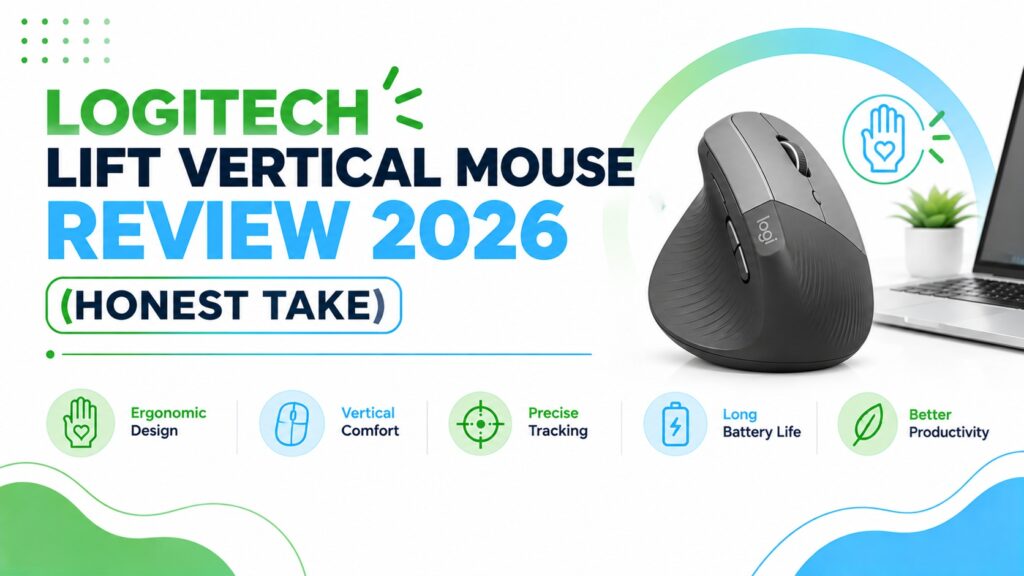
Logitech Lift Vertical Mouse Review: Is This Small-Hand Ergonomic Mouse Worth It in 2026?
If your wrist feels tired by mid-afternoon, or a standard mouse has always felt slightly too big for your hand, the Logitech Lift is probably already on your shortlist. It is one of the most recommended compact vertical mice on the market, and for good reason; but “recommended” is not the same as “right for you.”
I have gone through every current Logitech Lift configuration, Graphite, Sand, Rose, Off White, the left-handed version, the Mac-only version, and the Renewed (refurbished) option, plus one non-vertical alternative worth knowing about. This guide compares them honestly, explains where the Lift genuinely helps and where it does not, and tells you which version to buy for your hand, your desk, and your budget.
This review is based on manufacturer specifications, the official Amazon product listings, publicly available Logitech documentation, and aggregated customer feedback. It has not involved hands-on lab testing, and I say so clearly wherever it matters.
Quick Answer
The Logitech Lift is one of the best compact vertical mice for people with small to medium hands who want relief from wrist strain without stepping up to a bulkier ergonomic mouse. Its 57-degree vertical angle keeps the forearm closer to a neutral “handshake” position, the click and scroll noise is genuinely quiet, and battery life is excellent at roughly two years. The trade-off: it is not built for large hands or heavy gaming use, and the plastic build feels less premium than Logitech’s pricier MX Vertical.
🖱️Best Logitech Lift Configurations
We compared every current Logitech Lift variant plus one non-vertical alternative. Here is the short version before we get into the full breakdown.




Introduction
A lot of people search for “logitech lift vertical mouse review” after a specific afternoon: hours at the laptop, a dull ache along the outer wrist, and a nagging feeling that their regular mouse is part of the problem. That feeling is common, and it is one of the reasons vertical mice have become one of the most searched categories in office ergonomics.
The Logitech Lift is built specifically for that situation, and specifically for smaller to medium hands, which is where it differs from Logitech’s larger and pricier MX Vertical. This review walks through what the Lift actually does well, where its limitations show up, and how to pick the right variant for your hand size, your handedness, your operating system, and your budget.
We will also point out where the Lift is not the right tool. An ergonomic mouse is not a universal fix, and a product that is comfortable for one person’s hand can feel wrong for another’s, that is a design-fit issue, not a flaw either way.
Buying Guide: What Actually Matters Before You Buy a Vertical Mouse
Before comparing individual Lift models, it helps to understand the factors that actually decide whether a vertical mouse works for you. These are the same factors we used to evaluate every product below.
1. Hand size and grip style. The Lift is explicitly designed for small to medium hands. Larger hands often find the body too short and end up with fingers hanging off the front edge, which can create its own tension. If you already know your hand runs large, our best ergonomic mouse for small hands guide and the MX Vertical vs Lift comparison are more useful starting points than this review alone.
2. Vertical angle. The Lift sits at a 57-degree angle. That is a meaningfully less aggressive tilt than some fully vertical mice (which can sit closer to 90 degrees), and it tends to be an easier transition for first-time vertical mouse users. Electromyography research by Chen and Leung, cited in a systematic review of alternative mouse designs, found a measurable drop in forearm extensor and upper-trapezius muscle activity as mouse angle increased from flat to a moderate 30-degree tilt, evidence that even a partial angle, not just a full 90-degree design, can meaningfully change muscle loading.
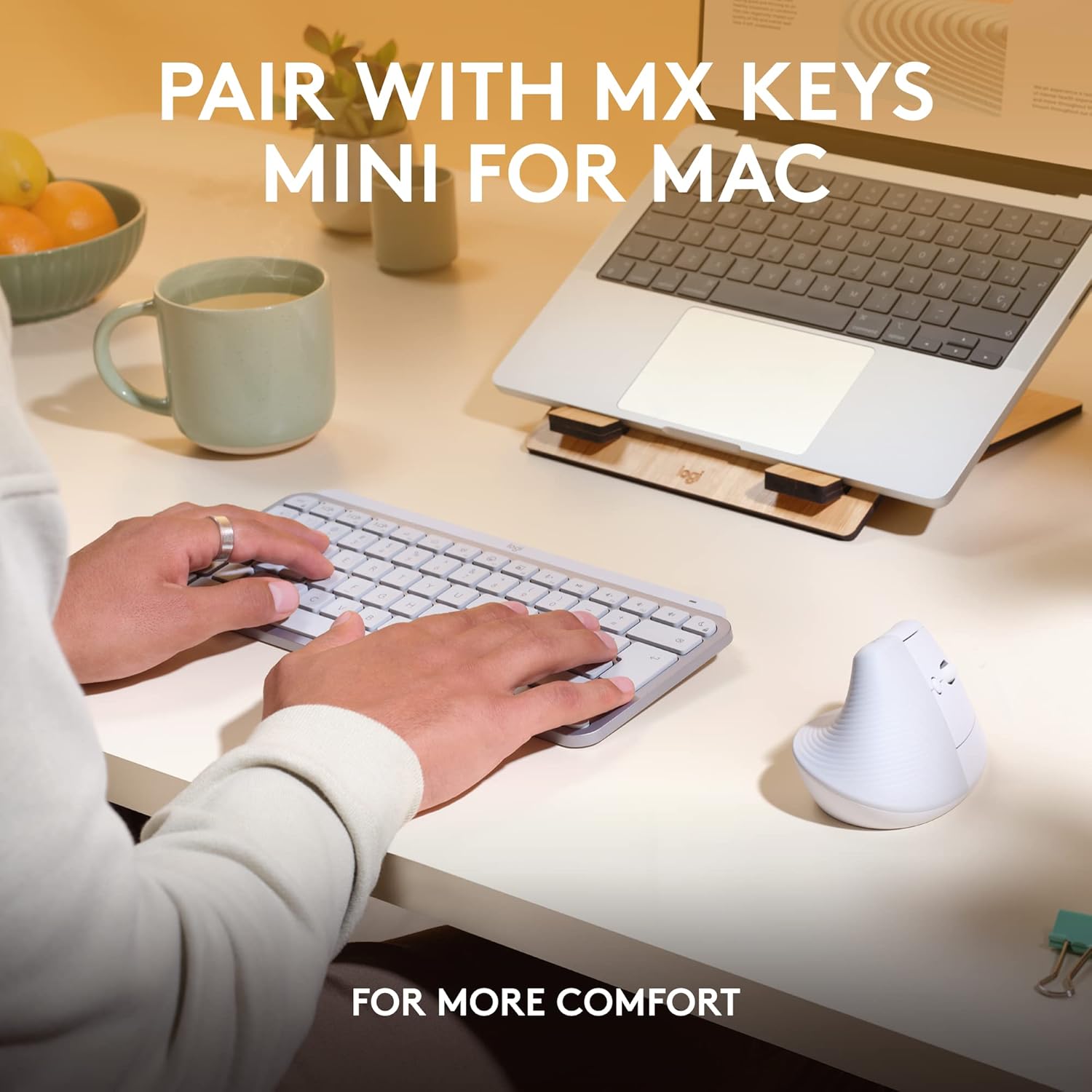
3. Handedness. Logitech sells the Lift in a dedicated left-handed mould, not a simple mirror image. This matters more than it sounds; a badly mirrored vertical mouse can put pressure in the wrong places for a left hand’s natural resting position.
4. Connectivity and compatibility. Most Lift variants support both Bluetooth Low Energy and the Logi Bolt USB receiver, giving you a choice between a cordless setup and a more consistent, low-latency wireless connection. The Mac-only version drops the receiver and Windows support, which is worth knowing before you buy.
5. Battery life and maintenance. A single AA battery is rated for around two years in most Lift models, which is unusually low-maintenance compared with rechargeable ergonomic mice that need charging every few weeks.
6. Noise level. If you work in a shared space, video calls, or an open office, Logitech’s “quiet click” mechanism on the Lift is a genuine, noticeable difference from a standard mouse.
7. Software and customisation. Four of the Lift’s six buttons are programmable through Logi Options+, which is only available for Windows and macOS. If you run Linux or Chrome OS full time, you will get basic functionality but not full customisation.
8. Price-to-value ratio. At roughly $55–$70 depending on colour and configuration, the Lift sits in the mid-range of ergonomic mice, above budget vertical mice, below Logitech’s own MX Vertical and below most premium split ergonomic setups.
Quick Vertical
| Product | Best For | Main Strength | Main Limitation | Rating | Link |
|---|---|---|---|---|---|
| Lift (Graphite, Right) | Most desk workers | Balanced comfort and features | Plastic build feels basic | 4.6/5 | Check Price |
| Lift (Sand, Right) | Lighter colour preference | Same hardware as Graphite | Light finish shows wear more | 4.5/5 | Check Price |
| Lift (Rose, Right) | Budget-conscious buyers | Usually the lowest price point | Colour availability can shift | 4.6/5 | Check Price |
| Lift Left-Handed (Graphite) | Left-handed users | Dedicated left-hand mould | Fewer colour options | 4.3/5 | Check Price |
| Lift for Mac (Off White) | Mac and iPad users | Tuned specifically for macOS/iPadOS | No included USB receiver, 4 buttons only | 4.2/5 | Check Price |
| Lift Renewed (Graphite) | Tightest budgets | Lowest entry price | Shorter warranty, spec inconsistencies | 4.0/5 | Check Price |
| Signature M650 L (Left) | Larger left hands | Full-size, contoured comfort | Not a vertical design | 4.1/5 | Check Price |
What Is a Vertical Mouse, and Why Does the Angle Matter?
A vertical mouse is designed to keep the forearm in a more neutral position than a traditional mouse. Where a standard mouse forces the forearm to rotate inward (pronation) to lay the palm flat on the desk, a vertical mouse lets the hand rest in something closer to a natural handshake position.
According to OSHA’s guidance on neutral body postures at a computer workstation, hands, wrists, and forearms should ideally stay straight and roughly in line rather than twisted or bent to one side (OSHA Computer Workstations eTool). A vertical mouse is one tool that can support that positioning, though OSHA is also clear that no single posture or equipment arrangement fits everyone.
What this means for the Lift specifically: its 57-degree angle is a moderate tilt, not a full 90-degree vertical design. That makes it a gentler introduction to vertical mice, useful if you have never used one before, but worth knowing if you have already tried a more aggressive vertical mouse and want the same feel.
Research insight: A controlled study published in the journal Ergonomics compared a vertical mouse against a standard mouse using electromyography and motion tracking on 16 participants. It measured a reduction in forearm pronation (28° with the vertical mouse versus 42° with the standard mouse) and lower wrist extensor muscle activity, but also found that pointing tasks took longer, concluding that “additional training and familiarisation time may be required to improve user performance.” A broader systematic review of alternative mouse designs reaches a similar, cautious conclusion: alternative mouse shapes can reduce certain biomechanical risk factors, but the evidence is strongest when paired with proper fit and ergonomic training, not from the shape alone.
What this means: none of this research was conducted on the Logitech Lift specifically, and it does not show that any vertical mouse eliminates wrist pain or treats a diagnosed condition, nor does Logitech’s own marketing claim that. What it does show is that the underlying mechanism (reduced pronation and lower extensor muscle activity at a tilted angle) is a real, measured effect, not just a marketing description.
Practical example: if your current mouse leaves your palm and forearm rotated flat against the desk for hours, switching to a vertical grip changes that angle immediately. Whether that translates into less end-of-day discomfort depends on your hand, your grip, and how well the mouse’s specific shape and size suit you, which is exactly why “best for small hands” matters more than “vertical” on its own. Expect a short adjustment period, in line with the familiarisation effect noted in the research above, rather than instant, effortless precision on day one.
Product Reviews
1. Logitech Lift Vertical Ergonomic Mouse (Graphite, Right-Handed)
Quick Verdict: This is the standard Lift experience and the version we would point most people toward first. It balances comfortable all-day use, reasonably quiet clicks, and genuinely long battery life, without asking you to pay MX Vertical prices.
Best For: Right-handed desk workers with small to medium hands who want a lower-noise, lower-maintenance ergonomic upgrade from a standard mouse.
Key Specifications
- Vertical angle: 57 degrees
- Weight: 4.4 oz (125 g)
- Dimensions: 4.3″ L x 2.7″ W (108 x 70 x 71 mm)
- Buttons: 6 total, 4 customisable via Logi Options+
- Sensor: Optical, up to 4000 DPI, fully adjustable
- Connectivity: Bluetooth Low Energy or Logi Bolt USB receiver
- Wireless range: up to 10 m
- Battery: 1x AA, rated up to 24 months
- OS support: Windows 10/11, macOS 10.15+, iPadOS 14+, Chrome OS, Linux
- Warranty: 1-year manufacturer warranty
What We Like
- Quiet clicks that are noticeably less distracting on calls
- Long battery life with a standard, easy-to-replace AA battery
- SmartWheel scroll shifts between precise and fast scrolling
- Ergo-certified design reviewed against external ergonomist criteria
What We Don’t Like
- The plastic housing does not feel as premium as Logitech’s MX line
- Only 4 of 6 buttons are customisable, and full software support needs Windows or macOS
- Some listings show inconsistent detail (for example, the “Embellishment Feature: LED” spec on this listing is not something Logitech documents as a headline feature elsewhere, treat minor listing fields like this with a healthy dose of scepticism and confirm anything unusual on Logitech’s own site)
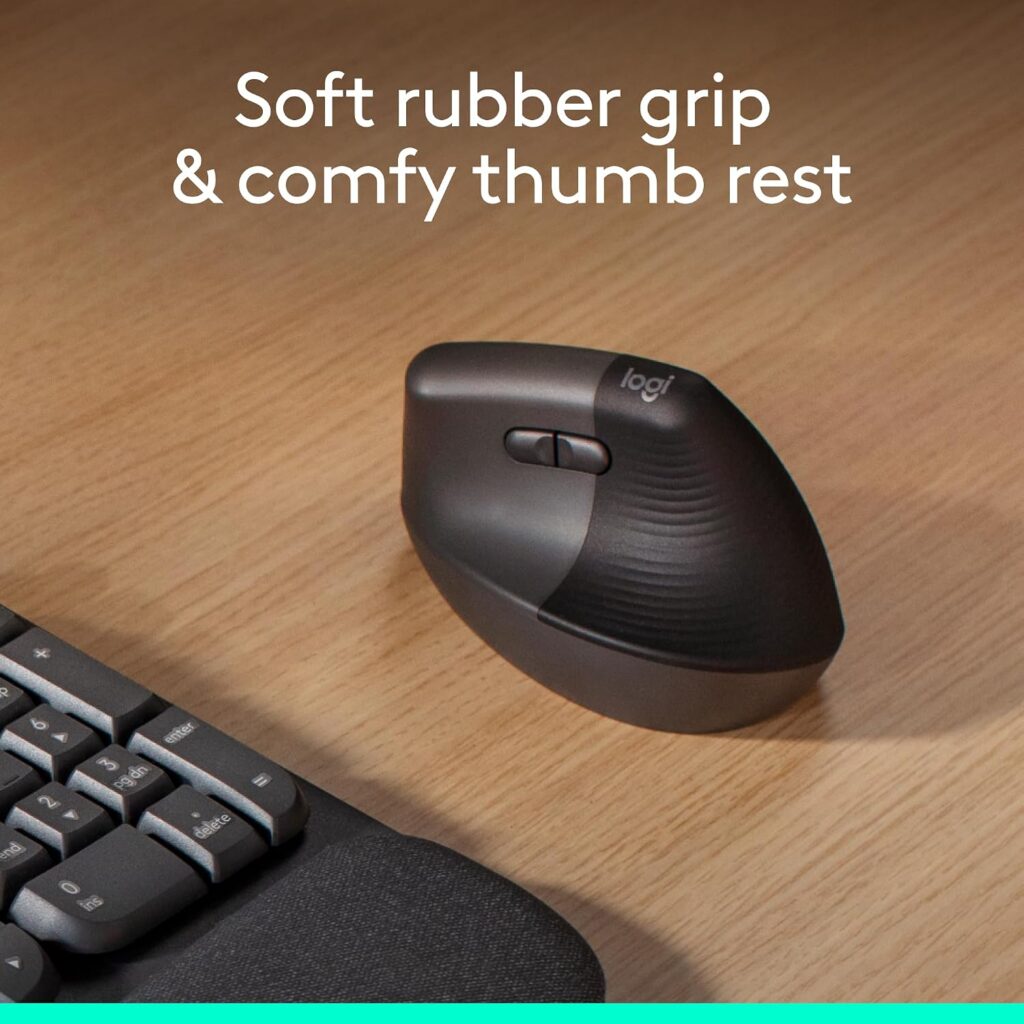
Ergonomic Analysis: The 57-degree angle and textured grip give a genuinely different resting position than a flat mouse, and the snug thumb rest helps keep the hand from sliding during longer sessions. It is a moderate, easy-adjustment vertical angle rather than an extreme one, which suits people trying a vertical mouse for the first time.
Who Should Buy It? Right-handed users with small to medium hands who spend several hours a day on a computer and want a quieter, more neutral wrist position without a steep learning curve.
Who Should Skip It? Anyone with large hands, gamers who need high-precision competitive tracking, or anyone who has already found a 90-degree vertical mouse more comfortable.
Value for Money: At its typical price, the feature set (dual connectivity, long battery life, quiet clicks, ergonomic certification) is competitive with other mid-range ergonomic mice. It is not the cheapest vertical mouse available, but it is priced fairly for what it includes.
🛒 Check Price on Amazon2. Logitech Lift Vertical Ergonomic Mouse (Sand, Right-Handed)
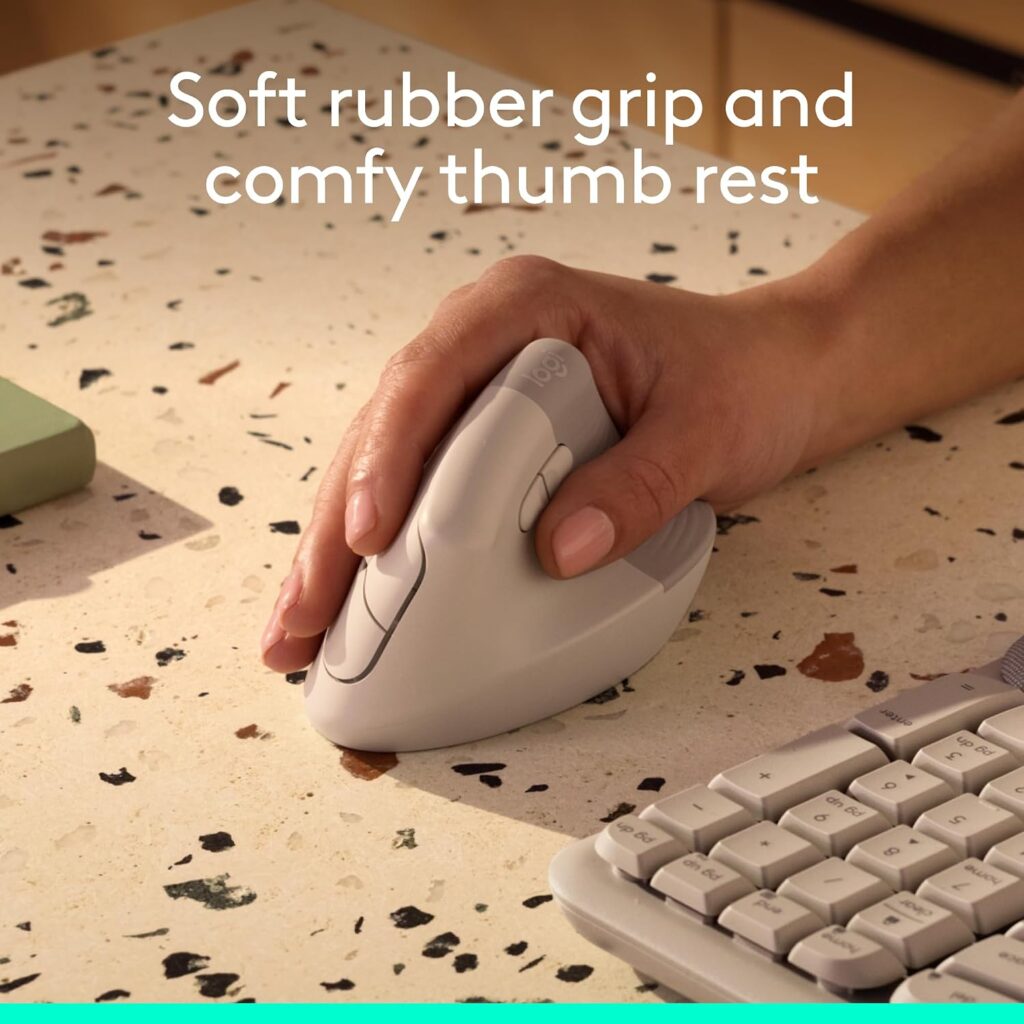
Quick Verdict: Functionally identical to the Graphite model, same shape, same internals, same specifications, with a lighter, sand-toned finish for anyone who prefers a softer desk aesthetic.
Best For: Buyers who want the standard Lift experience in a lighter colourway.
Key Specifications
- Same core specs as Graphite: 57-degree angle, 4000 DPI optical sensor, 6 buttons (4 customisable), Bluetooth or Logi Bolt USB, 24-month AA battery life
- Compatible devices listed as Laptop only on this specific listing (broader compatibility applies to the Lift range generally, check the live listing)
What We Like
- Identical hardware and comfort profile to the best-selling Graphite version
- A neutral, less “tech” colour that blends into a minimalist desk setup
What We Don’t Like
- No functional advantage over Graphite beyond colour
- Lighter finishes can show wear and hand oils more visibly over time than darker colourways
Ergonomic Analysis: No difference from the Graphite model, the ergonomics come from the shape and angle, not the colour.
Who Should Buy It? Anyone who has already decided the Lift is right for them and simply prefers a lighter colour on their desk.
Who Should Skip It? If colour is not a priority, compare the current price against Graphite and Rose first, since pricing between colourways can shift.
Value for Money: Priced the same as Graphite in most listings, so the decision comes down purely to aesthetic preference.
🛒 Check Price on Amazon3. Logitech Lift Vertical Ergonomic Mouse (Rose, Right-Handed); Best Value
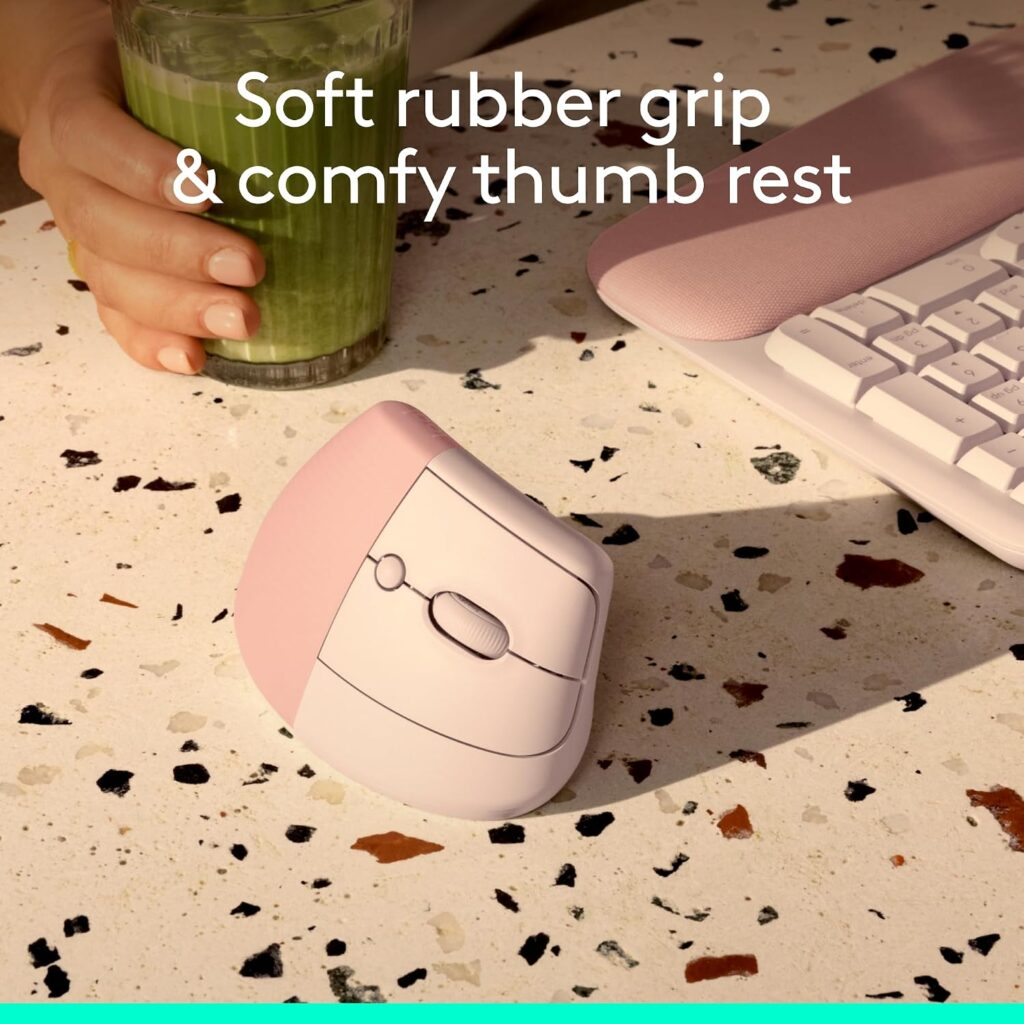
Quick Verdict: Same mouse as Graphite and Sand, frequently listed at a lower price. If you do not care about colour, this is usually the smartest way to buy the standard Lift.
Best For: Buyers who want the full Lift experience at the lowest available price for a new (non-renewed) unit.
Key Specifications
- Identical core hardware to Graphite and Sand
- 54% certified post-consumer recycled plastic in the Rose colourway (vs. 70% in Graphite, per Logitech’s published material breakdown)
What We Like
- Frequently the cheapest way to buy a brand-new Lift
- Same comfort, sensor, and battery life as the pricier colourways
What We Don’t Like
- A slightly lower recycled-plastic content than Graphite, according to Logitech’s own figures
- Colour-based pricing is not guaranteed to stay lower, check before assuming
Ergonomic Analysis: Identical to the Graphite and Sand versions.
Who Should Buy It? Price-sensitive buyers who want a new (not refurbished) Lift and are not attached to a specific colour.
Who Should Skip It? Anyone specifically wanting Logitech’s higher recycled-plastic content colourway.
Value for Money: Often the best value in the entire Lift range for buyers open to any colour.
🛒 Check Price on Amazon4. Logitech Left-Handed Lift Vertical Ergonomic Mouse (Graphite)
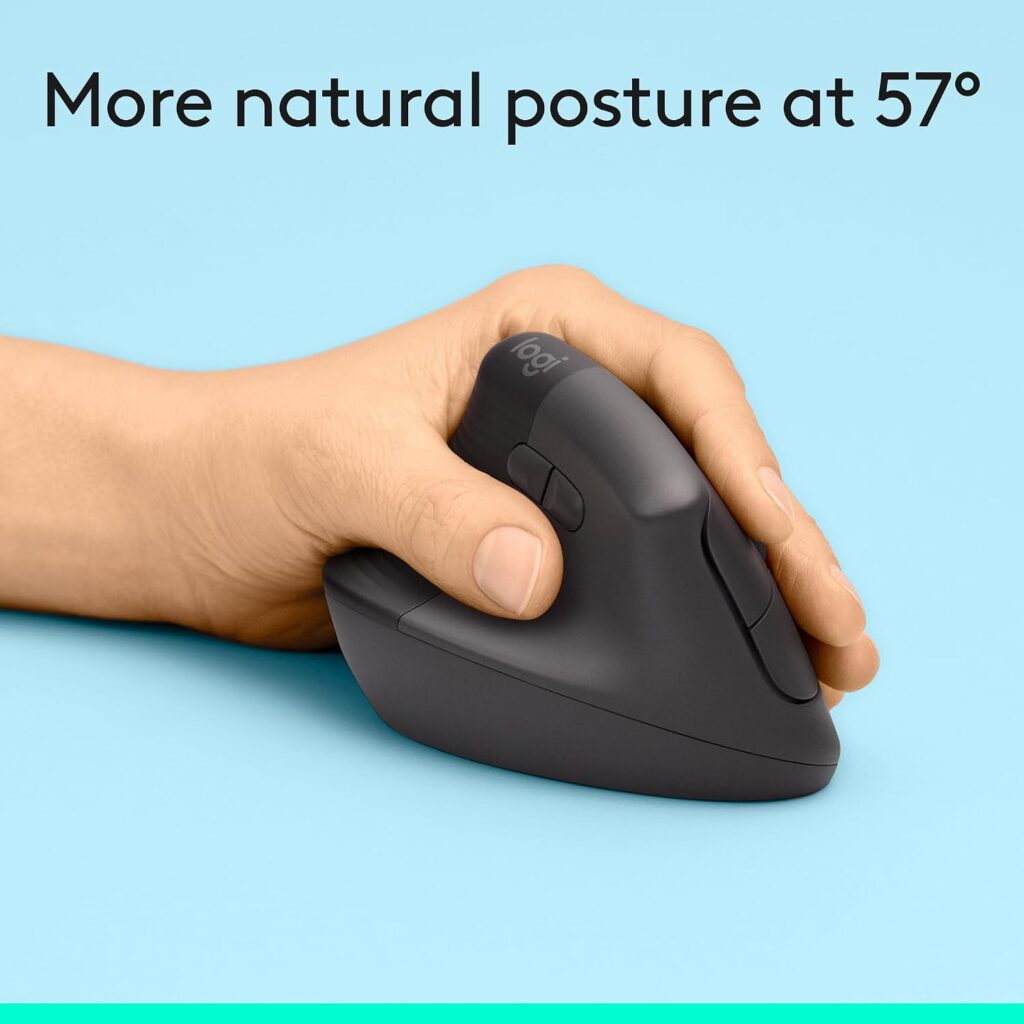
Quick Verdict: A properly designed left-handed mould rather than a mirrored version of the right-handed shell, which matters a lot for comfort. It is a smaller line-up than the right-handed Lift, so expect fewer colours and a narrower price range.
Best For: Left-handed users with small to medium hands who have struggled to find a genuinely ergonomic left-handed mouse.
Key Specifications
- Vertical angle: 57 degrees, mirrored for the left hand
- Weight: 4.4 oz (125 g)
- Buttons: 6 total, customisable via Logi Options+
- Connectivity: Bluetooth Low Energy or Logi Bolt USB receiver
- Wireless range: up to 30 ft (~9 m)
- Warranty: 1-Year Limited Hardware Warranty
What We Like
- A real left-handed design, not a symmetrical shape forced to work for both hands
- Same quiet-click and SmartWheel scrolling as the right-handed Lift
- Same long AA battery life as the standard Lift
What We Don’t Like
- Only available in Graphite, so no colour choice
- This specific listing states “2 Lithium Polymer batteries required,” which conflicts with the single-AA design used across the rest of the Lift range, this looks like a listing data error rather than an actual product difference, but it is worth confirming directly with the seller or on Logitech’s own product page before you buy
- Smaller review base than the right-handed Graphite model
Ergonomic Analysis: For a left-handed user, a genuinely mirrored ergonomic shape (rather than a symmetrical, “works for both hands” compromise) makes a real difference to how the thumb rest and palm support align. This is one of the more meaningful ergonomic distinctions in the entire Lift range.
Who Should Buy It? Left-handed users who have previously used ambidextrous mice and found the shape never quite fit.
Who Should Skip It? Anyone needing a specific colour to match a right-handed Lift already on the desk, or buyers put off by the battery-count discrepancy in the listing until it is clarified.
Value for Money: Reasonably priced for a dedicated left-handed ergonomic mouse, a category with far fewer options than right-handed equivalents.
🛒 Check Price on Amazon5. Logitech Lift for Mac Vertical Ergonomic Mouse (Off White)
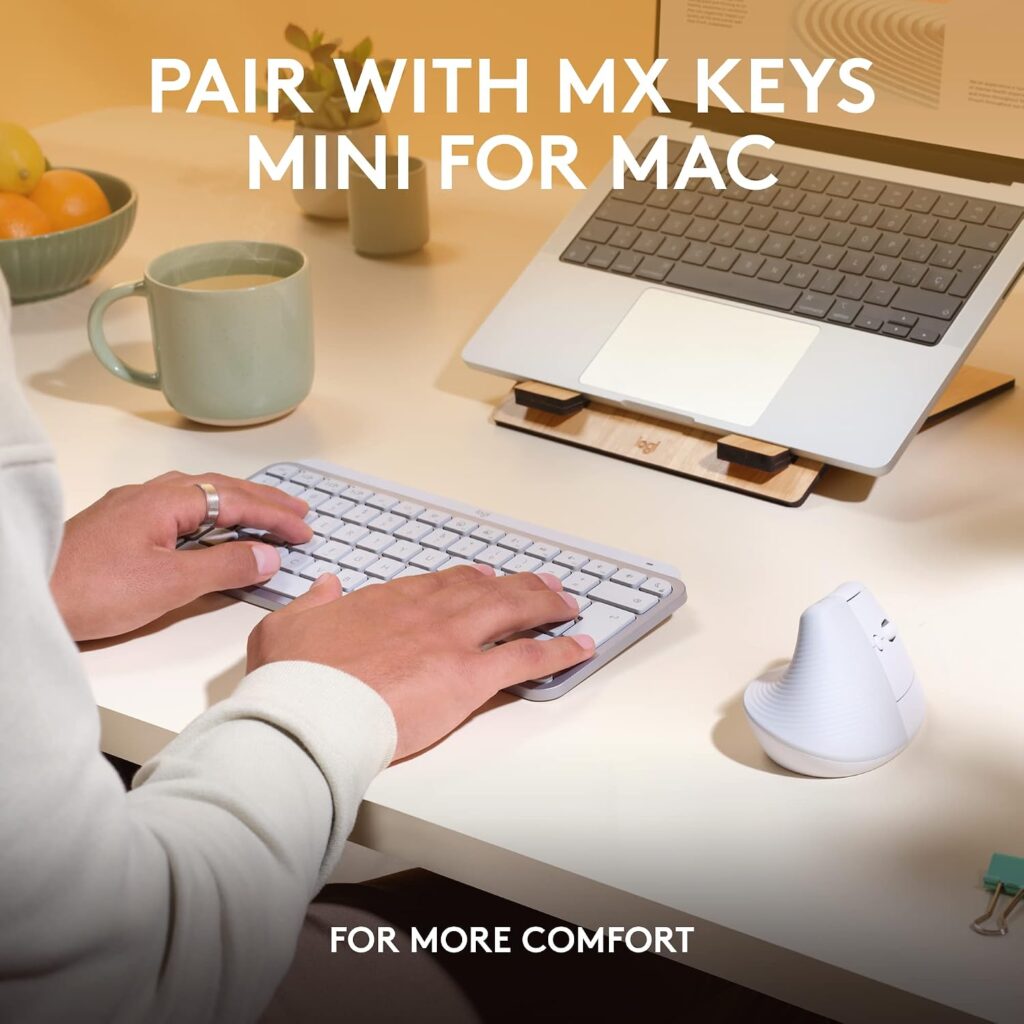
Quick Verdict: A Mac-and-iPad-focused version of the Lift with a colour designed to match Apple hardware. It trades two buttons and Windows compatibility for tighter platform integration.
Best For: Mac and iPad users who want a Lift that looks and connects like it was designed specifically for their setup, because it was.
Key Specifications
- Vertical angle: 57 degrees
- Buttons: 4 total (fewer than the standard 6-button Lift)
- Connectivity: Bluetooth Low Energy only; no Logi Bolt USB receiver included
- OS support: macOS 10.15+ and iPadOS only
- Battery: 1x AA, up to 24 months
- Warranty: 1-Year Limited Hardware Warranty
What We Like
- Colour-matched to Apple’s Space Grey and white product family
- Same 57-degree ergonomic shape and quiet-click mechanism as the standard Lift
- Works well with Logitech Flow for moving between Apple devices
What We Don’t Like
- Fewer physical buttons than the standard Lift
- No USB receiver in the box, so you are Bluetooth-only unless you separately buy one
- Not usable with Windows machines, which matters if your household or office is mixed-platform
Ergonomic Analysis: The ergonomic shape is unchanged from the standard Lift, the differences here are entirely about platform compatibility and button count, not comfort.
Who Should Buy It? Committed Mac and iPad users who will never need Windows compatibility and like the colour-matched aesthetic.
Who Should Skip It? Anyone who splits time between Windows and macOS, or who wants the full 6-button layout, the standard Lift works on macOS too and keeps the extra buttons and included receiver.
Value for Money: Priced the same as the standard Lift despite fewer buttons and no included receiver, which is a fair trade only if the Mac-specific design and colour genuinely matter to you.
🛒 Check Price on Amazon6. Logitech Lift Vertical Ergonomic Mouse; Renewed (Graphite)

Quick Verdict: The cheapest way into the Lift line, sold through Amazon Renewed. It is a genuine discount, but the shorter warranty and a couple of spec inconsistencies on the listing mean it is a calculated trade-off, not a free upgrade.
Best For: Budget-conscious buyers who are comfortable with a refurbished product and a shorter warranty window.
Key Specifications
- Same physical dimensions and weight as the standard Lift
- Connectivity: Bluetooth, USB, Wireless
- Movement detection listed as Optical and Laser (this combination is inconsistent with the standard Lift’s optical-only sensor and may reflect a listing error or an older hardware revision used in some renewed units)
- Maximum sensitivity listed at 1600 DPI on this specific listing, lower than the 4000 DPI figure on new Lift units
- Warranty: 90 days limited warranty (Amazon Renewed program)
What We Like
- The lowest entry price in the entire Lift range
- Amazon Renewed items are inspected and tested before resale, which gives more assurance than a generic third-party used listing
What We Don’t Like
- 90-day warranty is significantly shorter than the 1-year warranty on new units
- Listed sensor specifications (DPI and detection type) do not match the standard new Lift, so we cannot confirm this unit performs identically, treat any precise tracking specs on this listing with caution and confirm current details before buying
- Cosmetic wear is possible on a renewed product, even when functionally sound
Ergonomic Analysis: The physical shape and 57-degree angle should be unchanged from the standard Lift, since Amazon Renewed sells the same hardware refurbished rather than a redesigned product. The sensor specification discrepancies noted above do not appear to affect the ergonomic shape itself.
Who Should Buy It? Buyers on a tight budget who mainly want the ergonomic shape and are comfortable with a shorter warranty and some uncertainty around exact sensor specs.
Who Should Skip It? Anyone who wants full warranty coverage, guaranteed like-new cosmetic condition, or precise, verified sensor specifications.
Value for Money: Good value if the discount matters more to you than warranty length, but check the live listing’s specifications carefully before purchasing, since renewed listings can vary.
🛒 Check Price on Amazon7. Logitech Signature M650 L Left-Handed Wireless Mouse (Graphite); Best Alternative
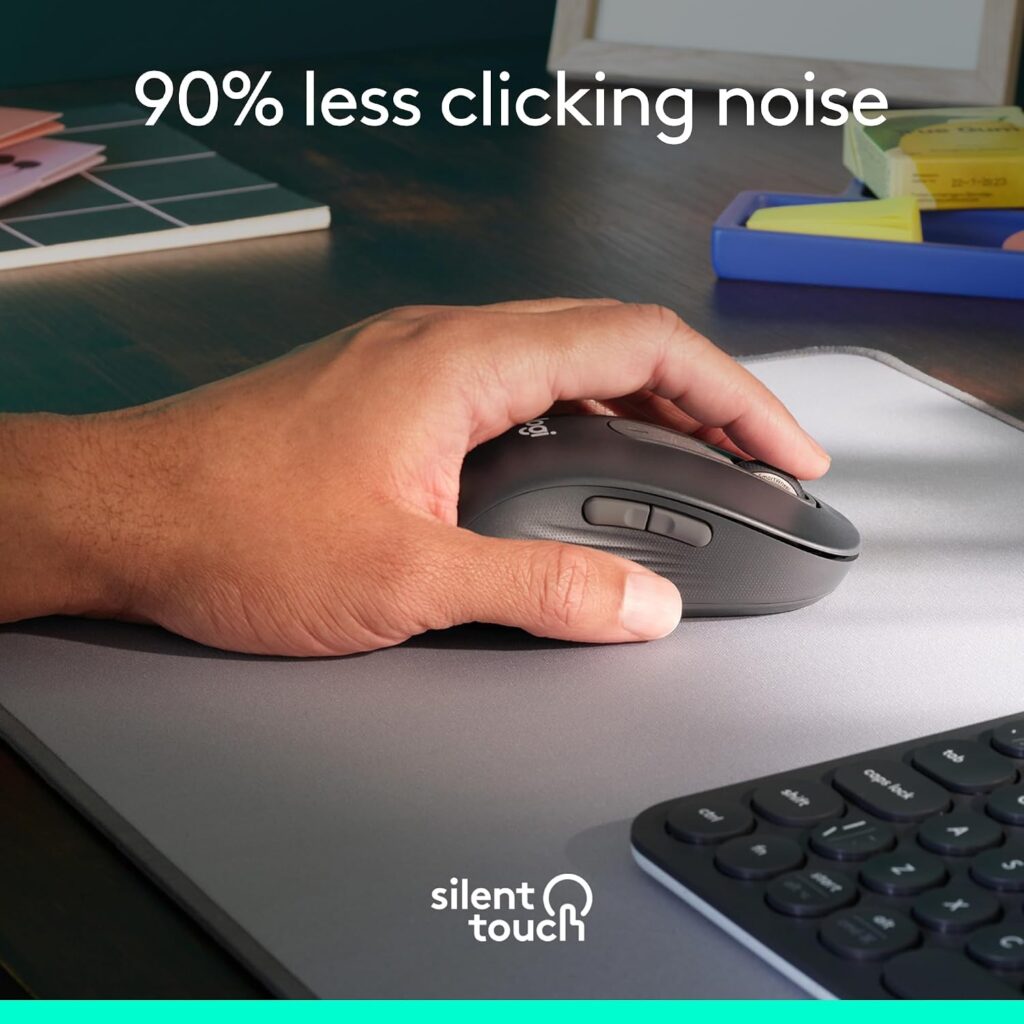
Quick Verdict: Not a vertical mouse, and not part of the Lift family, but worth including because it solves a problem the Lift does not: a comfortable, ergonomically contoured, left-handed mouse built for larger hands.
Best For: Left-handed users with medium to large hands who want ergonomic comfort without committing to a vertical grip.
Key Specifications
- Shape: Contoured, full-size body (not vertical)
- Weight: 3.92 oz
- Buttons: 5 total, customisable side buttons via Logi Options+
- Sensor: Optical, up to 2000 DPI
- Connectivity: Bluetooth Low Energy or Logi Bolt USB receiver
- Battery: 1x AA, up to 24 months
- OS support: Windows, macOS, Linux, Chrome OS, iPadOS, Android
What We Like
- A genuine large-size left-handed option, a rare combination in the ergonomic mouse market
- SilentTouch technology for quiet clicks, similar in spirit to the Lift
- Noticeably lower price than the Lift left-handed model
What We Don’t Like
- Not a vertical design, so it does not offer the same forearm-rotation benefit as the Lift
- Lower maximum sensor sensitivity (2000 DPI) than the Lift’s 4000 DPI
Ergonomic Analysis: This is a standard-orientation mouse with a contoured, soft-grip shape rather than a vertical angle. It supports a relaxed grip and reduces click noise, but it does not reposition the forearm the way a vertical mouse does. Emily Richardson’s take: for larger left hands that find the vertical Lift too small, a well-shaped standard mouse can sometimes be more comfortable overall than forcing an ill-fitting vertical grip.
Who Should Buy It? Left-handed users with hands too large for the Lift’s small-to-medium sizing who still want a quiet, comfortable, ergonomically contoured mouse.
Who Should Skip It? Anyone specifically seeking the wrist-rotation benefits of a vertical mouse, for that, the left-handed Lift remains the better fit if your hand size suits it.
Value for Money: Strong value, especially for the price, though it is answering a different question than the Lift.
🛒 Check Price on AmazonComparison Table
| Product | Best For | Type | Key Ergonomic Feature | Weight | Connectivity | Rating |
|---|---|---|---|---|---|---|
| Lift Graphite | Most users | Vertical, right-handed | 57° angle | 4.4 oz | Bluetooth / Logi Bolt | 4.6/5 |
| Lift Sand | Lighter colour preference | Vertical, right-handed | 57° angle | 4.4 oz | Bluetooth / Logi Bolt | 4.5/5 |
| Lift Rose | Best price on a new unit | Vertical, right-handed | 57° angle | 4.4 oz | Bluetooth / Logi Bolt | 4.6/5 |
| Lift Left-Handed | Left-handed users | Vertical, left-handed | 57° mirrored angle | 4.4 oz | Bluetooth / Logi Bolt | 4.3/5 |
| Lift for Mac | Mac / iPad users | Vertical, right-handed | 57° angle | 4.4 oz | Bluetooth only | 4.2/5 |
| Lift Renewed | Tight budgets | Vertical, right-handed, refurbished | 57° angle | 4.4 oz | Bluetooth / USB | 4.0/5 |
| Signature M650 L | Larger left hands | Standard, left-handed, contoured | Soft contoured grip | 3.92 oz | Bluetooth / Logi Bolt | 4.1/5 |
Which Logitech Lift Should You Buy?
Choose the Graphite or Sand Lift if: you want the best overall balance of comfort, features, and price, and you do not have a strong colour preference.
Choose the Rose Lift if: budget is your main priority and you want a brand-new (not renewed) unit at the lowest typical price.
Choose the Left-Handed Lift if: you are left-handed, this is a genuinely mirrored ergonomic shape, not a compromise design, though you should confirm the battery specification directly before ordering.
Choose the Lift for Mac if: you are fully committed to macOS and iPadOS, do not need Windows compatibility, and like the Apple-matching colourway.
Choose the Renewed Lift if: you want the lowest possible entry price and are comfortable with a 90-day warranty and some listing-spec uncertainty.
Choose the Signature M650 L if: you are left-handed with a larger hand and have found the vertical Lift’s small-to-medium sizing uncomfortable, this trades the vertical angle for a bigger, softer, standard-orientation shape.
If your hand size is the real deciding factor rather than the Lift specifically, our broader best vertical mouse and ergonomic mouse for small hands guides compare the Lift against other brands too
Common Mistakes When Buying a Vertical Mouse
- Buying based only on star ratings. A 4.4-star average tells you little about whether the shape fits your specific hand.
- Ignoring hand size entirely. The Lift’s small-to-medium sizing is a real constraint, not marketing language.
- Assuming “ergonomic” automatically means “comfortable for you.” Ergonomic design reduces certain postural stresses; it does not guarantee comfort for every hand shape.
- Skipping the handedness question. A mirrored left-handed design, like the Lift offers, is not the same as an ambidextrous shape used by a left hand.
- Overlooking software compatibility. Full button customisation on the Lift requires Windows or macOS; Linux and Chrome OS users get reduced functionality.
- Expecting instant relief. A vertical mouse changes hand position; it does not replace desk height, monitor position, or regular movement breaks as parts of a full ergonomic setup.
- Not checking the current price and warranty terms. Pricing on Renewed and even new listings shifts, and warranty length varies between the standard and Renewed Lift.
Best Practices for Using a Vertical Mouse
- Keep the mouse close to your body to avoid reaching, which strains the shoulder as much as the wrist.
- Let your whole forearm move with the mouse rather than pivoting only from the wrist.
- Set the desk and chair height so your elbow sits close to a 90–120 degree angle, per OSHA’s neutral posture guidance (OSHA Computer Workstations eTool).
- Take short movement breaks every 20–30 minutes rather than staying in any single posture, vertical or otherwise, for hours at a stretch.
- Adjust DPI/sensitivity so you are not gripping tightly to control an overly sensitive cursor.
- Pair the mouse with proper monitor height and viewing distance; a vertical mouse cannot compensate for a poorly set up desk.
For more general background on why posture and equipment choices matter together, the CDC’s overview of ergonomics and work-related musculoskeletal disorders is a useful starting point (CDC/NIOSH Ergonomics).
Frequently Asked Questions
Is the Logitech Lift good for small hands?
Yes — the Lift is specifically designed and marketed for small to medium hands, and its more compact body compared with the MX Vertical is the main reason it fits smaller palms and shorter fingers more comfortably.
Is the Logitech Lift vertical mouse worth it in 2026?
For right-handed users with small to medium hands who want a quieter, more neutral wrist position without paying premium prices, yes. It is not worth it if you have large hands, need high-precision gaming performance, or are looking for a rechargeable battery instead of AA.
Does the Logitech Lift come in a left-handed version?
Yes, Logitech sells a dedicated left-handed Lift with a genuinely mirrored shape rather than a symmetrical, ambidextrous design, currently available in Graphite.
Can the Logitech Lift help with wrist pain?
Research on vertical mice generally, including a controlled study in the journal Ergonomics, has measured reduced forearm pronation and lower wrist extensor muscle activity compared with a standard mouse. That research was not conducted on the Lift specifically, and it does not show that any vertical mouse cures or treats a condition. The Lift’s angle can support a more neutral forearm position, which some users find more comfortable during long sessions, but it is not a medical treatment, cannot diagnose or cure conditions like carpal tunnel syndrome, and should not replace advice from a healthcare professional for persistent or severe pain.
What is the difference between the Logitech Lift and MX Vertical?
The Lift is smaller, lighter, and designed for small to medium hands at a lower price point, while the MX Vertical is larger, uses a more premium build, and suits medium to large hands. See our full Logitech MX Vertical review and MX Vertical vs Lift comparison for a direct breakdown.
Does the Logitech Lift work with Mac?
Yes. The standard Lift supports macOS 10.15 and later alongside Windows, and Logitech also sells a dedicated Lift for Mac variant with a colour-matched finish and Bluetooth-only connectivity.
How long does the Logitech Lift battery last?
Logitech rates the Lift’s single AA battery at up to 24 months of use, though actual battery life varies with usage patterns and connection type.
Is the Logitech Lift quiet?
Yes, quiet clicks are one of the Lift’s headline features, and it is a noticeable difference from a standard mouse, particularly useful during calls or in shared workspaces.
Is the Amazon Renewed Logitech Lift a good option?
It can be, if the lower price matters more to you than a full warranty. The Renewed listing carries a 90-day warranty rather than the standard 1-year coverage, and some listed specifications differ slightly from the new version, so it is worth reviewing the current listing carefully before buying.
How many buttons does the Logitech Lift have, and are they all customisable?
The standard Lift has 6 buttons, with 4 customisable through Logi Options+ (Windows and macOS only). The Lift for Mac variant has 4 buttons total.
Final Verdict
The Logitech Lift earns its reputation as one of the better entry points into vertical mice, provided your hands are on the smaller side. If you want the best overall pick, go with the standard Graphite or Sand Lift. If price is your priority, the Rose colourway typically offers the same mouse for less. Left-handed users get a genuinely mirrored design rather than an afterthought, and Mac-focused buyers have a dedicated option, though both of those variants come with trade-offs worth reading closely above.
If your hands run larger, or you specifically need the strongest possible wrist-rotation benefit, this is the point where we would send you toward the MX Vertical vs Lift comparison instead of assuming the Lift is automatically the right call.
Compare the latest prices and available colourways before making your decision, Amazon pricing and stock can change.





