Best Bluetooth Ergonomic Mouse 2026: Top Multi-Device Picks Compared

If your workday involves switching between a laptop, a desktop, and a tablet, a standard wired mouse quickly becomes annoying. You are either carrying a USB receiver around or re-pairing Bluetooth every time you change devices. A Bluetooth ergonomic mouse solves both problems at once: it keeps your wrist in a more natural position during long sessions, and most current models let you pair with two or three devices and switch with a single click.
We put together this guide after comparing eight of the most relevant Bluetooth ergonomic mice available right now, looking specifically at multi-device pairing, vertical hand positioning, DPI range, battery life, and where each product falls short. Nothing here is based on hands-on lab testing; our conclusions come from manufacturer specifications, official product listings, and patterns across verified user feedback, which we explain in more detail as we go.
🖱️ Quick Answer: Best Bluetooth Ergonomic Mice 2026
If you only read one section, read this one. These are our top picks by category, based on connectivity, ergonomic design, and everyday usability.



What Is the Best Bluetooth Ergonomic Mouse for Multi-Device Use?
For most people switching between a laptop and a tablet or second computer, the AOC Ergonomic Bluetooth Mouse is the strongest all-round choice. It combines a 52° vertical grip, triple connectivity (Bluetooth 5.4, 2.4GHz receiver, and wired USB-A), and an LED battery indicator, at a price that stays competitive even against budget-only options. If you specifically need fast switching between three paired devices, the Lenovo Yoga Bluetooth Silent Mouse and seenda MOU-302 are worth comparing directly against it, since both are built around that exact use case.
Quick Comparison: Bluetooth Ergonomic Mice at a Glance
| Product | Best For | Main Strength | Main Limitation | Rating | Link |
|---|---|---|---|---|---|
| AOC Ergonomic Mouse | Overall use | Triple connectivity + LED battery display | Optimized for small/medium hands | 4.8/5 | View |
| Lenovo Yoga Bluetooth Silent Mouse | Fast multi-device switching | Bluetooth 5.3, tap-to-pair on Yoga PCs | Windows/macOS only, no 2.4G receiver | 4.6/5 | View |
| seenda MOU-302 | Value + media control | Built-in volume knob, 3-device pairing | Lower max DPI (2400) | 4.6/5 | View |
| ProtoArc EM11 NL | Small to medium hands | Compact 58° vertical shape | Side buttons not programmable | 4.5/5 | View |
| TECKNET Vertical Ergonomic Mouse | Budget buyers | 57° angle, 200-hour battery, low price | No LED battery indicator | 4.4/5 | View |
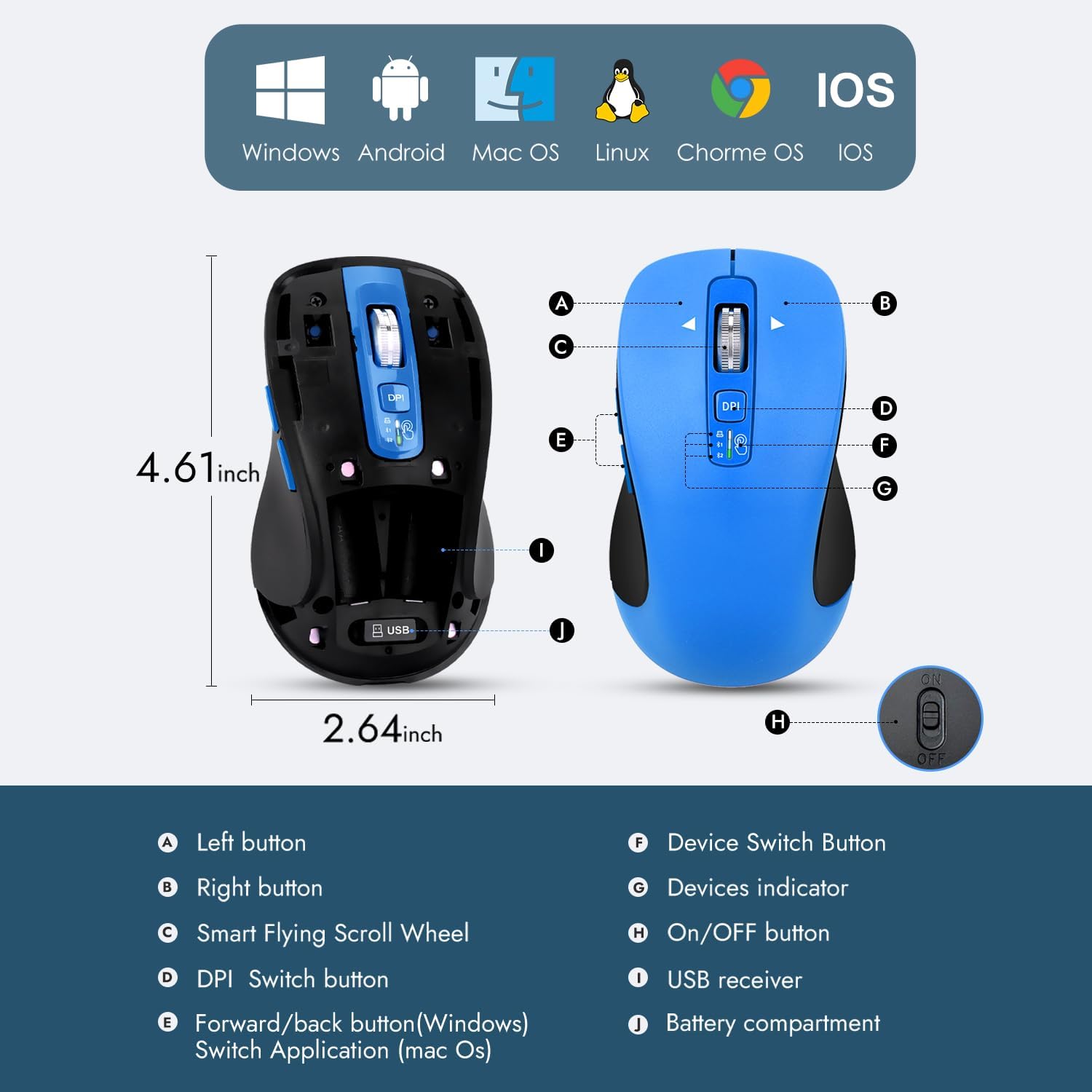
| Uineer Vertical Ergonomic Mouse | Document/spreadsheet work | Side scroll for horizontal navigation | Back/forward buttons don’t work on macOS | 4.3/5 | View |
| CITLLA Wireless Bluetooth Mouse | Long battery life | Rated up to 40 months on 2 AA batteries | Heavier, less minimal shape | 4.3/5 | View |
| Logitech M705 Marathon | Buyers who prefer a traditional shape | Trusted brand, laser sensor, 3-year battery | Not a vertical/ergonomic design | 4.3/5 | View |
Ratings reflect our editorial assessment based on ergonomic design, multi-device performance, battery life, and value for money. They are not a direct copy of Amazon’s star rating. Specifications and pricing can vary by region and over time, so it’s worth checking the current listing before buying.
Why Bluetooth Matters for an Ergonomic Mouse
A Bluetooth vertical mouse connects directly to your laptop, tablet, or desktop’s built-in Bluetooth radio, without occupying a USB port. That matters more than it sounds like it should. Modern laptops often have only two or three USB-C ports, and a permanently plugged-in receiver is one less port for a monitor, dock, or charger.
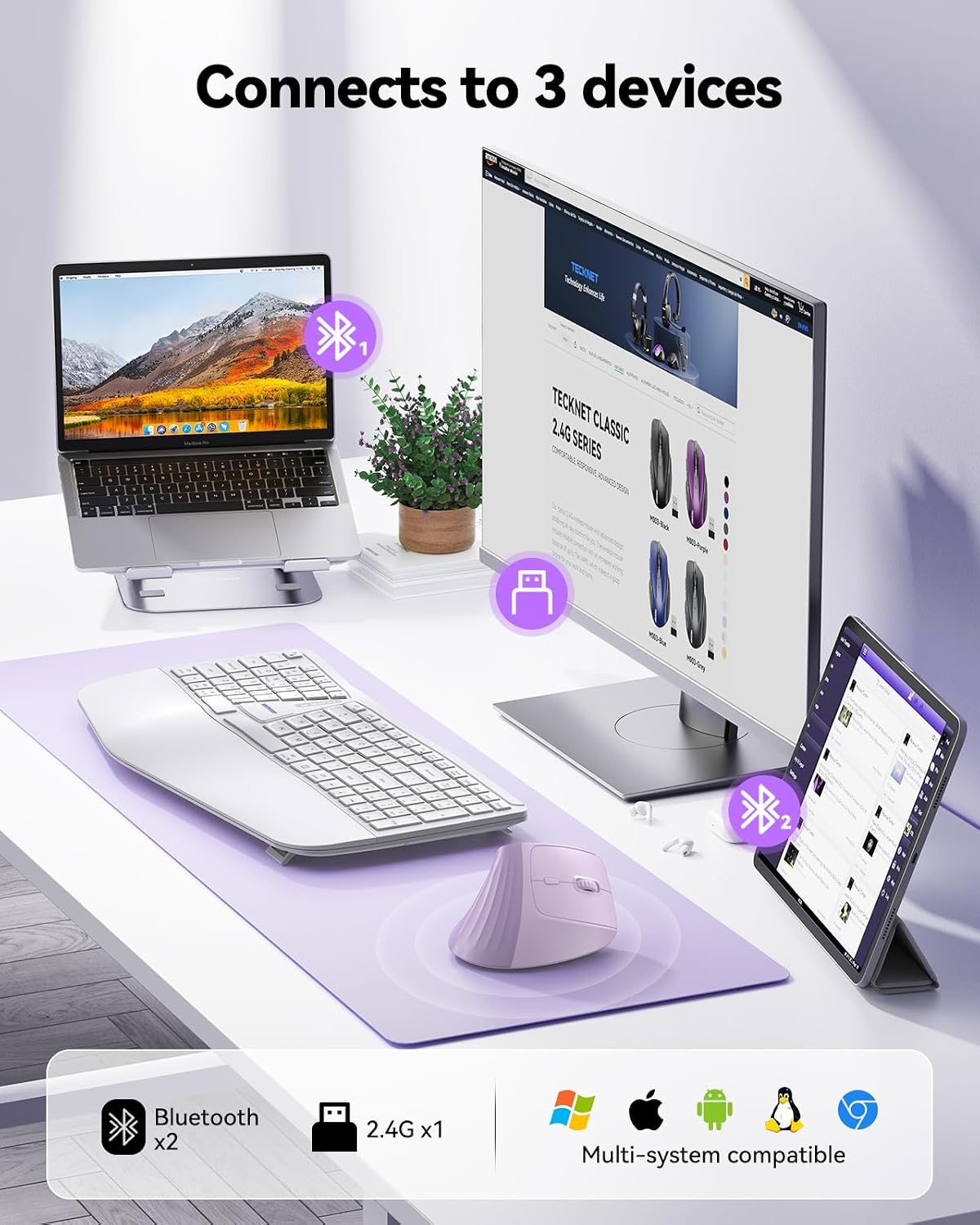
The bigger advantage for people juggling several devices is multi-device pairing. Most of the mice in this guide can store pairing information for two or three devices at once (usually one 2.4GHz connection plus one or two Bluetooth channels) and switch between them with a button press, instead of forcing you to forget and re-pair every time. If you move between a work laptop, a personal computer, and a tablet during the day, this single feature can save a genuinely annoying amount of friction.
Buying Guide: What to Check Before You Buy
1. Vertical Angle and Grip Style
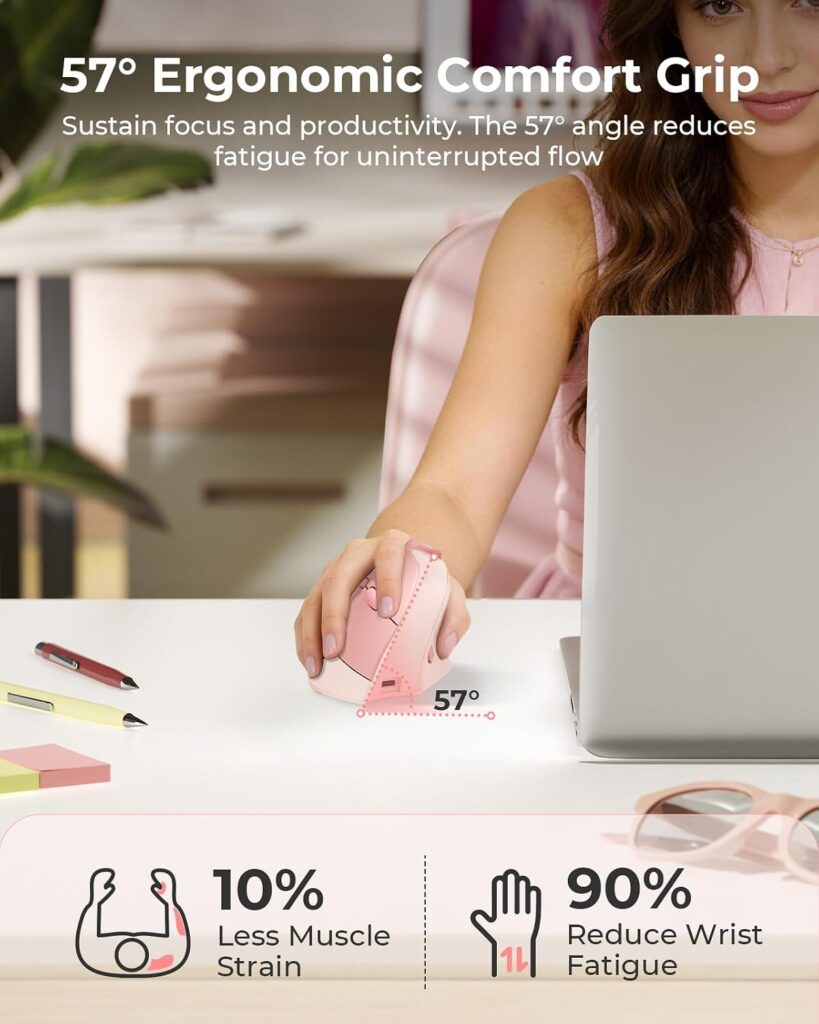
A vertical mouse is designed to keep the forearm in a more neutral position than a traditional flat mouse, reducing the amount of inward wrist rotation (pronation) needed to operate it. Angles in this guide range from 52° (AOC) to 58° (ProtoArc). A steeper angle generally means a more upright “handshake” grip, but it can also feel unfamiliar for the first week or two, which several manufacturers mention directly in their product notes.
2. Hand Size Compatibility
Several of these mice, including the ProtoArc EM11 NL and AOC model, are explicitly built for small to medium hands and note this in their own specifications. If you have larger hands, a compact vertical mouse can feel cramped during long sessions, so it’s worth checking listed dimensions against your own hand length before ordering.
3. Number of Devices Supported
Check whether the mouse supports two or three simultaneous pairings, and through which connection types (Bluetooth-only, dual Bluetooth, or Bluetooth plus a 2.4GHz USB receiver). If you frequently switch between a Mac and a Windows machine, confirm both are listed as supported operating systems.
4. DPI Range and Sensor Type
DPI (dots per inch) controls cursor sensitivity. Most mice here offer adjustable ranges between 800 and 4,800 DPI, which covers everything from detailed design work to fast browsing. Optical sensors, used in most of these models, are generally reliable on most desk surfaces; the Logitech M705 is the only laser-sensor mouse in this list, which can help on glossy or wood-grain surfaces.
5. Battery Type and Life
Some mice use a built-in rechargeable battery (TECKNET, AOC, seenda, ProtoArc, Uineer), typically charged over USB-C, while others run on replaceable AA or AAA batteries (CITLLA, Logitech, Lenovo). Rechargeable models avoid battery waste but need an occasional charge; replaceable-battery models can run for years but require you to keep spares on hand.
6. Click Noise
If you work in a shared office, on calls, or in a quiet household, “quiet click” mice with sub-35dB main buttons (seenda, AOC, ProtoArc, Uineer) are worth prioritizing. Note that on most of these, only the left and right buttons are silenced; scroll wheels and side buttons usually still click normally.
7. Programmable Buttons
Button count ranges from 5 (Logitech) to 10 (CITLLA), but not every button is programmable. If shortcut customization matters to your workflow, check this specifically rather than assuming a high button count means full programmability.
Emily Richardson’s tip: A compact ergonomic mouse that actually fits your hand and pairs reliably with your devices will usually serve you better day to day than a larger, feature-heavy model that requires more desk space and more setup.
Product Reviews
1. AOC Ergonomic Bluetooth Mouse
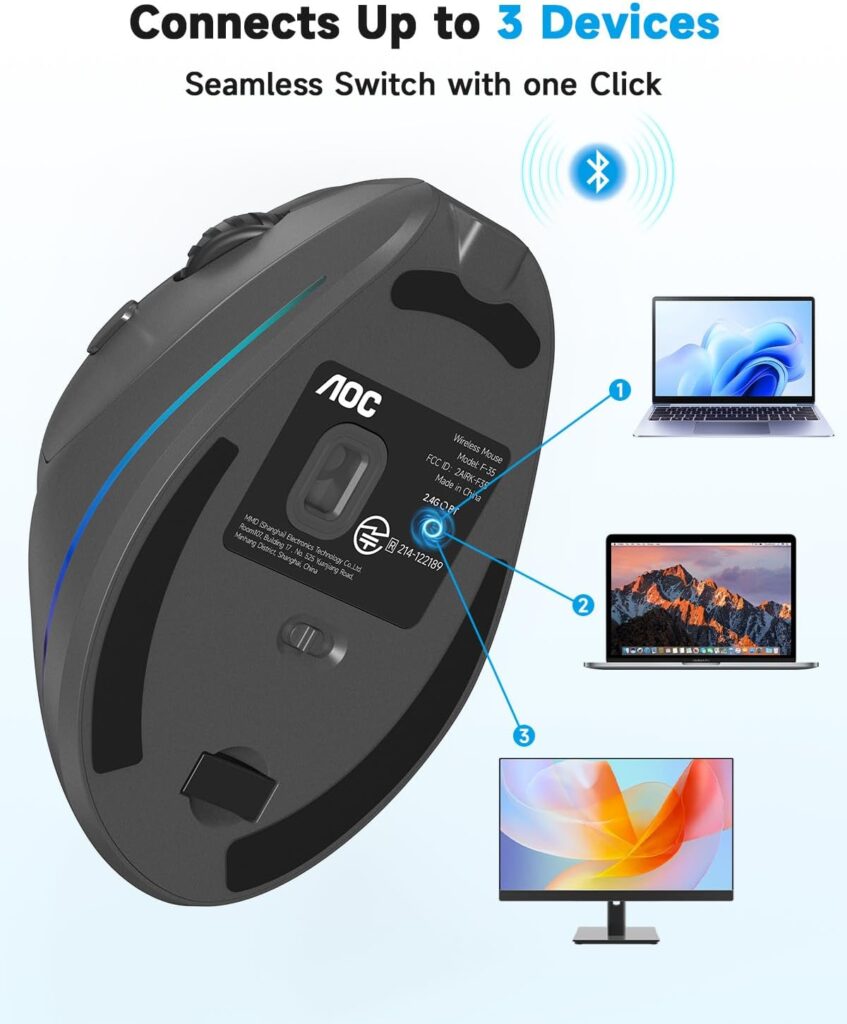
Quick Verdict: The AOC Ergonomic Mouse stands out for combining three connection modes, an LED battery percentage display, and a 52° vertical grip at a price that competes with budget-only options. Amazon listings show this as a well-rated pick among users specifically looking for vertical mice with multi-device support.
Best For: Users who want a well-rounded ergonomic mouse without paying a premium price.
Key Specifications:
- 52° vertical angle, right-hand design
- Bluetooth 5.4, 2.4GHz wireless, and wired USB-A connectivity
- DPI range: 1000–4800
- 800mAh battery, rated up to 200 hours (RGB off) or 40+ hours (RGB on)
- 7 buttons, several programmable
- Weight: approximately 3.68 oz
What We Like:
- Three connection modes cover almost any device
- LED indicator removes the guesswork around battery level
- Quiet left and right clicks
What We Don’t Like:
- Optimized for small to medium hands; large-handed users may find it tight
- RGB lighting reduces battery life significantly when active
Ergonomic Analysis: The 52° angle is a moderate vertical tilt, which tends to make the transition from a flat mouse easier than steeper designs, while still reducing forearm rotation compared with a standard mouse shape.
Who Should Buy It? Anyone who wants one mouse that reliably covers a work laptop, a personal computer, and occasional Bluetooth pairing with a tablet.
Who Should Skip It? Users with large hands, who may prefer a larger vertical mouse body, or minimalists who don’t need RGB lighting or extra buttons.
Value for Money: At its typical discounted price, the AOC delivers more connection flexibility and feedback (LED display) than most competitors in the same price bracket.
🛒 Check Price on Amazon2. Lenovo Yoga Bluetooth Silent Mouse
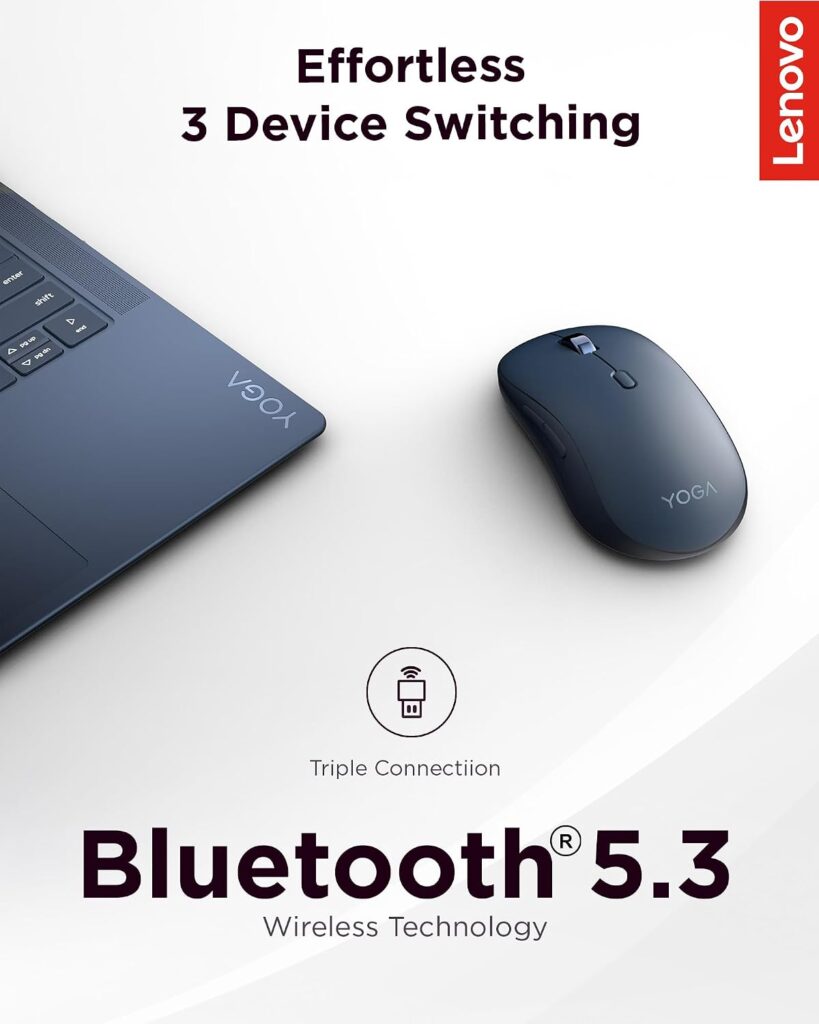
Quick Verdict: This Lenovo model uses Bluetooth 5.3 to pair with up to three devices, with tap-to-pair support for Yoga laptops specifically. It’s built more around portability and quiet operation than an aggressive vertical shape.
Best For: Users who move frequently between three devices and want fast, reliable re-pairing.
Key Specifications:
- Bluetooth 5.3, ambidextrous design
- 6 buttons, several programmable
- DPI up to 4000
- Runs on 1 AA battery, rated up to 36 months
- Compatible with Windows and macOS
- Weight: approximately 3.1 oz
What We Like:
- Genuinely fast switching between three paired devices
- Long battery life on a single AA battery
- Soft-touch coating feels premium for the price
What We Don’t Like:
- No 2.4GHz USB receiver option, Bluetooth only
- Listed compatibility covers Windows and macOS, not Android or Chrome OS
Ergonomic Analysis: This is a more traditional ambidextrous shape rather than a steep vertical design, so the ergonomic benefit comes primarily from a relaxed grip and light body rather than a pronounced hand-angle change.
Who Should Buy It? People who regularly hop between a personal laptop, a work laptop, and a tablet, and who value pairing speed over an aggressive vertical shape.
Who Should Skip It? Anyone specifically looking for a steep vertical angle to address wrist rotation, or users on Linux/Chrome OS/Android devices.
Value for Money: Reasonable for a recognizable brand name with genuinely useful multi-device features, though the ergonomic shape itself is less specialized than some competitors here.
🛒 Check Price on Amazon3. seenda MOU-302 Vertical Mouse
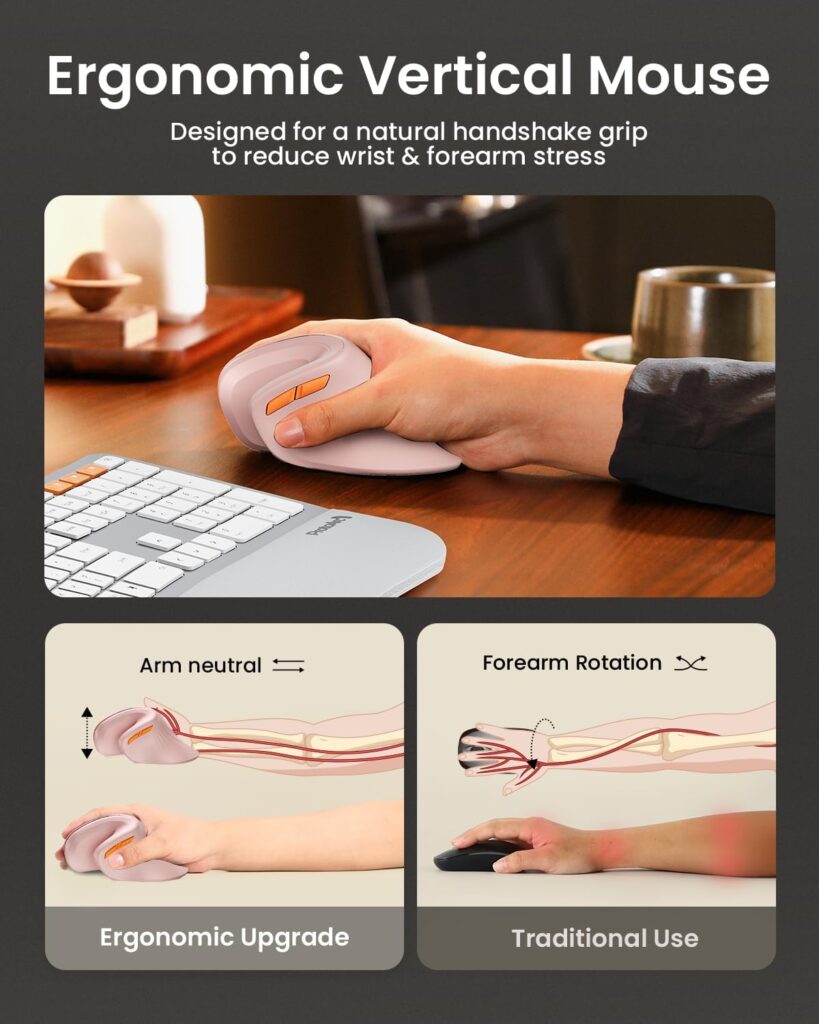
Quick Verdict: The seenda MOU-302 pairs a vertical ergonomic shape with a built-in volume control knob, a feature aimed at people who take calls or stream music while working. It supports three simultaneous device connections.
Best For: Remote workers who want media control built into the mouse itself.
Key Specifications:
- Vertical ergonomic design, right-hand
- 2.4G USB, BT1, and BT2 connectivity (3 devices)
- DPI: 1000/1600/2400
- 500mAh rechargeable battery, USB-C charging
- 7 buttons
What We Like:
- Volume knob is genuinely useful for calls and media without alt-tabbing
- Quiet main clicks
- Competitive price for the feature set
What We Don’t Like:
- Maximum DPI (2400) is lower than several competitors here
- Designed for small to medium hands
Ergonomic Analysis: The handshake-style grip is designed to keep the wrist and forearm in a straighter line during extended use, which the manufacturer positions as helpful for users who already experience general wrist strain, without claiming to treat any specific condition.
Who Should Buy It? Streamers, remote workers on frequent video calls, and anyone who wants quick volume access without extra software.
Who Should Skip It? Users who need very high DPI for precision design work, or those with larger hands.
Value for Money: Strong. The volume knob is a genuinely differentiated feature rather than a marketing add-on, and the price stays close to other mid-range options.
🛒 Check Price on Amazon4. ProtoArc EM11 NL Vertical Mouse
Quick Verdict: The EM11 NL uses a 58° vertical angle, the steepest in this guide, and is explicitly designed for hand lengths under 7.5 inches. It supports three-device pairing through dual Bluetooth and a 2.4GHz receiver.
Best For: Users with small to medium hands who want a pronounced vertical grip.
Key Specifications:
- 58° vertical angle
- Dual Bluetooth + 2.4G USB-A connectivity (3 devices)
- DPI: 1000/1600/2400
- 500mAh Li-Ion battery, USB-C charging
- 7 buttons (back/forward not programmable)
What We Like:
- Steep vertical angle for a more pronounced handshake position
- Quiet left and right clicks
- Compact size suits smaller hands well
What We Don’t Like:
- Side buttons are not programmable
- The included Type-C cable is for charging only, not USB data connection
Ergonomic Analysis: A 58° angle is closer to a true handshake position than the shallower angles used by AOC or TECKNET, which may suit users who have already adjusted to vertical mice and want a more pronounced tilt.
Who Should Buy It? Smaller-handed users who want the steepest vertical angle in this comparison and don’t need customizable side buttons.
Who Should Skip It? Larger-handed users, or anyone who relies heavily on programmable side buttons for workflow shortcuts.
Value for Money: Fair. The compact design and steep angle are genuine differentiators, though the lack of button programmability is a real limitation for power users.
🛒 Check Price on Amazon5. TECKNET Vertical Ergonomic Mouse
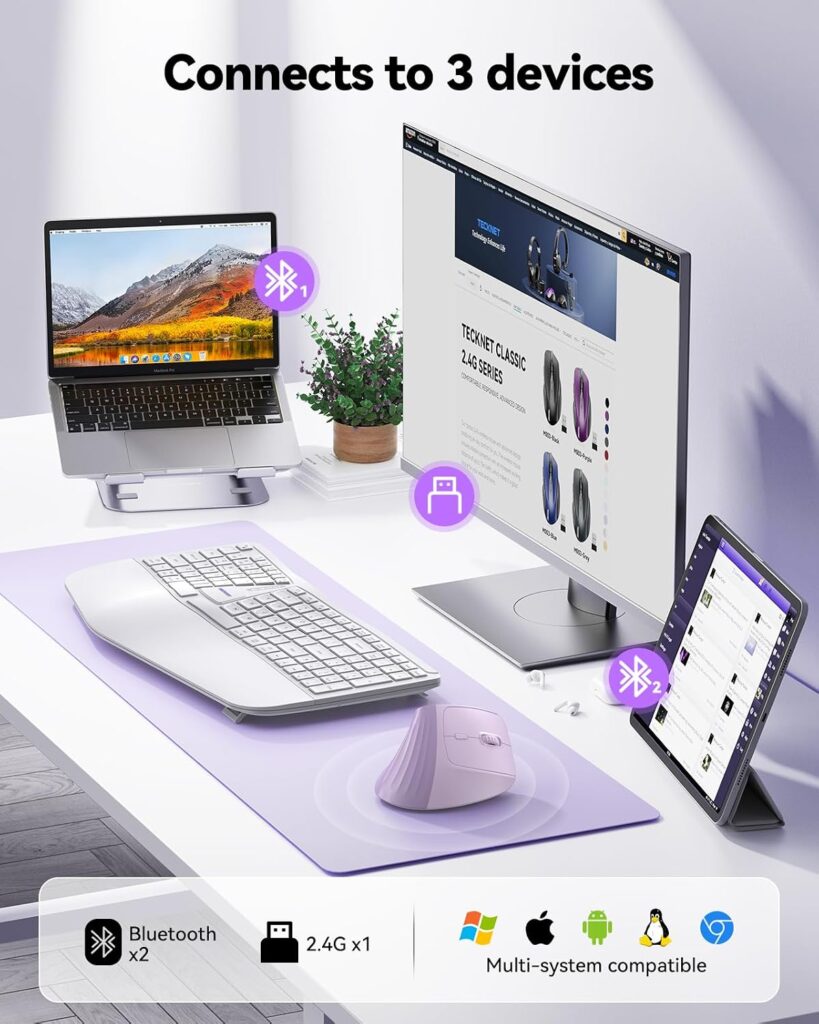
Quick Verdict: The TECKNET mouse offers a 57° vertical angle, dual-mode wireless connectivity, and a claimed 200-hour battery life, all at one of the lowest prices in this comparison.
Best For: Budget-conscious buyers who still want a genuinely vertical ergonomic design.
Key Specifications:
- 57° vertical angle
- Bluetooth 5.0 and 2.4G wireless (USB receiver)
- DPI: 1000/1600/2000/3200/4800
- 500mAh battery, rated up to 200 hours
- 6 buttons, no drivers required
What We Like:
- Steep vertical angle at a low price point
- Simple DPI switching without software
- Wide OS compatibility, including Linux and Chrome OS
What We Don’t Like:
- No LED battery percentage display
- Two-device switching only, one fewer than several competitors
Ergonomic Analysis: At 57°, this sits close to the ProtoArc in terms of vertical tilt, giving a similar handshake-style grip at a noticeably lower price.
Who Should Buy It? Anyone testing whether a vertical mouse suits them before committing to a pricier option.
Who Should Skip It? Users who specifically need three-device switching or a battery percentage display.
Value for Money: Very good. The angle and battery life compete with pricier models, even though it lacks some of their extra features.
🛒 Check Price on Amazon6. Uineer Vertical Ergonomic Mouse
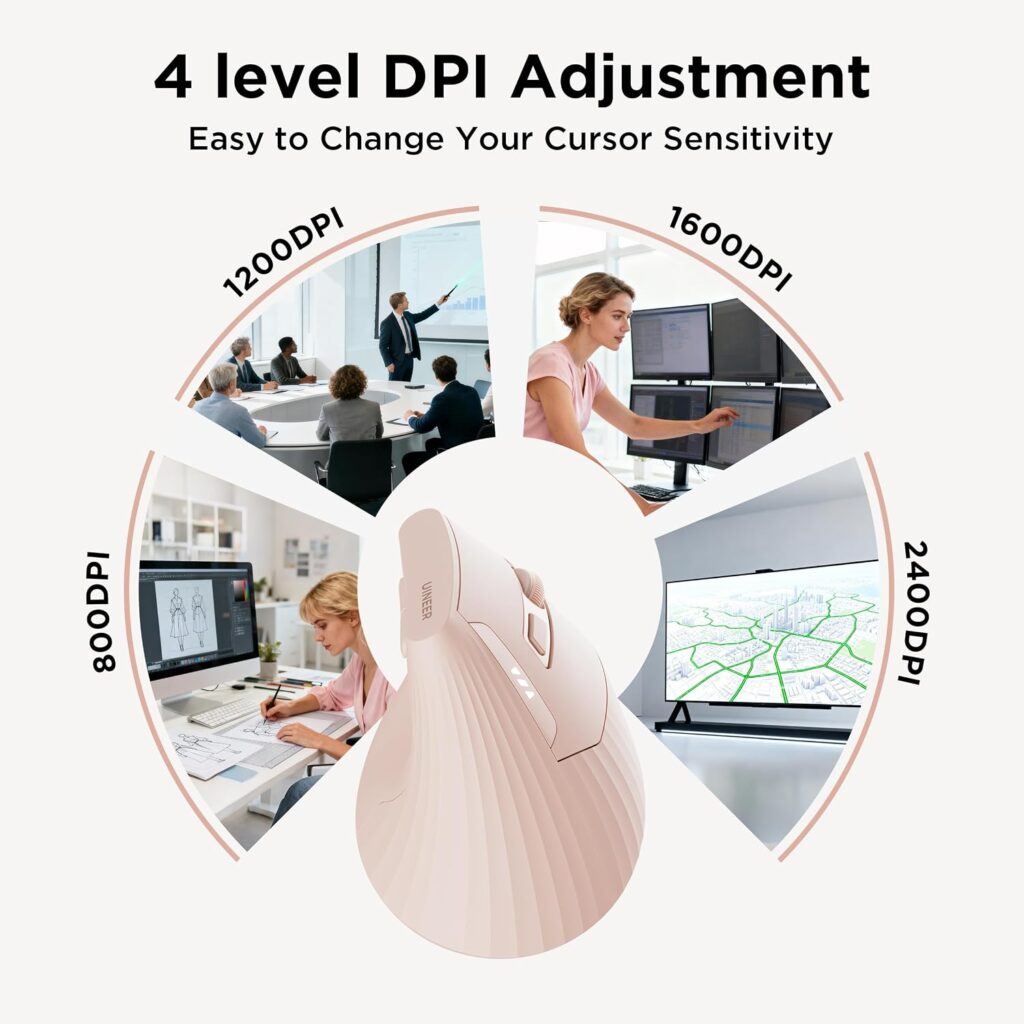
Quick Verdict: The Uineer mouse pairs a vertical shape with a side scroll wheel built for horizontal navigation, a genuinely useful feature for spreadsheet and document-heavy work, plus support for three paired devices.
Best For: Spreadsheet-heavy or document-heavy workflows that benefit from horizontal scrolling.
Key Specifications:
- Vertical handshake grip
- Dual Bluetooth (5.0/4.0) + 2.4G wireless (3 devices)
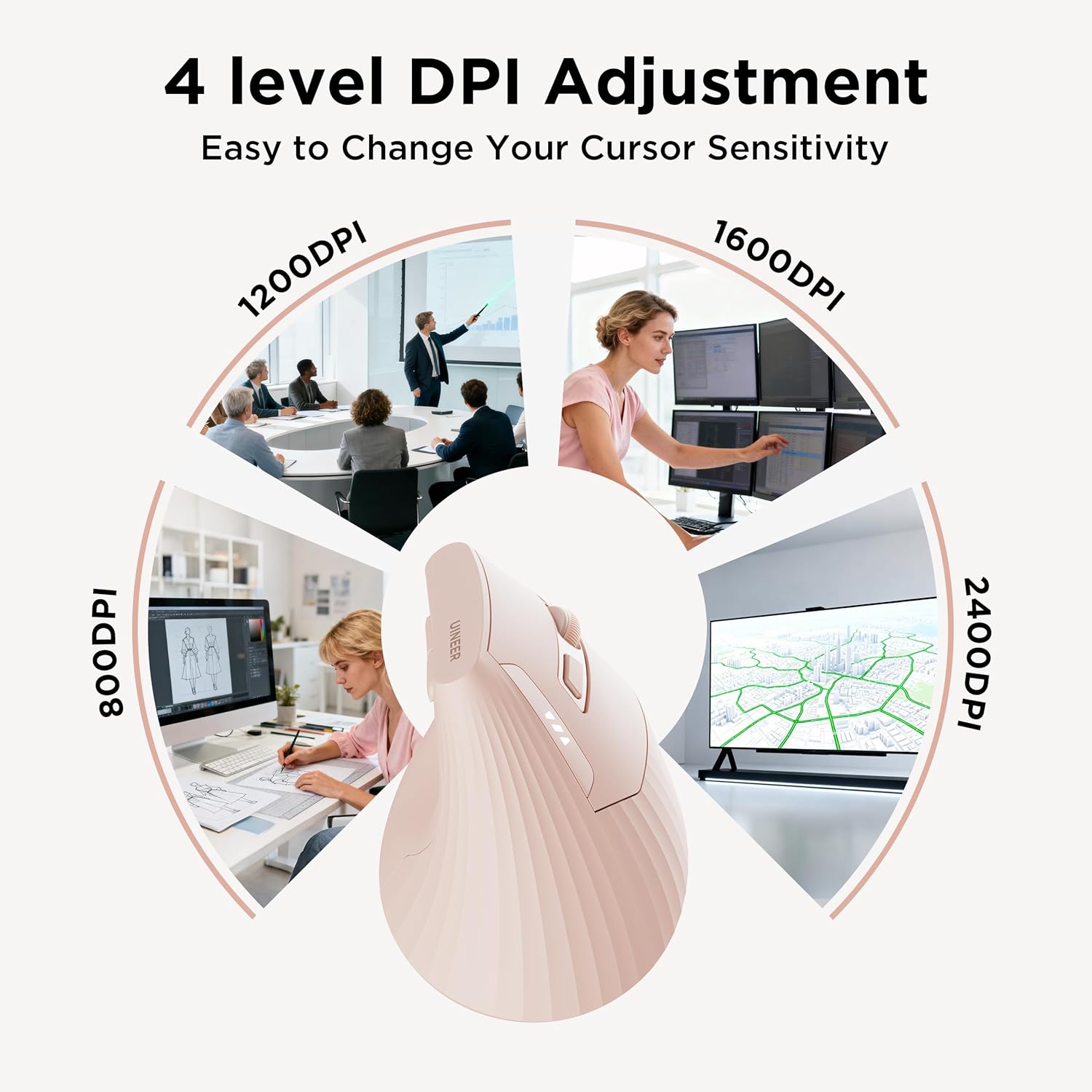
- DPI: 800/1200/1600/2400
- 500mAh rechargeable battery, USB-C charging
- 6 buttons
What We Like:
- Side scroll wheel genuinely helps with wide spreadsheets and documents
- Soft left/right clicks
- Visible battery indicator
What We Don’t Like:
- Back/forward buttons don’t work on macOS, per the manufacturer’s own note
- Manufacturer notes it may take 1–2 weeks to adjust to the vertical shape
Ergonomic Analysis: The horizontal scroll function doesn’t change wrist position directly, but it can reduce the number of repetitive scroll-and-drag motions needed for wide-format work, which may reduce unnecessary hand movement over a full day.
Who Should Buy It? Analysts, accountants, and anyone regularly navigating wide spreadsheets or documents.
Who Should Skip It? Mac users who rely on back/forward browser navigation from the mouse.
Value for Money: Reasonable, particularly for the specific spreadsheet-navigation use case it targets.
🛒 Check Price on Amazon7. CITLLA Wireless Bluetooth Mouse
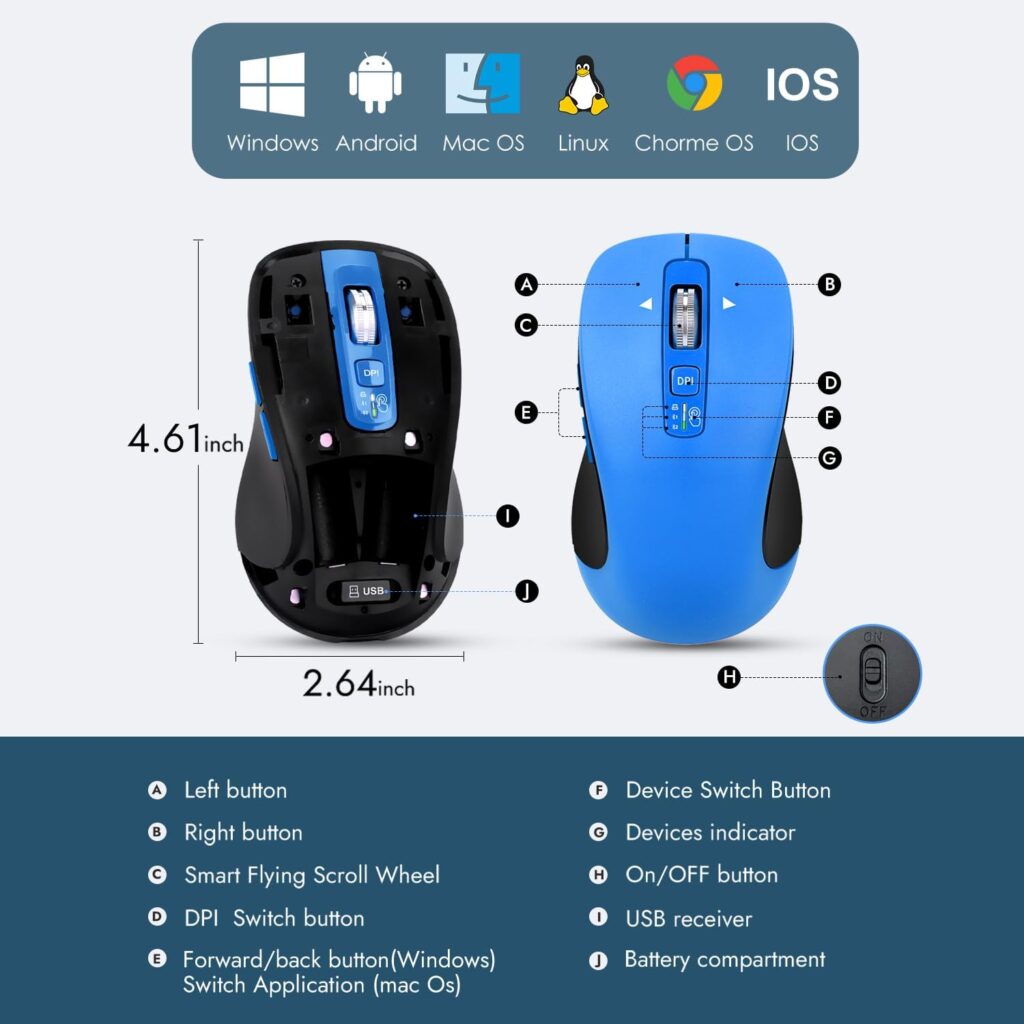
Quick Verdict: The CITLLA mouse is built around long battery life, rated at up to 40 months on two AA batteries, along with 4-way scrolling and dual Bluetooth plus 2.4G connectivity for multiple devices.
Best For: Users who want to avoid recharging entirely and don’t mind a slightly larger mouse body.
Key Specifications:
- 2.4G USB receiver + dual Bluetooth
- DPI: 1000/1600/2400/3000
- Powered by 2 AA batteries, rated up to 40 months
- 10 buttons, 4-way scrolling
- Weight: approximately 5.9 oz
What We Like:
- Exceptionally long rated battery life with no charging required
- 4-way scroll wheel with horizontal navigation
- Sweat-resistant, non-slip side grip
What We Don’t Like:
- Heavier and bulkier than the vertical-only models in this list
- Officially listed OS compatibility (Chrome OS, Linux) is narrower on paper than the product description suggests, so it’s worth confirming full compatibility for your device before buying
Ergonomic Analysis: This isn’t a steep vertical mouse; the ergonomic benefit comes mainly from its side grip and horizontal scroll function rather than a pronounced hand-angle change.
Who Should Buy It? Anyone who wants a “set and forget” mouse that avoids recharging for years at a time.
Who Should Skip It? Users specifically prioritizing a vertical, compact design over battery longevity.
Value for Money: Good for the battery life alone, though buyers wanting a true vertical ergonomic shape should look elsewhere on this list.
🛒 Check Price on Amazon8. Logitech M705 Marathon
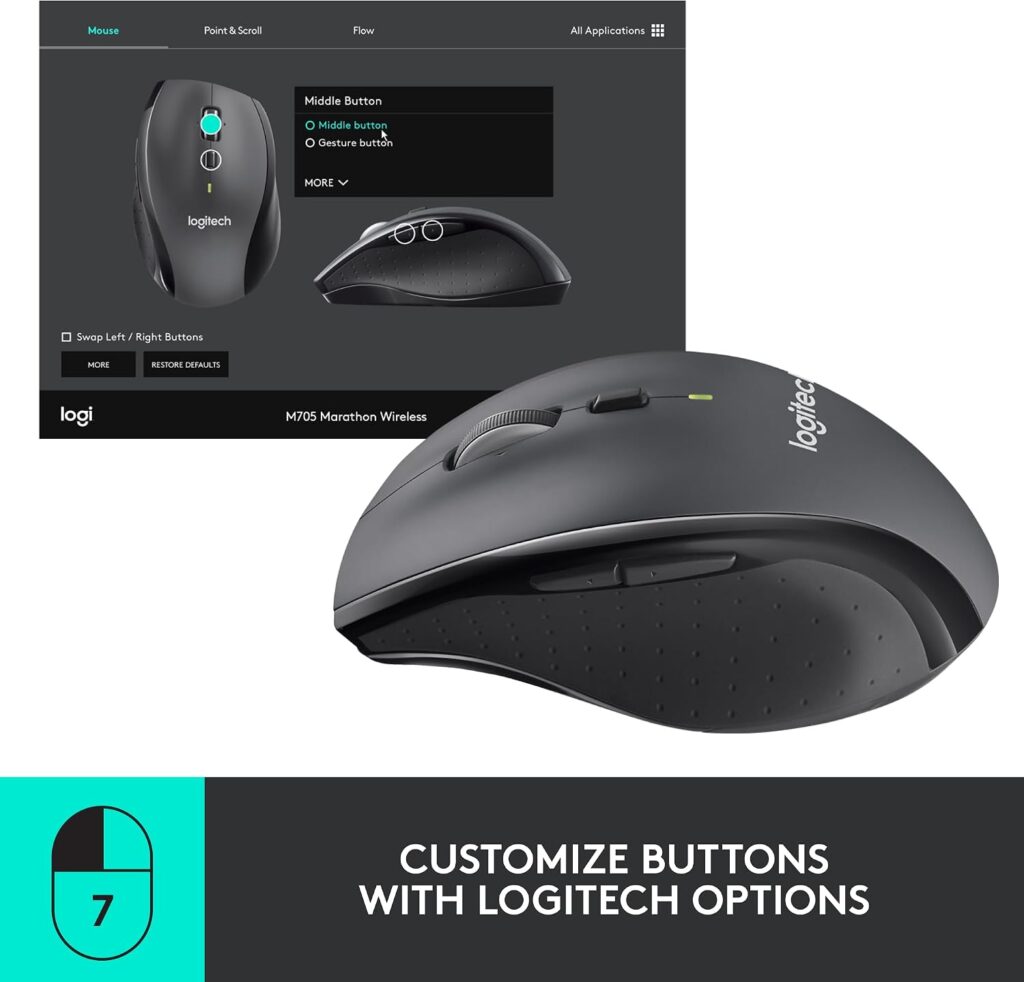
Quick Verdict: The M705 isn’t a vertical mouse, but it’s a well-established, widely reviewed option with a sculpted right-hand shape, a laser sensor, and a battery life rated up to three years, making it a sensible pick for anyone who wants a trusted brand without a steep learning curve.
Best For: Users who want ergonomic-adjacent comfort without switching to a full vertical grip.
Key Specifications:
- Sculpted right-hand shape, laser sensor
- Bluetooth and USB (Unifying receiver) connectivity
- DPI: up to 1000
- 2 AA batteries, rated up to 3 years
- 5 buttons, including thumb navigation
What We Like:
- Extremely well-reviewed, with over 12,000 ratings on Amazon
- Laser sensor performs well on glossy or wood-grain desks
- Long battery life
What We Don’t Like:
- Not a vertical or ergonomic-specific design, so wrist rotation isn’t reduced the way it is with the other mice here
- Maximum DPI is lower than most competitors in this list
Ergonomic Analysis: The sculpted shape guides the hand into a moderately comfortable resting position, but it does not change wrist rotation the way a vertical mouse does. It’s a better fit for users who find vertical mice uncomfortable rather than those specifically seeking reduced forearm pronation.
Who Should Buy It? Buyers who tried a vertical mouse and didn’t get along with it, or who simply want a reliable, well-reviewed traditional mouse.
Who Should Skip It? Anyone whose main goal is reducing wrist rotation through a vertical grip.
Value for Money: Solid, backed by a long track record and a large review base, though it competes on brand trust rather than ergonomic specialization.
🛒 Check Price on AmazonDecision Framework: Which Product Should You Buy?
Choose the AOC Ergonomic Mouse if: You want the best overall balance of connectivity, features, and price, and your hands are small to medium sized.
Choose the Lenovo Yoga Bluetooth Silent Mouse if: You switch between three devices frequently and want the fastest, most reliable re-pairing experience.
Choose the seenda MOU-302 if: You take frequent calls or stream music while working and want built-in volume control.
Choose the ProtoArc EM11 NL if: You have smaller hands and want the steepest vertical angle in this comparison.
Choose the TECKNET Vertical Mouse if: You want to try a vertical ergonomic mouse without a large upfront cost.
Choose the Uineer Vertical Mouse if: Your daily work involves wide spreadsheets or documents that benefit from horizontal scrolling.
Choose the CITLLA Wireless Mouse if: You want to avoid recharging for years and don’t mind a larger mouse body.
Choose the Logitech M705 if: You’ve found vertical mice uncomfortable in the past and want a well-reviewed, traditional shape instead.
Alternatives Worth Knowing About
Best alternative for programmers: If precision and extensive button remapping matter more than a vertical angle, it’s worth comparing options in our ergonomic mouse guide for programmers.
Best alternative for Mac-first setups: Since a few models here have partial macOS limitations (Uineer’s back/forward buttons, Lenovo’s narrower OS list), Mac users may want to cross-check our best ergonomic mouse for Mac picks before deciding.
Best alternative for silent offices: If quiet clicking is your top priority over multi-device pairing, see our dedicated best silent ergonomic mouse roundup.
Common Mistakes to Avoid
- Buying based only on star ratings, without checking whether the hand-size fit or DPI range actually matches your needs.
- Ignoring hand size entirely. Several of these mice are explicitly built for small to medium hands, and a cramped fit can undo any ergonomic benefit.
- Assuming “ergonomic” automatically means comfortable. Fit, angle, and grip style all matter more than the label itself.
- Overlooking operating system compatibility, especially with mice that have partial macOS or Linux support.
- Expecting instant comfort. Vertical mice often take one to two weeks of adjustment, as several manufacturers note directly.
- Ignoring desk space and receiver requirements. A 2.4GHz USB receiver can be easy to lose if you travel between devices often.
- Choosing based on button count alone, without checking how many of those buttons are actually programmable.
- Not checking current pricing and stock, since promotional pricing on these listings can change without notice.
Best Practices for Everyday Comfort
- Keep the mouse close to your body rather than reaching forward, which reduces shoulder and upper-arm strain.
- Adjust desk or chair height so your forearm stays roughly parallel to the floor while using the mouse.
- Avoid resting your wrist directly on a hard desk edge for long periods; a wrist rest can help distribute pressure.
- Give yourself one to two weeks to adjust to a new vertical angle before judging whether it’s the right fit.
- Take short movement breaks every 30–60 minutes, regardless of how ergonomic your mouse is.
- Position your monitor so you’re not twisting your neck or torso while reaching for the mouse.
None of these products are a substitute for proper desk setup, posture variation, and regular breaks. For persistent wrist, hand, or arm discomfort, it’s worth speaking with a healthcare professional rather than relying on a product change alone.
Frequently Asked Questions
Is a Bluetooth ergonomic mouse better than a 2.4GHz wireless mouse?
Neither is universally “better.” Bluetooth connects directly to your device’s built-in radio and doesn’t use a USB port, which is useful for laptops and tablets with limited ports. A 2.4GHz USB receiver can sometimes offer slightly more consistent latency for fast-paced tasks. Many of the mice in this guide support both, so you can choose per device.
How many devices can a multi-device Bluetooth mouse connect to?
Most of the mice compared here support two or three simultaneous device pairings, typically through a combination of one 2.4GHz connection and one or two Bluetooth channels. Check each product’s specific connection modes, since the exact combination varies by model.
Is a vertical mouse good for long work hours?
A vertical mouse is designed to keep the forearm in a more neutral position than a flat mouse, which some users find more comfortable during extended sessions. It isn’t a guaranteed fix for discomfort, and results vary based on hand size, grip style, and how much adjustment time you allow yourself.
How long does it take to get used to a vertical mouse?
Manufacturers commonly note an adjustment period of around one to two weeks. Fine motor control, especially for tasks like precise clicking or dragging, typically improves noticeably within the first several days of regular use.
Do ergonomic mice actually reduce wrist pain?
Ergonomic mice are designed to reduce unnecessary wrist rotation and strain during use, which may improve comfort for some users. They are not medical devices and cannot diagnose, treat, or cure conditions like carpal tunnel syndrome or tendinitis. Persistent or severe pain should be evaluated by a healthcare professional.
What DPI should I choose for an ergonomic mouse?
For general office work and browsing, 1000–1600 DPI is usually comfortable. Higher DPI settings (2400 and above) suit users who want faster cursor movement across larger or multiple monitors, or detailed design work where fine adjustments matter.
Are rechargeable ergonomic mice better than battery-powered ones?
Rechargeable mice avoid ongoing battery waste and are usually lighter, but need periodic charging. Battery-powered mice, like the CITLLA and Logitech models here, can run for years without maintenance but add slightly more weight and eventual battery replacement cost.
Can I use a Bluetooth ergonomic mouse with a Mac?
Most of the mice in this guide list macOS compatibility, though a few have specific limitations, such as certain side buttons not functioning on Mac. It’s worth checking the exact compatible operating systems listed for each product before purchasing, especially if button functions matter to your workflow.
Is a bigger vertical angle always more ergonomic?
Not necessarily. A steeper angle, like the 58° ProtoArc or 57° TECKNET, gives a more pronounced handshake position, but it can also feel more unfamiliar at first. A moderate angle, like the 52° AOC, may be an easier transition for users new to vertical mice.
Do I need programmable buttons on an ergonomic mouse?
Only if you use keyboard-shortcut-heavy software or want to remap navigation, media, or application shortcuts to the mouse. If you mainly use a mouse for basic navigation and clicking, button count and programmability matter less than grip comfort and connectivity.
Final Verdict
If you want the best overall balance of features, connectivity, and price, the AOC Ergonomic Bluetooth Mouse is our top recommendation for most users switching between a couple of devices. If fast three-device switching is your priority, the Lenovo Yoga Bluetooth Silent Mouse is worth choosing instead. Buyers on a tighter budget who still want a genuine vertical design should look at the TECKNET Vertical Ergonomic Mouse, while anyone with smaller hands wanting the steepest available angle should consider the ProtoArc EM11 NL. If a vertical shape hasn’t worked for you in the past, the Logitech M705 remains a dependable, well-reviewed traditional alternative.
Compare the latest prices and availability before making your decision, since promotional pricing on these listings can change.