Best Ergonomic Mouse for Small Hands in 2026: 5 Picks Worth Considering

If you have a smaller hand and you have ever used a standard-sized ergonomic mouse, you already know the problem. Most vertical mice are designed around average-to-large male hand measurements, so a smaller hand ends up stretching to reach the buttons or resting awkwardly on a shape that was never built for it. That mismatch can undo most of the comfort benefit a vertical mouse is supposed to provide.
This guide focuses specifically on ergonomic mice that fit smaller and petite hands well, rather than general “best ergonomic mouse” lists that assume one size works for everyone. We look at grip fit, button reach, weight, and a few other details that matter more than the marketing copy on the box.
I’m Emily Richardson, and I’ve spent the last 9+ years researching ergonomic office products and work-from-home accessories for ErgoFixes. This article is based on manufacturer specifications, verified product listings, and independent user feedback rather than a single personal test session, and I’ll flag anywhere that distinction matters.
Quick Answer
The best ergonomic mouse for small hands in 2026 is the Philips SPK7628 because its vertical shape is sized for hand lengths up to about 7 inches, covering most small and medium adult hands without forcing an awkward stretch. If you want a lower-cost option, the TECKNET Ergonomic Wireless Mouse offers a similarly compact shape at a lower price point.🖱️Best Ergonomic Mice for Small Hands
Here’s the short version if you’re short on time. Every pick below was chosen specifically because its size or shape suits a smaller hand, not just because it’s labelled “ergonomic.”


Quick Verdict Table
| Product | Best For | Main Strength | Main Limitation | Rating | Link |
|---|---|---|---|---|---|
| Philips SPK7628 | Small-to-medium hands overall | Sized specifically for hands up to ~7 in | Right-handed only | 4.5/5 | View |
| TECKNET Vertical Mouse | Budget-conscious buyers | Compact, rounded shape at a low price | DPI switching feels basic | 4.3/5 | View |
| Perixx Perimice-719L | Left-handed small hands | Genuinely compact, purpose-built for smaller grips | Only 3 DPI steps, AA battery only | 4.4/5 | View |
| Uineer Vertical Mouse | Users who dislike battery swaps | Rechargeable with low-battery LED | Slightly larger body than the others | 4.2/5 | View |
| Clevy Compact Mouse | Very petite hands, light everyday use | Smallest, lightest option in this list | Not a vertical/ergonomic-angle design; wired only | 4.7/5 | View |
| MEETION BTM010 | Medium-large hands, Bluetooth switching | Dual Bluetooth/2.4G, RGB, rechargeable | Manufacturer sizes it for medium-large hands | 4.2/5 | View |
| SOONGO Mini Mouse | Tight budgets, kids, very small hands | Lowest price, very light and compact | Wired only, no vertical angle, 3 buttons | 4.0/5 | View |
| elec Space Mini Mouse | Travel, very small hands | Lightest wireless option, includes travel case | No vertical angle, battery not included | 4.0/5 | View |
Why Hand Size Actually Matters for a Mouse
A vertical or ergonomic mouse is meant to keep your forearm and wrist in a more neutral, “handshake” position instead of the flat, rotated position a standard mouse forces. That can help reduce unnecessary strain during long sessions. But this only works if your hand actually fits the shape.
If a mouse is too large for your hand, a few things tend to happen: your fingers hover instead of resting naturally, your thumb has to stretch to reach the side buttons, and your palm doesn’t get proper support from the body of the mouse. Over a full workday, that mismatch can cancel out most of the ergonomic benefit you were hoping for.
Emily Richardson’s recommendation: If you work from home for several hours a day, prioritize proper fit and hand-length compatibility before paying extra for features like RGB lighting or a high maximum DPI you probably won’t use.
Buying Guide: What to Check Before You Buy
1. Hand Length, Not Just “Small Hands” Marketing
Many listings say “suitable for small hands” without giving a real measurement. Where a manufacturer provides an actual hand-length range (like the Philips listing’s roughly 7-inch guidance), that’s more useful than a general marketing claim. Measure your hand from the base of your palm to the tip of your middle finger, and compare it against any range the listing provides.
2. Grip Style
Most people use a palm grip, fingertip grip, or claw grip. A vertical mouse generally suits a palm or relaxed grip better than an aggressive fingertip grip, since the whole hand rests along the side of the mouse rather than hovering above it.
3. Button Reach
Side buttons (forward/back) are only useful if your thumb can comfortably reach them without shifting your whole hand. On a mouse sized for larger hands, a smaller thumb often has to stretch, which reintroduces the kind of strain the mouse is supposed to reduce.
4. Weight and Portability
A lighter mouse is generally easier to move with less wrist effort, and matters more if you travel with a laptop. Most mice in this list weigh well under 4 ounces.
5. Connectivity
2.4GHz USB receivers tend to have lower input lag than Bluetooth, but Bluetooth avoids using up a USB port, which matters on smaller laptops. A couple of the picks below offer both.
6. DPI and Sensitivity
DPI settings control pointer sensitivity. Most office and browsing use is comfortable in the 800–1600 range; higher settings mainly matter for gaming or high-resolution multi-monitor setups.
7. Battery Type
Removable AA batteries are easy to replace anywhere, but a built-in rechargeable battery avoids ongoing battery costs and is often lighter.
8. Left-Handed Availability
Most ergonomic mice, including several in this article, are right-hand only. If you’re left-handed, your options narrow considerably, which is part of why the Perixx Perimice-719L stands out below.
Product Reviews
1. Philips SPK7628 Ergonomic Mouse
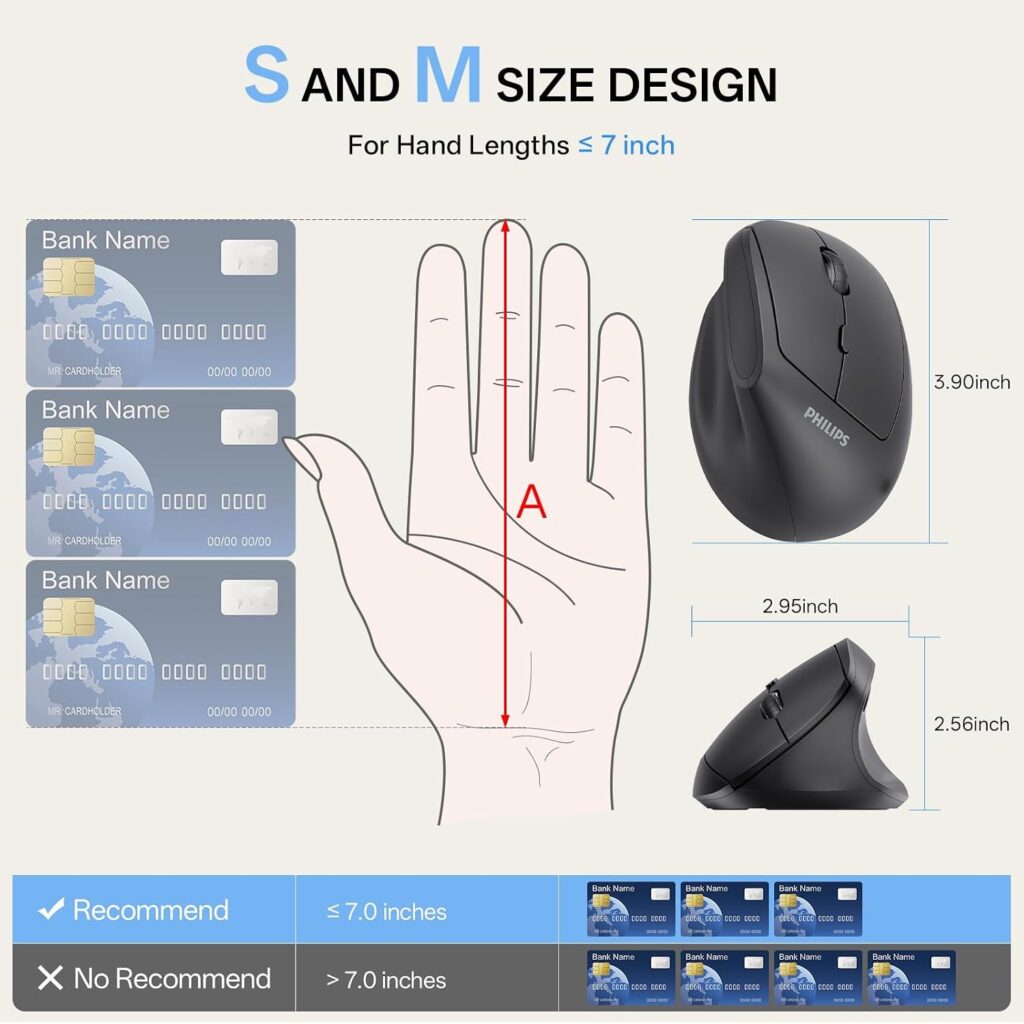
Quick Verdict: The Philips SPK7628 is the pick we’d point most small-handed buyers toward first, mainly because Philips actually specifies a hand-length range instead of a vague “fits most hands” claim. Its 57-degree vertical angle and quiet buttons make it a comfortable, low-drama option for daily office or home use.
Best For: Adults with small to medium hands (roughly up to 7 inches) who want a straightforward, quiet, right-handed vertical mouse.
Key Specifications:
- Connectivity: 2.4GHz wireless USB receiver (not Bluetooth)
- DPI settings: 800 / 1200 / 1600
- Buttons: 6, with silent left/right clicks
- Weight: approximately 5.3 ounces
- Battery: 1 AA battery (included)
- Warranty: 12-month manufacturer warranty
What We Like
- Explicit hand-length guidance instead of vague sizing claims
- Silent clicks, useful for shared spaces
- Simple plug-and-play setup with no drivers
What We Don’t Like
- USB-C laptops need a separate adapter, which isn’t included
- Right-handed only
- 2.4GHz only, so it uses up a USB-A port
Ergonomic Analysis: The 57-degree handshake angle is on the steeper end for a mouse in this price range, which generally means less forearm rotation than a shallower-angle vertical mouse. Combined with a body sized for smaller hands, this reduces the amount of stretching your fingers need to do to reach the buttons.
Who Should Buy It? Right-handed users with small-to-medium hands who want one of the more size-appropriate options without paying a premium price.
Who Should Skip It? Left-handed users, and anyone who specifically needs Bluetooth to avoid using a USB port.
Value for Money: At around $20–25, the fit-focused sizing and quiet clicks make this a reasonable value pick relative to mice that charge more for the same core feature set.
🛒 Check Price on Amazon2. TECKNET Ergonomic Wireless Vertical Mouse
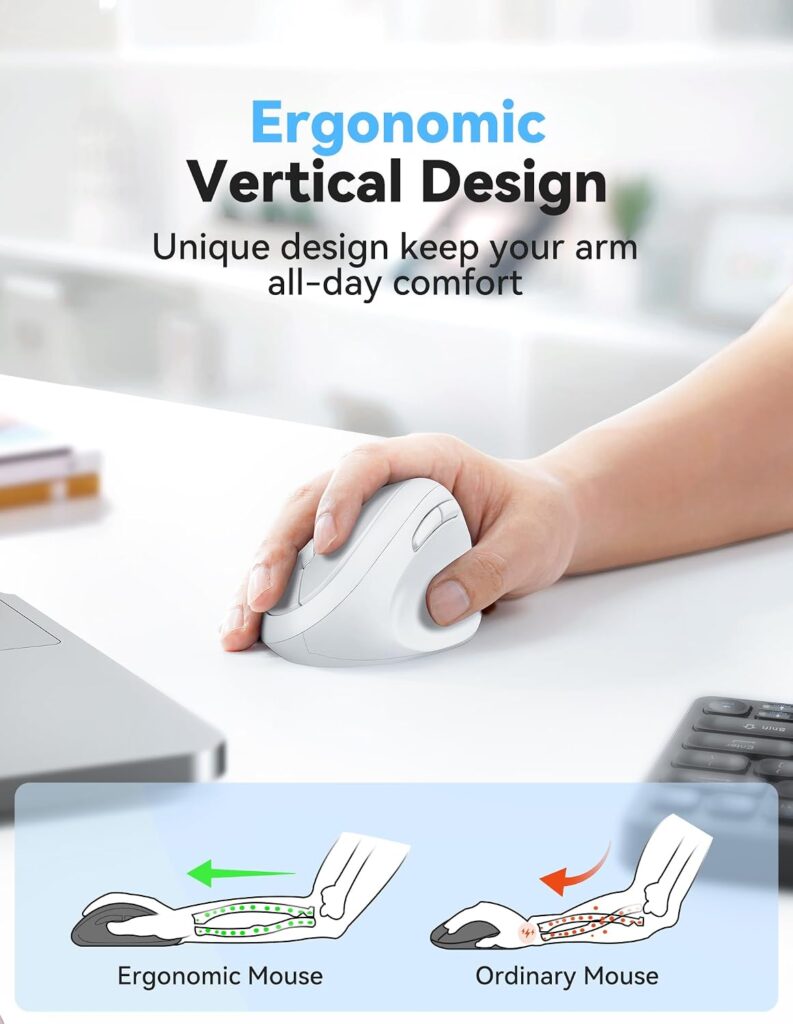
Quick Verdict: The TECKNET mouse is a rounded, no-sharp-edges vertical mouse that comes in noticeably below Philips on price while still offering five DPI levels and near-silent clicks. It’s a sensible starting point if you’re not sure a vertical mouse will suit you yet.
Best For: Buyers who want to try an ergonomic mouse without a big upfront cost.
Key Specifications:
- Connectivity: 2.4GHz wireless USB receiver
- DPI settings: 800 / 1600 / 2400 / 3200 / 4800
- Buttons: 6 (forward/back buttons unavailable on macOS)
- Dimensions: approximately 4.13 x 2.55 inches
- Weight: approximately 3.5 ounces
- Battery: 1 AA battery (not included in some listings — check current packaging)
What We Like
- Rounded shape with no sharp edges
- Noticeably lighter than several competitors
- Five DPI levels for flexibility across tasks
What We Don’t Like
- The listing describes it as suitable for “most” hand sizes rather than giving specific small-hand measurements
- Side buttons don’t work on macOS
- Build materials feel less premium than pricier options
Ergonomic Analysis: At 52 degrees, the vertical angle is slightly shallower than the Philips model, which some smaller hands find easier to adapt to initially, since it’s a smaller departure from a traditional mouse grip.
Who Should Buy It? First-time vertical mouse users on a budget, or anyone who wants a lightweight everyday mouse for general office tasks.
Who Should Skip It? Mac users who rely on forward/back navigation buttons, and anyone prioritizing premium build materials.
Value for Money: At under $21, this is one of the more accessible entry points into vertical mice, without feeling like a toy.
🛒 Check Price on Amazon3. Perixx Perimice-719L
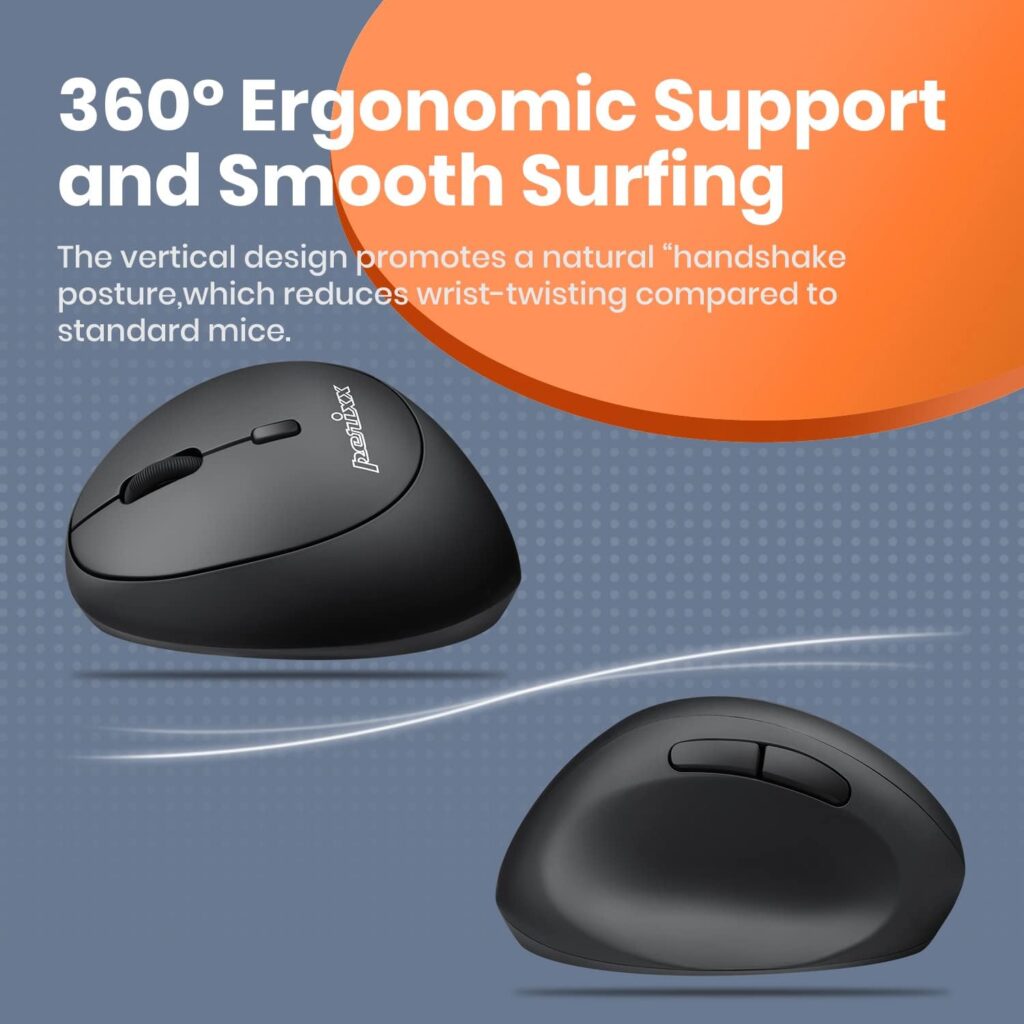
Quick Verdict: This is one of the few genuinely left-handed vertical mice on the market, and Perixx markets it directly as suited to smaller hands, with a body measuring just 105 x 67 x 58mm. If you’re left-handed and have struggled to find any ergonomic mouse that fits, this is worth a close look.
Best For: Left-handed users with small hands who have limited ergonomic mouse options.
Key Specifications:
- Connectivity: 2.4GHz wireless, nano USB receiver
- DPI settings: 800 / 1200 / 1600
- Buttons: 6, with silent clicks
- Dimensions: approximately 4.13 x 2.64 inches
- Weight: approximately 2.8 ounces
- Battery life: up to 100 hours per charge of AA battery use
- Warranty: 12-month limited warranty
What We Like
- One of the few dedicated left-handed vertical mouse options
- Compact body specifically positioned for smaller hands
- Silent clicks
What We Don’t Like
- Only 3 DPI steps, fewer than most competitors here
- Uses a single AA battery rather than being rechargeable
- Fewer color or style options than some competing brands
Ergonomic Analysis: Because there are so few left-handed ergonomic mice available, this model fills a real gap. Its smaller footprint also reduces the amount of hand-stretching a smaller left hand would otherwise need to reach a standard-sized mouse’s buttons.
Who Should Buy It? Left-handed users, especially those with smaller hands who haven’t found a comfortable ergonomic option before.
Who Should Skip It? Right-handed users (there’s no benefit here over the other picks), and anyone who wants more than 3 DPI settings.
Value for Money: Given how limited left-handed ergonomic options are, the price is reasonable for what is a fairly niche product.
🛒 Check Price on Amazon4. Uineer Ergonomic Vertical Mouse
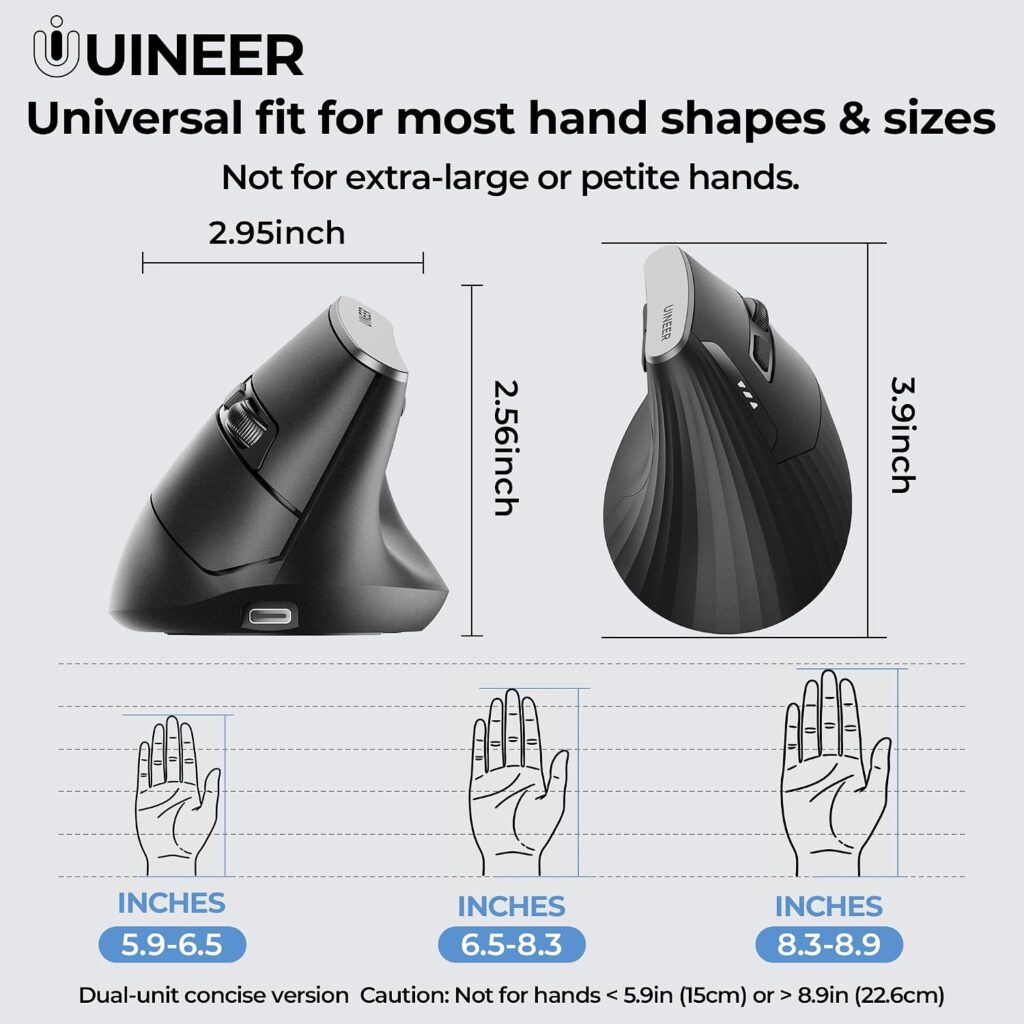
Quick Verdict: The Uineer mouse trades a slightly larger body for the convenience of a rechargeable battery and a low-battery LED indicator, plus a side scroll wheel for horizontal scrolling. It’s a solid pick if you’d rather charge a mouse occasionally than keep spare batteries around.
Best For: Users who want to avoid battery replacements and don’t mind a marginally larger body.
Key Specifications:
- Connectivity: 2.4G USB-A wireless
- DPI settings: 800 / 1200 / 1600 / 2400
- Buttons: 6, including a side scroll wheel
- Dimensions: approximately 4.86 x 3.12 inches
- Weight: approximately 3.7 ounces
- Battery: built-in rechargeable, with sleep mode after 10–30 minutes of inactivity
What We Like
- Rechargeable battery with a visible low-battery LED
- Side scroll wheel is genuinely useful for wide spreadsheets
- Smart sleep mode helps extend battery life between charges
What We Don’t Like
- At nearly 4.86 inches long, this is the largest mouse in this list, so it may not suit very petite hands
- The manufacturer notes an adjustment period of 1–2 weeks, which is longer than some competitors mention
- Buttons are not programmable
Ergonomic Analysis: The side scroll wheel is a genuine usability addition for anyone regularly working across wide spreadsheets or timelines, something the other mice in this list don’t offer. That said, the larger body means this one benefits from an actual hands-on fit check if your hand is on the smaller end of “small.”
Who Should Buy It? Buyers with small-to-medium hands (rather than very petite hands) who want rechargeable convenience and horizontal scrolling.
Who Should Skip It? Anyone with a very small hand who found even a standard mouse a stretch, and anyone who wants to avoid an adjustment period.
Value for Money: The rechargeable battery and side scroll wheel add real functionality that can justify the slightly higher price for the right user.
🛒 Check Price on Amazon5. Clevy Compact Mouse
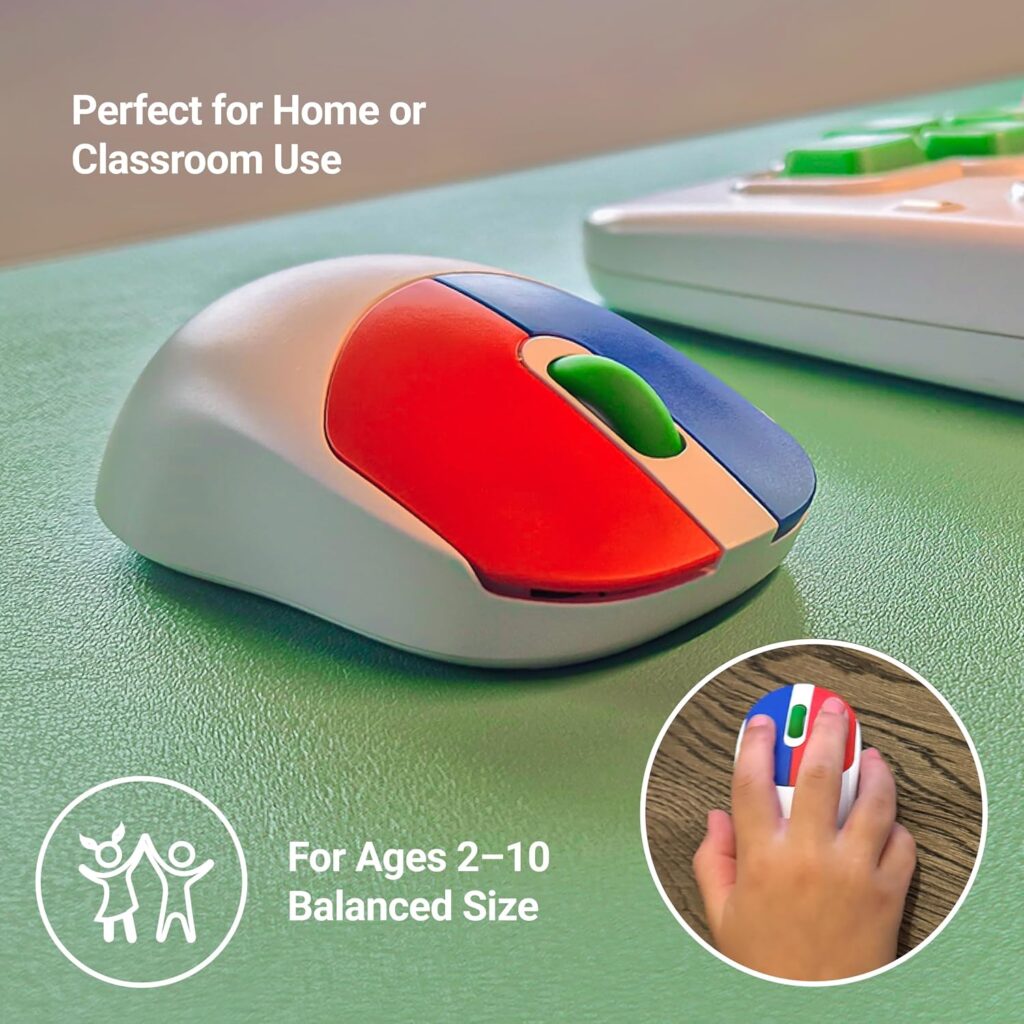
Quick Verdict: We want to be upfront about this one: the Clevy mouse is marketed and designed primarily for children, not as an adult ergonomic product. We’re including it because its dimensions (roughly 3.97 x 2.12 inches) make it the smallest, lightest mouse in this entire list, which can genuinely help someone with a very petite adult hand or a teenager who finds every other mouse here too large. It is not a vertical or angled ergonomic design.
Best For: Very petite hands, teens, or anyone who has found every “small hand” mouse on this list still too large.
Key Specifications:
- Connectivity: Wired USB
- Buttons: 3 (ambidextrous)
- DPI: fixed at approximately 1000
- Dimensions: approximately 3.97 x 2.12 inches
- Weight: approximately 3.8 ounces
- Compatible with Windows, macOS, and Chromebook
What We Like
- The smallest footprint of any mouse in this article
- Ambidextrous design works for left- or right-handed users
- Simple, durable, plug-and-play wired setup
What We Don’t Like
- No vertical or angled ergonomic shape, so it doesn’t offer the wrist-position benefit the other mice do
- Only 3 buttons and a single fixed DPI
- Bright, child-oriented styling won’t suit every home office aesthetic
Ergonomic Analysis: This is more accurately described as a small-hand mouse than an ergonomic mouse in the vertical sense. It reduces hand-stretching purely through its compact size rather than through wrist angle, which is a genuinely different kind of comfort benefit than the other four picks offer.
Who Should Buy It? Someone with a very small adult hand, or a teenager, who wants the smallest possible mouse and doesn’t need a vertical grip angle.
Who Should Skip It? Anyone who specifically wants the wrist-position benefit of a true vertical ergonomic mouse, or who wants a wireless connection.
Value for Money: At under $19, it’s a reasonable low-cost option for the specific case of an extremely small hand, but shouldn’t be your first choice if a vertical mouse’s angle is the main feature you’re after.
🛒 Check Price on Amazon6. MEETION BTM010 Ergonomic Wireless Mouse
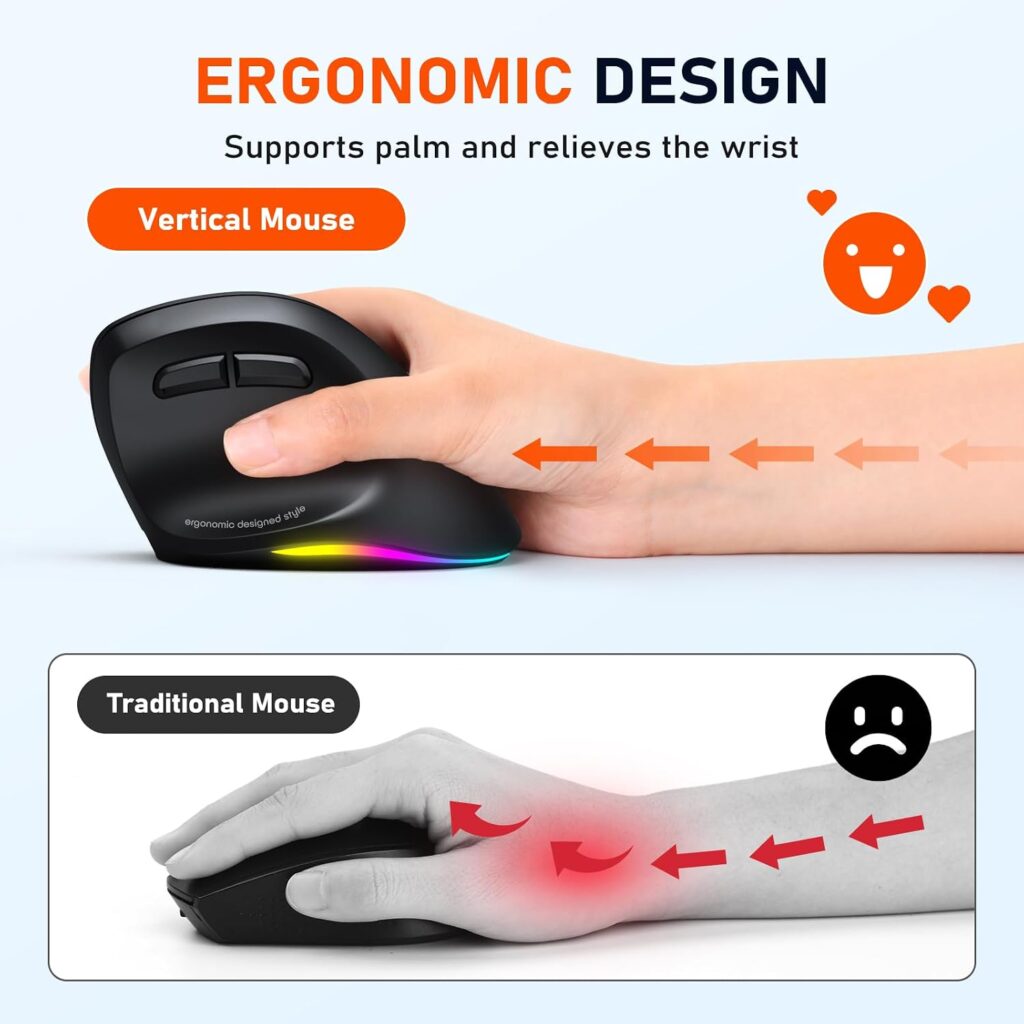
Quick Verdict: The MEETION BTM010 is a genuinely capable Bluetooth vertical mouse with RGB lighting and a rechargeable battery, but we want to flag it clearly: the manufacturer’s own listing says it’s more suited to medium and large hands, and recommends smaller-handed buyers check the dimensions before purchasing. We’re including it here for completeness and for readers on the upper end of “small,” not as a first pick for petite hands.
Best For: Medium-to-large hands that want Bluetooth device switching and RGB styling; borderline for small hands.
Key Specifications:
- Connectivity: Bluetooth 5.0/3.0 plus 2.4GHz wireless
- DPI settings: 1200 / 1600 / 2400 / 3200
- Buttons: 6, with RGB lighting
- Dimensions: approximately 4.3 x 3.1 x 2.8 inches
- Weight: approximately 3.7 ounces
- Battery: rechargeable, up to roughly 1–2 months depending on lighting use
What We Like
- Dual Bluetooth and 2.4GHz connectivity in one device
- Rechargeable battery avoids disposable battery waste
- RGB lighting for buyers who want some visual customization
What We Don’t Like
- The manufacturer itself recommends smaller-handed buyers verify dimensions first
- The smooth, streamlined surface can feel less grippy if you lift the mouse often
- Side buttons aren’t supported in Safari
Ergonomic Analysis: The larger body gives more palm support for a bigger hand, but that same size can leave a small hand without proper support at the fingertips and heel of the palm, which is exactly the mismatch this article is trying to help readers avoid.
Who Should Buy It? Readers with medium-to-large hands who specifically want Bluetooth multi-device switching and don’t mind a bit more bulk.
Who Should Skip It? Anyone with a genuinely small hand — this is the one product in this list we’d actively steer small-handed buyers away from, based on the manufacturer’s own sizing guidance.
Value for Money: Reasonable for what it offers, but only if your hand size is the right fit in the first place.
🛒 Check Price on Amazon7. SOONGO Mini Mouse

Quick Verdict: At under $9, this is the cheapest mouse in this article, and its small wired body genuinely suits a petite hand. It isn’t a vertical ergonomic mouse and it’s marketed heavily toward kids, but for a light-use, low-budget option it does what it says.
Best For: Very tight budgets, teens, kids, or a spare mouse for occasional light use.
Key Specifications:
- Connectivity: Wired USB, 1.5-meter cable
- DPI: fixed at approximately 1000
- Buttons: 3
- Dimensions: approximately 3.8 x 2.2 inches
- Weight: approximately 2 ounces
- Compatible with Windows, macOS, Linux, and Chrome OS
What We Like
- The lowest price of any mouse in this list
- Genuinely small and lightweight body
- Simple wired plug-and-play setup with no batteries needed
What We Don’t Like
- No vertical or angled ergonomic shape
- Only 3 buttons and a fixed DPI, with no adjustability
- Styling and LED accent lean toward a kids’ product rather than a professional desk
Ergonomic Analysis: As with the Clevy mouse, the comfort benefit here comes almost entirely from the compact size rather than wrist angle. It won’t deliver the same neutral-wrist benefit as a true vertical mouse, but it does reduce the finger-stretching that happens with an oversized mouse.
Who Should Buy It? Budget-conscious buyers with small hands who mainly need light browsing or document use, or parents buying for a child or teen.
Who Should Skip It? Anyone doing extended daily computer work who wants the wrist-angle benefit of a true ergonomic mouse.
Value for Money: Hard to beat at this price point for the specific use case of a small, simple, wired mouse.
🛒 Check Price on Amazon8. elec Space Wireless Mini Mouse
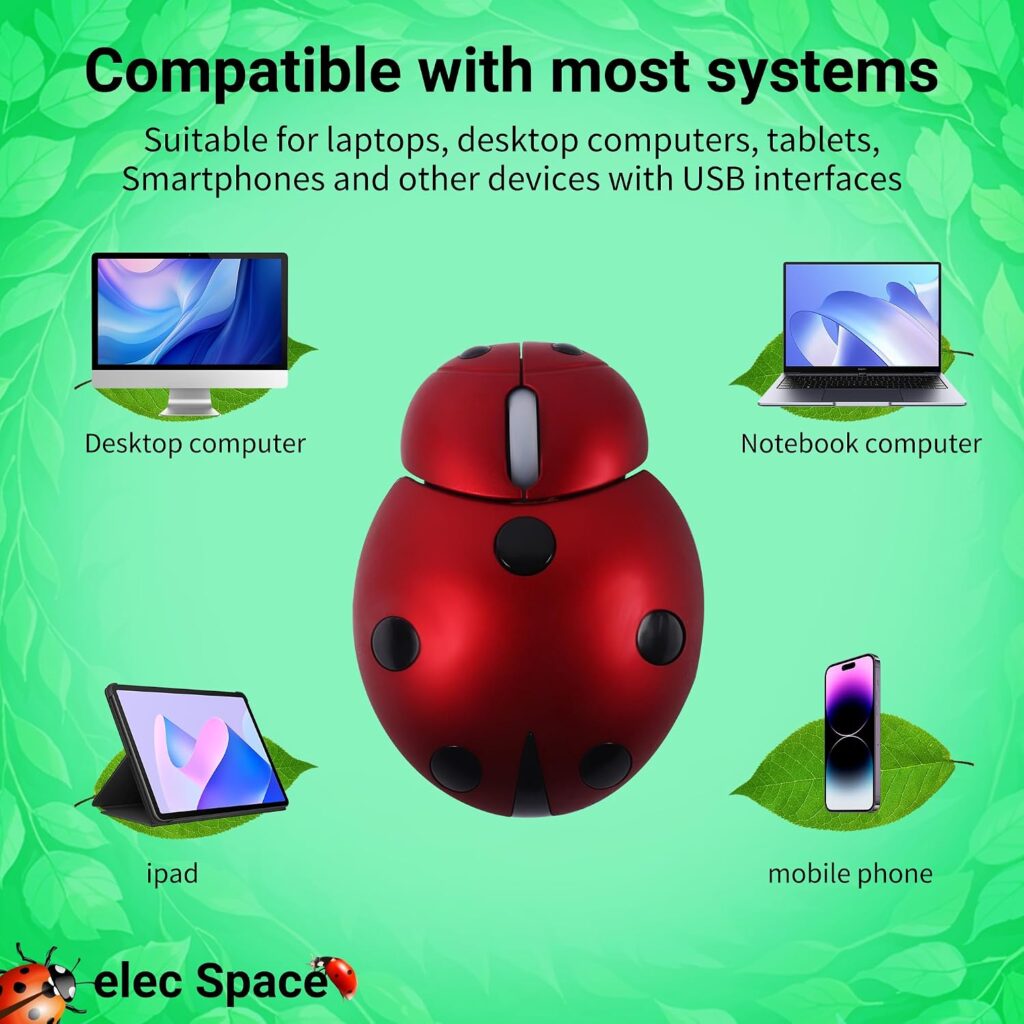
Quick Verdict: This is the lightest wireless mouse in our list, and it ships with a fitted protective case, which makes it a reasonable option for someone with small hands who travels often. Like the Clevy and SOONGO picks, it’s a compact mouse rather than a true vertical ergonomic one.
Best For: Travelers or students with small hands who want a lightweight wireless mouse and a case to protect it in a bag.
Key Specifications:
- Connectivity: 2.4GHz wireless, USB receiver
- Buttons: 3
- Dimensions: approximately 3.4 x 2.6 x 1.2 inches
- Weight: approximately 1.66 ounces
- Battery: 1 AAA battery (not included)
- Range: up to 10 meters
What We Like
- The lightest mouse in this entire article
- Includes a fitted, semi-waterproof carrying case
- Wireless, unlike the other compact options here
What We Don’t Like
- No vertical or angled ergonomic design
- Only 3 buttons, with no DPI adjustment mentioned
- Battery is required but not included in the box
Ergonomic Analysis: Like the other two mini mice in this list, the comfort benefit is about size rather than wrist positioning. For a very small hand that struggles even with compact vertical mice, the reduced overall footprint can still help.
Who Should Buy It? Small-handed travelers or students who want a wireless mouse light enough to toss in a bag along with its own case.
Who Should Skip It? Anyone who wants the wrist-angle benefit of a true vertical mouse, or who would rather not buy a separate battery.
Value for Money: Reasonable given the included case, though it’s priced close to some of the true vertical options above, so weigh that trade-off carefully.
🛒 Check Price on AmazonWhich Product Should You Buy?
Choose the Philips SPK7628 if: you want the safest, best-documented fit for a small-to-medium hand and don’t need left-handed support.
Choose the TECKNET Wireless Mouse if: you’re testing whether a vertical mouse works for you and don’t want to spend much finding out.
Choose the Perixx Perimice-719L if: you’re left-handed with a small hand, your options are genuinely limited, and this is one of the few built for you.
Choose the Uineer Vertical Mouse if: you want a rechargeable battery and horizontal scrolling, and your hand isn’t on the very small end.
Choose the Clevy Compact Mouse if: every other mouse on this list still feels too big, or you’re buying for a teenager.
Choose the MEETION BTM010 if: you want Bluetooth switching and RGB styling, and your hand is on the medium-to-large side rather than truly small.
Choose the SOONGO Mini Mouse if: budget is your top priority and you mainly need light, occasional use.
Choose the elec Space Mini Mouse if: you travel often and want the lightest wireless option with a case included.
Common Mistakes When Buying a Mouse for Small Hands
- Buying based only on star ratings, without checking actual dimensions
- Assuming “ergonomic” automatically means “fits my hand size”
- Ignoring whether the product is right-handed only
- Overlooking whether side buttons will actually be reachable
- Choosing the highest DPI without considering whether you’ll use it
- Skipping the adjustment period some vertical mice genuinely require
- Not checking if a USB-C adapter is needed for a newer laptop
Best Practices for a Small-Hand Setup
- Measure your hand length before comparing products, rather than relying on general size descriptions
- Keep the mouse close to your body rather than reaching out to the side
- Position your keyboard and mouse at the same height to avoid uneven shoulder strain
- Take short movement breaks during long sessions rather than relying on the mouse shape alone
- Pair a small ergonomic mouse with a properly adjusted chair and desk height for the best overall result
Best Practices for a Small-Hand Setup
- Measure your hand length before comparing products, rather than relying on general size descriptions
- Keep the mouse close to your body rather than reaching out to the side
- Position your keyboard and mouse at the same height to avoid uneven shoulder strain
- Take short movement breaks during long sessions rather than relying on the mouse shape alone
- Pair a small ergonomic mouse with a properly adjusted chair and desk height for the best overall result
Alternatives to Consider
If none of these eight feel right, our best vertical mouse guide covers a broader size range, and our ergonomic mouse for women guide looks specifically at grip and comfort factors that matter for smaller hands generally. If wrist discomfort is your main concern rather than hand size, our ergonomic mouse for carpal tunnel guide covers that angle in more depth, and if you have the opposite problem, our ergonomic mouse for large hands guide is the better starting point.
Frequently Asked Questions
Are ergonomic mice actually better for small hands?
They can be, but only if the specific mouse is sized appropriately. A vertical mouse built for an average-to-large hand can feel worse for a small hand than a standard mouse, since the fingers and thumb have to stretch further than they would on a flat mouse.
How do I know if a mouse will fit my small hand?
Measure your hand from the base of your palm to the tip of your middle finger, then check whether the listing gives a hand-length range or precise dimensions. Product weight and overall length are also useful indicators when a hand-length range isn’t provided.
Is a vertical mouse good for long work hours?
For many users, yes — the more neutral wrist angle may help reduce unnecessary strain during extended use compared with a flat mouse. It typically takes a short adjustment period, often around one to two weeks, to feel natural.
Do ergonomic mice help with wrist pain?
Ergonomic mice are designed to encourage a more neutral wrist and forearm position, which may help reduce unnecessary strain for some users. They are not a medical treatment, and persistent or severe wrist pain should be evaluated by a healthcare professional.
What size mouse is considered good for small hands?
There’s no single industry standard, but mice in the roughly 4 to 4.2-inch length range, like the TECKNET and Perixx models above, tend to suit smaller hands better than mice closer to 5 inches or longer.
Are left-handed ergonomic mice hard to find?
Yes, genuinely left-handed vertical ergonomic mice are a small category compared with right-handed options, which is part of why the Perixx Perimice-719L stands out in this list.
Is DPI important for everyday office use?
Not as much as it is for gaming. Most office tasks feel comfortable in the 800–1600 DPI range, and higher maximum DPI mainly matters for large or multiple monitor setups.
Can kids’ mice work for adults with small hands?
Sometimes, for very petite hands, though they typically lack the vertical angle and button range of a true ergonomic mouse. They’re a reasonable fallback rather than a first choice.
Do rechargeable ergonomic mice last as long as battery-powered ones?
Battery life varies by model and usage pattern, so check the manufacturer’s current specifications rather than assuming. Rechargeable mice avoid the cost and waste of disposable batteries but require periodic charging.
Should I buy the cheapest ergonomic mouse for small hands?
Not necessarily. A cheaper mouse that actually fits your hand will usually serve you better than a pricier mouse sized for a larger hand. Fit matters more than price for comfort.
Final Verdict
If you want the safest overall choice for a small-to-medium hand, the Philips SPK7628 is the pick we’d recommend first, mainly because it gives you an actual size range to check against rather than a vague claim. If budget is your main concern among the true vertical mice, the TECKNET Wireless Vertical Mouse gets you into a genuinely compact ergonomic mouse for less. Left-handed readers should look at the Perixx Perimice-719L first, since dedicated left-handed options are rare, and anyone who wants Bluetooth switching and doesn’t mind a larger body can consider the MEETION BTM010, keeping its medium-to-large hand sizing in mind. If your hand is on the very small end and none of the vertical options feel right, the Clevy Compact Mouse, SOONGO Mini Mouse, or elec Space Mini Mouse are worth a look, with the honest caveat that none of the three are true vertical ergonomic designs — they help mainly through their smaller size, not wrist angle.
Compare the latest prices and availability before making your decision, since Amazon pricing and stock can change.