Best Wireless Ergonomic Mouse 2026: Our Top Picks for Comfort and Battery Life

If your wrist feels stiff or achy by the end of the workday, the mouse on your desk is worth a second look. A wireless ergonomic mouse removes the cable clutter of a traditional setup and, in the case of vertical designs, keeps your forearm in a more natural, handshake-like position instead of forcing your palm flat and your wrist twisted.
I’m Emily Richardson, and I’ve spent the last 9+ years researching ergonomic office equipment and work-from-home accessories for ErgoFixes. In this guide, I’ll walk you through the best wireless ergonomic mice available right now, based on manufacturer specifications, verified product data, and independent user feedback, not marketing claims alone.
🖱️ Best Wireless Ergonomic Mice 2026 – 7 Top Picks
Bluetooth, 2.4G, or both — battery-only or rechargeable — every hand and workspace is different. Here are the 7 models worth comparing before you buy.




Not every category will matter to every reader — pick the one that reflects how you actually work.
| Product | Best For | Main Strength | Main Limitation | Rating | Link |
|---|---|---|---|---|---|
| Logitech Lift | Overall daily use | Ergo-certified design, long battery life | Higher price point | 4.6/5 | View |
| TECKNET Ergonomic | Value seekers | Rechargeable, quiet, multi-device | Shorter charge cycle (~2 months) | 4.4/5 | View |
| Amazon Basics Wireless | Budget upgrade | Low cost, simple setup | Not a vertical design | 4.0/5 | View |
| ProtoArc EM11 NL | Small to medium hands | Connects up to 3 devices | Buttons not programmable | 4.3/5 | View |
| Micropack MP-V01B | Multi-device switching | Pairs with 3 devices, rechargeable | Fewer independent reviews | 4.2/5 | View |
| PHILIPS SPK7628 | Quiet shared spaces | Lightweight, silent clicks | No Bluetooth, USB receiver only | 4.1/5 | View |
| Acer Ergonomic | Larger hands, tight budget | 58° tilt, rechargeable, 3 DPI levels | No Bluetooth, not Mac compatible | 3.9/5 | View |
Why Go Wireless And Why Vertical?
A vertical mouse is designed to keep your forearm in a more neutral, “handshake” position instead of the fully pronated (palm-down) grip a flat mouse forces on you. Removing the cable adds a second layer of comfort: no dragging cord to fight against, and the freedom to reposition the mouse anywhere within reach.
That said, “wireless” and “ergonomic” solve two different problems. Wireless removes cable drag and desk clutter. Ergonomic shaping, usually a vertical or angled body, addresses wrist and forearm position. The best wireless ergonomic mouse for you needs to get both parts right for your specific hand size, grip style, and workflow.
Buying Guide: What Actually Matters
Hand Size and Grip Style
Vertical mice are not one-size-fits-all. Several models in this guide, including the ProtoArc EM11 NL and the PHILIPS SPK7628, are shaped for hand lengths under roughly 7.5 inches, while the Acer and the original-size Logitech Lift lean toward medium-to-large hands. Buying the wrong size can leave your fingers overreaching the buttons or your palm without proper support.
Vertical Angle
Most ergonomic mice in this category sit between 52° and 58° from horizontal. A steeper angle generally means a more upright wrist position, but it can also feel unfamiliar for the first week or two. Emily Richardson’s tip: give yourself at least five to seven working days before deciding whether a vertical angle feels right; your hand needs time to adapt to a new grip pattern.
Connectivity Type
Bluetooth mice pair directly with your laptop or tablet and don’t use a USB port, which matters if you’re short on ports. A 2.4GHz USB receiver tends to be slightly more consistent for gaming-style precision and doesn’t require Bluetooth pairing steps, but it occupies a port and can be lost more easily. Some models, like the TECKNET and the ProtoArc, offer both.
Battery Life and Charging
Battery life ranges widely in this category from around two months on a charge for the TECKNET to as long as 24 months on a single charge for the Logitech Lift, to models that still run on a single AA battery. If you’d rather not think about charging often, prioritise either a long-life rechargeable model or a replaceable-battery design.
DPI and Precision
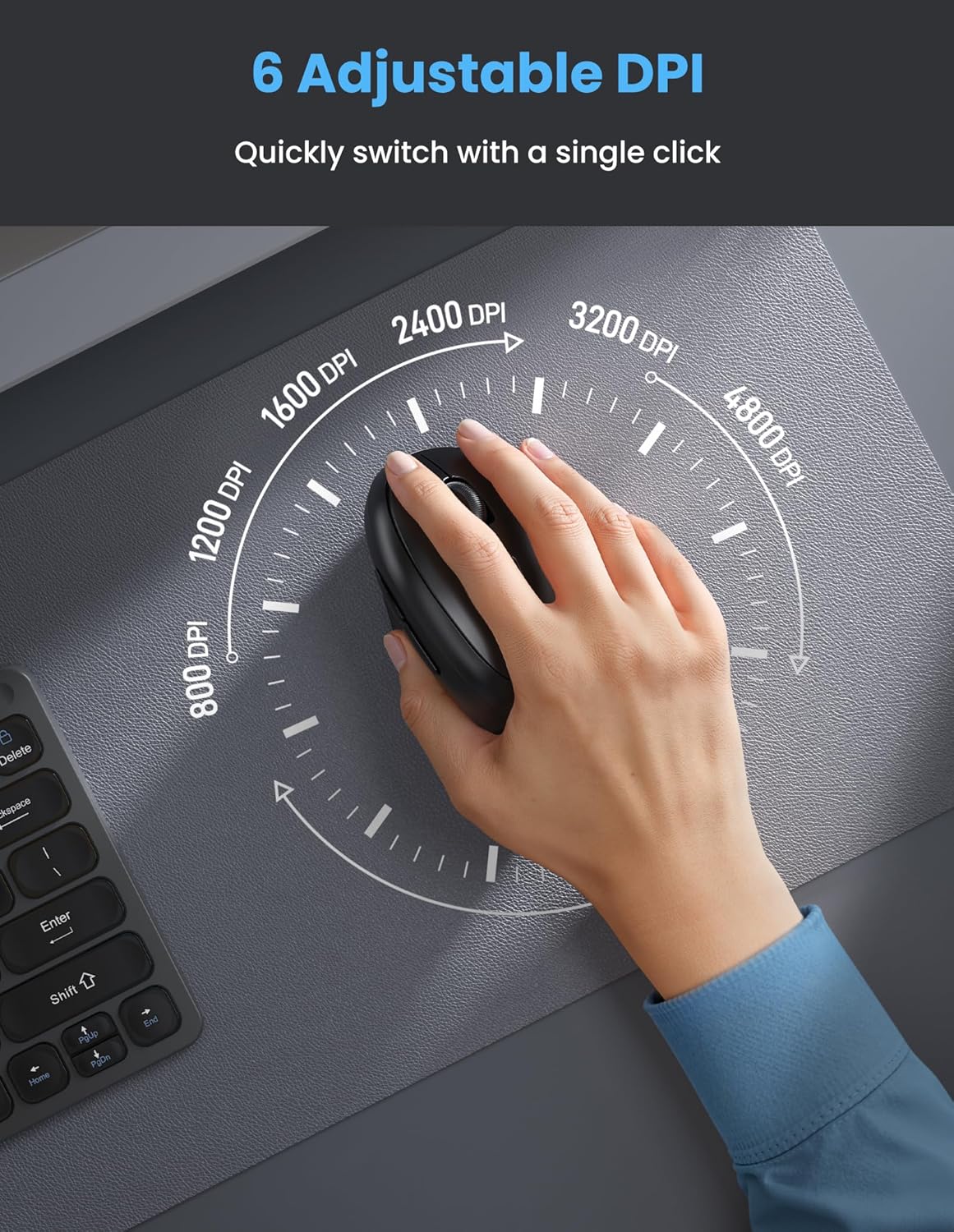
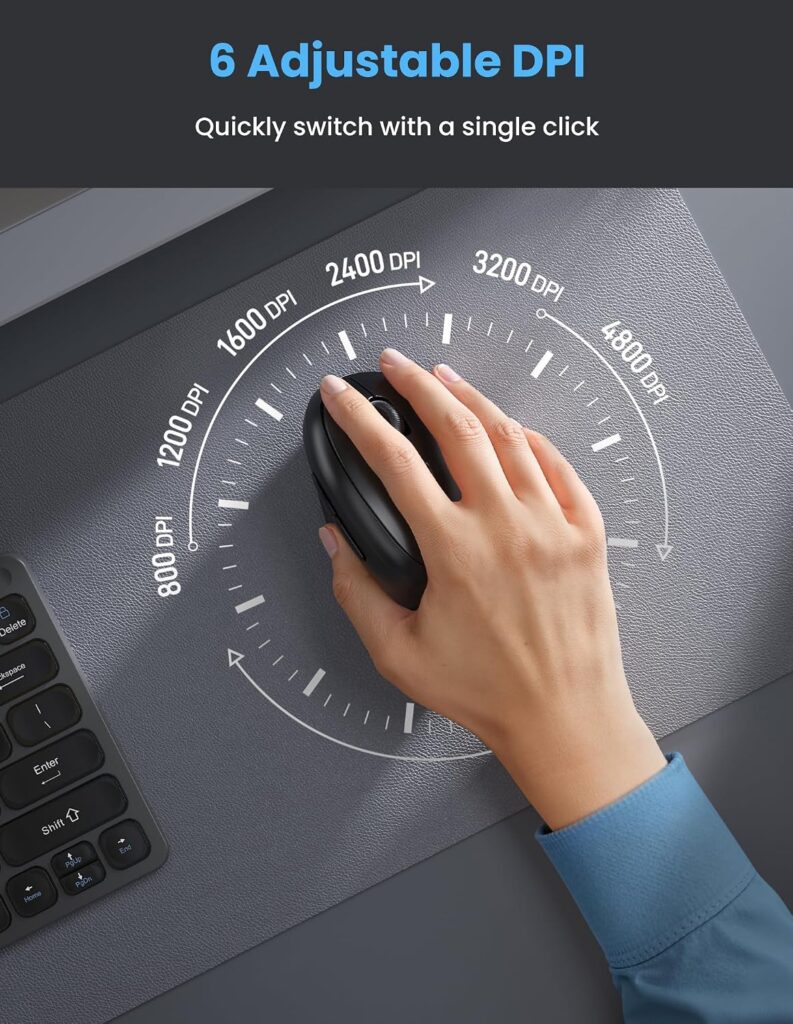
DPI (dots per inch) determines how far the cursor moves relative to physical mouse movement. For general office work, 800–1600 DPI is typically sufficient. Higher adjustable ranges, like the TECKNET’s 800–4800 DPI, add flexibility for design work or fast navigation across large or multiple monitors.
Button Count and Placement
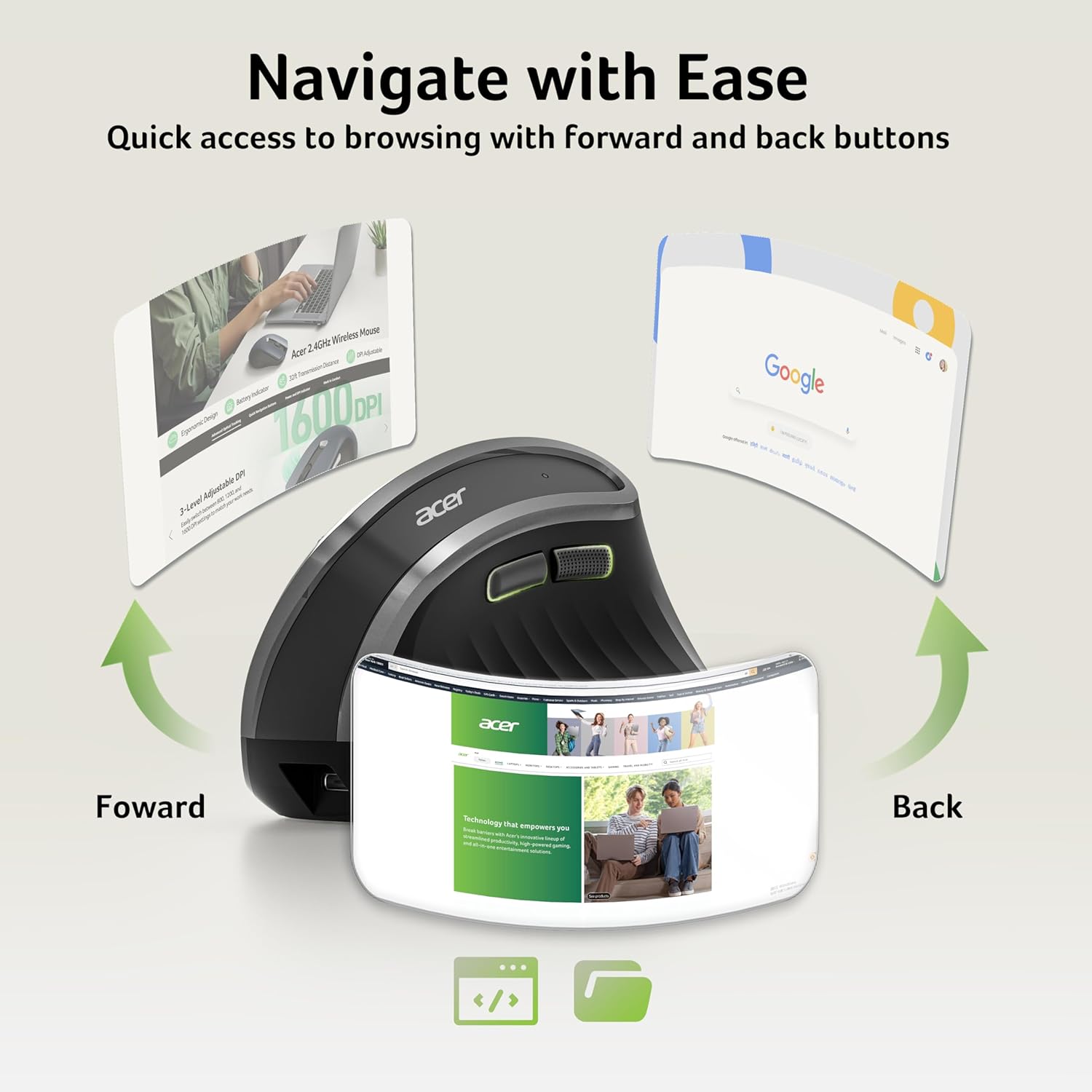
Most models here offer four to six buttons, including forward/back navigation buttons. Worth checking: on several budget and mid-range models, including the TECKNET and Acer, the side navigation buttons do not function on macOS only Windows.
Multi-Device Switching
If you regularly move between a laptop, a tablet, and a desktop, models that support switching between two or three paired devices, such as the ProtoArc EM11 NL and the Micropack MP-V01B, for example, can save you from repeatedly re-pairing.
Weight and Portability
A lighter mouse is easier to carry for hybrid work, but weight can also affect glide and click feel. Weights across this list range from roughly 89g to 150g, which is a modest difference but noticeable on very long sessions.
Product Reviews
1. Logitech Lift Vertical Ergonomic Mouse – Best Overall

Quick Verdict: The Lift combines a 57° vertical angle, a soft-textured grip, and Logitech’s SmartWheel scrolling in a compact shape built for small to medium right hands. It’s the most polished option here for daily office and home-office use.
Best For: Users who want a well-rounded, ergo-certified mouse for extended daily use and don’t mind paying a premium for build quality.
Key Specifications:
- Connectivity: Bluetooth Low Energy or Logi Bolt USB receiver
- Battery life: up to 24 months
- DPI: up to 4000
- Weight: approximately 125g
- Buttons: 6, four customizable
- Compatibility: Windows, macOS, iPadOS, Chrome OS, Linux
What We Like
- Long battery life reduces how often you think about charging
- Quiet clicks and a smooth SmartWheel scroll wheel
- Ergo-certified design evaluated against third-party ergonomist criteria
What We Don’t Like
- Noticeably more expensive than most alternatives on this list
- Right-handed and left-handed versions are sold separately, so left-handed users need to select the correct listing
Ergonomic Analysis: The 57° tilt keeps the forearm rotation more neutral than a flat mouse, and the snug thumb rest reduces the tendency to grip too tightly during long sessions. Logitech states the Lift has been developed and reviewed against criteria set by ergonomics specialists, which adds a layer of third-party design scrutiny that budget models typically don’t have documented.
Who Should Buy It? Remote workers and office professionals who spend most of the day at a computer and want a dependable, well-built mouse they won’t need to replace or recharge often.
Who Should Skip It? Buyers on a tight budget, or anyone with larger hands who may find the compact shape a little cramped, the Logitech MX Vertical review covers a larger alternative from the same brand.
Value for Money: At roughly $65, it costs more than most mice in this category, but the battery life, build quality, and ergonomic certification justify the price for anyone using it five days a week. Read our full Logitech Lift review for a deeper breakdown.
🛒 Check Price on Amazon2. TECKNET Ergonomic Vertical Mouse – Best Value
Quick Verdict: The TECKNET pairs a rechargeable battery, quiet clicks, and multi-device Bluetooth switching at less than a third of the Lift’s price. It’s a strong middle-ground pick for anyone who wants ergonomic shaping without a premium price tag.
Best For: Budget-conscious buyers who still want a rechargeable, ergonomically shaped mouse with adjustable DPI.
Key Specifications:
- Connectivity: Bluetooth 5.0/3.0 and 2.4G USB receiver
- Battery: 600mAh rechargeable, roughly 2 months per charge
- DPI: adjustable, 800–4800
- Vertical angle: 52°
- Buttons: 6
- Compatible devices: switches between up to 3 paired devices
What We Like
- Genuinely quiet clicks, useful for shared workspaces
- Good DPI range for both office work and lighter creative tasks
- Rechargeable via USB-C, avoiding disposable batteries
What We Don’t Like
- Battery life is shorter than several rechargeable competitors, requiring more frequent top-ups
- Forward and back buttons are disabled on macOS
Ergonomic Analysis: The 52° angle is a slightly gentler incline than the Acer or ProtoArc, which can make it a more approachable entry point if you’ve never used a vertical mouse before. TECKNET markets this as fitting small to medium hands, and the shape is narrower than the Logitech Lift.
Who Should Buy It? First-time vertical mouse users and anyone who wants strong specifications without paying premium pricing.
Who Should Skip It? Mac users who rely heavily on side-button navigation, since those buttons won’t function on macOS.
Value for Money: At around $22, this is one of the better-specified mice in this guide relative to price, particularly for its DPI range and multi-device support.
🛒 Check Price on Amazon3. Amazon Basics Wireless Mouse – Best Budget Pick

Quick Verdict: This isn’t a vertical mouse, but its contoured, ambidextrous shape and low price make it a sensible starting point for anyone upgrading from a flat, wired mouse without a big budget.
Best For: Buyers who mainly want to eliminate a mouse cable and get a reasonably comfortable shape, without committing to a vertical design yet.
Key Specifications:
- Connectivity: 2.4GHz wireless with USB receiver
- Range: up to 33 feet
- Battery: 1 AA battery (included)
- Weight: approximately 89g
- Compatibility: Windows
What We Like
- Very low price point for a wireless mouse
- Compact and easy to toss in a laptop bag
- Stable 2.4GHz connection with a solid working range
What We Don’t Like
- Not a vertical design, so it offers less forearm-position benefit than the other mice on this list
- Officially listed compatibility only mentions Windows
Ergonomic Analysis: This is a general “comfort-contoured” mouse rather than a true vertical ergonomic mouse. It’s a reasonable stepping stone if you’re not ready to commit to a vertical grip but still want an improvement over a flat, boxy wired mouse.
Who Should Buy It? Anyone testing whether they even like a wireless mouse before investing in a more specialized vertical model.
Who Should Skip It? Buyers specifically looking for wrist-position benefits: for that, a true vertical mouse like the TECKNET or ProtoArc will do more.
Value for Money: Excellent for the price, but it’s solving a different problem than the vertical mice in this guide. If budget is the main constraint but you still want ergonomic shaping, see our ergonomic mouse under $50 guide.
🛒 Check Price on Amazon4. ProtoArc EM11 NL Wireless Ergonomic Vertical Mouse – Best for Small to Medium Hands
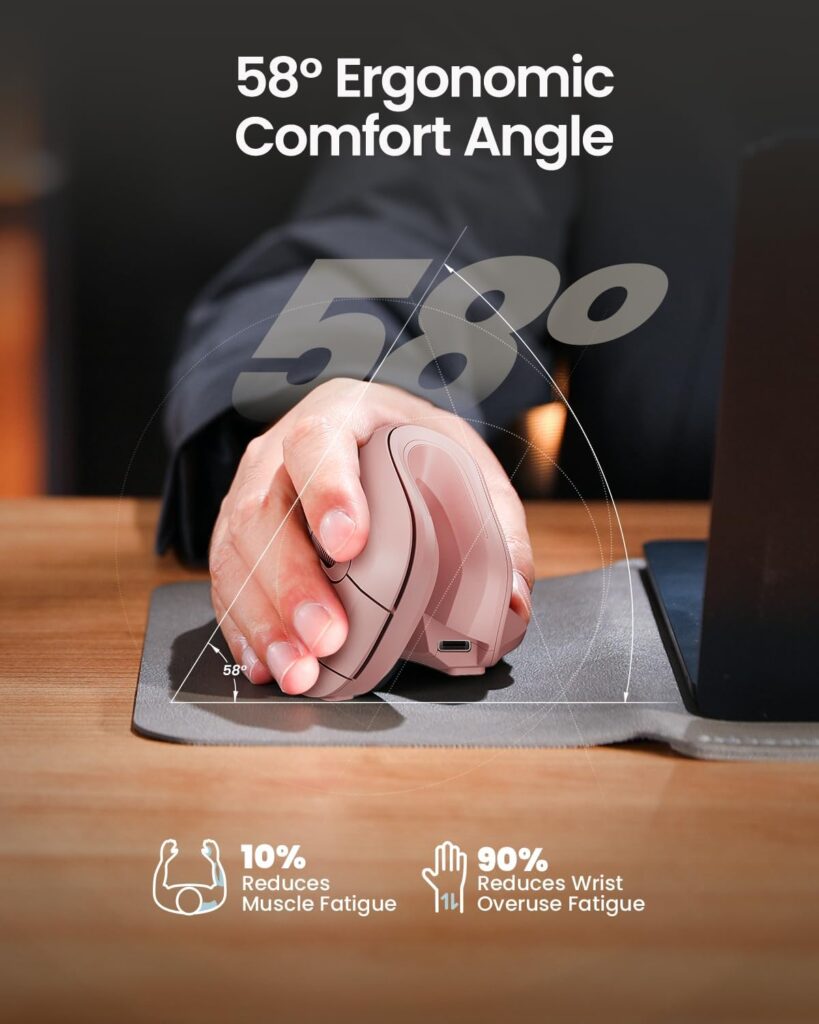
Quick Verdict: A 58° vertical mouse purpose-built for hand lengths under 7.5 inches, with the flexibility to pair across three devices via Bluetooth or a 2.4G receiver.
Best For: Users with smaller hands who found larger vertical mice, like the Logitech Lift or Acer, uncomfortable to reach around.
Key Specifications:
- Connectivity: Bluetooth and 2.4G USB-A receiver
- Battery: 500mAh rechargeable via USB-C
- DPI: 1000 / 1600 / 2400
- Vertical angle: 58°
- Pairs with up to 3 devices
What We Like
- Genuinely designed around a smaller hand size rather than a scaled-down large mouse
- Quiet main clicks
- Switches between three paired devices with one click
What We Don’t Like
- Side and scroll-wheel buttons are not silent, only the main clicks are
- Navigation buttons aren’t programmable
Ergonomic Analysis: ProtoArc recommends measuring your hand before ordering, which is a useful and honest detail. A vertical mouse sized for the wrong hand can undercut the ergonomic benefit entirely, regardless of the angle.
Who Should Buy It? Smaller-handed users, including many who found standard-sized vertical mice bulky or hard to grip properly.
Who Should Skip It? Larger-handed users, who should look at the Logitech Lift or Acer instead.
Value for Money: At around $27, it’s reasonably priced for a purpose-built small-hand vertical mouse with multi-device support.
🛒 Check Price on Amazon5. Micropack MP-V01B Vertical Wireless Mouse – Best for Multi-Device Switching
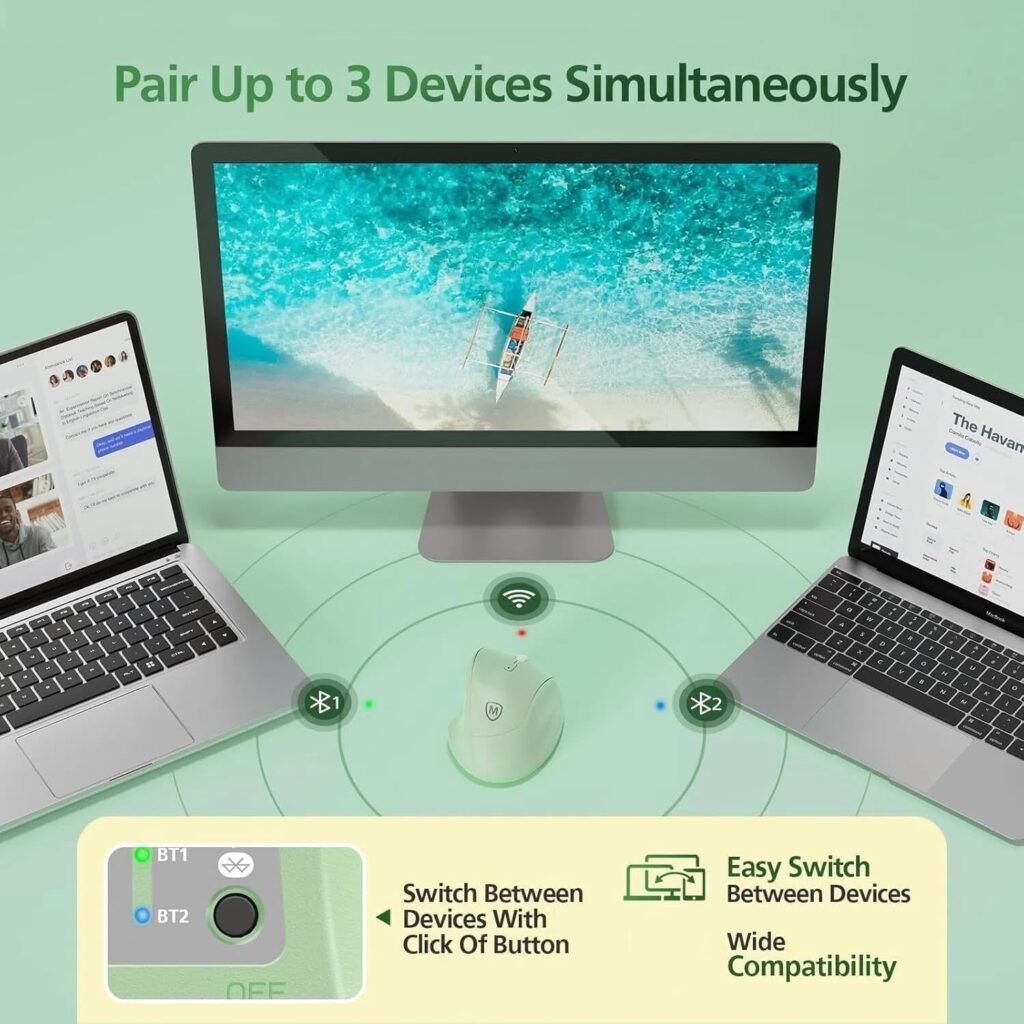
Quick Verdict: A rechargeable vertical mouse that pairs across three devices using two Bluetooth connections plus one 2.4G wireless USB link, at a budget-friendly price.
Best For: Users who regularly switch between a laptop, tablet, and desktop and want to avoid re-pairing each time.
Key Specifications:
- Connectivity: Bluetooth and Wireless USB 2.4G
- DPI: up to 3000
- Buttons: 6
- Compatible with Windows, macOS, Android, and Chrome OS
What We Like
- Genuinely useful three-device switching with a visible indicator light
- Comfort-shaped body designed for medium to large palms
- Wide operating system compatibility
What We Don’t Like
- Fewer independent long-term reviews compared to more established brands
- Battery specifics are less detailed than competitors like the Lift or TECKNET
Ergonomic Analysis: The handshake-style vertical grip is similar in concept to other mice on this list, aiming to reduce the forearm pronation associated with flat mice. The thumb rest and button placement are designed for larger palms specifically.
Who Should Buy It? Multi-device users on a budget who want vertical ergonomics without paying premium pricing.
Who Should Skip It? Buyers who want a well-documented long-term track record: more established brands have a longer independent review history.
Value for Money: At around $25, the multi-device switching feature stands out relative to price.
🛒 Check Price on Amazon6. PHILIPS SPK7628 Ergonomic Mouse – Best for Quiet Shared Spaces

Quick Verdict: A lightweight 57° vertical mouse with silent left and right clicks, shaped for small to medium hands and intended for straightforward plug-and-play use.
Best For: Users in shared offices, libraries, or open-plan spaces who want to minimize click noise, and who don’t need Bluetooth.
Key Specifications:
- Connectivity: 2.4GHz USB receiver (not Bluetooth)
- DPI: 800 / 1200 / 1600
- Weight: approximately 150g
- Hand size: recommended for hand lengths up to about 7 inches
What We Like
- Genuinely quiet main clicks
- Simple plug-and-play setup with no pairing steps
- Lightweight and travel-friendly
What We Don’t Like
- No Bluetooth option, so it always occupies a USB-A port
- Scroll wheel and side buttons are not silent, only the two main clicks
Ergonomic Analysis: The 57° angle is comparable to the Logitech Lift, aimed at reducing wrist pressure during long sessions, though the smaller sizing targets a narrower range of hand sizes than the Lift’s standard model.
Who Should Buy It? Anyone who prioritizes a simple, quiet, no-pairing setup over Bluetooth flexibility.
Who Should Skip It? Users with newer USB-C-only laptops, since a separate adapter is required and not included.
Value for Money: Reasonable at around $20, particularly for the quiet click feature.
🛒 Check Price on Amazon7. Acer Ergonomic Vertical Mouse – Best for Larger Hands on a Budget
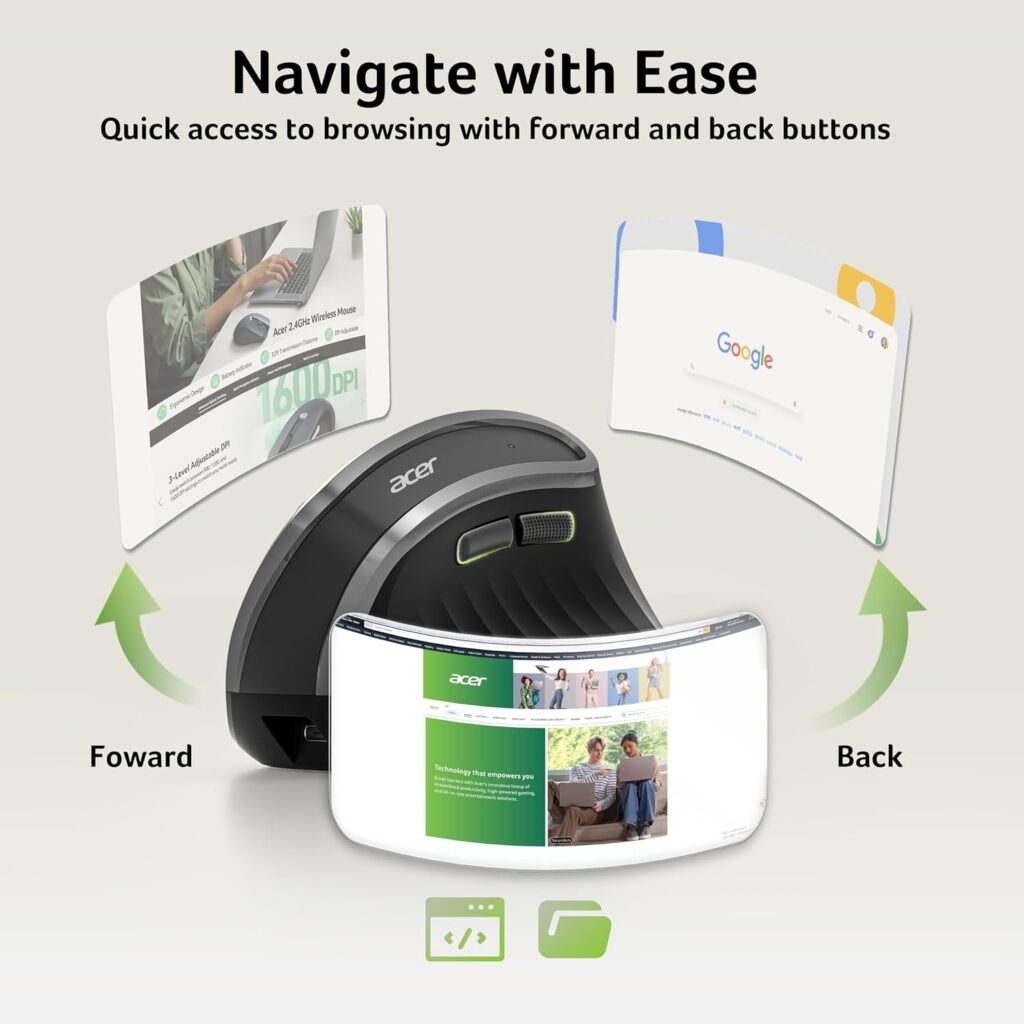
Quick Verdict: A 58° vertical mouse built specifically for medium-to-large hands, with a rechargeable battery and three adjustable DPI levels, though it lacks Bluetooth and Mac support.
Best For: Larger-handed users who want an affordable vertical mouse and only need Windows or Chrome OS compatibility.
Key Specifications:
- Connectivity: 2.4GHz USB-A receiver only (no Bluetooth)
- Battery: 500mAh rechargeable
- DPI: 800 / 1200 / 1600
- Weight: approximately 116g
- Compatible with Windows, Chrome OS, Linux, not macOS
What We Like
- Purpose-built sizing for medium-to-large hands, a category with fewer budget options
- Rechargeable battery avoids ongoing battery replacement
- Low price for a dedicated large-hand vertical mouse
What We Don’t Like
- No Bluetooth connectivity and no Mac compatibility, which rules it out for a meaningful share of buyers
- The manufacturer notes it can take one to two weeks to adjust to the 58° angle
Ergonomic Analysis: Acer states the tilt can reduce forearm muscle activity compared with a flat mouse, though as with any vertical design, the actual comfort benefit depends on proper hand-size fit and an adjustment period.
Who Should Buy It? Windows users with larger hands who specifically want a vertical mouse and don’t need Bluetooth.
Who Should Skip It? Mac users, or anyone who wants Bluetooth pairing without a USB receiver.
Value for Money: At around $20, it’s one of the most affordable large-hand vertical options here, provided the connectivity limitations aren’t a dealbreaker.
🛒 Check Price on AmazonFull Comparison Table
| Product | Best For | Type | Ergonomic Feature | Weight | Connectivity | Rating |
|---|---|---|---|---|---|---|
| Logitech Lift | Overall use | Vertical | 57° angle, ergo-certified | ~125g | Bluetooth / Logi Bolt | 4.6/5 |
| TECKNET Ergonomic | Value | Vertical | 52° angle, quiet clicks | N/A | Bluetooth / 2.4G | 4.4/5 |
| Amazon Basics | Budget | Contoured (non-vertical) | Ambidextrous contour grip | ~89g | 2.4GHz receiver | 4.0/5 |
| ProtoArc EM11 NL | Small/medium hands | Vertical | 58° angle, sized under 7.5in hands | N/A | Bluetooth / 2.4G | 4.3/5 |
| Micropack MP-V01B | Multi-device switching | Vertical | Handshake grip, 3-device pairing | N/A | Bluetooth / 2.4G | 4.2/5 |
| PHILIPS SPK7628 | Quiet spaces | Vertical | 57° angle, silent main clicks | ~150g | 2.4GHz receiver (no BT) | 4.1/5 |
| Acer Ergonomic | Large hands, budget | Vertical | 58° angle, large-hand shape | ~116g | 2.4GHz receiver (no BT) | 3.9/5 |
Decision Framework: Which One Should You Buy?
Choose the Logitech Lift if: you want the best overall balance of comfort, battery life, and build quality, and price isn’t the deciding factor.
Choose the TECKNET Ergonomic if: you want strong specifications and a rechargeable, quiet mouse without paying premium pricing.
Choose the Amazon Basics Wireless if: you mainly want an affordable wireless upgrade and aren’t set on a vertical design yet.
Choose the ProtoArc EM11 NL if: you have smaller hands and found other vertical mice too large to grip comfortably.
Choose the Micropack MP-V01B if: you switch between multiple devices often and want vertical ergonomics on a budget.
Choose the PHILIPS SPK7628 if: you work in a quiet, shared space and don’t need Bluetooth.
Choose the Acer Ergonomic if: you have larger hands, use Windows, and want the lowest price for that hand size.
Alternatives Worth Knowing About
- Best alternative for large hands: If the Acer’s lack of Bluetooth is a dealbreaker, the standard-size Logitech Lift is a Bluetooth-capable option worth comparing, and our vertical mouse guide covers additional larger-format options.
- Premium alternative: For users who want maximum adjustability and don’t mind spending more, it’s worth reading our Logitech MX Vertical review.
- Budget alternative: See our dedicated ergonomic mouse under $50 guide for more low-cost picks across brands.
Common Mistakes When Buying an Ergonomic Mouse
- Choosing based only on star ratings, without checking whether the hand-size fit matches your own.
- Ignoring hand size entirely -a vertical mouse sized for large hands can feel awkward and unstable in a smaller grip, and vice versa.
- Assuming “ergonomic” automatically means comfortable – comfort still depends on angle, size, and adjustment period.
- Overlooking connectivity limitations, such as no Bluetooth or no Mac support, until after purchase.
- Skipping the adjustment period and returning a mouse after only a day or two of use.
- Buying the cheapest option without checking button function on your operating system, since some side buttons don’t work on macOS.
- Ignoring desk and workspace setup – even a well-designed mouse won’t fully help if the mouse sits too far from the body or the desk is the wrong height.
Best Practices for Using a Wireless Ergonomic Mouse
- Keep the mouse close enough that your elbow stays near your side rather than reaching outward.
- Let your wrist rest in a straight, neutral position rather than bending up, down, or sideways while clicking.
- Give a new vertical angle at least a week before judging whether it’s comfortable.
- Pair the mouse with a suitably positioned monitor and desk height — a mouse alone can’t fully offset a poorly set up workstation. The OSHA Computer Workstations eTool has useful general guidance on neutral body positioning.
- Take short movement breaks during long sessions rather than staying in one fixed posture for hours.
- Adjust DPI to match the task, using a lower setting for precision work and a higher one for quick navigation across large displays.
Frequently Asked Questions
Are wireless ergonomic mice really better than wired ones?
A wireless ergonomic mouse removes cable drag and desk clutter, which can make repositioning easier during the day. The ergonomic benefit itself comes primarily from the vertical or angled shape, not the wireless connection, so both wired and wireless vertical mice can offer similar wrist-position benefits.
Is a vertical mouse good for long work hours?
Many users find a vertical mouse more comfortable during extended sessions because it keeps the forearm closer to a neutral rotation instead of the fully palm-down position of a flat mouse. Comfort still depends on hand-size fit and typically takes a short adjustment period.
How long does it take to get used to a vertical mouse?
Most manufacturers, including Acer in this guide, suggest allowing one to two weeks for your hand and wrist to adapt to a new vertical angle. Precision and speed usually return to normal within the first few days.
Do ergonomic mice help with wrist pain?
Ergonomic mice may help reduce unnecessary strain and support a more neutral wrist position during use, but they are not a medical treatment. If you’re experiencing ongoing wrist pain, it’s best to consult a healthcare professional alongside any workstation changes.
What DPI should I choose for office work?
For general browsing, spreadsheets, and document editing, 800–1600 DPI is typically sufficient. Higher DPI settings, available on models like the TECKNET, are more useful for fast cursor movement across large or multiple monitors.
Does Bluetooth or a USB receiver work better for an ergonomic mouse?
Bluetooth doesn’t use a USB port and pairs directly with most modern laptops and tablets, while a USB receiver tends to offer a very stable, low-latency connection without a pairing process. Several mice in this guide, including the TECKNET and ProtoArc, support both.
Can I use a vertical mouse on a Mac?
Most models here are Mac compatible, including the Logitech Lift, TECKNET, and Micropack MP-V01B, though side navigation buttons often don’t function on macOS. The Acer and PHILIPS models in this guide are not listed as Mac compatible.
How do I know what hand size a vertical mouse fits?
Manufacturers typically list a recommended hand length, often measured from wrist crease to fingertip. The ProtoArc EM11 NL, for example, recommends hands under about 7.5 inches, while the Acer is built for medium to large hands.
Are rechargeable ergonomic mice better than battery-powered ones?
Rechargeable mice avoid the ongoing cost and waste of disposable batteries, but battery-powered models can be more convenient if you’re away from a charger for extended periods, since you can simply swap in a fresh battery.
Is a more expensive ergonomic mouse always more comfortable?
Not necessarily. Price often reflects build quality, battery life, and extra features like programmable buttons rather than comfort alone. A well-fitted budget mouse can feel more comfortable for your specific hand than an expensive one sized incorrectly.
Final Verdict
If you want the best all-around balance of comfort, battery life, and build quality, the Logitech Lift is the strongest overall pick in this guide. If price is your priority but you still want solid specifications, the TECKNET Ergonomic offers excellent value. Smaller-handed users should look at the ProtoArc EM11 NL, while larger-handed buyers on a budget will find the Acer Ergonomic worth considering, provided its lack of Bluetooth and Mac support aren’t dealbreakers.
There’s no single mouse that works for everyone — the right pick depends on your hand size, your operating system, and how you connect your devices. Match the product to your actual setup rather than the highest star rating, and give any new vertical mouse a fair adjustment period before deciding whether it’s the right fit.
Compare the latest prices and availability before making your decision, since Amazon pricing and stock can change.