Best Vertical Mouse 2026: 9 Ergonomic Picks Compared

Written by Emily Richardson, Ergonomics & Work-from-Home Product Specialist at ErgoFixes · Last updated 2026
If your hand or forearm feels tired by the afternoon, the shape of your mouse is probably a bigger factor than you’d expect. A standard mouse keeps your palm flat and your forearm twisted inward for hours on end. A vertical mouse is built around a different idea keep the hand in a more upright, handshake-like position instead.
This guide compares nine vertical and ergonomic mice available right now, at angles ranging from a gentle 52° to a fuller 58° upright tilt. We look at hand-size fit, grip angle, DPI range, connectivity, and battery life, and we’re honest about where each one falls short, because no single mouse works for everyone’s hand.
Quick answer: For most buyers, the Logitech Lift Vertical Ergonomic Wireless Mouse is the strongest overall pick it has one of the longest battery lives in this comparison and a design that’s been reviewed against independent ergonomist criteria. If you want similar vertical ergonomics for less money, the ProtoArc EM11 NL and Acer Ergonomic Mouse Wireless are worth a close look.
This article covers vertical mice specifically. If you’re weighing a vertical mouse against a different ergonomic style, our ergonomic mouse guide covers the wider category, and our trackball mouse comparison is a useful read if you want an alternative that requires almost no arm movement at all.
🖱️ Best Vertical Ergonomic Mouse 2026 – 9 Top Picks
Every pick below is a genuine vertical or semi-ergonomic mouse we compared on grip angle, hand-size fit, DPI range, and battery life. No two picks serve the same purpose — pick the one that matches your hand and budget.



| Product | Best For | Main Strength | Main Limitation | Rating | CTA |
|---|---|---|---|---|---|
| Logitech Lift | Best overall | 57° angle, ergo-reviewed, ~24 months battery | Higher price | 4.4/5 | View price → |
| ProtoArc EM11 NL | Best value | 58° angle, 3-device pairing | Small/medium hands only (under 7.5″) | 4.4/5 | View price → |
| Acer Ergonomic Mouse | Best budget | 57° tilt, medium/large hand fit | USB-A only, no Bluetooth or Mac support | 4.3/5 | View price → |
| UGREEN Ergonomic | Ultra-budget | 4-level DPI up to 4000, dual connectivity | 1 AA battery not included | 4.4/5 | View price → |
| AOC Vertical Mouse | Precision work | Up to 4800 DPI, programmable buttons | Not built for larger hands | 4.6/5 | View price → |
| seenda MOU-302 | Multitasking | Volume knob, 3-device switching | Shorter ~2 month battery life | 4.6/5 | View price → |
| Anker Ergonomic | Proven track record | Widely reviewed handshake design | Batteries not included, clicks are audible | 4.2/5 | View price → |
| PHILIPS Ergonomic | Premium features | Dual scroll wheels, 3-device support | Not a fully vertical shape | 4.5/5 | View price → |
| Lenovo Yoga Pro | Gentle transition | Symmetric ergo shape, fast recharge | Not vertical, less angle correction | 4.4/5 | View price → |
What Is a Vertical Mouse, and Why Does the Angle Matter?
A vertical mouse is built to keep your hand in a more upright position — closer to a handshake than a flat palm-down grip. Instead of your forearm rotating inward to keep your palm flat on the desk, a vertical mouse lets your hand rest at an angle, which reduces how much your forearm has to twist during use.
A vertical mouse is designed to keep the forearm in a more neutral position than a traditional mouse. The steeper the angle, the less forearm rotation is required — but a steeper angle also usually means a longer adjustment period.
The products in this guide sit at slightly different angles:
- 52° — AOC Wireless Ergonomic Vertical Mouse (gentler tilt)
- 57° — Logitech Lift and Acer Ergonomic Mouse
- 58° — ProtoArc EM11 NL (closer to fully upright)
A few products in this list — PHILIPS and Lenovo Yoga Pro — aren’t fully vertical at all. They keep a more traditional horizontal shape with ergonomic touches like soft grip material and thumb rests, rather than changing the wrist angle itself.
Emily Richardson, ergonomics and work-from-home product specialist at ErgoFixes, notes that angle isn’t the only variable that matters:
“A steeper vertical angle theoretically reduces more forearm rotation, but if the mouse doesn’t fit your hand size, you’ll end up compensating in other ways — gripping too tightly, or resting your wrist awkwardly on the desk. Fit matters just as much as angle.”
Health note: Ergonomic and vertical mice may help support a more neutral wrist and forearm position and can reduce unnecessary strain during long computer sessions. They are not medical devices and are not a treatment for carpal tunnel syndrome, tendinitis, or other diagnosed conditions. If you’re managing ongoing wrist or hand pain, our article on whether an ergonomic mouse really helps wrist pain looks at the evidence in more depth, and we’d recommend speaking with a doctor or physiotherapist for anything persistent.
What to Look For in a Vertical Mouse
1. Vertical angle Steeper angles (57–58°) offer more forearm-rotation correction but take longer to adjust to. Gentler angles (around 52°) are easier to transition into but correct less.
2. Hand size compatibility This is the detail most buyers skip, and it’s arguably the most important one. The ProtoArc EM11 NL, for example, is explicitly built for hand lengths under 7.5 inches, while the Acer Ergonomic Mouse is designed for medium-to-large hands. Using the wrong size can undo most of the ergonomic benefit.
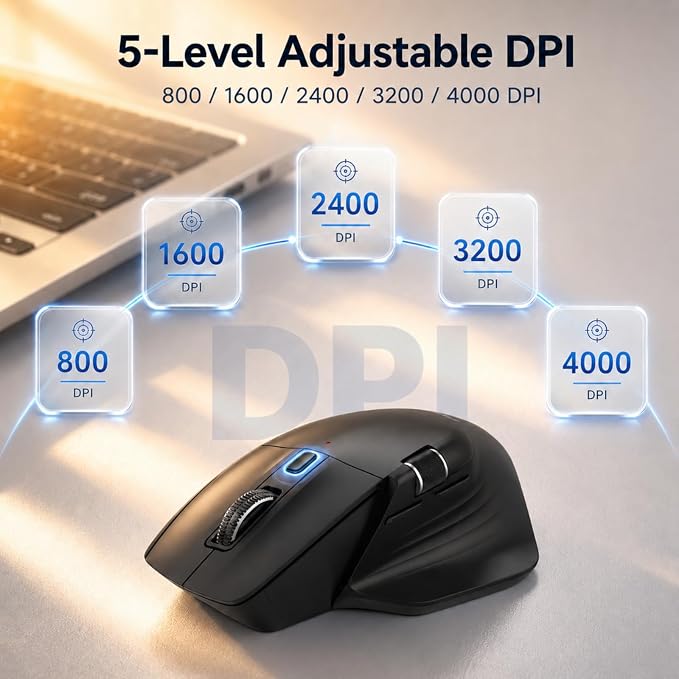
3. DPI range DPI determines cursor sensitivity. Office and browsing tasks are usually comfortable in the 800–1600 range, while design work or fast navigation across multiple monitors benefits from higher settings — the AOC mouse goes up to 4800 DPI, well above what most office tasks actually need.
4. Connectivity Bluetooth is convenient for laptops and tablets with limited USB ports. A 2.4GHz USB receiver is a reliable fallback with typically consistent low-latency performance. Several mice here, including the ProtoArc, UGREEN, seenda, and AOC, support both.
5. Battery life and power source This varies more than almost any other spec in this category — from roughly one month (ProtoArc) to around 24 months (Logitech Lift). Some, like the Anker and UGREEN, use replaceable AA batteries rather than a built-in rechargeable cell, which is worth knowing if you’d rather not deal with charging cables.
6. Click noise Most current vertical mice market themselves as “quiet” or “silent,” though it’s worth noting that scroll wheels and side buttons on several models — including the ProtoArc and AOC — are specifically called out as not being silent, even when the main clicks are.
7. Mac compatibility A recurring limitation across this category: back and forward navigation buttons frequently don’t work on macOS, even on mice that otherwise list Mac compatibility. Check this specifically if you’re a Mac user who relies on those buttons.
8. Warranty length Warranty terms range from one year (Lenovo, Logitech, Acer) up to two years (ProtoArc, seenda) in this comparison, which can be a useful tiebreaker between similarly priced options.
The Best Vertical Mice of 2026
1. Logitech Lift Vertical Ergonomic Wireless Mouse — Best Overall

Quick Verdict: The Logitech Lift remains one of the most well-rounded vertical mice available, combining a 57° angle, independently reviewed ergonomic design, and one of the longest battery ratings in this comparison. It costs more than most competitors here, but the combination of build quality and longevity is hard to match.
Best For: Office and remote workers with small-to-medium right hands who want a long-term daily mouse.
Key Specifications
- Vertical angle: 57°
- Connectivity: Bluetooth Low Energy and Logi Bolt USB receiver
- DPI: up to 4000, adjustable in 3 stages
- Battery life: up to 24 months per charge
- Buttons: 6, with 4 customizable
- Weight: 125 g
- Warranty: 1 year manufacturer
- Also sold in a left-handed version
What We Like
- Design reviewed against criteria set by independent ergonomists
- One of the longest battery ratings in the category
- Quiet clicks and a smooth SmartWheel scroll
- Works across Windows, macOS, iPadOS, Chrome OS, and Linux
What We Don’t Like
- Noticeably more expensive than most vertical mice in this list
- Built for small-to-medium hands, less ideal for larger palms
- Only a 1-year warranty despite the higher price
Ergonomic Analysis The 57° angle sits in a middle position between a gentle ergonomic curve and a fully upright grip, which tends to make the adjustment period more manageable than steeper designs while still meaningfully reducing forearm rotation compared with a flat mouse.
Who Should Buy It? Anyone using a mouse for several hours a day who wants a long-term option they won’t need to recharge often or replace soon.
Who Should Skip It? Budget-focused buyers, or anyone with larger hands who may find the Acer or ProtoArc models a better physical fit.
Value for Money At close to triple the price of the cheapest option in this guide, the Lift needs to earn its premium — and between the battery life and ergonomic review credentials, it largely does for daily, long-term use.
🛒 Check Price on Amazon2. ProtoArc EM11 NL Wireless Ergonomic Vertical Mouse — Best Value
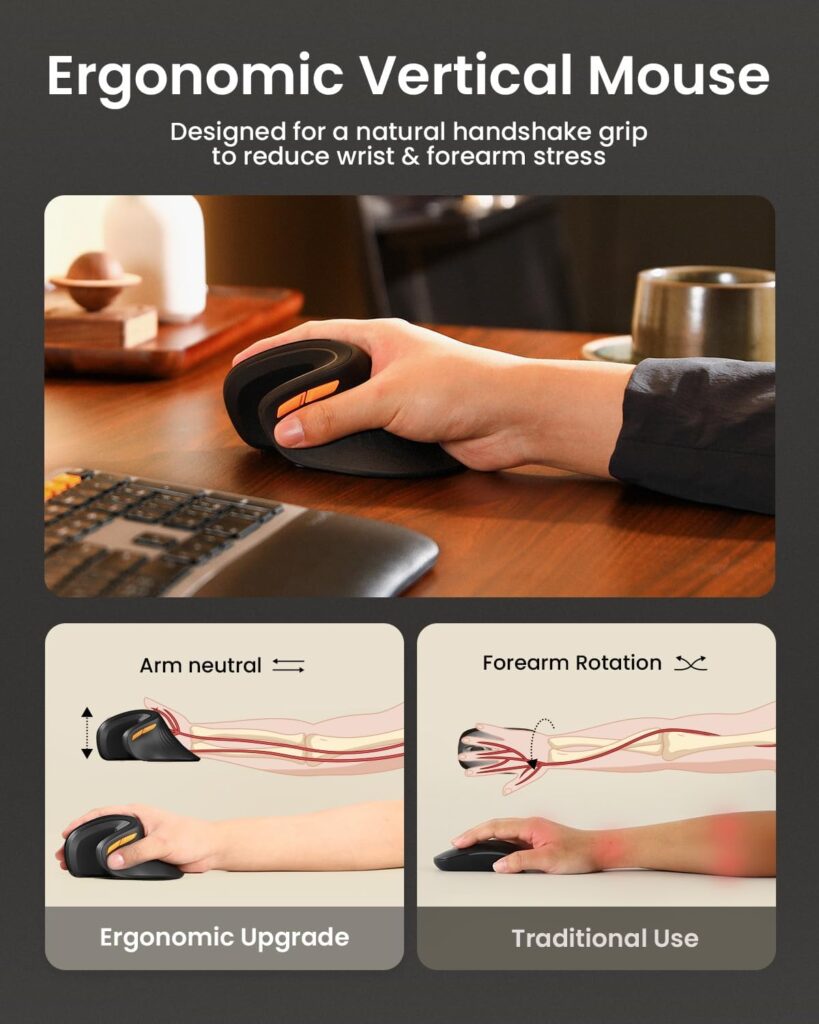
Quick Verdict: The ProtoArc EM11 NL offers one of the steeper vertical angles in this comparison at 58°, along with three-device Bluetooth switching, at a price well below the Logitech Lift. The trade-off is a strict hand-size requirement.
Best For: Buyers with hands under 7.5 inches who want a genuinely steep vertical angle without premium pricing.
Key Specifications
- Vertical angle: 58°
- Connectivity: Bluetooth and 2.4GHz USB-A receiver, 3-device switching
- DPI: 1000/1600/2400, adjustable
- Battery: built-in 500mAh, USB-C charging, rated around 1 month per charge
- Recommended hand length: under 7.5 inches (19.05 cm)
- Warranty: 2-year manufacturer
What We Like
- One of the steepest vertical angles in this comparison
- Three-device switching between Bluetooth and USB-A
- Manufacturer explicitly states a 1–2 week adjustment period, which sets realistic expectations
- Two-year warranty is generous for the price point
What We Don’t Like
- Battery life is noticeably shorter than most competitors, at roughly one month per charge
- Buttons aren’t programmable, and forward/back buttons don’t work on macOS
- Strict hand-size guidance means it isn’t a good fit for medium-to-large hands
Ergonomic Analysis The manufacturer is unusually direct about the adjustment period, recommending one to two weeks before judging comfort — a reasonable expectation to set for any steep-angle vertical mouse, not just this one.
Who Should Buy It? Anyone with smaller-to-medium hands who wants close to the steepest vertical angle available at a mid-range price.
Who Should Skip It? Buyers with larger hands, or anyone who doesn’t want to think about charging more than once a month.
Value for Money For a steep-angle vertical mouse with multi-device support and a two-year warranty, this is one of the stronger value picks here — provided your hand size fits the stated range.
🛒 Check Price on Amazon3. Acer Ergonomic Mouse Wireless — Best Budget
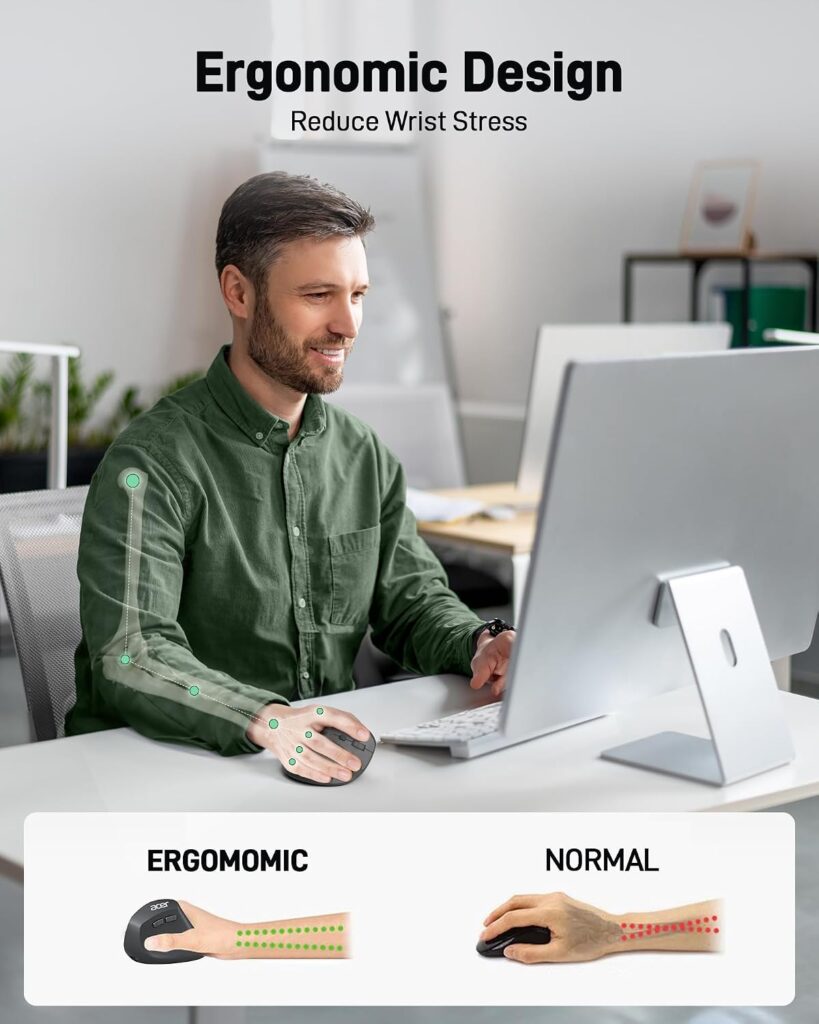
Quick Verdict: The Acer Ergonomic Mouse offers a genuine 57° vertical tilt — the same angle as the far pricier Logitech Lift — at one of the lowest prices in this comparison, aimed specifically at medium-to-large hands.
Best For: Budget-conscious buyers with medium-to-large hands who want real vertical ergonomics.
Key Specifications
- Vertical angle: 57°
- Connectivity: 2.4GHz USB-A receiver only, no Bluetooth
- DPI: 1000/1200/1600, adjustable
- Recommended for: medium-to-large hands
- Weight: approximately 93 g
- Warranty: standard manufacturer warranty
What We Like
- Same 57° angle as premium competitors at a fraction of the price
- Manufacturer states the design can reduce measured muscle activity, based on their own testing
- Straightforward USB-A plug-and-play setup
What We Don’t Like
- No Bluetooth connectivity, and the listing explicitly states it is not compatible with Mac
- Side button doesn’t work on Mac even where partial compatibility exists
- 1–2 week adjustment period noted by the manufacturer
Ergonomic Analysis A 57° angle at this price point is a genuinely useful find. The manufacturer references a reduction in muscle activity during use, though this reflects the brand’s own testing rather than independent, peer-reviewed research, so it’s worth treating as a directional claim rather than a guarantee.
Who Should Buy It? Windows users with medium-to-large hands who want a steep ergonomic angle without paying premium prices.
Who Should Skip It? Mac users, or anyone who specifically wants Bluetooth connectivity for a tablet or multi-device setup.
Value for Money This is one of the best angle-to-price ratios in the entire comparison, with the main trade-off being connectivity rather than ergonomic design.
🛒 Check Price on Amazon4. UGREEN Ergonomic Wireless Mouse — Best Ultra-Budget
Quick Verdict: The UGREEN is the least expensive mouse in this comparison and still manages a vertical handshake shape, dual connectivity, and a DPI range that goes up to 4000 — specs you wouldn’t necessarily expect at this price.
Best For: Buyers who want to try a vertical mouse for the lowest possible upfront cost.
Key Specifications
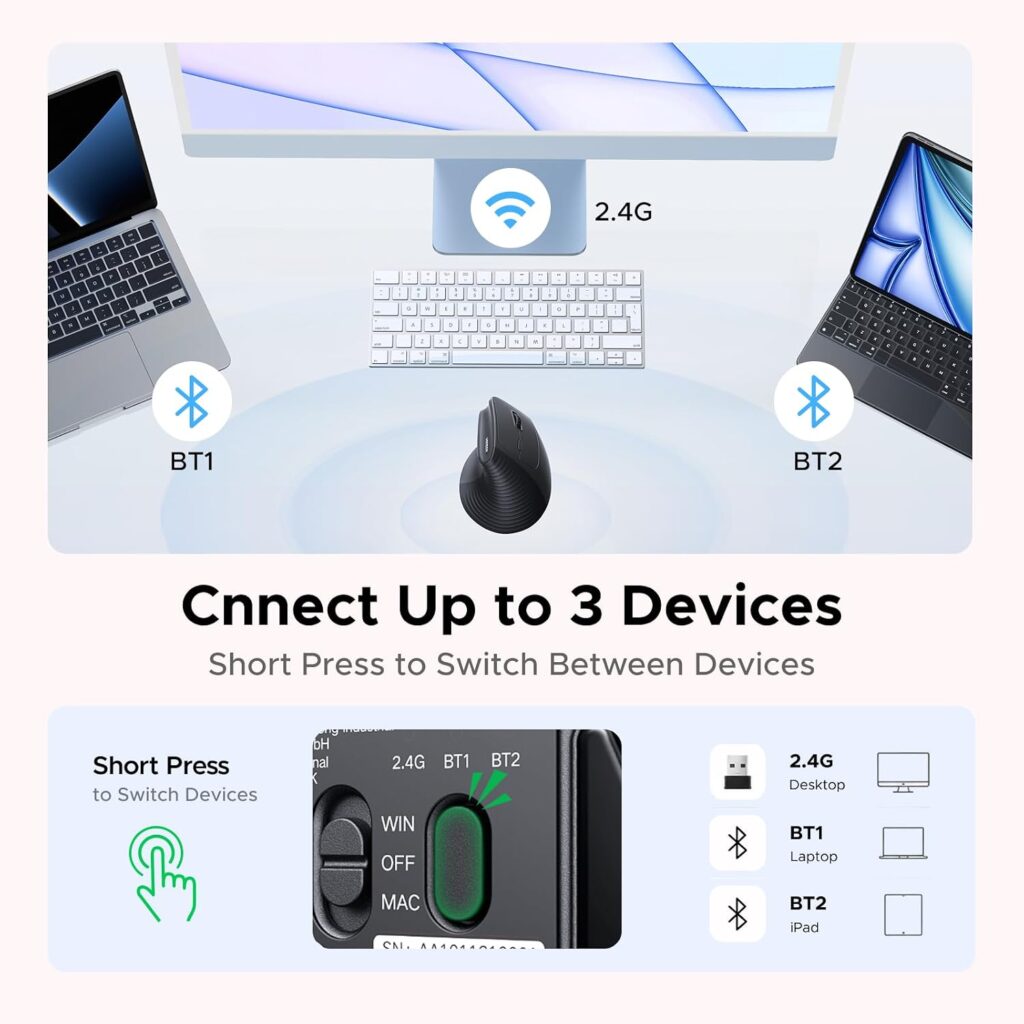
- Connectivity: Bluetooth and 2.4GHz wireless, up to 3 devices
- DPI: 1000/1600/2000/4000, adjustable
- Battery: 1 AA battery (not included), rated up to 12 months
- Weight: 170 g
- Hand orientation: ambidextrous
- Warranty: 1 year manufacturer
What We Like
- Lowest price point in this comparison
- Wide DPI range for the price, up to 4000
- Dual Bluetooth and 2.4GHz connectivity with 3-device support
- PTFE glide feet noted for smoother, quieter tracking
What We Don’t Like
- Requires a separate AA battery, not included in the box
- Fewer buttons (5) than most competitors in this list
- 1-year warranty is on the shorter side
Ergonomic Analysis The listing describes an ambidextrous handshake design rather than a steep right-hand-specific angle, which makes it a gentler entry point than the ProtoArc or Acer, and a workable option for left-handed users, which is rare in this category.
Who Should Buy It? First-time buyers who want to test whether a vertical mouse suits them, or left-handed users who have limited options elsewhere in this list.
Who Should Skip It? Anyone who wants a built-in rechargeable battery rather than a replaceable AA cell, or users who want a higher button count for programmable shortcuts.
Value for Money For the price, the DPI range and dual connectivity make this one of the strongest budget entries in the category.
🛒 Check Price on Amazon5. AOC Wireless Ergonomic Vertical Mouse — Best for Precision Work
Quick Verdict: The AOC stands out for its DPI ceiling of 4800 — the highest in this comparison — along with programmable buttons and triple-mode connectivity, making it a strong pick for design work or detailed editing tasks.
Best For: Users who want fine-grained cursor control alongside vertical ergonomics.
Key Specifications
- Vertical angle: 52°
- Connectivity: Bluetooth 5.4, 2.4GHz wireless, and wired USB-A
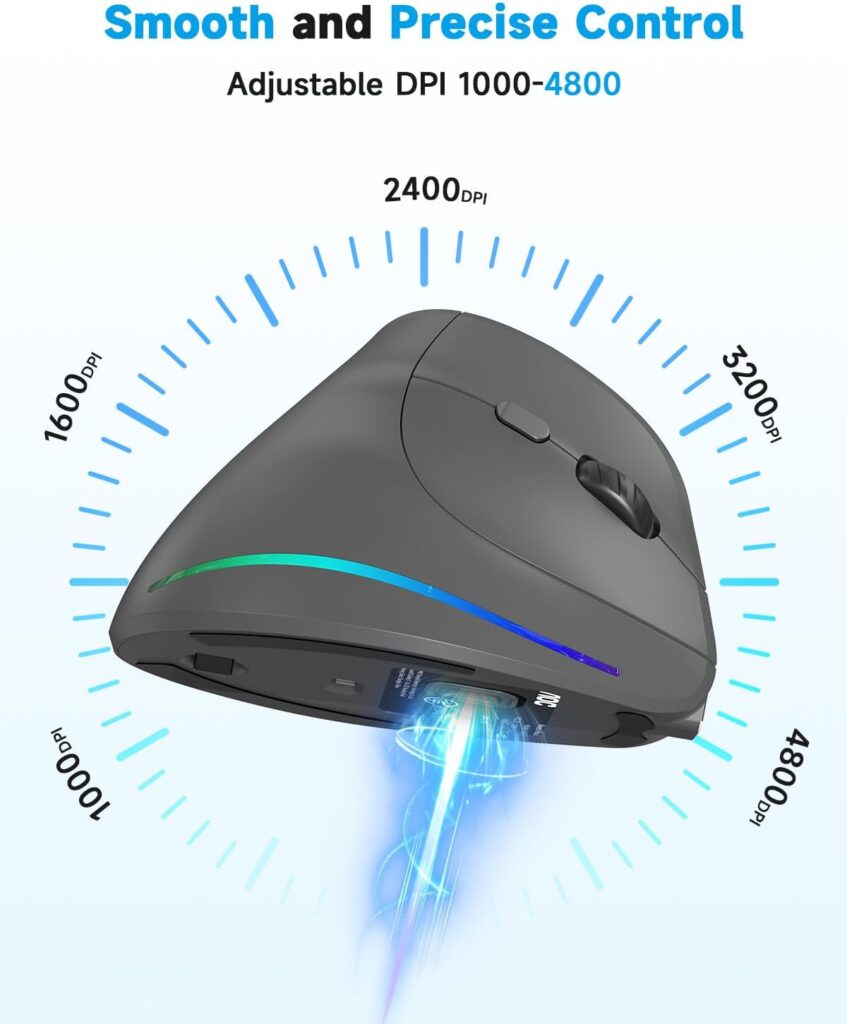
- DPI: 1000/1600/2400/3200/4800, adjustable
- Battery: 800mAh rechargeable, rated up to 200 hours without RGB, 40+ hours with RGB active
- Buttons: programmable, with customizable RGB accent lighting
- Recommended for: small-to-medium hands, not larger hands
What We Like
- Highest DPI ceiling in this comparison, useful for detailed design or editing work
- Triple connectivity modes (Bluetooth, 2.4GHz, wired USB-A)
- LED battery percentage display avoids unexpected shutdowns
- Highest review average tied with seenda at 4.6/5
What We Don’t Like
- Gentler 52° angle offers less forearm-rotation correction than the Logitech Lift or ProtoArc
- Not recommended for large hands
- RGB lighting reduces battery life significantly if left active
Ergonomic Analysis At 52°, this is the gentlest vertical angle in the comparison, which makes it a reasonable middle-ground choice for users who want some ergonomic benefit without a steep learning curve, though it corrects less forearm rotation than the 57–58° options.
Who Should Buy It? Designers, editors, or anyone who needs a wide DPI range alongside a moderate ergonomic angle.
Who Should Skip It? Users specifically prioritizing the steepest possible wrist-angle correction, or anyone with larger hands.
Value for Money Given the DPI range, connectivity options, and battery display, this is competitively priced for what it includes, even though the ergonomic angle itself is more modest than some rivals.
🛒 Check Price on Amazon6. seenda MOU-302 Wireless Bluetooth Ergonomic Vertical Mouse — Best for Multitasking
Quick Verdict: The seenda MOU-302 pairs vertical ergonomics with a built-in volume control knob, a genuinely useful addition for anyone regularly on video calls or listening to music while working.
Best For: Hybrid workers, streamers, and anyone who wants quick media control without switching windows.
Key Specifications
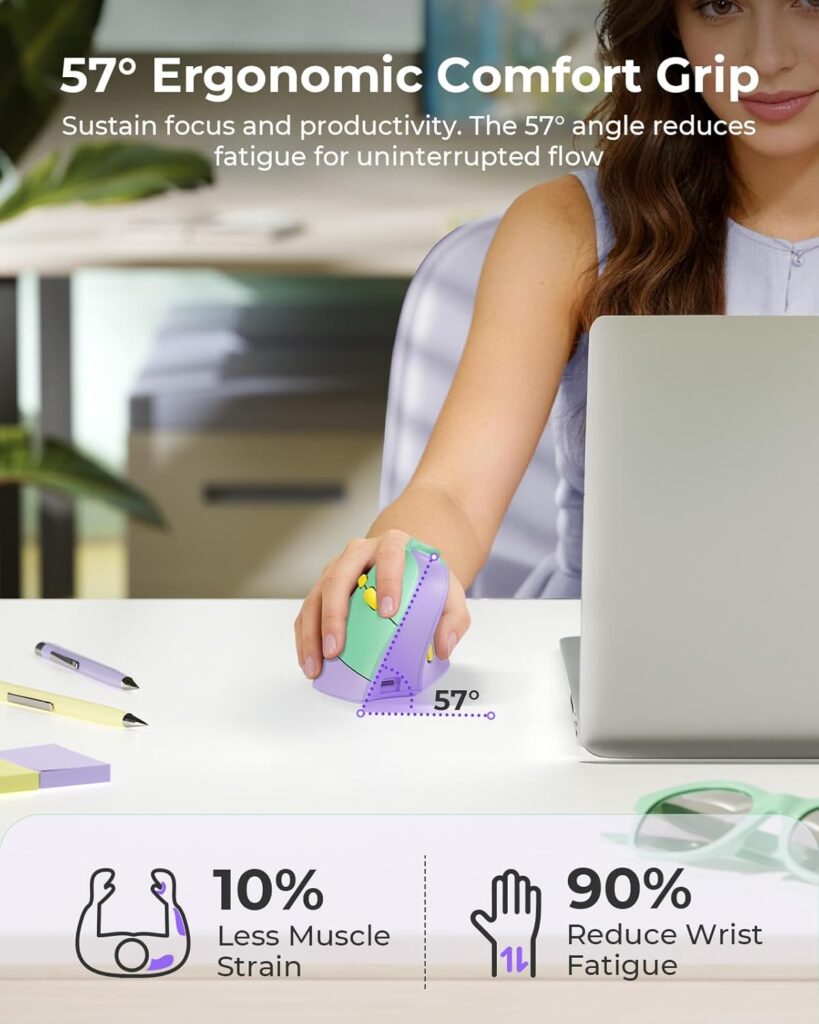
- Connectivity: Bluetooth (2 devices) plus 2.4GHz USB, 3-device switching total
- DPI: 1000/1600/2400, adjustable
- Battery: built-in 500mAh, USB-C charging, rated around 2 months per charge
- Weight: 0.17 kg
- Warranty: 2-year manufacturer
What We Like
- Built-in volume knob is a distinctive, genuinely practical feature
- Three-device connectivity for hybrid work setups
- Quiet clicks throughout
- Tied for the highest average review rating in this comparison
What We Don’t Like
- Shorter battery life between charges compared with the Logitech Lift
- Sized for small-to-medium hands
- Requires more frequent charging than several other options here
Ergonomic Analysis The vertical handshake shape follows the same neutral-wrist principle as the other vertical mice in this guide. The volume knob doesn’t change the ergonomics directly, but it can reduce how often you reach for a keyboard or trackpad during calls.
Who Should Buy It? Anyone frequently on video calls, listening to music while working, or who wants three-device switching in a compact shape.
Who Should Skip It? Buyers who want the longest possible battery life between charges, or users with larger hands.
Value for Money At under $20, the combination of a high review average, vertical ergonomics, and a genuinely useful extra feature makes this one of the stronger value picks in the list.
🛒 Check Price on Amazon7. Anker 2.4G Wireless Ergonomic Mouse — Best High-Volume Seller
Quick Verdict: The Anker Ergonomic Mouse has by far the largest review volume of any product in this comparison, which makes it one of the most tested vertical mice on the market, even if its feature set is more basic than newer competitors.
Best For: Buyers who want a widely used, well-reviewed vertical mouse without extra features to configure.
Key Specifications
- Connectivity: 2.4GHz USB receiver only, no Bluetooth
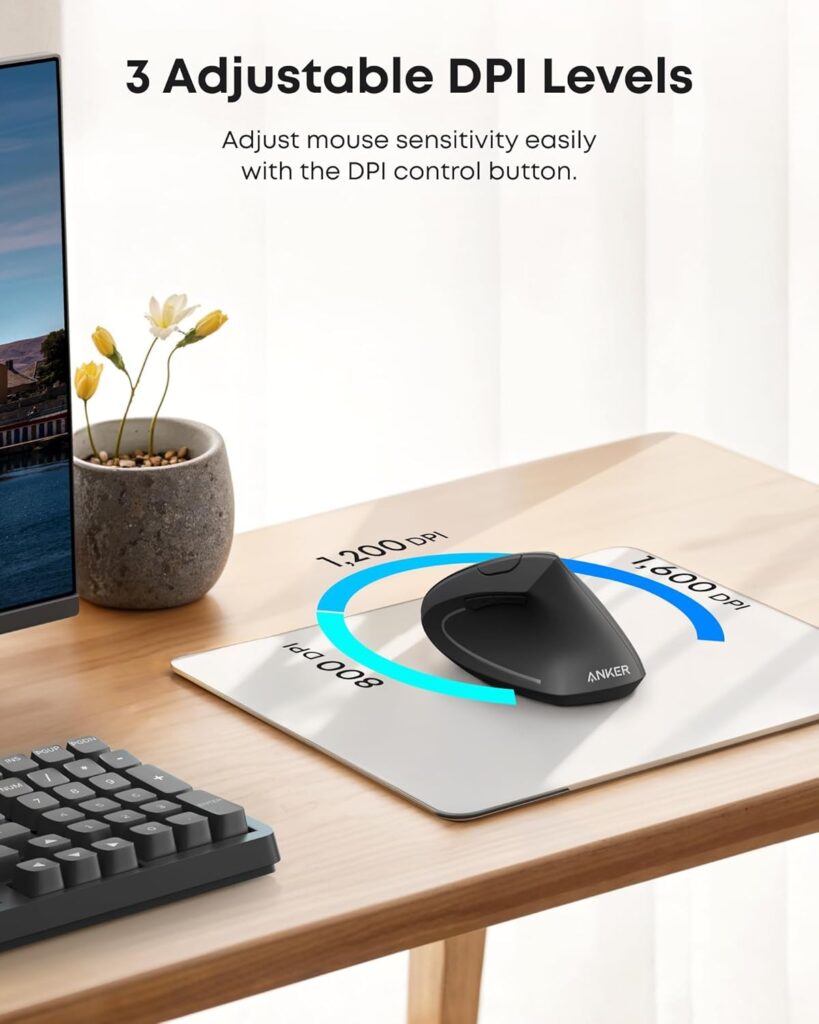
- DPI: 800/1200/1600, adjustable
- Power: 2 AAA batteries required, not included
- Weight: approximately 3.4 oz
- Warranty: 18-month manufacturer warranty
What We Like
- Extremely high review volume relative to every other product in this comparison
- Straightforward plug-and-play USB setup
- Auto power-saving mode after 8 minutes of inactivity
- 18-month warranty is longer than several pricier competitors
What We Don’t Like
- No Bluetooth option
- Batteries are not included in the box
- The manufacturer’s own listing notes that click sounds are unavoidable
Ergonomic Analysis The design follows the same handshake principle as other vertical mice in this guide, without the steeper angle marketing of newer entrants like the ProtoArc or Acer. Its main strength here is a long, consistent track record rather than a standout ergonomic spec.
Who Should Buy It? Buyers who prefer a product with a long, well-documented usage history and don’t need Bluetooth or extra buttons.
Who Should Skip It? Anyone who wants a quieter click, Bluetooth connectivity, or included batteries out of the box.
Value for Money Reasonably priced for a no-frills vertical mouse, with the review volume offering a degree of reassurance that’s hard to find elsewhere in this category.
🛒 Check Price on Amazon8. PHILIPS Ergonomic Wireless Mouse — Best Premium Non-Vertical Option
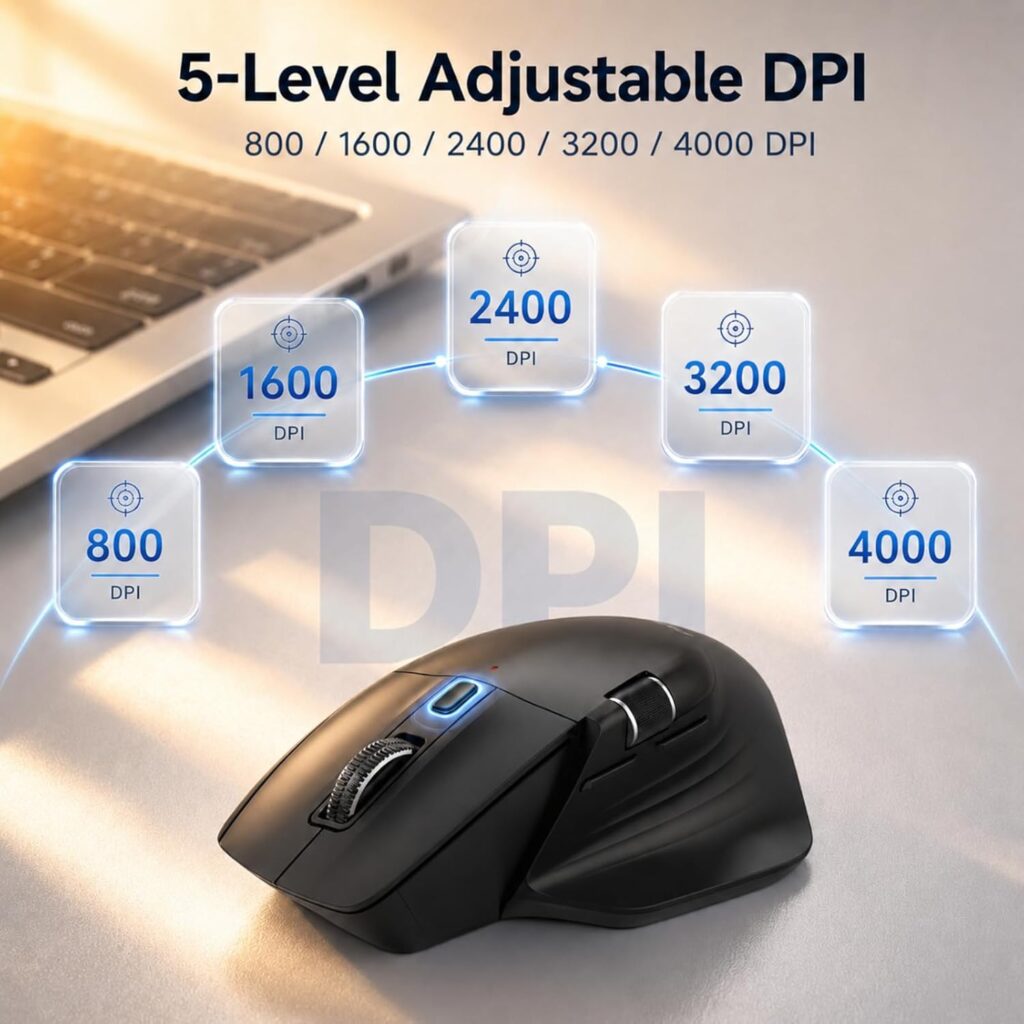
Quick Verdict: The PHILIPS isn’t a fully vertical mouse, but it adds a horizontal side-scroll wheel, multi-device Bluetooth, and a contoured shape aimed at wider grips — a premium option for anyone who wants ergonomic comfort without an upright hand position.
Best For: Spreadsheet-heavy or multi-device users who want ergonomic comfort touches without a steep vertical angle.
Key Specifications
- Connectivity: Bluetooth with dual USB-A/USB-C receiver, up to 3 devices
- DPI: 5 levels, 800 to 4000
- Battery: 500mAh, rated up to 200 hours (roughly 25 days at 8 hours/day)
- Sensor: laser, rather than optical
- Weight: 97 g
- Hand orientation: right-handed, contoured for wider grips
What We Like
- Dual scroll wheels (vertical and horizontal) genuinely useful for spreadsheet work
- Multi-device receiver with both USB-A and USB-C options
- Fast emergency top-up charging
- Quiet left and right clicks
What We Don’t Like
- Not a vertical mouse, so it doesn’t correct forearm rotation the way the other products in this list do
- Highest price point in this comparison
- Right-handed only, with no left-handed option
Ergonomic Analysis Because this keeps a traditional horizontal shape, its ergonomic value comes from grip contouring and thumb rest placement rather than wrist-angle correction. It’s a reasonable option for users who’ve tried vertical mice before and prefer a more familiar shape.
Who Should Buy It? Users who want ergonomic comfort features and strong multi-device support without adapting to a vertical grip.
Who Should Skip It? Anyone whose main goal is reducing forearm rotation specifically — a vertical mouse like the Logitech Lift or ProtoArc will do more in that particular area.
Value for Money This is the most expensive product in the comparison, and the price reflects its scroll wheel design and multi-device hardware rather than vertical ergonomics, so it’s worth being clear on what you’re paying for.
🛒 Check Price on Amazon9. Lenovo Yoga Pro Mouse — Best Gentle Ergonomic Alternative
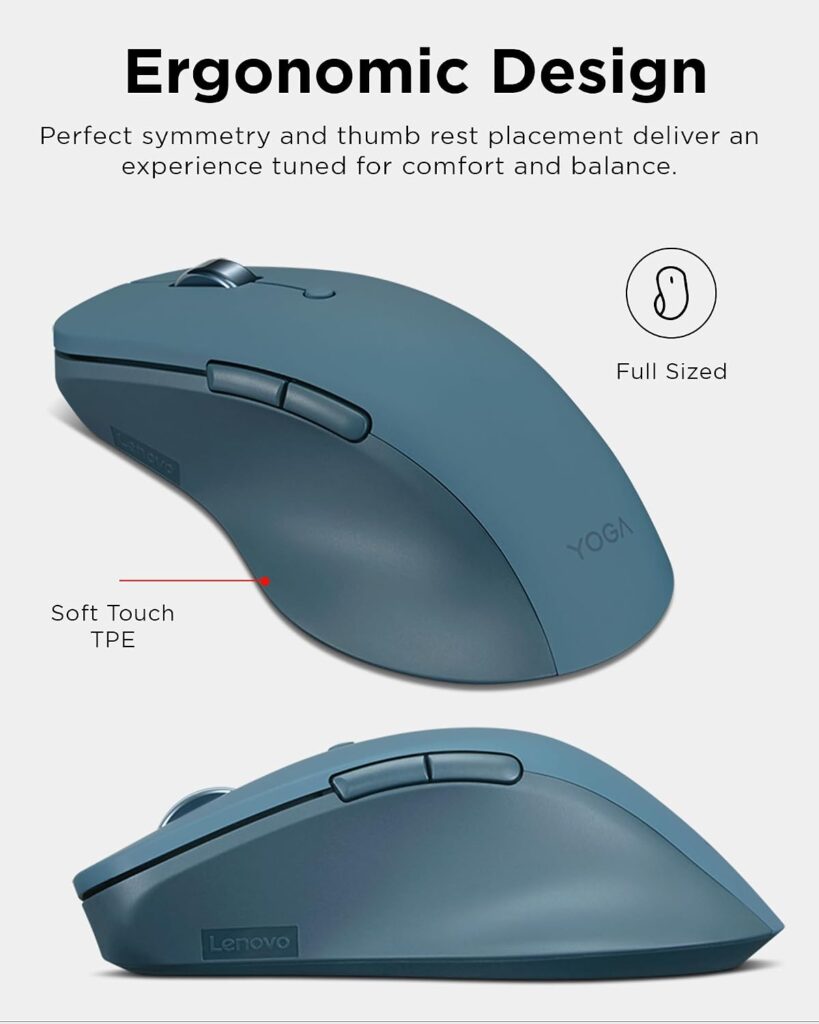
Quick Verdict: Not everyone wants a fully vertical mouse, and the Lenovo Yoga Pro is a solid choice for buyers who want a symmetric, softly-contoured ergonomic shape instead of an upright grip.
Best For: Users who find vertical mice too extreme a change but still want ergonomic comfort touches.
Key Specifications
- Connectivity: Bluetooth Low Energy / Bluetooth 5.1, dual-device pairing
- DPI: 3 hardware stages, adjustable via software up to 4000
- Battery: rechargeable, full charge in under 2 hours, rated 2–3 months per charge
- Buttons: 6, with programmable side and top buttons
- Weight: 3.52 ounces
What We Like
- Familiar horizontal shape with ergonomic touches, easier transition for new users
- Multi-surface optical tracking
- Programmable buttons and adjustable software DPI
- Fast recharge time
What We Don’t Like
- Offers less forearm-rotation correction than the vertical mice in this list
- Only available in a right-handed design
- 1-year warranty is shorter than several competitors here
Ergonomic Analysis Because the Yoga Pro keeps a traditional horizontal orientation, it doesn’t reduce forearm pronation the way a vertical mouse does. Its ergonomic value comes primarily from grip comfort, thumb rest placement, and balanced weight distribution.
Who Should Buy It? Users who want a mouse that feels ergonomically considered without the learning curve of a vertical grip.
Who Should Skip It? Anyone whose main goal is reducing wrist strain through a genuinely neutral forearm position — a vertical mouse in this list will do more in that specific area.
Value for Money Reasonably priced for a well-built, software-customizable mouse, though buyers focused specifically on wrist-angle correction may get more targeted benefit from a vertical design like the Logitech Lift or ProtoArc.
🛒 Check Price on AmazonFull Comparison Table
| Product | Type / Angle | Key Ergonomic Feature | Weight | Connectivity | Rating |
|---|---|---|---|---|---|
| Logitech Lift | Vertical, 57° | Ergo-reviewed handshake grip | 125 g | Bluetooth + Logi Bolt | 4.4/5 |
| ProtoArc EM11 NL | Vertical, 58° | Steep angle, small/medium fit | 250 g | Bluetooth + 2.4GHz | 4.4/5 |
| Acer Ergonomic | Vertical, 57° | Medium/large hand fit | 93 g | 2.4GHz USB-A only | 4.3/5 |
| UGREEN Ergonomic | Vertical, ambidextrous | Handshake grip, wide DPI range | 170 g | Bluetooth + 2.4GHz | 4.4/5 |
| AOC Vertical | Vertical, 52° | High DPI ceiling, programmable | N/A | Bluetooth + 2.4GHz + wired | 4.6/5 |
| seenda MOU-302 | Vertical | Handshake grip + volume knob | 0.17 kg | Bluetooth + 2.4GHz | 4.6/5 |
| Anker Ergonomic | Vertical | Long-standing handshake design | 3.4 oz | 2.4GHz USB only | 4.2/5 |
| PHILIPS Ergonomic | Non-vertical | Contoured grip, dual scroll wheels | 97 g | Bluetooth | 4.5/5 |
| Lenovo Yoga Pro | Non-vertical | Symmetric soft-touch grip | 3.52 oz | Bluetooth | 4.4/5 |
Which Vertical Mouse Should You Buy?
Choose the Logitech Lift if: you want the best all-round balance of ergonomic credibility, battery life, and build quality, and price isn’t the deciding factor.
Choose the ProtoArc EM11 NL if: you have small-to-medium hands and want one of the steepest vertical angles available at a mid-range price.
Choose the Acer Ergonomic Mouse if: you have medium-to-large hands and want real vertical ergonomics on a tight budget, and you’re on Windows rather than Mac.
Choose the UGREEN if: you want the lowest possible entry price to try a vertical mouse, or need a design that works reasonably well for left-handed use.
Choose the AOC if: you do detailed design or editing work and want the widest DPI range in this comparison alongside programmable buttons.
Choose the seenda MOU-302 if: you’re frequently on calls or listening to music while working and want quick media control built into the mouse.
Choose the Anker if: you want a widely tested, no-frills vertical mouse with a long track record.
Choose the PHILIPS if: you want ergonomic comfort features and strong multi-device support without adapting to a vertical hand position.
Choose the Lenovo Yoga Pro if: you want ergonomic comfort touches with the easiest possible transition, and you’re not ready for a fully vertical shape.
Emily Richardson’s tip: “If you’ve never used a vertical mouse before, don’t jump straight to the steepest angle you can find. A mid-angle design, or even a semi-ergonomic shape like the PHILIPS or Lenovo Yoga Pro, often makes the transition easier — and you can always move to a steeper vertical mouse once your hand has adjusted.”
Common Mistakes When Buying a Vertical Mouse
- Ignoring hand size guidance. Several products in this list, like the ProtoArc, specify a maximum hand length. Buying without checking this is one of the most common reasons people find a vertical mouse uncomfortable.
- Assuming a steeper angle is always better. A 58° angle correct more forearm rotation, but it also demands a longer adjustment period than a gentler 52° design.
- Buying based only on star ratings. A 4.6-star mouse built for small hands can be a worse fit for you than a 4.2-star mouse built for large hands.
- Overlooking Mac compatibility gaps. Several listings in this category note that back/forward buttons don’t function on macOS, even when general compatibility is listed.
- Expecting instant comfort. Manufacturers across this list consistently mention a one-to-two week adjustment period — expect a transition rather than immediate comfort.
- Ignoring connectivity needs. If you switch often between a laptop and desktop, a single-device USB-only mouse like the Acer or Anker will be more disruptive than a multi-device Bluetooth model.
- Treating the mouse as a full fix. A vertical mouse is one part of a broader setup — desk height, monitor position, and posture all affect strain too.
Best Practices for Reducing Wrist and Arm Strain
- Keep the mouse close to your body instead of reaching forward for it.
- Aim to keep your wrist straight rather than bent up, down, or sideways while clicking and scrolling.
- Position your keyboard and mouse so your elbows sit close to a natural right angle.
- Avoid resting your wrist heavily on a hard desk edge for long periods.
- Take short movement breaks every 30–60 minutes rather than staying static for hours.
- Set your chair height so your forearms are roughly level with the desk surface.
- Give a new vertical mouse at least a week before deciding whether it’s working for you.
According to workplace ergonomics guidance from NIOSH, varying posture and taking regular breaks from repetitive tasks are consistently recommended alongside equipment changes, not as a replacement for them.
Alternatives to a Vertical Mouse
If a fully vertical grip doesn’t suit you, a couple of alternative ergonomic approaches are worth knowing about:
- Semi-ergonomic mice like the PHILIPS or Lenovo Yoga Pro in this list keep a familiar horizontal shape while softening pressure points.
- Trackball mice remove most hand and arm movement entirely by letting you roll a ball with your thumb or fingers instead of moving the whole device — see our trackball mouse comparison if this sounds like a better fit.
- Standard wireless ergonomic mice with contoured shapes but no vertical tilt are covered in our wireless ergonomic mouse guide.
Frequently Asked Questions
What is the best vertical mouse for long working hours?
For most people, the Logitech Lift Vertical Ergonomic Wireless Mouse is the strongest option for long working hours, thanks to its 57° angle, ergonomist-reviewed design, and battery life rated up to 24 months. Hand size and connectivity needs should still guide the final choice.
How long does it take to get used to a vertical mouse?
Most manufacturers and users report an adjustment period of one to two weeks. Some products state a shorter estimate; others recommend up to two weeks before judging comfort fairly.
Is a steeper vertical angle always better?
Not necessarily. A steeper angle, such as 57–58°, corrects more forearm rotation but usually requires a longer adjustment period. A gentler angle around 52° is easier to adapt to but offers less correction, so the right choice depends on your tolerance for a learning curve.
Can a vertical mouse help with wrist pain?
A vertical mouse may help support a more neutral wrist and forearm position and can reduce unnecessary strain during long computer use. It is not a medical treatment and cannot cure conditions like carpal tunnel syndrome. If pain persists, consult a doctor or physiotherapist.
Do vertical mice work for people with small hands?
Yes, but sizing matters. Some vertical mice, like the ProtoArc EM11 NL, are specifically designed for smaller hand lengths, while others, like the Acer Ergonomic Mouse, are built for medium-to-large hands. Checking the manufacturer’s recommended hand size before buying is important.
Are vertical mice good for gaming?
Some vertical mice with higher DPI ranges, like the AOC at up to 4800 DPI, can work for casual gaming, but most vertical designs in this category are built primarily for office comfort rather than competitive gaming precision.
Do vertical mice work with Mac computers?
Most vertical mice in this comparison list macOS compatibility, but several specifically note that back/forward or side buttons don’t function on Mac, even where general compatibility exists. Always check a product’s specific compatibility notes if you rely on those buttons.
Can left-handed users buy a vertical mouse?
Options are limited. The Logitech Lift is available in a dedicated left-handed version, and the UGREEN is listed as ambidextrous. Most other vertical mice in this category, including the ProtoArc, Acer, and AOC, are right-handed only.
Is it worth paying more for a premium vertical mouse?
It depends on usage. If you use a mouse for several hours daily, a higher-priced option like the Logitech Lift can be worthwhile for its battery life and ergonomic design testing. For occasional use, a budget option like the Acer or UGREEN may be perfectly sufficient.
What DPI should I choose for office work with a vertical mouse?
Most office tasks are comfortable in the 800–1600 DPI range. Higher settings, such as the AOC’s 4800 DPI ceiling, are more relevant for detailed design work or fast cursor movement across multiple monitors rather than everyday browsing and document editing.
Final Verdict
If you want the single best balance of ergonomic design, battery life, and build quality, the Logitech Lift Vertical Ergonomic Wireless Mouse is our top recommendation.
If you have smaller hands and want a steeper angle at a lower price, the ProtoArc EM11 NL is a strong choice. If your hands are on the larger side and budget matters most, the Acer Ergonomic Mouse offers a genuine 57° angle at one of the lowest prices here. For the absolute lowest entry cost, the UGREEN Ergonomic Wireless Mouse is worth a look.
If precision and DPI range matter most to your work, consider the AOC Wireless Ergonomic Vertical Mouse. If you’re regularly on calls, the seenda MOU-302 adds genuinely useful media controls. And if a fully vertical shape feels like too big a change, the PHILIPS or Lenovo Yoga Pro offer ergonomic comfort touches without the adjustment period.
There’s no single “best” vertical mouse for everyone — the right pick depends on your hand size, budget, connectivity needs, and how much of an adjustment period you’re willing to accept. Use the decision framework above to match a product to your actual setup rather than choosing on price or star rating alone.
Compare the latest prices and availability before making your decision, since Amazon pricing, discounts, and stock can change.