
Evoluent Vertical Mouse Review 2026: Is the Original Vertical Mouse Still Worth It?

If your wrist aches by mid-afternoon and you’ve started looking at mice that stand up on their side instead of lying flat, you’ve probably run into the Evoluent name already. Evoluent didn’t just make a vertical mouse, its founder, Jack Lo, designed the very first one in 1994 and brought it to market in 2002. Every other vertical mouse on the market today exists in a category Evoluent effectively created.
That history documented on Evoluent’s own account of the Vertical Mouse’s development is interesting, but it doesn’t answer the question you actually came here with: is a $90–$115 mouse worth it when cheaper vertical mice exist, and if so, which Evoluent size and connection type should you buy? This guide walks through every current Evoluent VerticalMouse variant- small, regular, medium, large, wired, wireless, and left-handed, so you can match the right one to your hand instead of guessing.
At ErgoFixes, our product evaluations combine manufacturer specifications, verified retailer and Amazon listing data, customer feedback, review patterns, and ergonomic design analysis. We assess products across factors such as comfort, adjustability, materials, functionality, durability, and overall value, using multiple sources to provide a balanced and practical recommendation.
Quick Answer
Is the Evoluent VerticalMouse worth it? If you mouse more than four hours a day and have already outgrown a $30 vertical mouse, yes, the sculpted shell, hand-sized fit, and 30-plus years of iterative design make it one of the most comfortable vertical mice available. It isn’t worth it if you mouse casually, if your hand doesn’t fall into Evoluent’s small/medium/large sizing, or if you want a rechargeable battery instead of an AA/AAA one.🖱️ Best Evoluent VerticalMouse by Use Case
Eight current Evoluent models, matched to hand size, connection preference, and dominant hand.




Is a Vertical Mouse Actually Worth It? A Quick Ergonomics Primer
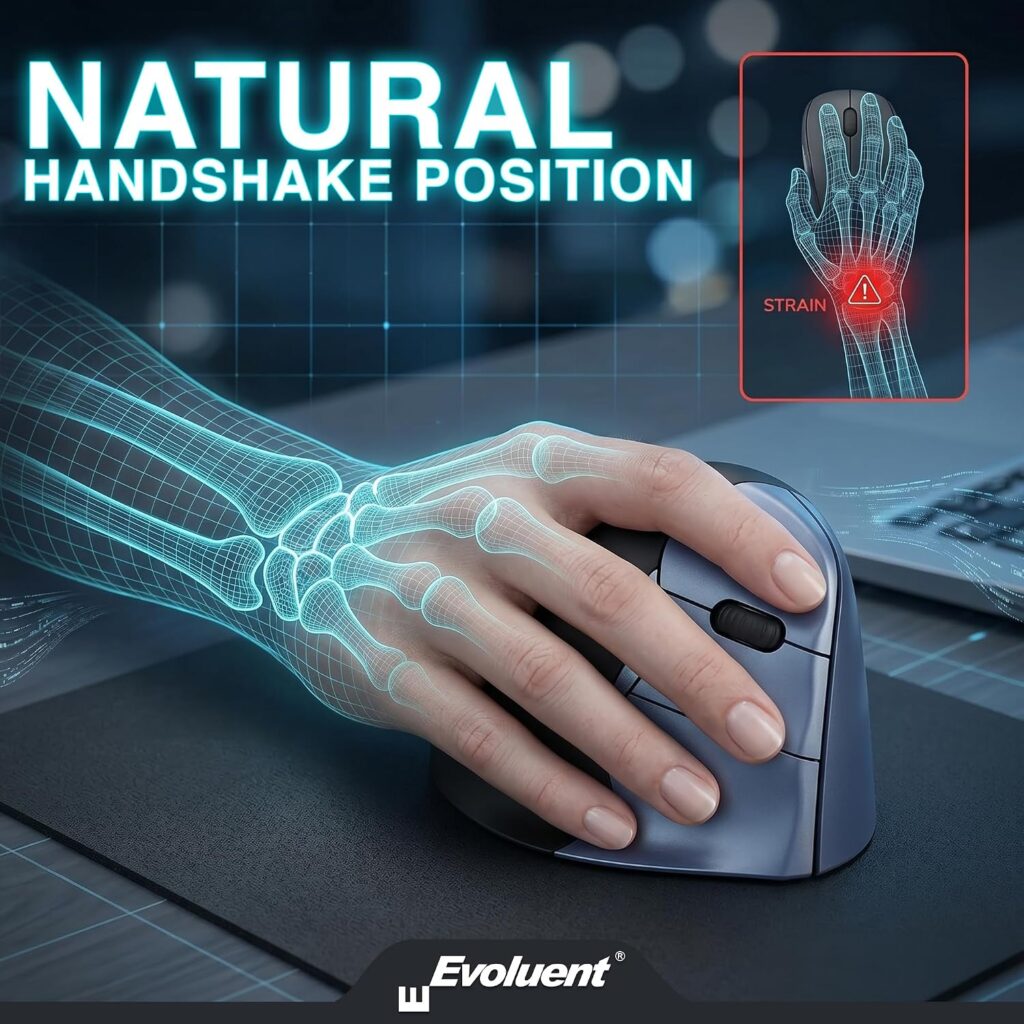
A vertical mouse is designed to keep the forearm in a more neutral position than a traditional mouse. On a flat mouse, your palm faces down, which forces the two forearm bones, the radius and ulna, to cross over one another in a position called pronation. Held for hours, that twisted position keeps the muscles that control it under constant low-level tension.
A vertical mouse rotates the grip so the hand sits sideways, roughly the way it would in a handshake. CDC/NIOSH research on alternative computer mouse designs found that this kind of shape change is specifically intended to reduce forearm pronation, wrist extension, and ulnar deviation, the three postures most consistently linked to elevated pressure inside the carpal tunnel. In practical terms, that’s the mechanism a vertical mouse is trying to interrupt: instead of holding the forearm twisted for hours, the handshake grip lets it rest closer to its natural resting angle.
That said, the research on outcomes is genuinely mixed, and we think it’s important to say so rather than oversell it. A controlled study published in Applied Ergonomics measured carpal tunnel pressure directly in 21 patients already diagnosed with carpal tunnel syndrome and found that while a vertical mouse significantly reduced ulnar deviation, it did not reduce carpal tunnel pressure itself. What this means: a vertical mouse can measurably change your wrist posture, but that doesn’t guarantee it will resolve an existing nerve condition; comfort and posture improvements are the realistic claim, not a cure.
Emily Richardson, ErgoFixes’ ergonomics and work-from-home product specialist, puts it this way: a vertical mouse is a posture tool, not a medical device, and it works best as one part of a properly set-up workstation, correct desk height, a mouse kept close to the body, and regular movement breaks, rather than a stand-alone fix.
If you’re dealing with ongoing or severe wrist, hand, or forearm pain, talk to a doctor or occupational therapist before assuming any product will resolve it.
Buying Guide: What Actually Matters When Choosing an Evoluent
Evoluent sells fewer variables than it looks like size, hand orientation, and connection type, but getting any one of them wrong undermines the whole point of buying a premium vertical mouse.
Hand size and shell size. Evoluent’s small, regular, and large shells (and the D-series’ small/medium/large split) aren’t just marketing categories, they change where your palm and fingers land on the buttons. A regular shell that’s too big for a small hand forces you to stretch for the click buttons; too small, and a large hand overhangs the edges with nothing to rest on.
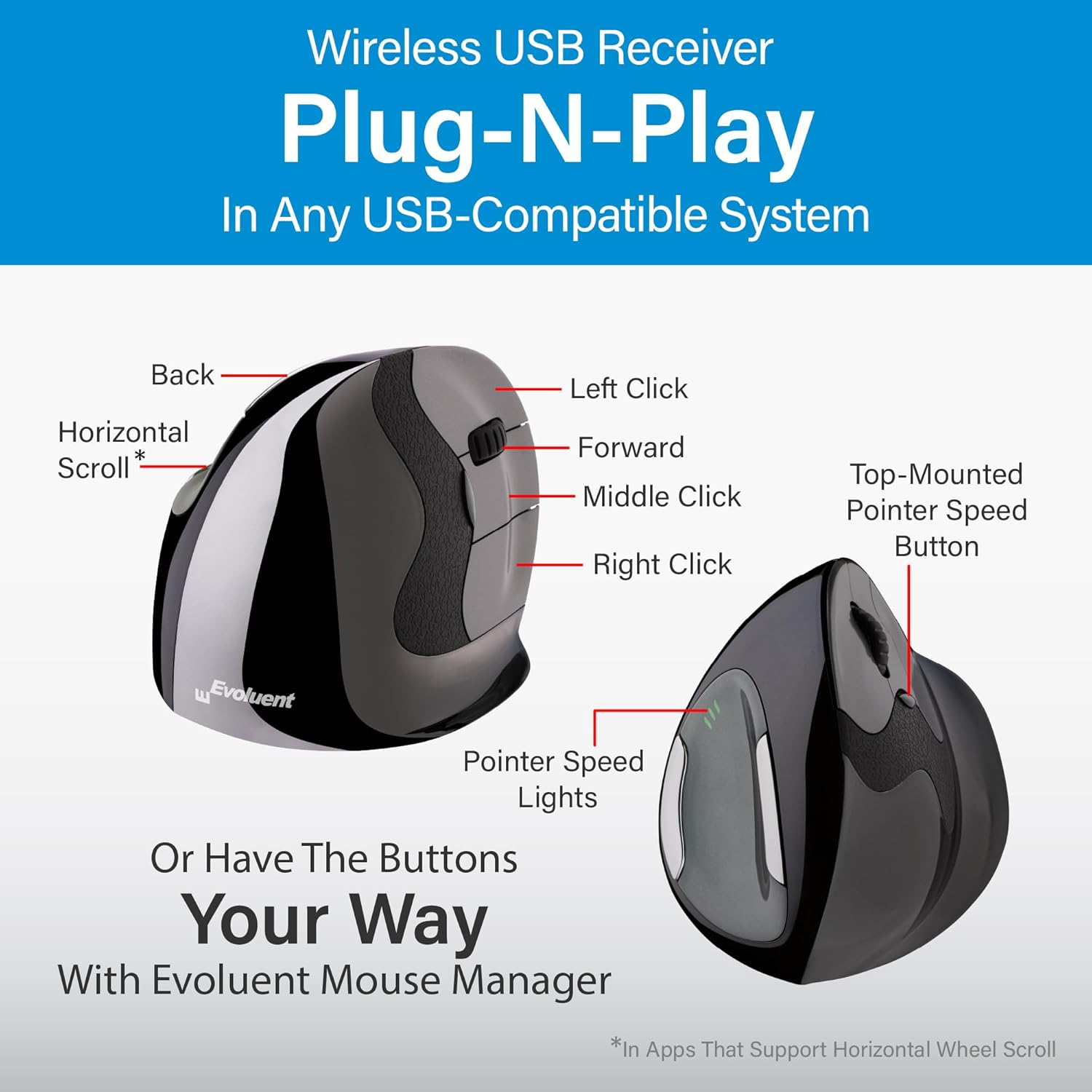
Wired vs. wireless. Wired models plug in and work with zero setup, never need a battery change, and tend to be the cheapest option in the lineup. Wireless models use a USB receiver (not Bluetooth) and run on a AA or AAA battery rated around three months, convenient for a tidy desk, but one more thing to keep charged or stocked with batteries.
Left vs. right hand. Evoluent’s left-hand model is a genuinely mirrored shell, the thumb rest, button layout, and lower lip are rebuilt for a left hand, not a right-hand shell simply flipped in software.
Button count and programmability. Every current Evoluent model ships with six buttons and four selectable pointer speeds. The free Evoluent Mouse Manager software (Windows only) lets you reassign any button per application, which matters more if you switch frequently between spreadsheet work, design software, and browsing.
Pinky and palm support. All models include a lower lip specifically to keep your little finger off the desk, a small detail, but one that becomes noticeable by mid-afternoon on a flat mouse.
Sensor and surface compatibility. Evoluent uses an optical sensor (laser on some large models) rated to track reliably across most desk surfaces, including bare desks, cloth mats, and laminate.
Operating system support. All models work with Windows, macOS, and Linux at a basic plug-and-play level; the customization software is Windows-only.
Price-to-value. At $89.95–$114.95, Evoluent sits well above budget vertical mice. The case for paying more comes down to sizing accuracy and 30-plus years of shape refinement, not extra features, since the button count and speed settings are the same across the range.
Evoluent VerticalMouse Product Reviews
1. Evoluent VerticalMouse 4 (Regular, Wired), Best Overall
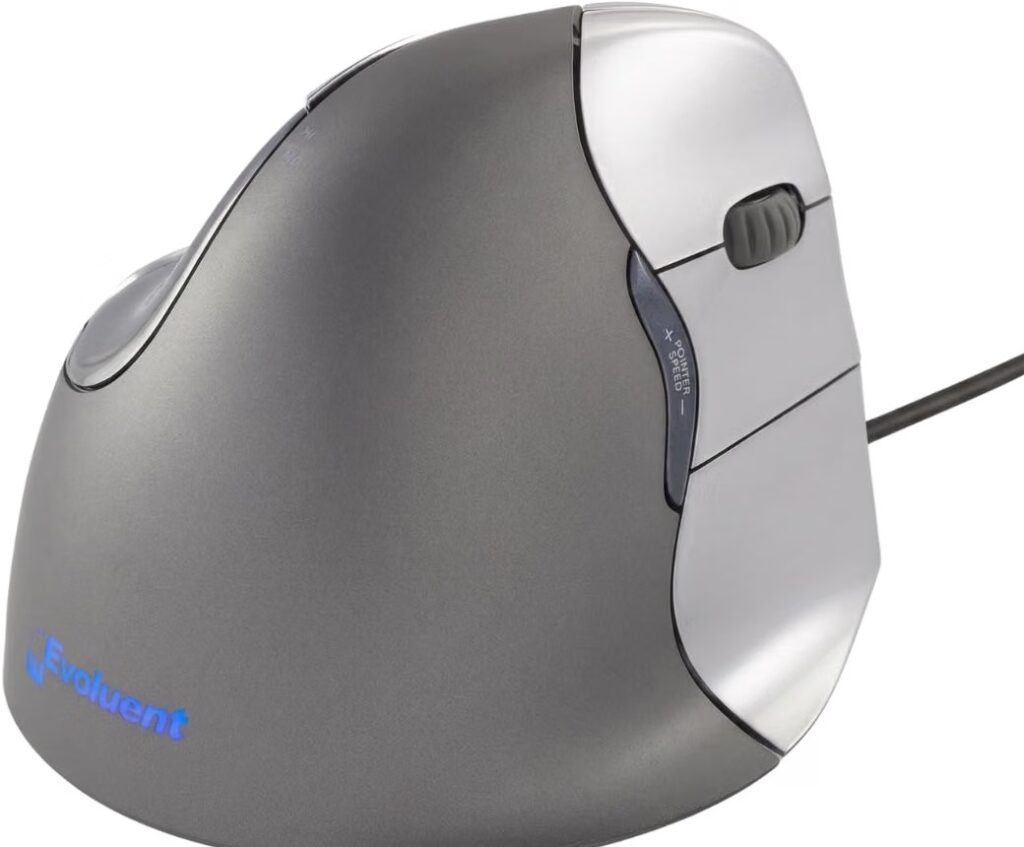
Quick Verdict: The most-reviewed Evoluent model on Amazon, and for most adult right hands with an average palm size, it’s the safest starting point. It’s wired, it’s the standard “regular” shell, and the price sits at the low end of the range.
Best For: Right-handed users with an average to slightly-large hand who want the simplest, most proven setup.
Key Specifications:
- Model: VM4R
- Hand orientation: Right
- Connection: Wired USB
- Buttons: 6 programmable
- Pointer speeds: 4, adjustable via side buttons
- Compatible with: Windows, macOS, Linux
What We Like
- Largest review base of any Evoluent model (2,294+ ratings at 4.4 stars), which makes fit expectations more predictable
- No battery to manage, plug in and it works
- Broad lower lip keeps the pinky off the desk during long sessions
What We Don’t Like
- A permanent cable means less desk flexibility than the wireless version
- “Regular” sizing may feel slightly large for a smaller hand or slightly small for a genuinely large one, check the size chart before buying
Ergonomic Analysis: The handshake-style grip keeps the forearm closer to a neutral rotation than a flat mouse allows, which is the core benefit of any vertical mouse. Because this shell size fits the broadest range of hands, it’s the model most likely to deliver that benefit without a sizing mismatch working against it.
Who Should Buy It? Anyone new to vertical mice who wants the version with the deepest track record before committing.
Who Should Skip It? Anyone with distinctly small or large hands, size up or down instead, and anyone who specifically wants to go wireless.
Value for Money: At the bottom of Evoluent’s price range with the largest proven user base, this is the easiest Evoluent to justify.
🛒 Check Price on Amazon2. Evoluent VerticalMouse 4 (Small, Wired), Best Value
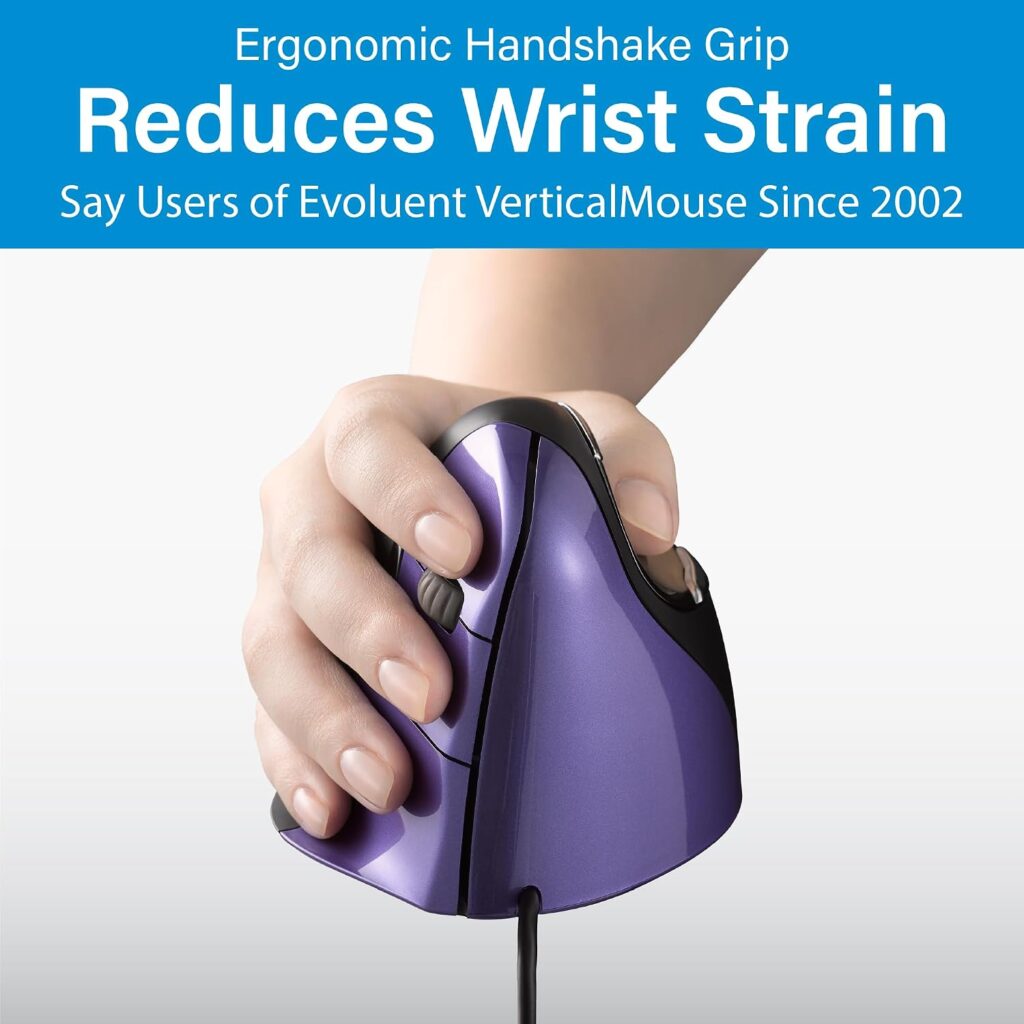
Quick Verdict: Priced identically to the regular wired model, this is the pick for anyone whose hand is genuinely on the smaller side of average, not a downgrade, just a differently sized shell.
Best For: Smaller adult hands, or anyone who found a regular-size vertical mouse felt like it was swallowing their palm.
Key Specifications:
- Model: VM4S
- Hand orientation: Right
- Connection: Wired USB
- Buttons: 6 programmable
- Pointer speeds: 4, adjustable
- Compatible with: Windows, macOS, Linux
What We Like
- Same $89.95 price as the regular size, no premium for correct sizing
- 4.4-star average across nearly a thousand ratings, matching the regular model’s consistency
- Keeps fingers closer to the click buttons for a smaller hand, reducing overreach
What We Don’t Like
- Runs small for anyone with an average or larger hand, don’t buy this size “to be safe” if your hand isn’t genuinely compact
- Wired only in this listing; if you want small and wireless, that’s a separate model
Ergonomic Analysis: Undersizing a vertical mouse for a larger hand causes the hand to overhang the shell, which reintroduces some of the wrist strain the design is meant to reduce. Correct sizing, in either direction, matters more than which size sounds more “premium.”
Who Should Buy It? Smaller-handed users who want a wired, budget-matched fit without paying more for it.
Who Should Skip It? Anyone with a medium-to-large hand, go regular or large instead.
Value for Money: Identical pricing to the regular size makes this a straightforward, no-penalty choice for the right hand size.
🛒 Check Price on Amazon3. Evoluent VerticalMouse 4 (Regular, Wireless), Best Wireless
Quick Verdict: The wireless counterpart to the best-overall pick, running on a AA battery through a USB receiver rather than Bluetooth.
Best For: Right-handed users who want the proven regular shell but prefer a clutter-free desk.
Key Specifications:
- Model: VM4RW
- Hand orientation: Right
- Connection: USB wireless receiver
- Buttons: 6 programmable
- Battery life: Approximately 3 months, AA battery
- Range: Up to 5 meters
- Compatible with: Windows, macOS, Linux
What We Like
- Same regular shell shape as the best-selling wired model
- No pairing screen or app, the receiver just needs a free USB-A port
- Roughly three months of battery life per the manufacturer’s rating
What We Don’t Like
- Around $20 more than the wired version for the same shell
- One more USB port occupied by the receiver, which matters on laptops with limited ports
- A dead battery means the mouse stops working until it’s replaced, no fallback charging cable in the box
Ergonomic Analysis: Going wireless doesn’t change the ergonomic benefit of the shape itself, but it does remove the drag and pull of a permanent cable, which some users find reduces small compensating hand movements during use.
Who Should Buy It? Anyone who’s already decided the regular shell fits and simply wants to lose the cable.
Who Should Skip It? Budget-conscious buyers, the wired version delivers the identical shape for less money.
Value for Money: A reasonable premium for wireless convenience, though not essential if cost is the deciding factor.
🛒 Check Price on Amazon4. Evoluent VerticalMouse D (Large, Wired), Best for Large Hand
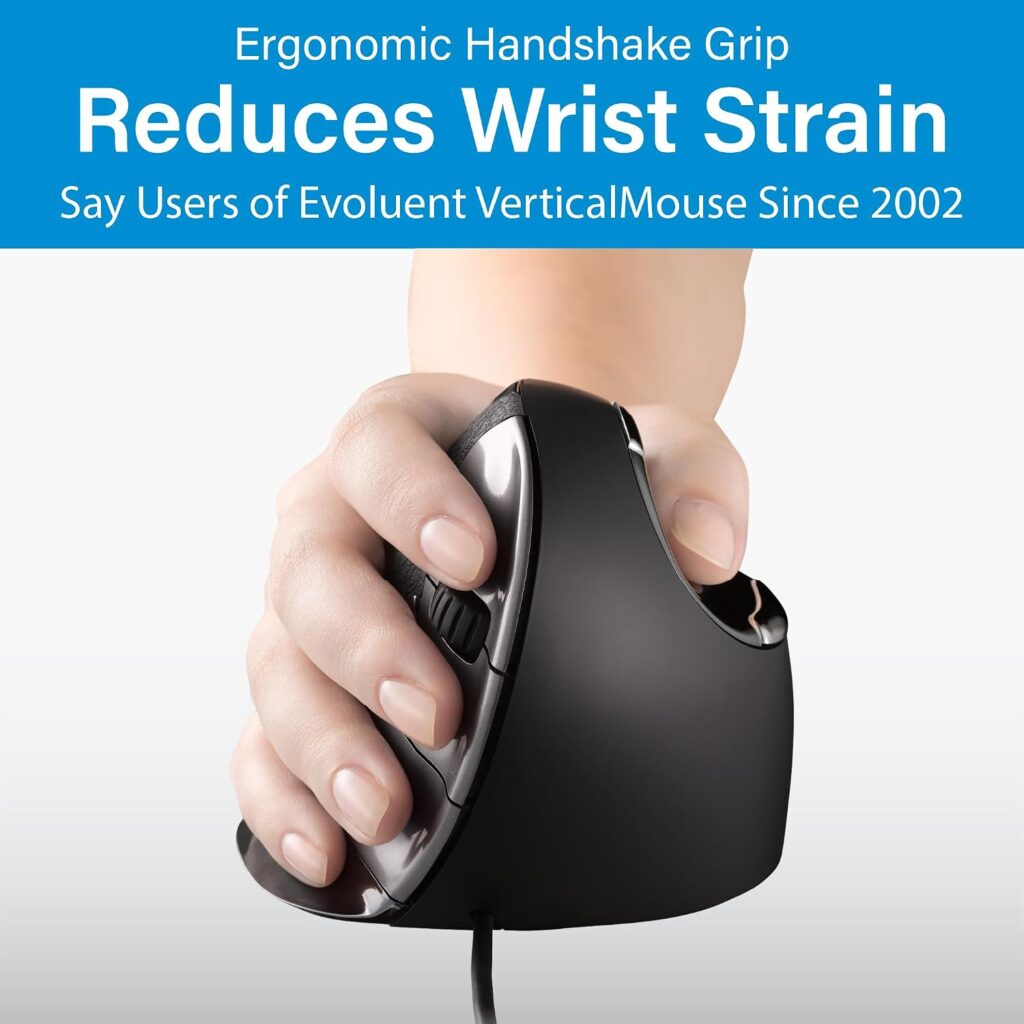
Quick Verdict: A taller shell built so a large hand can rest fully on top of the mouse rather than curling over its edges, the D-series’ answer for bigger palms.
Best For: Larger right hands that have found regular or small vertical mice cramped.
Key Specifications:
- Model: VMDL
- Hand orientation: Right
- Connection: Wired USB
- Buttons: 6 programmable
- Pointer speeds: 4, adjustable with indicator lights
- Sensor: Optical
What We Like
- Taller shell specifically shaped for large hands rather than a scaled-up regular shell
- 4.3-star average across 400+ ratings
- Optional Evoluent Mouse Manager software for deep button customization on Windows
What We Don’t Like
- At $99.95, it’s roughly $10 more than the standard wired models
- A larger footprint needs more desk space than the small or regular shells, worth checking against a compact desk before buying
Ergonomic Analysis: For a genuinely large hand, an undersized mouse forces the fingers to curl to reach the buttons, which can reintroduce tension the vertical design is meant to remove. The D-series’ large shell is built to avoid that specific problem.
Who Should Buy It? Anyone with a large hand who has outgrown regular-size vertical mice.
Who Should Skip It? Smaller-handed users, and anyone with a genuinely small desk footprint to work within.
Value for Money: The size-specific shaping justifies the modest price step up over the regular wired model for the right hand size.
🛒 Check Price on Amazon5. Evoluent VerticalMouse D (Medium, Wireless), Best Medium Wireless
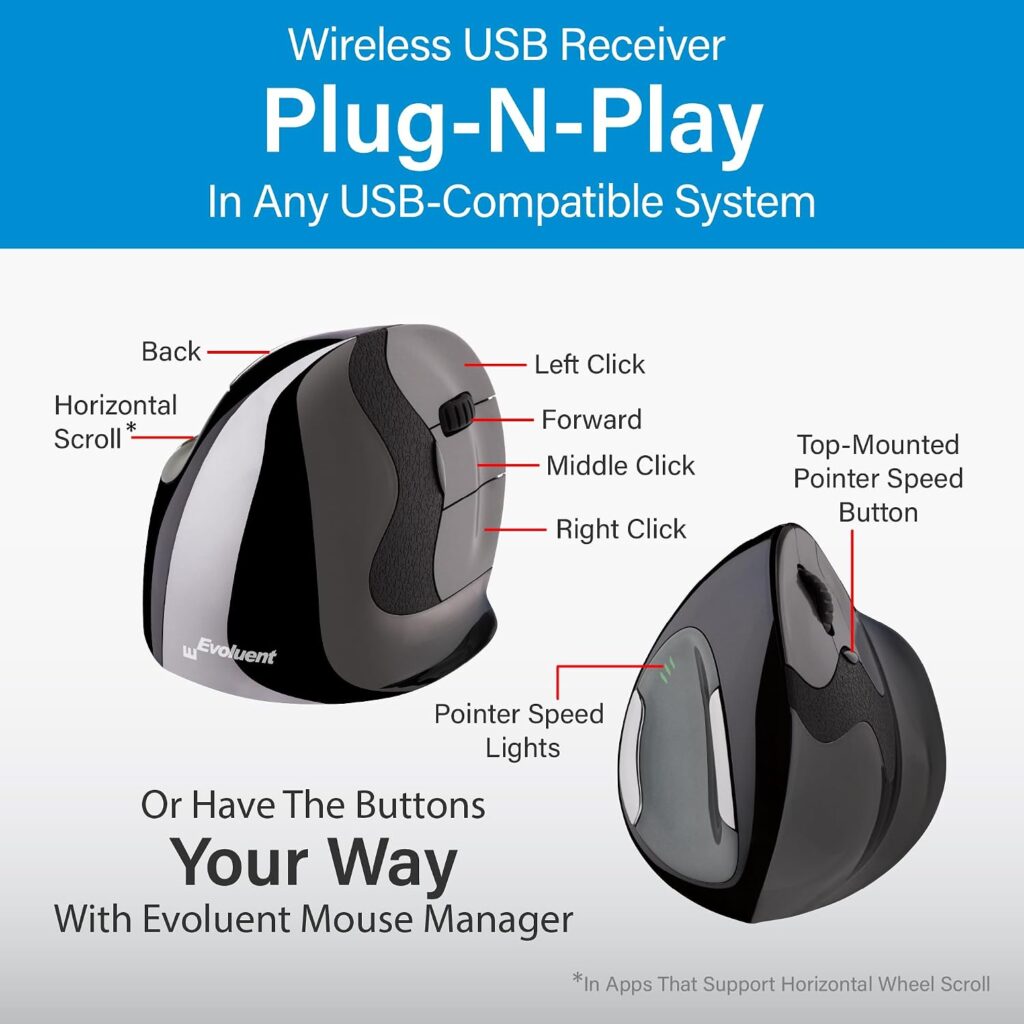
Quick Verdict: Sits between the D-series’ small and large shells, aimed at the middle of the adult hand-size range, wireless out of the box.
Best For: Right-handed users with a mid-size hand who want the D-series shape without a cable.
Key Specifications:
- Model: VMDMW
- Hand orientation: Right
- Connection: USB wireless receiver
- Buttons: 6 programmable
- Battery: 1 AA, included, roughly 3 months per charge
- Sensor: Optical
What We Like
- Fills the size gap between the D-series’ small and large shells
- Textured finish that several users describe as more secure than smooth plastic during longer sessions
- Wireless receiver needs no driver for basic click and scroll functions
What We Don’t Like
- The most expensive model in this lineup at $114.95
- “Medium” sizing means it’s not the ideal pick if your hand is clearly small or clearly large, the small or large D-series shells fit those hands better
Ergonomic Analysis: A mid-size shell reduces the risk of either overreaching (too small) or overhanging (too large), which keeps the hand and wrist closer to the neutral position the vertical grip is designed to create.
Who Should Buy It? Mid-size-handed users who’ve already decided on the D-series shape and want wireless.
Who Should Skip It? Anyone trying to save money, this is the priciest model in the range for a similar feature set to the rest.
Value for Money: Fair for the size-specific fit and wireless convenience, but it’s a premium price for a mouse with the same six buttons and four speeds as the $89.95 wired models.
🛒 Check Price on Amazon6. Evoluent VerticalMouse D (Large, Wireless), Large Hands + Wireless (Proceed With Caution)
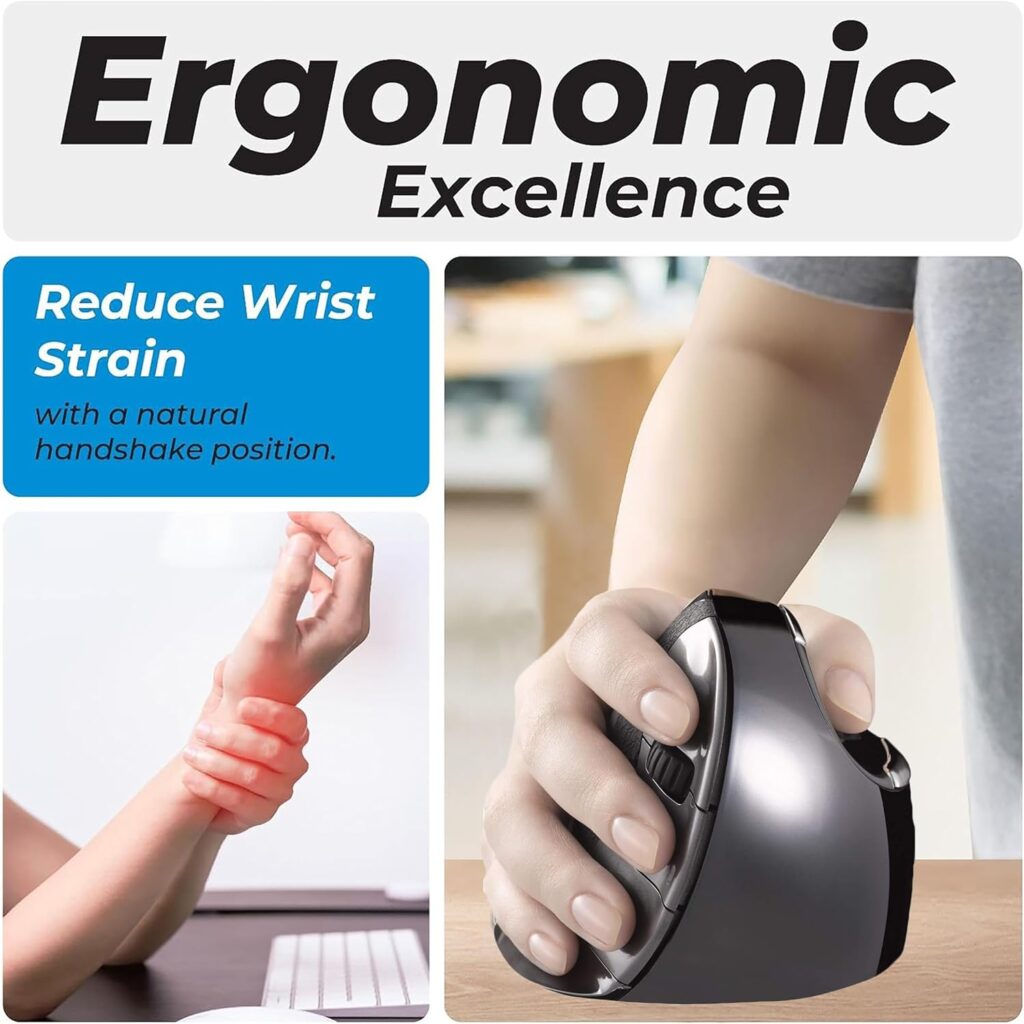
Quick Verdict: The only wireless option built for a large hand, but its customer rating trails every other model in this lineup, and that gap is worth taking seriously before buying.
Best For: Large-handed users who specifically want wireless and are comfortable with a somewhat lower average rating than the rest of the range.
Key Specifications:
- Model: VMDLW
- Hand orientation: Right
- Connection: USB wireless receiver
- Buttons: 6 programmable
- Sensor: Optical/laser
- Battery: 1 AA, included
What We Like
- The only large-shell wireless option Evoluent currently sells
- Same handshake-posture shell shape as the wired large model
- Built-in mouse manager customization on Windows
What We Don’t Like
- Rated 3.9 stars, noticeably below every other model reviewed here (which run 4.2–4.4), worth reading recent Amazon reviews closely before purchasing
- Priced the same as the medium wireless model despite the lower rating
- As with all wireless Evoluent models, a dead battery stops the mouse until it’s replaced
Ergonomic Analysis: The shell shape targets the same large-hand fit as the wired VMDL, so the ergonomic reasoning is identical. The lower customer rating doesn’t appear tied to the ergonomic design itself in available feedback, but we can’t rule out unit-to-unit consistency issues, this is a case where checking current reviews before ordering is genuinely worth the extra few minutes.
Who Should Buy It? Large-handed users who have specifically decided wireless is a requirement and have read recent reviews.
Who Should Skip It? Anyone who isn’t wireless-committed, the wired VMDL offers the same fit at a lower price with a stronger rating.
Value for Money: Weaker than the rest of the range given the price-to-rating ratio; we’d point most large-handed buyers to the wired VMDL first.
🛒 Check Price on Amazon7. Evoluent VerticalMouse 4 (Small, Wireless), Best Compact Wireless
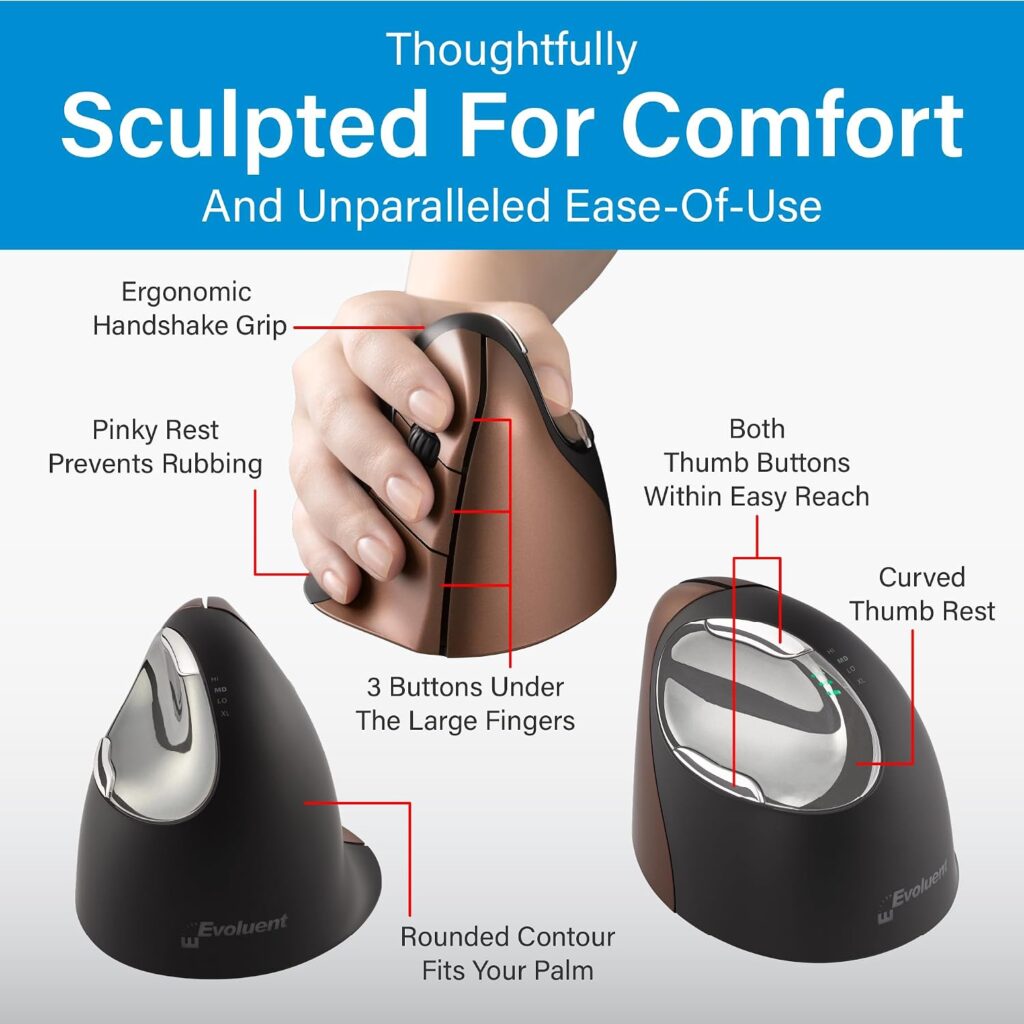
Quick Verdict: Combines the small shell with wireless convenience, useful if both matter to you, though it carries a real price premium over the wired small model.
Best For: Smaller-handed users who also want to lose the cable.
Key Specifications:
- Model: VM4SW
- Hand orientation: Right
- Connection: USB wireless
- Buttons: 6 programmable
- Battery: 1 AA, roughly 3 months
- Range: Up to 5 meters
What We Like
- Only current wireless option sized specifically for smaller hands
- 4.2-star average across a large review base (2,400+ ratings)
- No driver required for basic functions on any major OS
What We Don’t Like
- Around $20 more than the small wired model for the same shell
- Slightly lower average rating than the small wired version (4.2 vs. 4.4)
Ergonomic Analysis: As with the other small-shell options, the benefit here comes from matching shell size to hand size rather than from anything unique to the wireless mechanism, going wireless is a convenience layer on top of the same core design.
Who Should Buy It? Smaller-handed users for whom a wireless desk is a firm requirement.
Who Should Skip It? Budget-focused smaller-handed buyers, the wired VM4S delivers the same fit for less and rates slightly higher.
Value for Money: Reasonable if wireless genuinely matters to you; otherwise the wired small model is the better-value pick.
🛒 Check Price on Amazon8. Evoluent VerticalMouse 4 (Left Hand, Wired), Best for Left-Handed Users
Quick Verdict: Left-handed vertical mice are genuinely rare, and this isn’t a flipped right-hand shell, the thumb rest, button layout, and lower lip are all mirrored specifically for a left hand.
Best For: Left-handed users who’ve struggled to find a properly shaped vertical mouse.
Key Specifications:
- Model: VM4L
- Hand orientation: Left
- Connection: Wired USB
- Buttons: 6 programmable
- Pointer speeds: 4, adjustable
- Compatible with: Windows, macOS, Linux
What We Like
- A true mirrored design rather than a repurposed right-hand shell
- Priced the same as the right-hand regular model, no left-hand premium
- 4.3-star average across 600+ ratings
What We Don’t Like
- No wireless or small/large size options currently listed for the left-hand version, it’s regular size, wired, only
- Smaller review base than the right-hand regular model, simply because fewer left-handed vertical mice exist to compare against
Ergonomic Analysis: Left-handed users are frequently an afterthought in ergonomic mouse design, with many “left-hand” products being right-hand shells with the buttons remapped rather than the shell itself reshaped. A genuinely mirrored shell matters here because the thumb rest and palm contact points are structural, not just a button assignment.
Who Should Buy It? Left-handed users who mouse for extended periods and have been settling for a symmetrical, non-vertical mouse.
Who Should Skip It? Left-handed users who specifically want wireless or a non-regular shell size, those aren’t currently available in this variant.
Value for Money: Strong, it’s priced identically to the right-hand equivalent despite being a far less common product to manufacture.
🛒 Check Price on AmazonQuick Verdict Table
Ratings below combine each model’s aggregated Amazon customer rating with our editorial review of fit, connectivity, and price-to-value, not a single-number popularity score.| Model | Best For | Main Strength | Main Limitation | Rating | Link |
|---|---|---|---|---|---|
| VM4R (Regular, Wired) | Average hand size | Largest review base | Wired only | 4.4/5 | View → |
| VM4S (Small, Wired) | Smaller hands | Same price as regular size | Too small for larger hands | 4.4/5 | View → |
| VM4RW (Regular, Wireless) | Cable-free average hands | No pairing, USB receiver | ~$20 premium over wired | 4.2/5 | View → |
| VMDL (Large, Wired) | Large hands | Purpose-built large shell | Larger desk footprint | 4.3/5 | View → |
| VMDMW (Medium, Wireless) | Mid-size hands, wireless | Fills the mid-size gap | Most expensive model | 4.3/5 | View → |
| VMDLW (Large, Wireless) | Large hands wanting wireless | Only wireless large-shell option | Lowest rating in the lineup | 3.9/5 | View → |
| VM4SW (Small, Wireless) | Smaller hands, wireless | Only small wireless option | Premium over wired small | 4.2/5 | View → |
| VM4L (Left Hand, Wired) | Left-handed users | Genuinely mirrored shell | No wireless/size options yet | 4.3/5 | View → |
Comparison Table: Evoluent VerticalMouse Specifications
| Model | Hand | Connectivity | Buttons | Price |
|---|---|---|---|---|
| VM4R | Right | Wired USB | 6 | $89.95 |
| VM4S | Right | Wired USB | 6 | $89.95 |
| VM4RW | Right | Wireless (USB receiver) | 6 | $109.45 |
| VMDL | Right | Wired USB | 6 | $99.95 |
| VMDMW | Right | Wireless (USB receiver) | 6 | $114.95 |
| VMDLW | Right | Wireless (USB receiver) | 6 | $114.95 |
| VM4SW | Right | Wireless (USB receiver) | 6 | $109.95 |
| VM4L | Left | Wired USB | 6 | $89.95 |
Which Evoluent Model Should You Buy? A Decision Framework
Choose the VM4R (Regular, Wired) if: you have an average-size hand, don’t have a strong opinion on wired vs. wireless, and want the version with the most customer feedback behind it.
Choose the VM4S (Small, Wired) if: your hand is noticeably smaller than average and you want the best-value entry point.
Choose the VM4RW (Regular, Wireless) if: you’ve already decided the regular shell fits and a tidy, cable-free desk matters more than saving $20.
Choose the VMDL (Large, Wired) if: a regular vertical mouse has felt cramped and you need a taller shell built for a bigger hand.
Choose the VMDMW (Medium, Wireless) if: you fall between the small and large D-series shells and want wireless from the start.
Choose the VMDLW (Large, Wireless) if: you need a large wireless shell specifically, but read recent Amazon reviews first, given its lower rating relative to the rest of the lineup.
Choose the VM4SW (Small, Wireless) if: you have a smaller hand and wireless is a genuine requirement, not just a nice-to-have.
Choose the VM4L (Left Hand, Wired) if: you’re left-handed and want a properly mirrored ergonomic mouse rather than a remapped right-hand shell.
Common Mistakes When Buying a Vertical Mouse
- Buying based only on the star rating. A 4.4-star mouse that’s the wrong size for your hand will feel worse than a well-fitted 4.2-star one.
- Guessing your hand size instead of checking it against Evoluent’s size guidance. A shell that’s slightly off in either direction undercuts the ergonomic benefit.
- Assuming “wireless” always means better. It’s a convenience feature, not an ergonomic upgrade; the shell shape is what does the ergonomic work.
- Expecting an overnight fix. Most users need several days to adjust their grip and movement habits when switching from a flat mouse.
- Ignoring desk space. The D-series’ large shells and any mouse paired with a USB receiver need a bit more clearance than a compact flat mouse.
- Skipping the software. The free Evoluent Mouse Manager (Windows) unlocks per-application button customization that many buyers never set up.
- Buying left-hand-labeled products that are just right-hand shells remapped. Evoluent’s left-hand model is a true mirrored shape, not every “left-hand” mouse on the market is.
- Treating a vertical mouse as a substitute for a proper workstation setup. Desk height, monitor position, and posture still matter more than any single accessory.
Best Practices for Using a Vertical Mouse
- Keep the mouse close to your body rather than reaching forward; OSHA’s guidance on pointer and mouse placement notes that reaching for a mouse positioned away from the keyboard increases the risk of awkward shoulder and wrist postures.
- Rest your hand on the shell instead of gripping it tightly; most of the movement should come from the elbow and shoulder, not the wrist.
- Give yourself three to five days to adapt before deciding whether the size and shape are right for you.
- Pair the mouse with a desk and chair height that keeps your elbow at roughly a 90-degree angle.
- Take short movement breaks every 30–45 minutes rather than mousing continuously for hours.
- Set up the Evoluent Mouse Manager software early so the buttons are working for you from day one, not months later.
Alternatives to Consider
If none of the eight Evoluent models above feel like the right fit, a few other paths are worth knowing about:
- A different premium vertical mouse: our Logitech MX Vertical Mouse Review covers a rechargeable, Bluetooth-first alternative that trades some of Evoluent’s size-specific shells for built-in charging.
- A broader shortlist: if you’re still comparing brands and shapes, our best vertical mouse guide rounds up options across price points.
- A lower-cost starting point: if $90+ feels like too much to spend before you know whether a vertical grip suits you, our best ergonomic mouse under $50 guide is a reasonable way to test the concept first.
Frequently Asked Questions
Is the Evoluent VerticalMouse worth the price?
For frequent computer users, roughly four or more hours of daily mousing, the sizing accuracy and design history generally justify the $89.95–$114.95 range. Casual users who mouse for an hour or two a day may not notice enough benefit to justify the price over a budget vertical mouse.
Which Evoluent size should I buy?
Match the shell to your hand size, not your desk budget. Evoluent publishes hand-length sizing guidance for its small, regular/medium, and large shells, measure your hand from wrist crease to middle fingertip and compare it against the current size chart on the product listing before ordering.
Is Evoluent better than Logitech MX Vertical?
They solve the same problem differently. Evoluent offers more size-specific shell options and a longer design history; Logitech’s MX Vertical uses a rechargeable battery and Bluetooth instead of a receiver. Neither is universally “better”, it depends on whether size accuracy or charging convenience matters more to you. See our Logitech MX Vertical review for a closer look.
Does a vertical mouse help with carpal tunnel syndrome?
It may help with posture-related discomfort, but the clinical evidence is mixed. A controlled study in Applied Ergonomics found a vertical mouse reduced ulnar deviation but did not reduce carpal tunnel pressure in patients already diagnosed with the condition. Treat it as a comfort and posture tool, not a treatment, and consult a healthcare professional for a diagnosed condition.
How long does it take to adjust to a vertical mouse?
Most users report a noticeable adjustment period of three to seven days. Expect some initial awkwardness with clicking accuracy and cursor control as your hand and forearm learn the new grip angle.
Are Evoluent mice compatible with Mac and Linux?
Yes. Basic plug-and-play functionality, movement, clicking, and scrolling, works across Windows, macOS, and Linux. The Evoluent Mouse Manager customization software is Windows-only.
Do Evoluent mice work for gaming?
They can, particularly for point-and-click or productivity-adjacent gaming, but the vertical grip and lack of a high-refresh gaming sensor make them a less common choice for fast-paced competitive titles compared to purpose-built gaming mice.
What’s the difference between the VM4 and D-series models?
The VM4 line is Evoluent’s standard small/regular/left-hand range. The D-series (VMDL, VMDMW, VMDLW) uses a differently sculpted shell with its own small/medium/large sizing, generally aimed at users who want a slightly different contour or size step than the VM4 range offers.
Is a wireless Evoluent mouse worth the extra cost over wired?
Only if a cable-free desk is genuinely important to you. The ergonomic shell shape is identical between wired and wireless versions of the same size, wireless adds convenience and one battery to manage, not additional comfort.
Can left-handed users buy any Evoluent model, or only the dedicated left-hand version?
Stick with the dedicated left-hand model (VM4L). The right-hand shells are shaped, not just button-labeled, for a right hand, so they won’t deliver the same fit or ergonomic benefit for a left hand.
Final Verdict
If you want the single safest starting point, the Evoluent VerticalMouse 4 Regular Wired (VM4R) is our overall pick, it has the deepest review history of any model here and fits the broadest range of average-size hands. If your hand runs smaller, the VM4S delivers the identical value proposition in a properly sized shell. Larger hands are better served by the VMDL, and left-handed users have a genuinely well-designed option in the VM4L rather than a repurposed right-hand shell.
Wireless is worth paying for if a clean desk matters to you, just go in knowing the VMDLW carries a real rating gap compared to the rest of the lineup, and check recent reviews before choosing it over the wired large model.
No Evoluent model will cure existing wrist pain on its own, and the research on carpal tunnel outcomes specifically is mixed rather than conclusive. What it can reasonably deliver is a more neutral forearm position during long mousing sessions, paired with a shell that’s actually sized for your hand-which, for many desk workers, is worth the price on its own.
Compare the latest prices and available sizes on Amazon before making your decision.





