
Best Ergonomic Mouse for Laptop Users in 2026

If your wrist feels stiff or achy by the end of a laptop work session, the mouse you’re using is often part of the problem. Laptop trackpads and small travel mice tend to push the hand into a flatter, more twisted position than a desktop setup, and that adds up over a full workday.
This guide compares seven ergonomic mice that work well with laptops, from compact travel-friendly designs to full vertical mice, so you can match the shape, size and connection type to how and where you actually work. I’ve focused on real trade-offs rather than marketing claims, because no single mouse fits every hand or every desk.
Emily Richardson, an ergonomics and work-from-home product specialist with more than nine years of experience reviewing office and home-office equipment, notes that the “best” ergonomic mouse for a laptop user is rarely the most expensive one, it’s the one that matches your hand size, your grip style and the amount of desk space you actually have.
Quick Answer:
The best overall ergonomic mouse for laptop users in 2026 is the Lenovo WL310 Bluetooth Silent Mouse, thanks to its compact contoured shape, no-dongle Bluetooth 5.0 connection, silent clicks and broad system compatibility at a low price. If you specifically want a vertical mouse to reduce forearm twisting, the seenda MOU-302 and Uineer Ergonomic Wireless Vertical Mouse are stronger picks, while the Logitech M510 is the better choice if you want a larger, full-size mouse with class-leading battery life.🖱️Top Ergonomic Mice for Laptops
Seven ergonomic mice for laptop users, picked for different hand sizes, grip styles and workspaces.



Quick Verdict Table
| Product | Best For | Main Strength | Main Limitation | Rating | Link |
|---|---|---|---|---|---|
| Lenovo WL310 | Everyday laptop use | Compact, dongle-free Bluetooth | Not a vertical/full ergonomic shape | 4.5/5 | View Price |
| Acer Wireless Mouse | Budget buyers, larger hands | Very low price | No Bluetooth, uses a USB-A receiver | 4.3/5 | View Price |
| Perixx PERIMICE-719 | Small to medium hands | True mini vertical shape | Not suited to hands over 7.5″ | 4.3/5 | View Price |
| seenda MOU-302 | Wrist support + media control | Vertical design, 4.6-star rating | Heavier than most on this list | 4.6/5 | View Price |
| Uineer Vertical Mouse | Switching between devices | Three-device Bluetooth switching | Fewer long-term reviews (410) | 4.4/5 | View Price |
| Logitech M510 | Long battery life, larger hands | Roughly 2-year AA battery life | Bulkier, less travel-friendly | 4.6/5 | View Price |
| TECKNET LED Mouse | Tech-focused travelers | Onboard LED battery/DPI display | Dimensions listed inconsistently by seller | 4.4/5 | View Price |
Why Your Regular Laptop Trackpad or Mouse Might Be Causing Strain
A laptop is built for portability, not for comfortable hand positioning over long sessions. A flat, standard mouse, or worse, the built-in trackpad; tends to keep the forearm rotated inward (pronated) with the palm facing down. According to OSHA’s Computer Workstations eTool, a neutral posture is one where the hands, wrists and forearms stay straight and roughly in line, and OSHA notes that a laptop workstation creates particular challenges because of its compact, fixed design.
Research on alternative mouse shapes backs this up. A controlled study published on PubMed found that switching from a standard mouse to a vertical mouse reduced forearm pronation from about 42° to 28° and lowered wrist extensor muscle activity, though users needed some familiarization time and were initially slightly slower to reach on-screen targets (Schmid et al., 2013). A separate systematic review of controlled trials noted that while vertical mice consistently reduce forearm pronation and often reduce ulnar deviation, at least one study found no significant change in carpal tunnel pressure, meaning the benefits are real for posture and muscle load, but not a guaranteed fix for every symptom (Tandfonline, 2018).
What this means practically: a vertical or angled mouse can genuinely reduce the twisting motion in your forearm during long laptop sessions, but it’s a comfort and posture tool, not a guaranteed cure for existing pain. If you already have diagnosed wrist or nerve issues, an ergonomic mouse is worth trying alongside, not instead of; advice from a healthcare professional.
Buying Guide: What to Look For in an Ergonomic Mouse for a Laptop
1. Mouse shape and grip style
Ergonomic mice for laptops generally fall into two shapes: contoured horizontal mice (like the Lenovo WL310 or Logitech M510) that keep a familiar grip but add curves for support, and vertical mice (like the Perixx, Uineer and seenda models) that tilt the hand into a “handshake” position to reduce forearm rotation. Vertical designs do more for wrist neutrality, but they also come with a learning curve.
Research Insight: A controlled comparison of flat, angled and fully vertical mice found that all of the alternative shapes reduced forearm pronation compared to a traditional flat mouse, though the fully vertical design in that study also had the weakest pointing performance of the group (Odell & Johnson, 2015).
What This Means: the shape that reduces wrist twisting the most isn’t automatically the fastest or most precise one to use, especially in the first few sessions.
Practical Example: if your work involves detailed clicking or dragging, such as spreadsheet editing or design work, it can be worth testing a moderately angled mouse before committing to a fully vertical one.
2. Hand size
A mouse that’s too small forces your fingers to overreach for buttons; one that’s too large can force your wrist to arch. Perixx explicitly designs the PERIMICE-719 for hands under 7.5 inches, while Acer markets its mouse toward medium to large hands. Emily Richardson’s tip: measure your hand from wrist crease to middle fingertip before buying a vertical mouse, it matters more than the star rating.
3. Connectivity type
Bluetooth mice (Lenovo WL310, Perixx, Uineer, seenda) pair directly with a laptop without using a USB port, which is useful if your laptop has limited ports. USB receiver mice (Acer, Logitech’s Unifying receiver) are typically more plug-and-play and avoid Bluetooth pairing issues, but they occupy a port and are easier to lose while traveling.
4. Battery type and life
Rechargeable mice (TECKNET, Uineer, seenda) avoid the ongoing cost of disposable batteries but need occasional charging via USB-C or micro-USB. Battery-powered mice (Lenovo, Perixx, Logitech, Acer) can run for months or years on standard AA/AAA cells, which is convenient if you travel and don’t want to carry a charging cable.
5. DPI range and adjustability
DPI (dots per inch) controls cursor sensitivity. A wider adjustable range, such as TECKNET’s 800–4,800 DPI, gives more flexibility for different screen sizes and tasks, while a narrower range like Logitech’s up-to-1000 DPI is simpler but may feel slower on very high-resolution displays.
6. Portability
If the mouse travels with your laptop daily, weight and size matter. The Lenovo WL310 (2.4 oz) and TECKNET (5 oz) are among the more compact options here, while the seenda MOU-302 (6.4 oz) and full-size Logitech M510 trade portability for a larger, more supportive shape.
7. Compatibility across operating systems
Check compatibility carefully if you switch between Windows, macOS, Chrome OS or Linux. Some features, like programmable back/forward buttons, don’t work identically on every platform; for example, Perixx notes that its back/forward buttons aren’t supported on macOS.
8. Noise level
Several mice on this list, including the Lenovo WL310, TECKNET and seenda MOU-302, advertise silent or quieter clicks, which is genuinely useful in shared offices, libraries or calls where a loud click is distracting.
Product Reviews
1. Lenovo WL310 Bluetooth Silent Mouse
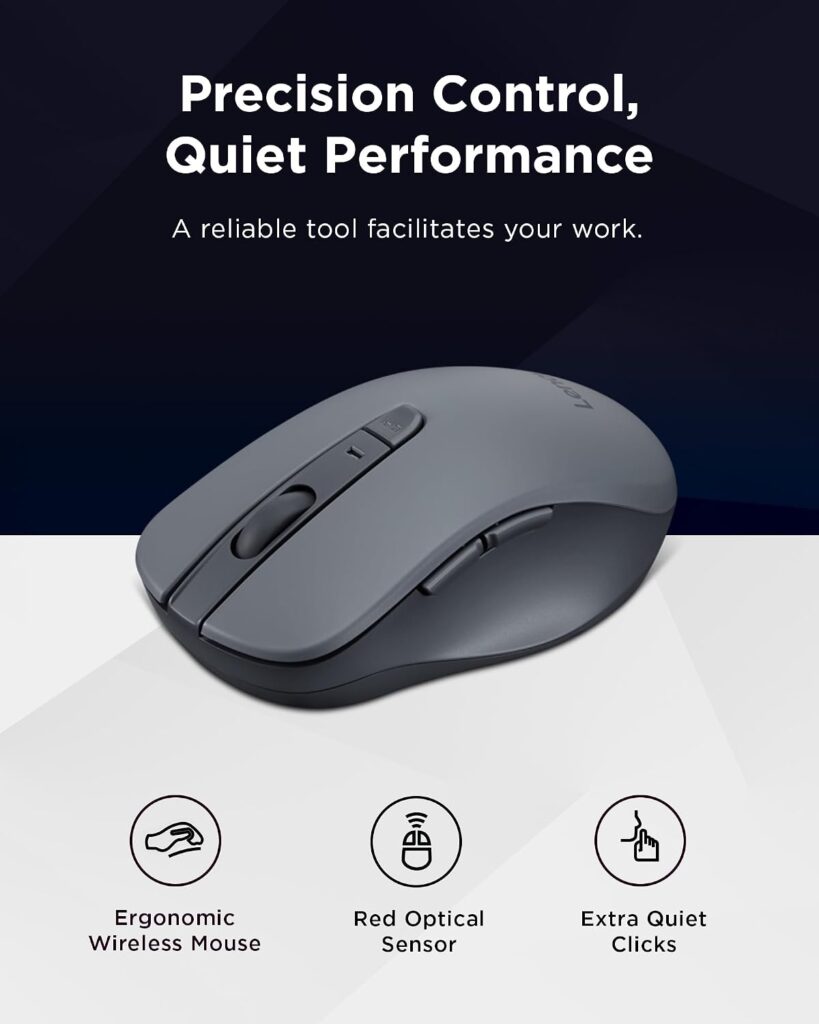
Quick Verdict: A compact, contoured mouse that pairs directly over Bluetooth with no dongle required, making it a straightforward, affordable everyday option for laptop users across Windows, Mac and Chromebook.
Best For: Laptop users who want a simple, portable, no-fuss mouse without giving up ergonomic comfort.
Key Specifications
- Connectivity: Bluetooth 5.0, no USB receiver needed
- DPI: Adjustable, 1000 / 1200 / 1600
- Weight: 2.4 oz
- Dimensions: 5.3″ L x 3″ W
- Compatibility: Windows 10, macOS 10.12+, Chromebook
- Rating: 4.5/5 (1,723 reviews); Amazon’s Choice
What We Like
- Bluetooth 5.0 means no USB port is tied up
- Silent clicks are useful in shared or quiet spaces
- Contoured shape fits the palm for a lower cost than most rivals
What We Don’t Like
- Lacks the deeper vertical angle of dedicated wrist-support mice
- Right-hand-oriented shape only
Ergonomic Analysis: The WL310 uses a shallow contoured shell rather than a full vertical tilt, so it offers a more neutral palm rest than a flat travel mouse without the adjustment period a vertical mouse requires.
Who Should Buy It? Laptop users who want an affordable upgrade from a flat travel mouse or trackpad and don’t need a steep vertical angle.
Who Should Skip It? Anyone who already experiences noticeable wrist discomfort and wants the stronger pronation reduction of a vertical mouse should look at the seenda or Uineer options instead.
Value for Money: At under $20, this is one of the more balanced picks on the list; solid build, broad compatibility and a genuinely useful feature set for the price.
🛒 Check Price on Amazon2. Acer Wireless Mouse for Laptop
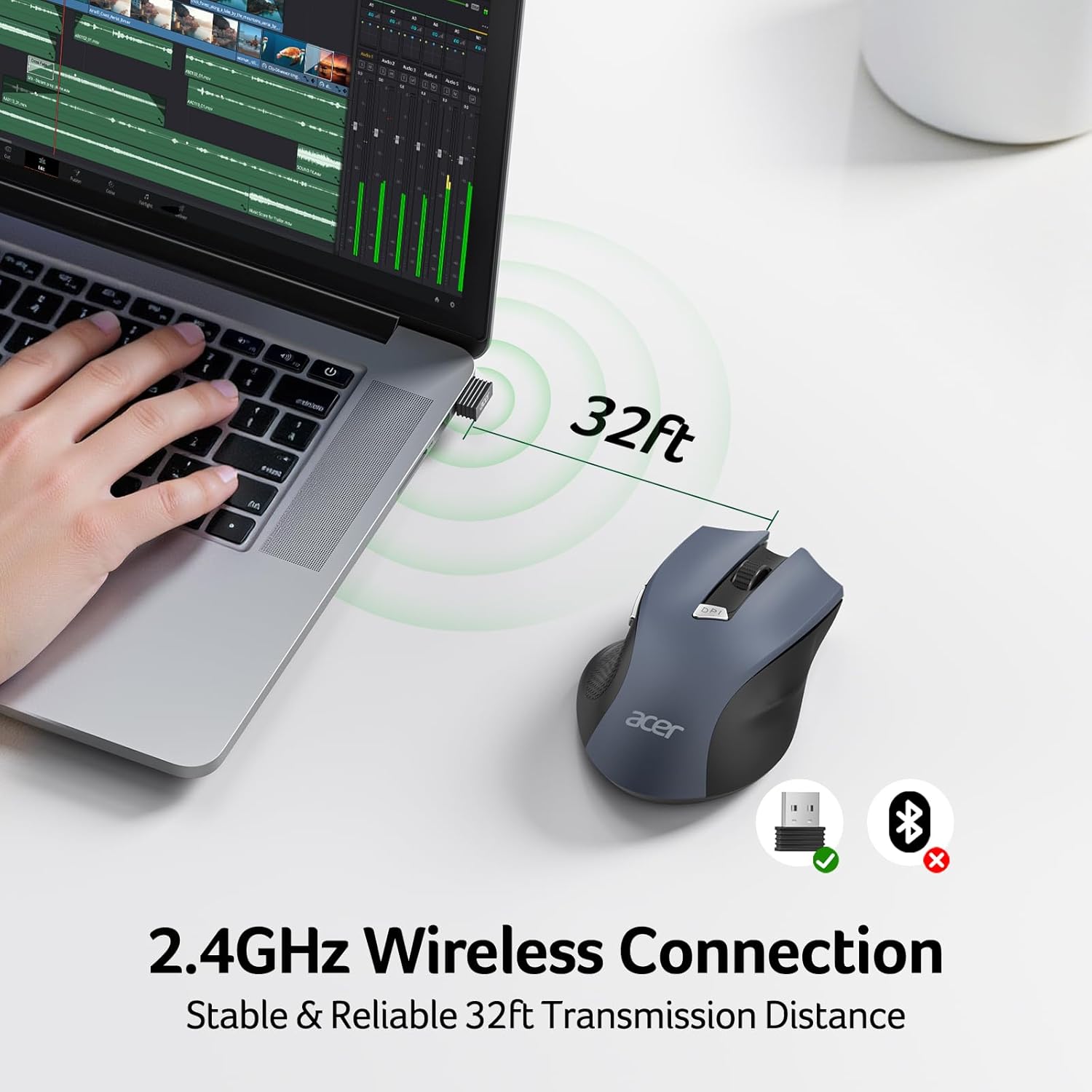
Quick Verdict: A no-frills wireless mouse aimed at medium-to-large hands, priced low enough to be an easy add-on purchase rather than a considered ergonomic investment.
Best For: Budget-conscious buyers with larger hands who mainly want a functional wireless mouse.
Key Specifications
- Connectivity: 2.4GHz USB-A receiver (not Bluetooth)
- DPI: 3-level adjustable; 800 / 1200 / 1600
- Weight: 3 oz (86 g)
- Dimensions: 5.1″ L x 3.2″ W
- Battery: 2x AAA (not included)
- Rating: 4.3/5 (7,158 reviews); Amazon’s Choice
What We Like
- Very low price point, often under $10
- Designed for medium-to-large hand sizes
- Receiver stores inside the mouse, reducing the chance of losing it
What We Don’t Like
- No Bluetooth, so it permanently occupies a USB-A port
- Not a dedicated ergonomic or vertical shape, comfort comes mainly from size, not design
Ergonomic Analysis: Acer doesn’t market this as a specialized ergonomic mouse. Its main comfort benefit comes from a standard mouse shape sized for bigger hands, which can reduce the cramped grip smaller travel mice force onto larger hands, rather than from any pronation-reducing angle.
Who Should Buy It? Someone who wants a cheap, reliable backup mouse or a first upgrade away from a trackpad, especially with larger hands.
Who Should Skip It? Anyone whose laptop has limited USB-A ports, or who specifically wants wrist-neutral positioning, since this model doesn’t address forearm rotation the way a vertical mouse does.
Value for Money: Excellent for the price, but it’s a budget general-purpose mouse rather than a true ergonomic pick, treat the “ergonomic” framing loosely.
🛒 Check Price on Amazon3. Perixx PERIMICE-719 Wireless Mini Vertical Mouse

Quick Verdict: A compact vertical mouse specifically sized for hands under 7.5 inches, making it one of the few options here genuinely built for smaller hands rather than scaled down from a larger design.
Best For: Users with small to medium hands who want a true vertical mouse without a bulky footprint.
Key Specifications
- Connectivity: 2.4GHz wireless, ~30 ft range
- DPI: 3-level, 800 / 1200 / 1600
- Weight: 3.52 oz
- Dimensions: 4.13″ L x 2.64″ W
- Battery: 2x AAA (not included)
- Compatibility: Windows 7–11, macOS 10.12+, Android 4.3+
- Rating: 4.3/5 (1,987 reviews)
What We Like
- Genuinely compact vertical shape for smaller hands
- Soft rubber-coated grip surface
- 12-month limited warranty through Perixx
What We Don’t Like
- Perixx states a short adjustment period is typical, often one to two weeks
- Back/forward buttons don’t work on macOS, and buttons aren’t programmable
Ergonomic Analysis: Vertical mice like this one position the hand closer to a natural handshake angle, which research on alternative mouse designs links to reduced forearm pronation compared to a flat mouse, though Perixx itself notes new users need time to adapt, which matches findings from published mouse-posture studies.
Who Should Buy It? Anyone with hand length under 7.5 inches who wants a dedicated small vertical mouse rather than a one-size-fits-all design.
Who Should Skip It? Larger-handed users, and macOS users who rely on back/forward navigation buttons.
Value for Money: Reasonably priced for a purpose-built small-hand vertical mouse, a category with few genuine options.
🛒 Check Price on Amazon4. seenda MOU-302 Wireless Vertical Mouse
Quick Verdict: A vertical ergonomic mouse with an unusual built-in volume knob, backed by the highest customer rating on this list at 4.6 stars.
Best For: Laptop users on frequent video calls or music/media playback who also want wrist support.
Key Specifications
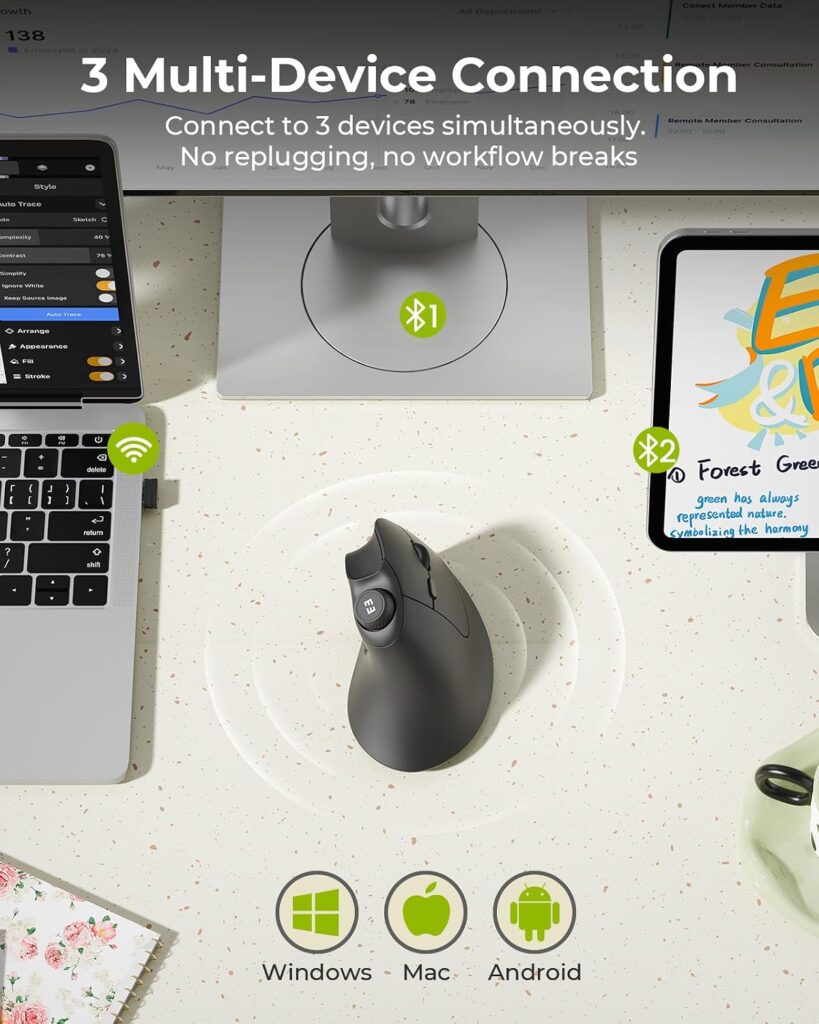
- Connectivity: 2.4GHz USB receiver, Bluetooth 1 and 2 (3-device switching)
- DPI: 3-level, 1000 / 1600 / 2400
- Weight: 6.4 oz
- Dimensions: 4.8″ L x 2.9″ W
- Battery: Built-in rechargeable, roughly 2 months per charge, USB-C
- Rating: 4.6/5 (1,668 reviews); Amazon’s Choice
What We Like
- Full vertical, handshake-style grip
- Built-in volume control knob is genuinely convenient during calls
- Switches between three paired devices
What We Don’t Like
- Noticeably heavier than the other vertical mice on this list
- Scroll wheel and back/forward buttons are not silent, only the main clicks are
Ergonomic Analysis: The vertical shape follows the same pronation-reducing principle documented in mouse ergonomics research, and the added weight can actually help stability during precise cursor movement, though it does reduce how easily the mouse slips into a jacket pocket.
Who Should Buy It? Remote workers who take frequent calls and want quick volume control plus a supportive vertical grip.
Who Should Skip It? Minimalist travelers prioritizing the lightest possible mouse, the Lenovo WL310 or TECKNET will pack lighter.
Value for Money: Strong. The rating, feature set and vertical design make this one of the better all-around vertical picks under $20.
🛒 Check Price on Amazon5. Uineer Ergonomic Wireless Vertical Mouse

Quick Verdict: A tri-mode vertical mouse built around switching quickly between three paired devices, which suits anyone who regularly moves between a laptop, tablet and desktop.
Best For: Users who split their workday across multiple devices and want one mouse for all of them.
Key Specifications
- Connectivity: Bluetooth 5.0, Bluetooth 4.0, and 2.4G USB-A receiver
- DPI: 4-level, 800 / 1200 / 1600 / 2400
- Weight: Listed as 105 g in the product description and 3.2 oz (~91 g) in Amazon’s spec table, treat as approximate
- Battery: Built-in 500mAh, roughly weeks per charge with 8-hour daily use, Type-C recharge in about 2 hours
- Rating: 4.4/5 (410 reviews); Amazon’s Choice
What We Like
- Fast three-device Bluetooth switching
- Side scroll wheel for horizontal navigation
- Smart sleep mode after 10–30 minutes of inactivity to save battery
What We Don’t Like
- Far fewer reviews than most other options here, so long-term reliability data is thinner
- Manufacturer-listed dimensions and weight vary slightly between the description and spec table, so treat exact figures as approximate until confirmed at checkout
Ergonomic Analysis: Like other vertical mice on this list, the tilted grip aims to reduce forearm pronation. The multi-device switching is more of a workflow convenience than an ergonomic feature, but it does mean you’re not tempted to reach for a flatter, non-ergonomic mouse on your second device.
Who Should Buy It? Hybrid workers who genuinely alternate between a laptop and one or two other Bluetooth devices during the day.
Who Should Skip It? Buyers who prefer a mouse with a longer, more established review history should consider the seenda or Perixx instead.
Value for Money: Fair. The feature set justifies the price, but the smaller review base means it carries slightly more buying risk than the more established models on this list.
🛒 Check Price on Amazon6. Logitech M510 Wireless Mouse
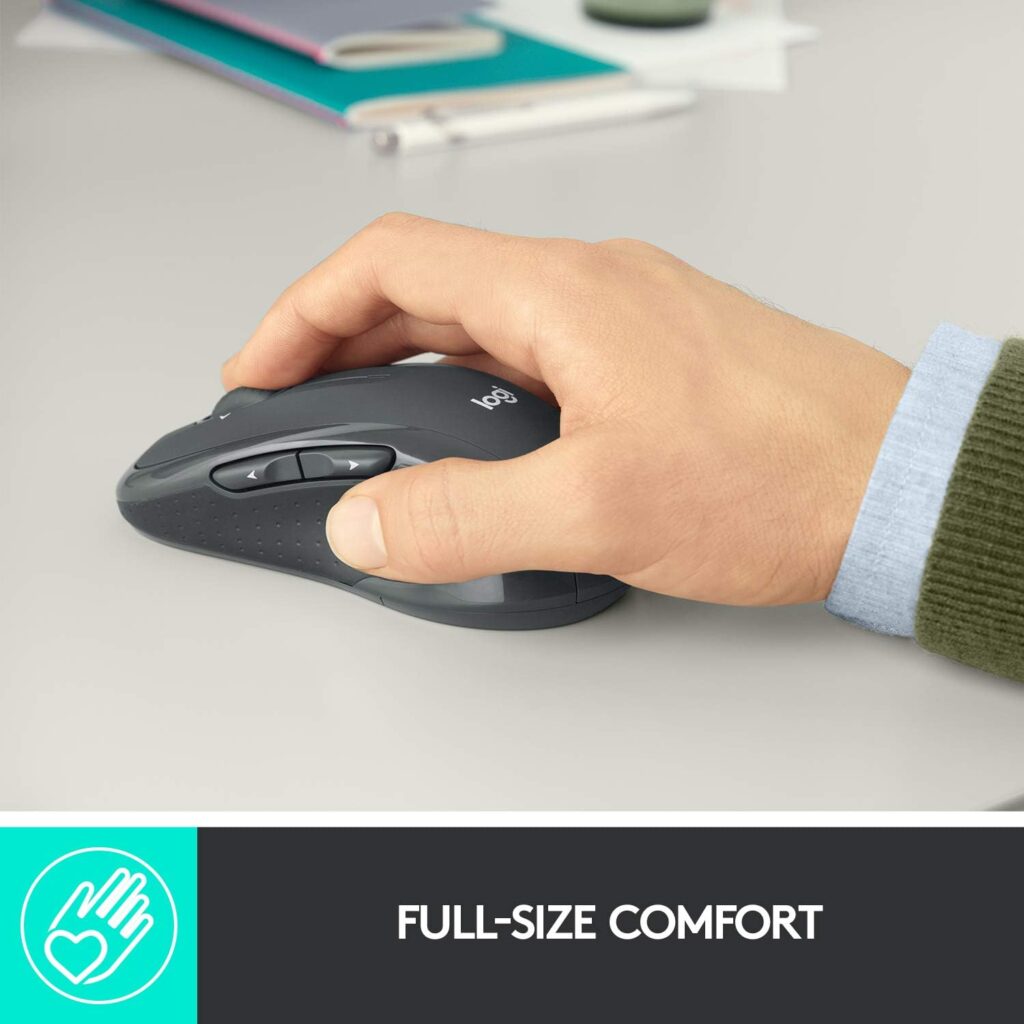
Quick Verdict: A full-size, contoured mouse from an established brand, notable mainly for roughly two years of battery life on a single set of AA batteries and the largest review base on this list.
Best For: Users with medium-to-large hands who want a dependable, low-maintenance mouse and don’t need a vertical grip.
Key Specifications
- Connectivity: 2.4GHz USB-A via Logitech Unifying receiver
- DPI: Up to 1000 (lower ceiling than several rivals here)
- Buttons: 7, including programmable back/forward and tilt-to-scroll
- Weight: 4.5 oz
- Dimensions: 4.4″ L x 2.5″ W
- Battery: 2x AA (included), roughly 2 years typical life
- Rating: 4.6/5 (35,317 reviews)
What We Like
- Exceptionally long battery life reduces maintenance
- Contoured shape with soft rubber grips
- By far the largest and most established review history in this comparison
What We Don’t Like
- Bulkier than the compact options here, less ideal for a light travel bag
- Maximum DPI (1000) is lower than most competitors on this list, which may feel slow on high-resolution displays
Ergonomic Analysis: The M510’s curved shape and broad palm support are designed for all-day comfort in a traditional horizontal grip, which suits users who find vertical mice awkward, but it doesn’t address forearm pronation the way a vertical design does.
Who Should Buy It? Anyone who wants a “set it and forget it” mouse with minimal battery changes and doesn’t mind carrying a slightly larger device.
Who Should Skip It? Frequent travelers prioritizing a compact footprint, and users on very high-resolution displays who want higher DPI ceilings.
Value for Money: Strong given the battery life and review track record, even though it isn’t the most specialized ergonomic shape on this list.
🛒 Check Price on Amazon7. TECKNET Wireless Mouse with LED Display
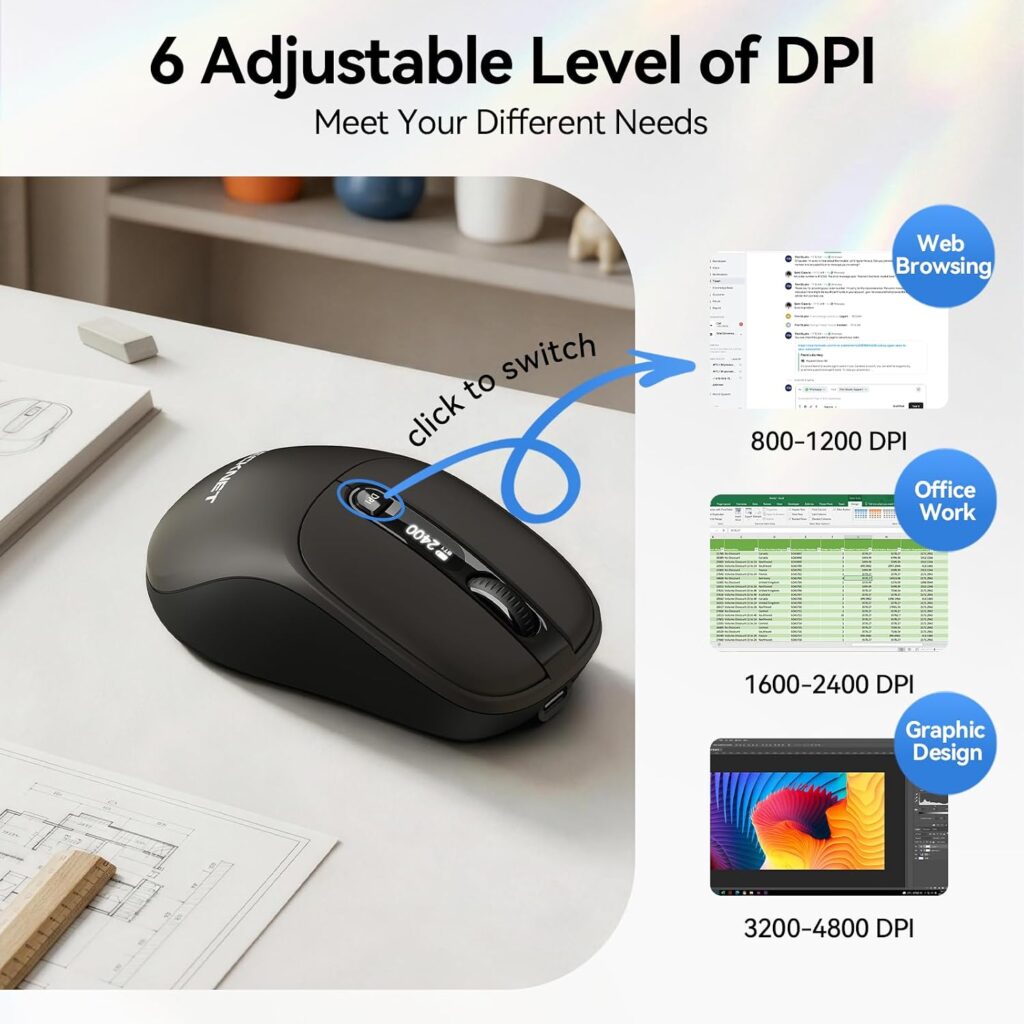
Quick Verdict: A compact tri-mode mouse with an unusual onboard LED screen showing DPI level, battery status and connection mode, aimed at users who like knowing exactly what their hardware is doing.
Best For: Laptop users who want compact size plus visible battery/DPI feedback without opening a settings app.
Key Specifications
- Connectivity: Bluetooth 5.2, Bluetooth 5.0, and 2.4G USB-A (3-device switching)
- DPI: 6-level, 800 / 1200 / 1600 / 2400 / 3200 / 4800
- Weight: 5 oz
- Dimensions: Listed as 4.2″ x 2.4″ x 1.5″ in the product description, but as 4.2″ x 4.2″ in Amazon’s separate measurements field, this looks like a data entry inconsistency on the listing, so confirm exact size before buying if it matters for your bag
- Battery: Built-in 800mAh, up to 120 days per charge, USB-C
- Rating: 4.4/5 (7,957 reviews)
What We Like
- Onboard LED display for quick status checks
- Wide 6-level DPI range suits varied screen resolutions
- Long claimed battery life between charges
What We Don’t Like
- Ambidextrous, general shape rather than a dedicated ergonomic contour or vertical tilt
- Dimension data on the Amazon listing is inconsistent, which is worth double-checking before purchase
Ergonomic Analysis: TECKNET markets reduced wrist strain primarily through its compact ambidextrous shape rather than a vertical or heavily contoured design, so the ergonomic benefit here is closer to “less awkward than a flat travel mouse” than the more pronounced pronation reduction of a true vertical mouse.
Who Should Buy It? Users who want a tech-forward, compact mouse for travel and don’t need a vertical grip.
Who Should Skip It? Anyone prioritizing wrist-neutral posture above all else should choose a vertical model like the seenda or Uineer instead.
Value for Money: Reasonable for the feature set, though the ergonomic benefit is more modest than the vertical options on this list.
🛒 Check Price on AmazonComparison Table
| Product | Best For | Type | Key Ergonomic Feature | Weight | Connectivity | Rating |
|---|---|---|---|---|---|---|
| Lenovo WL310 | Everyday laptop use | Contoured horizontal | Shallow contour, silent clicks | 2.4 oz | Bluetooth 5.0 | 4.5/5 |
| Acer Wireless Mouse | Budget, larger hands | Standard horizontal | Sized for larger hands | 3 oz | 2.4GHz USB-A | 4.3/5 |
| Perixx PERIMICE-719 | Small to medium hands | Mini vertical | Compact vertical grip | 3.52 oz | 2.4GHz wireless | 4.3/5 |
| seenda MOU-302 | Wrist support + calls | Full vertical | Vertical grip + volume knob | 6.4 oz | USB / Bluetooth (3-device) | 4.6/5 |
| Uineer Vertical Mouse | Multi-device switching | Full vertical | Vertical grip, 3-device pairing | ~3.2–3.7 oz | Bluetooth / USB (3-device) | 4.4/5 |
| Logitech M510 | Long battery life | Contoured full-size | Curved palm support | 4.5 oz | 2.4GHz USB-A | 4.6/5 |
| TECKNET LED Mouse | Travel + tech features | Compact ambidextrous | Compact shape, wide DPI range | 5 oz | Bluetooth / 2.4G (3-device) | 4.4/5 |
Which Ergonomic Mouse Should You Buy?
Choose the Lenovo WL310 if: you want a balanced, affordable, Bluetooth-only mouse that improves on a flat travel mouse without a big adjustment period.
Choose the Acer Wireless Mouse if: budget is the top priority and you have medium-to-large hands, and you’re comfortable using a USB-A receiver instead of Bluetooth.
Choose the Perixx PERIMICE-719 if: you have a hand length under 7.5 inches and want a genuinely compact vertical mouse.
Choose the seenda MOU-302 if: you want the strongest all-around vertical option, plus a handy volume knob for calls and media.
Choose the Uineer Vertical Mouse if: you regularly switch between a laptop and one or two other Bluetooth devices during the day.
Choose the Logitech M510 if: you want a dependable full-size mouse with minimal battery maintenance and don’t need a vertical grip.
Choose the TECKNET LED Mouse if: you like having visible battery and DPI status and want a compact, tech-forward option for travel.
Alternatives Worth Considering
If none of these seven fit your exact situation, a few related ErgoFixes guides go deeper on specific needs:
- Our best wireless ergonomic mouse guide covers a broader range of wireless options beyond laptop-specific picks.
- If you regularly connect one mouse to several devices, our best Bluetooth ergonomic mouse for multi-device use roundup focuses specifically on that use case.
- Mac users should check our dedicated best ergonomic mouse for Mac guide, since some features on this list, like back/forward buttons, don’t behave the same way on macOS.
Common Mistakes When Buying an Ergonomic Mouse for a Laptop
- Buying based only on star ratings. A 4.6-star mouse built for large hands can still feel wrong if your hands are small.
- Ignoring hand size entirely. Vertical mice in particular are size-specific; check the manufacturer’s hand-length guidance before ordering.
- Assuming “ergonomic” automatically means comfortable. Some listings use the word loosely; check whether the design is actually vertical, contoured, or just a standard shape with the label attached.
- Overlooking connectivity limits. A USB-A-only mouse can be inconvenient on ultra-thin laptops with limited ports.
- Skipping the adjustment period for vertical mice. Expecting instant comfort from a vertical mouse and giving up after a day is a common reason people abandon a genuinely useful design.
- Forgetting about desk or travel space. A larger full-size mouse like the Logitech M510 is less practical in a cramped coffee-shop setup than a compact model.
- Not checking macOS compatibility for extra buttons. Several mice on this list note that back/forward buttons don’t work fully on Mac.
- Focusing only on the mouse and ignoring the rest of the setup. A great mouse paired with a poorly positioned laptop screen or chair still leaves you in an awkward overall posture.
Best Practices for Laptop Mouse Ergonomics
- Keep the mouse close to your body and at roughly the same height as your keyboard to avoid reaching.
- Let movement come from your elbow and shoulder rather than bending repeatedly at the wrist.
- If you use a laptop stand or external keyboard, position the mouse so your wrist stays straight, not angled outward.
- Take short movement breaks every 20–30 minutes; OSHA’s guidance notes that computer tasks allow almost unlimited continuous use compared to older manual work, which is exactly why deliberate breaks matter.
- Adjust DPI so the cursor covers the screen without requiring large wrist movements, OSHA specifically flags overly low sensitivity as a cause of excessive wrist deviation.
- If you switch to a vertical mouse, give yourself one to two weeks before judging comfort, since published research and manufacturer guidance both point to a short adaptation period.
Emily Richardson’s tip: a compact ergonomic mouse that actually fits your hand and travels well with your laptop is usually a better everyday choice than a larger premium mouse that needs extra desk space you don’t have in a coffee shop or shared office.
Frequently Asked Questions
Is an ergonomic mouse actually better than a regular mouse for laptop use?
For many users, yes, research on alternative mouse designs shows that vertical and contoured shapes can reduce forearm pronation and lower wrist extensor muscle activity compared to a flat mouse. The improvement depends on your existing grip, hand size and how consistently you use the new mouse, and it’s a comfort benefit rather than a guaranteed medical fix.
How long does it take to get used to a vertical mouse?
Most manufacturers and published studies point to roughly one to two weeks of adjustment. A PubMed-indexed comparison of standard and vertical mice found users reached targets slightly slower with the vertical design at first, even though wrist pronation and muscle activity were both lower. Comfort and control typically improve with regular use.
Do I need Bluetooth or a USB receiver for a laptop mouse?
Either works well. Bluetooth mice (like the Lenovo WL310 or seenda MOU-302) free up a USB port, which matters more on thin laptops with limited ports. USB receiver mice (like the Acer or Logitech M510) are typically simpler to pair and less prone to Bluetooth connection drops.
Are vertical mice good for long work hours?
Vertical mice are specifically designed to reduce the forearm twisting that builds up over long sessions, which is one reason they’re popular for full workdays. Comfort still depends on correct hand-size fit and taking regular breaks, since no mouse design eliminates the need for posture variation.
Can an ergonomic mouse cure wrist pain or carpal tunnel syndrome?
No. Carpal tunnel syndrome is listed by OSHA as a recognized musculoskeletal disorder linked to workplace risk factors like repetitive motion and awkward posture, not something a single accessory resolves on its own. Ergonomic mice may help reduce strain and encourage a more neutral wrist position, but they are not medical treatments and cannot cure diagnosed conditions. If you have persistent or worsening pain, consult a doctor or other qualified healthcare professional.
What DPI is best for everyday laptop use?
Most everyday users are comfortable somewhere between 800 and 1600 DPI. Higher DPI settings, like the 4800 max on the TECKNET mouse, mainly benefit larger or higher-resolution displays, while lower settings can feel more precise for detailed work like editing or design.
Do ergonomic mice work well with MacBooks?
Most of the mice on this list are compatible with macOS, but some features aren’t fully supported; for example, Perixx notes that its back/forward buttons don’t work on Mac. Check the specific compatibility notes for each model before buying if you rely on extra buttons.
Is a heavier or lighter mouse better for a laptop?
It depends on preference and use case. Lighter mice like the Lenovo WL310 (2.4 oz) are easier to carry and can feel faster for quick cursor movement, while heavier mice like the seenda MOU-302 (6.4 oz) can feel more stable for precise work, at the cost of portability.
Should I buy a mouse designed specifically for small or large hands?
Yes, where possible. Mice like the Perixx PERIMICE-719 are explicitly sized for hands under 7.5 inches, while others like the Acer mouse are built with medium-to-large hands in mind. Using a mouse that doesn’t match your hand size can undo much of the ergonomic benefit, regardless of the shape.
How many DPI levels or buttons do I actually need?
Most laptop users are well served by 3-4 DPI levels and basic back/forward buttons. Higher-end features like 6-level DPI or LED status displays, such as on the TECKNET mouse, add convenience but aren’t essential for typical office or study use.
Final Verdict
If you want the single best all-around ergonomic mouse for laptop use, the Lenovo WL310 offers the most balanced mix of comfort, portability and price. If budget is your main constraint, the Acer Wireless Mouse is a reasonable low-cost pick, with the caveat that it’s a general wireless mouse rather than a specialized ergonomic shape. If you specifically want to reduce forearm twisting during long sessions, the seenda MOU-302 or Uineer Vertical Mouse are the stronger choices, and if smaller hands are the priority, the Perixx PERIMICE-719 is purpose-built for that. For buyers who mainly want long battery life and a familiar horizontal shape, the Logitech M510 remains a dependable option.
There isn’t one perfect mouse for every laptop user, the right pick depends on your hand size, how you connect to your laptop, and how much desk or bag space you’re working with.
Compare the latest prices and availability before making your decision, since Amazon pricing and stock can change.





