
Best Ergonomic Mouse for Mac in 2026: 8 Tested Picks for Comfort and Compatibility
If your wrist feels stiff or achy after a long day on your MacBook, the mouse in your hand is a reasonable place to start looking for answers. Not every “ergonomic” mouse is actually built with Mac users in mind, and some Mac-compatible mice are really just Windows peripherals with a compatibility sticker slapped on. Na, that difference matters more than people expect.
This guide compares eight mice that are compatible with macOS, ranging from genuinely Mac-specific vertical designs to budget wireless options that simply work fine with a MacBook. We’ll walk through who each one suits, where it falls short, and how to think about hand size, grip style, and connectivity before you buy. This is a comfort and compatibility guide, not a medical one, for anything beyond day-to-day desk discomfort, a healthcare professional is the right person to ask.
I’m Emily Richardson, and I’ve spent the past 9+ years researching ergonomic office products and home-office setups. My evaluation approach relies on manufacturer specifications, verified product listings, independent reviews, and structured ergonomic reasoning-not on hands-on lab testing unless that’s stated directly.
Quick Answer
🖱️ Best Ergonomic Mouse for Mac-Quick Picks
Here’s the short version. If you only read one section, read this one-then jump to the full reviews for the details that actually matter to your hand size and budget.


Quick Verdict Table
| Product | Best For | Main Strength | Main Limitation | Rating | Link |
|---|---|---|---|---|---|
| Logitech Lift for Mac | Overall Mac ergonomics | Mac-built vertical design, ergo-certified | Pricier; small-to-medium hands only | 4.4/5 | View → |
| INFINMIND Side Scroll | Multi-device switching | Contoured grip, 3-device Bluetooth switch | Not a vertical design | 4.4/5 | View → |
| RaceGT USB-C Wireless | Budget backup mouse | Very low cost, USB-C receiver | Basic symmetrical shape, no real ergonomic contour | 4.1/5 | View → |
| Macally USB-C Mouse | Wired, no-fuss USB-C setup | Plug-and-play, no batteries or pairing | Wired only, limits desk mobility | 4.3/5 | View → |
| memzuoix Vertical Mouse | Large hands, budget vertical | Large vertical body, rubberized grip | Forward/back buttons don’t work on macOS | 4.3/5 | View → |
| Amazon Basics Wireless | Travel / secondary mouse | Compact, lightweight, cheap | Flat symmetrical shape, minimal ergonomic support | 4.3/5 | View → |
| PEIBO Bluetooth Mouse | Bluetooth multi-device on a budget | Dual-mode Bluetooth + 2.4GHz, rechargeable | Generic shape, limited ergonomic differentiation | 4.3/5 | View → |
| Razer Viper V3 Pro | Mac gaming, fast pointer work | 55g ultra-lightweight, high-precision sensor | Not an ergonomic/vertical shape | 4.6/5 | View → |
Introduction
Finding an ergonomic mouse for Mac is more annoying than it should be. Most “ergonomic” mice on Amazon are designed with Windows users in mind first, and Mac compatibility is added almost as an afterthought, sometimes with buttons or software features that simply don’t function properly on macOS. On top of that, some genuinely well-designed ergonomic mice are only sold in a “Windows/PC” listing, even though they work fine on a Mac.
This article looks specifically at mice that are either built for macOS from the ground up, like the Logitech Lift for Mac, or clearly confirmed compatible without odd caveats. We cover vertical designs, standard contoured wireless mice, a wired USB-C option, and one non-ergonomic but genuinely excellent Mac-compatible mouse for anyone whose priority is speed rather than wrist support.
Emily Richardson’s recommendation: before paying extra for a “Mac” mouse, check whether it’s actually designed for macOS or whether it’s simply listed as compatible. The difference shows up in small details; like whether the side buttons work, whether the software supports macOS, and whether the DPI settings are adjustable without a Windows-only utility.
Buying Guide: What to Check Before You Buy
1. Actual macOS Compatibility (Not Just “Compatible With”)
A listing that says “compatible with PC, Mac, Laptop” doesn’t always mean every feature works on macOS. Side buttons, DPI-switching software, and multi-device pairing tools are sometimes Windows-only. Check the manufacturer’s specification sheet for the minimum supported macOS version before buying.
2. Grip Style and Hand Size
Ergonomic mice are generally built around one of three grips, palm, claw, or fingertip. A mouse designed for a palm grip and small-to-medium hands, like the Logitech Lift, may feel undersized for someone with large hands using a fingertip grip. If your hand is on the larger side, look for wider or longer mouse bodies, such as the memzuoix vertical mouse.
3. Vertical vs Standard Ergonomic Shape
A vertical mouse is designed to keep the forearm in a more neutral position than a traditional mouse. OSHA’s guidance on computer workstation pointing devices recommends positioning the mouse so the wrist stays in a straight, neutral posture, noting that an awkwardly sized or shaped pointer can increase stress and lead to overexertion. In practice, this means the further a mouse’s shape pushes your wrist away from straight and level, the more effort your forearm muscles may need to compensate over a long session. A vertical mouse rotates the hand into a more upright “handshake” position specifically to reduce that twisting motion, while a standard contoured mouse, like the INFINMIND or PEIBO, offers a gentler curve without the adjustment period of a fully vertical design. For example, someone who scrolls through long spreadsheets for hours may notice less forearm fatigue with a vertical grip than with a flat mouse held in the same rotated position all day.
Research Insight: The CDC’s NIOSH guidance on home workstations specifically recommends maintaining a neutral, straight wrist posture when using an external mouse, rather than letting the wrist bend up, down, or to either side.
What this means: the shape of the mouse itself is only part of the picture, desk height, arm position, and mouse placement relative to your body all affect whether your wrist can actually stay neutral, even with an ergonomic mouse.
Practical example: if your mouse sits too far to the side of your keyboard, you may find yourself reaching and bending the wrist outward regardless of how ergonomic the mouse itself is, worth checking before assuming a new mouse alone will solve the problem.
4. Connectivity: Bluetooth, USB Receiver, or Wired
MacBooks with only USB-C ports need either a Bluetooth mouse, a USB-C receiver, or a USB-C wired mouse. Older USB-A dongles will need an adapter on newer MacBook Pro and MacBook Air models. This is one of the most overlooked compatibility issues buyers run into.
5. Weight and Sensor Quality
Lighter mice, like the Razer Viper V3 Pro at roughly 55 grams, require less muscular effort to move across a desk, which can matter during long sessions of fast cursor movement. For general office and browsing use, sensor precision matters less than shape and grip comfort.
6. Battery Life and Charging Method
Battery-powered mice range from a single AA battery lasting many months to rechargeable lithium batteries lasting days between charges. If you frequently forget to charge devices, a mouse using a replaceable AA battery may be more practical day to day.
7. Button Count and Software Support
More buttons are only useful if macOS and the manufacturer’s software actually support remapping them. Logi Options+ allows customization for buttons on Logitech mice for increased productivity, and this software runs on both Windows and macOS, which is one reason the Lift is easier to fully customize on a Mac than some competitors.
8. Price-to-Value Ratio
A $12 mouse and a $70 mouse can both be reasonable purchases, they’re just solving different problems. A budget mouse is fine for occasional or secondary use; a Mac-specific ergonomic mouse earns its higher price if you’re at your desk for several hours a day.
Product Reviews
1. Logitech Lift for Mac
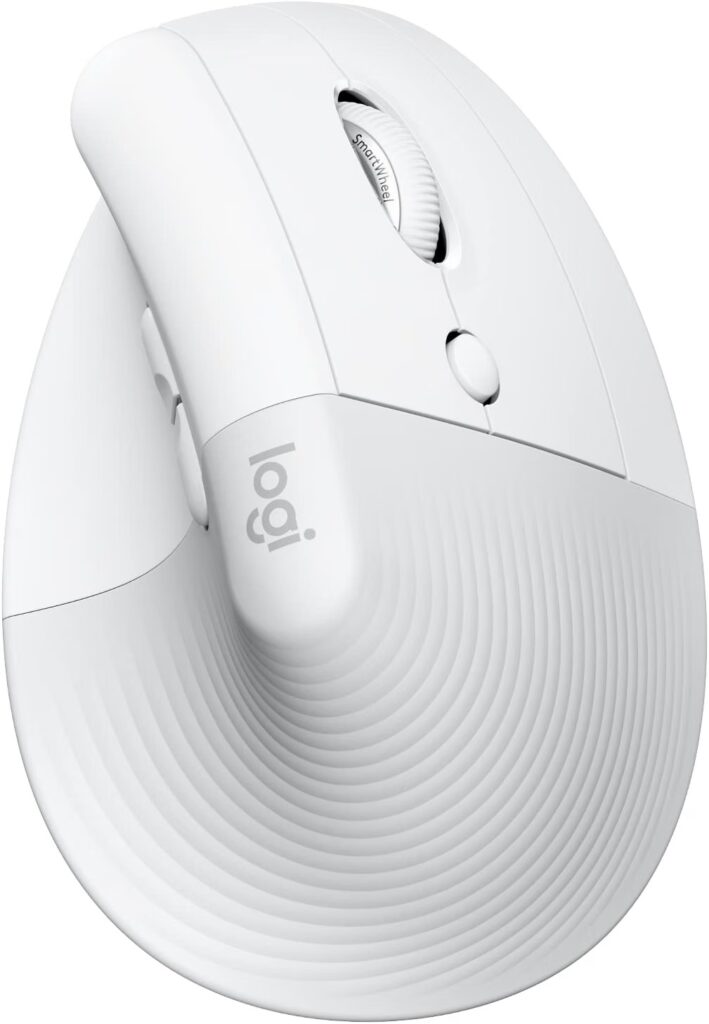
Quick Verdict: The Logitech Lift for Mac is the most Mac-specific ergonomic mouse on this list. It’s a vertical mouse designed around a 57-degree grip angle, built with small-to-medium hands in mind, and confirmed compatible with macOS and iPadOS through Bluetooth Low Energy.
Best For: Mac and iPad users with small-to-medium hands who want an ergonomic wireless mouse that doesn’t require extra setup.
Key Specifications:
- Connectivity: Bluetooth Low Energy
- Compatible OS: macOS 10.15 Catalina or later, iPadOS
- Weight: 4.4 oz (125 g)
- Battery: 1x AA, up to 24 months
- DPI: Up to 4,000, adjustable
- Buttons: 4 customizable
What We Like
- 57-degree vertical angle designed specifically to reduce forearm pronation
- Ergo-certified design, tested and approved by outside ergonomists rather than only in-house marketing claims
- Quiet clicks and a magnetic SmartWheel scroll wheel
- Long battery life on a single AA battery
- Genuine macOS and iPadOS support without workaround software
What We Don’t Like
- Sized for small-to-medium hands, so it may feel cramped for larger hands
- Bluetooth-only; no USB receiver included in this specific listing
- Higher price point than most mice on this list
Ergonomic Analysis: The Lift’s vertical shape rotates the hand into a more upright position, which is intended to reduce the twisting motion (pronation) that a flat, traditional mouse tends to create. Vertical mice lower forearm twist during long drags, which may be useful for anyone who notices forearm fatigue after extended mouse use, though results vary by individual and grip style.
Who Should Buy It? Mac users with small-to-medium hands who spend several hours a day at a desk and want a mouse purpose-built for macOS rather than adapted from a Windows product line.
Who Should Skip It? Anyone with large hands, anyone who wants a wired option, or anyone on a tighter budget; the INFINMIND or RaceGT below cover those needs at a lower cost.
Value for Money: At roughly $70, this sits at the premium end of this list. The Mac-specific design and ergo-certification are the main justification for the price; if you don’t need vertical ergonomics specifically, a cheaper option may suit you just as well.
Related: our full Logitech MX Vertical Mouse Review 2026 compares the Lift’s bigger sibling in detail.
🛒 Check Price on Amazon2. INFINMIND Wireless Side Scroll Mouse
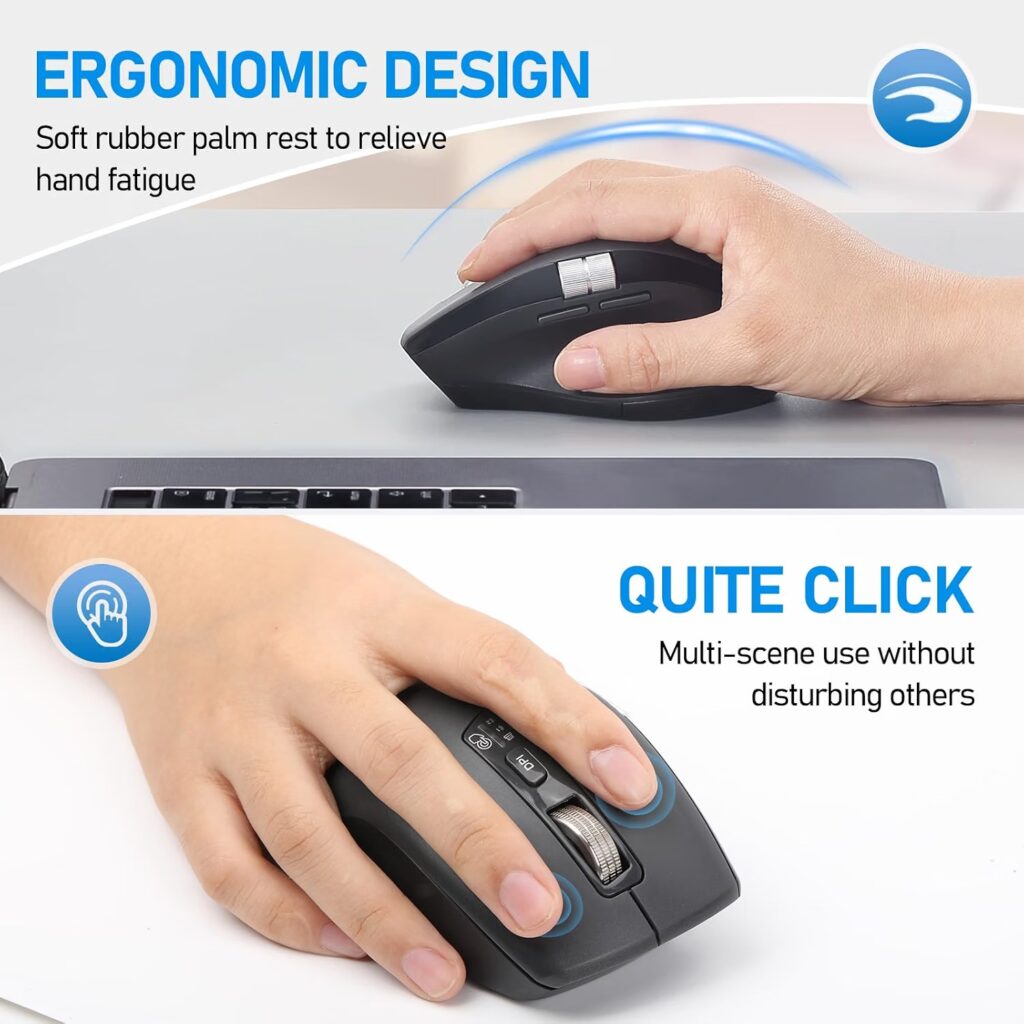
Quick Verdict: A contoured, mid-range ergonomic mouse with a side-scroll wheel and multi-device Bluetooth switching, adaptive between Windows and Mac systems without manual switching.
Best For: Mac users who also work across a tablet or a second computer and want easy device switching.
Key Specifications:
- Connectivity: Bluetooth + 2.4GHz USB
- Compatible devices: Computer, tablet, smartphone
- DPI: 4-level, 1000–3000
- Buttons: 7
- Battery: 2x AA, up to 40 months combined
What We Like
- Contoured shape with soft rubber grip points
- Automatically adapts between Windows and Mac systems without a manual switch
- Switches between up to 3 devices with one button
- Side-scroll wheel for horizontal navigation, useful in spreadsheets
What We Don’t Like
- Not a vertical mouse, so the ergonomic benefit is more modest than a fully vertical design
- 7 buttons may be more than most Mac users will actually remap
Ergonomic Analysis: The contoured body and soft grips are intended to reduce hand fatigue during long sessions, though the wrist position remains closer to a traditional mouse than a vertical one. This makes it a reasonable middle-ground option for people who find fully vertical mice uncomfortable or hard to adjust to.
Who Should Buy It? Anyone who regularly switches between a Mac, a tablet, and possibly a second laptop, and wants one mouse that handles all three.
Who Should Skip It? Anyone specifically looking for maximum wrist elevation should consider the Logitech Lift or memzuoix vertical mouse instead.
Value for Money: At around $22, the multi-device switching and contoured grip offer solid value for a secondary or everyday office mouse.
🛒 Check Price on Amazon3. RaceGT USB-C Wireless Mouse
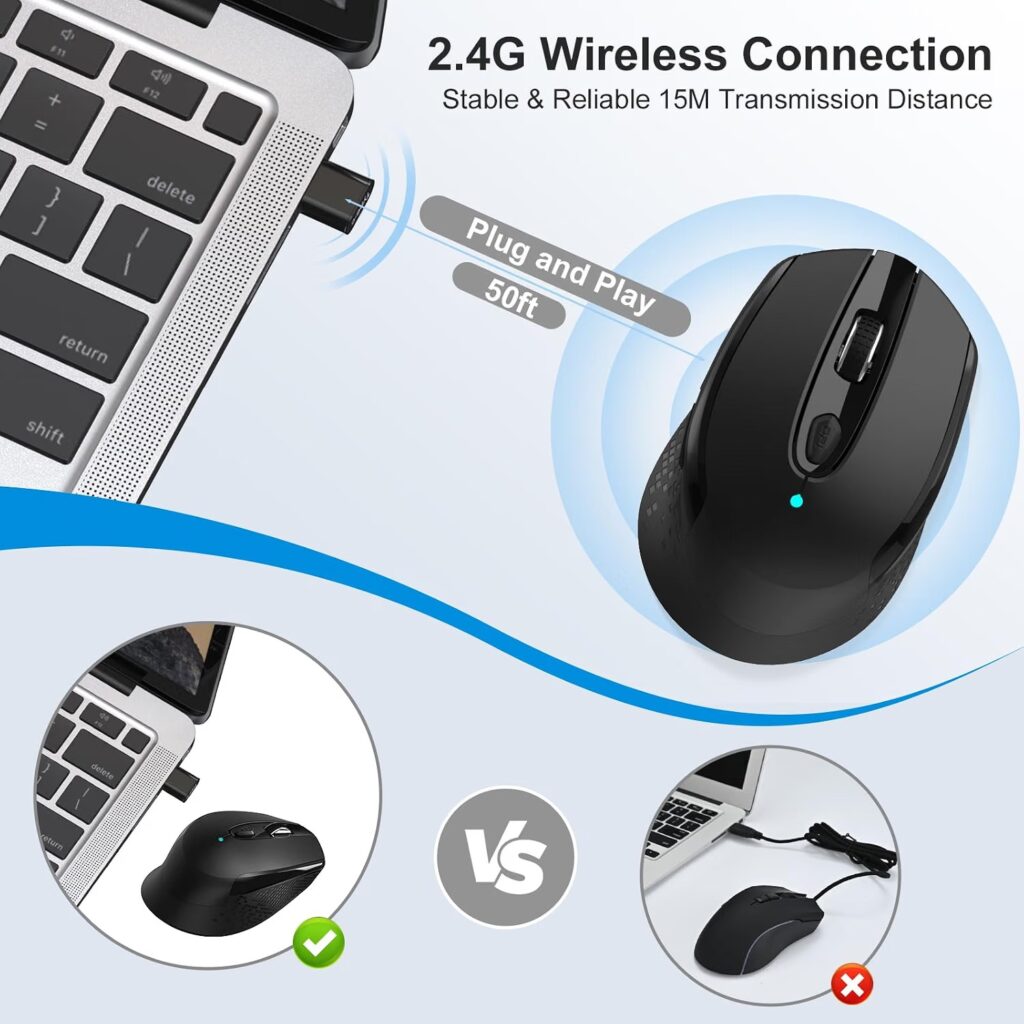
Quick Verdict: A very low-cost wireless mouse with a USB-C receiver built for MacBook Air and MacBook Pro models, aimed at buyers who mainly want a functional, affordable mouse rather than a specialized ergonomic tool.
Best For: Budget buyers or anyone who wants a spare wireless mouse for travel.
Key Specifications:
- Connectivity: USB-C receiver, 2.4GHz
- Range: Up to 15 meters
- DPI: 3-level, up to 1600
- Weight: 2.39 oz (68 g)
- Power: 1x AA battery (not included)
What We Like
- USB-C receiver, no adapter needed on newer MacBooks
- Genuinely plug-and-play, no drivers required
- Reduced click noise compared to standard mice
- Very low price
What We Don’t Like
- Symmetrical, fairly flat shape offers limited genuine ergonomic support despite the “ergonomic design” listing
- Battery not included
Ergonomic Analysis: This mouse is described by the manufacturer as ergonomic, but its shape is closer to a standard symmetrical mouse than to a contoured or vertical ergonomic design. It may still be more comfortable than a very basic flat mouse, but buyers expecting meaningfully reduced wrist strain should look at the INFINMIND or Logitech Lift instead.
Who Should Buy It? Anyone who wants an inexpensive, functional USB-C wireless mouse for a MacBook without paying for ergonomic features they may not need.
Who Should Skip It? Anyone dealing with existing wrist discomfort who needs genuine ergonomic support should treat this as a budget backup rather than a primary solution.
Value for Money: At around $13, this is one of the cheapest genuinely USB-C-compatible options for Mac on this list.
See also our wireless ergonomic mouse guide for more budget-friendly wireless options.
🛒 Check Price on Amazon4. Macally USB-C Mouse for Mac
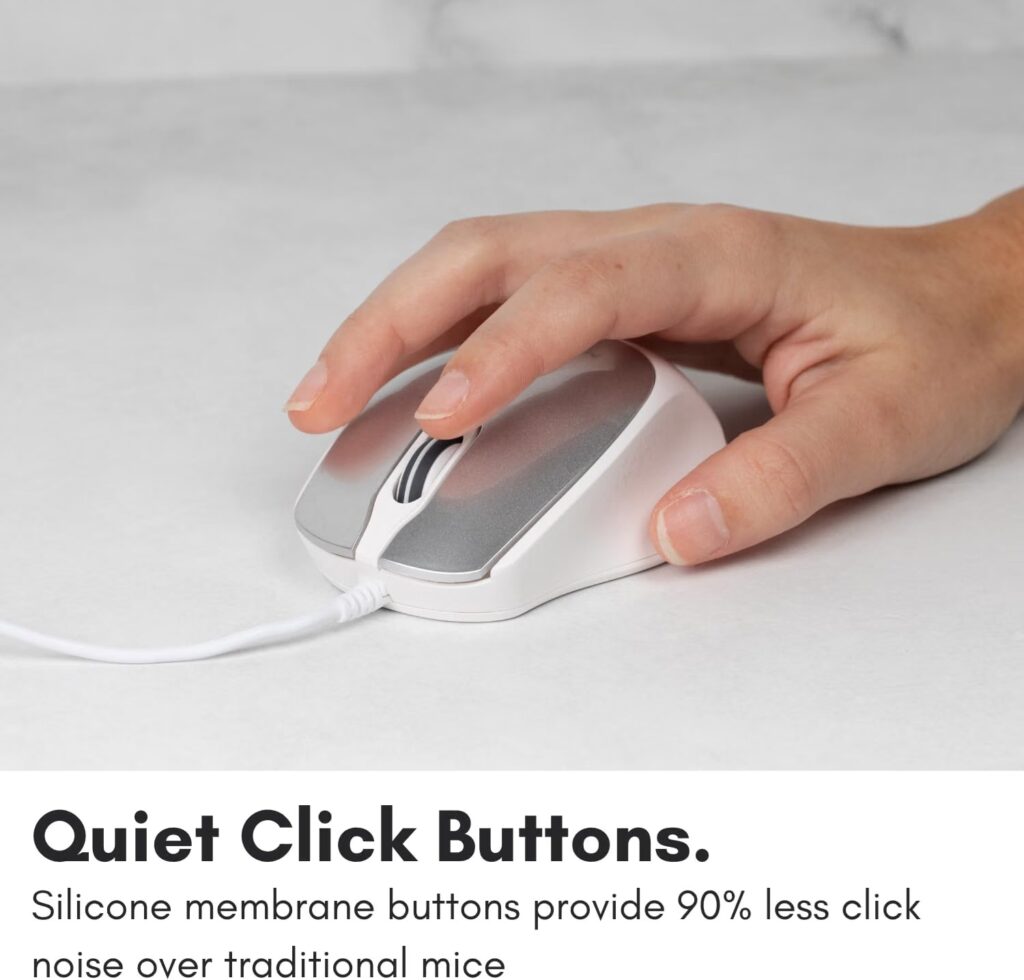
Quick Verdict: A wired USB-C mouse designed specifically around Mac’s port layout, aimed at anyone who wants a reliable no-pairing, no-battery option for their MacBook or iMac.
Best For: Mac users who prefer a wired connection for consistent, lag-free performance.
Key Specifications:
- Connectivity: Wired USB-C
- Compatible OS: macOS, Windows, iOS, Android, Chrome OS
- DPI: 4-level, up to 2400
- Weight: 4.4 oz (125 g)
- Warranty: Up to 2 years
What We Like
- No pairing, no batteries, no charging required
- Contoured, ambidextrous shape designed for palm comfort
- Adjustable DPI across 4 levels
- Longer manufacturer warranty than most mice on this list
What We Don’t Like
- Wired connection limits desk mobility compared to wireless options
- Ambidextrous shape doesn’t offer the same wrist elevation as a dedicated vertical mouse
Ergonomic Analysis: The body is shaped to fit the palm with rounded edges rather than sharp angles, which is a modest ergonomic improvement over a flat mouse, though it stops short of the more pronounced wrist elevation of a vertical design like the Logitech Lift.
Who Should Buy It? Anyone who wants a dependable, Mac-specific USB-C mouse without dealing with batteries or Bluetooth pairing, a solid desktop companion for an iMac or Mac mini.
Who Should Skip It? Anyone who wants full desk mobility or plans to use the mouse away from a fixed workstation should consider a wireless option instead.
Value for Money: At around $20 with a 2-year warranty, this is a reasonable value pick for anyone specifically wanting a wired Mac mouse.
🛒 Check Price on Amazon5. memzuoix Ergonomic Wireless Vertical Mouse

Quick Verdict: A budget vertical mouse with a larger body designed for right-handed users with bigger hands, offering the vertical wrist position without the premium price of the Logitech Lift.
Best For: Right-handed users with larger hands who want a vertical mouse on a budget.
Key Specifications:
- Connectivity: 2.4GHz USB wireless
- DPI: 3-level, 800/1200/1600
- Buttons: 6
- Weight: 3.9 oz (110 g)
- Power: 2x AAA batteries
What We Like
- Larger vertical body suited to bigger hands than the Logitech Lift
- Rubberized grip and matte coating for a comfortable hold
- Very affordable for a vertical design
- Sleep mode helps conserve battery
What We Don’t Like
- The manufacturer’s own listing states the forward and back buttons are not compatible with macOS, which reduces the mouse to 4 fully working buttons on a Mac
- Right-hand only, no left-handed version
Ergonomic Analysis: As a vertical mouse, this design keeps the hand in a more upright “handshake” position, which is intended to reduce forearm twisting during extended use. This is one of the more budget-accessible ways to try a vertical grip before committing to a premium option.
Who Should Buy It? Right-handed Mac users with larger hands who want to try a vertical mouse without spending $70 or more.
Who Should Skip It? Left-handed users, anyone who relies heavily on forward/back navigation buttons for browsing, and anyone with smaller hands who may find the body oversized.
Value for Money: At around $25, this offers one of the most affordable ways to try vertical ergonomics, with the clear caveat about button compatibility on macOS.
🛒 Check Price on Amazon6. Amazon Basics Portable Wireless Mouse

Quick Verdict: A compact, no-frills wireless mouse that’s genuinely portable and cheap, though it offers minimal ergonomic shaping compared to purpose-built ergonomic mice.
Best For: Travel, secondary desks, or anyone who just needs a basic, reliable spare mouse.
Key Specifications:
- Connectivity: 2.4GHz wireless
- Range: Up to 33 feet
- Weight: 3.15 oz (89 g)
- Dimensions: 4.1 x 2.9 x 1.5 in
- Power: 1x AA battery (included)
What We Like
- Very compact and lightweight for travel
- Low price point
- Reliable 2.4GHz connection with reasonable range
- AES-128 encrypted wireless connection
What We Don’t Like
- Flat, symmetrical, ambidextrous shape offers little genuine wrist support
- Original listing describes Windows compatibility specifically, even though it works with Mac in practice
Ergonomic Analysis: This is a standard flat mouse shape rather than a contoured or vertical design. It may be a reasonable secondary or travel mouse, but it isn’t a strong choice as a primary ergonomic tool for someone experiencing wrist discomfort during long sessions.
Who Should Buy It? Anyone who wants a cheap, compact backup mouse for travel or occasional use, where ergonomic shaping is a lower priority than portability.
Who Should Skip It? Anyone using a mouse for several hours a day who wants genuine wrist support should look at the Logitech Lift, INFINMIND, or memzuoix instead.
Value for Money: At roughly $10, this is one of the cheapest options here, and it’s priced accordingly; a functional spare rather than an ergonomic upgrade.
🛒 Check Price on Amazon7. PEIBO Bluetooth Wireless Mouse
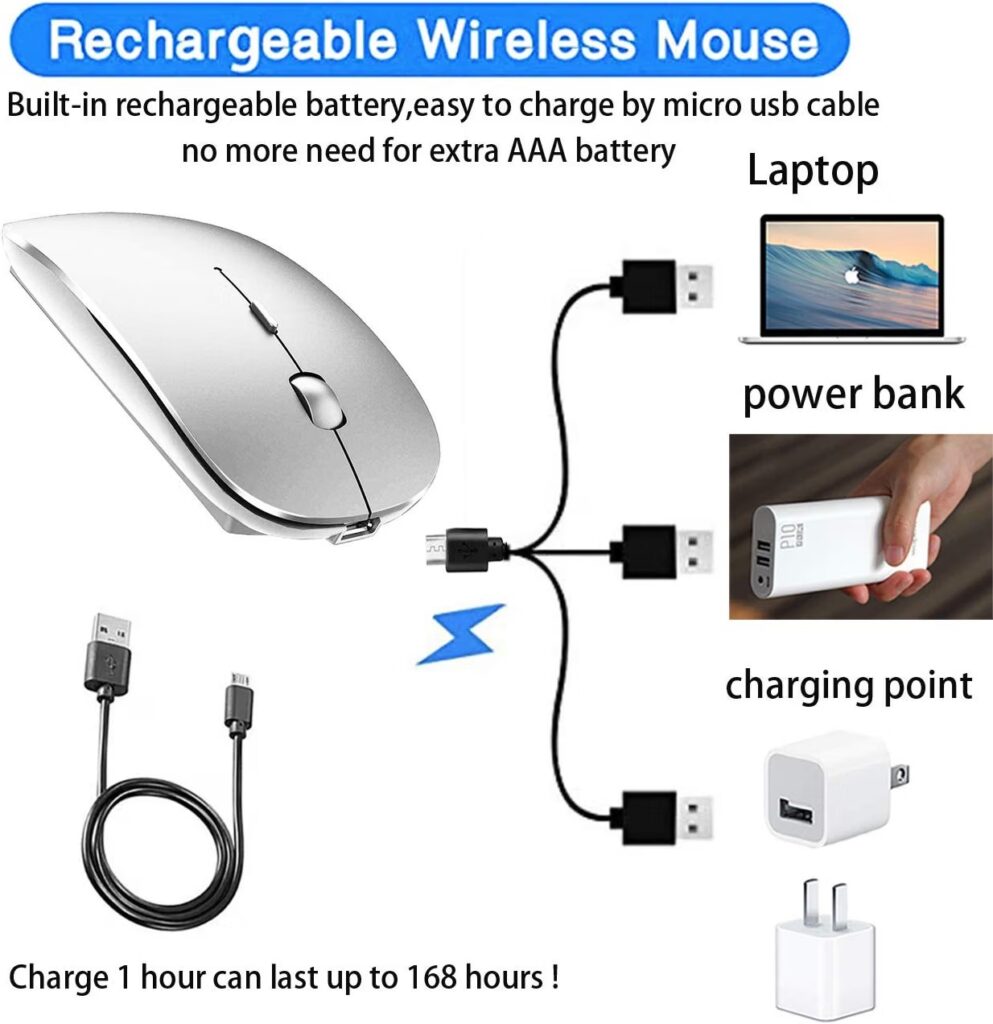
Quick Verdict: A budget dual-mode Bluetooth and 2.4GHz mouse with rechargeable batteries, listed for both Mac and Windows, though the ergonomic shaping is closer to a standard mouse than a dedicated ergonomic design.
Best For: Buyers who want Bluetooth flexibility and don’t want to replace batteries regularly.
Key Specifications:
- Connectivity: Bluetooth 5.2 + 3.0, plus 2.4GHz USB/USB-C receiver
- DPI: 3-level, 800/1200/1600
- Compatible OS: macOS, iPadOS, Windows, Linux, Chrome OS
- Power: Rechargeable lithium polymer battery
What We Like
- Dual connectivity mode (Bluetooth and 2.4GHz) with both USB-A and USB-C adapter options
- Auto-sleep and auto-off functions to save battery
- Rechargeable battery avoids ongoing AA/AAA replacement
- Very low price for a dual-mode mouse
What We Don’t Like
- Shape and specifications suggest a fairly generic mouse body rather than a dedicated ergonomic contour
- Listing describes a single main button quantity in the technical spec sheet, which is inconsistent with the multi-button description in the marketing copy — worth double-checking the current listing before buying
Ergonomic Analysis: The manufacturer describes an “ergonomic design” with a soft-touch coating, though the specification details available don’t point to a pronounced contour or vertical angle. Treat the ergonomic claims here as modest rather than a primary selling point.
Who Should Buy It? Buyers who specifically want Bluetooth and USB-C/USB-A flexibility on a tight budget, and for whom ergonomic shaping is a secondary consideration.
Who Should Skip It? Anyone prioritizing wrist support above connectivity flexibility should look at the Logitech Lift or memzuoix vertical mouse instead.
Value for Money: At around $12, the dual connectivity and rechargeable battery offer decent practical value, even if the ergonomic design is fairly basic.
Check our Bluetooth Ergonomic Mouse 2026 (Multi-Device) guide for more multi-device Bluetooth options.
🛒 Check Price on Amazon8. Razer Viper V3 Pro
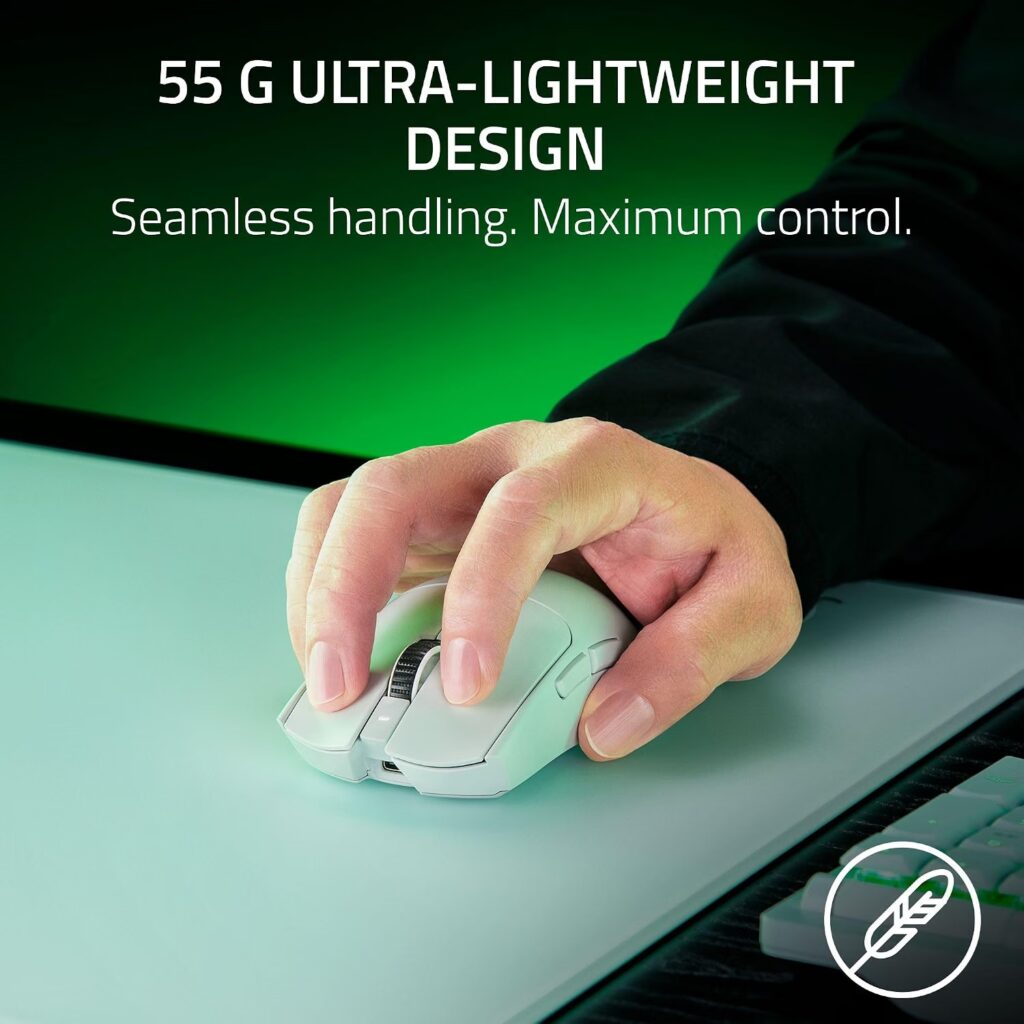
Quick Verdict: This is worth including with a clear caveat: the Viper V3 Pro is not an ergonomic mouse in the traditional sense. It’s a symmetrical, ultra-lightweight esports mouse confirmed to work with Mac, aimed at buyers who want speed and precision over wrist support.
Best For: Mac users who game or do fast-paced design/creative work and prioritize a lightweight, high-precision mouse over ergonomic shaping.
Key Specifications:
- Connectivity: Razer HyperSpeed Wireless or wired
- Weight: 0.634 oz listed (actual product weight is approximately 55g / 1.9 oz per manufacturer)
- Sensor: Up to 35,000 DPI optical
- Polling rate: Up to 8,000 Hz
- Battery: Up to 95 hours
What We Like
- Genuinely excellent build quality and sensor precision
- Extremely lightweight, which reduces the physical effort of moving the mouse
- Long battery life for a high-performance wireless mouse
- Confirmed compatible with macOS, Windows, and Linux
What We Don’t Like
- Symmetrical, flat shape with no vertical or contoured ergonomic design; this is the opposite design philosophy to the other mice on this list
- Significantly more expensive than most options here
- Overkill for typical office or browsing use
Ergonomic Analysis: This is the one product on this list that isn’t built around ergonomic principles at all. Its light weight can reduce strain from repetitive lifting and flicking motions, but the flat, symmetrical shape doesn’t support the neutral wrist posture that vertical or contoured ergonomic mice are designed for. Inappropriate size and shape of pointers can increase stress and lead to overexertion, so anyone with existing wrist discomfort should treat this as a specialty pick, not a comfort-first choice.
Who Should Buy It? Mac users who specifically want a high-performance, lightweight mouse for gaming or fast design work, and who don’t have existing wrist strain concerns.
Who Should Skip It? Anyone shopping for this list because of wrist or forearm discomfort should skip this pick entirely, the Logitech Lift or memzuoix vertical mouse are far better suited to that goal.
Value for Money: At around $119, this is priced for its sensor and build quality, not its ergonomics. It’s a good value within the gaming-mouse category, but a poor value if ergonomic comfort is your main goal.
🛒 Check Price on AmazonFull Comparison Table
| Product | Type | Key Ergonomic Feature | Weight | Connectivity | Rating |
|---|---|---|---|---|---|
| Logitech Lift for Mac | Vertical | 57° angle, ergo-certified | 125 g | Bluetooth | 4.4/5 |
| INFINMIND Side Scroll | Contoured | Soft grip, side-scroll wheel | 150 g | Bluetooth + 2.4GHz | 4.4/5 |
| RaceGT USB-C Wireless | Standard | Symmetrical, skin-friendly coating | 68 g | USB-C 2.4GHz | 4.1/5 |
| Macally USB-C Mouse | Contoured | Palm-molded body | 125 g | Wired USB-C | 4.3/5 |
| memzuoix Vertical Mouse | Vertical | Large vertical body, rubber grip | 110 g | 2.4GHz USB | 4.3/5 |
| Amazon Basics Wireless | Flat/Standard | Compact and light | 89 g | 2.4GHz USB | 4.3/5 |
| PEIBO Bluetooth Mouse | Standard | Soft-touch coating | 91 g | Bluetooth + 2.4GHz | 4.3/5 |
| Razer Viper V3 Pro | Symmetrical (non-ergonomic) | Ultra-lightweight only | ~55 g | HyperSpeed Wireless / Wired | 4.6/5 |
Decision Framework: Which Product Should You Buy?
Choose the Logitech Lift for Mac if: you want the most Mac-specific ergonomic design on this list and have small-to-medium hands.
Choose the INFINMIND Side Scroll if: you switch regularly between a Mac, a tablet, and possibly a second device.
Choose the RaceGT USB-C if: you want the cheapest genuinely USB-C-compatible option and don’t need pronounced ergonomic shaping.
Choose the Macally USB-C Mouse if: you prefer a wired connection with no batteries or Bluetooth pairing involved.
Choose the memzuoix Vertical Mouse if: you have larger hands and want to try a vertical grip without paying premium prices, and you don’t rely on forward/back browser buttons.
Choose the Amazon Basics Wireless if: you just need an inexpensive, portable spare mouse and ergonomics are a secondary concern.
Choose the PEIBO Bluetooth Mouse if: you want dual Bluetooth/USB-C connectivity with a rechargeable battery on a tight budget.
Choose the Razer Viper V3 Pro if: your priority is speed and precision, such as gaming or fast creative work, rather than wrist support.
Alternatives Worth Considering
- Best alternative for programmers: if your mouse use is heavily tied to coding workflows and shortcut-heavy work, our Best Ergonomic Mouse for Programmers 2026 guide covers button layout and software customization in more depth.
- Budget alternative: the RaceGT USB-C or Amazon Basics Wireless, both under $15.
- Premium alternative: the Logitech Lift for Mac, or the full-size Logitech MX Vertical covered in our MX Vertical review.
- Better option for larger hands: the memzuoix vertical mouse, keeping in mind the macOS button limitation noted above.
Common Mistakes to Avoid
- Assuming “compatible with Mac” means every feature works. Some side buttons and software tools are Windows-only, as seen with the memzuoix listing.
- Ignoring hand size. A mouse built for small-to-medium hands, like the Logitech Lift, can feel cramped for larger hands.
- Buying based only on star ratings. A 4.6-star gaming mouse isn’t necessarily a better ergonomic choice than a 4.3-star vertical mouse.
- Overlooking connectivity type. Bluetooth-only mice won’t work with older MacBooks lacking Bluetooth, and USB-A dongles need an adapter on newer USB-C-only models.
- Expecting instant comfort from a vertical mouse. Switching to a vertical grip typically takes a few days to adjust to.
- Assuming “ergonomic” in the product title guarantees genuine ergonomic design. Several budget listings use the word loosely; check the actual shape and grip style described in the specifications.
- Not checking DPI adjustability. A mouse with a single fixed DPI setting can feel imprecise for detailed work like photo editing or design.
Best Practices for Mouse Ergonomics on a Mac
- Position the pointer/mouse to allow you to maintain a straight, neutral wrist posture, adjusting your chair, desk, or keyboard tray as needed, this is a direct recommendation from OSHA’s Computer Workstations eTool.
- Mouse from the elbow rather than the wrist, sit back, relax your arms, then lift your mousing hand until it sits just above elbow level.
- Keep the mouse close to your body and at the same height as your keyboard to avoid reaching.
- Keep shoulders relaxed and elbows close to the body at roughly 90–110 degrees.
- Take short movement breaks during long sessions. The CDC’s NIOSH working-from-home guidance recommends periodically varying your posture and stepping away from your screen, rather than holding one position for hours at a time, for example, standing up during a phone call instead of staying seated for the whole conversation.
- If switching to a vertical mouse, give yourself several days to adjust before deciding whether it’s a good fit.
No single mouse solves every ergonomic issue on its own, desk height, chair setup, and monitor position all play a role too. The mouse itself is one variable in a larger workstation setup, not a fix on its own. chair setup, and monitor position all play a role too.
10 Frequently Asked Questions
Is a vertical mouse actually better for Mac users?
For many people, yes, a vertical mouse keeps the forearm in a more neutral, less twisted position than a traditional flat mouse. Comfort still depends on hand size and grip style, so results vary between users.
Does the Logitech Lift work with older MacBooks?
The Logitech Lift for Mac requires macOS 10.15 Catalina or later, connecting via Bluetooth Low Energy. Older MacBooks running earlier macOS versions may not support the full feature set.
Can I use a Windows ergonomic mouse on a Mac?
Many Windows-labeled mice do work on macOS for basic click and scroll functions, but some side buttons, DPI software, or multi-device switching tools may not function fully. Check the specific product listing before buying.
What’s the difference between a vertical mouse and a regular contoured mouse?
A vertical mouse rotates the hand into a near-upright “handshake” position, while a contoured mouse keeps the hand mostly flat but shapes the body to fit the palm more comfortably. Vertical designs generally offer a bigger shift in wrist angle.
How long does it take to adjust to a vertical mouse?
Most people need a few days to a couple of weeks to feel fully comfortable with a vertical mouse, since cursor control initially feels less precise until muscle memory adjusts.
Is Bluetooth or a USB receiver better for a MacBook mouse?
Bluetooth avoids using up a USB-C port but can occasionally have more input lag or connection drops than a dedicated USB receiver. A USB-C receiver mouse tends to offer a more consistent connection if you have a port to spare.
Are ergonomic mice worth the extra cost over a basic wireless mouse?
For anyone spending several hours a day at a computer, a mouse with genuine ergonomic shaping can improve comfort during long sessions. For occasional or light use, a basic wireless mouse is often sufficient.
Can an ergonomic mouse cure wrist pain or carpal tunnel syndrome?
No. Ergonomic mice may help support a more neutral wrist position and reduce unnecessary strain, but they are not medical treatments. Persistent or severe wrist pain should be evaluated by a healthcare professional.
Do I need special software to use an ergonomic mouse on macOS?
Some brands, like Logitech, offer macOS-compatible software (Logi Options+) for customizing buttons and DPI settings. Others work with basic plug-and-play functionality but without deeper customization on Mac.
What size hand suits a vertical mouse best?
Vertical mice like the Logitech Lift are often designed with small-to-medium hands in mind, while models like the memzuoix vertical mouse offer a larger body better suited to bigger hands. Checking the manufacturer’s stated hand-size recommendation before buying can help avoid a poor fit.
Final Verdict
If you want the single best balance of Mac-specific design and genuine ergonomic support, the Logitech Lift for Mac is the strongest overall pick on this list; it’s built around macOS from the start and independently ergo-certified.
If you’re working with a tighter budget or want to try a vertical grip without committing to a premium price, the memzuoix Vertical Mouse is a reasonable starting point, as long as you don’t rely heavily on forward/back browser buttons.
If your priority is a wired, no-fuss USB-C connection, the Macally USB-C Mouse for Mac covers that need directly. And if wrist comfort isn’t your main concern and you simply want a fast, precise, lightweight mouse that happens to work with macOS, the Razer Viper V3 Pro is worth considering, just go in aware that it isn’t built as an ergonomic tool.
For everyday backups and lighter budgets, the INFINMIND Side Scroll Mouse and PEIBO Bluetooth Mouse both offer solid multi-device flexibility, while the RaceGT USB-C and Amazon Basics Wireless are reasonable choices when price is the deciding factor over ergonomic shaping.
Compare the latest prices and availability before making your decision, since Amazon pricing and stock can change.





