
Best Mouse for Tendinitis 2026 (RSI-Friendly Picks)

If your wrist or forearm starts aching halfway through the workday, the shape of your mouse is one of the first things worth questioning. I’m Emily Richardson, and I’ve spent the last 9+ years researching ergonomic office equipment and work-from-home setups. This guide looks specifically at mice that are designed to reduce unnecessary wrist rotation and forearm strain, the kind of repetitive movement that tends to aggravate tendinitis and other RSI-related discomfort.
A quick note before we start: an ergonomic mouse is not a medical treatment. It cannot diagnose or cure tendinitis. What it can do is support a more neutral hand and forearm position, which may help reduce some of the repetitive strain that comes from using a flat, traditional mouse for hours at a time. If your pain is persistent, worsening, or affecting daily tasks, please speak with a doctor or physiotherapist, this article is a buying guide, not medical advice.
We researched seven wireless mice, mostly vertical designs, using manufacturer specifications, Amazon listing data, and design-based ergonomic analysis, to help you compare your options.
Quick Answer
🖱️ Best Mice for Tendinitis at a Glance
These seven picks cover different hand sizes, budgets, and connectivity needs. Every product listed here has at least one real trade-off; we’ve noted it honestly below.


Quick Verdict Table
| Product | Best For | Main Strength | Main Limitation | Rating | Link |
|---|---|---|---|---|---|
| ProtoArc EM11 NL | Overall balance | 58° angle, multi-device, rechargeable | Fit best under 7.5″ hand length | 4.6/5 | View |
| TECKNET Vertical | Value seekers | Rechargeable, 6 buttons, silent clicks | Single-device 2.4GHz only | 4.4/5 | View |
| Redragon Wireless | Tight budgets | Very low price, dual-device, silent | Only 30° angle-mild ergonomic benefit | 4.1/5 | View |
| Woddiffy Vertical | Small hands | Compact vertical body, low price | Fewer DPI steps, basic build feel | 4.0/5 | View |
| J-Tech Digital V638 | Palm support | Removable anti-sweat palm rest | Lower average rating (4.0 on Amazon) | 4.0/5 | View |
| Nulea M510 | Simple vertical use | 57° angle, straightforward layout | Fewer buttons than rivals | 4.0/5 | View |
| CITLLA Bluetooth | Multi-device flat mouse fans | Triple connectivity, long battery life | Not vertical-limited RSI benefit | 3.6/5 | View |
Why Your Mouse Matters if You Have Tendinitis
Tendinitis is inflammation of a tendon, and in the hands and forearms it’s often linked to repeated, small movements held over long periods, the kind of movement a standard flat mouse encourages. A traditional mouse forces your forearm to rotate inward (pronation) so your palm faces down. Held for hours a day, that constant rotation can add unnecessary load to the same tendons that are already irritated.
This isn’t a niche concern. NIOSH data cited in a CDC Science Bulletin notes that repetitive motion and overexertion are associated with roughly 30% of injuries and illnesses that involve lost workdays, and tendinitis is specifically listed among the musculoskeletal disorders linked to repetitive tasks and awkward postures. In practice, this means the shape and angle of the tools you use every day, mouse included, are a reasonable place to start when trying to reduce unnecessary strain.
A vertical mouse is designed to keep the forearm in a more neutral, handshake-like position instead. That doesn’t treat tendinitis, but it may reduce one source of repetitive strain during long computer sessions. This lines up with findings from a peer-reviewed review of carpal tunnel prevention interventions, which found that a “forearm neutral” mouse design led to significant reductions in forearm pronation and related muscle activity compared with a standard mouse. The same review noted a trade-off worth knowing about: wrist extension increased slightly with the neutral design, though it’s unclear whether that small increase is meaningful for most users. In other words, a vertical mouse changes the type of strain rather than removing it entirely.
According to Emily Richardson’s ergonomic evaluation approach, a product should complement the user’s workspace and body, not force the hand to keep adapting around a shape that doesn’t fit it.
If you’re also dealing with wrist-specific pain rather than forearm/tendon pain, our best ergonomic mouse for wrist pain guide covers a related but slightly different set of criteria. And if you want to see what the research actually says before buying anything, does an ergonomic mouse really help wrist pain? is worth reading first.
Buying Guide: What to Check Before You Buy
1. Vertical angle. Angles typically range from around 30° to 60°+. A steeper angle (closer to 60°) usually means a more neutral, upright hand position, but it also takes more time to adjust to. A shallower angle, like the Redragon’s 30°, is an easier transition but offers a smaller ergonomic shift. OSHA’s guidance on positioning a pointer or mouse recommends keeping the wrist in a straight, neutral posture and using the whole arm rather than just the wrist to move the device, a principle that applies whatever angle you eventually choose.
2. Hand size fit. Vertical mice are not one-size-fits-all. Some, like the ProtoArc EM11 NL, are explicitly built for hand lengths under 7.5 inches. If your hand is larger, a compact vertical mouse can feel cramped and may cause you to grip harder, which works against the point of buying one.
3. Weight and stability. A mouse that’s too light can feel unstable during precise tasks; one that’s too heavy adds unnecessary muscle load. Check the listed weight against mice you’ve used comfortably before.
4. Button placement and DPI range. Programmable buttons and adjustable DPI reduce the number of small, repeated wrist movements needed for tasks like scrolling through documents or switching windows.
5. Connectivity and battery type. Rechargeable batteries reduce long-term cost and waste; AA-powered mice are often cheaper upfront but need ongoing battery purchases. Multi-device Bluetooth pairing is useful if you switch between a laptop and desktop often.
6. Grip transition period. Switching from a flat mouse to a vertical one usually feels awkward for the first few days. This is a normal adjustment, not necessarily a sign the product is wrong for you, though if discomfort continues past a couple of weeks, reconsider the angle or size.
7. Palm and wrist support. Some models include a removable palm rest, which can help distribute pressure across the hand rather than concentrating it at the wrist.
8. Price-to-value ratio. A more expensive mouse isn’t automatically better for tendinitis. A well-fitted $20 vertical mouse can outperform a $60 one if the shape and angle suit your hand better.
Product Reviews
1. ProtoArc EM11 NL Wireless Ergonomic Mouse
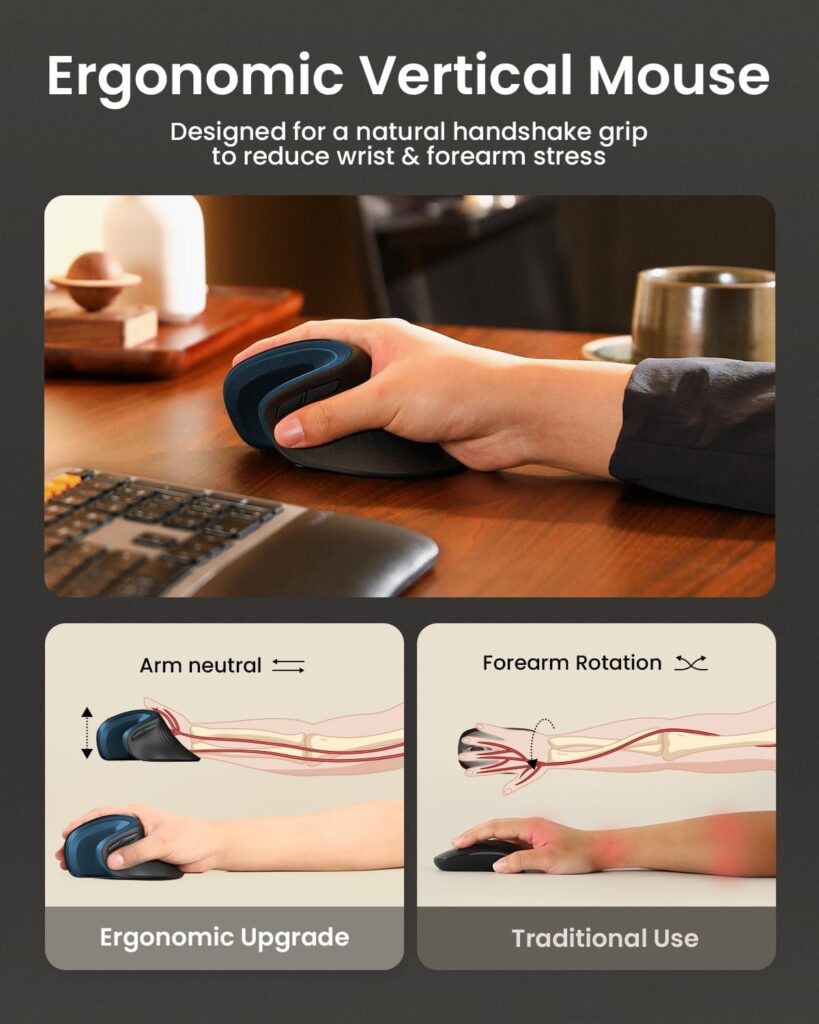
Quick Verdict: The EM11 NL combines a 58° vertical angle with rechargeable power and three-device Bluetooth/2.4G switching. It’s built specifically for smaller to medium hands, and among the seven mice here, it offers the most complete feature set for the price.
Best For: Users with hand lengths under 7.5 inches who switch between a laptop, desktop, and tablet.
Key Specifications:
- 58° vertical ergonomic angle
- Bluetooth (dual) + 2.4G USB-A, up to 3 paired devices
- 500mAh USB-C rechargeable battery, up to 100 hours of use
- DPI: 1000 / 1600 / 2400
- Weight: 9.5 oz
- 2-year manufacturer warranty
What We Like
- Genuinely multi-device, with one-click switching
- USB-C charging avoids disposable batteries
- Silent left/right clicks for shared workspaces
What We Don’t Like
- Manufacturer notes it’s designed for hands under 7.5 inches; a poor fit if yours are larger
- Scroll wheel and back/forward buttons are not silent
Ergonomic Analysis: The 58° angle is one of the steeper options in this list, positioning the palm closer to a natural handshake grip. That may help reduce the forearm pronation associated with flat-mouse use, though the actual benefit depends on how well the shape matches your hand.
Who Should Buy It? Remote workers with smaller-to-medium hands who want one mouse across multiple devices.
Who Should Skip It? Anyone with larger hands, check the Woddiffy or TECKNET instead, which have slightly roomier bodies.
Value for Money: At roughly $27, the rechargeable battery and multi-device support make this a reasonable long-term buy compared to AA-powered alternatives.
🛒 Check Price on Amazon2. TECKNET Wireless Ergonomic Vertical Mouse
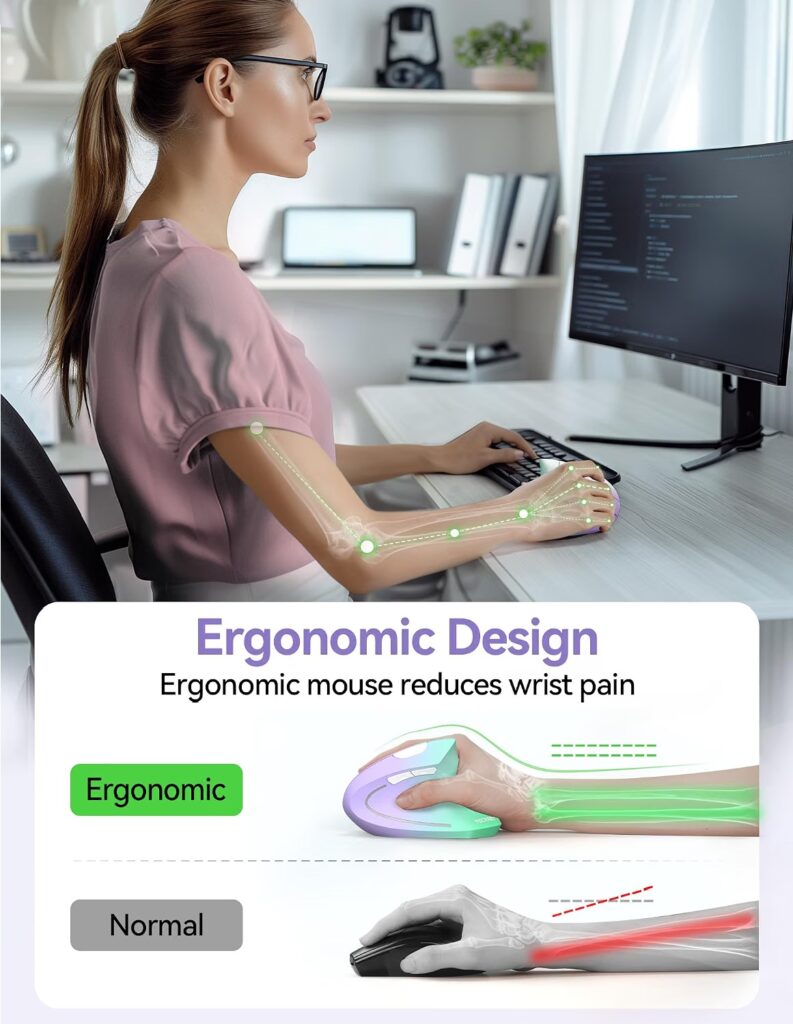
Quick Verdict: A 60° vertical grip at a mid-range price, with a rechargeable battery and silent clicks. TECKNET pitches a “give it three days” adjustment period, which is a fair expectation to set for anyone new to vertical mice.
Best For: Office workers wanting a steep vertical angle without paying premium prices.
Key Specifications:
- 60° vertical grip
- 2.4GHz USB-A nano receiver, up to 32.8 ft range
- 6 programmable buttons, DPI up to 4800
- Rechargeable battery
- Weight: 5.3 oz
- 36-month warranty
What We Like
- Steepest angle in this roundup, for users who want a stronger positional shift
- Long warranty relative to price
- Quiet clicks
What We Don’t Like
- 2.4G only; no Bluetooth, so it can’t pair directly with a tablet or phone without the USB receiver
- A steeper angle can mean a longer adjustment period than shallower designs
Ergonomic Analysis: A 60° angle keeps the palm closer to fully vertical. This can be more effective at reducing forearm rotation than shallower designs, but it also asks more of new users during the first few days of use.
Who Should Buy It? Anyone comfortable committing to a short adjustment period in exchange for a steeper, more upright grip.
Who Should Skip It? Users who want to pair with multiple devices via Bluetooth, the ProtoArc or CITLLA are better fits there.
Value for Money: Good. The rechargeable battery and 36-month warranty make this a fair long-term option at under $25.
🛒 Check Price on Amazon3. Redragon Wireless Mouse (30° Handshake Angle)
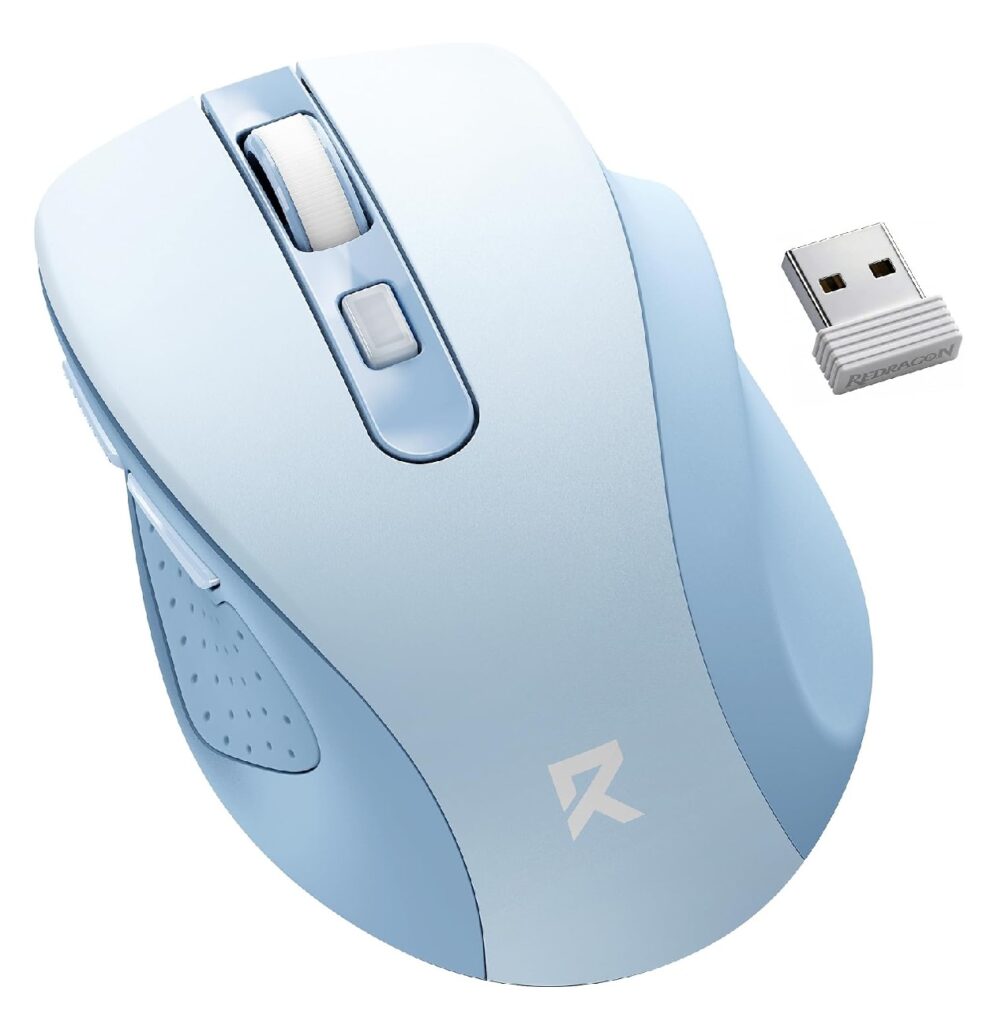
Quick Verdict: At around $12, this is the cheapest mouse in the list. Its 30° angle is a mild ergonomic adjustment rather than a full vertical redesign, which makes it an easier transition, with a smaller positional benefit.
Best For: Budget-conscious buyers who want an easier first step away from a flat mouse.
Key Specifications:
- 30° handshake angle, contoured grip
- Bluetooth (3.0/5.0) + 2.4G, 2-device switching
- DPI: 800 / 1200 / 1600 / 2400 / 4000
- AA battery, up to 18 months life
- Weight: 3.2 oz
What We Like
- Very low entry price
- Dual-device Bluetooth/USB switching
- Long battery life on a single AA battery
What We Don’t Like
- The 30° angle offers a smaller shift toward a neutral wrist position than the steeper vertical mice on this list
- Side buttons are not compatible with macOS
Ergonomic Analysis: A shallow-angle “handshake” mouse like this sits between a flat mouse and a true vertical design. It can still ease some strain compared to a completely flat mouse, but it’s a smaller change, worth knowing if a steeper angle is what you actually need.
Who Should Buy It? First-time buyers who aren’t sure a vertical mouse is right for them and want a low-cost way to test the concept.
Who Should Skip It? Anyone who has already tried a shallow-angle mouse without relief; a steeper design like the TECKNET or ProtoArc may be more effective.
Value for Money: Excellent for the price, with the caveat that the ergonomic shift is modest.
🛒 Check Price on Amazon4. Nulea M510 Vertical Mouse
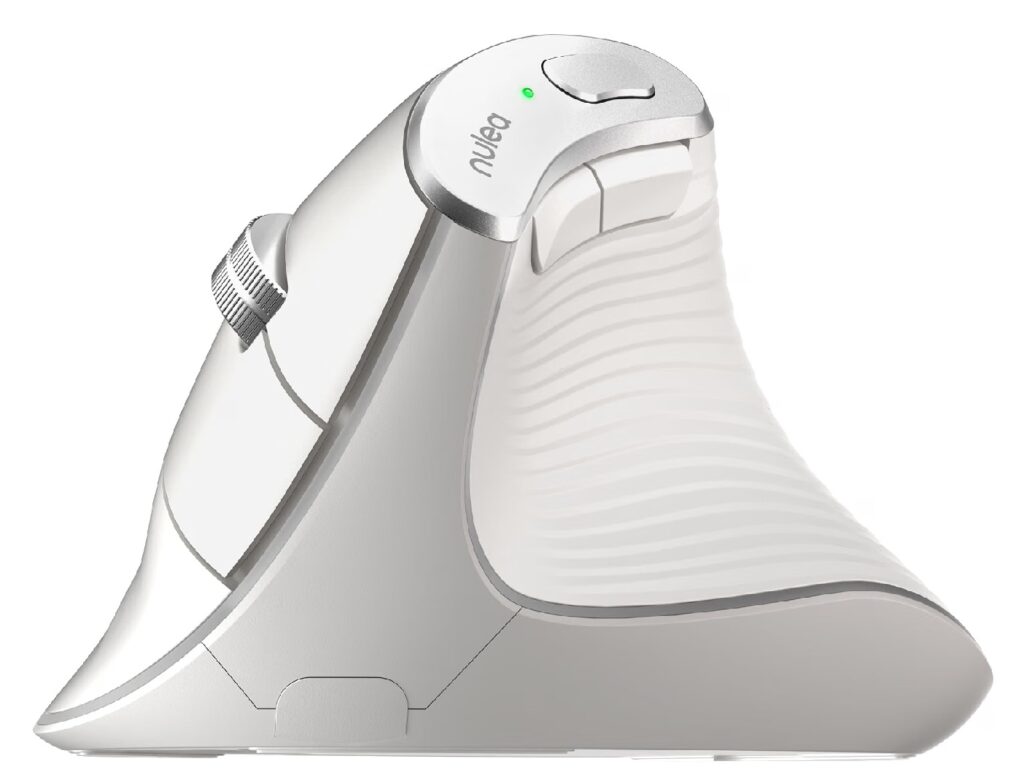
Quick Verdict: A straightforward 57° vertical mouse with three DPI settings and a metal scroll wheel. It doesn’t have the multi-device features of the ProtoArc, but it covers the core vertical-mouse basics reliably.
Best For: Users who want a simple, no-frills vertical mouse without extra connectivity features.
Key Specifications:
- 57° vertical angle
- 2.4G USB wireless, up to 10m range
- DPI: 800 / 1200 / 1600
- 5 buttons, including a “back to desktop” key
- AA battery (not included)
- Weight: 5.6 oz
What We Like
- Solid 57° angle for a mid-range price
- Non-slip metal scroll wheel
- Straightforward plug-and-play USB setup
What We Don’t Like
- No Bluetooth, 2.4G USB receiver only
- Fewer programmable buttons than the TECKNET or J-Tech options
Ergonomic Analysis: The 57° angle sits close to the ProtoArc and TECKNET, offering a similarly upright grip. Since it skips multi-device switching, it’s better suited to a single-desktop setup than a multi-device workflow.
Who Should Buy It? Desktop-focused users who want a dependable vertical mouse without paying for features they won’t use.
Who Should Skip It? Anyone needing Bluetooth pairing for a tablet or laptop.
Value for Money: Reasonable, though the ProtoArc offers more functionality at a similar price point.
🛒 Check Price on Amazon5. J-Tech Digital V638 Ergonomic Mouse
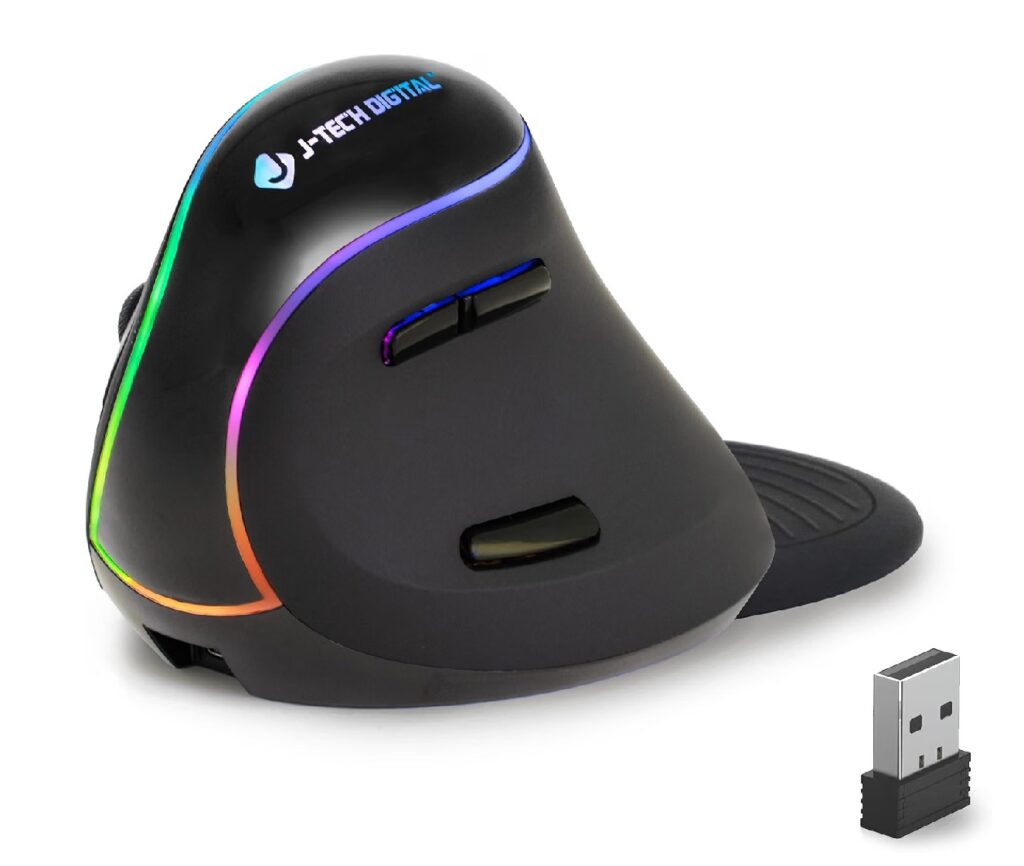
Quick Verdict: The V638 stands out for its removable, anti-sweat palm rest, a feature none of the other mice here include. Its handshake shape and rechargeable battery are solid, though its average Amazon rating (4.0 from 3,183 reviews) is the lowest in this group.
Best For: Users who specifically want built-in palm support rather than adding a separate wrist rest.
Key Specifications:
- Ergonomic handshake design
- Removable anti-sweat palm rest
- DPI: 800 / 1200 / 1600 / 3200
- Rechargeable lithium-ion battery
- Wired and wireless versions available
- 1-year warranty
What We Like
- Detachable palm rest reduces drag and adds support
- Adjustable DPI across four levels
- Rechargeable battery, wireless or wired options
What We Don’t Like
- Lower average customer rating than the other mice reviewed here
- Works best on non-metallic surfaces, per manufacturer notes
Ergonomic Analysis: Palm support can help distribute pressure across a larger area of the hand instead of concentrating it at the wrist, which may be useful for users who also deal with palm or wrist discomfort alongside forearm tendinitis.
Who Should Buy It? Buyers who want a mouse with integrated palm support built in, rather than a separate wrist rest accessory.
Who Should Skip It? Given the comparatively lower review average, users who prioritize consistent build quality might prefer the ProtoArc or TECKNET.
Value for Money: Fair-the palm rest is a genuinely useful, uncommon feature, but the lower rating is worth weighing against it.
🛒 Check Price on Amazon6. Woddiffy Ergonomic Vertical Mouse
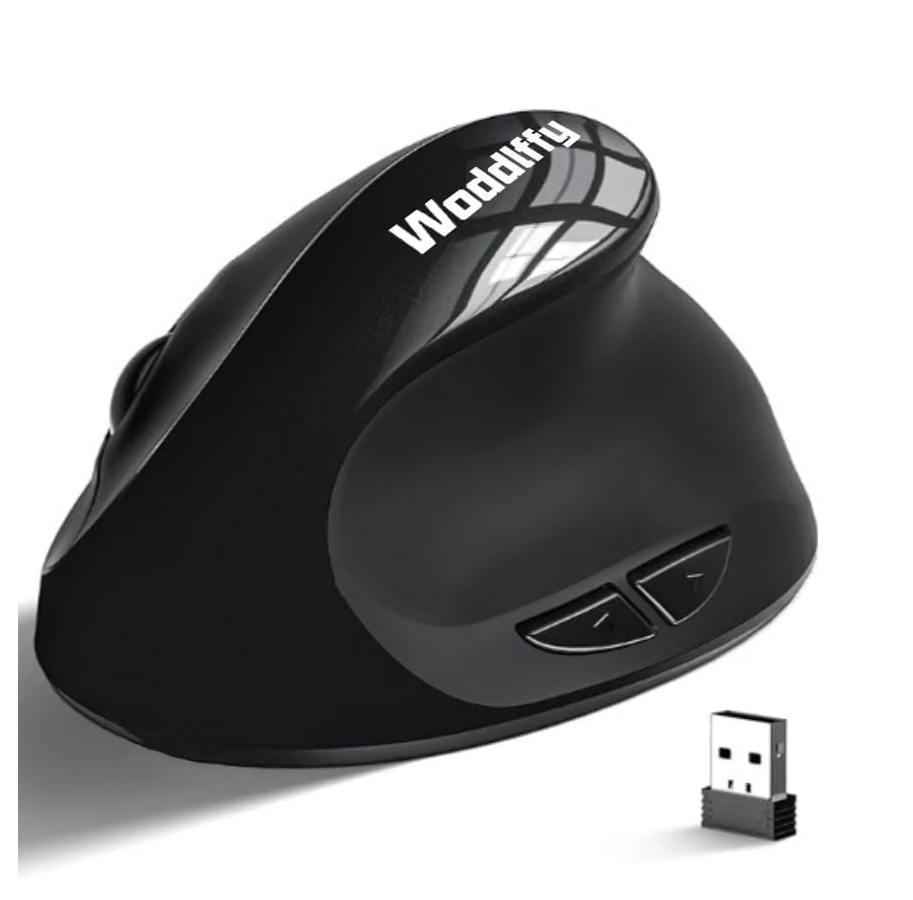
Quick Verdict: A compact vertical mouse aimed specifically at smaller hands, at a low price point. It covers the essentials, vertical angle, adjustable DPI, quiet clicks; without extra features.
Best For: Users with smaller hands who found the ProtoArc still too compact, or who want an even more budget-friendly compact option.
Key Specifications:
- Vertical ergonomic design
- USB 2.4G wireless, up to 10m range
- DPI: 1000 / 1200 / 1600
- 6 buttons, quiet clicks
- 2 AA batteries required
- Weight: 3 oz
What We Like
- Compact body suited to smaller hands
- Low price for a vertical design
- Quiet click mechanism
What We Don’t Like
- Forward/backward buttons aren’t recognized on macOS, per the manufacturer
- Uses 2 AA batteries rather than a rechargeable pack, adding ongoing cost
Ergonomic Analysis: Compact vertical mice like this can be a better fit for users whose hands feel lost in a larger-bodied mouse, but the smaller shape may feel cramped for medium or large hands, sizing matters more here than the angle itself.
Who Should Buy It? Users with smaller hands on a tight budget.
Who Should Skip It? Mac users who rely heavily on forward/back navigation buttons, and anyone with medium-to-large hands.
Value for Money: Good for the price, provided the compact size matches your hand.
🛒 Check Price on Amazon7. CITLLA Wireless Bluetooth Mouse (Full-Size, Non-Vertical)
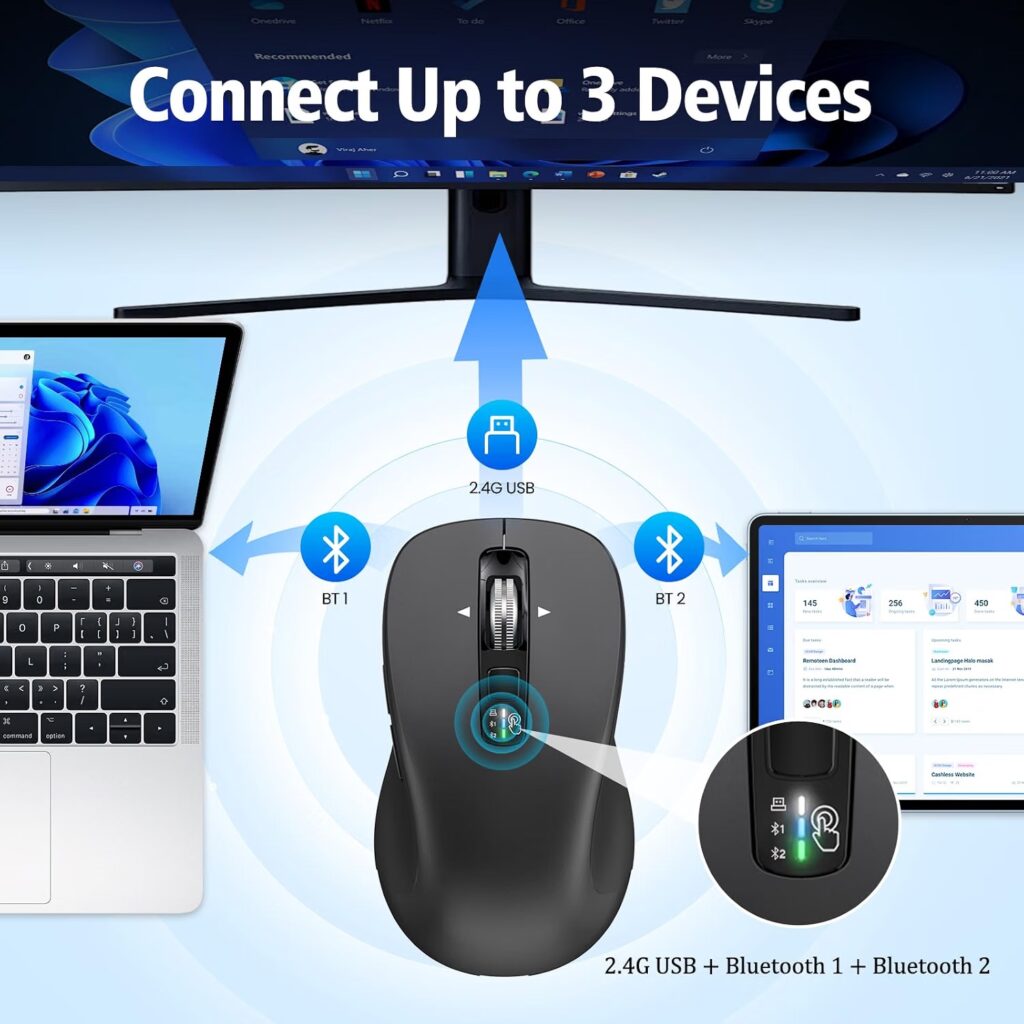
Quick Verdict: This is a flat, full-size mouse with strong multi-device support and a fast 4-way scroll wheel, but it doesn’t use a vertical or angled design. We’re including it as a comparison point, not a top pick, because it doesn’t offer the same forearm-positioning benefit as the other mice here.
Best For: Users who want a familiar flat mouse shape with better multi-device switching, rather than a vertical ergonomic redesign.
Key Specifications:
- Flat, full-size body
- Bluetooth (dual) + 2.4G USB, 3-device switching
- 4-way scroll wheel
- DPI: 1000 / 1600 / 2400 / 3000
- 2 AA batteries, up to ~40 months battery life
- Weight: 2.65 oz
What We Like
- Long battery life
- Fast 4-way scrolling
- Reliable triple-device switching
What We Don’t Like
- Flat design keeps the forearm in the same pronated position as a standard mouse, the main thing this article is trying to help readers move away from
- Not a meaningful upgrade for tendinitis-specific concerns
Ergonomic Analysis: Emily Richardson’s tip: a mouse with excellent multi-device features can still be the wrong choice for tendinitis if the base shape doesn’t change your forearm position. This is a capable general-purpose mouse, but it isn’t built to address the repetitive-strain angle this guide focuses on.
Who Should Buy It? Someone without wrist/forearm pain who just wants a fast, multi-device mouse; or a reader confirming what a non-vertical option looks like for comparison.
Who Should Skip It? Anyone specifically shopping for tendinitis or forearm-pain relief, a vertical design will be more relevant.
Value for Money: Reasonable for what it is, but not the right tool for this particular problem.
🛒 Check Price on AmazonComparison Table
| Product | Type | Angle | Weight | Connectivity | Rating |
|---|---|---|---|---|---|
| ProtoArc EM11 NL | Vertical | 58° | 9.5 oz | BT + 2.4G, 3 devices | 4.6/5 |
| TECKNET Vertical | Vertical | 60° | 5.3 oz | 2.4G only | 4.4/5 |
| Redragon Wireless | Low-angle handshake | 30° | 3.2 oz | BT + 2.4G, 2 devices | 4.1/5 |
| Woddiffy Vertical | Vertical (compact) | Not stated | 3 oz | 2.4G only | 4.0/5 |
| J-Tech Digital V638 | Handshake + palm rest | Not stated | 0.67 oz* | USB wireless | 4.0/5 |
| Nulea M510 | Vertical | 57° | 5.6 oz | 2.4G only | 4.0/5 |
| CITLLA Bluetooth | Flat, full-size | N/A | 2.65 oz | BT + 2.4G, 3 devices | 3.6/5 |
Decision Framework: Which Mouse Should You Buy?
Choose the ProtoArc EM11 NL if: you want the strongest all-round balance of angle, multi-device support, and battery life, and your hands are on the smaller-to-medium side.
Choose the TECKNET Wireless Vertical Mouse if: you want the steepest available angle for the price and don’t need Bluetooth.
Choose the Redragon Wireless Mouse if: you’re not sure a vertical mouse is right for you yet, and want to test the concept at minimal cost.
Choose the Woddiffy Vertical Mouse if: you have smaller hands and want a compact, budget vertical option.
Choose the J-Tech Digital V638 if: built-in palm support matters more to you than having the highest customer rating.
Choose the Nulea M510 if: you want a dependable, no-frills vertical mouse for a single desktop setup.
Choose the CITLLA Bluetooth Mouse if: you don’t currently have wrist or forearm pain and just want a fast, multi-device mouse, this one isn’t our recommendation for tendinitis specifically.
If you’re also curious how a trackball compares to a vertical mouse for reducing strain, our best trackball mouse for ergonomics guide breaks down that alternative approach.
Common Mistakes to Avoid
- Buying based only on star ratings, without checking whether the angle or size fits your hand.
- Ignoring hand size; a mouse built for hands under 7.5 inches will feel wrong if your hand is larger.
- Assuming “ergonomic” automatically means comfortable; shape and size matter more than the label.
- Expecting instant comfort; most people need a few days to adjust to a vertical grip.
- Ignoring desk and keyboard height, which affects wrist position just as much as the mouse itself.
- Skipping software or OS compatibility checks, especially for buttons that may not work fully on macOS.
- Treating a mouse as a cure rather than one part of a broader ergonomic setup.
- Not taking movement breaks, even with a well-designed mouse.
Best Practices for Reducing Strain
OSHA’s neutral body posture guidance describes a comfortable working position where the joints are naturally aligned, which reduces stress on the muscles, tendons, and skeletal system. The tips below put that principle into practice at a typical desk setup.
- Keep the mouse close to your body so you’re not reaching forward repeatedly.
- Avoid resting your wrist in a bent-up (extended) position while clicking or scrolling.
- Adjust your chair and desk height so your elbow sits near a 90–100° angle.
- Take short movement breaks every 30–45 minutes, even if your setup feels comfortable.
- Alternate hands for simple tasks if you use two monitors or a large desk, where practical.
- Pair a vertical mouse with a properly positioned keyboard, our best vertical mouse 2026 guide covers keyboard pairing considerations too.
Alternatives Worth Considering
- Best alternative approach: A trackball mouse removes wrist-sliding movement almost entirely – see our best trackball mouse for ergonomics guide.
- If carpal tunnel is the primary concern rather than tendinitis: our best ergonomic mouse for carpal tunnel guide uses slightly different selection criteria.
- If your main symptom is wrist pain rather than forearm/tendon pain: the best ergonomic mouse for wrist pain article may be a closer match.
Frequently Asked Questions
Can a mouse actually help with tendinitis?
A vertical or angled mouse may help reduce some of the repetitive forearm rotation associated with flat-mouse use, which can be one contributing factor in tendon irritation. It is not a treatment or cure, and it won’t resolve tendinitis on its own – especially if the underlying cause is unrelated to mouse use.
What angle is best for tendinitis-friendly mice?
There’s no single “correct” angle for everyone. Steeper angles (55°–60°) create a more upright, neutral hand position, while shallower angles (around 30°) are easier to adjust to but offer a smaller positional change. Trying a mid-range angle first is a reasonable starting point if you’re new to vertical mice.
How long does it take to adjust to a vertical mouse?
Most manufacturers, including several reviewed here, suggest a few days of regular use before it feels natural. Alternating between your old mouse and the new one during the first week can ease the transition.
Is a vertical mouse better than a trackball for tendinitis?
Both aim to reduce repetitive strain, but in different ways. A vertical mouse changes forearm rotation, while a trackball removes most of the arm-sliding motion altogether. Some users find trackballs more effective for tendon-related pain – see our trackball mouse guide for a closer comparison.
Do I need a rechargeable mouse, or is AA battery power fine?
Either works. Rechargeable mice (like the ProtoArc and TECKNET) reduce ongoing battery costs and waste, while AA-powered mice (like the Nulea and Woddiffy) are often cheaper upfront but need periodic battery changes.
Should I buy a mouse with a palm rest if I have tendinitis?
A built-in or separate palm rest can help distribute pressure across the hand rather than concentrating it near the wrist, which some users find more comfortable during long sessions. It’s a personal preference rather than a requirement.
Are cheaper ergonomic mice as effective as expensive ones?
Not necessarily worse. A well-fitted budget mouse, like the Redragon or Woddiffy in this list, can offer meaningful comfort benefits. Price mainly affects extra features like multi-device pairing, battery type, and build materials – not the core ergonomic shape.
Can I use a vertical mouse if I have small hands?
Yes, but fit matters. Mice like the ProtoArc EM11 NL and Woddiffy are built with smaller hand sizes in mind, while larger-bodied vertical mice may feel oversized and encourage excess gripping.
Is it normal for my hand to feel awkward at first with a vertical mouse?
Yes. This is a common and expected part of switching grip styles, since your hand and forearm are adapting to a new position. If discomfort continues well beyond one to two weeks, reconsider the angle, size, or speak with a healthcare professional.
When should I see a doctor instead of just changing my mouse?
If your pain is persistent, worsening, disrupts sleep, or limits everyday tasks beyond typing and clicking, it’s worth consulting a doctor or physiotherapist. An ergonomic mouse can support a more comfortable setup, but it isn’t a substitute for medical evaluation of ongoing pain.
Final Verdict
If you want the strongest all-round option, the ProtoArc EM11 NL offers the best combination of a steep 58° angle, multi-device support, and rechargeable convenience. If price is your main concern, the Redragon Wireless Mouse is a low-risk way to test whether a handshake grip helps at all. If you specifically want built-in palm support, the J-Tech Digital V638 is worth considering despite its lower average rating. And if your hands are smaller, the Woddiffy Vertical Mouse or ProtoArc EM11 NL are the better-fitting choices over the full-size, non-vertical CITLLA, which we’d skip for tendinitis specifically.
Whichever option you choose, remember that a mouse is one part of a broader setup – desk height, chair position, and regular movement breaks all play a role too.
Check the current Amazon listing to see today’s price, available configurations, and customer reviews before making your decision.





