
Best Left-Handed Ergonomic Mouse 2026: 8 Options Worth Considering
Most “ergonomic” mice on the market are designed right-hand first, and left-handed users are usually an afterthought – a single colour variant buried three pages into a listing. If you’re a left-handed user who spends hours a day at a computer, that mismatch shows up as an unnatural wrist angle, awkward button reach, and a grip that never quite feels right.
This guide focuses only on mice that are genuinely built for the left hand, not right-handed mice that happen to look symmetrical in a thumbnail. Emily Richardson, an ergonomics and work-from-home product specialist with 9+ years of experience researching office equipment, evaluated each option below based on published specifications, manufacturer documentation, and verified user feedback rather than marketing copy alone.
We’ll cover what actually matters when choosing a left-handed ergonomic mouse – hand size fit, grip style, connectivity, and where each product’s design falls short – so you can make a confident decision instead of guessing.⚡ Quick Answer: Best Left-Handed Ergonomic Mouse
If you only read one section, read this one. Here’s how the eight left-handed mice in this guide stack up at a glance.


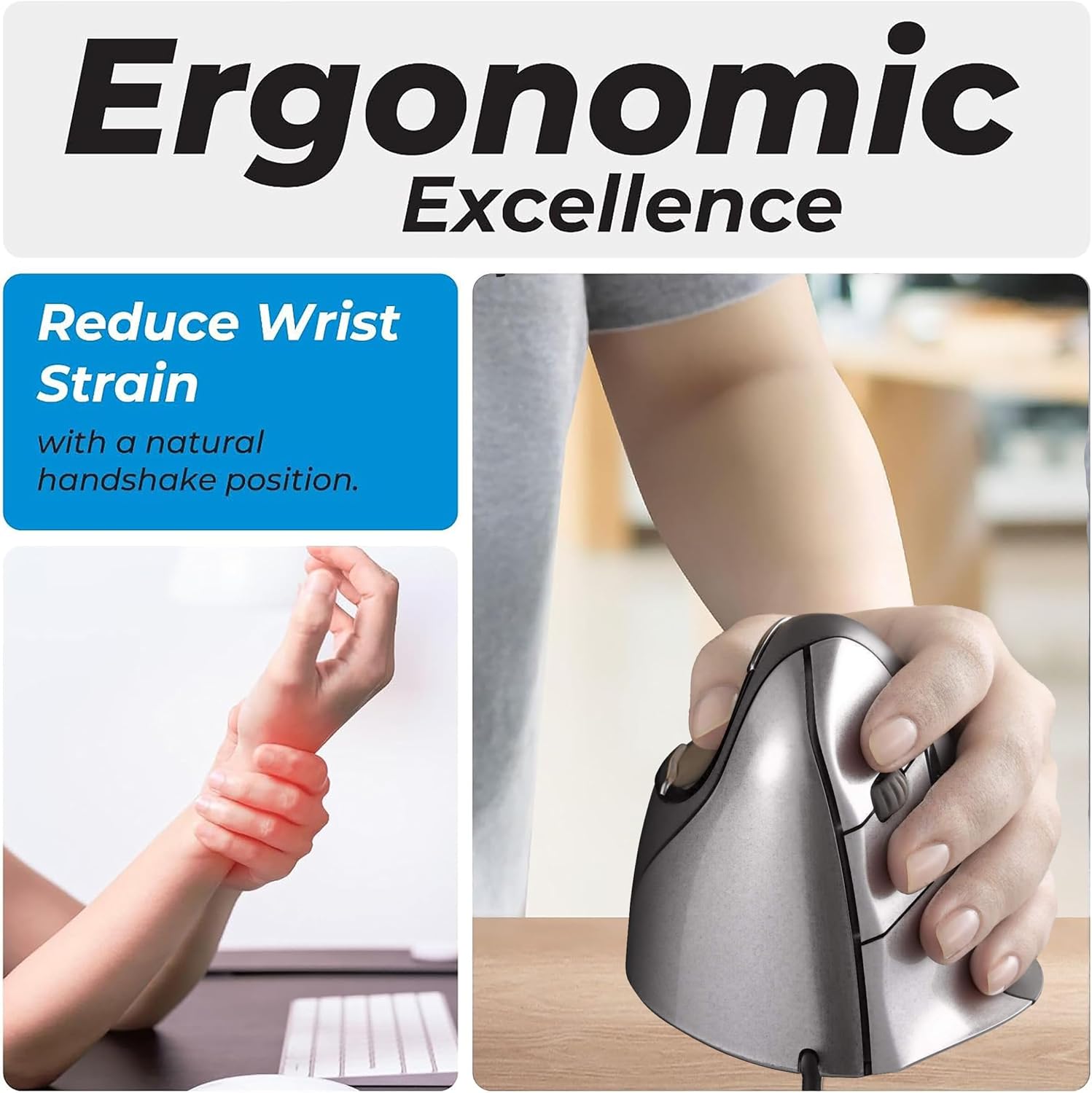


Quick Verdict Table
| Product | Best For | Main Strength | Main Limitation | Rating | Link |
|---|---|---|---|---|---|
| Logitech Lift Left-Handed | Best overall daily use | Ergo-certified design, quiet clicks, wide OS compatibility | Higher price; built for small-to-medium hands | 4.4/5 | View Price |
| Perixx Perimice-719L | Best value / portability | Compact size, silent clicks, ~100 hr battery life | Only 3 DPI stages; Windows-listed compatibility | 4.4/5 | View Price |
| MEETION Left-Handed Vertical | Best budget option | Bluetooth + USB connectivity, adjustable DPI, low price | Recommended for 6.7–7.1 in hand length only | 4.2/5 | View Price |
| ELECOM EX-G Left Trackball | Users who prefer a trackball | Thumb-operated ball, 6 programmable buttons | Learning curve; software available only via ELECOM’s US site | 4.1/5 | View Price |
| Lekvey Left-Handed Mouse | Light, occasional use | Simple wireless setup, low price, basic 6-button layout | Not compatible with macOS per manufacturer note | 4.1/5 | View Price |
| Evoluent VM4L | Long daily sessions | Sculpted specifically for the left hand; driver-free basic use | Wired only; full button customization is Windows-only | 4.3/5 | View Price |
| MICOGIMI Left-Handed Mouse | Absolute lowest budget | Cheapest option here; wide OS support | Small review base (32 reviews); back/forward buttons don’t work on macOS | 4.3/5 | View Price |
| Perixx PERIMICE-713L | Quiet, shared workspaces | Silent left/right clicks; large, well-reviewed customer base | Buttons aren’t programmable; back/forward buttons don’t work on macOS/iPadOS | 4.2/5 | View Price |
Why Left-Handed Users Need a Different Approach
If you’re left-handed, you already know the frustration: most ergonomic mice are mirror-symmetrical at best, or explicitly right-hand-only at worst. A mouse shaped for a right hand forces a left-handed user into an unnatural grip, which can defeat the entire point of buying an “ergonomic” product in the first place.
A genuinely left-handed ergonomic mouse – not just a right-handed shape flipped in software – positions the thumb, palm, and fingers to match how a left hand naturally rests on a desk. That’s the difference this guide is built around: every product recommended here is manufactured specifically for left-hand use, not adapted after the fact.
This article will help you figure out which of the eight options above actually fits your hand size, your grip style, and how you use a computer day to day, and where each one falls short so there are no surprises after you buy.
Buying Guide: What to Look for in a Left-Handed Ergonomic Mouse
Hand orientation, confirmed in the listing. Some products labelled “ergonomic” only ship in a right-hand shape, with a left-hand version sold separately or not at all. Always check the “Hand Orientation” field on the product listing itself rather than assuming from the title or thumbnail.
Hand size fit. Vertical mice in particular are often sized for a specific hand-length range. The MEETION model, for example, is recommended for a hand length of roughly 6.7–7.1 inches. Buying outside that range can leave the palm unsupported or the thumb rest out of reach.
Grip style. A vertical mouse (Logitech Lift, MEETION, Perixx, Lekvey) keeps the hand in a more handshake-like position. A trackball mouse (ELECOM EX-G) keeps the hand mostly still while the thumb or index finger moves the ball – useful in a tighter desk space, but it takes longer to get used to.
Connectivity and range. Bluetooth is convenient for switching between a laptop and a desktop, while a USB receiver tends to be more consistent for gaming or precision work. Several products in this guide support both.
DPI range and adjustability. More DPI stages give you finer control over cursor speed, which matters more for design or detailed spreadsheet work than for general browsing and email.
Button count and programmability. Extra buttons (forward/back, DPI switch) can reduce repetitive reaching, but only if the accompanying software is available for your operating system.
Battery life and power source. Rechargeable batteries (Logitech Lift, MEETION) reduce ongoing cost and waste compared to replaceable AA/AAA batteries (Perixx, Lekvey, ELECOM).
Operating system compatibility. Not every left-handed mouse supports macOS. Lekvey’s own listing states it is not compatible with macOS, which matters if you switch between platforms.
Emily Richardson’s tip: A left-handed mouse that fits your actual hand length will usually feel more comfortable over a full workday than a pricier model sized for a hand that isn’t yours.
Product Reviews
1. Logitech Lift Left-Handed Vertical Mouse

Quick Verdict: The Logitech Lift is a purpose-built left-handed vertical mouse with a 57-degree tilt, quiet clicks, and dual Bluetooth/Logi Bolt connectivity. It’s the most complete option in this list for someone who wants a dependable daily driver and is comfortable paying more for it.
Best For: Left-handed professionals and remote workers with small-to-medium hands who want an established brand and long battery life.
Key Specifications:
- Hand orientation: Left
- Connectivity: Bluetooth Low Energy or Logi Bolt USB receiver
- Buttons: 6, with 4 customizable via Logi Options+
- DPI: up to 4,000
- Battery life: up to 24 months
- Weight: 4.4 oz
- Compatible with Windows, macOS, iPadOS, Chrome OS, and Linux
What We Like
- Ergo-certified vertical shape designed specifically for left hands
- Broad operating system support, including macOS and Chrome OS
- Quiet clicks suit shared or open office spaces
What We Don’t Like
- More expensive than the other options in this guide
- Sized for small-to-medium hands, according to the manufacturer’s own description
Ergonomic Analysis: The 57-degree tilt angle keeps the forearm closer to a neutral, thumb-up rotation instead of the fully pronated position a flat mouse requires. This design may help reduce unnecessary forearm strain during long sessions, though comfort still depends on hand size and desk height.
Who Should Buy It? Left-handed users who use a mouse for most of the workday and want a mouse that’s been through a formal ergonomic certification process rather than just marketed as “ergonomic.”
Who Should Skip It? Users with larger hands, or anyone shopping strictly on a tight budget – the Perixx or MEETION options below cost significantly less.
Value for Money: At $69.99, it sits at the top of this list on price. The build quality, battery life and OS compatibility generally justify the premium for regular daily use, though occasional users may not need those extras.
🛒 Check Price on Amazon2. Perixx Perimice-719L
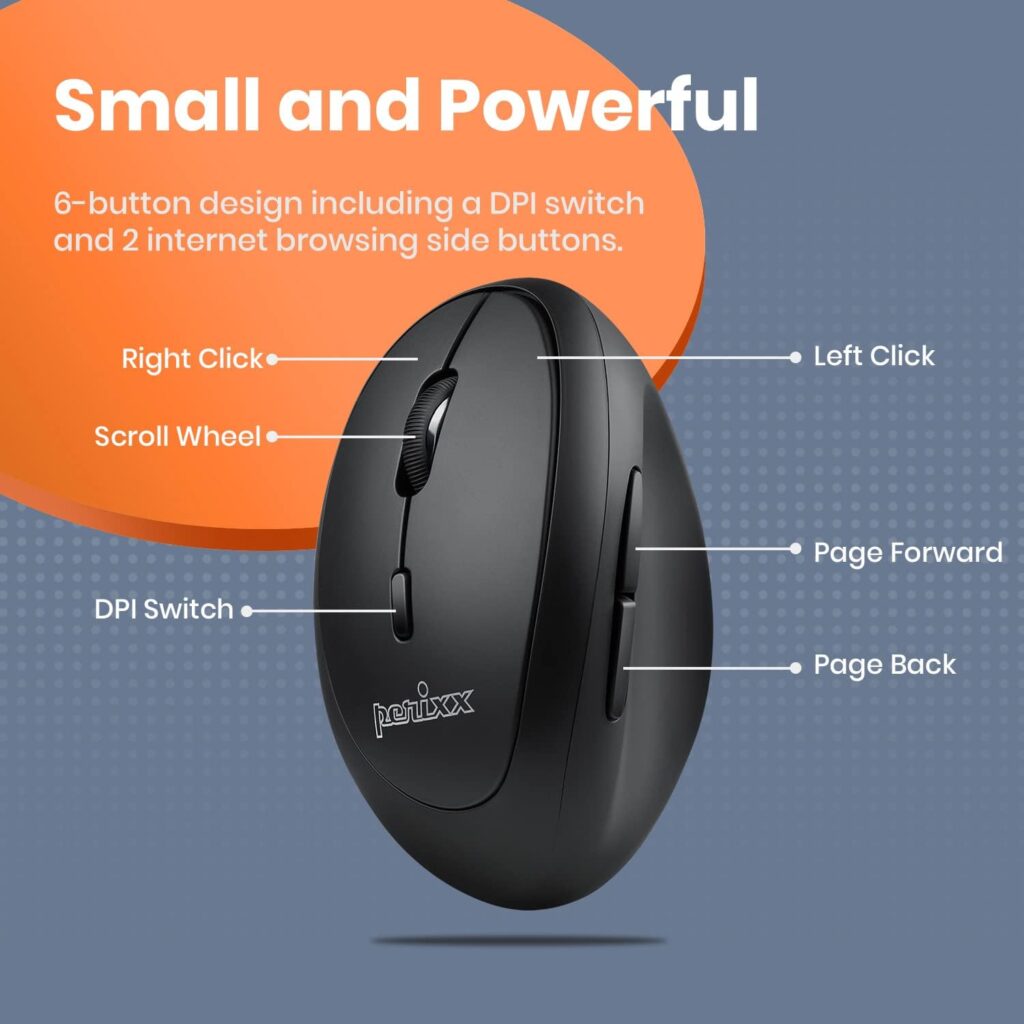
Quick Verdict: The Perimice-719L is a compact, wireless left-handed vertical mouse built with portability in mind. It’s a solid middle-ground pick for anyone who wants silent clicks and reliable battery life without paying premium-brand pricing.
Best For: Left-handed users with smaller-to-average hands, especially those who move between a laptop and a desk setup.
Key Specifications:
- Hand orientation: Left
- Connectivity: 2.4 GHz wireless, nano USB receiver
- Buttons: 6–7
- DPI: 800/1200/1600 (3 stages)
- Battery life: approximately 100 hours
- Dimensions: 105 x 67 x 58 mm
- Listed compatibility: Windows 7, 8, 10, 11
What We Like
- Genuinely compact and travel-friendly footprint
- Silent-click buttons, useful in quiet or shared workspaces
- Strong customer rating (4.4/5) relative to its price
What We Don’t Like
- Only 3 DPI stages, fewer than some competitors
- Listed system requirements focus on Windows; macOS support is not specified in the manufacturer’s documentation
Ergonomic Analysis: The vertical shape encourages what Perixx describes as a natural “handshake” position, which may help reduce the muscular strain associated with a fully flat mouse grip held for long periods. Its smaller size can suit users with smaller-to-average hands better than bulkier vertical designs.
Who Should Buy It? Left-handed users who want a well-reviewed, portable option that doesn’t require charging cables – it runs on a single AA battery.
Who Should Skip It? macOS users who need confirmed compatibility, or anyone who wants a wider DPI range for detailed design work.
Value for Money: At $24.99 with a 4.4-star rating, this is one of the stronger value picks in this guide.
🛒 Check Price on Amazon3. MEETION Left-Handed Vertical Mouse
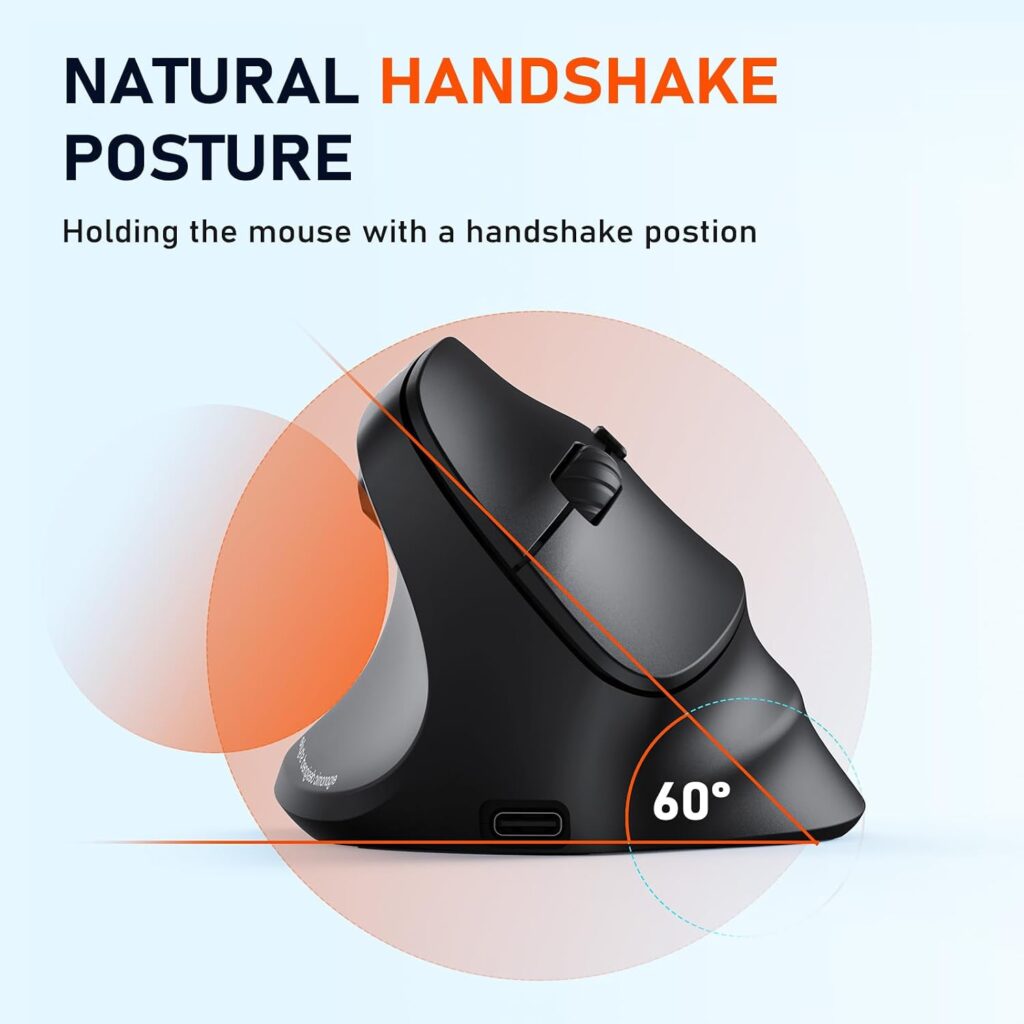
Quick Verdict: The MEETION BTM010 is the most affordable left-handed mouse in this guide, offering dual Bluetooth/2.4GHz connectivity, adjustable DPI, and a rechargeable battery for a budget price. It’s a reasonable entry point if you’re not ready to spend on a premium option.
Best For: Left-handed users on a tight budget, or anyone testing whether a vertical mouse shape suits them before spending more.
Key Specifications:
- Hand orientation: Left
- Connectivity: Bluetooth 5.0/3.0 and 2.4 GHz USB receiver
- Buttons: 6, including forward/back
- DPI: 1200/1600/2400/3200 (4 stages)
- Recommended hand length: 6.7–7.1 inches
- Compatible with Windows 10/11 and macOS 10.15+
What We Like
- One of the more affordable options in this guide
- Wide DPI adjustability for the price point
- Rechargeable battery avoids ongoing disposable-battery cost
What We Don’t Like
- Manufacturer specifies a fairly narrow recommended hand-length range
- Materials feel less premium than higher-priced alternatives, according to general product feedback
Ergonomic Analysis: The vertical shape is designed to reduce strain on the wrist and forearm by keeping the hand closer to a neutral rotation, according to the manufacturer’s description. Comfort will vary depending on whether your hand length falls within the specified 6.7–7.1 inch range.
Who Should Buy It? Left-handed users who want to try a vertical ergonomic mouse without a large upfront cost.
Who Should Skip It? Users whose hand length falls well outside the manufacturer’s recommended range, or anyone prioritizing build quality over price.
Value for Money: At roughly $20.74, this is the most budget-friendly option here and includes features – Bluetooth, adjustable DPI, rechargeable battery – that are sometimes missing at this price tier.
🛒 Check Price on Amazon4. ELECOM EX-G Left-Handed Trackball Mouse
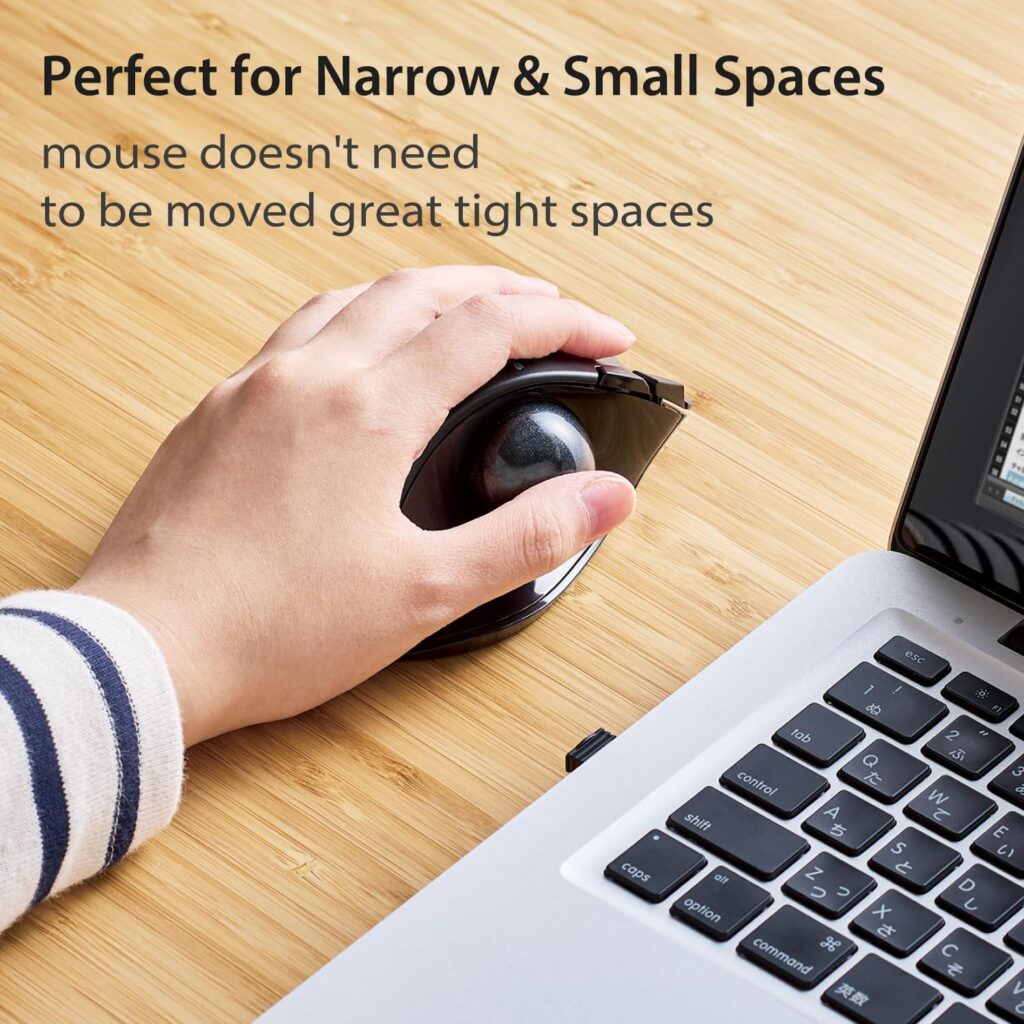
Quick Verdict: The EX-G is a thumb-operated trackball mouse built specifically for left-handed users. Rather than moving the whole hand, you roll the ball with your thumb – a fundamentally different approach to cursor control that some users prefer for tighter desk spaces.
Best For: Left-handed users who want to minimize hand and arm movement, or who have limited desk space for a mouse mat.
Key Specifications:
- Hand orientation: Left
- Connectivity: 2.4 GHz wireless
- Buttons: 6 programmable, plus tilt scroll
- DPI: 750/1500 (switchable)
- Weight: 5.3 oz (without battery)
- Compatible with Windows 8.1–11 and macOS 10.10+
What We Like
- Thumb-operated ball reduces the need to move the whole arm across a desk
- 2.5mm ruby ball bearings are designed for smooth, low-maintenance tracking
- Six programmable buttons plus tilt-scroll for horizontal navigation
What We Don’t Like
- Trackball control has a learning curve compared to a standard mouse
- The ELECOM Mouse Assistant customization software is only available for download from ELECOM’s US website, which can be an extra step for some users
Ergonomic Analysis: Trackball ergonomics differ from standard mouse or vertical mouse ergonomics because the hand stays largely stationary while the thumb does the work. This may help reduce repetitive forearm movement for users who find themselves reaching across a desk frequently, though it does require an adjustment period.
Who Should Buy It? Left-handed users who specifically want a trackball, work in a small desk space, or want to reduce full-arm mouse movement.
Who Should Skip It? Anyone who wants a mouse that behaves like a conventional mouse from the first use – trackballs generally take longer to get comfortable with.
Value for Money: At $39.99, the EX-G sits in the middle of this list price-wise. It’s worth it if a trackball genuinely fits your workflow, but not a direct swap for a standard vertical mouse.
🛒 Check Price on Amazon5. Lekvey Left-Handed Mouse
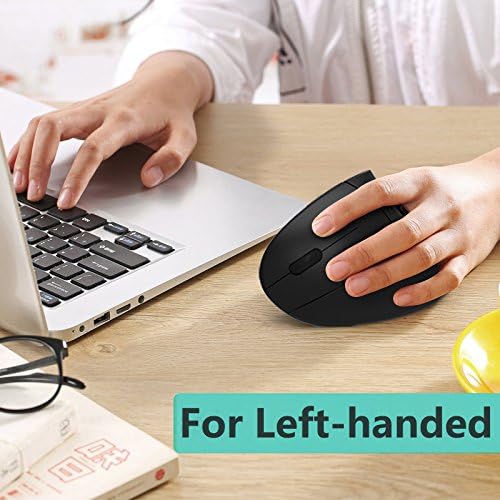
Quick Verdict: The Lekvey is a simple, no-frills wireless vertical mouse built exclusively for left-handed users. It won’t compete with the Logitech Lift on features, but it covers the basics – plug-and-play wireless connection, a vertical grip, and a low price.
Best For: Left-handed users who want a basic, functional vertical mouse for light daily use without paying for extras they won’t use.
Key Specifications:
- Hand orientation: Left
- Connectivity: 2.4 GHz wireless, nano USB receiver
- Buttons: 6, including page back/forward
- DPI: 800/1200/1600 (3 stages)
- Weight: 3.4 oz
- Compatible with Windows 7, 8, 10, XP, 2000, CE, Vista, and Linux
What We Like
- Straightforward plug-and-play setup
- Auto sleep mode after 8 minutes of inactivity helps conserve battery
- Reasonably priced for a dedicated left-handed vertical design
What We Don’t Like
- The manufacturer’s own listing states it is not compatible with macOS
- Uses replaceable AAA batteries rather than a rechargeable battery
Ergonomic Analysis: Like the other vertical mice in this guide, the Lekvey is designed to encourage what the manufacturer describes as a neutral “handshake” wrist and arm position rather than a fully pronated grip. It’s a straightforward implementation without the extra tilt adjustments or certifications found on the Logitech Lift.
Who Should Buy It? Left-handed Windows or Linux users who want an affordable vertical mouse without Bluetooth or rechargeable-battery features.
Who Should Skip It? macOS users, and anyone who specifically wants a rechargeable battery over replaceable AAA batteries.
Value for Money: At $27.99, it’s a reasonable option if you want a dedicated left-handed vertical shape without paying for connectivity features you might not use.
🛒 Check Price on Amazon6. Evoluent VM4L Left-Handed Vertical Mouse
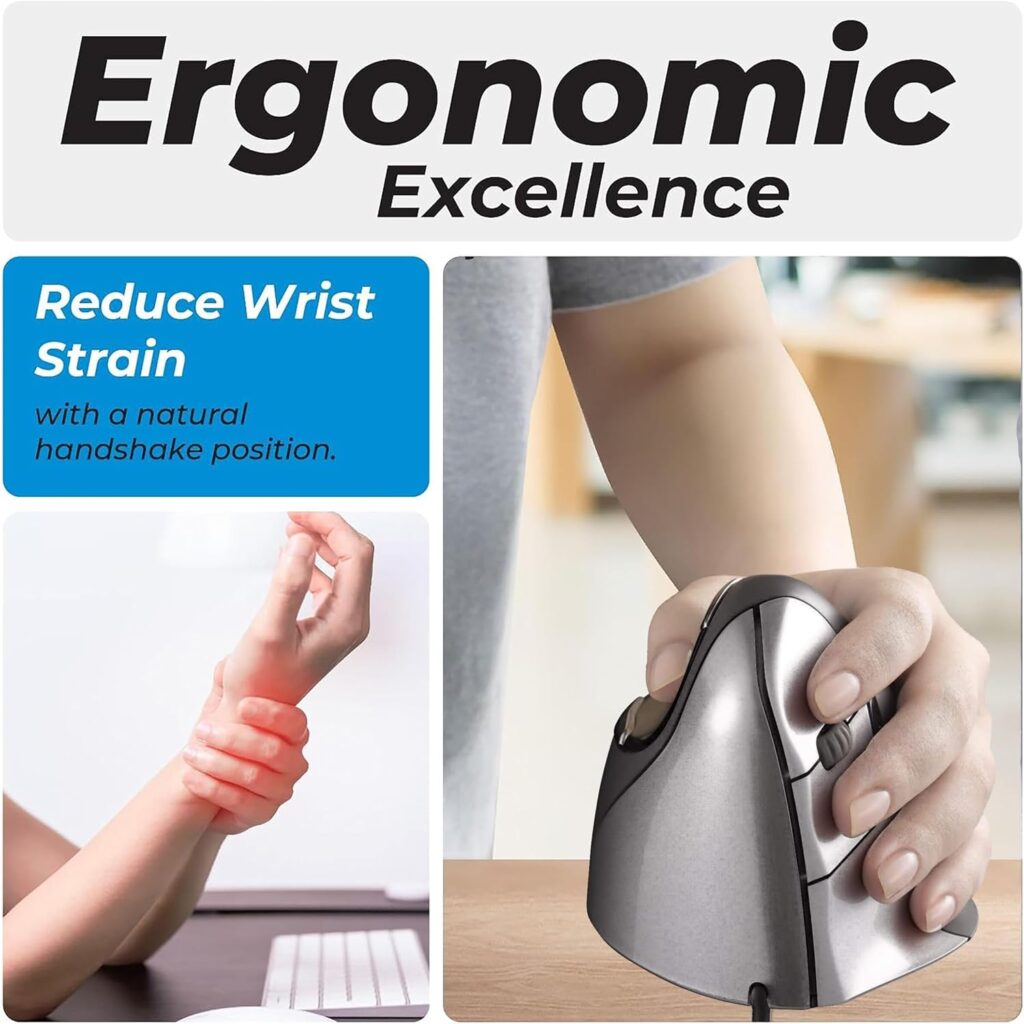
Quick Verdict: Evoluent is credited with bringing the vertical mouse to market in 2002, and the VM4L reflects that history – a wired, driver-optional design sculpted specifically for the left hand rather than a mirrored right-hand shell. It’s the most expensive product in this guide, aimed at users who spend many hours a day at a mouse.
Best For: Left-handed users who put in long daily hours – spreadsheets, CAD, photo or video editing – and want a wired mouse with no charging or pairing to think about.
Key Specifications:
- Hand orientation: Left
- Connectivity: Wired USB
- Buttons: 6, customizable via the free Evoluent Mouse Manager (Windows)
- 4 onboard pointer-speed settings with indicator lights
- Weight: 8.7 oz
- Compatible with Windows and Linux; basic button and scroll functions work without a driver on any USB-supporting system
What We Like
- Shaped specifically for a left hand rather than a flipped right-hand design
- Basic functions work without installing any software, useful on locked-down work computers
- Onboard pointer-speed switch means no need to open a settings panel mid-task
What We Don’t Like
- Wired only, with no wireless or Bluetooth option
- Full button customization requires the Windows-only Evoluent Mouse Manager software
- Noticeably more expensive than every other product in this guide
Ergonomic Analysis: The VM4L keeps the hand in an upright, handshake-style position rather than rotating the forearm flat against the desk. Evoluent’s own guidance suggests resting the hand on the shell rather than gripping it, and moving from the elbow rather than the wrist – a habit that applies to any vertical mouse, not just this one.
Who Should Buy It? Left-handed users who spend most of the workday on a mouse and want a design built from three decades of vertical-mouse-specific engineering, without worrying about battery life.
Who Should Skip It? Anyone who wants wireless freedom, needs Mac-based button customization, or is shopping on a tighter budget – several other options in this guide cost a third of the price.
Value for Money: At $89.95, it’s priced for heavy daily use rather than casual browsing. Whether it’s worth it depends on how many hours a day you’re actually on a mouse.
🛒 Check Price on Amazon7. MICOGIMI Left-Handed Vertical Mouse
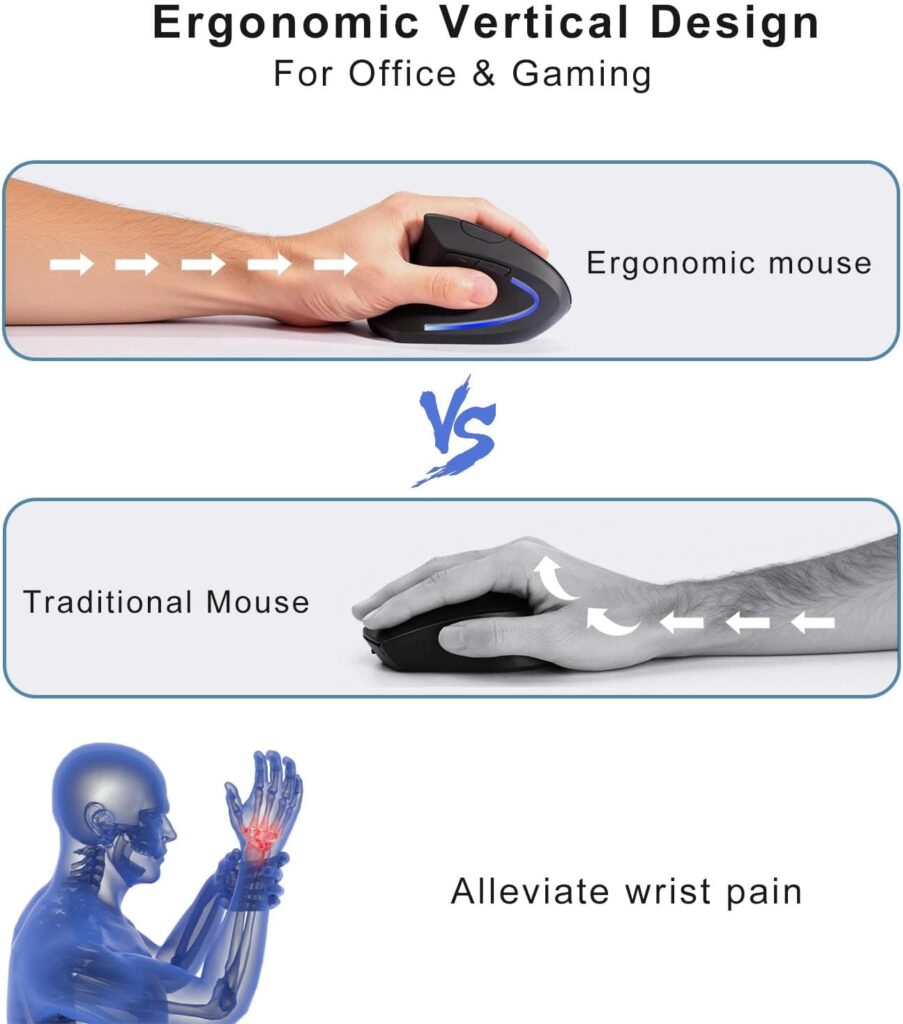
Quick Verdict: The MICOGIMI is the least expensive mouse in this guide, offering a vertical shape, adjustable DPI, and wireless connectivity for a fraction of the cost of the premium options. It’s a reasonable low-risk way to try a left-handed vertical mouse for the first time.
Best For: Left-handed users who want to test a vertical mouse shape without committing much money.
Key Specifications:
- Hand orientation: Left
- Connectivity: 2.4G USB wireless, plug-and-play
- Buttons: 7, including forward/back
- DPI: 800/1200/1600 (3 stages)
- Weight: 2.88 oz
- Compatible with Windows, macOS, Linux and Chrome OS (side buttons not functional on macOS)
What We Like
- The lowest price of any product in this guide
- Plug-and-play wireless setup with no driver installation
- Broad general OS compatibility
What We Don’t Like
- A small review base (32 ratings at time of writing) makes it harder to judge long-term reliability compared to better-established products
- Forward/back side buttons are not functional on macOS, per the manufacturer’s own listing
Ergonomic Analysis: Like the other vertical mice in this guide, the design aims to keep the wrist and forearm in a more relaxed, neutral position rather than the fully flat rotation of a standard mouse. At this price point, expect a simpler build than the premium options.
Who Should Buy It? Left-handed users who want the lowest possible entry cost to try a vertical mouse shape.
Who Should Skip It? macOS users who need the side buttons to work, or anyone who prefers buying from a brand with a longer track record and more customer reviews.
Value for Money: At $13.99, it’s hard to beat on price alone. Just weigh the limited review history against the savings before buying.
🛒 Check Price on Amazon8. Perixx PERIMICE-713L
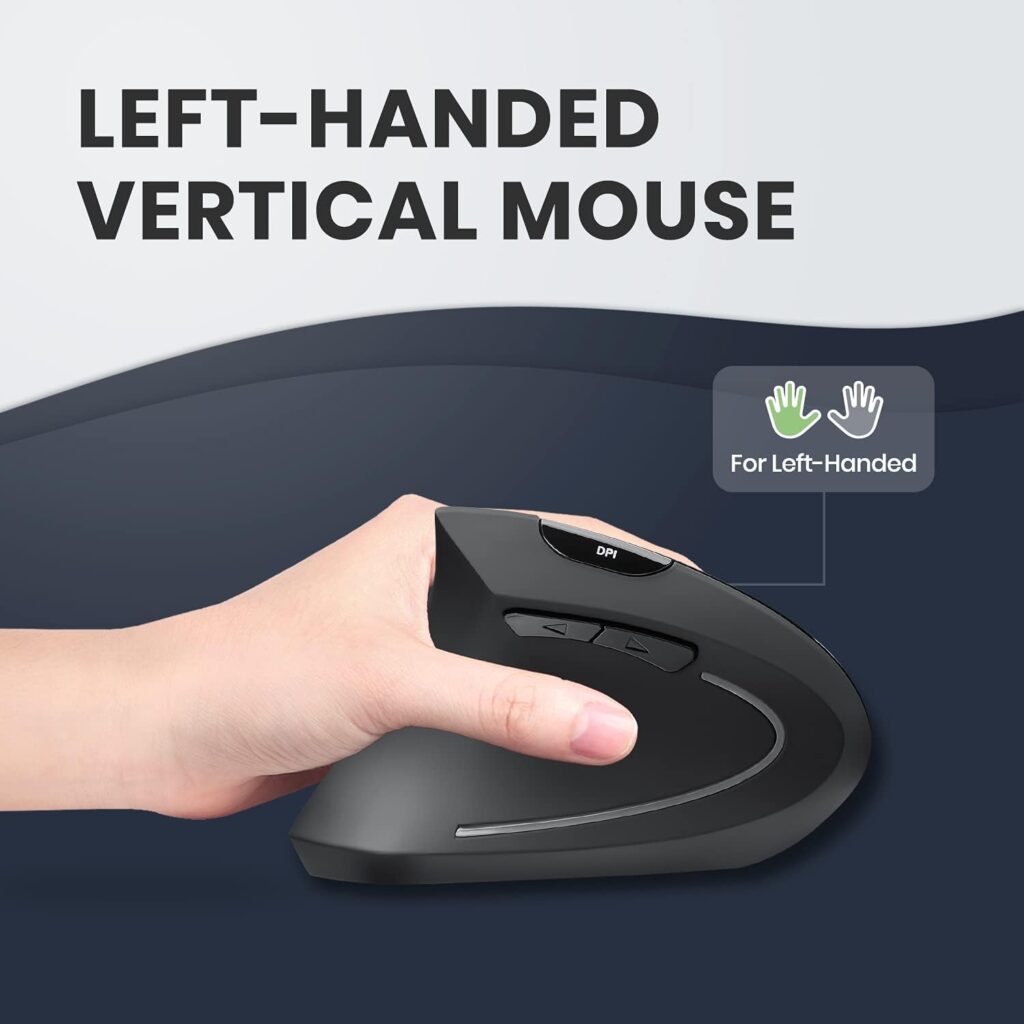
Quick Verdict: The PERIMICE-713L is Perixx’s other left-handed vertical mouse in this guide, positioned slightly below the Perimice-719L on price but backed by a much larger customer review base. Quiet main clicks and broad device compatibility make it a solid pick for shared or open workspaces.
Best For: Left-handed users who want quiet clicks and a well-reviewed option for a shared office or open workspace.
Key Specifications:
- Hand orientation: Left
- Connectivity: 2.4 GHz wireless (a wired version is also sold separately)
- Buttons: 6, not programmable
- DPI: 1000/1600 (adjustable)
- Compatible with Windows 7–11, macOS 10.12+, and Android 4.3+
- Battery life: approximately 100 hours on 2 AAA batteries
What We Like
- Quiet left and right click buttons, useful in shared spaces
- A large, well-reviewed customer base (2,698 ratings at time of writing)
- Broad compatibility, including Android and iPad with an adapter
What We Don’t Like
- Buttons are not programmable
- Back and forward buttons don’t work on macOS or iPadOS, per the manufacturer’s listing
- Scroll wheel and back/forward buttons are not silent, only the main left/right clicks
Ergonomic Analysis: The vertical shape and rubber-coated surface are built for a secure grip during extended use. Perixx notes that first-time users typically need one to two weeks to adjust to the shape, which is a fairly typical adjustment window for vertical mice generally.
Who Should Buy It? Left-handed users who want a quiet, well-reviewed vertical mouse and don’t need programmable buttons.
Who Should Skip It? macOS or iPadOS users who specifically want working back/forward buttons, or anyone who wants full button customization.
Value for Money: At $19.99 with nearly 2,700 customer ratings, it’s one of the better-proven budget options in this guide.
🛒 Check Price on AmazonComparison Table
| Product | Type | Key Ergonomic Feature | Weight | Connectivity | Rating |
|---|---|---|---|---|---|
| Logitech Lift Left-Handed | Vertical | 57° tilt, ergo-certified | 4.4 oz | Bluetooth / Logi Bolt | 4.4/5 |
| Perixx Perimice-719L | Vertical | Compact handshake grip | 2.82 oz | 2.4 GHz wireless | 4.4/5 |
| MEETION Left-Handed Vertical | Vertical | Adjustable DPI, sized for 6.7–7.1″ hands | 3.68 oz | Bluetooth + 2.4 GHz USB | 4.2/5 |
| ELECOM EX-G Left Trackball | Trackball | Thumb-operated ball, minimal arm movement | 5.3 oz | 2.4 GHz wireless | 4.1/5 |
| Lekvey Left-Handed Mouse | Vertical | Handshake grip, auto-sleep power saving | 3.4 oz | 2.4 GHz wireless | 4.1/5 |
| Evoluent VM4L | Vertical | Sculpted left-hand shell, driver-free basic use | 8.7 oz | Wired USB | 4.3/5 |
| MICOGIMI Left-Handed Mouse | Vertical | Adjustable DPI, plug-and-play wireless | 2.88 oz | 2.4G wireless | 4.3/5 |
| Perixx PERIMICE-713L | Vertical | Quiet main clicks, rubber-coated grip | 3.1 oz | 2.4 GHz wireless | 4.2/5 |
Which Product Should You Buy?
Choose the Logitech Lift Left-Handed if: you want the most complete package – ergonomic certification, quiet clicks, wide OS support – and don’t mind paying more for it.
Choose the Perixx Perimice-719L if: you want a strong balance of price, portability and review reputation, and mainly use Windows.
Choose the MEETION Left-Handed Vertical if: your budget is the deciding factor and your hand length falls within the 6.7–7.1 inch recommended range.
Choose the ELECOM EX-G Left Trackball if: you specifically want a trackball, have limited desk space, or find standard mouse movement uncomfortable.
Choose the Lekvey Left-Handed if: you want a simple, affordable vertical mouse and don’t need Bluetooth or macOS support.
Choose the Evoluent VM4L if: you’re on a mouse for most of the day and want a wired, driver-free design built specifically for the left hand, and price isn’t the deciding factor.
Choose the MICOGIMI Left-Handed Mouse if: you want the lowest possible cost to try a vertical mouse for the first time.
Choose the Perixx PERIMICE-713L if: you want quiet clicks and the reassurance of a large, well-established review base at a low price.
Common Mistakes When Buying a Left-Handed Ergonomic Mouse
- Assuming “ergonomic” automatically means left-hand compatible. Many ergonomic mice are right-hand only; always check the listed hand orientation.
- Ignoring hand size. A vertical mouse sized for a different hand length can leave your palm unsupported or your thumb straining to reach the buttons.
- Buying a trackball without trying the grip style first. Trackball ergonomics are genuinely different from a standard mouse and take an adjustment period.
- Overlooking operating system compatibility. Not every model listed here supports macOS – check before you buy if you switch between platforms.
- Choosing based on star rating alone. A 4.4-star rating on a mouse sized for large hands won’t help you if your hands are small, and vice versa.
- Forgetting about desk space. A trackball can save desk space compared to a full-motion mouse, which matters in a small home office.
- Ignoring battery type. Rechargeable batteries reduce long-term cost and waste compared to replaceable AA/AAA batteries.
Best Practices for Using a Left-Handed Ergonomic Mouse
- Keep the mouse close to your body rather than reaching forward for it.
- Position the mouse at roughly the same height as your keyboard to avoid unnecessary wrist extension.
- Take short movement breaks during long sessions rather than staying in one position for hours.
- Adjust your chair and desk height so your elbow sits close to a 90-degree angle when using the mouse.
- Give a vertical mouse or trackball a few days of regular use before judging comfort – the grip can feel unfamiliar at first.
No single mouse solves every ergonomic issue on its own; positioning, desk height, and posture all play a role alongside the product itself.
Alternatives to Consider
If none of the eight options above feel like the right fit, it’s worth looking at related ErgoFixes guides depending on what matters most to you:
- If you want to compare vertical mouse designs more broadly, see our best vertical mouse roundup.
- If you’re shopping specifically for a smaller or narrower grip, our best ergonomic mouse for women guide covers additional shape and sizing options.
- Not sure your grip is set up correctly? Our guide on how to hold a vertical mouse correctly walks through proper hand and wrist positioning.
Frequently Asked Questions
Are left-handed ergonomic mice really better for left-handed users?
Yes, in the sense that they’re shaped to match how a left hand naturally rests, rather than forcing a left-handed user to adapt to a right-hand or symmetrical design. Whether it “feels” better still depends on your hand size and grip preference.
Is a vertical mouse good for long work hours?
A vertical mouse can be comfortable for long sessions because it keeps the forearm in a more neutral, thumb-up rotation instead of the fully flat position a standard mouse requires. Comfort still depends on the mouse fitting your hand size correctly.
How long does it take to get used to a left-handed vertical mouse?
Most users report an adjustment period of a few days to about two weeks. Cursor control may feel slightly off at first, especially if you’re switching from a standard flat mouse.
Is a trackball mouse better than a vertical mouse for left-handed users?
Neither is universally “better” — they suit different needs. A trackball like the ELECOM EX-G keeps the hand mostly still and works well in tight desk spaces, while a vertical mouse like the Logitech Lift or Perixx moves more like a traditional mouse but at a different wrist angle.
Do left-handed ergonomic mice work on both Windows and Mac?
It varies by product. The Logitech Lift and MEETION both list macOS compatibility, while the Lekvey’s manufacturer listing states it is not compatible with macOS. Always check the specific product’s compatibility before purchasing.
What hand size is best suited to a vertical mouse?
This depends on the specific model. MEETION recommends a hand length of 6.7–7.1 inches for its vertical mouse, and other manufacturers publish similar guidance. Checking the manufacturer’s size recommendation before buying is the most reliable approach.
Can a left-handed ergonomic mouse help with wrist pain?
An ergonomic mouse may help reduce unnecessary strain by supporting a more neutral wrist and forearm position, but it is not a medical treatment and cannot cure conditions such as carpal tunnel syndrome or tendinitis. For persistent or severe pain, consult an appropriate healthcare professional.
Are ambidextrous mice a good substitute for a true left-handed mouse?
An ambidextrous mouse is typically symmetrical and works for either hand, but it usually lacks the shaped grip and thumb support a dedicated left-handed vertical mouse or trackball provides. A left-handed mouse specifically designed for that orientation is generally the more comfortable choice for regular use.
Do left-handed ergonomic mice cost more than standard mice?
Not necessarily. Prices in this guide range from around $14 to $90, similar to the price spread you’d see for right-handed ergonomic mice. Left-handed options are simply less common, which can sometimes mean fewer models to choose from at a given price point.
What’s the difference between a southpaw ergonomic mouse and a regular left-handed mouse?
“Southpaw” is just another term used to describe a mouse built specifically for left-handed users – it’s not a separate product category. The important detail is still checking the listed hand orientation and grip style rather than the terminology used in the title.
Final Verdict
If you want the most complete, best-supported option and don’t mind the higher price, the Logitech Lift Left-Handed Vertical Mouse is the strongest overall pick in this guide. If value matters more, the Perixx Perimice-719L offers a well-reviewed, compact alternative for significantly less. Anyone on a tight budget should look at the MEETION Left-Handed Vertical Mouse or the even cheaper MICOGIMI Left-Handed Mouse, while left-handed users who specifically want a trackball should consider the ELECOM EX-G. The Lekvey Left-Handed Mouse remains a reasonable, no-frills choice for light daily use. If you’re on a mouse most of the day and want a wired, purpose-built shell, the Evoluent VM4L is worth the extra cost, and the Perixx PERIMICE-713L is a strong, well-reviewed pick if quiet clicks matter most to you.
There isn’t a single “best” answer for every left-handed user — the right choice depends on your hand size, your operating system, and how many hours a day you’re actually at the mouse.
Compare the latest prices and availability before making your decision, as Amazon listings and stock can change.





