
Does an Ergonomic Mouse Really Help Wrist Pain? What the Evidence Says
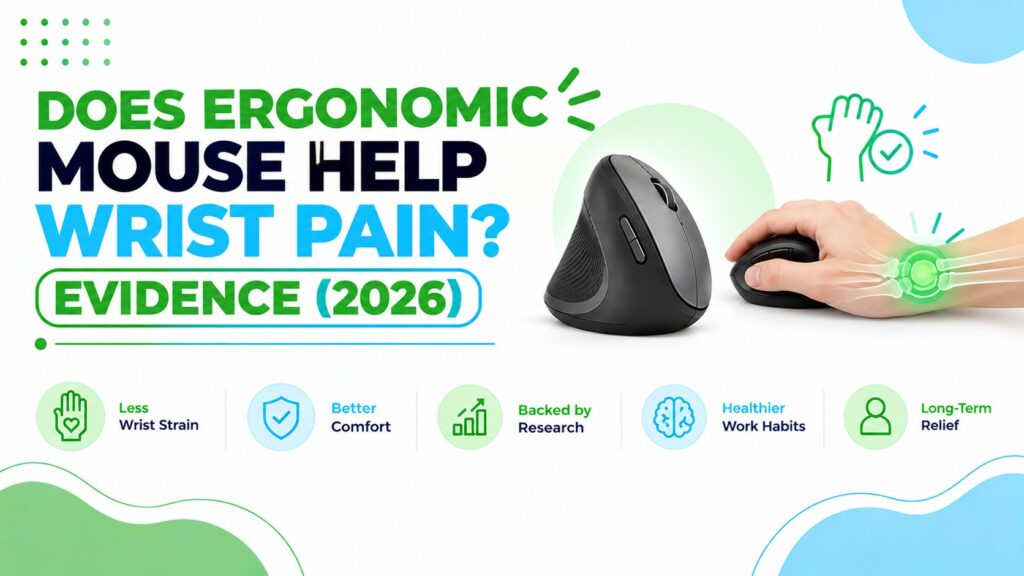
You have been using a mouse for hours, and your wrist, forearm or the base of your thumb is starting to complain. Then you see an ad for a weird upright mouse that promises relief, and you wonder if it is real or just clever marketing.
That is a fair question, and the honest answer sits somewhere in the middle. The research behind ergonomic mouse wrist pain claims is more interesting, and more mixed, than most product pages admit.
Here is the short version of what the research shows. In a 16-person study in Ergonomics, a vertical mouse cut average forearm twist from 42° to 28° compared with a standard mouse. Yet a study of people with carpal tunnel syndrome, listed on the University of Oxford research portal, found that a vertical mouse did not reduce carpal tunnel pressure. So the posture changes are real, but better posture does not automatically mean less pain.
In this guide I walk through what the studies measured, where they agree, where they do not, and what that means before you spend money. Then I compare seven mice across vertical, trackball and conventional designs, so you can match the evidence to your own desk, hand size and budget.
If you want a ranked buying list rather than the evidence, our best ergonomic mouse for wrist pain guide is the better starting point.
Quick Answer: Does an Ergonomic Mouse Help Wrist Pain?
An ergonomic mouse may help reduce wrist strain, but it is not a proven treatment for wrist pain. Studies on vertical mice consistently show less forearm twist (pronation) and lower wrist-extensor muscle activity. One long-running field study also found lower self-reported pain. However, a clinical study found no drop in carpal tunnel pressure, and a one-year trial was inconclusive.
If you want to try one, these are the options I would look at first:
- Best Overall: ProtoArc EM11 NL – the best balance of a 58° vertical shape, multi-device wireless and price, for small to medium hands.
- Best Premium: Evoluent VerticalMouse 4; the most established vertical design, with customizable buttons, but wired and pricey.
- Best for Larger Hands (Value): UGREEN Ergonomic Vertical Mouse, the lowest listed price of the vertical options, aimed at larger hands.
- Best Wireless Vertical, Receiver-Only: Lekvey Rechargeable Vertical Mouse, simple plug-and-play for medium to large hands.
- Best Non-Vertical Alternative: Nulea M501 Trackball; moves the cursor with your thumb, so your wrist barely moves.
- Best Conventional Baseline: Logitech G305; a well-reviewed regular mouse if you are not ready to switch shapes.
- Budget Conventional Option: XBG B15Pro, a compact tri-mode mouse that keeps the normal palm-down grip.
🖱️ Quick Picks: Mice Worth Considering for Wrist Comfort
Seven mice, from vertical designs to a trackball and two conventional shapes. Prices are from Amazon listings when we compiled this and can change.




Quick Verdict Table
| Product | Best For | Main Strength | Main Limitation | Rating | Link |
|---|---|---|---|---|---|
| ProtoArc EM11 NL | Small to medium hands | 58° vertical shape, 3-device wireless | Buttons not programmable; too small for large hands | 4.5/5 | Check Price |
| Evoluent VerticalMouse 4 | Medium to large hands, heavy mouse users | Established design, customizable buttons | Wired and the most expensive here | 4.5/5 | Check Price |
| Lekvey Vertical | Medium to large hands, simple setup | Rechargeable, plug-and-play receiver | No Bluetooth; 1600 DPI ceiling | 4.2/5 | Check Price |
| UGREEN Vertical | Larger hands on a budget | Low price, Bluetooth + 2.4G, quiet clicks | AA battery; smallest review base of the verticals | 4.2/5 | Check Price |
| Nulea M501 Trackball | Limited desk space, minimal hand movement | Hand stays still; works on almost any surface | Thumb does the work; learning curve | 4.2/5 | Check Price |
| Logitech G305 | Anyone staying with a regular shape | Light, reliable, huge review base | Palm-down posture; compact for large hands | 3.9/5 | Check Price |
| XBG B15Pro | Travel and multi-device use | Tri-mode, rechargeable, silent clicks | Conventional posture; small body | 3.8/5 | Check Price |
How the ratings work: these are ErgoFixes editorial scores out of 5, not Amazon customer ratings. We weigh how closely the design matches what the research says matters (posture), fit and size options, connectivity and compatibility, warranty and build, and price-to-value. Conventional mice score lower here only because this article is about posture, not because they are poor mice.
How a Regular Mouse Can Strain Your Wrist
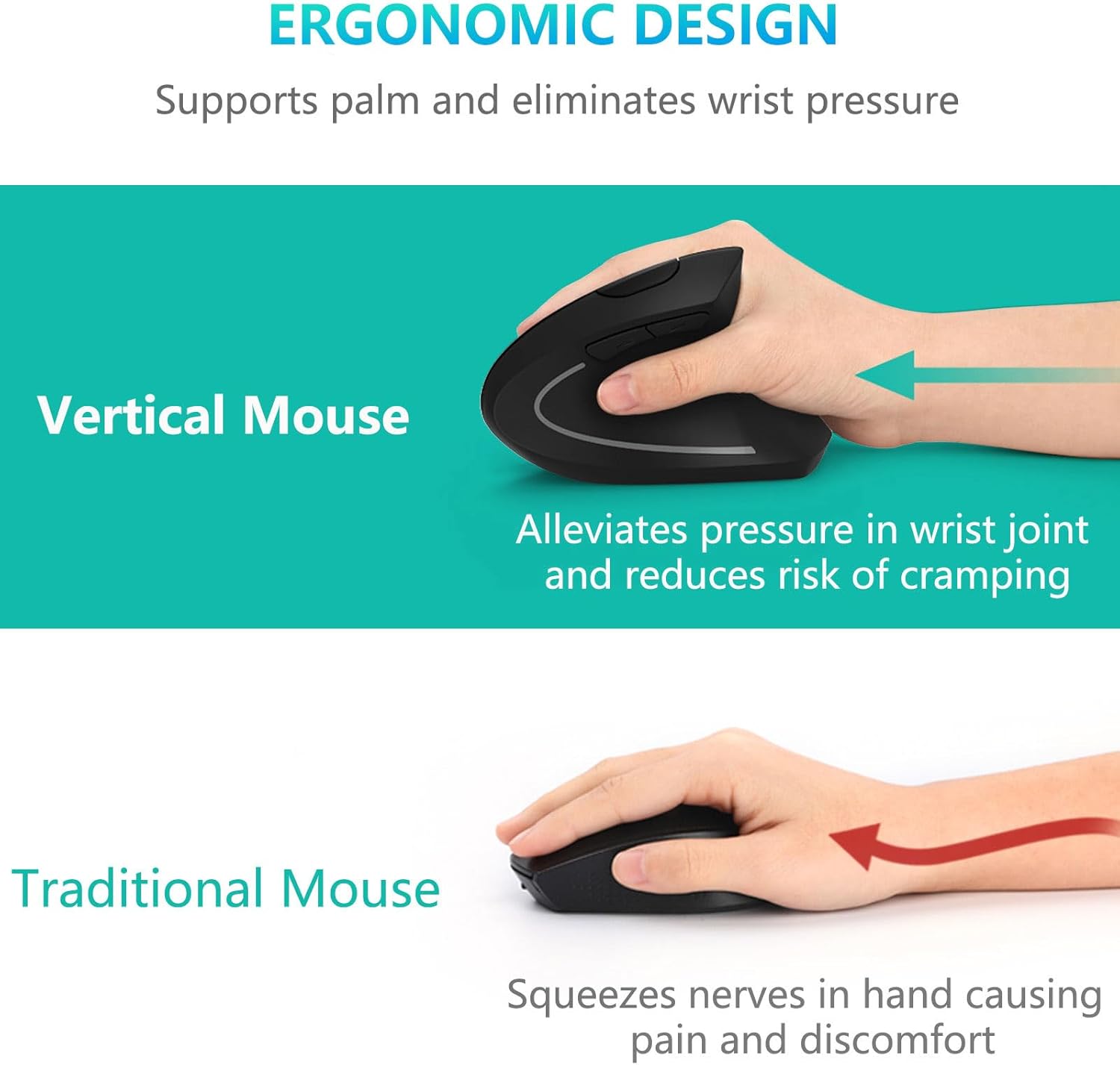
A conventional mouse asks your forearm to rotate so the palm faces down. That rotation is called pronation, and it is the main posture problem vertical mice try to reduce.
Two other things often happen at the same time:
- Wrist extension: the wrist bends back, which loads the extensor muscles on top of the forearm.
- Ulnar or radial deviation: the wrist angles sideways towards the little finger or the thumb.
OSHA’s computer workstations eTool notes that no single posture or arrangement fits everyone, so the practical aim is to work towards neutral positions that suit your body and your desk.
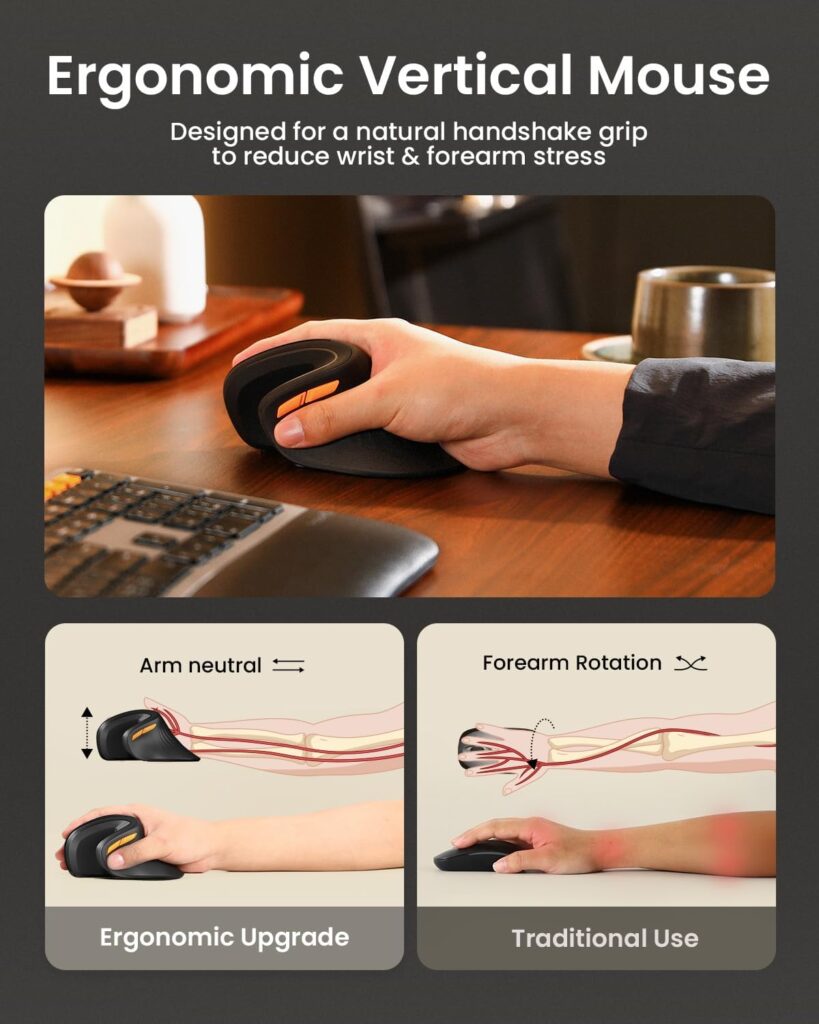
A vertical mouse is designed to keep the forearm in a more neutral, handshake-like position than a traditional mouse. That is the design idea. The real question is whether the idea translates into less pain, and that is what the next section covers.
Vertical Mouse Wrist Pain Evidence: What the Studies Actually Show
I will keep to the studies I can point to, and I will say plainly what each one can and cannot tell you. Every one of these used particular mouse designs, so none of them proves that a specific product on Amazon works.
Study 1: Less forearm twist and lower muscle activity
Research insight: In a 16-person study published in Ergonomics, Quemelo and Vieira compared a vertical mouse with a standard mouse. Pronation averaged 28° with the vertical mouse versus 42° with the standard one. Wrist extensor muscle activity was also lower (13% vs 16% for extensor carpi, 10% vs 13% for extensor digitorum). Participants reported good satisfaction, but pointing took longer (4.2 s vs 3.4 s to reach a target).
What this means: The vertical shape did change posture and reduced muscle effort in the forearm. It also came with a short-term performance cost, which the authors linked to the need for familiarisation time. The sample was small and the measurements were short-term, so this shows a mechanism, not a pain outcome.
Practical example: If you spend six hours a day with your hand on a mouse, a posture that asks your extensor muscles to work a little less is plausible to feel different by the end of the day. Expect your first week to feel slower.
Study 2: A multi-year field study found lower reported pain
Research insight: In a prospective field study published in 1999, Aarås and colleagues compared a mouse designed for a more neutral forearm position with a traditional mouse. After six months, the new-design group reported significant reductions in pain intensity and frequency for the wrist and hand, forearm, shoulder and neck, while the control group changed little. A follow-up report covering 67 participants found that the control group also improved after switching, and that the reduction held at 12 months.
What this means: This is the strongest pain-focused result in favour of a neutral-forearm mouse. But it measured self-reported pain, participants could not be blinded to which mouse they used, and the device was a specific design from that era, not a modern vertical mouse you can order today.
Practical example: The control group’s improvement after switching is the useful detail. It suggests the effect was tied to the mouse position, though expectation can still play a part when people know they are trying something new.
Study 3: No change in carpal tunnel pressure
Research insight: A study of 21 people with carpal tunnel syndrome, listed on the University of Oxford research portal, found that a vertical mouse reduced ulnar deviation and that gel pads and a palm support reduced wrist extension. However, none of the devices reduced carpal tunnel pressure. The authors did not endorse a strong recommendation for or against these devices, and said the choice remains a matter of personal preference.
What this means: Better wrist posture did not automatically mean lower pressure inside the carpal tunnel in this group. If your concern is carpal tunnel syndrome specifically, a mouse should not be treated as a fix.
Practical example: If you have numbness or tingling in the fingers at night, buying a $26 mouse is not the right first step. Speak to a clinician, then think about the mouse as a comfort tweak. Our ergonomic mouse for carpal tunnel guide covers that side in more detail.
Study 4: A one-year randomised trial was inconclusive
Research insight: In a one-year randomised trial of 206 engineers published in Occupational and Environmental Medicine, participants received a conventional mouse, an alternative mouse, a forearm support board, or the alternative mouse plus the board. The forearm support reduced right upper-extremity discomfort. The alternative mouse showed a protective trend for incident musculoskeletal disorders (hazard ratio 0.57), but it was not statistically significant, with a wide confidence interval of 0.24 to 1.34.
A companion analysis of the same trial in the American Journal of Industrial Medicine looked at nerve function at the wrist. The alternative-mouse group showed a protective association with change in right ulnar nerve motor latency (odds ratio 0.47, 95% CI 0.22–0.98), while the forearm board showed no protective effect for the median nerve.
What this means: The most rigorous trial here did not show a clear benefit from the mouse alone on pain or disorders, though the nerve-function result is a small point in its favour. The ulnar finding is not the median nerve involved in carpal tunnel syndrome, so it should not be read as carpal tunnel evidence. The forearm support result is a reminder that the mouse is only one part of a setup.
Practical example: If your forearm hangs unsupported off the desk edge, adjusting desk height, chair or armrests may do as much for you as swapping the mouse.
Study 5: The angle of the “vertical” matters
Research insight: A 2015 study in Work on flat, angled and vertical mice used 12 participants. The fully vertical mouse reduced pronation but had the poorest pointing performance. Concept mice that were raised and angled improved wrist posture without hurting performance.
What this means: More vertical is not always better. A steeper angle can cut pronation further, but it may feel less precise.
Practical example: That is partly why the ProtoArc’s 58° shape and an Evoluent-style handshake grip can feel quite different in the hand, even though both are called “vertical.”
The Honest Summary of the Evidence
| Question | What the research suggests |
|---|---|
| Does a vertical mouse reduce forearm pronation? | Yes, consistently, in controlled studies |
| Does it lower wrist extensor muscle effort? | Yes in the studies that measured it, with small samples |
| Does it reduce reported pain? | Some field evidence says yes, but it is older and self-reported |
| Does it reduce carpal tunnel pressure? | Not in the one clinical study above |
| Does it affect nerve-function measures? | One trial analysis found a possible protective association for ulnar nerve function; it is a single, small signal |
| Is there a large high-quality trial proving it prevents injury? | Not that I am aware of; the one-year trial was inconclusive |
Research insight: A literature review of computer input device design published in Work concluded that devices which reduce biomechanical loading may be better choices for preventing or easing musculoskeletal problems during computer use. It also said it remains unclear whether many existing designs are effective, because results across studies were inconsistent for several mouse designs.
What this means: The wider literature points the same way as the individual studies: posture and muscle load can improve, but a consistent injury or pain benefit is not established for every design. That is why the shape and fit of a specific mouse matter more than the word “ergonomic” on the box.
Practical example: Two mice sold as “vertical” can behave differently in your hand. Judge a mouse by whether your forearm and wrist feel less twisted after a long session, not by its marketing label.
So, is a vertical mouse better for the wrist? It is better at changing wrist and forearm posture, and that may translate into less strain for some people. It is not proven to prevent or treat wrist conditions.
Emily Richardson’s tip: treat an ergonomic mouse as a low-cost experiment. Pick one that fits your hand size, give it a fair two-week trial, and judge it by how your arm feels at the end of a long day, not by the first hour.
What to Look for Before You Buy
If the evidence has not talked you out of trying one, these are the factors that matter most.
1. Hand size and fit
This is the factor people skip. The ProtoArc EM11 NL listing is specific that it is designed for hand lengths under 7.5 inches (19.05 cm). The Lekvey and Evoluent are listed for medium to large hands, and UGREEN’s listing points to larger hands. A mouse that is too small makes you claw your fingers; one that is too big makes you stretch.
Measure from your wrist crease to the tip of your middle finger before buying.
2. Angle and grip style
A steeper vertical angle usually reduces pronation more, but may take longer to adapt to. A trackball removes forearm movement almost entirely, but it asks your thumb or fingers to do the work. Our vertical mouse vs trackball comparison goes deeper on that trade-off.
3. Adjustment period
Listings give their own estimates. ProtoArc suggests one to two weeks; Lekvey mentions three to five days. Those are manufacturer statements, not guarantees. The Quemelo study found slower pointing at first, so plan for a short dip in speed.
4. Connectivity and battery
Check whether you need Bluetooth, a USB-A receiver or both. The Lekvey uses a 2.4G receiver only. ProtoArc, UGREEN, Nulea and XBG offer Bluetooth plus 2.4G. The Evoluent is wired. If your laptop only has USB-C ports, check for an adapter.
5. Button and software needs
Several of these mice have non-programmable buttons. If you rely on custom shortcuts, that matters. The Evoluent offers optional Windows software for button customisation, per its listing.
6. Operating system compatibility
Several listings note that the back and forward buttons do not work on macOS (ProtoArc, Lekvey). UGREEN lists minimum versions such as macOS 13 and Windows 11. Check before you buy.
7. Warranty and returns
Warranties on these listings range from 12 months (Nulea) to 2 years (ProtoArc) and 36 months (Lekvey, per its listing). Confirm the current terms with the seller. Amazon’s return window for computer items can be limited, so test a new mouse soon after it arrives.
8. Your setup, not just your mouse
Desk height, chair, forearm support and breaks all affect wrist comfort. OSHA’s workstation guidance is a useful checklist for those.
Product Reviews
Our product evaluations combine manufacturer specifications, verified retailer and Amazon listing data, customer feedback, review patterns, and ergonomic design analysis. We assess products across factors such as comfort, adjustability, materials, functionality, durability, and overall value, using multiple sources to provide a balanced and practical recommendation. Specifications can vary by model or region, and Amazon pricing and availability can change.
1. ProtoArc EM11 NL; Best Overall Vertical Mouse for Small to Medium Hands
Quick Verdict: The EM11 NL is the vertical mouse I would suggest to most people with average or smaller hands. Its 58° shape, three-device connectivity and USB-C charging cover the basics at a modest price. It is not a fit for large hands.
Best For: Small to medium hands (listed for hand lengths under 7.5 in), people switching between a laptop and a desktop.
Key Specifications (per Amazon listing):
- 58° vertical design; right-handed
- Bluetooth plus 2.4G USB-A, up to 3 devices
- 500 mAh USB-C rechargeable battery
- 1000 / 1600 / 2400 DPI
- 7 buttons, not programmable; quiet left and right clicks
- Listed size 5.43 in × 2.72 in; 2-year warranty
- Amazon rating 4.4 out of 5 (6,189 ratings)
What We Like
- Hand-size guidance is stated clearly in the listing
- Multi-device pairing suits hybrid work
- Rechargeable, with a two-year warranty
What We Don’t Like
- Buttons are not programmable
- Back/forward buttons are not compatible with macOS, per the listing
- The listing shows a weight of 8.8 oz, which is heavier than the others here, so confirm the weight before ordering
Ergonomic Analysis: The upright angle is intended to keep the forearm closer to a handshake position, which is the posture shown to reduce pronation in the vertical-mouse studies above. That is a general design principle, not proof about this exact model.
Who Should Buy It? Smaller-handed users who want a vertical mouse with modern connectivity.
Who Should Skip It? Anyone with large hands, or anyone who needs programmable buttons.
Value for Money: At around the $26 listing price, it is competitively priced for a rechargeable multi-device vertical mouse.
🛒 Check Price on Amazon2. Evoluent Vertical Mouse 4; Best Premium Vertical Mouse
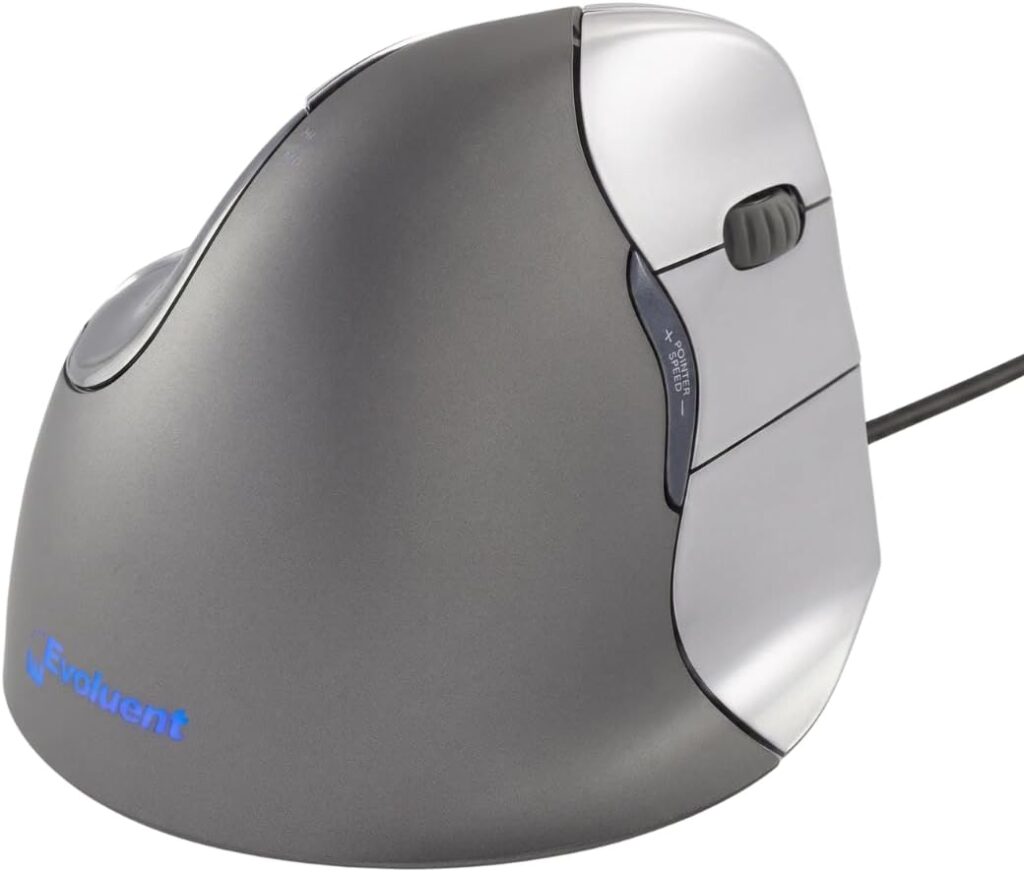
Quick Verdict: The Evoluent is the long-standing name in vertical mice. According to its listing, the design dates to 1994 and reached the market in 2002. It costs several times more than the others and is wired, but it offers the most customization.
Best For: Medium to large hands, heavy daily mouse users, and people who want custom buttons.
Key Specifications (per Amazon listing):
- Wired USB; right-handed model reviewed here
- Listed dimensions 5.4 × 3.6 × 3.6 in; 7 oz
- 6 customizable buttons via optional Windows software
- 4 pointer speeds with indicator lights
- Finger support lip to keep the little finger off the desk
- Amazon rating 4.4 out of 5 (2,295 ratings)
What We Like
- Button customization with the optional Mouse Manager software
- The finger support lip addresses a common vertical-mouse annoyance
- Basic function listed without drivers on macOS and Linux
What We Don’t Like
- About three to four times the price of most mice in this guide
- Wired only, so the cable limits desk placement
- The software for full customization is Windows-based
Ergonomic Analysis: The sculpted handshake grip and thumb rest aim to reduce forearm twist. The listing shows a size selector, so check which size suits your hand.
Who Should Buy It? People who use a mouse for most of the day and will use the custom buttons.
Who Should Skip It? Budget buyers, left-handed users (this is the right-hand model), and anyone who wants wireless.
Value for Money: The premium is hard to justify if you only want the vertical angle. It is easier to justify if you will use the software.
🛒 Check Price on Amazon3. Lekvey Rechargeable Vertical Mouse; Simple Plug-and-Play Vertical
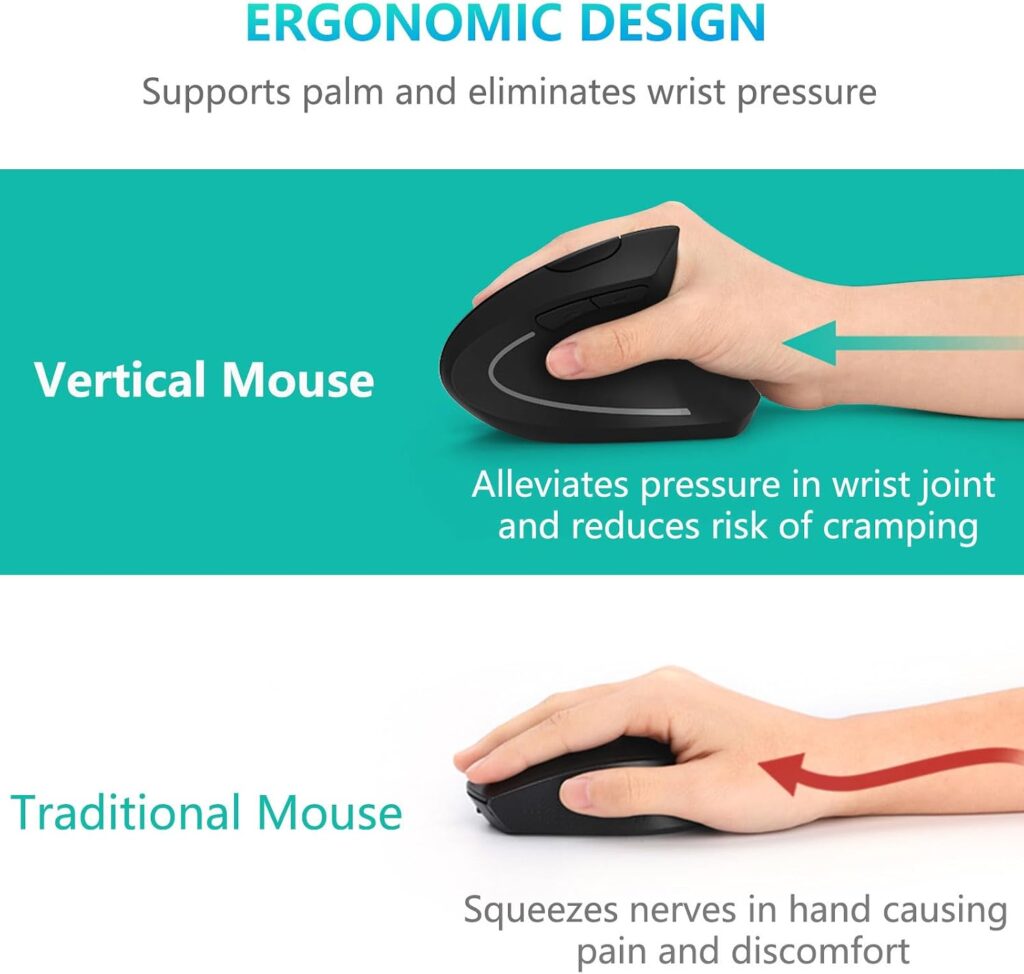
Quick Verdict: The Lekvey keeps things simple: plug in the receiver and go. It has a very large review base for a vertical mouse, but fewer connectivity options than the ProtoArc or UGREEN.
Best For: Medium to large hands and users who want no Bluetooth pairing.
Key Specifications (per Amazon listing):
- 2.4G USB receiver stored in the base; no Bluetooth
- Rechargeable via USB-C; about 150 hours per charge
- 800 / 1200 / 1600 DPI; 6 buttons, not programmable
- Listed size 5.0 × 3.0 × 2.5 in, for medium or large hands
- 36-month warranty mentioned in the listing (confirm at purchase)
- Amazon rating 4.3 out of 5 (15,487 ratings)
What We Like
- Plug-and-play setup
- Long listed battery life
- Large review base and long listed warranty
What We Don’t Like
- No Bluetooth
- Max 1600 DPI, which can feel slow on large or multiple monitors
- Forward/back buttons are not compatible with macOS, per the listing
Ergonomic Analysis: It uses the standard handshake-style vertical shape. The listing’s “most customers” comfort claims are marketing statements, so I would not rely on them as evidence.
Who Should Buy It? Desktop users who want a straightforward vertical mouse.
Who Should Skip It? Multi-device users, small-handed users, and anyone who wants Bluetooth.
Value for Money: Good value if its feature set fits your needs.
🛒 Check Price on Amazon4. UGREEN Ergonomic Vertical Mouse; Best Value Vertical for Larger Hands
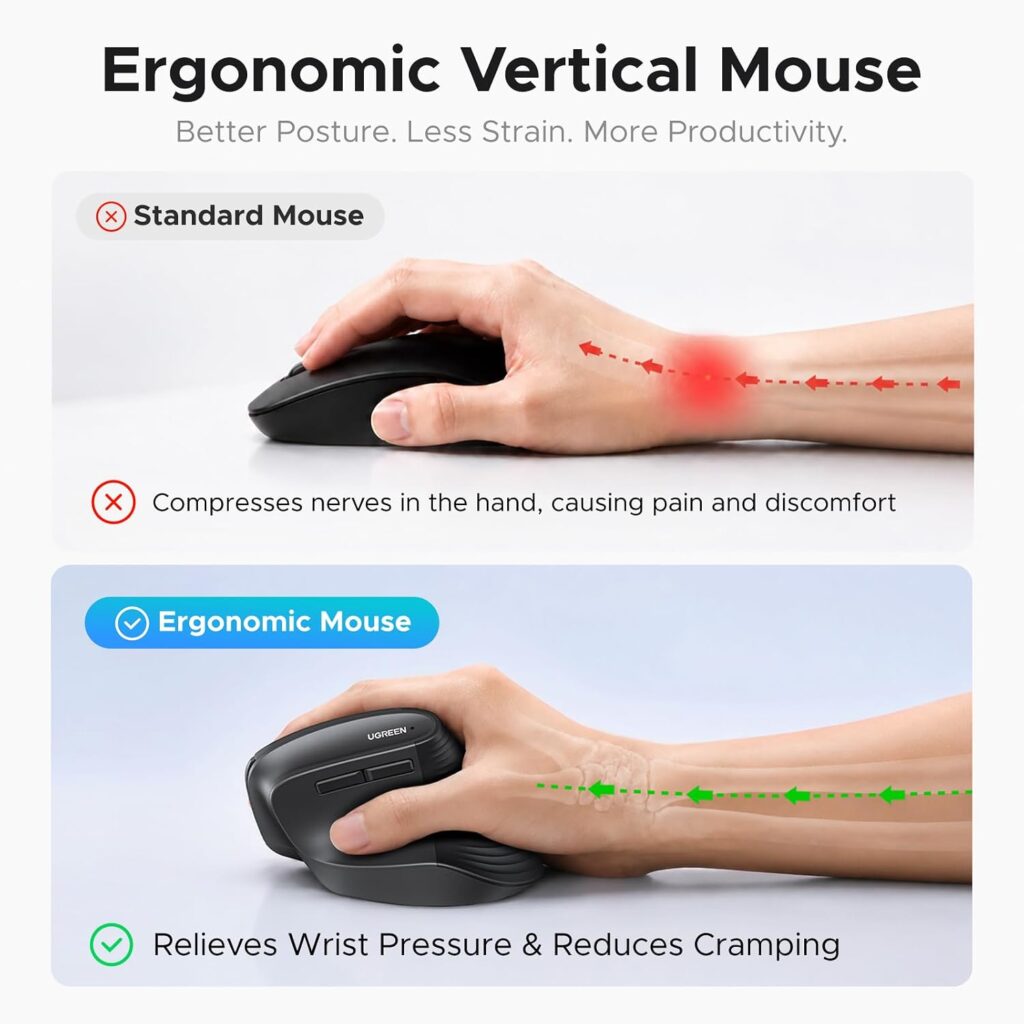
Quick Verdict: UGREEN offers a vertical shape with Bluetooth, 2.4G and quiet clicks at the lowest list price in this group. It uses a single AA battery and has fewer reviews than its rivals, so I would treat it as a sensible low-cost trial.
Best For: Larger hands and cost-conscious buyers trying a vertical mouse for the first time.
Key Specifications (per Amazon listing):
- Bluetooth and 2.4G, up to 3 devices; 10 m range
- 1000 / 1600 / 2000 / 4000 DPI; 5 buttons
- Powered by one AA battery
- PTFE glide pads; listed weight 6 oz
- 1-year manufacturer warranty
- Amazon rating 4.4 out of 5 (2,064 ratings)
What We Like
- Low price with multi-device wireless
- Wide OS compatibility, including ChromeOS and Linux
- Wide DPI range
What We Don’t Like
- Battery life is not stated in the listing
- Minimum OS versions are fairly recent (for example, macOS 13 and Windows 11 per the listing)
- Smaller review base, so less long-term feedback
Ergonomic Analysis: The handshake orientation is designed to reduce wrist rotation. The “larger hands” positioning is the listing’s, so check dimensions against your own hand.
Who Should Buy It? First-time vertical mouse buyers with larger hands.
Who Should Skip It? Small-handed users, and anyone who prefers a rechargeable battery.
Value for Money: The listed price is hard to argue with for a Bluetooth vertical mouse.
🛒 Check Price on Amazon5. Nulea M501 Wireless Trackball, Best Non-Vertical Alternative
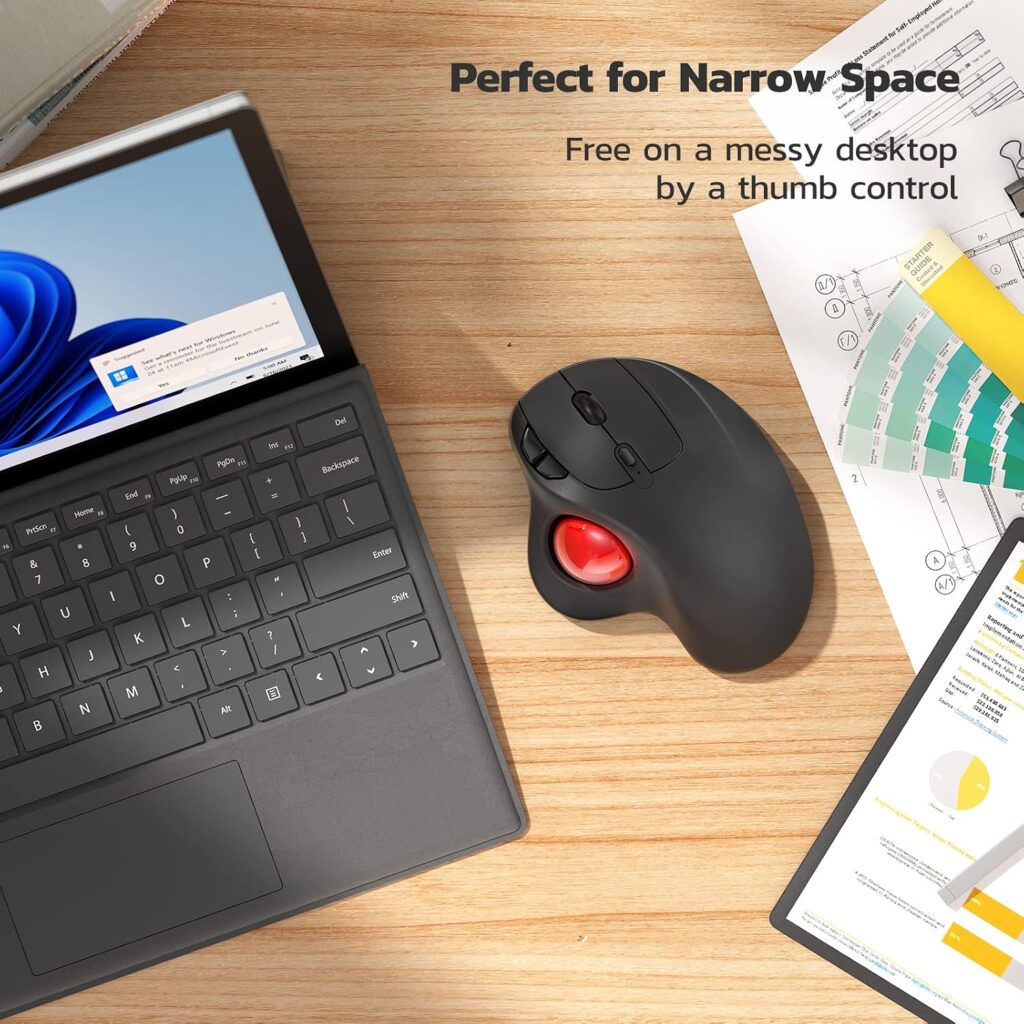
Quick Verdict: If a vertical mouse feels too foreign, a trackball removes most of the arm and wrist movement. The Nulea M501 is a popular thumb trackball with Bluetooth and 2.4G, and the listing shows it as a best seller in its category.
Best For: Small desks, couch or lap use, and people who want to keep the hand still.
Key Specifications (per Amazon listing):
- Thumb-controlled trackball; right-handed
- Bluetooth plus 2.4G, up to 3 devices; 10 m range
- Rechargeable; 4 DPI levels; 6 buttons, not programmable
- Listed size 5.51 × 4.37 in; 4.5 oz
- 12-month warranty
- Amazon rating 4.4 out of 5 (12,713 ratings)
What We Like
- Hand and forearm can stay still while the thumb moves the cursor
- Works on almost any surface
- Large review base
What We Don’t Like
- Shifts the workload to the thumb, which may not suit everyone
- Learning curve for precise work
- The listing says not to use a fast charger
Ergonomic Analysis: By moving the ball rather than the mouse, a trackball reduces arm travel. That does not mean it removes strain; it relocates it to the thumb.
Who Should Buy It? People who dislike a vertical grip or have limited desk space. For a deeper look, see our ergonomic mouse vs regular mouse breakdown.
Who Should Skip It? Anyone who needs fast, precise pointing, or who already has thumb discomfort.
Value for Money: A fair price for a rechargeable multi-device trackball.
🛒 Check Price on Amazon6. Logitech G305 Lightspeed, Best Conventional Baseline
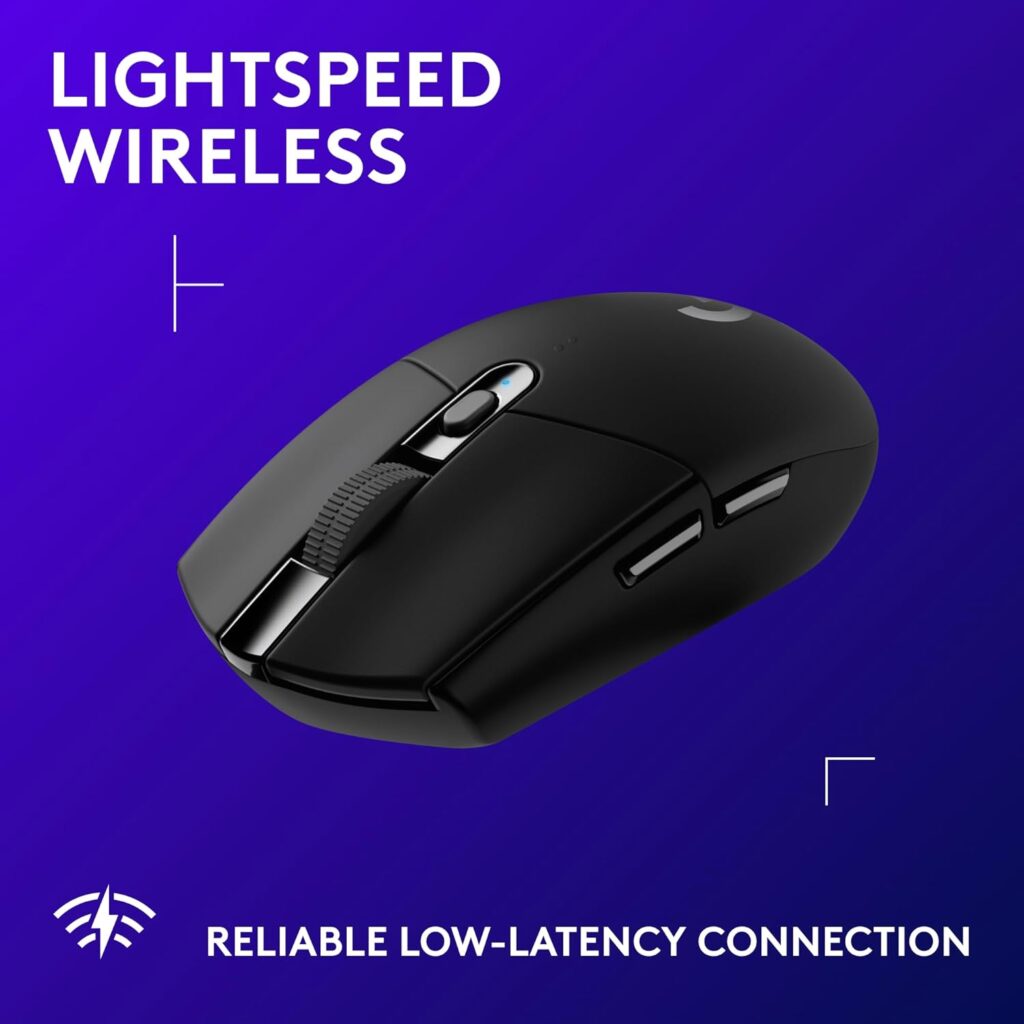
Quick Verdict: The G305 is not an ergonomic mouse in the posture sense. I include it because many readers will stay with a regular shape, and it is a light, well-reviewed option with a very large review base.
Best For: People who want a reliable regular mouse and plan to fix their setup in other ways.
Key Specifications (per Amazon listing):
- 2.4G Lightspeed USB-A nano receiver (stored in the mouse)
- One AA battery, listed up to 250 hours
- 200–12,000 DPI; 6 programmable buttons
- 4.59 × 2.45 in; about 3.4 oz (99 g)
- Amazon rating 4.6 out of 5 (40,217 ratings)
What We Like
- Light and compact
- Programmable buttons
- Strong, long-standing review record
What We Don’t Like
- Standard palm-down posture, so no pronation benefit
- Compact body can feel small for larger hands
- No Bluetooth; needs a USB-A port
Ergonomic Analysis: The listing describes an “ergonomic right-hand design,” but a conventional shape keeps the forearm in the pronated position the studies describe.
Who Should Buy It? People who prefer a regular mouse and want a well-reviewed one.
Who Should Skip It? Anyone looking for a posture change.
Value for Money: Strong value as a regular mouse, not as an ergonomic fix.
🛒 Check Price on Amazon7. XBG B15Pro Tri-Mode Mouse; Budget Conventional Option
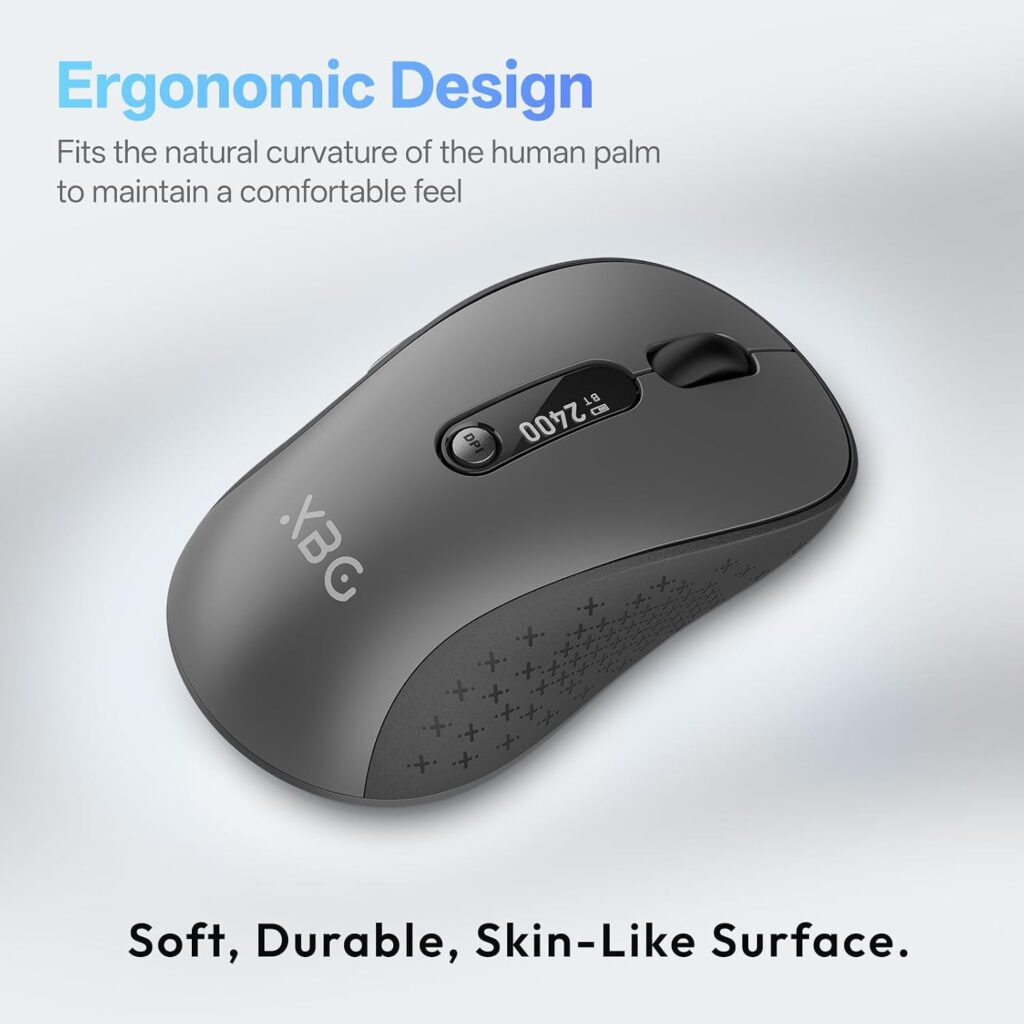
Quick Verdict: The B15Pro is a compact rechargeable mouse with an LED display. The listing says it prevents wrist strain, but its shape keeps the conventional grip, so treat that as a marketing claim rather than evidence.
Best For: Travel, hybrid work and quiet environments.
Key Specifications (per Amazon listing):
- Bluetooth 5.0/4.0 and 2.4G; ambidextrous
- 500 mAh USB-C rechargeable
- 800–2400 DPI; 6 buttons; LED display showing battery and DPI
- 4.4 × 2.5 in; about 2.65 oz
- 1-year warranty
- Amazon rating 4.4 out of 5 (961 ratings)
What We Like
- Ambidextrous, which is rare in this group
- Silent buttons and a clear status display
- Light and portable
What We Don’t Like
- Conventional palm-down posture
- Small body may cramp larger hands
- Smallest review base here
Ergonomic Analysis: The contoured thumb rest and palm arch may add comfort, but there is no evidence here that the design reduces forearm pronation.
Who Should Buy It? Left-handed users and travelers who want a basic, compact mouse.
Who Should Skip It? Anyone buying specifically for posture.
Value for Money: Reasonable for a feature-rich small mouse, but not an ergonomic upgrade.
🛒 Check Price on AmazonComparison Table
| Product | Type | Fit / Best For | Connectivity | Weight (listing) | Warranty (listing) | Amazon Rating |
|---|---|---|---|---|---|---|
| ProtoArc EM11 NL | Vertical (58°) | Small–medium hands | Bluetooth + 2.4G, 3 devices | 8.8 oz* | 2 years | 4.4 (6,189) |
| Evoluent VerticalMouse 4 | Vertical | Medium–large hands | Wired USB | 7 oz | See listing | 4.4 (2,295) |
| Lekvey Vertical | Vertical | Medium–large hands | 2.4G receiver | 3.36 oz* | 36 months* | 4.3 (15,487) |
| UGREEN Vertical | Vertical | Larger hands | Bluetooth + 2.4G, 3 devices | 6 oz | 1 year | 4.4 (2,064) |
| Nulea M501 | Thumb trackball | Small desks, still hand | Bluetooth + 2.4G, 3 devices | 4.5 oz | 12 months | 4.4 (12,713) |
| Logitech G305 | Conventional | Compact, light | 2.4G Lightspeed | 3.36 oz | See listing | 4.6 (40,217) |
| XBG B15Pro | Conventional | Travel, ambidextrous | Bluetooth + 2.4G | 2.65 oz | 1 year | 4.4 (961) |
*Listing figures that look inconsistent or need confirming at checkout. Specifications can vary by model or region, and Amazon pricing and availability can change.
Which Mouse Should You Buy?
Choose the ProtoArc EM11 NL if: your hand is small to medium and you want a vertical mouse with Bluetooth and USB-C charging.
Choose the Evoluent VerticalMouse 4 if: you have medium to large hands, use a mouse most of the day and want custom buttons.
Choose the Lekvey if: you want plug-and-play and do not need Bluetooth.
Choose the UGREEN if: you have larger hands and want to try a vertical mouse for as little as possible.
Choose the Nulea M501 if: a vertical grip feels odd to you, or your desk space is tight.
Choose the Logitech G305 if: you want to stay with a regular shape and prioritise reliability.
Choose the XBG B15Pro if: you are left-handed or want a small travel mouse.
Emily Richardson’s recommendation: if you work from home for several hours a day, prioritise fit and workspace compatibility before paying extra for features you may not use.
Common Mistakes When Buying an Ergonomic Mouse
- Ignoring hand size. A mouse that is too small or too large undoes the point of the design.
- Expecting a cure. The evidence supports comfort and posture changes, not treatment.
- Quitting after two days. Pointing speed dropped at first in the Quemelo study, so give it a fair trial.
- Trusting “ergonomic” in the title. A conventional-shaped mouse can carry the word without changing your posture.
- Buying on star ratings alone. A 4.6 rating tells you the mouse is reliable, not that it suits your arm.
- Skipping compatibility checks. Mac button support, USB-A ports and minimum OS versions vary.
- Ignoring the rest of the desk. Chair, desk height and forearm support matter as much as the mouse.
Best Practices to Reduce Wrist Strain
Research insight: In a Work study of college-aged students using five alternative mouse designs, wrist extension exceeded 30 degrees for more than half of the movement time with three of the five designs, and wrist posture was similar to the conventional mouse for extension and ulnar deviation. The authors noted that the usual ergonomic guidance is to keep wrist extension below 30 degrees.
What this means: An unusual shape does not guarantee a neutral wrist. How the mouse is positioned, how high your desk is and how you use it still decide the outcome.
Practical example: If your wrist is bent back while you reach for the mouse, raise your chair or lower the work surface so your forearm is level, before you blame the mouse.
- Keep the mouse close to the keyboard and your body so your elbow stays near your side. OSHA’s pointer and mouse guidance (archived copy) also suggests alternating hands and using keyboard shortcuts to reduce extended mouse use.
- Aim for a straight, neutral wrist, with your hand in line with your forearm.
- Support your forearm on the desk or an armrest rather than letting it hang.
- Avoid resting your wrist on the desk edge while moving the mouse.
- Alternate between mouse, keyboard shortcuts and voice tools where practical.
- Take short movement breaks rather than pushing through long sessions.
- Introduce any new mouse gradually over the first week or two.
Alternatives Worth Considering
- Best alternative to a vertical mouse: a trackball such as the Nulea M501.
- Budget vertical alternative: the UGREEN, if cost is the main concern.
- Premium alternative: the Evoluent, if you want durability and custom buttons.
- Support rather than a new mouse: the one-year trial above found forearm support reduced discomfort, so check your desk and chair first. Our ergonomic mouse vs regular mouse article covers how the two compare in everyday use.
Frequently Asked Questions
Does an ergonomic mouse help wrist pain?
It may help reduce wrist strain, but it is not a proven treatment. Studies show vertical mice reduce forearm pronation and extensor muscle activity, and one field study reported lower pain. Other research found no change in carpal tunnel pressure. Treat it as a comfort tool and see a professional for persistent pain.
Is a vertical mouse better for the wrist than a normal mouse?
For posture, usually yes. In a 16-person study, a vertical mouse cut average pronation from 42° to 28° and lowered wrist extensor activity. But better posture does not guarantee less pain, and the studies are small. Fit and personal comfort matter a lot.
Is there an ergonomic mouse study that proves it works?
No single study proves it. The strongest pain-related result is a 1999 field study with reduced self-reported pain, but it used a specific older design and was not blinded. A later one-year trial of 206 engineers showed a non-significant trend for disorders, although a companion analysis found a possible protective association for ulnar nerve function.
Can an ergonomic mouse help carpal tunnel?
Do not rely on it. A study of people with carpal tunnel syndrome found a vertical mouse changed wrist position but did not reduce carpal tunnel pressure. If you have numbness or tingling, speak to a healthcare professional first.
How long does it take to get used to a vertical mouse?
Listings suggest anywhere from three to five days up to one to two weeks. Research found slower pointing at first. Give it at least two weeks of regular use before deciding.
Is a trackball better than a vertical mouse for wrist pain?
Neither is proven better. A trackball keeps the hand still but loads the thumb; a vertical mouse reduces pronation but still needs arm movement. Choosing depends on which feels more comfortable to you. See our vertical mouse vs trackball guide.
What size vertical mouse should I buy?
Match it to your hand length, measured from the wrist crease to the middle fingertip. The ProtoArc EM11 NL listing targets hands under 7.5 inches, while the Lekvey, Evoluent and UGREEN listings point to medium or larger hands.
Are cheap ergonomic mice worth it?
Often, for a trial. Several of the mice above are listed at modest prices. The trade-offs are usually warranty, software and long-term feedback. If the shape works for you, you can then decide whether to spend more.
Can an ergonomic mouse make wrist pain worse?
It can feel worse at first because the grip is unfamiliar, or if the size is wrong. A poor fit can cause new discomfort. If pain increases or persists, stop using it and seek advice from a healthcare professional.
When should I see a doctor instead of buying a new mouse?
If you have numbness, tingling, weakness, pain at night or symptoms lasting more than a few weeks, get it assessed. A mouse is a comfort adjustment, not a diagnosis or treatment.
Final Verdict
So, does an ergonomic mouse help wrist pain? It can reduce the postural load on your forearm and wrist, and for some people that feels better. It is not a proven cure, and the best evidence does not show a guaranteed result.
- If you have small to medium hands and want a sensible first vertical mouse, choose the ProtoArc EM11 NL.
- If you have medium to large hands and use a mouse all day, the Evoluent VerticalMouse 4 is the premium option worth considering.
- If cost is the priority and your hands are larger, try the UGREEN.
- If a vertical grip feels wrong, the Nulea M501 is a reasonable alternative.
- If you plan to stay with a regular mouse, the Logitech G305 is a solid choice, but do not expect a posture change.
Compare the current Amazon listings to see today’s prices, available sizes and customer reviews before making your decision.





