
Trackball Mouse vs Regular Mouse: Full Ergonomics Breakdown
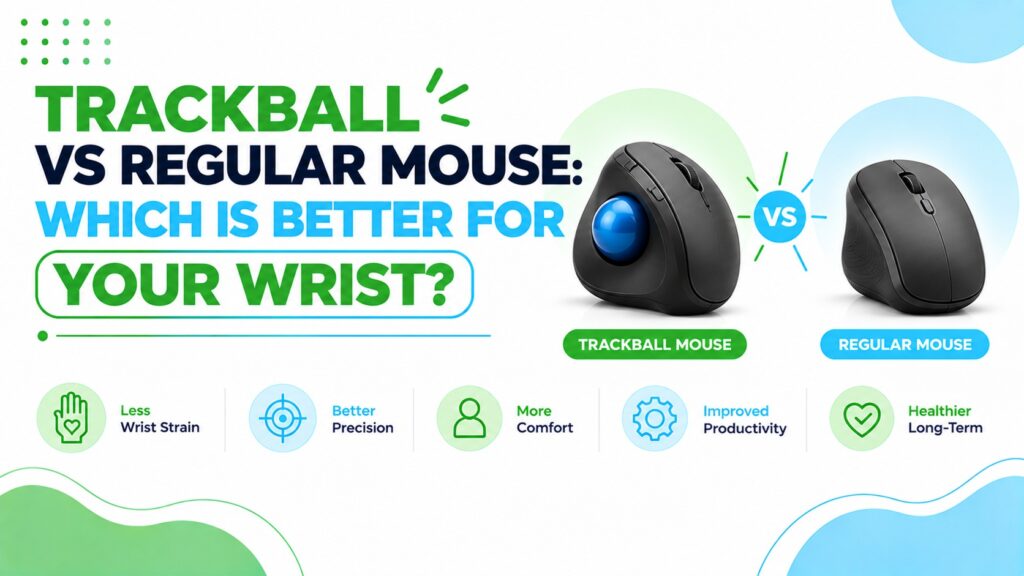
If your hand, wrist or shoulder feels tired after a long day at the computer, changing your mouse is one of the cheapest things you can try. The trouble is that the options pull in opposite directions. A regular mouse is familiar and precise. A trackball promises less arm movement, but it feels odd for the first few days, and the product pages rarely mention the trade-offs.
This guide helps you decide between a trackball vs regular mouse. I explain how each design works, what the research does and does not show, and how to choose based on hand size, desk space and the kind of work you do. Then I compare eight mice from about $9 to $49, including a vertical mouse for readers who want a third option.
Is a trackball better than a regular mouse? For many people, a trackball can feel more comfortable because the hand stays still and only the thumb moves the cursor. That may reduce arm travel and wrist steering. But research is mixed, precision tasks like click-and-drag can be harder, and the right choice depends on your hand size, desk space and work style.🖱️ Quick Picks: Trackball vs Regular Mouse
Four trackballs, three regular mice and one vertical mouse. Prices are Amazon.com listing prices at the time of writing and can change.


Quick Verdict Table
| Product | Best For | Main Strength | Main Limitation | Rating | Link |
|---|---|---|---|---|---|
| Nulea M514 | Vertical + trackball hybrid | Vertical angle and stationary body | Battery spec conflict in listing | 4.1/5 | 🛒 Check Price |
| Logitech Ergo M575S | First-time trackball buyers | Review volume, battery life, support | Right-handed only; button count differs by listing | 4.6/5 | 🛒 Check Price |
| ELECOM EX-G Pro | Power users, button remapping | 8 buttons, wired or wireless, 3-year warranty | 3.9-star rating; bulkier body | 4.0/5 | 🛒 Check Price |
| ProtoArc EM01 NL | Adjustability on a budget | 0–20° hinge, rechargeable | Listed weight 12.3 oz; needs cleaning | 4.4/5 | 🛒 Check Price |
| Acer OMR339 | Budget everyday use | Very low price, click-to-wake | No Bluetooth; battery not included | 3.9/5 | 🛒 Check Price |
| CITLLA L360 | Laptops and multi-device setups | Three connections, long battery claim | Compact; may cramp large hands | 4.1/5 | 🛒 Check Price |
| SABLUTE MAM4 | Medium to large hands, vertical grip | Reduced forearm rotation, USB-C | Too tall for small hands; Windows-only software | 4.1/5 | 🛒 Check Price |
| Lenovo 100 | Shared PCs, left-handers, tight budgets | No batteries, ambidextrous, lowest price | 3 buttons; Windows-only listing | 3.8/5 | 🛒 Check Price |
How a Trackball and a Regular Mouse Actually Differ
A regular mouse is moved across a surface, and the sensor underneath tracks that movement. The hand rests on top in a palm-down position, so your forearm is usually rotated (pronated) and your wrist and shoulder do much of the steering.
A trackball mouse keeps its body still. You move the cursor by rolling a ball with your thumb or fingers. In my experience reading specifications and reviews, this is the main appeal: less arm movement, and no need for a clear stretch of desk.
There is a third design worth knowing about. A vertical mouse tilts the hand into a handshake-style position, and the Nulea in this guide combines that tilt with a thumb ball. If you want a deeper look at that comparison, our vertical mouse vs trackball comparison covers it directly.
| Feature | Trackball Mouse | Regular Mouse |
|---|---|---|
| Cursor control | Thumb (or finger) rolls a ball | Whole hand moves the mouse |
| Arm and wrist travel | Minimal | Moderate to high |
| Desk space needed | Very little | A clear patch of desk |
| Precision tasks (drag, draw) | Often harder at first | Usually easier |
| Learning curve | Typically days to a couple of weeks | None for most people |
| Maintenance | Ball and rollers need occasional cleaning | Almost none |
| Typical price range here | About $32 to $49 | About $9 to $18 |
Is a Trackball Mouse Ergonomic?
A trackball can be an ergonomic choice, but it is not automatically better for everyone. Ergonomics is about fit and posture, and the best device is the one that lets you keep a relaxed hand, a straighter wrist and a close, supported arm.
The OSHA computer workstation guidance on pointer and mouse selection advises choosing a device sized to the hand that uses it, one that needs minimal force, and positioning it so the wrist stays straight and neutral. It also lists trackballs among the alternatives to a conventional mouse.
Research insight: A 2022 study in the International Journal of Environmental Research and Public Health had 15 young male participants complete aiming and dragging tasks with a conventional mouse, a vertical mouse and a trackball (a Kensington SlimBlade, which is operated with the fingers rather than the thumb). The authors reported that the trackball needed more operating force than the conventional mouse during dragging, and that dragging success was lower with the trackball (about 82% versus about 92%). In the sitting posture the gap was wider, at roughly 80% versus 94%. They concluded that the alternative devices offered limited benefits for task performance and subjective ratings.
What this means: Drag-and-drop is where trackballs struggle most. The sample was small, young and male, and the trackball was a finger-operated model, so the results do not map neatly onto the thumb trackballs reviewed below.
A separate electromyography study of trackball, trackpad, slanted and standard mice in the Iranian Rehabilitation Journal (15 participants) found no statistically significant differences between the devices for several of the measured forearm muscles. The slanted mouse, not the trackball, showed lower activity in certain extensor muscles.
What this means: The forearm muscle-activity evidence does not show the trackball clearly winning. Both studies describe general device types, not the specific products below, and they measure muscle activity over short tasks, not long-term injury outcomes.
Practical example: If you spend your day in email, documents and spreadsheets, a trackball asks for light thumb movements and little arm travel. If you spend it dragging objects around a design canvas, you may prefer a regular or vertical mouse and use the trackball only for part of the day.
Trackball Mouse Benefits for the Wrist (and Honest Limits)
The question I see most is whether trackball mouse benefits for the wrist are real. Here is how I would put it.
Possible advantages
- Less arm and wrist travel. The hand stays put, so there is less sweeping and wrist steering.
- A more neutral resting hand. Many thumb trackballs are shaped to support the hand at a slight angle rather than flat.
- Less desk space. Useful on small desks, in shared spaces, or when the surface is not mouse-friendly.
- Variety. Alternating between two pointing devices changes which muscles do the work, which many ergonomists consider sensible.
Possible drawbacks
- The thumb takes over. Thumb-operated designs shift effort to the thumb, which does not suit everyone.
- Click-and-drag is harder. Holding a button while rolling the ball takes practice.
- Cleaning. Dust builds up around the ball and rollers.
- Precision. Fine control takes time to learn.
The picture changes when researchers look at the shoulder. In a study of 26 healthy adults in Physical Therapy Korea, upper trapezius activity was significantly higher with a mouse than with a trackball, while activity in the first dorsal interosseous, a hand muscle, was significantly higher with the trackball. A 2015 Applied Ergonomics laboratory study with 12 adults also found that different pointing devices produced different hand postures and forearm muscle activity, and that users reported the most difficulty with the trackball and touchpad.
What this means: A trackball may move effort away from the shoulder and arm and toward the hand and thumb. That is a trade, not a free win.
Practical example: Someone whose shoulder tires from reaching to a mouse placed far to the side might find a centred trackball more comfortable. Someone whose thumb already feels sore should be cautious about a thumb-operated model.
An older study by Chaparro and colleagues in the Journal of Occupational Rehabilitation found that older adults reported higher perceived exertion with a mouse during click-and-drag motions, and the authors suggested a trackball may suit people doing frequent, repetitive actions. It dates from the late 1990s, so I treat it as supporting evidence, not proof.
Emily Richardson’s tip: Judge a trackball by how your hand feels after a full week, not the first hour. The first days are usually the clumsiest.
ErgoFixes is not a medical provider, and no mouse treats or cures any condition. If you have persistent or severe hand, wrist or arm pain, please speak to a qualified healthcare professional.
How to Choose: 7 Buying Factors
1. Hand size and grip. OSHA notes that a device that is too big or too small can push you into awkward wrist positions. Check the dimensions in each listing against your hand.
2. Thumb or finger control. Thumb trackballs are the most common. If your thumb tires easily, a regular or vertical mouse may be a better fit.
3. Handedness. All the trackballs in this guide are listed as right-handed. Left-handed users should confirm the listing before ordering.
4. Adjustability. A tilt hinge, like the 0 to 20 degree hinge on the ProtoArc, lets you adjust the wrist angle. Fixed shapes cannot be adjusted.
5. Connectivity and multi-device use. Bluetooth plus a USB receiver is useful if you switch between a laptop and a tablet. Wired options never need pairing.
6. Power. Rechargeable models avoid battery swaps but need charging. AA models can run for a long time, but you replace the battery.
7. Software and compatibility. Some features, such as button remapping, depend on companion software that may support only certain operating systems.
Trackball Mouse 2026 Review: 8 Mice Compared
I compare these using manufacturer specifications, verified Amazon listing data, customer feedback and review patterns, and ergonomic design analysis. My scores weigh four things: ergonomic design (35%), features and connectivity (25%), value for money (20%) and customer feedback (20%). They are editorial scores, not lab measurements.
For a deeper shortlist of thumb and finger trackballs, see our best trackball mouse guide.
1. Nulea Wireless Ergonomic Vertical Trackball Mouse (M514)
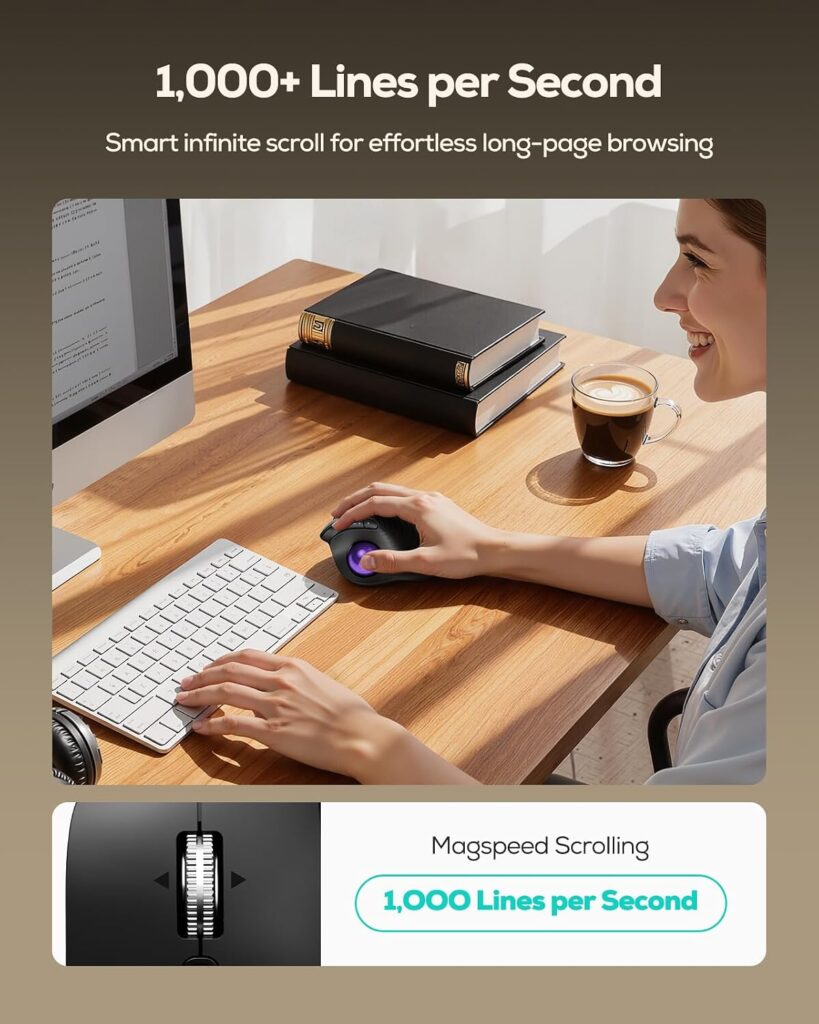
Quick Verdict: This mouse combines a vertical hand angle with a thumb trackball, which is an unusual hybrid. I like the idea, but the listing contains a battery specification I would double-check before buying.
Best For: Users who want a vertical shape and a stationary trackball in one device.
Key Specifications
- Listed 65-degree vertical angle with thumb-controlled trackball
- Bluetooth (up to 3 devices) and USB receiver
- 4 DPI levels; listed maximum sensitivity 1000 DPI
- 6 buttons, listed weight 5.3 oz
- Right-handed; Windows, macOS and Android listed
- 12-month warranty; 4.3 stars from 549 ratings
What We Like
- Hybrid design that reduces forearm rotation and arm travel at the same time
- Quiet operation claimed for the ball, buttons and scroll wheel
- Multi-device pairing with an easy switch button
What We Don’t Like
- The headline says rechargeable, yet the specification table lists a battery-powered unit needing a 9V battery. That is a discrepancy, so confirm power details before buying.
- Lower maximum DPI than most other mice in this list
Ergonomic Analysis: A vertical angle reduces forearm pronation, and the thumb ball removes most hand travel. The trade-off is that the thumb does more work, and a steep angle may feel unfamiliar at first.
Who Should Buy It? Readers curious about both vertical and trackball designs who want to try them together.
Who Should Skip It? Anyone who wants fully verified power specs or a proven, widely reviewed trackball.
Value for Money: At roughly $36.79 on the listing I saw, the price is fair for a hybrid, as long as the battery question is settled.
🛒 Check Price on Amazon2. Logitech Ergo M575S Wireless Trackball

Quick Verdict: This is the trackball I would suggest first to most readers. It has the strongest review volume in this guide (4.5 stars from 2,421 ratings), an official ergonomic design pedigree and straightforward setup.
Best For: First-time trackball buyers and all-day office use.
Key Specifications
- Thumb-controlled trackball, right-handed
- Bluetooth Low Energy and Logi Bolt USB receiver
- Sensor: nominal 400 DPI, up to 2000 DPI
- Logitech lists 5 buttons (left and right click, back and forward, scroll wheel with middle click), 3 customisable
- 1 AA battery included; up to 18 months listed
- About 145 g (Logitech); 1-year limited hardware warranty
What We Like
- Quiet clicks and a sculpted shape suited to most hand sizes, according to Logitech
- Long battery life
- Customisation through the Logi Options+ app on Windows and macOS
What We Don’t Like
- The Amazon listing shows 2 buttons, while Logitech’s own page lists 5. Specifications can vary by model or region, so check the current listing.
- Right-handed only
- Thumb effort can build for users who dislike thumb control
Ergonomic Analysis: Logitech’s product page states the design reduces forearm muscle strain by 25%. That is a manufacturer claim, and I cannot verify the conditions behind it, so I treat it as supportive information, not proof. The independent studies above looked at device types in general, not this model. The stationary body means you do not reposition your arm to move the cursor.
Who Should Buy It? Anyone who wants the safest, best-supported trackball choice.
Who Should Skip It? Left-handed users, or those who need fine drawing control.
Value for Money: About $41.99 on the listing is reasonable for the track record and battery life.
🛒 Check Price on Amazon3. ELECOM EX-G Pro Trackball Mouse
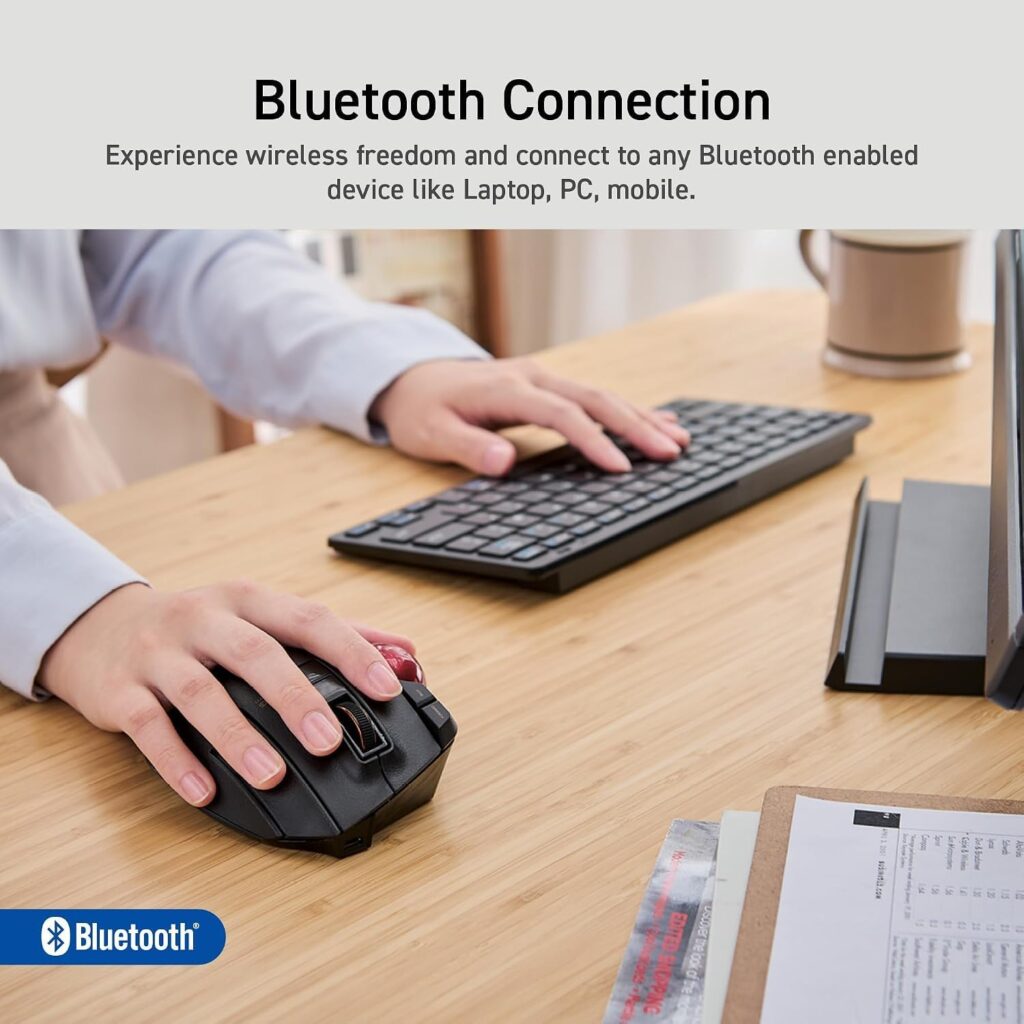
Quick Verdict: The EX-G Pro is the most configurable trackball here, with 8 buttons, three connection modes and a 3-year manufacturer warranty. Its 3.9-star average is the lowest among the trackballs I considered, so read the limitations carefully.
Best For: Power users who want programmable buttons and wired or wireless flexibility.
Key Specifications
- Thumb-operated trackball, right-handed
- Wired USB, wireless and Bluetooth
- 500, 1000 and 1500 DPI settings
- 8 programmable buttons via ELECOM Mouse Assistant software
- About 5.2 oz without battery; 4.3 x 5.3 x 1.9 in
- 1 AA battery included; 3-year manufacturer warranty
What We Like
- Ball sits on three 2.5 mm ruby bearings and pops out for easy cleaning
- Many assignable buttons for shortcuts
- Long warranty
What We Don’t Like
- Customer rating of 3.9 from 1,800 ratings is lower than the others
- The listing shows a weight of 0.48 oz, which conflicts with the 5.2 oz in the description, so I used the description
- Software and larger body add complexity
Ergonomic Analysis: The size suits larger hands better. The many buttons reduce reaching, but the body is bulkier than a compact trackball.
Who Should Buy It? Users who value customisation and warranty cover.
Who Should Skip It? Small-handed users or anyone who wants simple plug-and-play.
Value for Money: Around $48.99 on the listing, it is the priciest trackball here, so it makes sense only if you will use the features.
🛒 Check Price on Amazon4. ProtoArc EM01 NL Wireless Trackball Mouse
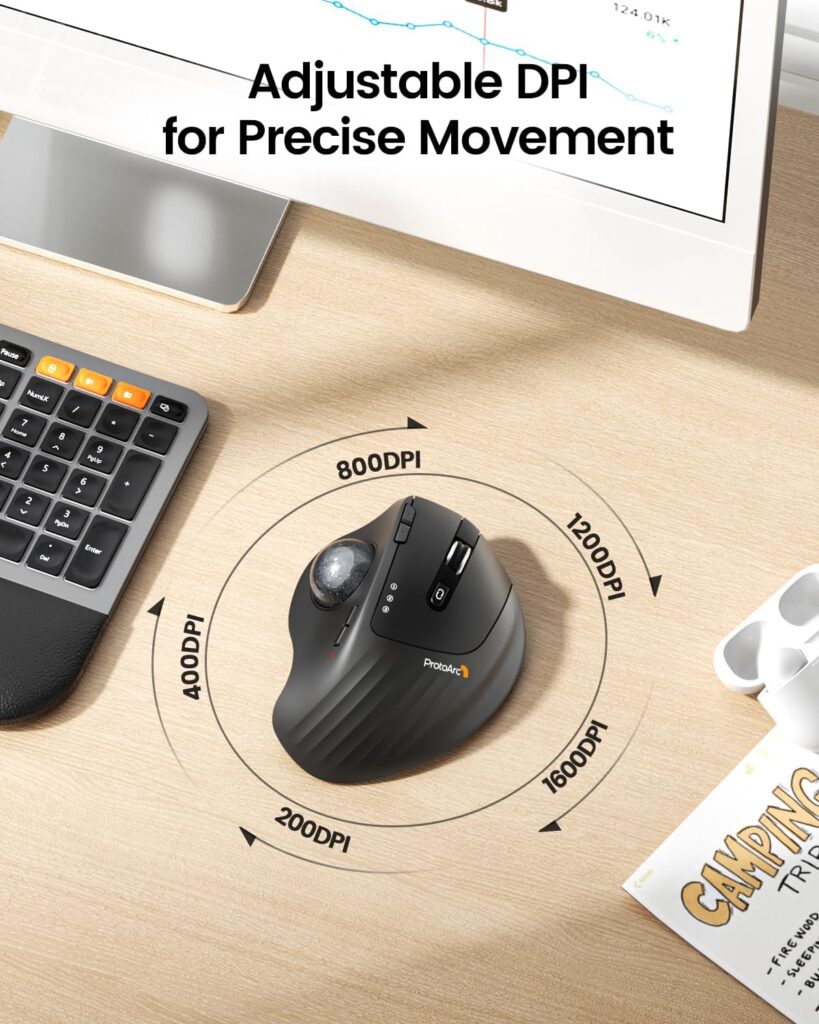
Quick Verdict: The standout feature is the 0 to 20 degree adjustable hinge, which is rare at this price. It is rechargeable, supports three devices and has strong feedback (4.2 stars from 3,425 ratings).
Best For: Readers who want an adjustable angle and a rechargeable battery at a modest price.
Key Specifications
- Thumb trackball, right-handed
- Bluetooth and 2.4G USB receiver, up to 3 devices
- 5 DPI levels, 200 to 1600
- Rechargeable lithium-ion battery with USB-C cable
- 6 buttons; 2-year warranty
- Listed weight 12.3 oz
What We Like
- Adjustable tilt to match hand position
- Quiet left and right clicks (the listing notes the scroll wheel and side buttons are not silent)
- Works on small desks, couches and beds, according to the listing
What We Don’t Like
- Listed weight of 12.3 oz is far above the other trackballs, so confirm it before you order
- The ball and three rollers need regular cleaning
- Right-handed only
Ergonomic Analysis: A hinge lets you change the wrist angle rather than accept one fixed shape. ProtoArc says most users adapt within one to two weeks, which matches the general trackball learning curve.
Who Should Buy It? Anyone who wants adjustability on a budget.
Who Should Skip It? Users who prefer very light devices or a proven battery-life track record.
Value for Money: About $32.29 on the listing makes it the best-value trackball in this set.
🛒 Check Price on Amazon5. Acer Wireless Mouse (OMR339)
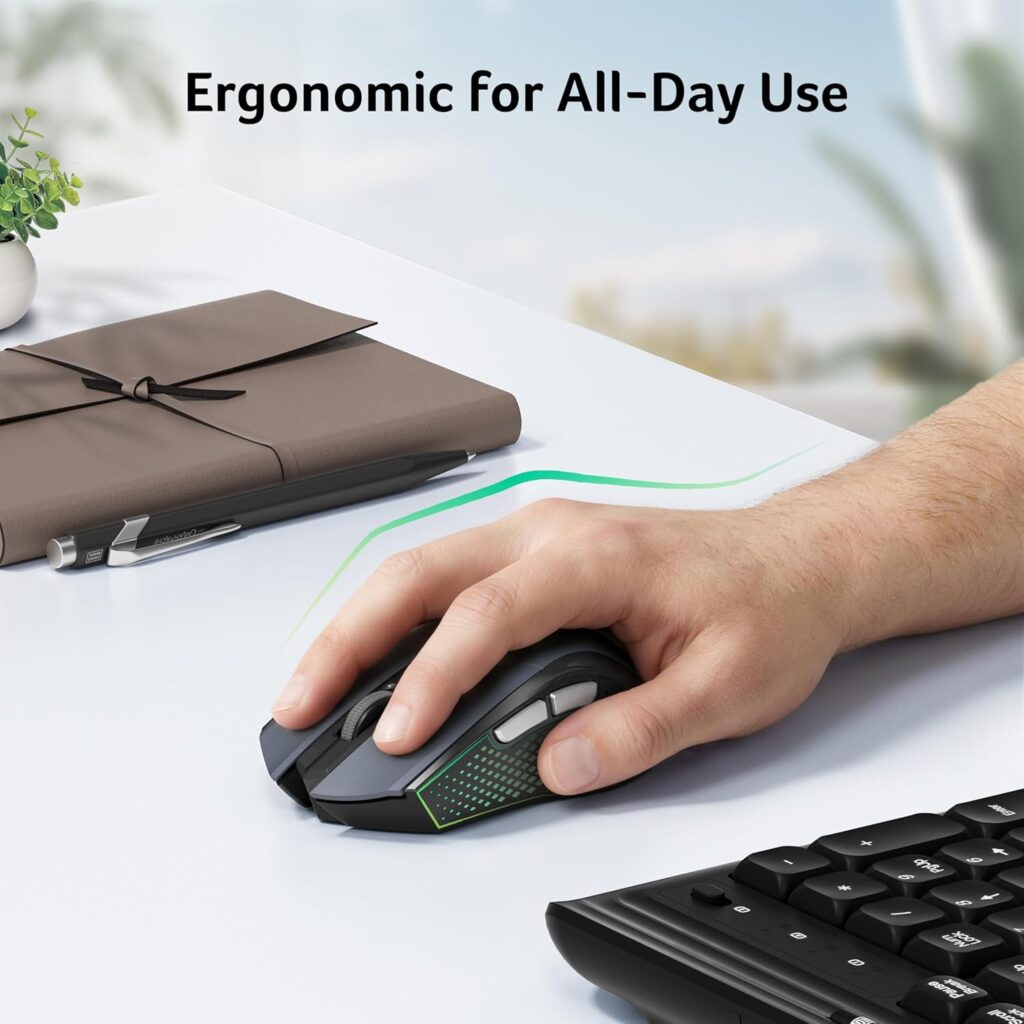
Quick Verdict: A simple regular mouse at a very low price. It is not an ergonomic specialist, but it works well as a baseline or backup.
Best For: Budget buyers with medium to large hands.
Key Specifications
- 2.4 GHz USB-A receiver (no Bluetooth)
- 5 DPI levels from 800 to 4000
- 6 buttons; about 3 oz; 4.9 x 2.7 in
- 1 AA battery required (not included); 1-year warranty
- 4.4 stars from 767 ratings
What We Like
- Very low cost
- Click-to-wake saves battery
- Receiver stores inside the mouse
What We Don’t Like
- No Bluetooth, so it needs a free USB-A port
- Battery not included
- Standard flat shape offers no special posture support
Ergonomic Analysis: It keeps the usual palm-down position. It suits users who want a straightforward mouse and plan to rely on good desk setup instead.
Who Should Buy It? Shoppers who want a cheap, dependable everyday mouse.
Who Should Skip It? Anyone looking for an ergonomic solution to discomfort.
Value for Money: At roughly $11.99, it is excellent value as a basic mouse.
🛒 Check Price on Amazon6. CITLLA Wireless Bluetooth Mouse (L360)
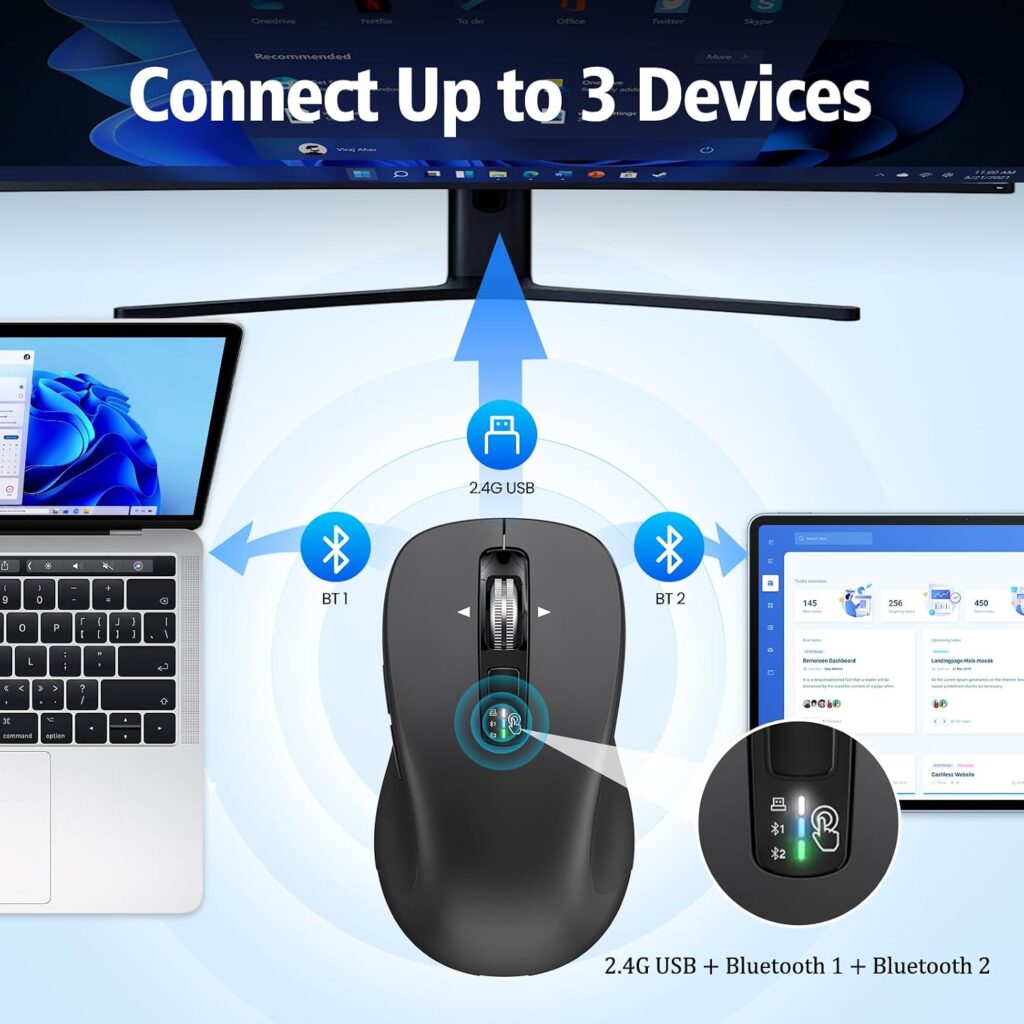
Quick Verdict: A compact regular mouse with Bluetooth, a USB receiver and a long listed battery life. It is the most flexible regular mouse here for switching between devices.
Best For: Laptop users, travellers and multi-device setups.
Key Specifications
- 2.4G USB receiver plus two Bluetooth connections
- DPI 1000, 1600, 2400 and 3000
- About 4.6 x 2.6 x 1.6 in; about 2.65 oz
- 2 AA batteries included; listed battery life up to 40 months
- 2-year warranty; 4.4 stars from 945 ratings
What We Like
- Switch key for quick device changes
- 4-way scrolling
- Light and portable
What We Don’t Like
- The compact body may feel cramped for large hands
- Battery life figures are manufacturer claims
- The listing’s measurement table is inconsistent, so I used the dimensions in the description
Ergonomic Analysis: The small, light shape reduces effort for users with smaller hands, but there is no special wrist support.
Who Should Buy It? People who work across several devices.
Who Should Skip It? Large-handed users who need a bigger palm fit.
Value for Money: Roughly $18.04 on the listing is good for the connectivity.
🛒 Check Price on Amazon7. SABLUTE MAM4 Ergonomic Wireless Vertical Mouse
Quick Verdict: This is the vertical-mouse alternative in the set. It suits readers who find regular mice uncomfortable but are not sure about a trackball.
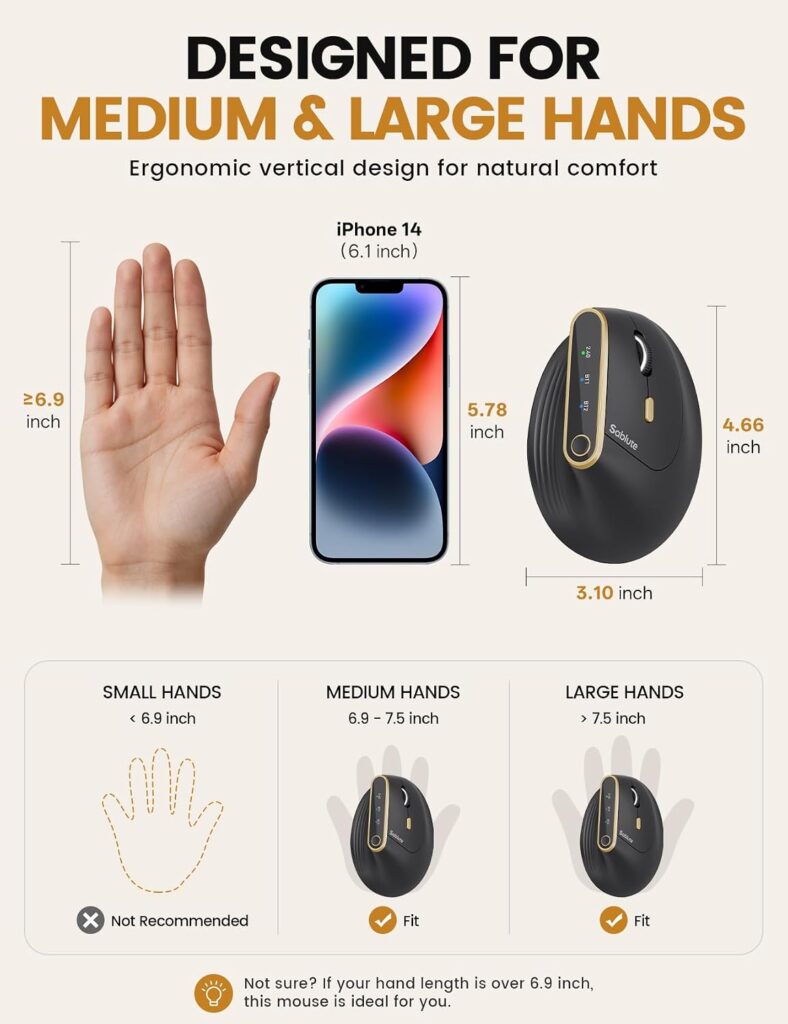
Best For: Medium to large hands that want a handshake-style grip.
Key Specifications
- Listed 57-degree handshake angle
- Bluetooth and 2.4G; up to 3 devices
- 6 DPI presets from 800 to 4000; software up to 8000 (Windows only)
- 800 mAh USB-C rechargeable; about 30 days per charge listed
- 6 programmable buttons; about 4.2 oz; 4.66 x 3.1 in
- 2-year warranty; 4.2 stars from 659 ratings
What We Like
- Reduces forearm rotation compared with a flat mouse
- Quiet clicks and USB-C charging
- Strong feature list for the price
What We Don’t Like
- Designed for medium and large hands, so smaller hands may find it tall
- Customisation software works only on Windows
- Fewer reviews than the other options
Ergonomic Analysis: A vertical angle changes forearm position but still requires you to move the whole mouse. Research on vertical mice is mixed, so I see it as a comfort preference.
Who Should Buy It? Readers who want a posture change without learning a trackball.
Who Should Skip It? Small-handed users and anyone short of desk space.
Value for Money: The listing price of $39.99 is mid-range, and some colours were listed lower.
🛒 Check Price on Amazon8. Lenovo 100 Wired USB Mouse
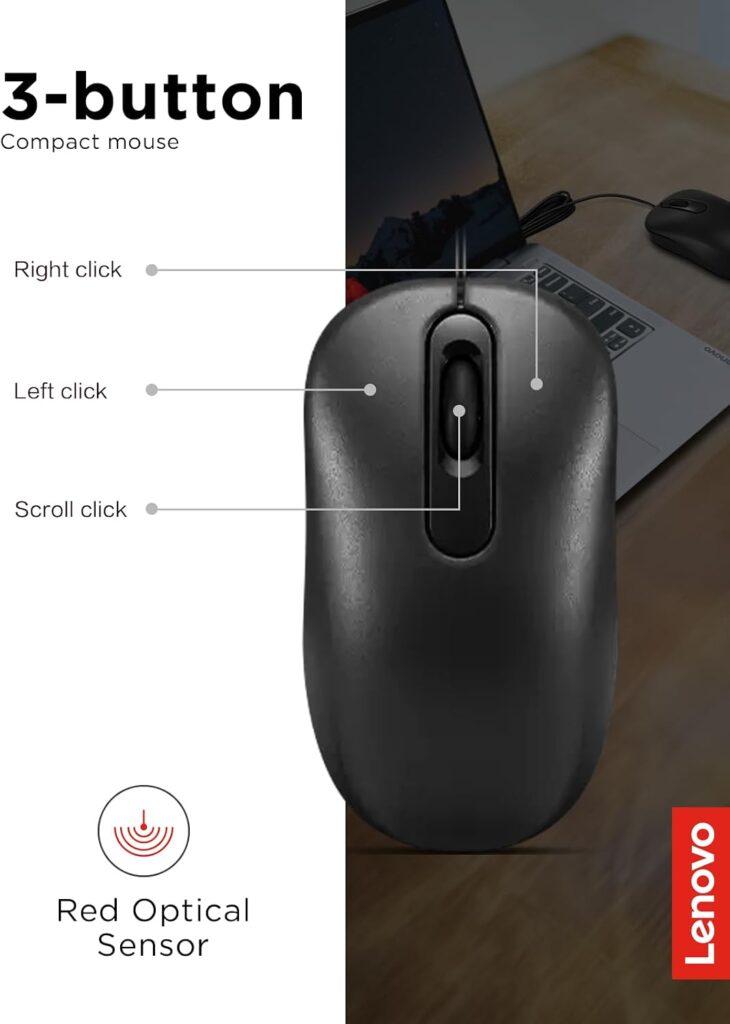
Quick Verdict: A plain, reliable, ambidextrous wired mouse at the lowest price in this guide. It makes a useful control against which to judge the others.
Best For: Shared computers, left-handed users and tight budgets.
Key Specifications
- Wired USB-A with 1.7 m cable
- 1000 DPI optical sensor; 3 buttons
- Ambidextrous; about 2.56 oz
- 3 million click lifespan listed; 1-year warranty
- 4.5 stars from 784 ratings
What We Like
- No batteries or pairing
- Works for both hands
- Very inexpensive
What We Don’t Like
- Only three buttons and a fixed DPI
- Listing names Windows only, so check Mac and Linux compatibility
- The cable can limit placement
Ergonomic Analysis: It is a standard flat mouse, so any comfort benefit comes from your setup (mouse close to the body, relaxed grip), not the device.
Who Should Buy It? Anyone who wants a dependable basic mouse.
Who Should Skip It? Readers seeking posture support or wireless freedom.
Value for Money: At about $8.99, it is hard to beat for plain function.
🛒 Check Price on AmazonComparison Table
| Product | Type | Key Ergonomic Feature | Weight | Connectivity | Rating | Link |
|---|---|---|---|---|---|---|
| Nulea M514 | Vertical trackball | 65° angle, thumb ball | 5.3 oz (listed) | Bluetooth + USB receiver, 3 devices | 4.1/5 | 🛒 Check Price |
| Logitech Ergo M575S | Thumb trackball | Sculpted shape, stationary body | 145 g (Logitech) | Bluetooth LE + Logi Bolt | 4.6/5 | 🛒 Check Price |
| ELECOM EX-G Pro | Thumb trackball | Removable ball, ruby bearings | 5.2 oz (description) | USB wired, wireless, Bluetooth | 4.0/5 | 🛒 Check Price |
| ProtoArc EM01 NL | Thumb trackball | 0–20° adjustable hinge | 12.3 oz (listed) | Bluetooth + 2.4G, 3 devices | 4.4/5 | 🛒 Check Price |
| Acer OMR339 | Regular mouse | Standard palm-down shape | 3 oz | 2.4 GHz USB-A | 3.9/5 | 🛒 Check Price |
| CITLLA L360 | Regular mouse | Compact, light body | 2.65 oz | 2.4G + 2 Bluetooth | 4.1/5 | 🛒 Check Price |
| SABLUTE MAM4 | Vertical mouse | 57° handshake angle | 4.2 oz | Bluetooth + 2.4G, 3 devices | 4.1/5 | 🛒 Check Price |
| Lenovo 100 | Regular mouse | Ambidextrous flat shape | 2.56 oz | Wired USB-A (1.7 m) | 3.8/5 | 🛒 Check Price |
Which Product Should You Buy?
Choose the Logitech Ergo M575S if you want the best-supported trackball and are new to the category.
Choose the ProtoArc EM01 NL if you want an adjustable angle, a rechargeable battery and the lowest trackball price.
Choose the ELECOM EX-G Pro if you need many programmable buttons and a wired option.
Choose the Nulea M514 if you want to try a vertical tilt and a trackball together and will verify the battery details first.
Choose the SABLUTE MAM4 if you want a different hand angle but not a trackball.
Choose the CITLLA L360 if you switch between several devices and have smaller hands.
Choose the Acer OMR339 if you need a cheap, simple wireless mouse.
Choose the Lenovo 100 if you want a wired, ambidextrous mouse or are buying for a shared computer.
Emily Richardson’s recommendation: If you work from home for several hours a day, prioritise fit and desk compatibility before paying extra for features you may not use. If you are unsure, buy the cheaper trackball first and keep a regular mouse for tasks that need precision.
Alternatives and When They Make Sense
- Best alternative to a trackball: a vertical mouse such as the SABLUTE MAM4, if you want less forearm rotation but familiar movement.
- Budget alternative: the Lenovo 100 or Acer OMR339, paired with a wrist-friendly setup.
- Best for small spaces: a thumb trackball like the Logitech M575S.
- Best for multiple devices: the CITLLA L360 or ProtoArc EM01 NL.
If you are still weighing designs, our ergonomic mouse vs regular mouse research explains how different mouse shapes compare for comfort.
Common Mistakes When Choosing
- Assuming “ergonomic” means comfortable for everyone. Fit matters more than the label.
- Ignoring hand size. A device that is too big or too small can cause awkward wrist positions.
- Judging a trackball in the first hour. Give it at least a week or two.
- Ignoring the type of work you do. Drag-heavy tasks can be harder on a trackball.
- Forgetting maintenance. Trackballs need occasional cleaning of the ball and rollers.
- Buying on star ratings alone. Read the limitations and check specification conflicts.
- Expecting one product to fix a bad setup. Desk and chair height matter as much as the mouse.
Best Practices for Any Mouse Setup
- Keep the mouse close to the keyboard, as OSHA recommends, so your elbow stays near your body.
- Aim for a straight, neutral wrist and a relaxed grip.
- Set the sensitivity so the cursor crosses the screen without large wrist movements.
- Rest your forearm on the desk or an armrest when possible.
- Take short movement breaks.
- Consider switching between two devices during the day.
- If discomfort lingers, speak to a healthcare professional.
Frequently Asked Questions
Is a trackball better than a regular mouse for wrist comfort?
It can be, but it is not guaranteed. A trackball keeps your hand still, which may reduce wrist and arm movement. Research on muscle activity is mixed: one study found less upper trapezius activity with a trackball but more activity in a hand muscle, and some tasks feel harder. Comfort depends on hand size, grip and work style, so try one with a return policy.
Is a trackball mouse ergonomic?
A trackball can be ergonomic when it fits your hand and lets you keep a neutral wrist. OSHA’s workstation guidance lists trackballs as an alternative pointing device. Ergonomic benefits depend on fit and setup, not the label alone.
What are the trackball mouse benefits for the wrist?
Possible benefits include less wrist movement, less arm travel and a smaller desk footprint. The thumb does more work instead. These are comfort factors, not medical treatments, and results vary between people.
How long does it take to get used to a trackball?
Many users adapt within one to two weeks, which is what ProtoArc’s listing suggests. Precision tasks like dragging usually take longer. Expect some awkwardness at first.
Are trackballs good for gaming or design work?
Usually not for fast aiming or detailed drawing. A laboratory study of dragging tasks found lower success rates with a finger-operated trackball than with a conventional mouse. Many people keep a regular mouse for those tasks.
Are trackballs hard to clean?
No, but they need regular attention. Dust builds up around the ball and rollers. Some models, like the ELECOM EX-G Pro, let you pop the ball out for cleaning.
Is a trackball or vertical mouse better?
They solve different problems. A vertical mouse changes forearm angle but still moves across the desk. A trackball stays put but loads the thumb. Our vertical mouse vs trackball guide goes into more detail.
Can a trackball help with carpal tunnel syndrome?
I cannot say that. ErgoFixes does not make medical claims, and no mouse treats a medical condition. If you have symptoms, please see a qualified healthcare professional.
Are trackballs good for small desks?
Yes. Because the body stays still, they need very little free surface, which suits cramped desks and shared spaces.
Which is best for beginners, trackball or regular mouse?
A regular mouse is easiest because there is no learning curve. If you want to try a trackball, the Logitech Ergo M575S is the one I would start with because of its review volume and support.
Final Verdict
If you want to try a trackball, start with the Logitech Ergo M575S. If price and adjustability matter most, choose the ProtoArc EM01 NL. If you are not ready for a trackball, a SABLUTE MAM4 vertical mouse or a budget regular mouse like the Acer OMR339 or Lenovo 100 is a sensible choice.
Whatever you choose, treat it as one part of a good setup, not a cure-all. And if a trackball does not suit you, a regular mouse with good posture is a perfectly reasonable answer.
Check the current Amazon listing to see today’s price, available colours and customer reviews before you decide.





