
Vertical Mouse vs Trackball: Which Is Better for Wrist Comfort?
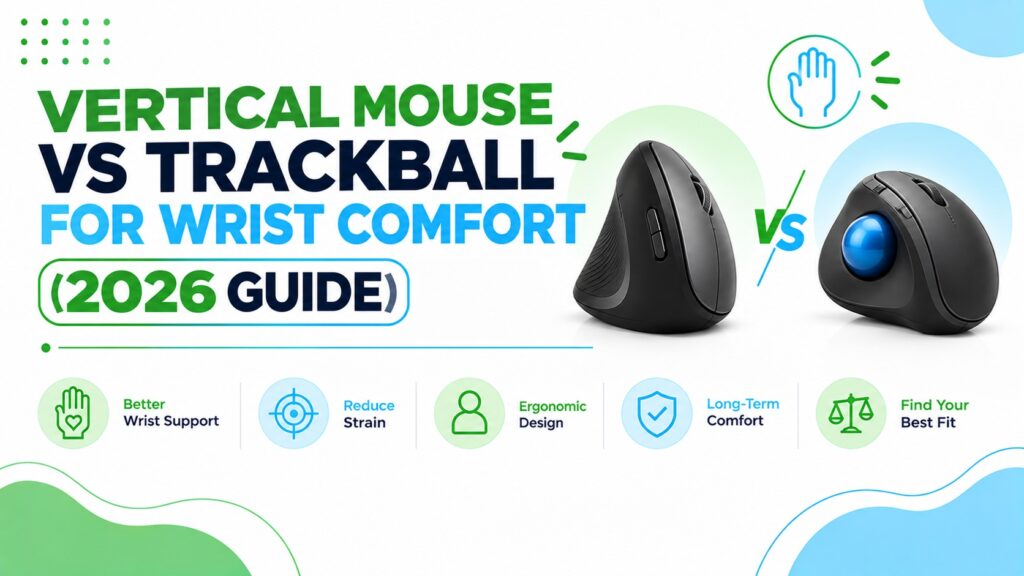
We’re evaluating these models using manufacturer specifications, verified Amazon listing data, aggregated customer feedback, review patterns, and ergonomic design analysis. We assess each product based on factors such as comfort, adjustability, materials, functionality, durability, and overall value to provide a balanced and practical recommendation.
Quick Answer: Vertical Mouse vs Trackball
Neither is better for everyone. A vertical mouse is usually the easier switch if twisting your forearm to grip a flat mouse is what bothers you, because it keeps your hand in a handshake position. A trackball suits people who want the hand to stay still, or who have little desk space. Ergonomic devices are not medical treatments.
Short version of my picks:
- Best vertical mouse overall: Logitech Lift
- Best value vertical mouse: ProtoArc EM11 NL
- Best trackball overall: Nulea M501
- Best ambidextrous trackball with a wrist rest: Kensington Orbit with Scroll Ring
🖱️ Quick Picks: Vertical Mice and Trackballs
Four vertical mice and four trackballs, each with a different job to do.


Quick Verdict Table
| Product | Type | Best For | Main Strength | Main Limitation | Rating | Link |
|---|---|---|---|---|---|---|
| Logitech Lift | Vertical | Small to medium hands, all-day use | Light, long battery life, customisable buttons | Highest price here; too small for large hands | 4.6/5 | 🛒 Check Price |
| ProtoArc EM11 NL | Vertical | Value-focused buyers | Rechargeable, three devices, 2-year warranty | Heavier; buttons not programmable | 4.5/5 | 🛒 Check Price |
| PHILIPS SPK7628 | Vertical | Small hands, shared spaces | Silent buttons, 57° angle, low price | No Bluetooth; small review base | 4.1/5 | 🛒 Check Price |
| MEETION BTM010 | Vertical | Medium to large hands on a budget | Lowest price; left-handed version | Tilt angle not stated; inconsistent listing details | 4.0/5 | 🛒 Check Price |
| Nulea M501 | Trackball (thumb) | First-time trackball users | Proven popularity, three-device pairing | Buttons not programmable; right-handed only | 4.4/5 | 🛒 Check Price |
| Kensington Orbit | Trackball (centre ball) | Left-handers, desks that need wrist support | Ambidextrous, wrist rest, 5-year warranty | Wired; only two buttons; biggest footprint | 4.3/5 | 🛒 Check Price |
| TECKNET Trackball | Trackball (thumb) | Medium to large hands | 16° tilt, 36-month warranty | Max 1200 DPI; too big for small hands | 4.1/5 | 🛒 Check Price |
| seenda Trackball | Trackball (thumb) | Trying a trackball cheaply | Lowest trackball price, USB-C charging | Sparse specs on the listing | 4.0/5 | 🛒 Check Price |
Introduction
Most people who search for “vertical mouse vs trackball” are in the same spot. Their hand, wrist or forearm feels tired after a long day of mousing, and they have heard that either of these two odd-looking devices might help.
They are solving different problems. A vertical mouse changes the angle of your forearm. A trackball changes how much your arm moves at all. Which one fits depends on what is bothering you, how big your hands are and how much desk you have.
In this guide I compare the two designs, go through what the research does and does not show, and review eight popular models. If you want a deeper look at one side first, we also cover the best vertical mice for 2026 and the best trackball mice for ergonomics in separate guides.
A quick safety note. Ergonomic products can improve comfort and positioning, but they are not medical treatments. If you have persistent, severe or worsening pain, numbness or tingling, please speak to a healthcare professional rather than trying to fix it with a new mouse.
At ErgoFixes, our product evaluations combine manufacturer specifications, verified retailer and Amazon listing data, customer feedback, review patterns, and ergonomic design analysis. We assess products across factors such as comfort, adjustability, materials, functionality, durability, and overall value, using multiple sources to provide a balanced and practical recommendation.
How a Vertical Mouse and a Trackball Differ
What is a vertical mouse?
A vertical mouse is designed to keep the forearm in a more neutral position than a traditional mouse. Instead of lying flat with your palm facing down, the mouse stands upright so your hand rests in a handshake position.
Most models in this guide use an angle of around 57–58°. The aim is to reduce forearm twisting (called pronation), which a flat mouse tends to force.
What is a trackball?
A trackball is a stationary pointing device. You move the cursor by rolling a ball with your thumb or fingers while your hand and arm stay put.
There are two common layouts. Thumb trackballs (Nulea, TECKNET, seenda) put the ball under your thumb. Centre-ball trackballs (Kensington Orbit) put it in the middle of the body, operated with your fingers.
Vertical mouse vs trackball at a glance
| Factor | Vertical Mouse | Trackball |
|---|---|---|
| Main ergonomic idea | Less forearm twisting | Less arm and hand movement |
| Arm movement | Arm still slides the mouse | Hand stays in place |
| Desk space | Needs a mousing area | Very little |
| Learning curve | Short; grip feels odd at first | Longer for precise work |
| Fine control | Close to a normal mouse once adapted | Good for small adjustments, awkward for drag-and-drop at first |
| Lab findings (small studies) | Less forearm pronation and lower wrist extensor activity; slower pointing at first | One NIOSH-funded study found higher forearm extensor activity and more ulnar deviation than a mouse; some users still prefer it |
| Possible downside | Can feel big or small depending on your hand | Thumb or finger fatigue if one digit does all the work |
| Typical price (this guide) | About $19–$70 | About $30–$40 |
What the Research Says (and What It Does Not)
I want to be careful here, because mouse studies are usually small, short and done on healthy volunteers. None of them prove a specific product will relieve pain.
The wider evidence is mixed, too. A 2018 Cochrane review of ergonomic interventions for office workers found it uncertain whether physical measures, such as an arm support used with an alternative mouse, prevent work-related upper-limb disorders. A systematic review of 17 controlled trials looked at alternative mouse designs such as vertical, slanted and roller-bar mice. Most of the controlled studies I found date from the 2010s, and I did not find a newer head-to-head test of vertical mice against trackballs.
Vertical mice: less forearm rotation
Claim: A vertical mouse reduces forearm pronation.
Evidence: In a study in the journal Ergonomics, 16 participants averaged about 28° of pronation with a vertical mouse versus 42° with a standard one. Wrist extensor muscle activity was also a little lower. However, time to reach targets was longer with the vertical mouse (4.2 vs 3.4 seconds).
Simple explanation: Your forearm has two bones that cross over when you turn your palm down. A vertical mouse lets them stay more parallel.
Practical example: If your forearm feels twisted and tight after hours of mousing, a vertical mouse addresses that specific posture.
What this means: The posture change is real and measurable. Comfort and speed took some adapting, and the study does not show a given model prevents injury.
A CDC-hosted evaluation of flat, angled and vertical mice adds a useful caution. In that study of 12 experienced users, angled concept mice reduced pronation compared with a flat mouse, while the fully vertical mouse reduced it too but had the poorest pointing performance. A separate CDC-hosted study found a tilted mouse produced up to 11.5° less pronation than a standard mouse, and that instructions on how to hold it reduced pronation further.
Vertical mice and carpal tunnel: mixed findings
Claim: A vertical mouse changes wrist position, but that does not automatically change pressure inside the wrist.
Evidence: A study in Applied Ergonomics measured carpal tunnel pressure in 21 people who already had carpal tunnel syndrome. The vertical mouse reduced ulnar deviation (sideways wrist bend), but none of the tested devices reduced carpal tunnel pressure. The authors did not endorse a strong recommendation for or against these devices and noted that choice depends on personal preference.
What this means: A vertical mouse may help posture, but I would not present it as a carpal tunnel fix. For a deeper look at this question, see our guide on whether an ergonomic mouse really helps wrist pain.
Trackballs: less hand travel, but not clearly less strain
Claim: A trackball reduces how far your hand travels, but that does not automatically mean lower forearm load or a more neutral wrist.
Evidence: A NIOSH-funded laboratory study in Applied Ergonomics tested a conventional mouse, a finger-operated trackball, a touchpad and a rollermouse with 12 healthy adults. The trackball was associated with the highest forearm extensor muscle activity of the four devices (significantly higher than the mouse for one forearm muscle) and the greatest ulnar deviation. Participants also rated it harder to use than the mouse, at about 2.6 versus 0.6 on a 0–10 scale. The authors caution that the muscle differences were small and that their link to injury risk is unknown.
Older studies point the other way on comfort. In a study of older and younger adults, older adults reported higher perceived exertion with a mouse during click-and-drag actions, and the authors suggested a trackball may suit older users doing frequent repetitive actions. In a related conference paper, both age groups were slower with the trackball, yet 75% of participants preferred it.
Simple explanation: On a finger-operated trackball, you hold the body with part of your hand while one or two fingers roll the ball. The NIOSH-funded study’s authors linked that kind of constraint to more finger spread and higher forearm muscle activity.
Practical example: If you try a trackball, watch for two things the study measured: whether one thumb or finger tires quickly, and whether your wrist drifts sideways toward the little-finger side.
What this means: The trackball in that study was finger-operated, not one of the thumb-ball designs reviewed here (Nulea, TECKNET, seenda), and it was a short session with healthy volunteers. I cannot say these models are better or worse than a mouse. What the evidence does support is that “trackball” is not automatically gentler on the forearm. Design, and how well your thumb or fingers cope, matter.
The honest comparison
One small study in the Iranian Rehabilitation Journal (15 participants) compared a trackball, trackpad, slanted mouse and standard mouse. Several forearm muscles showed lower activity with the slanted mouse than the others. That is one small study, and it does not mean slanted mice beat trackballs for everyone.
Bottom line: I did not find research that directly settles vertical mouse vs trackball for people with wrist pain. On posture measures, the evidence I found is somewhat more consistent for vertical mice reducing forearm rotation than for trackballs lowering forearm load, but both rest on small, short lab studies, and neither shows prevention or treatment of a condition. The best device is the one that fits your hand, your desk and your symptoms, and that you will actually keep using.
Buying Guide: What to Check Before You Choose
1. Where is the discomfort?
If your forearm feels twisted or the outer wrist feels strained, a vertical mouse targets that posture. If your whole arm feels tired from sweeping across the desk, a trackball removes much of that movement, although the research above does not show it lowers forearm load. If the problem is clicking or gripping, neither is a full answer.
2. Hand size
This is the factor I would check first. The Logitech Lift is described as suiting small to medium right hands, and the PHILIPS lists hand lengths up to 7 inches. The ProtoArc lists under 7.5 inches. The MEETION and TECKNET are aimed at medium to large hands.
Emily Richardson’s tip: Measure your hand from wrist crease to the tip of your middle finger before buying, then compare it with the size guidance on the listing. A mouse that is too small makes you curl your fingers, and one that is too big makes you stretch.
3. Desk space
A vertical mouse needs the same mousing area as a normal one. A trackball needs almost none, which can help on a cramped desk or when you work from a lap or armrest.
4. Learning curve
Expect an adjustment period with either design. Several listings suggest allowing 1–2 weeks to get used to the shape, and the research above also noted adaptation time. Plan for slower precision work at first.
5. Connectivity and compatibility
Check whether you need Bluetooth, a USB-A receiver or both. The PHILIPS uses its 2.4 GHz receiver only, and several listings note you need a USB-C adapter for laptops without USB-A ports. Also check operating system notes: the ProtoArc’s back/forward buttons do not work on macOS, per its listing.
6. Weight and battery
Weights here range from about 4.1 oz to 10.4 oz. A lighter mouse is easier to move, while a heavier one can feel steadier. Battery type matters too: the Logitech Lift uses one replaceable AA battery, while ProtoArc, MEETION, TECKNET, Nulea and seenda are rechargeable.
7. Buttons, software and pointer speed
OSHA’s pointer and mouse guidance says a pointer with too little sensitivity can force large wrist movements, and that you should be able to cover the whole screen with the wrist kept straight and neutral. In practice, check that the DPI range suits your screen size. The TECKNET’s 1200 DPI maximum is the lowest in this guide, so it is worth confirming the pointer speed feels right on a large or multi-monitor setup.
If you want shortcuts, the Logitech Lift has four customisable buttons through Logi Options+ (Windows and macOS). The ProtoArc and Nulea explicitly list non-programmable buttons.
8. Price and warranty
Entry-level options start under $25. Warranty varies from 1 year to 5 years, so it is worth comparing if you plan to use one daily.
Vertical Mouse Reviews
1. Logitech Lift Vertical Ergonomic Mouse
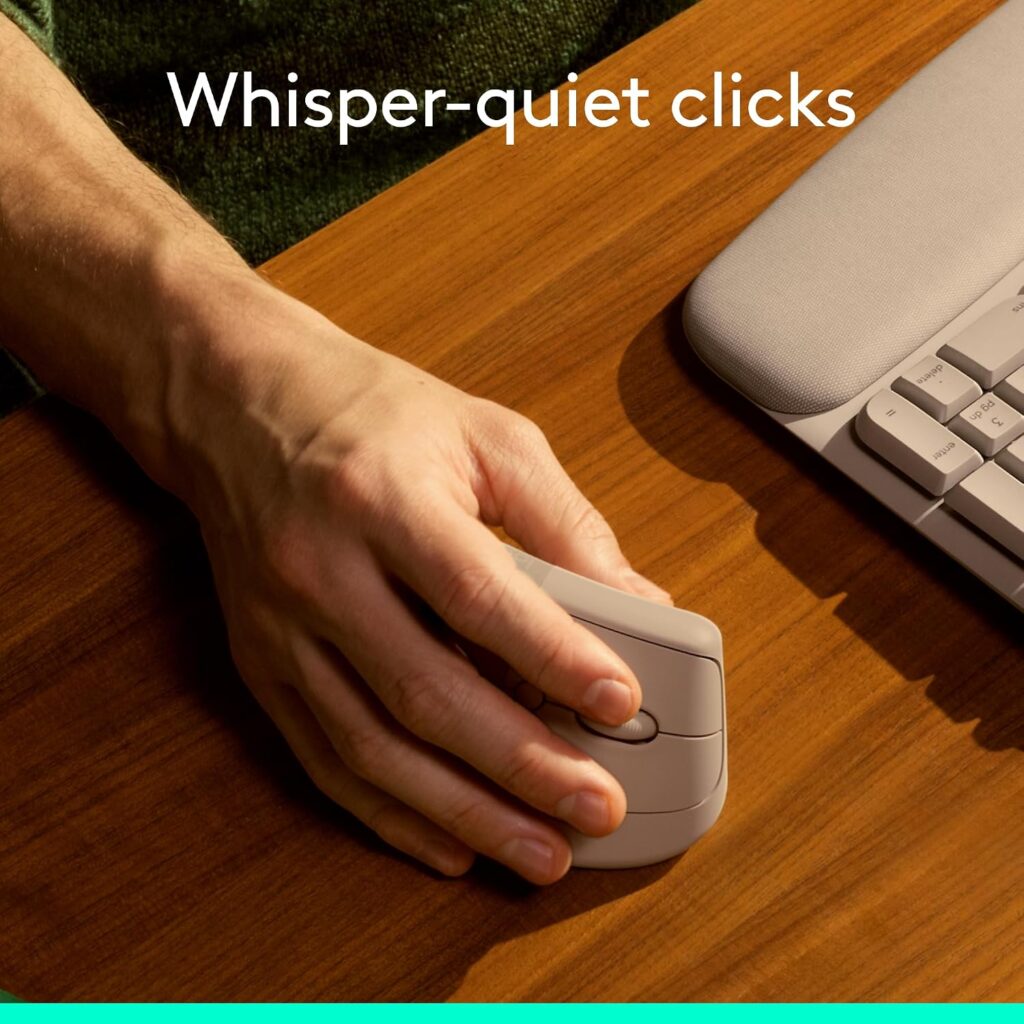
Quick Verdict: The Lift is the most complete vertical mouse in this group. It is light, has a 57° angle, offers a left-handed version and comes with customisable buttons. You pay noticeably more than for the budget models.
Best For: Small to medium hands and people who use a mouse for hours each day.
Key Specifications:
- Angle: 57°
- Weight: 4.4 oz (125 g); size about 4.3 × 2.7 in
- Connectivity: Bluetooth Low Energy or Logi Bolt USB receiver, up to 3 devices
- Battery: one AA, rated by Logitech for up to 24 months
- Sensor: up to 4000 DPI; 6 buttons (4 customisable)
- Approximate price: $69.99
What We Like
- Lightest vertical mouse here
- Very long stated battery life
- Left-handed version available
- Quiet clicks and a SmartWheel for scrolling
What We Don’t Like
- The most expensive product in this guide
- Described by the manufacturer as suited to small to medium hands
- The Amazon listing is inconsistent about battery type (lithium polymer in the spec table, one AA in the description), so confirm before buying
Ergonomic Analysis: The upright design places the hand in a handshake-like orientation, which can feel more natural for people who dislike the flat-palm grip. Its low weight keeps pushing effort small. Logitech states the design follows criteria from ergonomists, which I treat as a manufacturer claim rather than independent proof.
Who Should Buy It? Anyone with small or medium hands who wants a polished everyday mouse, or a left-handed user who wants a proper vertical option.
Who Should Skip It? Large-handed users and anyone who only wants to try a vertical shape cheaply first.
Value for Money: Fair if you use it daily. The software and battery life justify some of the premium, but the ProtoArc covers the basics for about a third of the price.
🛒 Check Price on Amazon2. ProtoArc EM11 NL Vertical Mouse
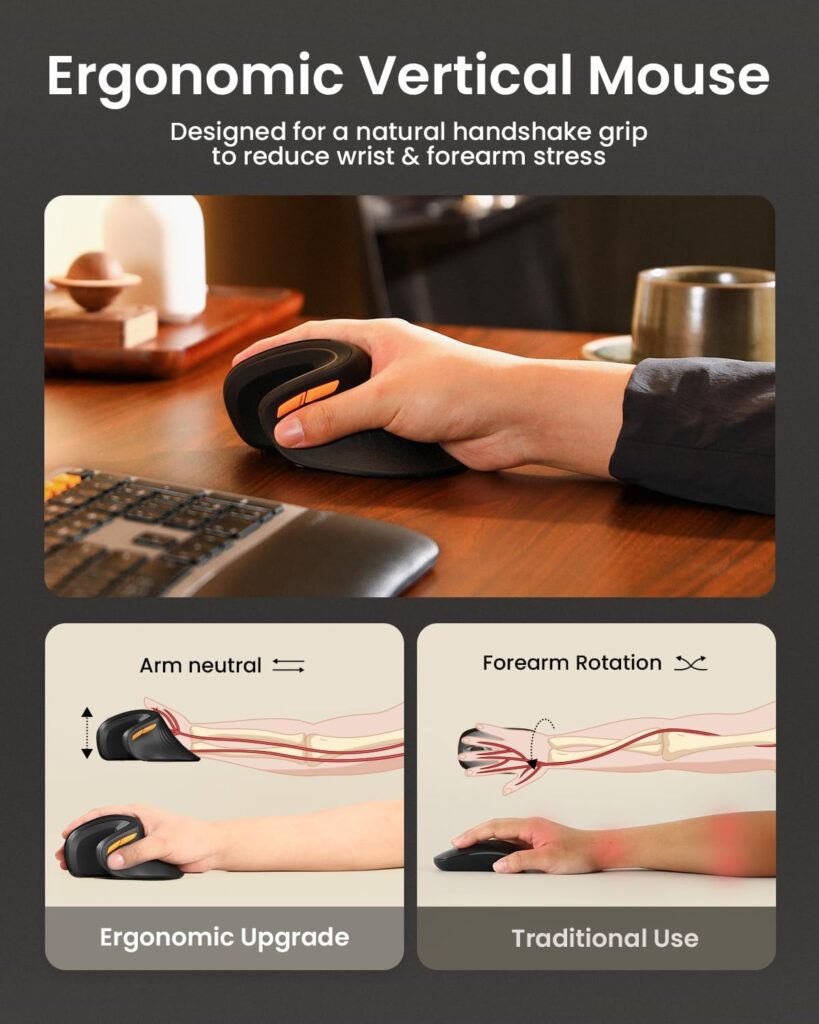
Quick Verdict: The ProtoArc offers most of what people want from a vertical mouse at a low price. It is rechargeable, pairs with three devices and has a 2-year warranty. It is heavier and has fewer controls than the Logitech.
Best For: Value-focused buyers and anyone trying a vertical mouse for the first time.
Key Specifications:
- Angle: 58°
- Weight: 8.8 oz; size 5.43 × 2.72 in
- Connectivity: Bluetooth and 2.4G USB-A receiver, up to 3 devices
- Battery: 500 mAh rechargeable via USB-C (cable is charging only)
- DPI: 1000 / 1600 / 2400; 7 buttons
- Hand size: listed for hand lengths under 7.5 in (19.05 cm)
- Warranty: 2 years; approximate price: $22.98
What We Like
- Strong price for a rechargeable, multi-device model
- Silent left and right clicks
- Reviewed by thousands of buyers on Amazon
What We Don’t Like
- Heavier than the Logitech and PHILIPS
- Buttons are not programmable, and the back/forward buttons do not work on macOS
- Only the left and right clicks are silent; wheel and side buttons still click
Ergonomic Analysis: The 58° angle keeps the forearm closer to neutral rotation. The extra weight can feel steady but means more effort to move for people with tired shoulders or arms.
Who Should Buy It? First-time vertical mouse users with small to medium hands.
Who Should Skip It? Mac users who rely on side buttons, left-handers (only a right-handed version is listed) and larger hands.
Value for Money: Excellent. It is my pick for anyone who wants to test whether a vertical shape suits them without spending much.
🛒 Check Price on Amazon3. PHILIPS SPK7628 Vertical Mouse
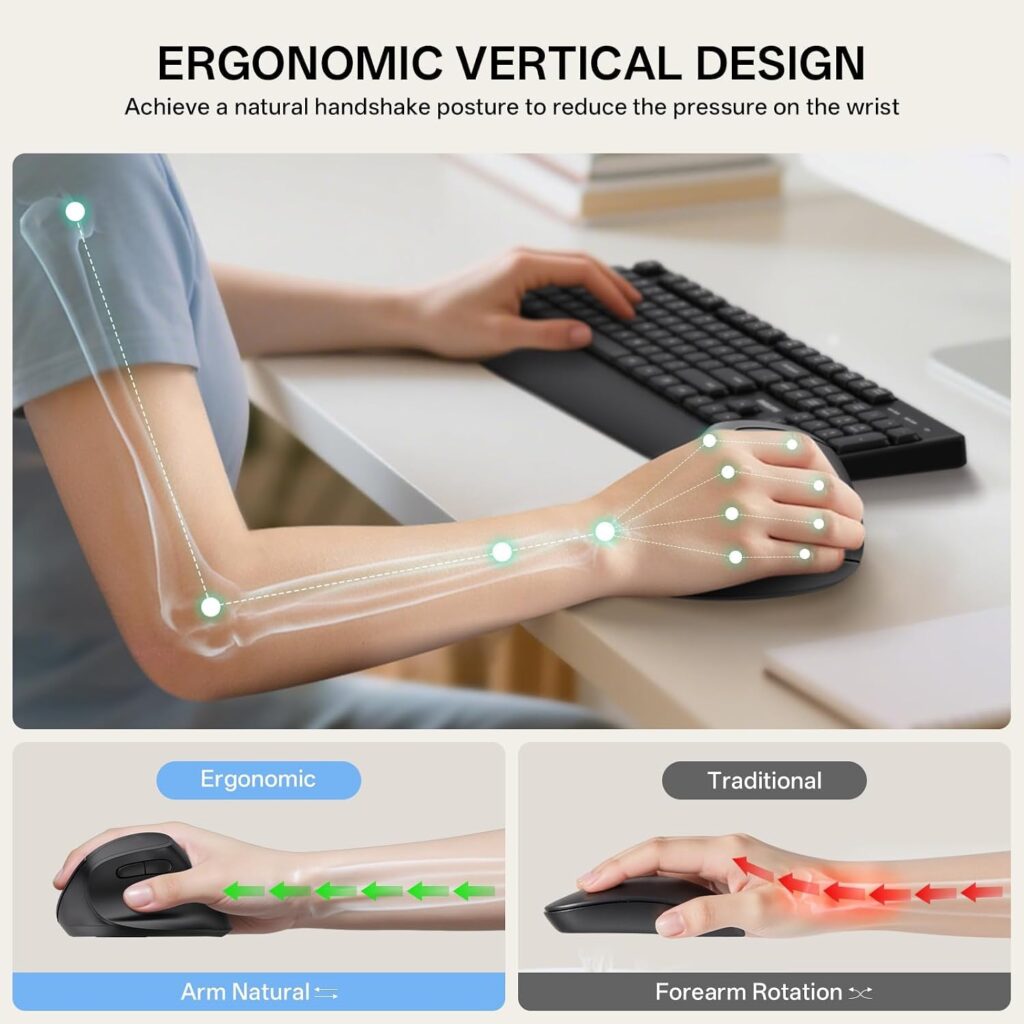
Quick Verdict: A simple, quiet vertical mouse for smaller hands. It keeps things basic with a 2.4 GHz receiver and no Bluetooth, which suits a desktop or office laptop but limits flexibility.
Best For: Small hands, shared offices and quiet work.
Key Specifications:
- Angle: 57°
- Weight: 5.3 oz
- Connectivity: 2.4 GHz USB receiver (not Bluetooth); range up to 10 m
- DPI: 800 / 1200 / 1600; 6 silent buttons
- Hand size: listed for hand lengths up to 7 in
- Warranty: 12 months; approximate price: $23.99
What We Like
- Silent buttons, handy for libraries and shared spaces
- Light and easy to pack
- Plug-and-play with no driver needed
What We Don’t Like
- No Bluetooth, so it occupies a USB port (laptops with only USB-C need an adapter)
- Far fewer reviews than the ProtoArc or Logitech
- The listing’s operating system field looks outdated (it names Mac OS 9 and Windows 7) while the description lists modern systems, so check compatibility
Ergonomic Analysis: The 57° angle and compact shape suit users who find larger vertical mice a stretch. The lack of programmable buttons keeps it simple.
Who Should Buy It? Small-handed users who want a quiet, inexpensive vertical mouse.
Who Should Skip It? Anyone who wants Bluetooth, multi-device switching or a rechargeable battery.
Value for Money: Good, provided you are comfortable with the receiver-only setup.
🛒 Check Price on Amazon4. MEETION BTM010 Vertical Mouse
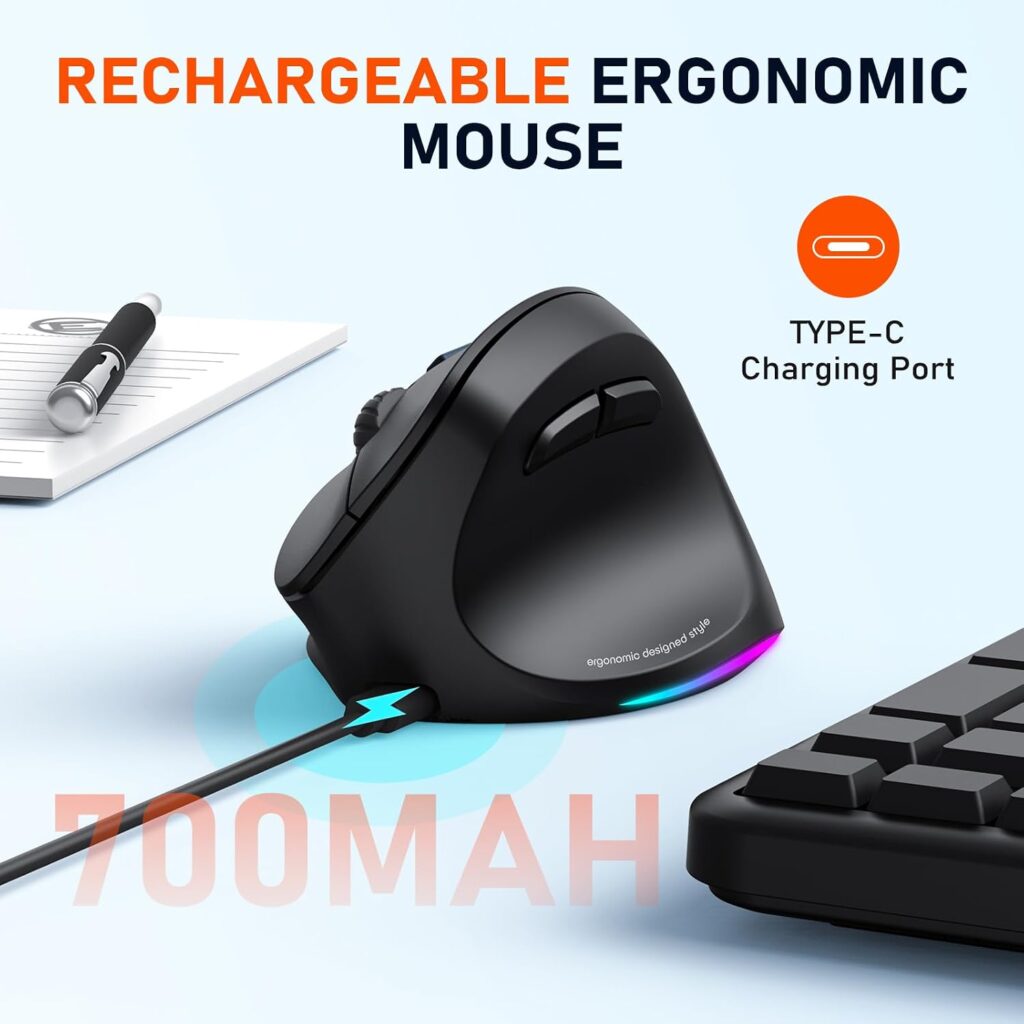
Quick Verdict: The cheapest mouse in this guide and one of the few sized for larger hands. The listing is less precise than the others, so read the details carefully.
Best For: Medium to large hands on a tight budget, including left-handed users (a left version is listed).
Key Specifications:
- Size: 4.3 × 3.1 × 2.8 in
- Connectivity: Bluetooth and 2.4G, with RGB lighting
- Battery: rechargeable; the listing states up to about 2 months with lighting off and about 1 month with it on
- DPI: 1200 / 1600 / 2400 / 3200
- Warranty: 1 year; approximate price: $18.99
What We Like
- Lowest price here
- Larger body suits bigger hands
- Left-handed version available
What We Don’t Like
- The listing does not state the tilt angle, so I cannot confirm how upright it is
- Listing inconsistencies: Bluetooth version (5.2 in the headline, 5.0 in the description) and weight (7.1 oz versus 0.24 lb) do not match
- The smooth surface may feel less grippy if you lift the mouse often
Ergonomic Analysis: Without a stated angle, I would treat this as a vertical-style mouse and check the product photos for how upright it sits. Its main ergonomic advantage is size: larger hands often struggle with the small vertical mice.
Who Should Buy It? Larger-handed users who want to try the vertical shape cheaply.
Who Should Skip It? Anyone who wants a verified angle or small-hand sizing.
Value for Money: Good for the price, with the caveat that the listing is less complete.
🛒 Check Price on AmazonTrackball Reviews
5. Nulea M501 Wireless Trackball
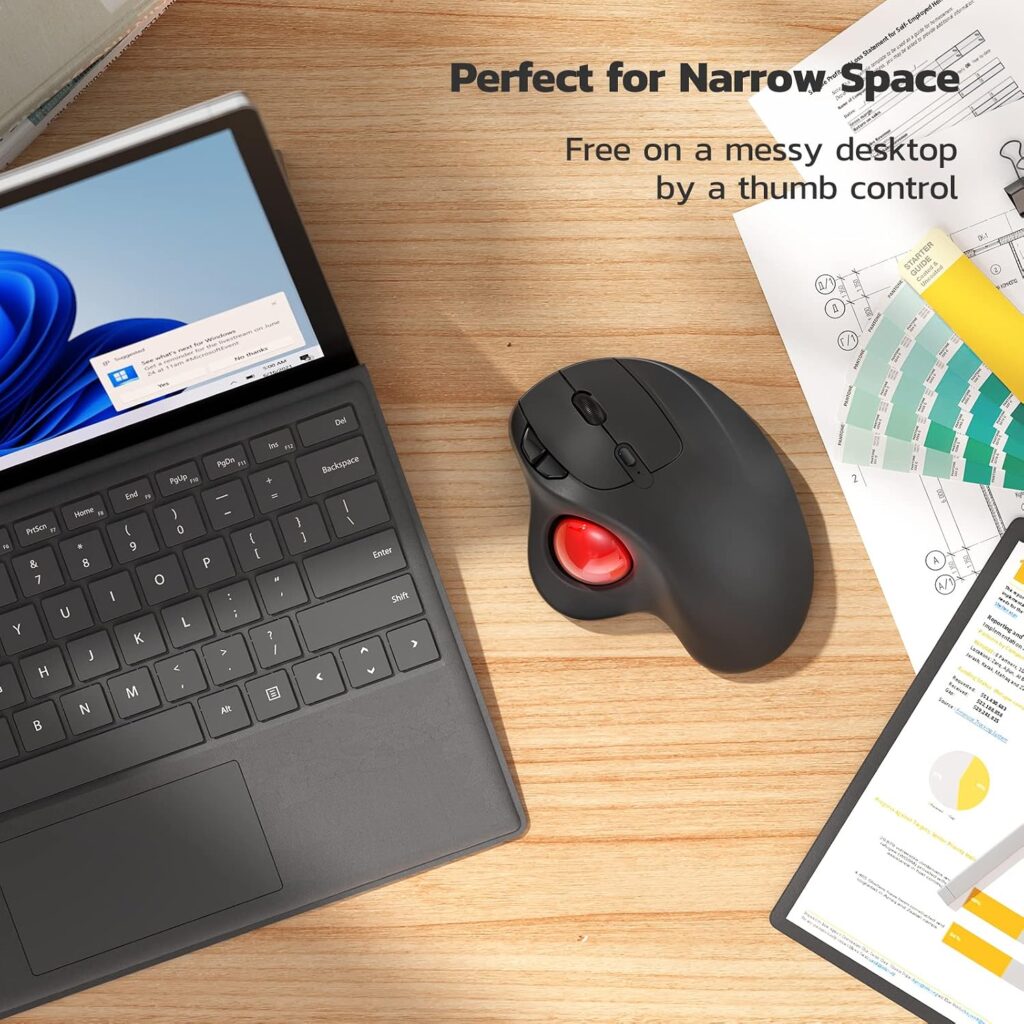
Quick Verdict: The Nulea M501 is the trackball I would suggest most people start with. It is rechargeable, supports three devices and carries the best-seller label in Amazon’s computer trackballs category.
Best For: First-time trackball users and small workspaces.
Key Specifications:
- Type: thumb-operated trackball, right-handed
- Weight: 4.5 oz; size 5.51 × 4.37 in
- Connectivity: Bluetooth or USB receiver (stored in the base), up to 3 devices
- Battery: rechargeable; the listing says not to use a fast charger
- Buttons: 6, none programmable
- Compatibility: Windows and macOS per the listing
- Warranty: 12 months; approximate price: $33.99 (some colours cost more)
What We Like
- Very large review base (over 12,000 ratings)
- Works on a lap, armrest or crowded desk
- Receiver stores inside the mouse
What We Don’t Like
- Right-handed only
- No programmable buttons
- Listing names only Windows and macOS, so Linux or ChromeOS support is unconfirmed
Ergonomic Analysis: Because the hand stays still, you avoid the repeated arm sweeping of a normal mouse. The trade-off is that your thumb does the pointing, and heavy use can tire it. This specific model has not been studied, and the one lab study I found on a finger-operated trackball showed no forearm-load advantage over a standard mouse, so I treat the reduced arm movement as a design benefit rather than proven strain reduction.
Who Should Buy It? Right-handed users who want to cut down on arm and wrist movement.
Who Should Skip It? Left-handers, and anyone who does precise drawing or fast gaming.
Value for Money: Very good.
🛒 Check Price on Amazon6. Kensington Orbit Trackball with Scroll Ring
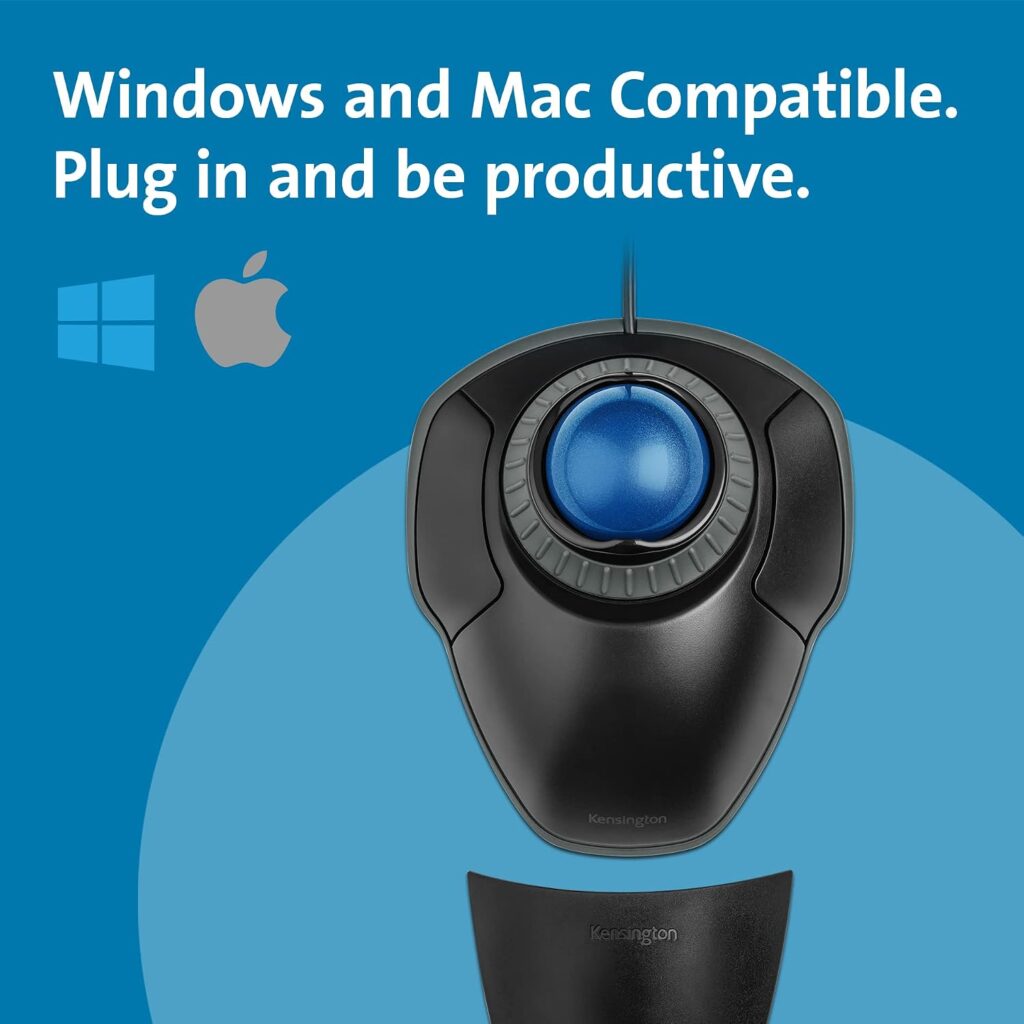
Quick Verdict: A long-running, ambidextrous design with a 40 mm ball, a scroll ring and a detachable wrist rest. It looks plain beside the new thumb models but works for either hand and carries a 5-year warranty.
Best For: Left-handed users, shared desks and people who want a wrist rest included.
Key Specifications:
- Type: wired USB, ambidextrous, centre ball with scroll ring
- Weight: 10.4 oz; listed size 8 × 6 in
- Buttons: 2, assignable through Kensington’s software
- Warranty: 5 years; approximate price: $39.99 (colour options can differ in price)
What We Like
- Works for left- and right-handed users
- Detachable wrist rest
- Scroll ring avoids scrolling with a finger on a wheel
- The longest warranty in this guide
What We Don’t Like
- Wired only
- Just two buttons, with no side buttons for back and forward
- Largest footprint of the group
- The listing contains contradictory fields (battery and wireless range) for a wired model, so confirm before buying
Ergonomic Analysis: A centre ball moves the pointing work from the thumb to the fingers. That is a different trade-off rather than a clear improvement, since a finger-operated trackball showed higher forearm extensor activity than a mouse in the NIOSH-funded study above. The wrist rest supports the hand, but it also encourages resting the wrist on a surface, so check that it suits your desk height.
Who Should Buy It? Anyone who wants a trackball that works either hand, or who prefers not to use their thumb.
Who Should Skip It? People who want wireless, compact and multi-device.
Value for Money: Good given the warranty.
🛒 Check Price on Amazon7. TECKNET Wireless Trackball Mouse
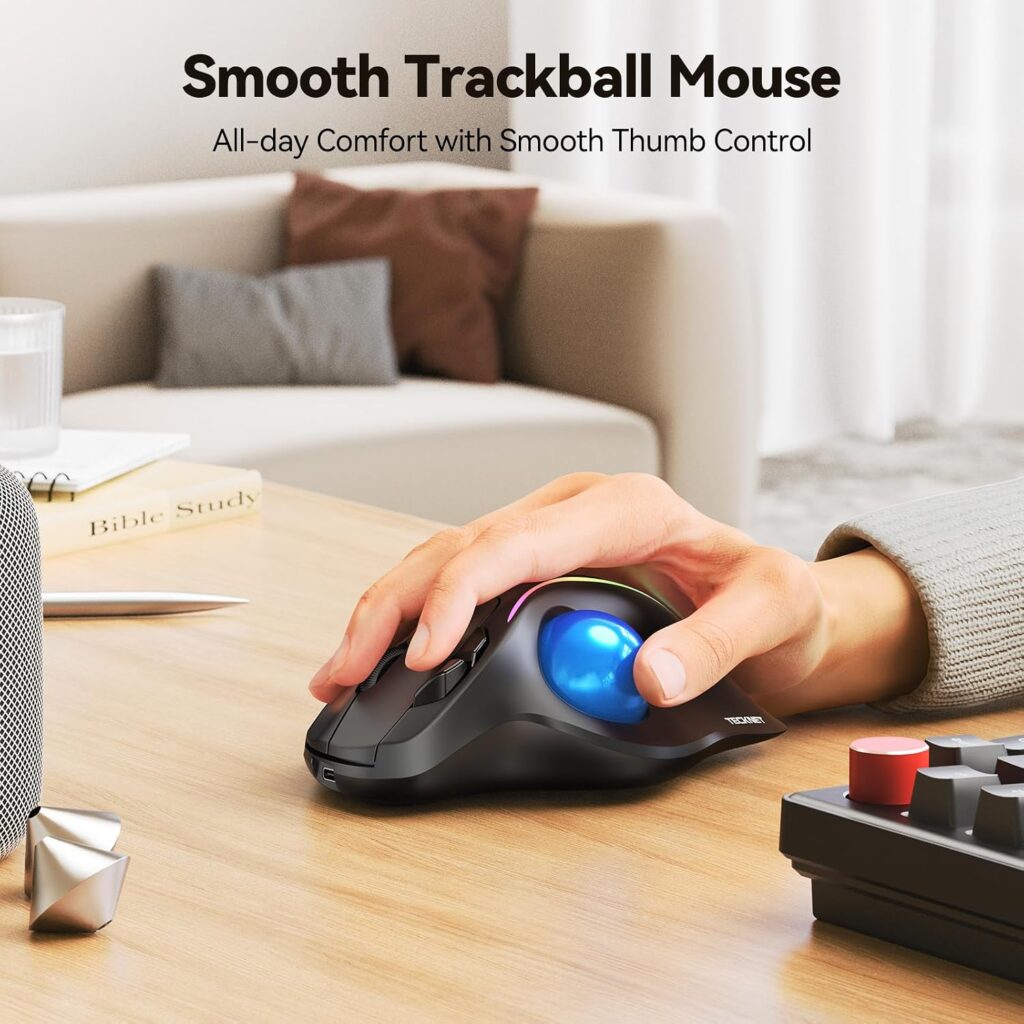
Quick Verdict: A thumb trackball with a 16° tilt, aimed at medium to large hands. It has the highest review rating of the trackballs and a long warranty, but a low maximum DPI.
Best For: Medium to large right hands.
Key Specifications:
- Tilt: 16°; size about 5.5 × 4.1 × 2 in
- Connectivity: Bluetooth and 2.4G, up to 3 devices
- Battery: 500 mAh rechargeable
- DPI: 100 / 200 / 400 / 800 / 1200
- Warranty: 36 months; approximate price: $33.39
What We Like
- Tilted body for a less flat hand position
- Three-device pairing
- Three-year warranty
What We Don’t Like
- Maximum 1200 DPI can feel slow across large or multiple monitors
- Sized for larger hands
- Listing weight (2.12 oz) looks unusually low for this size, so I would not rely on it
Ergonomic Analysis: The tilt places the hand slightly more upright than a flat mouse. The listing claims up to 50% less strain, which I treat as marketing language rather than a verified result.
Who Should Buy It? Larger-handed users who want a tilted trackball.
Who Should Skip It? Small hands and anyone working across several large screens.
Value for Money: Good, helped by the warranty.
🛒 Check Price on Amazon8. seenda Wireless Trackball Mouse
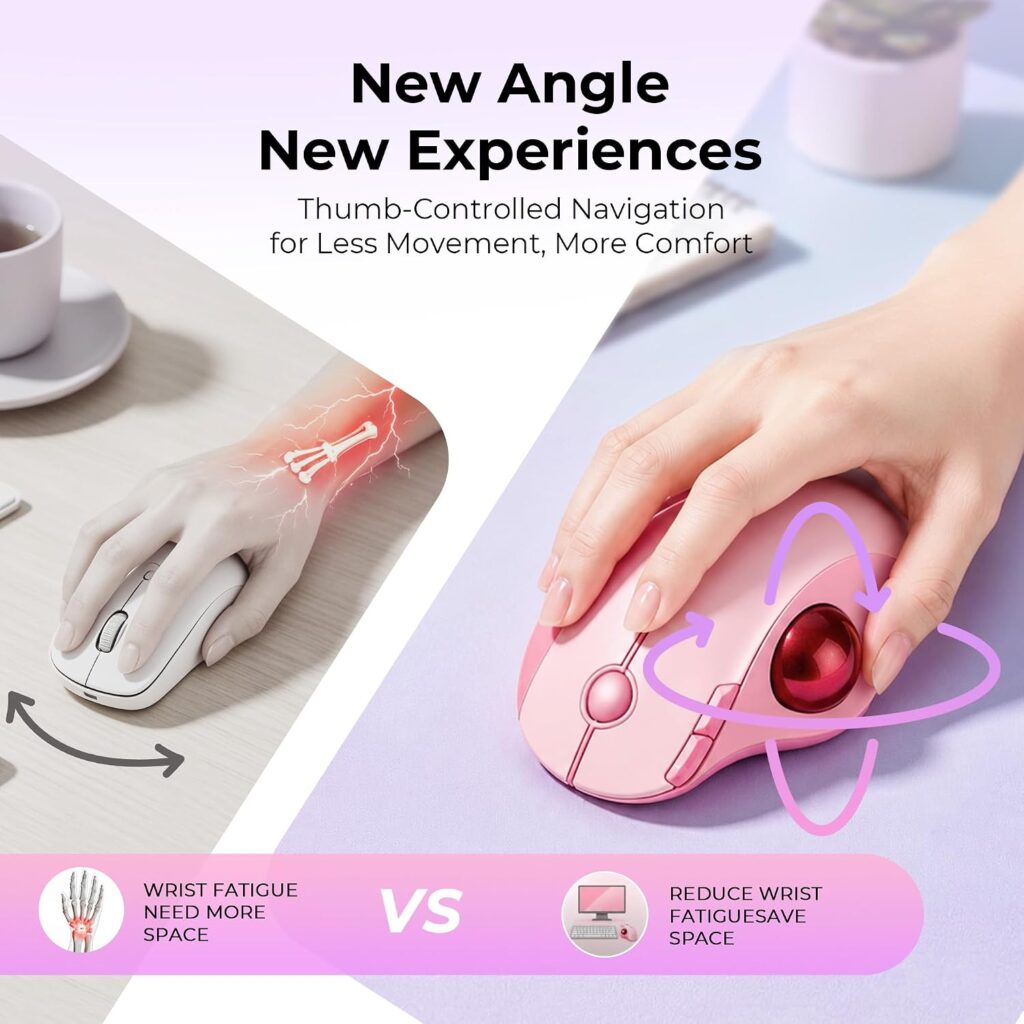
Quick Verdict: The least expensive trackball here, with USB-C charging and three-device pairing. The listing is light on detail, so it works best as a low-cost trial.
Best For: Anyone who wants to find out whether a trackball suits them without spending much.
Key Specifications:
- Type: thumb trackball, right-handed, 6 buttons
- Weight: 4.1 oz
- Connectivity: Bluetooth or 2.4G USB receiver, up to 3 devices
- DPI: 5 levels (values not stated)
- Warranty: 1 year; approximate price: $29.99
What We Like
- Lowest trackball price
- Light at 4.1 oz
- Many colour choices
What We Don’t Like
- No dimensions or DPI values listed
- Battery details conflict (a “1 AA” entry alongside “rechargeable”)
- Fewer reviews than the Nulea and TECKNET
- Compatibility lists Windows, Mac and Android only
Ergonomic Analysis: It shares the thumb-ball approach of the Nulea, so the same benefits and thumb-fatigue caveat apply. Without a stated hand size, I would check the product images against your hand.
Who Should Buy It? Budget-minded users trying a trackball.
Who Should Skip It? Anyone who wants clear specifications or a longer warranty.
Value for Money: Fair, though the Nulea is only a few dollars more with stronger reviews.
🛒 Check Price on AmazonComparison Table
| Product | Type | Key Ergonomic Feature | Weight | Connectivity | Approx. Price | Rating |
|---|---|---|---|---|---|---|
| Logitech Lift | Vertical | 57° angle | 4.4 oz | Bluetooth, Logi Bolt | $69.99 | 4.6/5 |
| ProtoArc EM11 NL | Vertical | 58° angle | 8.8 oz | Bluetooth, 2.4G | $22.98 | 4.5/5 |
| PHILIPS SPK7628 | Vertical | 57° angle, silent buttons | 5.3 oz | 2.4 GHz receiver | $23.99 | 4.1/5 |
| MEETION BTM010 | Vertical | Larger body (angle not stated) | Listing unclear | Bluetooth, 2.4G | $18.99 | 4.0/5 |
| Nulea M501 | Trackball | Thumb-operated ball | 4.5 oz | Bluetooth, USB receiver | $33.99 | 4.4/5 |
| Kensington Orbit | Trackball | Centre ball, wrist rest | 10.4 oz | Wired USB | $39.99 | 4.3/5 |
| TECKNET Trackball | Trackball | 16° tilt | Listing unclear | Bluetooth, 2.4G | $33.39 | 4.1/5 |
| seenda Trackball | Trackball | Thumb-operated ball | 4.1 oz | Bluetooth, 2.4G | $29.99 | 4.0/5 |
Which Should You Buy?
Choose a vertical mouse if:
- Twisting your forearm to grip a flat mouse is the main annoyance
- You want something that behaves like a normal mouse after a short adjustment
- You do a lot of precise clicking and dragging
Choose a trackball if:
- You want to keep your hand still
- Your desk is small or you work from a lap or armrest
- You are comfortable using your thumb or fingers for pointing
This is mainly a space and movement decision. The research I found does not show that a trackball lowers forearm strain compared with a mouse.
Then pick by need:
- Best overall vertical: Logitech Lift, for small to medium hands
- Cheapest way to test a vertical shape: ProtoArc EM11 NL
- Quiet and small-handed: PHILIPS SPK7628
- Larger hands, tight budget: MEETION BTM010
- Best overall trackball: Nulea M501
- Left-handed or want a wrist rest: Kensington Orbit
- Larger hands, tilted body: TECKNET Trackball
- Cheapest trackball: seenda Trackball
Emily Richardson’s recommendation: If you work from home for several hours a day, prioritise fit and workspace compatibility before paying for extra features you may not use. A cheaper mouse that fits your hand beats an expensive one that does not.
Common Mistakes When Choosing
- Choosing by star rating alone. A 4.4-star mouse can still be the wrong size for your hand.
- Ignoring hand size. Several of these listings state size ranges, so use them.
- Assuming steeper is always better. The CDC-hosted evaluation above found the fully vertical option had the poorest pointing performance.
- Expecting instant comfort. Give any new device a couple of weeks before judging it.
- Letting the thumb do everything. On a thumb trackball, take breaks and vary your grip.
- Forgetting the rest of the setup. Desk height, chair height and keyboard position affect your wrist as much as the mouse does.
- Overlooking connectivity. A receiver-only mouse may not suit a thin laptop with only USB-C ports.
- Treating a mouse as treatment. It can improve comfort and posture. It does not treat a medical condition.
Best Practices for Any Mouse Setup
Claim and evidence: OSHA’s pointer and mouse guidance recommends keeping the mouse close to the keyboard, alternating the hand you use, using keyboard shortcuts and avoiding a tight grip, with the aim of keeping the wrist straight and neutral.
Practical example: If your mouse sits beyond a number pad, every click is a sideways reach. A keyboard without a number pad leaves more room for the mouse, which OSHA also lists among its suggestions.
- Keep your mouse close to the keyboard and your body so your elbow stays near your side.
- Set your desk and chair height so your forearm is supported and your wrist is roughly straight.
- Use a relaxed, light grip. OSHA specifically advises against gripping the mouse tightly.
- Take short movement breaks and change position through the day.
- Use keyboard shortcuts to reduce repeated mouse use, another OSHA quick tip.
- If you can, try mousing with your other hand for part of the day, as OSHA suggests. Alternating between two different pointing devices is my own suggestion rather than OSHA guidance.
- Adjust pointer speed so you can cross the whole screen without stretching or bending your wrist. Raise the DPI if you reach too far, or lower it if your movements become jerky.
- If pain, numbness or tingling continues, speak to a healthcare professional.
Alternatives Worth Knowing About
A slanted mouse. Some research uses a moderate slant between standard and vertical. The CDC-hosted study above also found angled designs lowered pronation with better pointing performance than a fully vertical one. If a 57° vertical mouse feels too extreme, this middle ground may be worth exploring.
A centrally placed device. In the same NIOSH-funded study, a touchpad and a rollermouse, both placed in front of the keyboard, were associated with more neutral shoulder posture, less ulnar deviation and lower forearm extensor activity than the mouse or trackball. The study acknowledges partial funding from NIOSH and a gift from a rollermouse maker, and it involved only 12 people, so I treat it as one data point. We do not review such a device in this guide.
Trying both. If you are undecided, the budget route is a ProtoArc and a seenda together, for roughly $53 in total at listing prices. Alternate between them for a few weeks and see which one you reach for.
Fixing the setup first. If your monitor, chair or desk height is off, no mouse will fully compensate. Our guide on whether an ergonomic mouse really helps wrist pain covers what to sort out before you spend money.
FAQs
Is a vertical mouse or a trackball better for wrist comfort?
Neither wins outright. A small Ergonomics study found a vertical mouse reduced forearm pronation, while a NIOSH-funded lab study found a finger-operated trackball did not lower forearm muscle activity compared with a mouse. I found no study that directly settles the comparison for people with wrist pain, so hand size, desk space and where you feel strain matter most.
Is a vertical mouse good for long hours of work?
It can be, once you have adjusted to it. Research shows a vertical mouse lowers forearm pronation, which may feel more comfortable for long sessions. Choose a size that suits your hand and take regular breaks, since no mouse removes the strain of long, uninterrupted use.
Are trackball mice ergonomic?
They can be, but the evidence is mixed. A trackball lets your hand stay still, which reduces arm travel. However, in a NIOSH-funded lab study of 12 adults, a finger-operated trackball produced higher forearm extensor activity and more ulnar deviation than a standard mouse, and users rated it harder to use. Comfort depends on the design and on which digit does the work.
How long does it take to get used to a vertical mouse?
Many listings suggest one to two weeks. In the Ergonomics study above, participants were slower to reach targets with a vertical mouse, which suggests an adjustment period. Expect clicking and precise movements to feel strange initially.
How long does it take to get used to a trackball?
Plan for one to two weeks of regular use, as several listings suggest. Basic pointing comes quickly, while dragging, fine selection and gaming take longer. Starting on easy tasks such as browsing helps.
Can a vertical mouse or trackball help with carpal tunnel syndrome?
They are not treatments. One study of people with carpal tunnel syndrome found a vertical mouse changed wrist position but did not lower carpal tunnel pressure. If you have symptoms, see a healthcare professional. You can read more in our guide on whether an ergonomic mouse helps wrist pain.
Can a thumb trackball cause thumb discomfort?
It can if your thumb does most of the work. That is a reasonable design concern, and I did not find a study testing thumb discomfort on the thumb-ball models in this guide. If your thumb tires, rest it and vary your grip. A centre-ball model such as the Kensington Orbit moves the work to your fingers, which has its own forearm load according to the NIOSH-funded study above, so test it rather than assuming it is gentler.
Which is better for design work or gaming?
A standard-style or vertical mouse is usually easier for precise, fast movements. In the NIOSH-funded study, participants rated the trackball harder to use than a mouse, and a Wichita State conference paper found both age groups slower with a trackball. If precision is critical, test carefully.
Which is better for a small desk?
A trackball. It stays in place and needs almost no mousing area, so it suits crowded desks, laps and armrests. A vertical mouse still needs the same space as a regular mouse.
Should I buy a cheap one first?
Yes, if you are unsure. A lower-priced model such as the ProtoArc or seenda lets you test the shape without a big commitment. Check the return terms on the Amazon listing before you buy, since policies can vary.
Final Verdict
If you want the safest first step and your main complaint is forearm twisting, choose a vertical mouse. The Logitech Lift is the best overall for small to medium hands, and the ProtoArc EM11 NL is the better choice if price matters.
If you want to cut arm movement or you are short on space, choose a trackball. That is a space-and-movement call, and I would not expect a trackball to lower forearm load on its own. The Nulea M501 is the best all-round starting point, and the Kensington Orbit is the one to consider if you are left-handed or want a built-in wrist rest.
Whichever you choose, give it a couple of weeks before deciding, and see a healthcare professional if discomfort persists.





