
Best Ergonomic Mouse Under $50 in 2026: 8 Vertical Mice Compared
By Emily Richardson | Ergonomics & Work-from-Home Product Specialist, ErgoFixes
We’re evaluating these models the way our editorial process evaluates every product at ErgoFixes: using manufacturer specifications, verified Amazon listing data, aggregated customer feedback, and ergonomic design analysis. Where we haven’t physically tested a unit ourselves, we say so
Quick Answer: What Is the Best Ergonomic Mouse Under $50?
The ProtoArc EM11 NL is my top pick. It has a 58° vertical shape, Bluetooth plus a 2.4G receiver for three devices, USB-C charging and a 2-year warranty, at about $23. If you have large hands, look at the Lekvey or the UGREEN instead, since the ProtoArc fits hands under roughly 7.5 inches.🖱️Best Ergonomic Mice Under $50
Eight vertical wireless mice, each with a clear reason to be here. Prices are as visible on the Amazon listings when I compiled this guide and can change.




Quick Verdict Table
| Product | Best For | Main Strength | Main Limitation | Rating | Link |
|---|---|---|---|---|---|
| ProtoArc EM11 NL $22.98 | Small-to-medium hands, laptop-plus-desktop users | Rechargeable, 3 devices, 2-year warranty | Fits hands under about 7.5 in only | 4.6/5 | Check Price |
| UGREEN Ergonomic Wireless Mouse $21.99 | Budget buyers with medium-to-large hands | Lowest price, Bluetooth + 2.4G | Tilt angle and dimensions not listed | 4.4/5 | Check Price |
| AOC MS610 Ergonomic Mouse $29.99 (Gray) | Shortcut users who want a wired fallback | Programmable buttons, tri-mode connection | Small-to-medium hands; only 246 ratings | 4.4/5 | Check Price |
| Lekvey Rechargeable Vertical Mouse $29.99 | Medium-to-large hands, single-computer desks | Light, rechargeable, 36-month warranty | No Bluetooth, one device only | 4.3/5 | Check Price |
| Acer OMR272 Ergonomic Mouse $24.98 (Large) | Spreadsheet and timeline work, medium-to-large hands | Side wheel for horizontal scrolling | Clicks are not silent; angle not listed | 4.2/5 | Check Price |
| PHILIPS SPK7628 Ergonomic Mouse $23.99 | Small hands, shared or quiet spaces | Compact fit, quiet main buttons | 2.4G only; just 362 ratings | 4.2/5 | Check Price |
| TECKNET Vertical Wireless Mouse $22.99 (Black) | Windows users with average-to-large hands | Wide fit range, 36-month registered support | 2 AAA batteries not included; no Bluetooth | 4.1/5 | Check Price |
| Anker 2.4G Wireless Vertical Mouse $29.99 | Buyers who want a long-established brand | Largest review base, 18-month warranty | Priced above better-equipped rivals | 4.0/5 | Check Price |
Why Most People Never Need to Spend the Full $50
Wrist and forearm discomfort after a long day of mouse work is common, and the usual instinct is to spend more. For vertical mice, I do not think that is necessary. Every mouse I would recommend in this guide currently sits between roughly $22 and $30, so “under 50” leaves plenty of headroom.
What the extra money buys above this range is mostly brand polish, adjustability and premium materials, which I cover in the premium ergonomic mouse guide. If you want to spend even less, my list of budget vertical mice under $20 shows how far a smaller budget goes.
This guide is for people in the middle: you want something better built and better documented than the cheapest options, without paying premium prices.
How We Chose and Scored These Mice
At ErgoFixes, our product evaluations combine manufacturer specifications, verified retailer and Amazon listing data, customer feedback, review patterns, and ergonomic design analysis. We assess products across factors such as comfort, adjustability, materials, functionality, durability, and overall value, using multiple sources to provide a balanced and practical recommendation. Where a listing contradicts itself, we say so in the review.
Each mouse is scored against five criteria:
- Ergonomic design and fit range (30%): published tilt angle, hand-size guidance, weight
- Value for money (25%): features relative to price
- Connectivity and battery (20%): Bluetooth, receiver, rechargeable or replaceable power
- Warranty and review base (15%): length of cover and number of ratings
- Compatibility and listing clarity (10%): operating-system support and how consistent the listing is
Scores therefore reward mice that are well documented, not only well specified.
Do Vertical Mice Actually Help? What the Research Says
A vertical mouse is designed to keep the forearm in a more neutral position than a traditional flat mouse. That is a design goal, not a guarantee, so here is what the evidence does and does not show.
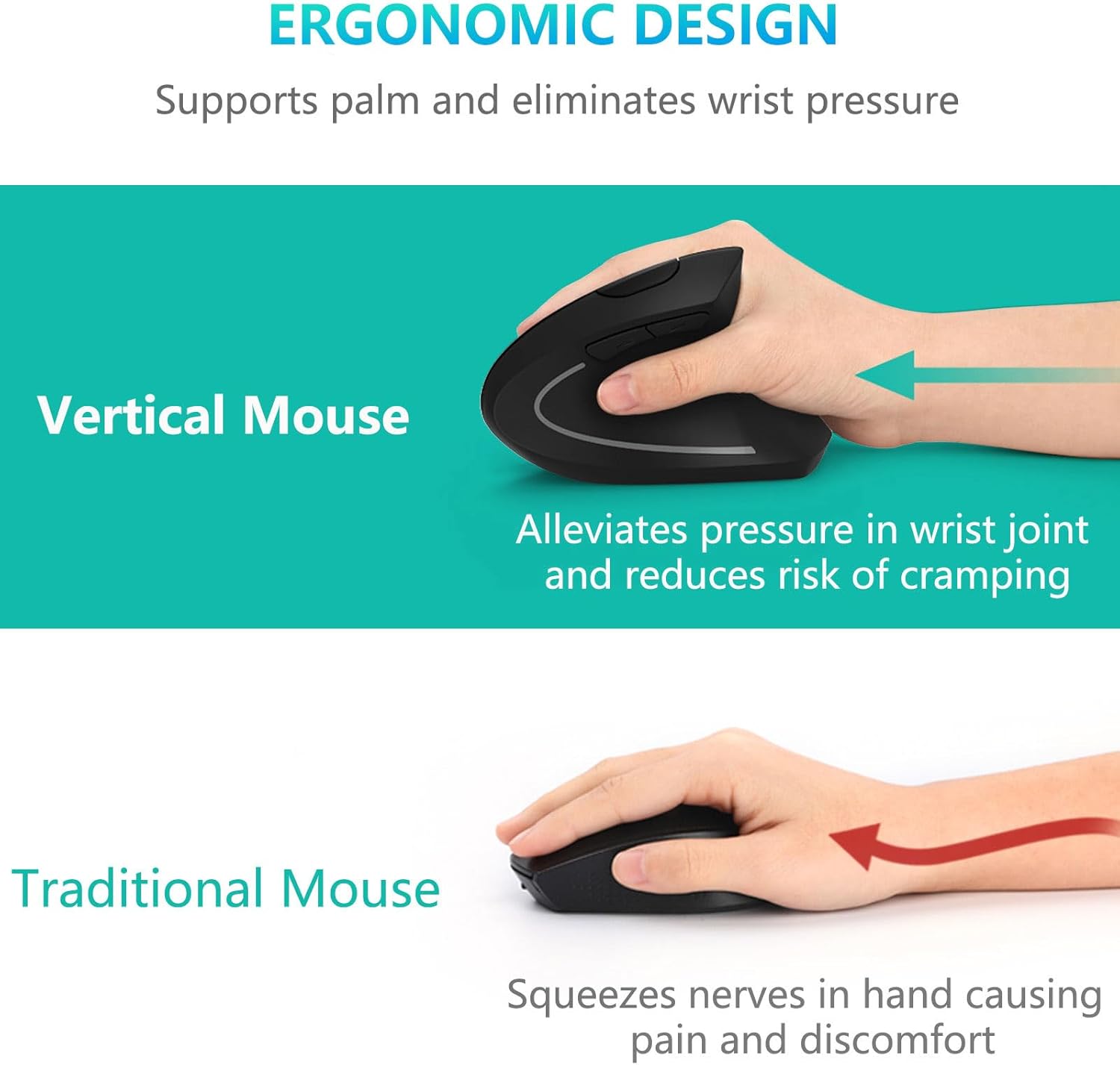
Claim: Upright or angled mice reduce forearm pronation, the palm-down rotation a flat mouse requires.
Evidence: In a 2015 study in the journal Work, twelve participants used five mice. All of the angled concept mice reduced forearm pronation compared with a traditional flat mouse. The fully vertical benchmark mouse also reduced pronation but had the poorest pointing performance. A 2013 Ergonomics study by Quemelo and Vieira of 16 people measured about 28° of pronation with a vertical mouse versus 42° with a standard one, plus lower wrist-extensor muscle activity, but a longer time to reach targets (4.2 versus 3.4 seconds).
Simple explanation: A flat mouse crosses the two forearm bones to turn your palm down. A handshake-style grip uncrosses them, so the muscles may not need to work as hard to hold the position.
Practical example: If you do spreadsheet work all day, expect to feel slower for the first week or two while your hand learns the new grip. Most listings here suggest 1–2 weeks of adjustment.
Where the evidence is mixed: Posture and speed do not always move together. In a 2010 comparison of five mice by Hedge, Feathers and Rollings, published in the Proceedings of the Human Factors and Ergonomics Society Annual Meeting, the vertical mice were fastest but the abstract notes that performance and posture were affected in opposite ways, and it concludes that an adjustable-size slanted design may offer the best combination. That is the opposite of the speed result in the two studies above, so I would not treat “slower” or “faster” as a fixed trait of vertical mice. A later questionnaire study of three mouse types in Work found vertical mice scored better on some ergonomic and usability indicators. However, the difference in carpal tunnel symptom-severity scores between mice was not statistically significant, and the authors say more studies are needed.
What this means: The research supports the general mechanism (less forearm rotation), mostly from small samples. It does not prove that any of these eight mice will prevent injury or relieve pain, and none of the studies tested them. Ergonomic mice are comfort tools, not medical treatments. If you have persistent or severe pain, please speak to a qualified healthcare professional.
Buying Guide: 7 Things That Matter at This Price
1. Hand Size and Fit
This is the single biggest factor. A mouse that is too small makes the fingers curl, and one that is too large makes you overreach. Listed fit ranges here include hands under 7 inches (PHILIPS), under 7.5 inches (ProtoArc), a 6.7–8.3 inch palm length (TECKNET) and “medium to large” (Lekvey, Acer).
Measure from the wrist crease to the tip of your middle finger, and remember that brands measure differently. Emily Richardson’s tip: If your hand sits right on a size boundary, choose the model with the stated range that places you in the middle, not at the edge.
2. Tilt Angle and Grip
Published angles in this group are 52° (AOC), 57° (PHILIPS) and 58° (ProtoArc). A steeper tilt generally means a bigger change from a flat mouse, which may give more relief from forearm rotation but a longer adjustment. The rest of the mice here do not publish an angle at all. Because the research on speed and wrist extension is mixed (see above), I treat a moderate, published angle as a reasonable middle ground, not a sign that steeper is always better.
3. Connectivity: Bluetooth vs 2.4G Receiver
Bluetooth uses no port, so it suits laptops with limited ports. A 2.4G receiver is plug-and-play and usually more reliable on a desktop, but it occupies a USB-A port. Several receivers here are USB-A only, so a USB-C-only laptop needs an adapter. ProtoArc, UGREEN, AOC and Acer offer both modes.
4. Battery: Rechargeable or Replaceable
Rechargeable models (ProtoArc, AOC, Lekvey, Acer) save on batteries but need charging. AA or AAA models (UGREEN, PHILIPS, TECKNET, Anker) are swappable in seconds. Treat battery-life figures with caution: several of these listings contradict themselves, and manufacturer numbers are usually best-case.
5. Click Noise and Buttons
Quiet clicks matter in shared spaces. ProtoArc, AOC and PHILIPS quiet only the main left and right buttons. The scroll wheel and side buttons still click normally. Also check whether the side buttons work on your operating system, since several do not work on macOS.
6. DPI and Sensor
DPI (dots per inch) sets cursor speed. These mice range from 800 to 4800 DPI. For everyday office work you rarely need the top setting, so I would not pay extra for a higher maximum.
7. Warranty, Compatibility and Handedness
Warranties run from 12 months to 36 months. All eight mice are right-hand models, so left-handed readers should look elsewhere. Also check your operating system against the listing, particularly if you use macOS.
Best Ergonomic Mouse Under $50: Detailed Reviews
The order below matches the table above.
1. ProtoArc EM11 NL Wireless Ergonomic Vertical Mouse
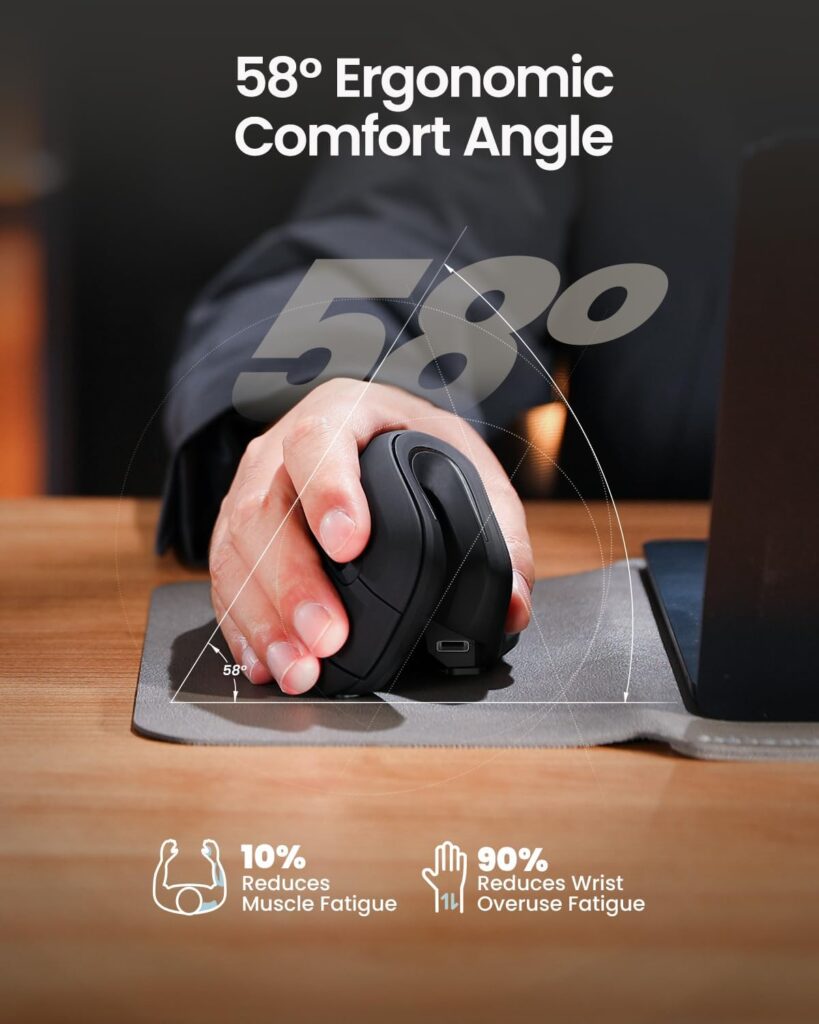
Quick Verdict: The EM11 NL is the most complete package in this price band. You get a 58° vertical shell, Bluetooth plus a 2.4G receiver for up to three devices, USB-C charging and a 2-year warranty. It also has one of the larger review bases among the Bluetooth models here (6,106 ratings at 4.4 stars). The catch is size, because it is designed for hand lengths under about 7.5 inches.
Best For: Small-to-medium hands, and anyone who moves between a work laptop and a home desktop.
Key Specifications:
- Tilt: 58° vertical design
- Hand fit: hand length under 7.5 in (19.05 cm)
- Size: 5.43″ L x 2.72″ W; listing shows 8.8 oz
- Connection: Bluetooth or 2.4G USB-A receiver, up to 3 devices
- Power: built-in 500 mAh battery, USB-C charging (cable is charge-only)
- DPI: 1000 / 1600 / 2400
- Buttons: 7, not programmable
- Compatibility: Windows 8+, macOS 10.12+, Android 4.3+
- Warranty: 2 years
What We Like:
- Bluetooth and a receiver in one mouse, so a laptop without a free USB port is still covered
- Rechargeable, so there are no spare batteries to buy
- Left and right clicks are quiet
- The warranty is the longest in the Bluetooth group
What We Don’t Like:
- Hands over roughly 7.5 inches will likely find it cramped
- The scroll wheel and side buttons are not silent, and side buttons do not work on macOS
- The listing shows 8.8 oz, which looks heavy for this type of mouse and may include packaging, and its battery-life field reads “1 months”. I would check both before buying
Ergonomic Analysis: At 58°, the hand sits in a handshake-style grip instead of palm-down. That position is designed to reduce forearm pronation, which is the effect the studies I cite above measured. The thumb rests along the side, so the arm does not need to rotate as much. It is not a fully upright 90° shape, which research suggests can slow pointing.
Who Should Buy It? Anyone with small-to-medium hands who wants one mouse for two or three devices.
Who Should Skip It? Larger hands, and anyone who needs a USB-C receiver, since only a USB-A receiver is included.
Value for Money: At about $23, this feature set is hard to beat among the eight I compared. Multi-device Bluetooth, a rechargeable cell and a 2-year warranty usually push a mouse into a higher price tier.
🛒 Check Price on Amazon2. UGREEN Ergonomic Wireless Mouse (Model 65042)
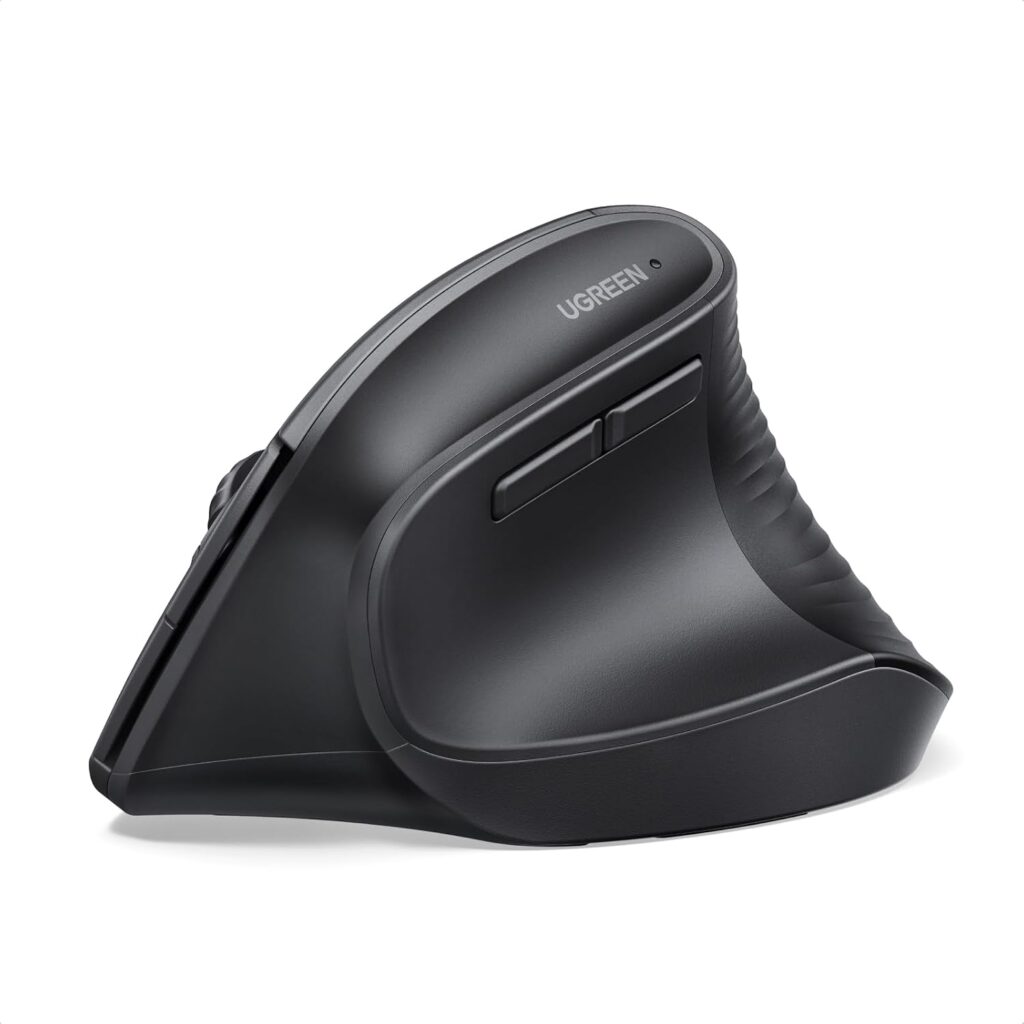
Quick Verdict: UGREEN undercuts everything else here at $21.99 while still offering Bluetooth, 2.4G and up to three paired devices. It runs on a single AA battery, and the listing claims about 12 months of average battery life. Its weak spot is documentation: the listing does not state the tilt angle or the dimensions, so I cannot tell you how upright it is.
Best For: Budget buyers with medium-to-large hands who use a mix of Windows, Mac, ChromeOS or Android devices.
Key Specifications:
- Hand fit: described as a good choice for larger hands
- Weight: 6 oz (listed); tilt angle and dimensions not listed
- Connection: Bluetooth or 2.4G, up to 3 devices, 10 m range
- Power: 1 AA battery (listed battery life: 12 months)
- DPI: 1000 / 1600 / 2000 / 4000
- Buttons: 5, quiet-click design
- Extras: PTFE glide feet
- Listed minimum OS: Windows 11, macOS 13, ChromeOS 137
- Warranty: 1 year
What We Like:
- Lowest price of the eight
- A replaceable AA is easy to swap mid-day, so there is no charging downtime
- Wide platform coverage, including Linux, ChromeOS and Android
- PTFE glides are a small but useful touch for smooth tracking
What We Don’t Like:
- No stated tilt angle, so the ergonomic benefit is harder to judge
- Minimum operating systems are recent (Windows 11, macOS 13), which could exclude older computers
- 1-year warranty and only five buttons
- Heavier than most mice here
Ergonomic Analysis: The listing describes a natural handshake position that reduces wrist rotation, which is the standard vertical-mouse rationale. Without an angle figure I would treat it as a general vertical shape and read buyer questions and photos before deciding.
Who Should Buy It? Cost-conscious buyers with larger hands who value Bluetooth.
Who Should Skip It? Smaller hands, and anyone who wants a published tilt angle.
Value for Money: Very good on price. The trade-off is less documentation than ProtoArc or AOC provide.
🛒 Check Price on Amazon3. AOC MS610 Ergonomic Vertical Mouse
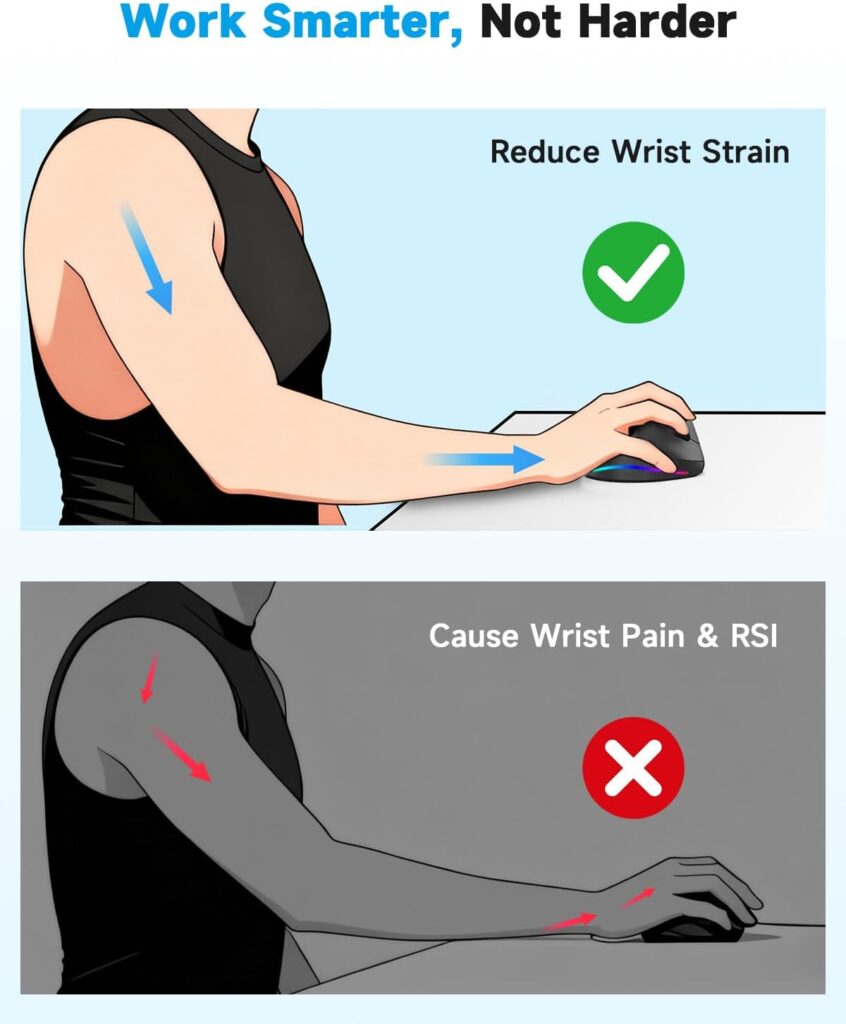
Quick Verdict: The AOC MS610 is the feature leader of this group. It combines a 52° angle, Bluetooth 5.4, 2.4G and wired USB modes, programmable buttons, an LED battery display and quiet left and right clicks (listed under 35 dB). Its review base is small (246 ratings at 4.5 stars), and it is sized for small-to-medium hands only.
Best For: People who want custom shortcuts, a wired fallback, and a smaller hand fit.
Key Specifications:
- Tilt: 52° vertical angle
- Hand fit: small to medium; not recommended for large hands
- Size: 4.33″ L x 2.91″ W, 3.68 oz, ABS with matte finish
- Connection: Bluetooth 5.4, 2.4G receiver, or wired USB, up to 3 Bluetooth devices
- Power: 800 mAh rechargeable; up to 200 hours with RGB off, 40+ hours with RGB on
- DPI: five levels from 1000 to 4800
- Buttons: 7, programmable via a downloadable app
- Warranty: 12 months plus a 45-day return guarantee
What We Like:
- Wired mode means a flat battery never stops work
- On-mouse battery display removes guesswork
- Programmable buttons are rare at this price
- Matte ABS shell
What We Don’t Like:
- Small-to-medium hands only
- RGB lighting cuts battery life to 40+ hours, and only the left and right buttons are quiet
- The listing does not say which operating systems the customization app supports
- The black version was listed at $49.99 while gray was $29.99, so check the colour before ordering
- Short review history and a 12-month warranty
Ergonomic Analysis: A 52° tilt is shallower than the 57–58° mice here. In general, a shallower angle is a smaller change from a flat mouse, which can mean a gentler adjustment period, with less rotation relief than a steeper tilt. For many people that is a reasonable middle ground.
Who Should Buy It? Users who want programmable buttons and flexible connections.
Who Should Skip It? Anyone with large hands, or buyers who want a long track record.
Value for Money: Good at $29.99 for the gray version. I would not pay $49.99 for the black one.
🛒 Check Price on Amazon4. Lekvey Rechargeable Vertical Wireless Mouse (7L-01)
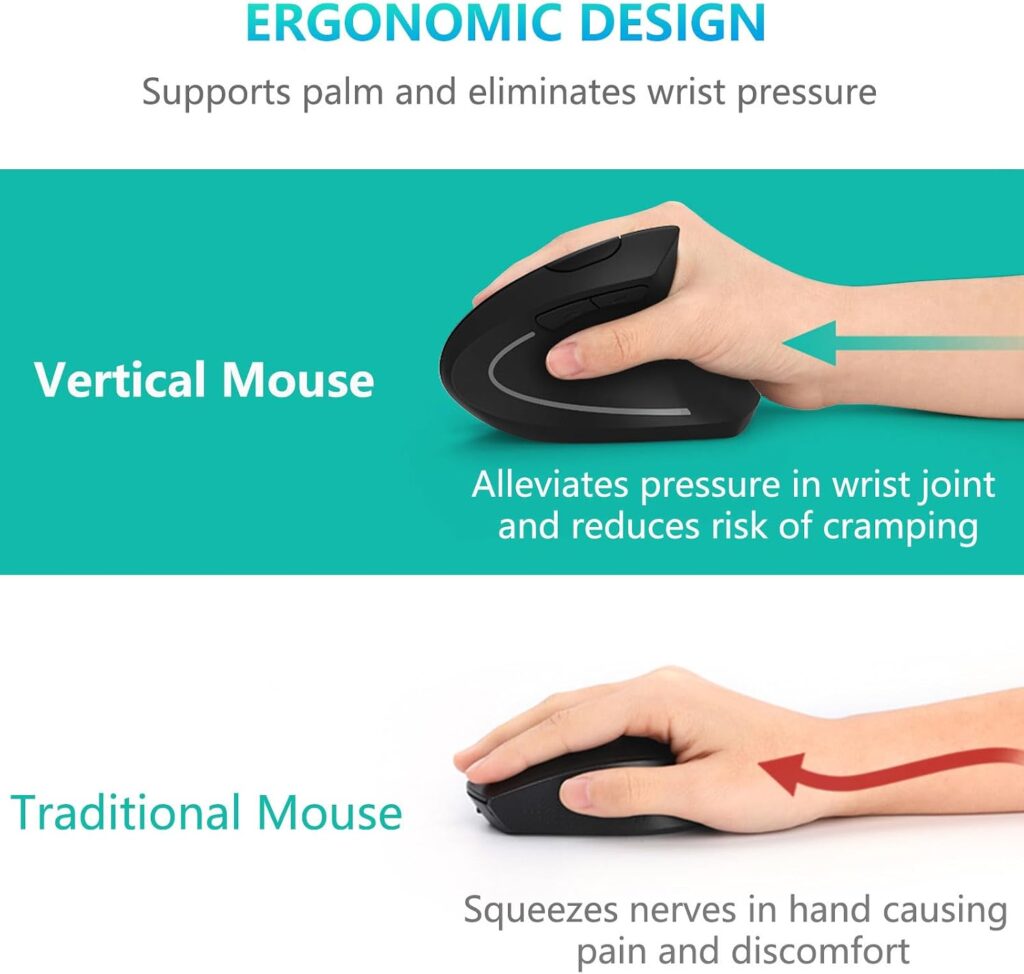
Quick Verdict: Lekvey is a lightweight rechargeable vertical mouse with a 36-month warranty and a big review base (15,479 ratings at 4.3 stars). It is aimed at medium or large hands. The limitation is connectivity, because it uses a single 2.4G receiver and has no Bluetooth.
Best For: Medium-to-large hands on a single-computer desk.
Key Specifications:
- Hand fit: recommended for medium or large hands
- Size: 5.0″ x 3.0″ x 2.5″, 3.36 oz
- Connection: 2.4G nano USB receiver (stored in the base), 10 m range
- Power: built-in lithium polymer, USB-C charging, listed at 150+ hours of continuous use
- DPI: 800 / 1200 / 1600
- Buttons: 6, non-programmable; back/forward do not work on macOS
- Warranty: 36 months
What We Like:
- At 3.36 oz it is one of the lightest mice here, so it moves with less effort
- 36-month warranty is the longest in the group alongside TECKNET
- No batteries to buy
- Receiver stores in the base
What We Don’t Like:
- No Bluetooth, so USB-C-only laptops will need an adapter
- Maximum 1600 DPI, which is fine for office use but modest
- Tilt angle is not listed
- The listing makes strong pain-relief claims that I have not repeated, because no mouse can promise that
Ergonomic Analysis: The larger 5″ body gives bigger hands more room for the palm and fingers. A mouse that is too small for the hand tends to make the fingers curl and the wrist compensate, so fit matters at least as much as angle.
Who Should Buy It? Larger-handed users with one main computer.
Who Should Skip It? Anyone who wants Bluetooth or multi-device switching.
Value for Money: Fair at $29.99. The warranty and review volume carry it, though ProtoArc offers more connectivity for less.
🛒 Check Price on Amazon5. Acer OMR272 Ergonomic Wireless Mouse with Side Scroll
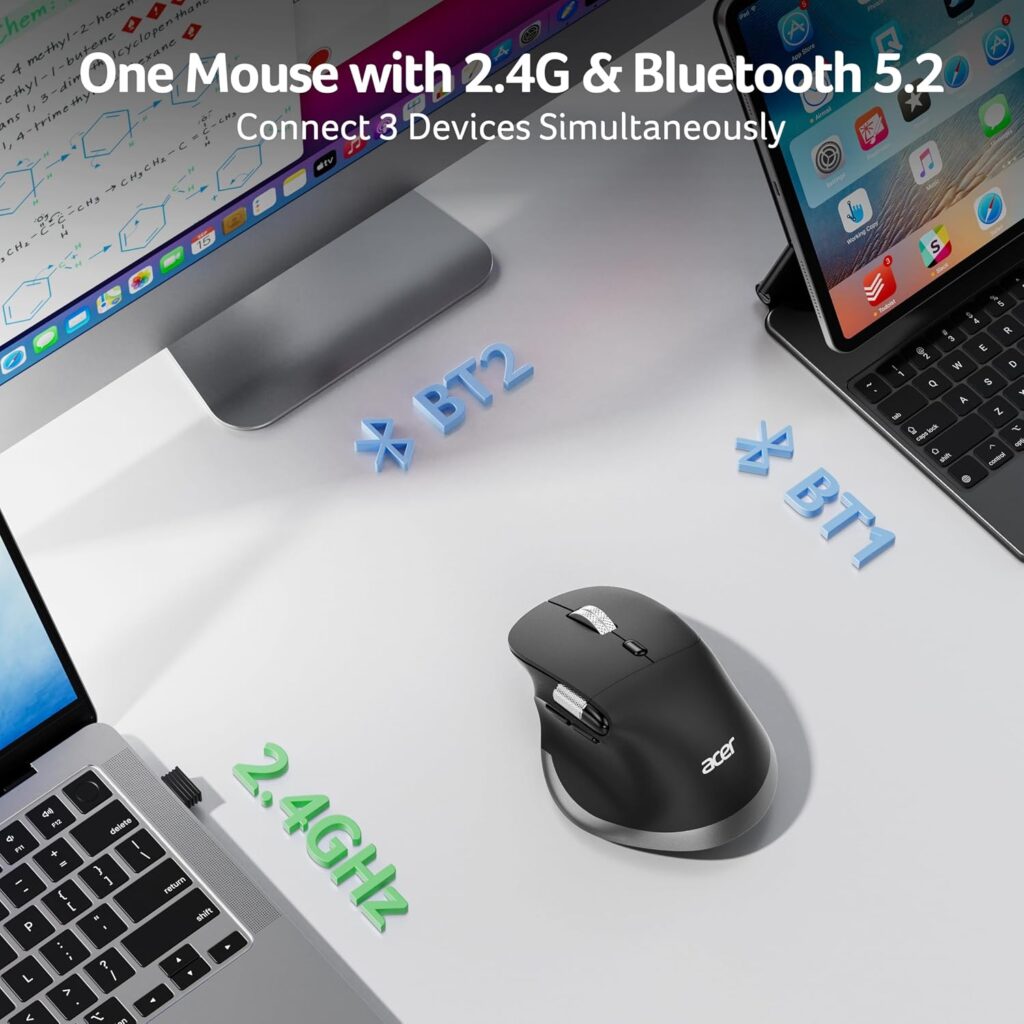
Quick Verdict: The Acer OMR272 stands out for one feature: a thumb-operated side wheel that scrolls pages horizontally. That helps with wide spreadsheets and video timelines. It also offers Bluetooth 5.2 plus 2.4G and USB-C charging, for medium-to-large hands. Clicks are not silent, and the listing does not state a tilt angle.
Best For: Spreadsheet, timeline and wide-document work with medium-to-large hands.
Key Specifications:
- Hand fit: medium to large (a Small size is also listed, at $12.59; check its specs separately)
- Weight: 108 g (3.8 oz) in the description, 6 oz in the spec table, so the listing conflicts
- Connection: Bluetooth 5.2 or 2.4G (not at the same time), up to 3 devices
- Power: 500 mAh rechargeable, USB-C
- DPI: six levels from 800 to 4800
- Buttons: 8; the side scroll wheel is not customizable
- Warranty: 1 year manufacturer
What We Like:
- Horizontal scrolling without lifting your hand
- Rechargeable and multi-device
- Choice of Large and Small sizes
What We Don’t Like:
- Crisp (audible) clicks rather than silent ones
- The listing says 1–2 weeks of adjustment, and the tilt angle is not published
- The spec table lists ChromeOS, Linux and Windows 11, while the description mentions Mac devices. Confirm macOS support first
- Only a 1-year warranty
Ergonomic Analysis: Scrolling sideways with the thumb replaces the habit of dragging a scroll bar with the whole arm, which may reduce reaching. Whether that is a net comfort gain depends on how much horizontal work you do.
Who Should Buy It? People who live in spreadsheets or editing timelines.
Who Should Skip It? Shared offices that need quiet clicks, and Mac-only users until compatibility is confirmed.
Value for Money: Fair to good at $24.98 for the Large size, if you will use the side wheel.
🛒 Check Price on Amazon6. PHILIPS SPK7628 Ergonomic Vertical Mouse
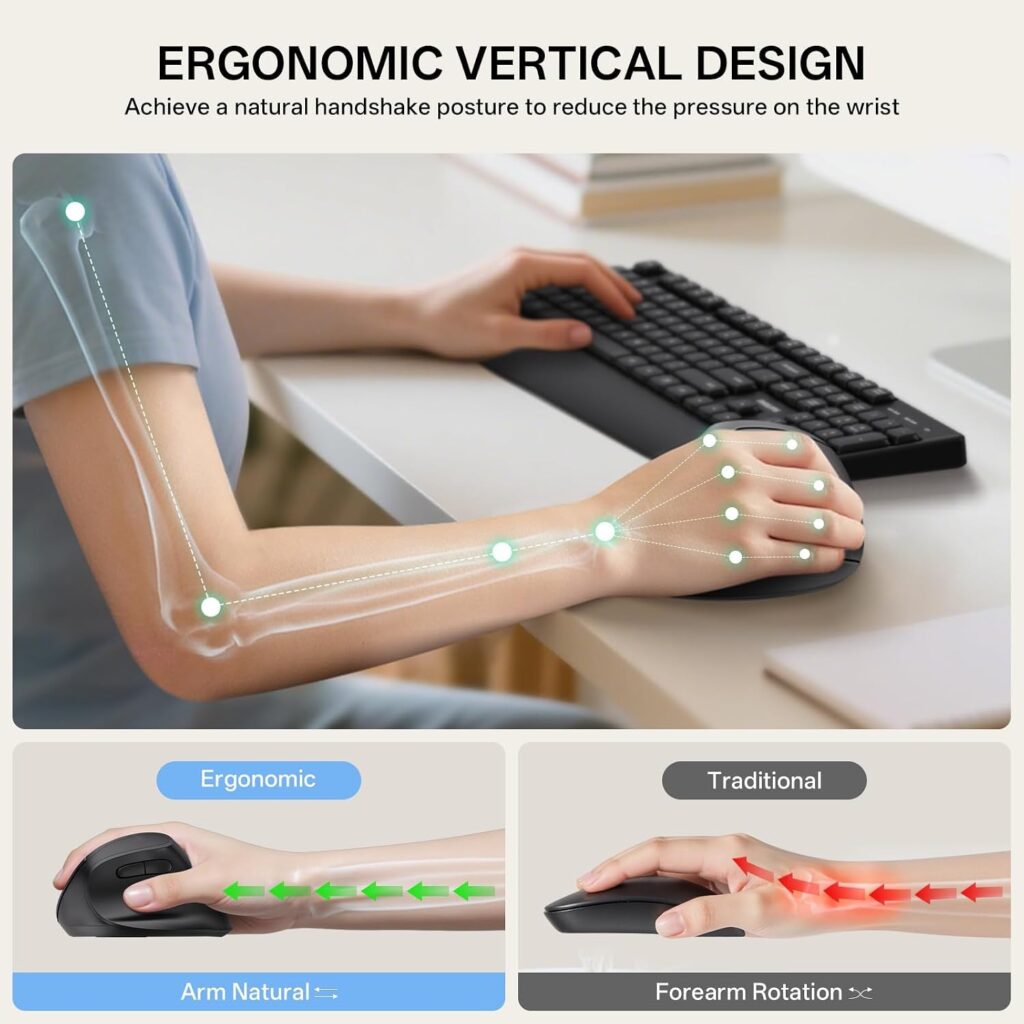
Quick Verdict: The PHILIPS SPK7628 is a compact 57° vertical mouse designed for hand lengths up to 7 inches, with quiet main buttons and a battery included. It has a short review history (362 ratings at 4.3 stars) and uses a 2.4G receiver only.
Best For: Small hands, and shared or quiet spaces.
Key Specifications:
- Tilt: 57° handshake angle
- Hand fit: up to 7 in hand length
- Weight: 5.3 oz
- Connection: 2.4 GHz USB receiver stored in the base (not Bluetooth), 10 m range
- DPI: 800 / 1200 / 1600
- Buttons: 6; the main left and right buttons are described as silent
- Power: battery included (remove the plastic film first)
- Warranty: 12 months
What We Like:
- One of the smallest fit ranges, which helps small hands reach the buttons without stretching
- Plug-and-play with no driver
- Battery is in the box
- Black and white options
What We Don’t Like:
- No Bluetooth, and USB-C devices need an adapter
- Only 362 ratings, so there is less evidence about long-term durability
- The spec table lists very old operating systems (Mac OS 9, Windows 7), which conflicts with the description
- 12-month warranty
Ergonomic Analysis: A mouse that is too large for a small hand forces the fingers to stretch and the wrist to bend. A smaller 57° body is designed to let the hand rest in a handshake position without overreaching.
Who Should Buy It? Small-handed users on a single computer.
Who Should Skip It? Hands longer than 7 inches.
Value for Money: Reasonable at $23.99, though ProtoArc covers the same hand size with more features.
🛒 Check Price on Amazon7. TECKNET 2.4G Ergonomic Vertical Wireless Mouse (4800 DPI)
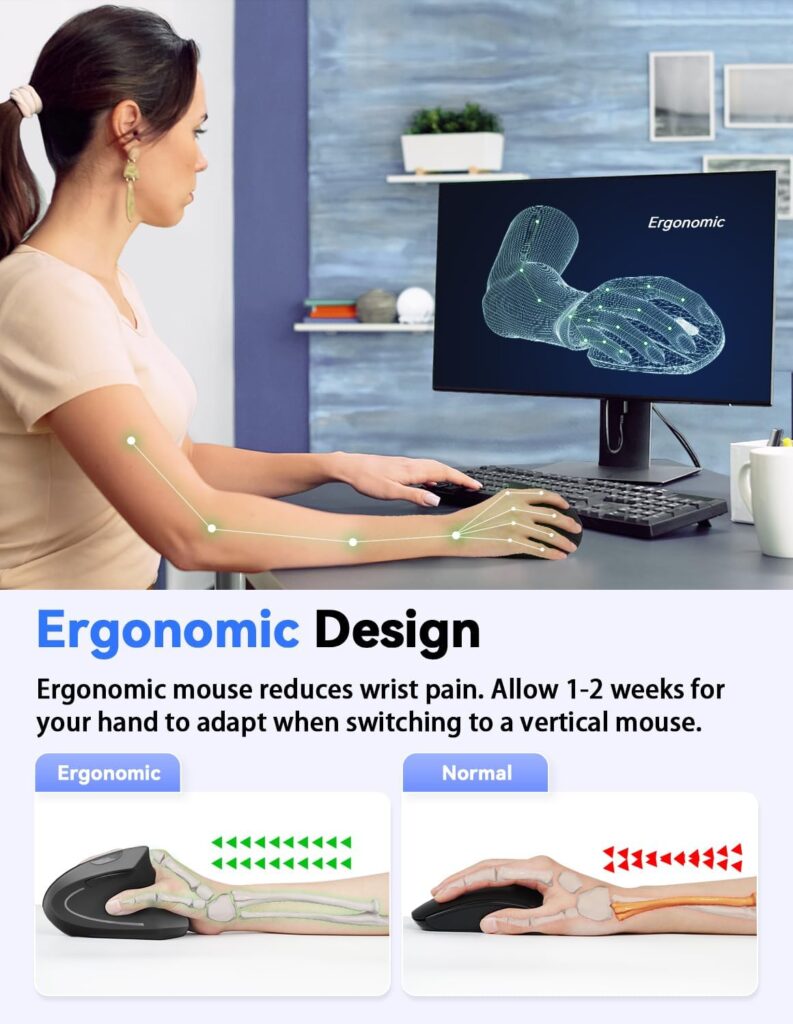
Quick Verdict: TECKNET offers the widest stated hand fit here, with palm lengths from 6.7 to 8.3 inches. It has five DPI levels up to 4800, silent clicks (the manufacturer says more than 90% quieter) and 36-month support if you register. Its weaknesses are no Bluetooth and no batteries in the box.
Best For: Windows users with average-to-large hands who want a quiet mouse.
Key Specifications:
- Hand fit: palm length 6.7–8.3 in (17–21 cm), width 3.5–4.7 in (9–12 cm)
- Size: 4.71″ L x 2.47″ W, 3.84 oz
- Connection: 2.4G USB-A receiver, 49 ft range
- Power: 2 AAA batteries (not included); sleeps after 8 minutes of inactivity
- DPI: 800 / 1200 / 1600 / 2400 / 4800
- Buttons: 6, with forward/back buttons that do not work on Mac
- Warranty: 36-month support, registered products only
What We Like:
- The most generous published palm-size range
- Quiet clicks
- Light for its size
- Multiple colours
What We Don’t Like:
- You must buy two AAA batteries
- The listing disagrees with itself on battery life (12 months in the title, 6 months in the specs)
- The OS list covers Windows and Linux only
- Tilt angle not published
Ergonomic Analysis: Publishing a palm-length range is useful, because it lets you measure before you buy. The listing recommends 1–2 weeks of adaptation.
Who Should Buy It? Windows desktop users who want a quiet, low-cost vertical mouse.
Who Should Skip It? Mac users, and anyone wanting Bluetooth.
Value for Money: Fair at $22.99. Add the cost of batteries.
🛒 Check Price on Amazon8. Anker 2.4G Wireless Vertical Ergonomic Optical Mouse
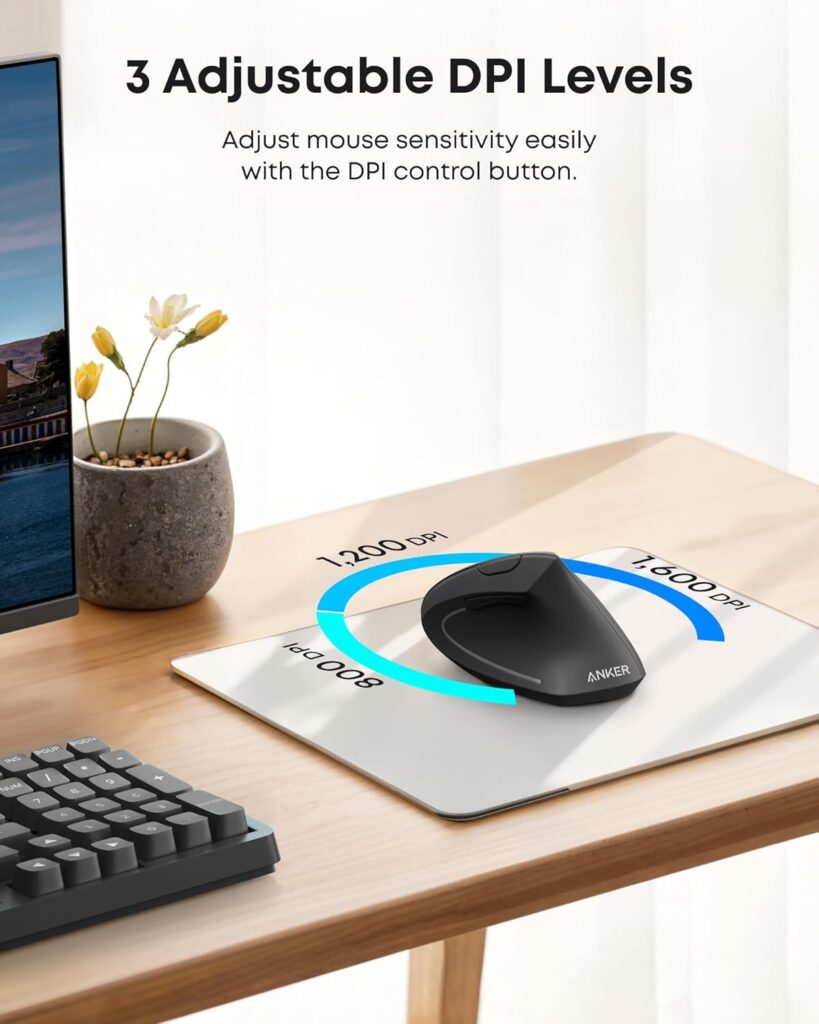
Quick Verdict: Anker is the best-known name here, with 53,469 ratings at 4.2 stars and an 18-month warranty. The mouse itself is basic: 2.4G only, three DPI levels, 5 buttons and two AAA batteries not included. Anker states that click sounds are unavoidable, so this is not a quiet option.
Best For: Buyers who want a long-established brand and a simple design.
Key Specifications:
- Size: 120 x 62.8 x 74.8 mm (about 4.7″ long)
- Weight: 3.4 oz in the description, 4.5 oz in the spec table
- Connection: 2.4 GHz USB receiver (not Bluetooth); the spec table lists a 5 m range
- Power: 2 AAA batteries (not included); powers down after 8 minutes idle
- DPI: 800 / 1200 / 1600
- Buttons: 5
- Warranty: 18 months
What We Like:
- By far the largest pool of owner ratings
- 18-month warranty
- Receiver stores in the base
- Compact footprint
What We Don’t Like:
- Not quiet
- No Bluetooth, no rechargeable battery
- Hand-size guidance is missing
- Pricier ($29.99) than better-equipped rivals
- Weight and compatibility fields conflict within the listing
Ergonomic Analysis: It uses the same handshake-style principle as the others. Without a published angle or hand range, you are relying on general fit and owner feedback.
Who Should Buy It? Someone who trusts a big brand and a big review count.
Who Should Skip It? Quiet offices, multi-device users and rechargeable fans.
Value for Money: Average at $29.99, as other mice here add Bluetooth and charging for less.
🛒 Check Price on AmazonComparison Table
| Product | Angle / Hand Fit (listed) | Weight (listed) | Connectivity | Power | Rating |
|---|---|---|---|---|---|
| ProtoArc EM11 NL | 58° / hands under 7.5 in | 8.8 oz (listed) | Bluetooth + 2.4G (USB-A) | Rechargeable (USB-C) | 4.6/5 |
| UGREEN Ergonomic Wireless Mouse | Not listed / larger hands | 6 oz (listed) | Bluetooth + 2.4G | 1 AA battery | 4.4/5 |
| AOC MS610 Ergonomic Mouse | 52° / small-medium | 3.68 oz | Bluetooth 5.4 + 2.4G + wired | Rechargeable (USB-C) | 4.4/5 |
| Lekvey Rechargeable Vertical Mouse | Not listed / medium-large | 3.36 oz | 2.4G USB receiver | Rechargeable (USB-C) | 4.3/5 |
| Acer OMR272 Ergonomic Mouse | Not listed / medium-large | 108 g (3.8 oz) per description | Bluetooth 5.2 + 2.4G | Rechargeable (USB-C) | 4.2/5 |
| PHILIPS SPK7628 Ergonomic Mouse | 57° / up to 7 in | 5.3 oz | 2.4G USB receiver | Battery (included) | 4.2/5 |
| TECKNET Vertical Wireless Mouse | Not listed / palm 6.7–8.3 in | 3.84 oz | 2.4G USB receiver | 2 AAA (not included) | 4.1/5 |
| Anker 2.4G Wireless Vertical Mouse | Not listed | 3.4–4.5 oz (listing conflicts) | 2.4G USB receiver | 2 AAA (not included) | 4.0/5 |
Which Mouse Should You Buy?
Choose the ProtoArc EM11 NL if you have small-to-medium hands and want the best overall balance of connectivity, charging and warranty.
Choose the UGREEN if price is your priority and you want Bluetooth with a replaceable AA battery.
Choose the AOC MS610 if you want programmable buttons, a wired fallback and have smaller hands.
Choose the Lekvey if you have medium-to-large hands, one main computer and want a long warranty.
Choose the Acer OMR272 if you work in wide spreadsheets or timelines and have medium-to-large hands.
Choose the PHILIPS SPK7628 if your hands are small and you share a quiet space.
Choose the TECKNET if you use Windows, measure within its palm range and want 36-month registered support.
Choose the Anker if you place the most weight on brand familiarity and a very large review base.
Common Mistakes When Buying an Ergonomic Mouse
- Buying on star ratings alone. A 4.5-star mouse that is too big or small for your hand will not feel comfortable.
- Ignoring hand size. It is the first thing to check, and the one most buyers skip.
- Assuming steeper is better. The fully vertical mouse in the 2015 study had the poorest pointing performance, and the 2010 comparison linked vertical designs with more wrist extension than a slanted one.
- Forgetting your ports. A USB-A receiver on a USB-C-only laptop means buying an adapter.
- Expecting instant comfort. Most manufacturers here suggest 1–2 weeks of adjustment.
- Trusting every listing detail. Several listings in this guide contradict themselves on weight, battery life or compatibility.
- Expecting a mouse to fix a poor setup. Desk height, chair position and keyboard distance matter as well.
Best Practices for Using a Vertical Mouse
- Keep your forearm and wrist neutral. OSHA’s computer workstation guidance describes hands, wrists and forearms as straight, in-line and roughly parallel to the floor, with elbows bent between 90 and 120 degrees.
- Keep the mouse close to the keyboard. OSHA’s additional information on awkward postures advises placing frequently used items within easy reach.
- Watch your wrist angle. A NIOSH-linked prospective study of 632 new computer users associated mouse use with more than 5 degrees of radial wrist deviation with a greater risk of hand and arm symptoms. That is an association, not proof of cause.
- Take regular breaks. OSHA’s guidance suggests a five-minute break from computer tasks every hour.
- Ease in gradually. Alternate between your old mouse and the new one for the first few days.
- Adjust DPI first. If the cursor feels jumpy, lower the sensitivity before blaming the shape.
Emily Richardson’s tip: A new mouse can only do so much. Raise or lower your chair until your forearm sits level with the desk, then judge the mouse.
Alternatives If This Budget Doesn’t Fit
- Lower budget: See the best ergonomic mouse under $20 list for basic vertical options.
- Smaller hands, premium build: The Logitech Lift vertical mouse review covers a model made for small-to-medium hands. It is typically priced above this guide’s ceiling, so check the current price.
- Larger hands, premium build: The Logitech MX Vertical review looks at a larger, more premium design, also usually above $50.
- More options: My best premium ergonomic mouse comparison explains who actually benefits from paying more.
Frequently Asked Questions
What is the best ergonomic mouse under $50?
The ProtoArc EM11 NL is my top pick for small-to-medium hands. It combines a 58° vertical design, Bluetooth and 2.4G for three devices, USB-C charging and a 2-year warranty at around $23. For larger hands, the Lekvey or UGREEN fit better.
Is a vertical mouse good for long hours?
It can be more comfortable for some people, because it is designed to reduce forearm rotation. Research suggests lower pronation, while findings on pointing speed and wrist extension are mixed. Fit, desk setup and regular breaks matter as much as the mouse itself.
Are ergonomic mice really better than regular mice?
They are different rather than better for everyone. Studies show vertical and angled mice can reduce forearm pronation, but evidence that they prevent injury or change symptom severity is limited and mixed. If a standard mouse feels fine, you may not need one.
How long does it take to get used to a vertical mouse?
Plan on one to two weeks. The ProtoArc, TECKNET and Acer listings all recommend 1–2 weeks, and Lekvey suggests 3–5 days. Expect to feel slower at first, especially for precise clicks.
Can a vertical mouse help with carpal tunnel syndrome?
I cannot say that. A vertical mouse may encourage a more neutral forearm position, but ergonomic products are not medical treatments, and one study found no significant difference in symptom-severity scores between mouse types. If you have numbness, tingling or persistent pain, please see a healthcare professional.
What size ergonomic mouse do I need?
Measure from your wrist crease to your middle fingertip. Under about 7 inches suits the PHILIPS; under 7.5 inches suits the ProtoArc; larger hands suit the Lekvey, Acer or UGREEN. Brands measure differently, so check each listing.
Is Bluetooth or a 2.4G receiver better?
Bluetooth suits laptops with limited ports and multi-device use. A 2.4G receiver is plug-and-play and keeps working without pairing, but it uses a USB-A port. ProtoArc, UGREEN, AOC and Acer give you both.
Are vertical mice good for gaming?
Mostly not for fast-paced competitive games. Studies disagree on speed: one found the fully vertical mouse had the poorest pointing performance, another found vertical mice fastest. Either way, these mice are designed for comfort and everyday work, and the DPI figures in the listings (up to 4800) do not change that.
Do vertical mice work with Mac?
Most do for basic use, but side buttons often do not work on macOS. UGREEN requires macOS 13, ProtoArc macOS 10.12 and Acer’s table does not list macOS. Check the listing for your version.
Is it worth paying more than $30 for an ergonomic mouse?
For most people, probably not. The best-featured options here cost $22–$30. Premium models add adjustability and polish, which matters mainly for heavy daily use or very large hands.
Final Verdict
If you want the best overall balance, buy the ProtoArc EM11 NL, provided your hand is under about 7.5 inches. If price is your priority, the UGREEN at $21.99 is the better choice. If you want programmable buttons and a wired fallback, the AOC MS610 is worth it in gray, not at the black version’s price. For larger hands and a long warranty, pick the Lekvey.
Whatever you choose, measure your hand first, and give yourself two weeks before judging it. Emily Richardson’s tip: If you work from home for several hours a day, prioritize fit and workspace compatibility before paying extra for features you may not use.





