
What Is an Ergonomic Mouse? The Complete 2026 Buyer’s Guide
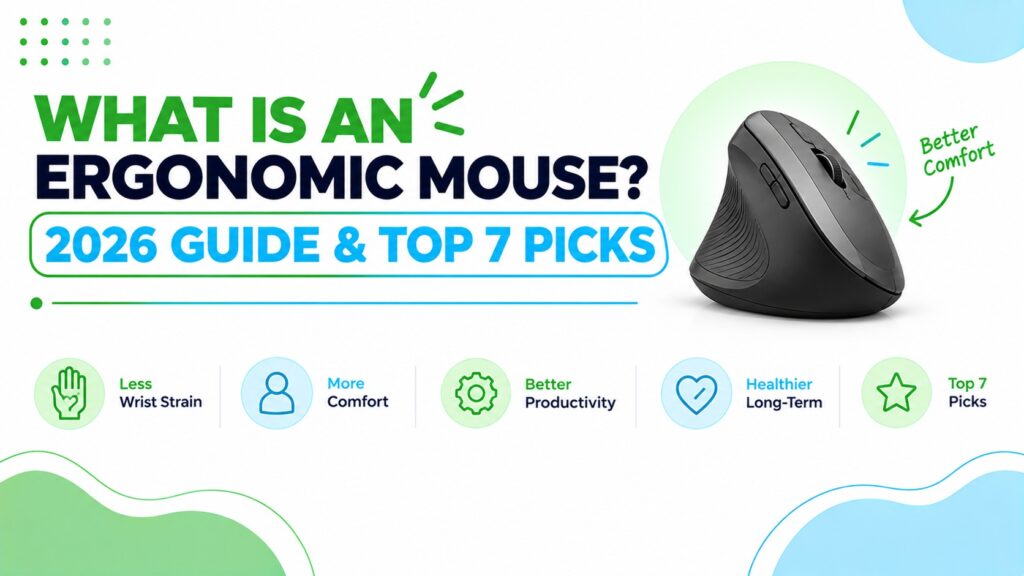
At ErgoFixes, our product evaluations combine manufacturer specifications, verified retailer and Amazon listing data, customer feedback, review patterns, and ergonomic design analysis. We assess products across factors such as comfort, adjustability, materials, functionality, durability, and overall value, using multiple sources to provide a balanced and practical recommendation.
For this guide I wanted real variety rather than seven near-identical vertical mice. So the set covers five vertical designs at different sizes and connection types, plus two contoured mice for readers who aren’t ready to change their grip.
One limitation applies across the whole group: every model here is listed as right-handed. I come back to that below.
Quick Answer: What Is an Ergonomic Mouse?
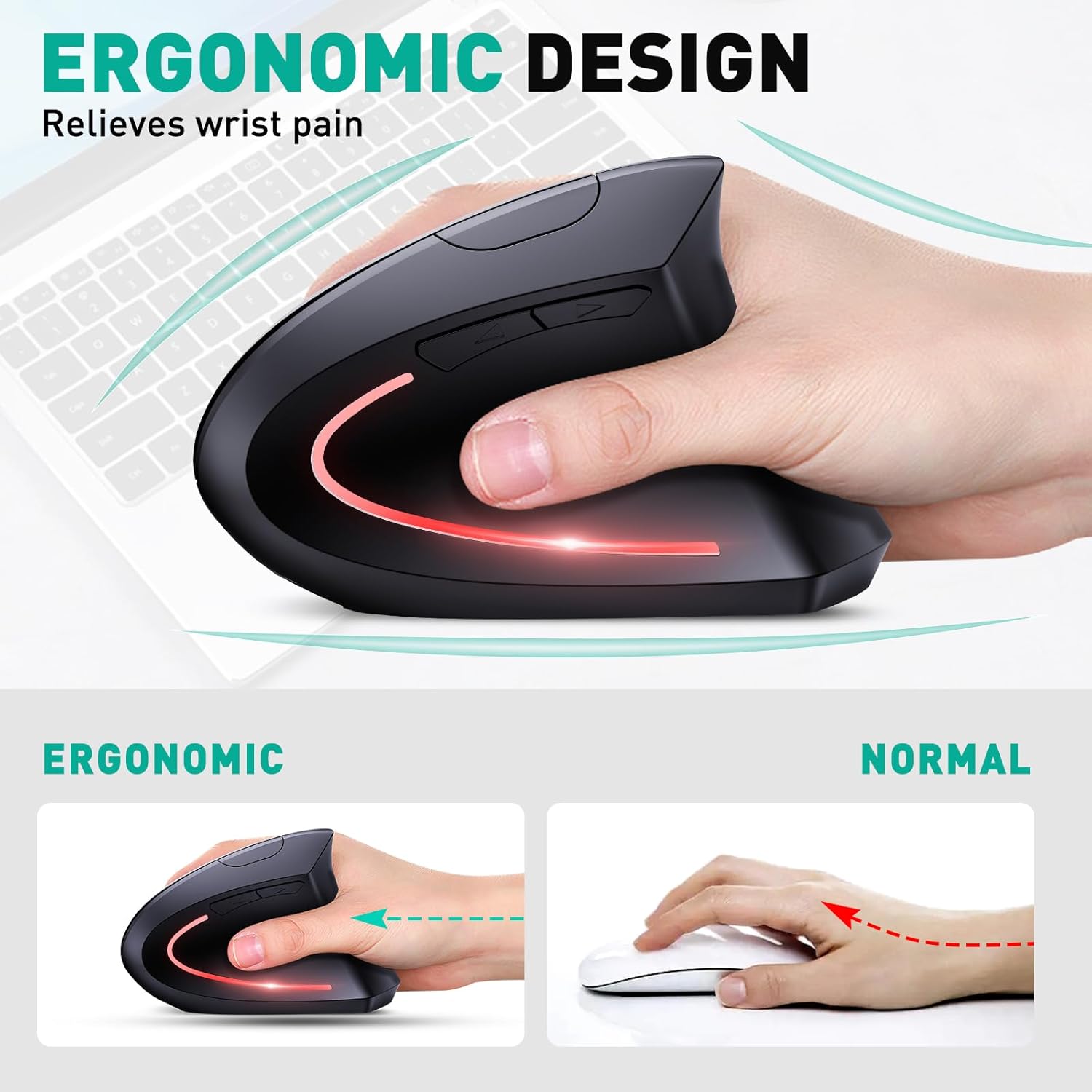
An ergonomic mouse is a computer mouse shaped to hold your hand and forearm in a more natural position than a flat, palm-down mouse. The most common designs are vertical mice (a handshake-style grip), contoured mice with a thumb rest, and trackballs. The goal is to reduce unnecessary twisting, bending and gripping force during long sessions.
An ergonomic mouse is a comfort and positioning tool, not a medical treatment. The right one depends mostly on your hand size, your grip and how long you use a mouse each day.
I compared seven right-handed models, from vertical designs to contoured shapes, using manufacturer specifications, Amazon listing data and published ergonomics research. Here is the short version:🖱️ Our Quick Picks at a Glance
Seven mice, seven different jobs. Every model here is right-handed, and prices are the ones shown on the Amazon.com listings, which can change.




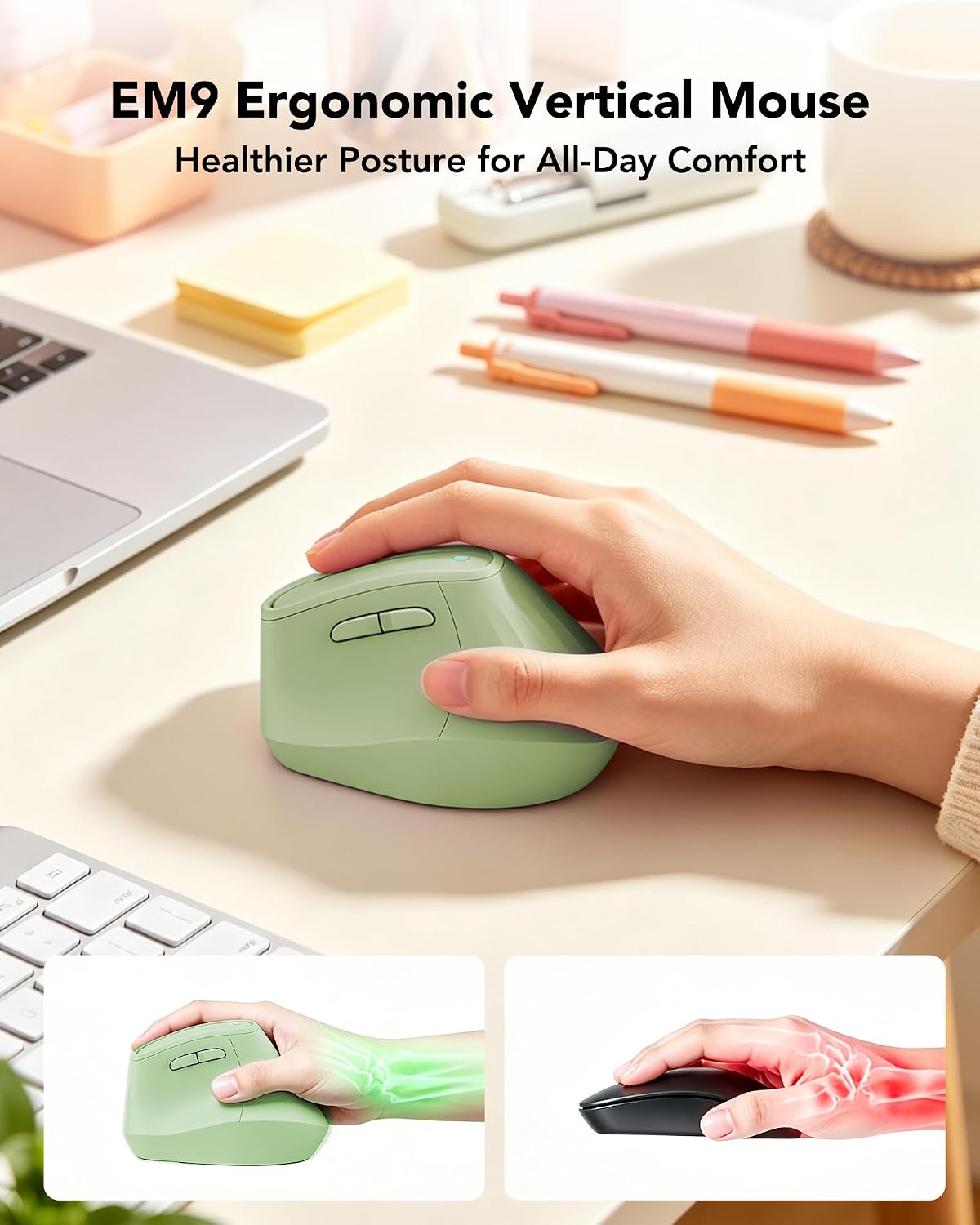
6Quick Verdict Table
| Product | Best For | Main Strength | Main Limitation | Rating | Link |
|---|---|---|---|---|---|
| TECKNET TK-MS007 | All-round vertical use | Rechargeable, 3 connection modes | Side buttons don’t work on macOS | 4.4/5 | Check Price |
| Razer Basilisk V3 | Contoured grip, heavy button use | Thumb rest, 11 programmable buttons | Wired, palm-down forearm position | 4.3/5 | Check Price |
| JYKEYMOUT M1 | Trying a vertical mouse cheaply | Lowest price, silent buttons | 1600 DPI cap, 1-year warranty | 4.0/5 | Check Price |
| Lekvey 7L-01 | Simple plug-and-play setup | Large review base, 36-month warranty listed | No Bluetooth | 4.2/5 | Check Price |
| Logitech M720 Triathlon | People not ready for vertical | 24-month battery, 3-device switching | Not a vertical design | 4.3/5 | Check Price |
| memzuoix WM-791 (Large) | Large hands | Wide shape, replaceable AAA batteries | Batteries not included | 3.8/5 | Check Price |
| KYSONA Vertical Mouse | Small to medium hands | Compact, Bluetooth plus 2.4GHz | Smallest review base here | 4.0/5 | Check Price |
How I rated them: each score out of 5 reflects five things: how well the design suits its intended user, how clearly the listing explains fit and compatibility, connectivity and power, value at the listed price, and how many limitations the listing exposes. These are editorial ratings based on specifications and listing data, not laboratory measurements.
Why Choosing an Ergonomic Mouse Is Harder Than It Looks
Search for “ergonomic mouse” and you will find thousands of products that all claim to protect your wrist. Some are genuinely different in shape. Others are a conventional mouse with the word “ergonomic” added to the title.
That gap is the real problem. A mouse can look impressive on a product page and still sit awkwardly in your hand, or force you into a new posture you never needed. So before comparing models, it helps to understand what an ergonomic mouse actually changes, and what it does not.
This guide covers the definition, the main types, what the research says, and then the seven mice I would shortlist. If you mainly want to understand vertical designs, our best vertical mouse guide goes deeper on that category.
What Is an Ergonomic Mouse? (Definition and How It Works)
An ergonomic mouse is a pointing device designed to reduce awkward hand, wrist and forearm postures during computer use. Most standard mice sit flat on the desk. That forces your forearm to rotate so your palm faces down, a position called pronation.
An ergonomic mouse tries to change one or more of these things:
- Forearm rotation. A vertical mouse stands the hand on its edge, closer to a handshake, which reduces pronation.
- Wrist angle. A well-shaped body helps keep the wrist straight rather than bent up (extension) or sideways (deviation).
- Grip force. A sculpted body and thumb rest can mean less pinching and squeezing to keep control.
- Movement source. Trackballs and similar designs let your fingers or thumb move the cursor while your arm stays still.
Emily Richardson’s tip: an ergonomic mouse should fit your hand and your desk first. A model with a clever shape that doesn’t suit your hand size can feel worse than the mouse you have now.
Types of Ergonomic Mouse
The phrase covers several different designs. Here is how they compare:
| Type | How it works | Best for | Main trade-off |
|---|---|---|---|
| Vertical mouse | Hand held on its side in a handshake-style position, with the tilt angle varying by model | People who want less forearm rotation | Learning curve; most models are right-hand only |
| Contoured / sculpted mouse | Conventional palm-down grip with a thumb rest and shaped body | People who want better support without changing posture | Forearm stays pronated |
| Trackball | The ball moves the cursor; the device stays still | Limited desk space, or less arm movement | Different skill to learn; see our trackball mouse guide |
| Joystick or pen-style mouse | Held upright like a joystick or pen | Users who want a very different grip | Unusual shape, often a long adjustment period |
| Finger or ring-style mouse | Worn or operated with the fingertips | Portable, minimal-movement use | Less precise for detailed work |
This guide focuses on the first two types because they are the most common first purchase and the easiest to adapt to. Five of the seven mice below are vertical designs; two are contoured.
What Does the Research Say About Ergonomic Mice?
The research is encouraging on posture and more cautious on health outcomes. I’ll keep the two separate, which is how ErgoFixes treats every research claim.
Claim: Vertical mice reduce forearm rotation and some wrist muscle activity.
Evidence: In a 16-person study published in the journal Ergonomics, Quemelo and Vieira reported average forearm pronation of 28 degrees with a vertical mouse versus 42 degrees with a standard mouse, along with lower wrist extensor muscle activity (around 13% versus 16% for extensor carpi activity).
Simple explanation: Standing the hand on its edge means your forearm doesn’t have to twist as far.
Practical example: If your forearm feels tense after a full day of palm-down mousing, a vertical shape directly addresses that specific position.
What this means: the study supports a posture difference for this design in a small group. It does not show that any particular mouse will relieve discomfort for you.
There is also a cost. The same study found that time to hit targets was longer with the vertical mouse (about 4.2 versus 3.4 seconds), and the authors noted that extra training and familiarisation may be needed. A separate study in Work with twelve participants found that a fully vertical mouse reduced pronation but had the weakest pointing performance, while angled designs improved wrist posture without hurting performance. Both findings are why I’d allow a couple of weeks for adjustment.
Claim: How you hold the mouse matters as much as which mouse you buy.
Evidence: In a CDC-hosted human factors study, an alternative mouse reduced forearm pronation by up to 11.5 degrees compared with a standard mouse, and pronation fell further when participants were given instructions on how to hold it.
What this means: setup and technique add to the benefit of the shape itself.
Claim: A posture change is not the same as a medical outcome.
Evidence: In a peer-reviewed study of 21 patients with carpal tunnel syndrome, a vertical mouse reduced ulnar deviation, but none of the ergonomic devices tested lowered carpal tunnel pressure. The authors concluded the results don’t support a strong recommendation for or against any of them, and that choice remains a matter of personal preference.
What this means: the findings are mixed. I treat ergonomic mice as comfort and positioning tools, and I’d never describe one as a treatment. Our guide on whether an ergonomic mouse really helps wrist pain looks at this evidence in more depth.
Claim: Whether alternative mice prevent problems over the long term is still unproven.
Evidence: A literature review in the journal Work found that some alternative pointing devices were consistently associated with lower biomechanical loading, while other designs gave inconsistent results across studies. The authors concluded that it is unclear whether many existing designs are effective. In a one-year randomised controlled trial of 206 engineers, the group given an alternative mouse had a lower rate of new right upper-limb disorders than the conventional-mouse group (hazard ratio 0.57), but the difference was not statistically significant (p = 0.20). The group given a forearm support board reported lower right upper-limb discomfort.
Simple explanation: “Not statistically significant” means the trial could not rule out chance. It is neither proof that the mouse failed nor proof that it worked.
Practical example: If you have a small budget, a $25 mouse is a reasonable experiment. It is worth checking at the same time whether your forearm is supported while you use it.
What this means: these results fit the pattern in the rest of this guide. An ergonomic mouse is a sensible comfort and posture experiment, not a guaranteed fix, and it works best alongside the rest of your setup.
Claim: Wrist posture and gripping force both matter for hand and wrist health at work.
Evidence: A NIOSH consortium analysis that followed 2,751 workers for up to 6.4 years reported results suggesting that peak force and hand and wrist posture were each independent risk factors for carpal tunnel syndrome. A separate NIOSH prospective study found that both workplace and individual factors contribute to carpal tunnel risk.
Simple explanation: Posture and force are the two things a mouse can influence most directly. Its shape affects wrist and forearm posture, and a comfortable fit affects how hard you grip.
What this means: this is general workplace research, not testing of any mouse in this guide. It explains why I focus on fit and a light grip, but it doesn’t show that any one product prevents carpal tunnel syndrome, and a mouse is only one part of a workstation.
A note on health. Ergonomic products can improve comfort and positioning, but they are not medical treatments. If you have persistent or severe pain, numbness or tingling in your hand or wrist, speak to a healthcare professional.
Ergonomic Mouse Buying Guide: 7 Factors That Matter
1. Design type and angle
Decide first whether you want a vertical or a contoured shape. Vertical designs change forearm position the most, and they take longer to adapt to. Contoured mice feel familiar and ask very little of you.
If your main complaint is a twisted, tense forearm, vertical is the more direct answer. If you mainly want a better-fitting body with extra buttons, a contoured mouse may be enough.
2. Hand size
This is the factor people skip, and it matters most. The listings give some guidance: the TECKNET and Lekvey are recommended for medium to large hands, the memzuoix is sold in a large size, and the KYSONA is recommended for small to medium hands.
Measure your hand before buying, and read the dimensions. A mouse that is too small makes you grip tightly. One that is too large makes you stretch.
3. Hand orientation
All seven mice in this guide are right-handed. If you use your left hand, none of these will suit you, and you’d need to look at left-handed or ambidextrous models. OSHA’s workstation guidance also suggests alternating the hand you use for the mouse where practical.
4. Connectivity
Your options are wired, a 2.4GHz USB receiver, Bluetooth, or a combination. Bluetooth saves a USB port and suits laptops. A 2.4GHz receiver needs a free USB-A port, which can be a problem on thin laptops with USB-C only.
Multi-device switching, as on the TECKNET and Logitech M720, is useful if you move between a laptop and a desktop.
5. Power source
Rechargeable mice are convenient but depend on a battery that will eventually age. Replaceable batteries are easy to swap, but you need spares. Among the seven: the TECKNET, JYKEYMOUT and Lekvey are rechargeable via USB-C, the memzuoix uses two AAA batteries (not included), the Logitech M720 uses one AA battery (included), and the Razer is wired.
6. Sensitivity (DPI) and sensor
DPI describes how far the cursor moves per physical movement. OSHA’s guidance notes that a mouse with too little sensitivity can force large wrist movements to cross the screen, and that sensitivity can usually be adjusted in your computer’s settings.
For office work, a mid-range setting is usually enough. A very high maximum DPI, such as the Razer’s 26,000, is a gaming specification, not a comfort feature.
7. Buttons, software and operating system support
Check what the side buttons do on your operating system. Several vertical mice here state that the forward and back buttons don’t work on macOS, and the TECKNET and Lekvey listings say their buttons aren’t programmable. The Razer and Logitech models offer software customisation.
Also check noise. Some listings advertise silent clicks, but the TECKNET listing notes that only the main buttons and scroll wheel are quiet.
The 7 Ergonomic Mice Reviewed
1. TECKNET TK-MS007 Vertical Mouse; Best Overall Vertical
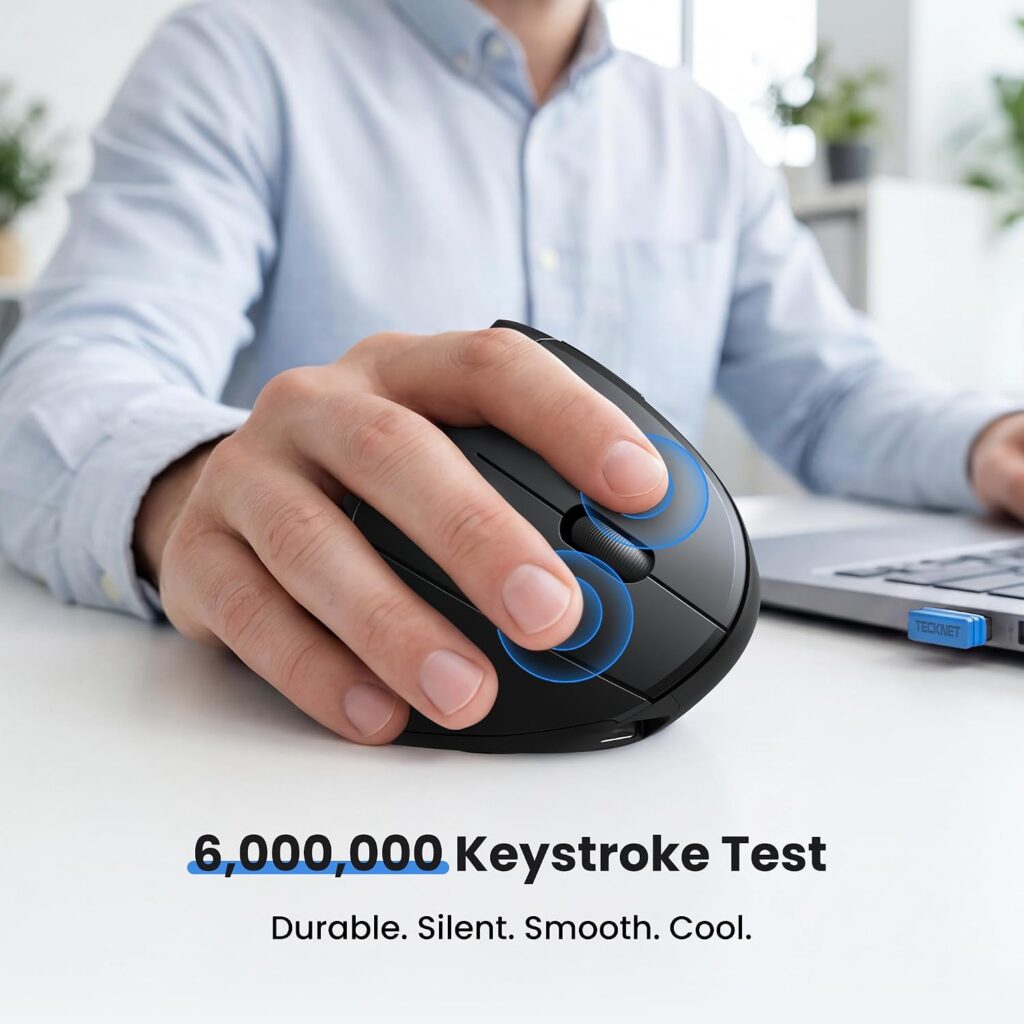
Quick Verdict: The TECKNET is the most complete vertical mouse in this group. It combines Bluetooth, a 2.4GHz receiver and USB-C charging in one body, and it lets you switch between three devices. It is built for medium to large right hands, so smaller hands should look elsewhere.
Best for: Hybrid and remote workers who move between a laptop and a desktop and want a vertical shape.
Key specifications
- Connection: Bluetooth 5.0, Bluetooth 3.0 and 2.4GHz USB receiver, with three-device switching
- DPI: 800 to 4800 (six levels)
- Size and weight: 4.73 x 2.96 x 2.48 in (12 x 7.5 x 6.3 cm), 4.2 oz
- Power: rechargeable via USB-C; the description lists 1 to 2 months of intensive use from a 1.5-hour charge
- Buttons: 7, with forward and back keys
- Warranty: 36 months listed (registered users only)
- Price shown: $22.99, rated 4.3/5 from 2,883 ratings
What We Like
- Three connection modes cover almost any laptop or desktop
- Long listed battery life with wake-on-button and auto-sleep
- A clear hand-size recommendation, plus a suggestion to measure before buying
- A 36-month support period listed
What We Don’t Like
- The side buttons aren’t compatible with macOS, and none of the buttons are programmable
- Only the left and right buttons and the scroll wheel are silent; the other controls click audibly
- Battery life figures differ inside the listing (1 to 2 months in the description, 3 months in the specification table), so treat them as approximate
Ergonomic Analysis: The vertical body is designed to turn your hand into a handshake-style position, which reduces forearm pronation compared with a flat mouse. At 2.48 inches tall, it gives the hand room to rest on its side. The multi-device switch matters ergonomically too, because one mouse across two computers means one consistent grip.
Who Should Buy It? Medium-to-large-handed users who want one vertical mouse for several devices.
Who Should Skip It? Anyone with small hands, left-handed users, and Mac users who rely on the forward and back buttons.
Value for Money: At $22.99 it costs roughly twice the cheapest vertical mouse here, and the extra buys real flexibility: Bluetooth, a receiver, three-device switching and a long warranty period.
🛒 Check Price on Amazon2. Razer Basilisk V3; Best Contoured Wired Mouse
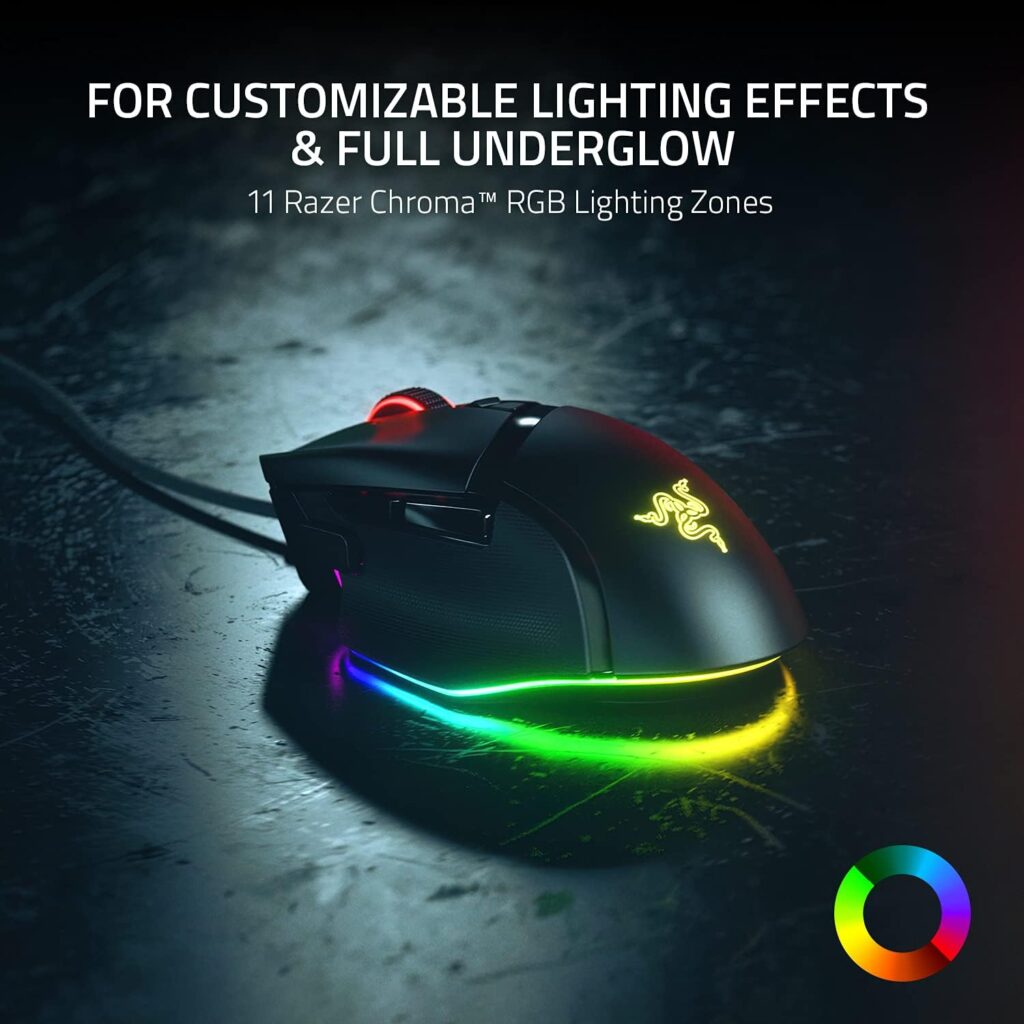
Quick Verdict: The Basilisk V3 is a gaming mouse with a genuinely supportive shape. It isn’t a vertical mouse, so it won’t change your forearm rotation. What it offers is a sculpted thumb rest and a lot of control for people who already like a palm-down grip.
Best for: Users who want a familiar grip, with extra buttons for shortcuts or creative software, and who don’t mind a cable.
Key specifications
- Connection: wired USB
- Sensor: 26,000 DPI optical, with 11 programmable buttons and a tilt scroll wheel
- Size and weight: about 5.12 in (130 mm) long, 3.56 oz (101 g). The listing gives a 2.96 in width, but other published specifications list roughly 60 mm (2.4 in), so check the dimensions before buying
- Finish: rubberised; Razer Chroma RGB lighting across 11 zones
- Warranty: 2 years (manufacturer)
- Price shown: $34.98 (list price $69.99 shown on the listing), rated 4.6/5 from 10,649 ratings
What We Like
- A pronounced thumb rest that supports the hand
- Programmable buttons that can replace repetitive reaching and keyboard shortcuts
- A tilt scroll wheel with a free-spin mode and a tactile mode
- The highest star rating and a very large review base in this guide
What We Don’t Like
- It is wired, so the cable can drag if your desk setup is tight
- The palm-down position still pronates your forearm, as with any conventional mouse
- It is the longest mouse here at 5.12 inches, which may feel large for smaller hands
- Customising the buttons relies on Razer’s Synapse software, and the listing names Windows 10 and 11 as the operating systems, so check Mac support before buying
Ergonomic Analysis: The sculpted body and thumb rest support the hand and may reduce the pinching grip some people use on flat mice. Programmable buttons can also cut down repeated reach and click patterns. But posture is the key point: it doesn’t change forearm rotation the way a vertical design does, so treat it as a better-fitting conventional mouse.
Who Should Buy It? People who want better hand support without changing their grip, and who use many shortcuts.
Who Should Skip It? Those whose main issue is forearm rotation, small-handed users, and anyone who wants a wireless mouse.
Value for Money: The price shown is roughly half the listed price of $69.99. Check the current price, since it can change. For a mouse with 11 buttons and a 2-year warranty, the shown price is strong value.
🛒 Check Price on Amazon3. JYKEYMOUT M1 Vertical Mouse, Best Budget
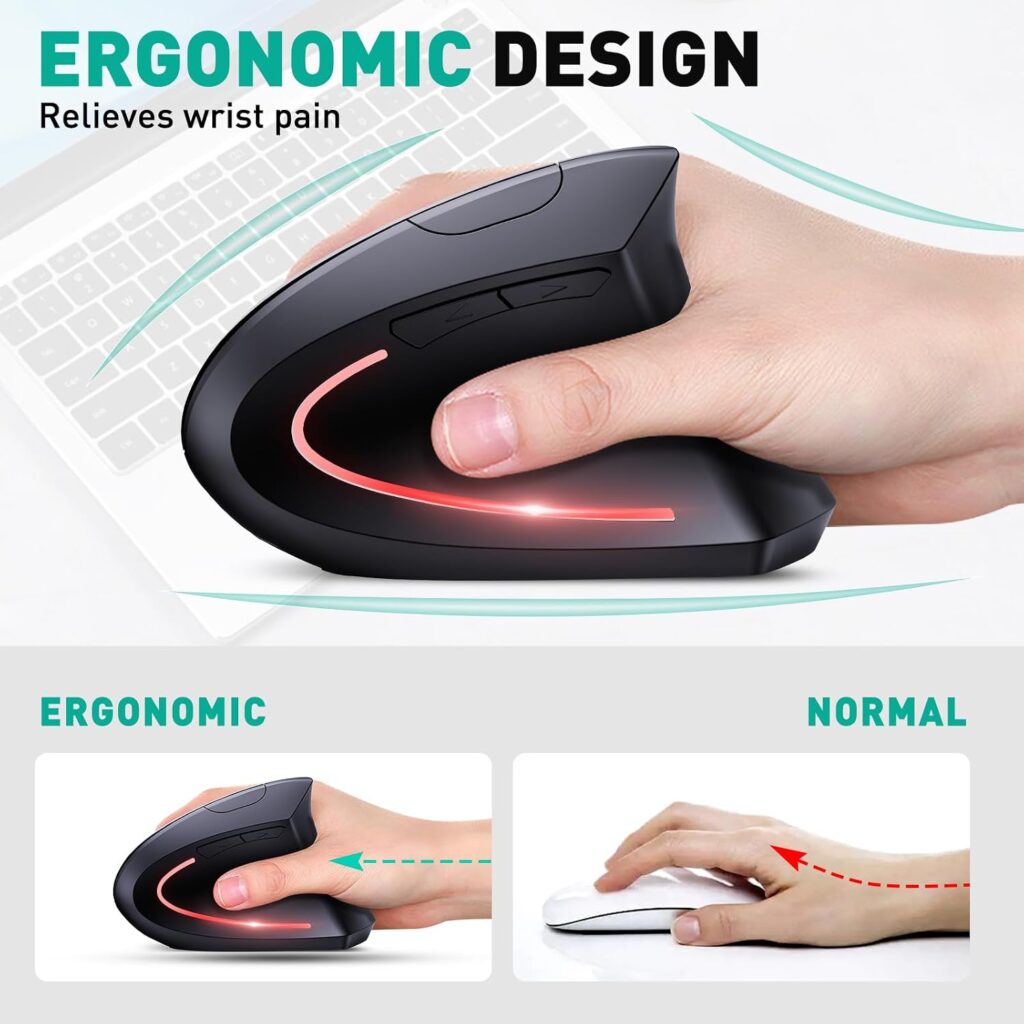
Quick Verdict: At $11.99, the JYKEYMOUT is the cheapest way into vertical mice, and it still offers Bluetooth, a 2.4GHz receiver and rechargeable power. It is also the lightest model here. The trade-offs are the shortest warranty and a modest DPI range.
Best for: First-time buyers who want to try a vertical shape before spending more.
Key specifications
- Connection: Bluetooth 5.2/3.0 and 2.4GHz, connectable to two devices at once
- DPI: 1000, 1200 and 1600
- Size and weight: 4.8 x 2.4 in, 2.82 oz
- Power: rechargeable via USB-C; the description says 1 to 3 months, while the specification table lists 1 month
- Buttons: 6 silent buttons (forward and back keys not compatible with macOS)
- Warranty: 1 year (manufacturer)
- Price shown: $11.99, rated 4.2/5 from 2,229 ratings
What We Like
- The lowest price in this guide
- Very light, which reduces the effort of moving it
- Silent buttons suit shared offices and quiet rooms
- Dual-mode connection with a quick switch between two devices
What We Don’t Like
- The shortest warranty in the guide, at one year
- A maximum of 1600 DPI, which is fine for office work but low for large or multi-monitor screens
- The listing doesn’t state a hand-size recommendation, and at 2.4 inches wide it is the narrowest model here, so measure first
- The description advises avoiding fast chargers and long charging after full charge, which adds a small care step
Ergonomic Analysis: Its vertical body encourages a handshake-style grip for the right hand, in line with other vertical designs. The low weight can help if you find heavier mice tiring, though a narrow body may force larger hands to curl their fingers.
Who Should Buy It? Anyone testing whether a vertical mouse suits them, and people who want silent clicking.
Who Should Skip It? Large-handed users, anyone with a large multi-monitor setup, and those who want a longer warranty.
Value for Money: For $11.99 the feature list is generous. Think of it as a low-risk trial purchase, not a long-term upgrade.
🛒 Check Price on Amazon4. Lekvey 7L-01 Vertical Mouse; Best Plug-and-Play
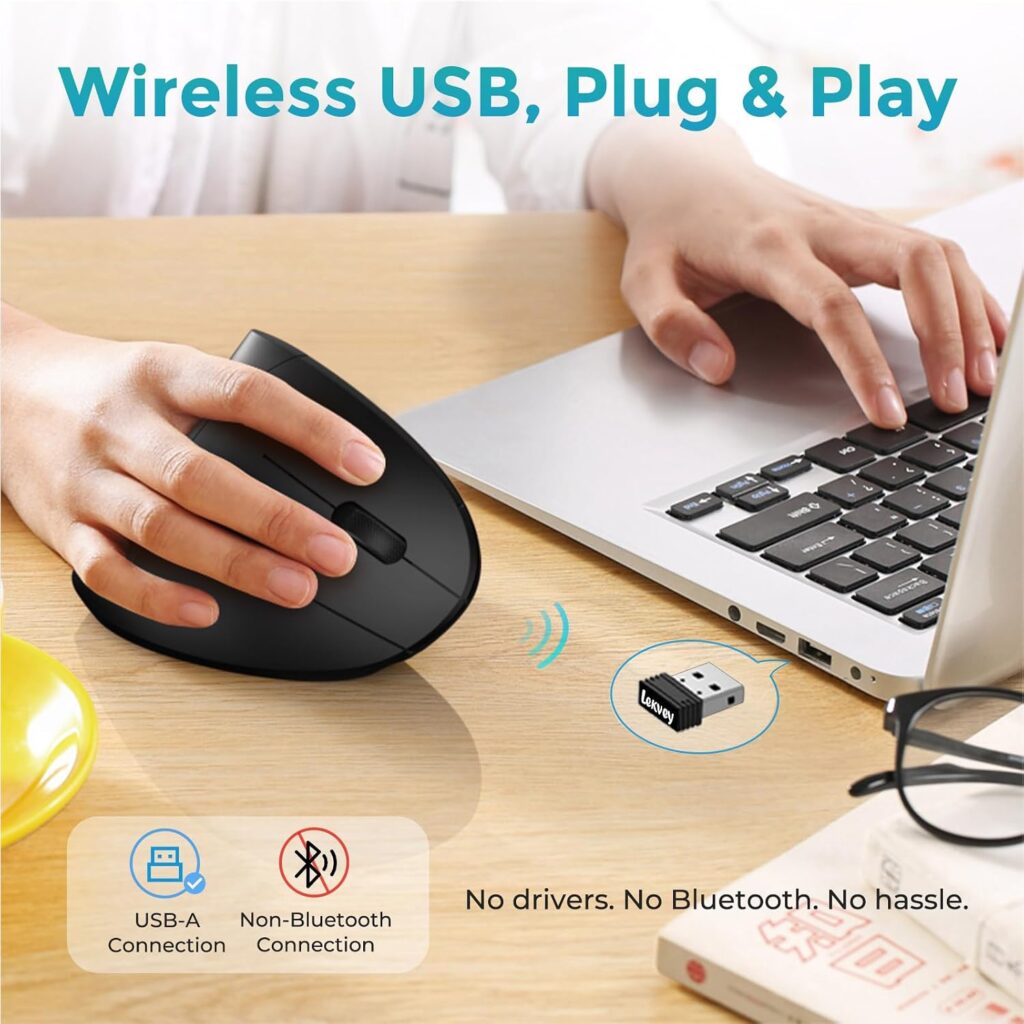
Quick Verdict: The Lekvey keeps things simple. A 2.4GHz receiver lives in the base, you plug it in, and it works. It has the largest review base of any vertical mouse in this guide and a 36-month warranty listed.
Best for: Users who want a straightforward, driver-free vertical mouse and don’t need Bluetooth.
Key specifications
- Connection: 2.4GHz USB receiver only
- DPI: 800, 1200 and 1600
- Size and weight: 5.0 x 3.0 x 2.5 in, 3.36 oz; recommended for medium or large hands
- Power: 600mAh rechargeable battery via USB-C; the listing states about 3 to 4 weeks at 8 to 10 hours of daily use, or 2 to 3 months with light use
- Buttons: 6, non-programmable (forward and back keys not compatible with macOS)
- Warranty: 36 months listed
- Price shown: $29.99, rated 4.3/5 from 15,489 ratings
What We Like
- Plug-and-play setup with no pairing or drivers
- A clear battery-life statement based on usage level
- A sizeable review base, which makes the average rating more meaningful
- A long warranty period listed, plus a 150cm charging cable
What We Don’t Like
- No Bluetooth, so it needs a free USB-A port
- Heavy daily use means charging roughly every few weeks
- The buttons can’t be programmed
- The listing includes strong marketing claims about wrist pain relief. I wouldn’t rely on those; they aren’t supported by the research above
Ergonomic Analysis: At 5.0 inches long, the body is large enough for medium-to-large hands to rest on its side without cramping the fingers. It follows the same handshake-style principle as other vertical mice. Its adjustable DPI means you can set the cursor speed so you aren’t making large wrist movements to cross the screen.
Who Should Buy It? Desktop users with a free USB-A port who want a reliable, no-fuss vertical mouse.
Who Should Skip It? Laptop users with USB-C only, anyone wanting Bluetooth, and small-handed users.
Value for Money: At $29.99 it costs more than the TECKNET without adding Bluetooth. You are paying for simplicity, the review volume and the warranty.
🛒 Check Price on Amazon5. Logitech M720 Triathlon; Best Familiar Shape
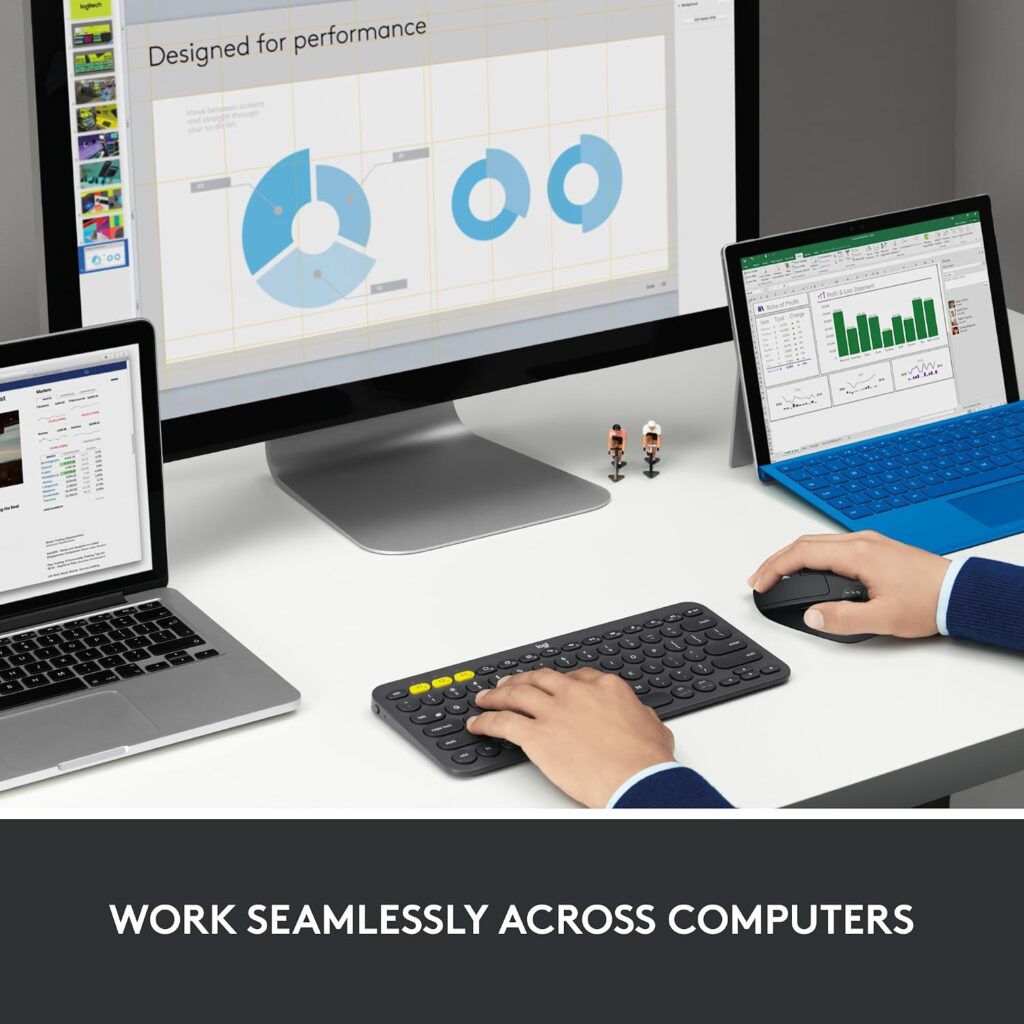
Quick Verdict: The M720 isn’t a vertical mouse, and Amazon doesn’t list it as an ergonomic design. I include it because it is a well-regarded, full-size, palm-supporting mouse for people who want a familiar grip with excellent battery life. Think of it as the sensible step before going vertical.
Best for: Office users who want a comfortable full-size mouse and switch between up to three computers.
Key specifications
- Connection: Bluetooth or the Unifying USB receiver, with up to 3 paired devices and Logitech Flow support
- Sensitivity: up to 1000 DPI listed
- Size and weight: 4.5 x 2.9 in, 4.8 oz
- Power: 1 AA battery (included); the listing states up to 24 months, and Logitech’s own specifications agree, noting that battery life varies with use and computing conditions. Logitech also lists the weight as 135 g with the battery, which matches the listing
- Buttons: 6 customisable through Logitech software; rubber body with a sculpted palm rest
- Compatibility: Windows, macOS, Chrome OS, Linux, iPadOS and Android per the listing
- Price shown: $34.95 (list price $44.99 shown), rated 4.5/5 from 13,403 ratings
What We Like
- A very long listed battery life from a single AA
- Broad operating system support, including iPadOS and Android
- Customisable buttons and hyper-fast scrolling with a click-to-click option
- Strong star rating from a large review base
What We Don’t Like
- It’s a conventional palm-down mouse, so it doesn’t reduce forearm rotation
- At 4.8 oz with the battery, it is the heaviest mouse in this guide
- Right-handed only
- Logitech states that button customisation through Logi Options+ isn’t possible on Linux
- The listing doesn’t give a clear warranty term, so check with the seller before buying
Ergonomic Analysis: The sculpted rubber body and palm rest support the hand and reduce how tightly you may need to grip. Support is not the same as a neutral forearm, though. If your discomfort comes from rotating your forearm, a vertical design addresses that more directly. If you mostly want a better-fitting everyday mouse, this one is easy to live with.
Who Should Buy It? People who don’t want a learning curve, and those who need to move between computers.
Who Should Skip It? Users specifically wanting a vertical grip, and anyone sensitive to weight.
Value for Money: At the price shown it is competitive for a full-size, multi-device mouse with a very long battery life, but it is not a dedicated ergonomic design.
🛒 Check Price on Amazon6. memzuoix WM-791 Vertical Mouse (Large); Best for Large Hands
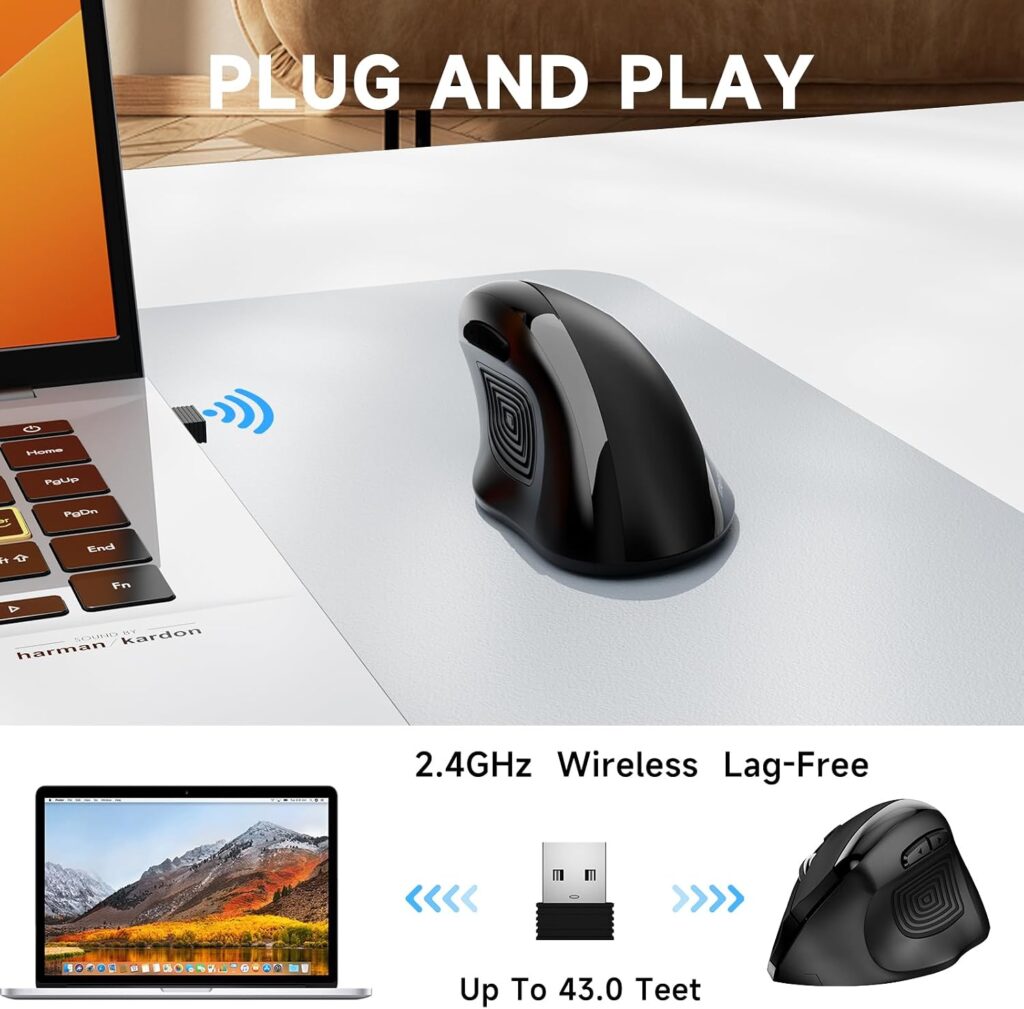
Quick Verdict: The memzuoix is a wider vertical mouse with a rubber top grip for the thumb. It suits larger hands and runs on replaceable AAA batteries. Its main practical drawback is that the batteries aren’t included.
Best for: Large-handed users who want a vertical shape and prefer swapping batteries to charging.
Key specifications
- Connection: 2.4GHz USB receiver (stored in the battery compartment)
- DPI: 800, 1200 and 1600
- Size and weight: 4.84 x 3.54 in, 3.5 oz
- Power: 2 AAA batteries (buyer supplies them); the listing states about 4 months of battery life
- Buttons: 6, with a rubber grip and matte coating
- Warranty: 24 months listed
- Price shown: $24.99 (black), rated 4.3/5 from 3,437 ratings
What We Like
- The widest body in this guide, at 3.54 inches
- Textured rubber grip for the thumb
- Replaceable batteries, so there’s no waiting for a charge
- A 24-month warranty listed and a reported 4-month battery life
What We Don’t Like
- The AAA batteries have to be bought separately
- 2.4GHz only, with no Bluetooth
- The compatibility wording in the listing is imprecise (it names “Windows 8/9/10/XP”), so confirm your operating system before buying
- The forward and back buttons aren’t compatible with macOS, and Linux needs some setup
Ergonomic Analysis: A wider vertical shape means a larger hand can rest on its side without the fingers hanging over the edge or the palm being compressed. The matte rubber grip may help you hold the mouse with less squeezing, which fits OSHA’s advice to avoid gripping tightly.
Who Should Buy It? Users with large hands who prefer battery-powered devices.
Who Should Skip It? Small or medium hands, anyone wanting Bluetooth, and people who dislike buying batteries.
Value for Money: At $24.99 it is fair for a size-specific vertical mouse, provided you factor in the cost of batteries.
🛒 Check Price on Amazon7. KYSONA Bluetooth Vertical Mouse; Best for Small Hands
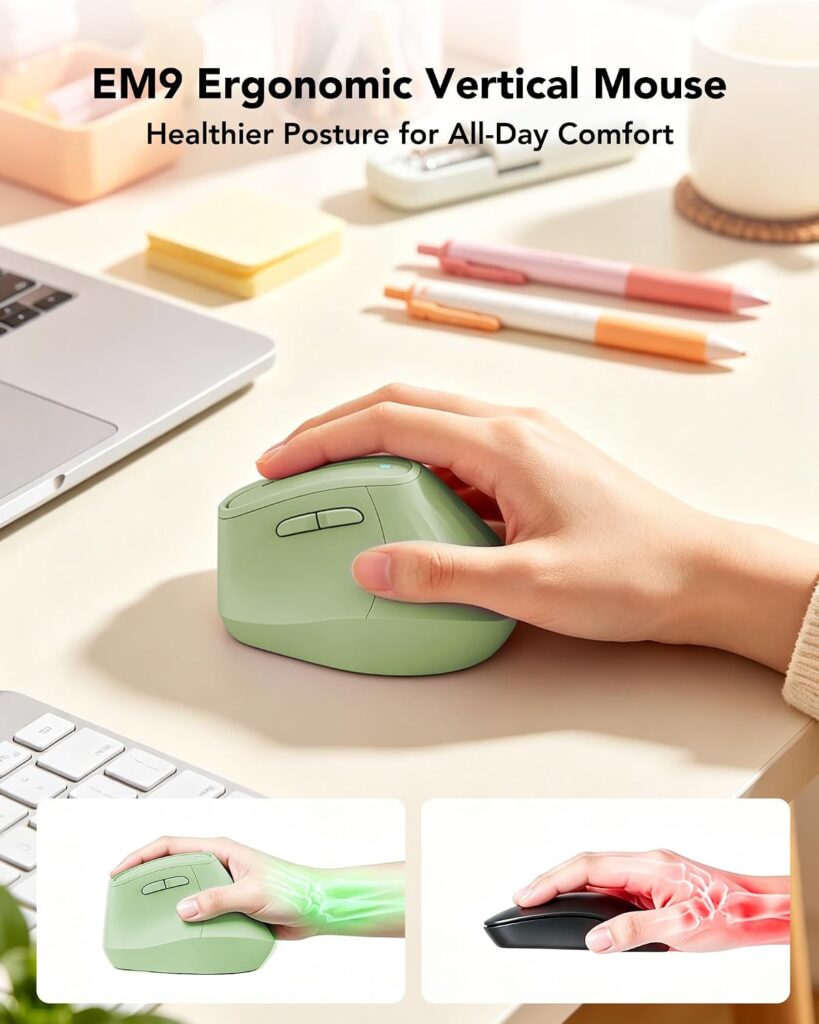
Quick Verdict: The KYSONA is the compact option. It is sized for small-to-medium hands, offers Bluetooth and 2.4GHz modes, and has five DPI levels. The trade-off is less information: the listing is thin on battery details and warranty, and it has the smallest review base here.
Best for: Small-to-medium-handed users who want a compact vertical mouse with Bluetooth.
Key specifications
- Connection: Bluetooth 3.0/5.0 and 2.4GHz
- DPI: 800, 1200, 1600, 2400 and 4000
- Size and weight: 10.7 x 7.4 x 7.1 cm (4.2 x 2.9 x 2.8 in), 4.6 oz; recommended for small to medium hands
- Design: described as inspired by a 57-degree angle, with silent switches
- Buttons: 5
- Price shown: $22.99 in Olive Green (other colours listed from $18.99 to $22.99), rated 4.5/5 from 675 ratings
What We Like
- The only vertical mouse here aimed at smaller hands
- Five DPI levels, including a higher 4000 setting
- A 57-degree angle, which is a more moderate tilt than a fully upright design
- Several colour options
What We Don’t Like
- Only 675 ratings, so the 4.5 average is less established than the others
- The battery type, charging method and warranty term aren’t clearly stated in the listing details I reviewed
- The heaviest of the vertical mice here, at 4.6 oz
- Five buttons, which is fewer than most competitors
Ergonomic Analysis: A 57-degree angle sits between a flat mouse and a fully vertical one. In the small Work study above, angled concept designs improved wrist posture without the pointing penalty seen with a fully upright mouse, so a moderate angle may be an easier first step. Those were prototypes, not this product. The compact body suits smaller hands that struggle to reach the buttons on larger models.
Who Should Buy It? Small-to-medium-handed users and anyone who prefers a gentler vertical angle.
Who Should Skip It? Large hands, and anyone who wants clear battery and warranty details before purchase.
Value for Money: At $22.99 (or less in other colours) the price is in line with the TECKNET. Confirm the battery and warranty details with the seller if those matter to you.
🛒 Check Price on AmazonErgonomic Mouse Comparison Table
| Product | Type | Best For | Key Ergonomic Feature | Weight | Connectivity | Rating |
|---|---|---|---|---|---|---|
| TECKNET TK-MS007 | Vertical | Medium–large hands, multi-device | Handshake grip, 2.48 in tall | 4.2 oz | Bluetooth + 2.4GHz | 4.4/5 |
| Razer Basilisk V3 | Contoured | Palm grip, many buttons | Thumb rest, 11 buttons | 3.56 oz | Wired USB | 4.3/5 |
| JYKEYMOUT M1 | Vertical | Budget trial | Lightweight vertical body | 2.82 oz | Bluetooth + 2.4GHz | 4.0/5 |
| Lekvey 7L-01 | Vertical | Simple desktop setup | 5.0 in body, medium–large | 3.36 oz | 2.4GHz only | 4.2/5 |
| Logitech M720 Triathlon | Contoured | Familiar full-size grip | Sculpted palm rest | 4.8 oz | Bluetooth + Unifying | 4.3/5 |
| memzuoix WM-791 | Vertical | Large hands | 3.54 in wide, rubber thumb grip | 3.5 oz | 2.4GHz only | 3.8/5 |
| KYSONA Vertical Mouse | Vertical (57°) | Small–medium hands | Compact, moderate angle | 4.6 oz | Bluetooth + 2.4GHz | 4.0/5 |
Which Ergonomic Mouse Should You Buy?
Choose the TECKNET TK-MS007 if you have medium-to-large hands and want one vertical mouse that works across a laptop and a desktop.
Choose the Razer Basilisk V3 if you want better hand support without changing your grip, you use lots of shortcuts, and a cable doesn’t bother you.
Choose the JYKEYMOUT M1 if you aren’t sure a vertical mouse will suit you and want to find out for as little as possible.
Choose the Lekvey 7L-01 if you want a no-fuss 2.4GHz vertical mouse with a big review base and have a spare USB-A port.
Choose the Logitech M720 Triathlon if you want a comfortable full-size mouse, a very long battery life and multi-computer switching, and you aren’t ready to go vertical.
Choose the memzuoix WM-791 if you have large hands and prefer replaceable AAA batteries.
Choose the KYSONA if you have small-to-medium hands, or you’d like a more moderate angle than a fully upright mouse.
If you are still unsure, here is how I’d narrow it down in three questions:
- Is your main issue forearm twisting? Pick a vertical model.
- Do you want the least change possible? Pick the Logitech M720 or the Razer Basilisk V3.
- Do you have small or large hands? Pick the KYSONA or the memzuoix, and skip anything the listing says is sized for the other end.
Common Mistakes When Choosing an Ergonomic Mouse
- Buying on star ratings alone. A high rating tells you many people were satisfied. It doesn’t tell you the shape fits your hand.
- Ignoring hand size. This is the most frequent cause of disappointment. Measure first, then read the listing’s size guidance.
- Assuming “ergonomic” means automatically comfortable. The word has no fixed definition on a product page. Look at the shape, angle and dimensions instead.
- Expecting instant comfort. A vertical mouse changes how your arm moves. Research shows an adjustment period, so give it a couple of weeks before deciding.
- Forgetting left-handed users. All seven mice here are right-handed. Check the orientation before you order.
- Overlooking your ports. A 2.4GHz receiver needs a USB-A port. If your laptop only has USB-C, choose a Bluetooth model or buy an adapter.
- Treating a mouse as the whole fix. Desk height, chair position and breaks matter just as much, which brings me to the next section.
Ergonomic Mouse Best Practices
Emily Richardson’s recommendation: if you use a mouse for several hours a day, fix the workstation setup first and then judge the mouse. A good mouse on a badly arranged desk will underperform.
- Keep the mouse close to the keyboard. OSHA’s pointer and mouse guidance recommends this to avoid reaching.
- Aim for a straight, neutral wrist. Your hand shouldn’t bend up, down or sideways to hold the mouse.
- Don’t grip tightly. A light hold is enough. Squeezing adds force for no benefit.
- Set the DPI so the pointer crosses the screen without a big wrist sweep. Adjust sensitivity in your system settings.
- Alternate hands if you can. OSHA suggests this, though the models in this guide are right-handed only.
- Use keyboard shortcuts for repeated actions, so your hand clicks less. OSHA’s work process guidance suggests substituting keystrokes such as Ctrl+S and Ctrl+P for mousing tasks.
- Take regular breaks and vary your posture. The same OSHA page recommends short micro breaks to stand, stretch and move around during repetitive or static work, and mixing non-computer tasks into the day. For example, you could stand up while you take a phone call.
- Introduce a new mouse gradually. Use it for part of your day for the first week before switching fully.
Alternatives to Consider
- Best alternative to a vertical mouse: a contoured mouse such as the Logitech M720 or the Razer Basilisk V3 if a vertical grip feels too different.
- Best budget alternative: the JYKEYMOUT M1, which costs less than a typical lunch.
- Smaller-hand alternative: the KYSONA.
- Larger-hand alternative: the memzuoix WM-791, or the TECKNET and Lekvey for medium-to-large hands.
- A different type altogether: if you work in a tight space or want less arm movement, our trackball mouse guide explains whether a trackball suits your setup.
I’d add one more option, which isn’t a product: if you have persistent discomfort, a short conversation with a healthcare professional is worth more than any accessory.
Frequently Asked Questions About Ergonomic Mice
What is an ergonomic mouse in simple terms?
An ergonomic mouse is a mouse shaped to support a more natural hand and forearm position than a flat, palm-down mouse. Common designs include vertical mice, contoured mice with thumb rests, and trackballs. It is designed to reduce unnecessary strain and gripping force, and it is a comfort tool rather than a medical treatment.
How does an ergonomic mouse work?
It changes how your hand and forearm sit while you use it. A vertical mouse turns the hand toward a handshake position, which reduces forearm rotation. A contoured mouse supports the palm and thumb. A trackball moves the cursor with your fingers or thumb so your arm stays still.
Are ergonomic mice really better than regular mice?
For many people they are more comfortable, but not for everyone. Research shows vertical mice can reduce forearm pronation and some wrist muscle activity, though studies also show a slower adjustment and no clear effect on carpal tunnel pressure, and a one-year trial found no statistically significant difference in new upper-limb disorders. Fit matters, so “better” depends on your hand and your work.
What are the main types of ergonomic mouse?
The main types are vertical mice, contoured or sculpted mice, trackballs, joystick or pen-style mice, and finger-operated mice. Vertical and contoured designs are the most common first purchases because they are the easiest to adapt to. Trackballs and joystick styles suit people who want a more radical change.
Is a vertical mouse good for long hours?
Many people find it comfortable for long sessions because the forearm rotates less. But it can feel slower at first, and a mouse that doesn’t fit your hand may cause new discomfort. Pair it with sensible desk height, breaks and a loose grip, and give yourself a couple of weeks to adapt.
How long does it take to get used to an ergonomic mouse?
Expect several days to a couple of weeks. Research found people were slower to reach targets with a vertical mouse than with a standard one, and the authors noted extra familiarisation may be needed. Starting with part-day use usually makes the change easier.
What size ergonomic mouse should I buy?
Match the mouse to your hand length and width. In this guide, the TECKNET and Lekvey are listed for medium to large hands, the memzuoix is a large model, and the KYSONA is recommended for small to medium hands. Always check the dimensions and the listing’s sizing guidance.
Is an ergonomic mouse good for wrist pain?
It may help with comfort by encouraging a more neutral position, but it can’t treat or cure a condition. In one study of carpal tunnel patients, a vertical mouse changed wrist position without lowering carpal tunnel pressure. If you have persistent pain, numbness or tingling, speak to a healthcare professional.
Are cheap ergonomic mice worth buying?
Often yes, especially as a trial. A $12 to $25 vertical mouse can show you whether the shape suits you. You may give up warranty length, build quality or software. Check hand-size guidance, battery type and warranty, and treat a budget model as a low-risk experiment.
Do ergonomic mice work with Mac and laptops?
Most do, but check the details. Several vertical mice here state that the forward and back buttons don’t work on macOS. Bluetooth models suit laptops without spare USB-A ports, while 2.4GHz receivers need USB-A. Our vertical mouse guide covers compatibility in more detail.
Final Verdict: Which Ergonomic Mouse Is Worth Buying?
An ergonomic mouse is worth considering if your forearm or hand feels tense after long mouse sessions, provided the shape fits your hand and you give yourself time to adapt. It isn’t a cure, and it won’t fix a poorly set-up desk.
Here is my decision in short:
- If you want the best all-round vertical mouse, choose the TECKNET TK-MS007.
- If you want to try vertical for the lowest cost, choose the JYKEYMOUT M1.
- If you want a familiar grip with better support, choose the Logitech M720 Triathlon or the Razer Basilisk V3.
- If your hands are small, choose the KYSONA. If they’re large, choose the memzuoix.
- If you want the simplest desktop setup, choose the Lekvey 7L-01.
If you’re still undecided, buy the cheapest option that suits your hand size, use it for two weeks, and let your own comfort guide the next step.
Compare the latest prices and availability before making your decision. Amazon pricing, colours and stock can change, and the current listing is the best place to check today’s price and recent customer reviews.





