
Best Ergonomic Mouse for Wrist Pain in 2026: 8 Vertical Mice Compared
If your wrist aches by mid-afternoon, or you feel a dull ache along your forearm after a long stretch at the computer, the shape of your mouse is one of the first things worth reconsidering. A standard mouse holds the forearm rotated inward, and hours of that position, day after day, can add up. An ergonomic mouse for wrist pain is built around a different idea: keep the hand and forearm closer to a natural “handshake” angle so there is less twisting to sustain.
We are not going to tell you a mouse will cure anything, because it will not. What a well-designed vertical or ergonomic mouse can do is reduce unnecessary strain during the hours you are already spending at your desk. Below, we compare eight ergonomic mice, from the industry-standard Evoluent VerticalMouse to budget-friendly options under $20, so you can match the shape, size and grip to your own hand and workspace.
Emily Richardson, an ergonomics and work-from-home product specialist with 9+ years of experience, notes that fit matters more than feature count here: a mouse that is technically excellent but wrong for your hand size will not get used correctly, and an ill-fitting grip can undo most of the ergonomic benefit.⚡ Quick Answer: Best Ergonomic Mice for Wrist Pain
A short summary before the full reviews below. Each pick solves a slightly different problem — hand size, budget or connectivity all shift which one is right for you.


Quick Verdict Table
| Product | Best For | Main Strength | Main Limitation | Rating | Link |
|---|---|---|---|---|---|
| Evoluent VerticalMouse 4 | Overall wrist comfort | Proven handshake design, extensive customization | Wired only, higher price | 4.6/5 | View Price |
| Nulea MD280 | Value-focused buyers | Silent clicks, pinky rest, long battery life | Fewer buttons than rivals | 4.5/5 | View Price |
| DELUX M618MINI | Small hands | Compact frame designed around smaller grips | No programmable buttons | 4.4/5 | View Price |
| TECKNET Wired Ergonomic Mouse | Budget buyers, medium-large hands | Very low price, high-DPI sensor, silent clicks | Wired, less refined build than premium options | 4.3/5 | View Price |
| Uineer Vertical Ergonomic Mouse | Multi-device switching | Pairs with 3 devices, 4-level DPI | Best suited to small-medium hands only | 4.3/5 | View Price |
| Lekvey Ergonomic Mouse | Color-conscious buyers, medium-large hands | Wide color range, 150-hour battery life | Not suitable for small hands, no Bluetooth | 4.2/5 | View Price |
| Perixx PERIMICE-519 | Travel and portability | Compact footprint, silent clicks, low price | Only 2 DPI steps, wired | 4.1/5 | View Price |
| Acer Ergonomic Mouse | Budget wired setups, Windows-only | 58° vertical tilt, very low price | No Mac support, adjustment period needed | 3.9/5 | View Price |
Why the Shape of Your Mouse Matters for Wrist Pain
A traditional mouse holds your palm flat, facing the desk. To do this, your forearm rotates inward, a movement called pronation, and the wrist tends to bend sideways toward the little finger, known as ulnar deviation. A vertical or ergonomic mouse for wrist pain rotates the grip toward a neutral, “handshake” angle, so the forearm bones stay roughly parallel and the wrist stays straighter.
This isn’t just marketing language. A controlled biomechanics study published in Ergonomics measured forearm pronation at roughly 28° with a vertical mouse compared with 42° for a standard mouse, alongside lower wrist extensor muscle activity, though the same study noted that users needed extra training and familiarization time to reach the same pointing speed as a standard mouse. A separate evaluation hosted by the CDC similarly found that angled and vertical mouse shapes reduced forearm pronation compared with a flat mouse, without a meaningful cost to pointing accuracy.
It’s worth being precise about what this evidence does and doesn’t show. Reducing pronation and ulnar deviation is not the same as proving a vertical mouse lowers the risk of a specific diagnosis. A widely cited carpal tunnel pressure study found that different mouse designs produced similar wrist extension postures and similar carpal tunnel pressures during actual use, which is a reminder that “neutral-looking” posture on the outside doesn’t automatically translate into lower internal pressure. This is exactly the kind of nuance that gets lost in marketing copy, so we’re not going to pretend the science is more settled than it is.
Taken together, the research supports a modest, honest claim: a vertical mouse can encourage a more neutral forearm angle and may reduce unnecessary muscular effort during long sessions. It does not treat an existing injury or diagnosed condition such as carpal tunnel syndrome or tendinitis. If your pain is persistent, worsening, or interferes with daily tasks, it is worth speaking with a doctor or physiotherapist rather than relying on a product change alone.
Our Vertical Mouse vs Trackball: Which Fixes Wrist Pain Better? guide compares the two main ergonomic mouse formats in more depth if you are still deciding between shapes.
Buying Guide: What to Check Before You Buy
Hand size and grip fit. A vertical mouse that suits a large hand can feel awkward and unstable in a small one, and vice versa. Several products in this list, including the DELUX M618MINI and Perixx PERIMICE-519, are specifically shaped for smaller hands, while the Evoluent VM4R and TECKNET model are built with medium to large hands in mind.
Vertical angle. Angles typically range from around 45° to 58°. A steeper tilt, like the Acer model’s 58° design, keeps the forearm more neutral but usually needs a short adjustment period. A shallower angle feels closer to a conventional mouse from the first use.
Wired vs wireless. Wireless mice reduce cable drag across the desk, which can matter if your desk setup is tight or you switch positions often. Wired mice remove battery concerns entirely and tend to be less expensive at a given feature level.
Connectivity options. Bluetooth pairs directly with a laptop or tablet without a USB port. A 2.4GHz USB receiver is usually more reliable for gaming or fast cursor movement, but ties up a port. A few mice here, including the Uineer, support both.
Button count and DPI range. More buttons and adjustable DPI levels help you fine-tune sensitivity for different tasks, from detailed document editing to quick browsing. This matters more for heavy multitaskers than for occasional users.
Noise level. If you work in a shared space, quiet or “silent click” mice reduce the audible click sound significantly, a small but genuinely useful detail for open offices, libraries, or households with a light sleeper nearby.
Mac compatibility. Several of these mice, including the Acer and Uineer models, either drop side-button functionality on macOS or do not support Mac at all. Confirm compatibility with your operating system before ordering, especially if you plan to use the side navigation buttons regularly.
Emily Richardson’s tip: A compact ergonomic mouse can be a better choice for a small home-office desk than a larger premium model with features you may never use. Fit your workspace first, then look at extras.
Product Reviews
1. Evoluent Vertical Mouse 4 (VM4R)
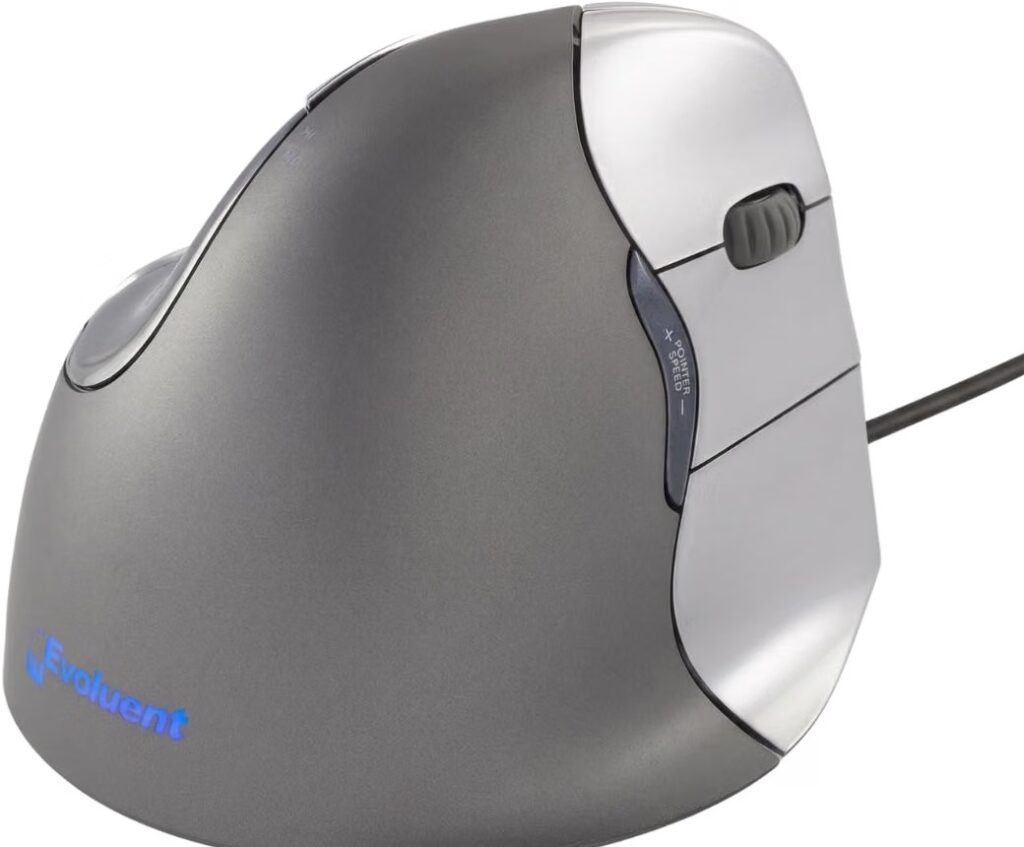
Quick Verdict: The VerticalMouse 4 is the mouse that essentially defined the vertical mouse category, first launched in 2002 and refined since. It remains a strong choice for anyone with medium to large hands looking for a serious, long-term ergonomic upgrade, and its handshake grip is frequently referenced in workplace wellness programs as an approved ergonomic option.
Best For: Users with medium to large hands who want the most established vertical mouse design and don’t mind a wired connection.
Key Specifications:
- Connectivity: Wired USB
- Buttons: 6, fully customizable via Evoluent Mouse Manager (Windows)
- Pointer speeds: 4, with indicator lights
- Weight: 7 ounces
- Dimensions: 5.4 x 3.6 x 3.6 inches
- Sensor: Optical, tracks reliably across surfaces
What We Like:
- Handshake grip keeps the forearm in a genuinely neutral position
- Extended finger support prevents the pinky from rubbing the desk
- Extensive button customization on Windows
What We Don’t Like:
- Wired only, no Bluetooth or wireless option
- Higher price point than most vertical mice in this comparison
- Advanced customization software is Windows-specific
Ergonomic Analysis: The VM4R’s sculpted shape supports the entire hand rather than just the palm, which reduces the small stabilizing movements your fingers would otherwise make to keep a flatter mouse steady. The side-mounted pointer speed controls let you adjust sensitivity without breaking your grip, a small detail that keeps the wrist from re-adjusting mid-task.
Who Should Buy It? Anyone who spends several hours a day at a desktop and wants a durable, well-reviewed vertical mouse without worrying about battery life.
Who Should Skip It? Users with small hands, frequent laptop travelers who want Bluetooth, or anyone unwilling to pay a premium over budget alternatives.
Value for Money: At roughly $90, it costs more than most mice on this list. The trade-off is a mature, well-tested design and a track record spanning over two decades, which for many users at a fixed desk justifies the higher price.
🛒 Check Price on Amazon2. Nulea MD280 Ergonomic Vertical Wireless Mouse
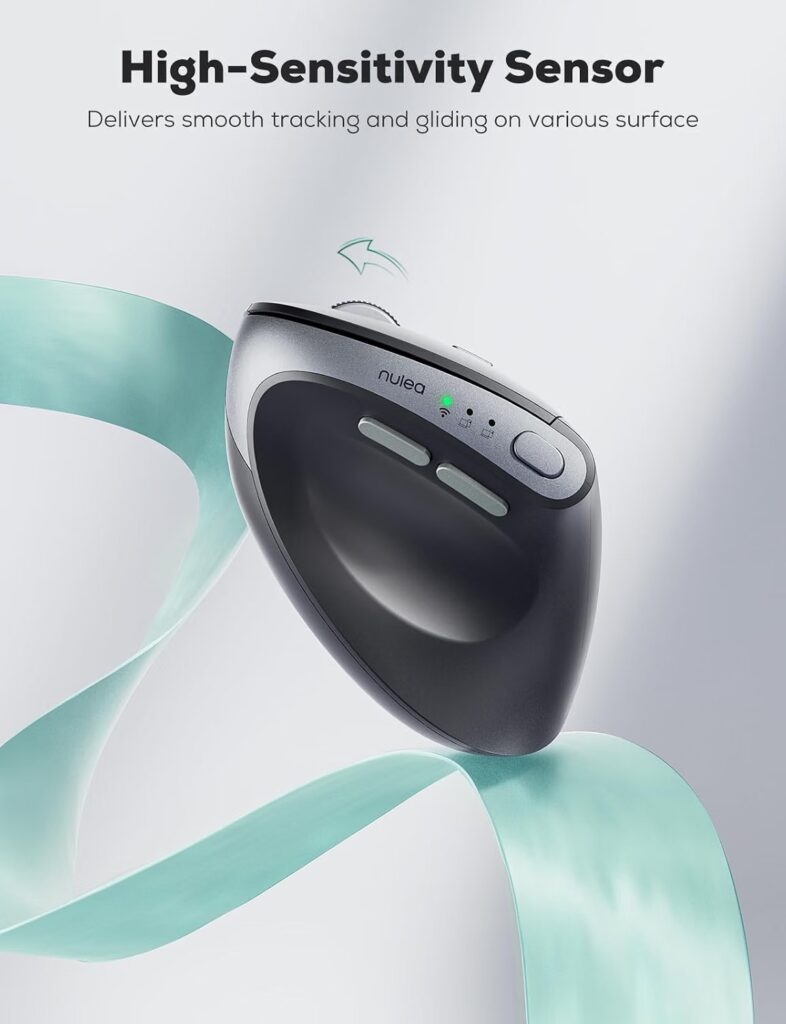
Quick Verdict: The MD280 is marketed with carpal tunnel relief in mind, and while we won’t repeat that as a medical claim, its dedicated pinky rest and neutral grip design do reflect solid ergonomic thinking at an accessible price. It is one of the stronger value picks in this comparison.
Best For: Budget-conscious buyers who still want a considered ergonomic shape and quiet operation.
Key Specifications:
- Connectivity: Bluetooth and 2.4G dual mode
- DPI levels: 4 (800/1200/1600/2400)
- Buttons: 5
- Weight: 10.5 ounces
- Battery: Rechargeable, up to roughly 260 days at 2 hours of daily use per the manufacturer
What We Like:
- Dedicated pinky rest adds stability during longer sessions
- Silent click buttons, suitable for shared workspaces
- Long battery life between charges
What We Don’t Like:
- Fewer buttons than some competitors in this price range
- Windows-focused compatibility, per the manufacturer’s listing
- No indication of small-hand suitability
Ergonomic Analysis: The pinky rest is a small addition that matters more than it sounds. Without it, the smallest finger often has to grip the desk surface directly to steady the hand, which adds unnecessary tension. Combined with the vertical shape, this creates a more relaxed resting position for extended use.
Who Should Buy It? Anyone wanting a genuinely quiet, comfortable vertical mouse without paying premium prices.
Who Should Skip It? Users who want extensive button programmability or confirmed macOS support.
Value for Money: At around $23, this is one of the better value-per-feature options here, particularly for the battery life and quiet operation.
🛒 Check Price on Amazon3. DELUX Wireless Ergonomic Mouse (M618MINI)
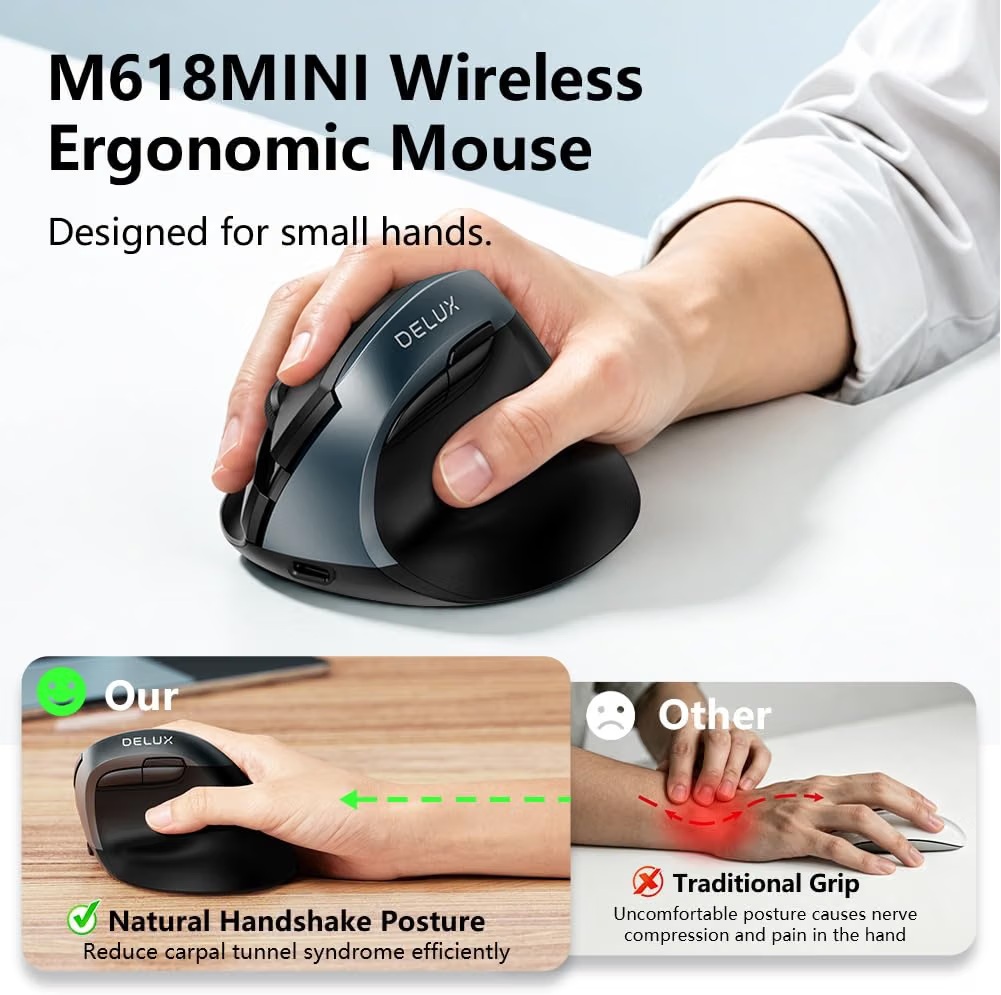
Quick Verdict: Built specifically for smaller hands rather than scaled down from a larger model, the M618MINI is a good match for users who have found other vertical mice too bulky. It pairs a genuinely compact frame with dual-mode wireless connectivity.
Best For: Users with small to medium hands who found other vertical mice too large.
Key Specifications:
- Connectivity: 2.4G and Bluetooth 5.2 dual mode
- DPI levels: 5 (800/1200/1600/2400/4000)
- Buttons: 6
- Weight: 4.2 ounces
- Dimensions: 4.06″L x 3.5″W
- Battery: 500mAh rechargeable, roughly 2 weeks per charge with regular use
What We Like:
- Compact vertical shape designed around smaller hands
- USB-C charging is quick and widely available
- Silent buttons across left, right, and side clicks
What We Don’t Like:
- No programmable buttons; the manufacturer suggests a different model for that
- Bluetooth 5.2 mode is limited to Windows 8 and later
- Forward and backward buttons don’t work on Mac
Ergonomic Analysis: The concave thumb area and vertical slope palm rest are shaped to reduce the reach a smaller hand would otherwise need to make across a standard-size vertical mouse. This matters because an oversized ergonomic mouse can create its own strain if the hand has to stretch to reach the buttons.
Who Should Buy It? Anyone with smaller hands who wants a dedicated compact vertical mouse rather than a downsized version of a larger design.
Who Should Skip It? Users who want button customization software or full Mac support.
Value for Money: At around $30, it is reasonably priced for a purpose-built small-hand design with dual-mode wireless.
🛒 Check Price on Amazon4. Acer Ergonomic Mouse Wireless (58° Tilt)
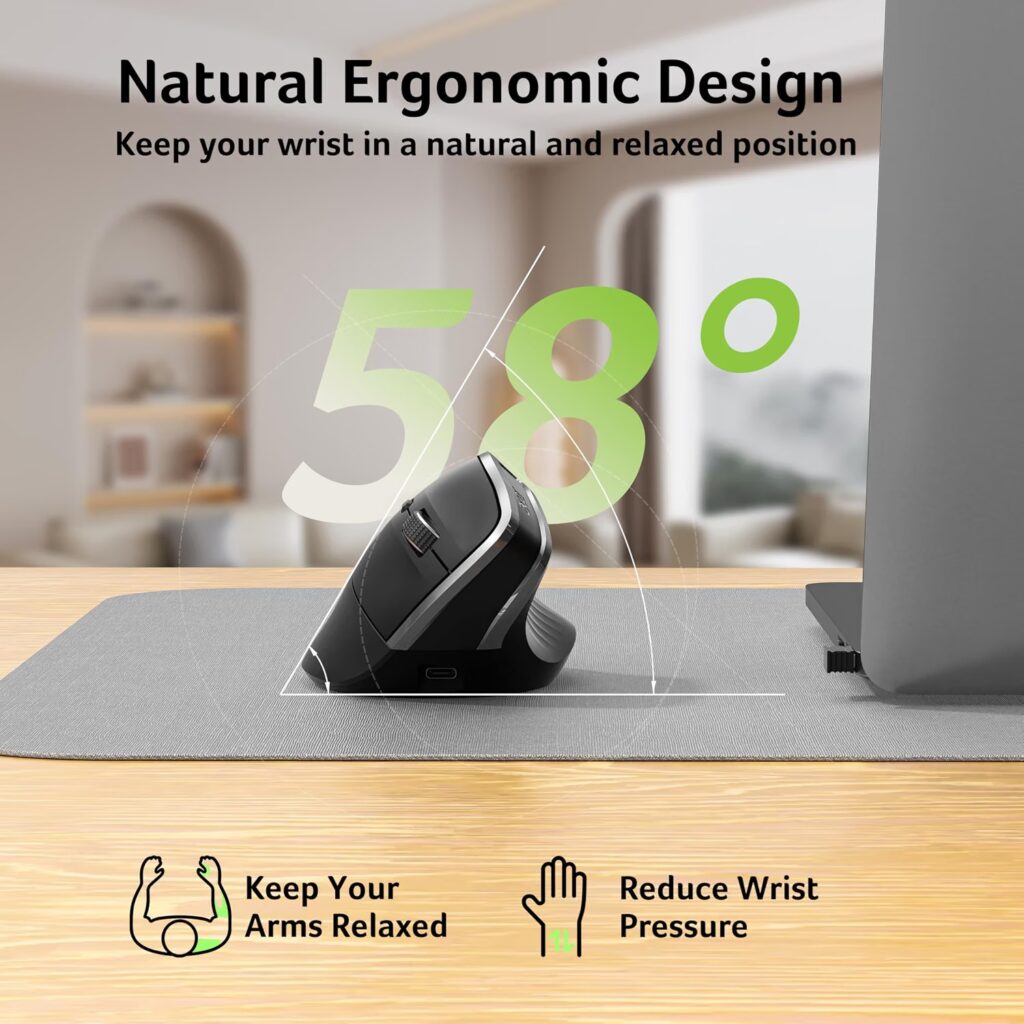
Quick Verdict: The Acer mouse offers one of the steepest vertical angles in this comparison at 58°, which the manufacturer states can reduce muscle activity during extended use. It is priced well below most competitors, but the steep angle and lack of Mac support are worth weighing carefully.
Best For: Windows users on a tight budget who want a pronounced vertical angle and don’t need Bluetooth.
Key Specifications:
- Connectivity: 2.4G USB-A receiver only, no Bluetooth
- Vertical tilt: 58°
- DPI levels: 3 (800/1200/1600)
- Weight: 6 ounces (116g)
- Best suited to: Medium to large hands
What We Like:
- Steep 58° tilt targets a more neutral wrist position directly
- Very affordable at around $18
- Rechargeable battery removes the need for disposable cells
What We Don’t Like:
- Not compatible with Mac at all, per the manufacturer’s own listing
- No Bluetooth, only a USB-A receiver
- The manufacturer notes 1-2 weeks may be needed to adjust to the posture
Ergonomic Analysis: A steeper vertical angle theoretically brings the forearm closer to neutral than a shallower design, but it also asks more of a first-time user. The manufacturer’s own note about needing one to two weeks of adjustment is a fair warning; if your wrist pain is already active, that adaptation period is worth factoring in before committing.
Who Should Buy It? Windows-only budget buyers with medium to large hands who are willing to adjust to a pronounced vertical angle.
Who Should Skip It? Mac users, anyone wanting Bluetooth, or buyers who want to feel comfortable from the first day of use.
Value for Money: At roughly $18, it is one of the least expensive options here, though the lack of Mac support and the required adjustment period are real trade-offs.
🛒 Check Price on Amazon5. Uineer Vertical Ergonomic Mouse (3-Device Switch)

Quick Verdict: The Uineer stands out mainly for its multi-device pairing, switching between three devices via dual Bluetooth and 2.4G. The vertical grip is designed for small to medium hands, and the mouse notes this directly rather than leaving it to guesswork.
Best For: Users who regularly switch between a laptop, desktop, and tablet or phone through the day.
Key Specifications:
- Connectivity: Dual Bluetooth 5.0/4.0 plus 2.4G, 3-device switching
- DPI levels: 4 (800/1200/1600/2400)
- Buttons: 6
- Weight: 4.2 ounces
- Best suited to: Small to medium hands, per the manufacturer
What We Like:
- Switches between 3 paired devices without re-pairing
- Low click latency for responsive cursor movement
- Auto-sleep power saving with a low-battery indicator
What We Don’t Like:
- The manufacturer specifically advises measuring hand size first; not ideal for larger hands
- Side buttons don’t function on macOS
- Ambient lighting is a cosmetic extra rather than a functional feature
Ergonomic Analysis: The handshake grip follows the same core principle as other vertical mice on this list, keeping the forearm from rotating fully inward. The main practical advantage here is workflow-related: if you regularly move between devices, not having to re-pair a mouse each time removes a small daily friction point that can otherwise tempt you back to a flatter, less ergonomic backup mouse.
Who Should Buy It? Anyone juggling multiple devices who wants one ergonomic mouse rather than switching between different peripherals.
Who Should Skip It? Users with larger hands, or anyone who relies heavily on side buttons on a Mac.
Value for Money: At around $23, the multi-device switching adds genuine convenience for the price, provided your hand size is a good match.
🛒 Check Price on Amazon6. Lekvey Ergonomic Mouse (Rechargeable Vertical)
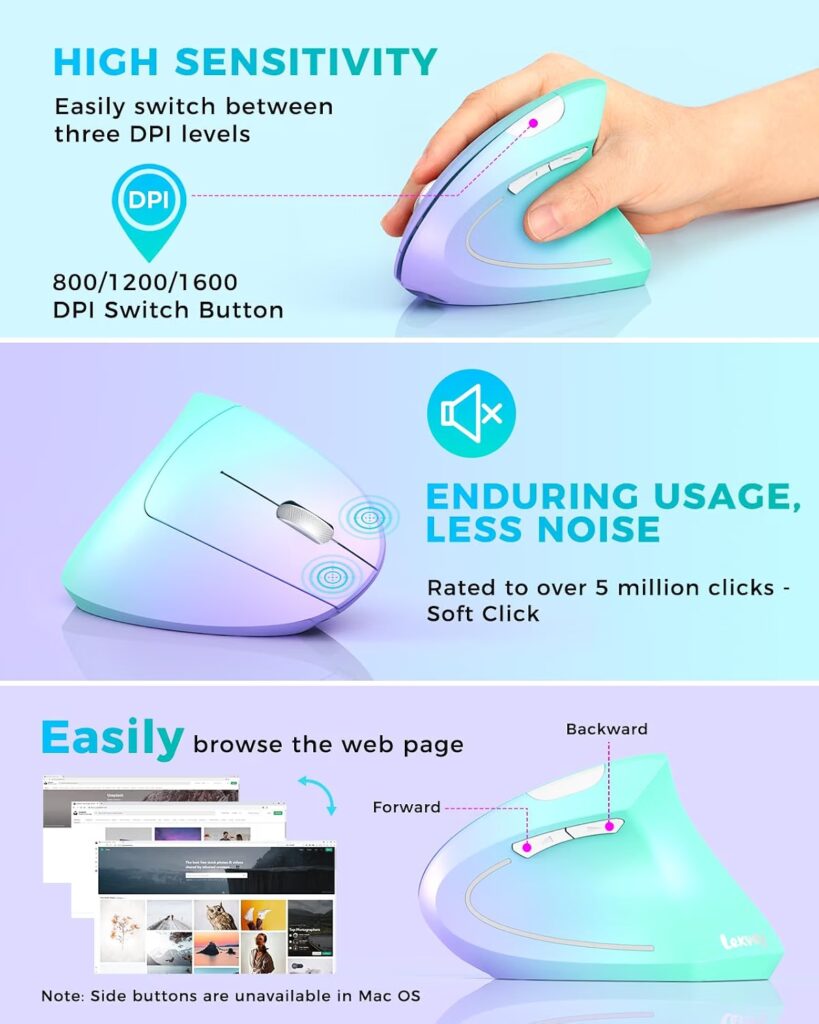
Quick Verdict: The Lekvey mouse offers a wide range of color options and a genuinely long battery life, at up to 150 hours per the manufacturer, but its own product description notes it is larger than a traditional mouse and not suited to small hands.
Best For: Users with medium to large hands who want color variety and don’t need Bluetooth.
Key Specifications:
- Connectivity: 2.4GHz USB receiver, no Bluetooth
- DPI levels: 3 (800/1200/1600)
- Buttons: 6
- Weight: 3.36 ounces
- Dimensions: 5.0″L x 3.0″W x 2.5″H
- Battery: Rechargeable, up to 150 hours per charge per the manufacturer
What We Like:
- Long battery life between charges
- Available in multiple colors, unusual for this product category
- Quiet left and right click buttons
What We Don’t Like:
- The manufacturer explicitly states it is not suitable for small hands
- No Bluetooth; Mac users need a USB-C to USB-A adapter, which is not included
- No side illumination or DPI indicator
Ergonomic Analysis: The scientific handshake positioning follows the same vertical-mouse logic as the rest of this list, and the manufacturer’s own sizing note is a useful piece of honesty: this is a mouse built around a larger palm, and forcing a smaller hand into that shape would likely reintroduce the strain the design is meant to reduce.
Who Should Buy It? Medium to large-handed users who want a colorful, long-lasting wireless vertical mouse and don’t need Bluetooth.
Who Should Skip It? Anyone with small hands, or Mac users without a spare USB-C adapter.
Value for Money: At around $30, it competes reasonably with similarly priced vertical mice, with battery life as its clearest advantage.
🛒 Check Price on Amazon7. Perixx PERIMICE-519 Wired Ergonomic Vertical Mouse
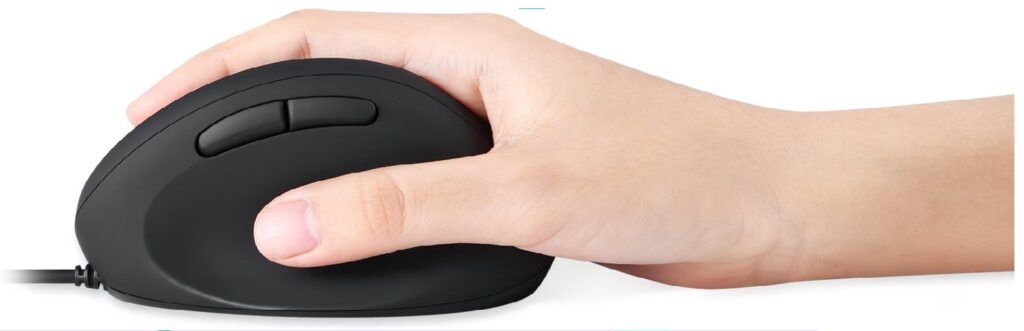
Quick Verdict: The PERIMICE-519 is a compact, travel-friendly vertical mouse aimed at users who want an ergonomic shape without a large footprint. Its small dimensions and low price make it a sensible secondary or travel option.
Best For: Frequent travelers or anyone with a small desk who wants a compact ergonomic mouse.
Key Specifications:
- Connectivity: Wired USB, 1.8-meter cable
- DPI levels: 2 (800/1600)
- Buttons: 6, with side navigation shortcuts
- Weight: 3.88 ounces
- Dimensions: 4.13″L x 2.64″W x 2.28″H
What We Like:
- Genuinely compact and easy to pack for travel
- Silent click design suits quiet workspaces
- Low price relative to other vertical mice
What We Don’t Like:
- Only 2 DPI levels, less flexible than most competitors here
- Wired only, no wireless option in this variant
- Full feature support is listed for Windows, with the manufacturer noting basic functionality only on Mac
Ergonomic Analysis: The compact vertical shape keeps the core handshake grip principle intact while reducing overall size, which suits users with smaller desks or those who travel with a laptop regularly. The trade-off, as with any smaller vertical mouse, is that larger hands may not get full palm support.
Who Should Buy It? Travelers, students, or anyone who wants a portable ergonomic mouse without a large price tag.
Who Should Skip It? Users who want extensive DPI adjustment or a fully wireless setup.
Value for Money: At around $20, it delivers a legitimate compact vertical design at a fair price, provided its narrower feature set fits your needs.
🛒 Check Price on Amazon8. TECKNET Wired Ergonomic Mouse (6400 DPI)
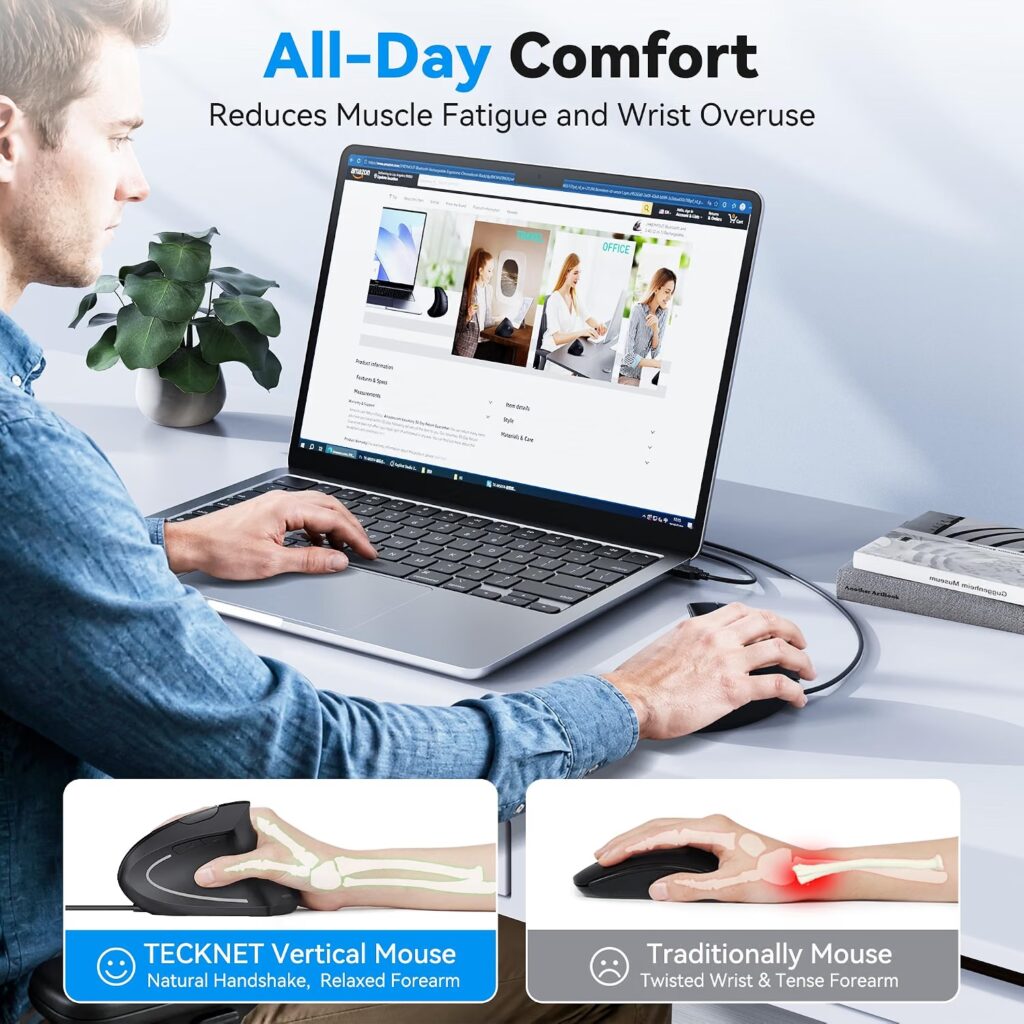
Quick Verdict: The TECKNET mouse pairs a proper vertical shape with a notably high-resolution sensor for the price, making it a strong budget pick for anyone who wants precision alongside comfort. It is best suited to medium to large hands, per the manufacturer’s own guidance.
Best For: Budget buyers with medium to large hands who also want a responsive, high-DPI sensor.
Key Specifications:
- Connectivity: Wired USB, 1.5m cable
- DPI levels: 4 (1000/1600/3200/6400)
- Buttons: 6
- Weight: 6 ounces
- Best suited to: Medium to large hands, per the manufacturer
What We Like:
- Very low price for the specification level offered
- Silent clicks suitable for quiet environments
- High maximum DPI for tasks needing fast cursor movement
What We Don’t Like:
- The manufacturer notes it is better suited for medium to large hands, not small ones
- Side buttons don’t function on macOS
- Wired only, which limits portability compared to wireless options
Ergonomic Analysis: The vertical handshake posture follows the same principle as the pricier mice in this list. What sets this one apart is less about ergonomics and more about value: a 6400 DPI sensor and an LED indicator for DPI level are features usually found on more expensive mice.
Who Should Buy It? Budget-conscious users with medium to large hands who want both a vertical grip and a capable sensor.
Who Should Skip It? Small-handed users, or anyone who specifically needs a wireless connection.
Value for Money: At under $16, this is one of the strongest price-to-feature ratios in the entire comparison.
🛒 Check Price on AmazonComparison Table
| Product | Type | Key Ergonomic Feature | Weight | Connectivity | Rating |
|---|---|---|---|---|---|
| Evoluent VerticalMouse 4 | Vertical, wired | Handshake grip, finger support | 7 oz | USB wired | 4.6/5 |
| Nulea MD280 | Vertical, wireless | Pinky rest, silent clicks | 10.5 oz | Bluetooth + 2.4G | 4.5/5 |
| DELUX M618MINI | Vertical, wireless | Compact frame for small hands | 4.2 oz | Bluetooth 5.2 + 2.4G | 4.4/5 |
| TECKNET Wired Mouse | Vertical, wired | Neutral grip, high-DPI sensor | 6 oz | USB wired | 4.3/5 |
| Uineer Vertical Mouse | Vertical, wireless | Handshake grip, 3-device pairing | 4.2 oz | Bluetooth + 2.4G | 4.3/5 |
| Lekvey Ergonomic Mouse | Vertical, wireless | Handshake grip, long battery life | 3.36 oz | 2.4G USB receiver | 4.2/5 |
| Perixx PERIMICE-519 | Vertical, wired | Compact vertical shape | 3.88 oz | USB wired | 4.1/5 |
| Acer Ergonomic Mouse | Vertical, wireless (receiver) | 58° tilt angle | 6 oz | 2.4G USB-A receiver | 3.9/5 |
Which Product Should You Buy? A Decision Framework
Choose the Evoluent VerticalMouse 4 if: you want the most established vertical mouse design, have medium to large hands, and are willing to pay more for a wired mouse built around long-term daily use.
Choose the Nulea MD280 if: you want strong value, quiet operation, and a considered ergonomic shape without spending much.
Choose the DELUX M618MINI if: you have small to medium hands and other vertical mice have felt too large or awkward to reach around.
Choose the TECKNET Wired Mouse if: budget is the priority and you don’t mind a wired connection in exchange for a high-DPI sensor.
Choose the Uineer if: you regularly switch between multiple devices during the day and want to avoid re-pairing a mouse each time.
Choose the Lekvey if: you have medium to large hands, want color options, and don’t need Bluetooth.
Choose the Perixx PERIMICE-519 if: you travel often or work at a small desk and want a compact ergonomic shape.
Choose the Acer if: you’re on Windows, want the steepest vertical angle here, and are comfortable with a short adjustment period.
For anyone still weighing a vertical mouse against a trackball, our Vertical Mouse vs Trackball: Which Fixes Wrist Pain Better? comparison walks through the trade-offs of each format in detail.
Alternatives Worth Considering
If none of the eight options above feels right, our Best Vertical Mouse 2026 guide covers a broader range of vertical mice across more price points and brands. If your discomfort is specifically linked to repetitive strain or tendinitis symptoms, our Best Mouse for Tendinitis 2026 (RSI-Friendly Picks) guide narrows the focus further. And if a diagnosed condition is part of the picture, Best Ergonomic Mouse for Carpal Tunnel 2026 covers additional design considerations relevant to that specific concern.
Common Mistakes to Avoid
- Buying based purely on star ratings without checking whether the shape suits your hand size.
- Ignoring the manufacturer’s hand-size guidance, which several products in this list state clearly.
- Assuming “ergonomic” automatically means comfortable for everyone; fit still matters more than the label.
- Overlooking desk space when a mouse requires a wider range of motion than your setup allows.
- Skipping the adjustment period a steep vertical angle, like the Acer’s 58° tilt, may require.
- Forgetting to check Mac compatibility before ordering, since several models limit side-button function on macOS.
- Choosing the cheapest option without considering DPI range if your work involves detailed cursor precision.
- Ignoring wrist support elsewhere in the setup, such as chair armrests or desk height, and expecting the mouse alone to solve every issue.
Best Practices for Reducing Wrist Strain
- Keep the mouse close to your body rather than reaching across the desk.
- Match your chair armrest height so your forearm doesn’t have to hover unsupported.
- Position your keyboard and mouse at roughly the same height to avoid one wrist bending more than the other.
- Take short movement breaks rather than staying in one position for hours. A controlled study of computer workers published in Ergonomics found that scheduled microbreaks, particularly at roughly 20-minute intervals, were associated with reduced discomfort in the wrist and finger extensor muscles compared with no breaks at all. In practice, this can be as simple as a 20-30 second pause to shake out your hands every 20-30 minutes.
- Adjust your DPI settings so you’re not overcompensating with large arm movements to control the cursor.
- Avoid resting your wrist directly on a hard desk edge, which can add pressure regardless of the mouse shape.
- Give a new ergonomic mouse a genuine one to two week trial period before deciding whether the shape works for you.
Frequently Asked Questions
Are ergonomic mice really better for wrist pain?
For many people, yes, in the sense of comfort rather than treatment. A vertical or ergonomic mouse can encourage a more neutral wrist and forearm position, which may reduce unnecessary strain during long sessions. It is not a substitute for medical care if pain is persistent or severe.
How long does it take to get used to a vertical mouse?
Most users adjust within one to two weeks of regular use. Steeper vertical angles, like the Acer’s 58° design, sometimes take slightly longer to feel natural than shallower designs closer to a standard mouse grip.
Is a vertical mouse good for long work hours?
Yes, that is largely the point of the design. Keeping the forearm closer to neutral over several hours may reduce the cumulative strain compared with a flat mouse grip, though individual results vary based on hand size and desk setup.
Can an ergonomic mouse cure carpal tunnel syndrome?
No. Ergonomic mice are comfort and positioning tools, not medical treatments. Carpal tunnel syndrome is a diagnosed medical condition that should be assessed and managed by a healthcare professional, though a more neutral wrist position may help with day-to-day comfort.
What DPI setting is best for wrist comfort?
There’s no universal answer, but a DPI level that lets you move the cursor across the screen with a small hand movement, rather than a large arm sweep, generally reduces strain. Many users find a mid-range setting, such as 1200-1600 DPI, comfortable for everyday tasks.
Do I need a wireless mouse, or is wired fine for ergonomics?
Ergonomically, wired and wireless mice can be equally effective, since the benefit comes from the shape, not the connection type. Wireless removes cable drag across the desk, which some users find more comfortable, but it isn’t a requirement for wrist support.
Which is better for wrist pain, a vertical mouse or a trackball?
Both reduce certain movements compared with a standard mouse. A vertical mouse changes the wrist and forearm angle, while a trackball reduces overall arm movement since the whole device stays still. Our Vertical Mouse vs Trackball guide compares the two in more detail.
Are small ergonomic mice as effective as full-size ones?
Yes, provided the small mouse is designed for your hand size rather than simply being a smaller mouse forced into an ergonomic shape. Products like the DELUX M618MINI and Perixx PERIMICE-519 are built specifically around smaller hands rather than scaled-down versions of larger designs.
Can I use an ergonomic mouse if I have small hands but the product is made for large hands?
It’s not recommended as a first choice. A mouse built for larger hands can force a smaller hand to stretch to reach the buttons, which may introduce new strain rather than reducing it. Check the manufacturer’s hand-size guidance before buying.
How often should I take breaks when using an ergonomic mouse?
A short break every 30 to 45 minutes, even just a minute or two of stretching or standing, is a reasonable general guideline. No mouse, however well designed, replaces the value of regular movement during long computer sessions.
Final Verdict
If you want the single most established, well-reviewed vertical mouse and don’t mind paying more, the Evoluent VerticalMouse 4 remains the benchmark. If price matters more, the Nulea MD280 delivers a genuinely thoughtful ergonomic shape at a fraction of the cost. For smaller hands, the DELUX M618MINI is a purpose-built option rather than a compromise, and for the tightest budget, the TECKNET Wired Ergonomic Mouse offers a surprising amount of sensor performance for its price.
There is no single best ergonomic mouse for everyone. The right one depends on your hand size, your desk setup, and how you connect to your devices. Whichever you choose, treat it as one part of a broader approach to comfort that also includes chair height, monitor position, and regular movement breaks. Specifications and pricing can change, so check the current Amazon listing before making a final decision.





