
Best Ergonomic Gaming Mouse for 2026: Comfortable Picks for Gaming and Work
If your wrist feels stiff after a long raid or a long spreadsheet session, the mouse in your hand is a good place to start looking. An ergonomic gaming mouse is built to keep your hand and forearm in a more natural position during long sessions, whether that session is a ranked match or a Monday full of emails.
I’ve spent time comparing shape, sensor performance, weight and grip design across the current crop of gaming and hybrid work mice. Below is a practical breakdown of seven models that cover different budgets, hand sizes and use cases, including where each one falls short.
Quick Answer
🖱️ Quick Answer: Best Ergonomic Gaming Mice 2026
A fast overview if you don’t have time to read the full comparison. Each pick below solves a different problem, check “Best For” before you click through.


Quick Verdict Table
| Product | Best For | Main Strength | Main Limitation | Rating | Link |
|---|---|---|---|---|---|
| ASUS ROG Gladius III Wireless Aimpoint | Overall gaming + work use | Tri-mode connectivity, ergonomic right-hand shape | Right-hand only | 4.6/5 | View |
| TRELC Vertical Ergonomic Gaming Mouse | Wrist pain, heavy customization | True vertical grip, 11 programmable buttons | Wired only, spec listing inconsistencies | 4.0/5 | View |
| MICROPACK Ergonomic Wireless Vertical Mouse | Budget-conscious vertical mouse buyers | Very low price, long AA battery life | Lower DPI ceiling, basic sensor | 3.9/5 | View |
| Logitech G PRO X2 SUPERSTRIKE | Competitive gamers who also work at the desk | Adjustable actuation, haptic feedback, 61g | Premium price, right-hand shape | 4.4/5 | View |
| Razer Viper V4 Pro | Ultra-fast, low-latency play | 49g weight, 8K polling, long battery life | Symmetric shape gives minimal ergonomic support | 4.3/5 | View |
| Arteck Multi-Device Wireless Mouse | Office multitasking across devices | 3-device switching, rechargeable battery | Not designed for medium/small hands | 4.2/5 | View |
| Macally Silent Wired Mouse | Basic, quiet, budget office use | Very low price, near-silent clicks | No ergonomic shaping, not for gaming | 4.1/5 | View |
The Problem: Comfortable Enough to Game, Comfortable Enough to Work
A lot of people search for an ergonomic gaming mouse after noticing the same thing: their hand feels fine during a short session but starts to ache somewhere around hour two, whether that’s a ranked queue or a workday of emails and spreadsheets. The mouse is rarely the only cause, but it’s often the easiest thing to fix.
This guide compares mice that are genuinely built for gaming performance against models built specifically around a more neutral wrist and forearm position, including a few that manage to do both reasonably well. I’ll flag where a “gaming” mouse is really just a lightweight symmetric shape with no meaningful ergonomic shaping, because that distinction matters more than most product listings let on.
This isn’t a fringe concern. Research on computer mouse use, including a study published in the journal Work, notes that average active time on a mouse now exceeds keyboard time by a wide margin, and hours of daily mouse use has been identified as a risk factor for musculoskeletal symptoms in the wrist, forearm, and shoulder. That’s the practical reason mouse shape is worth taking seriously, not just a marketing angle.
Buying Guide: What Actually Matters in an Ergonomic Gaming Mouse
1. Grip Style (Palm, Claw, or Fingertip)
Your natural grip affects which shape suits you. Palm grip users generally want a taller, fuller shell to rest the whole hand on; claw and fingertip grip users often prefer a lower-profile, more compact shape. A mouse that’s excellent for one grip style can feel awkward for another, regardless of its ergonomic marketing.
2. Vertical vs Standard Shape
A vertical mouse holds the hand in a more handshake-like position, which keeps the forearm closer to a neutral rotation instead of the pronated (palm-down) position a standard mouse requires. Vertical mice like the TRELC and MICROPACK models reviewed below are built around this principle. Standard-shape ergonomic mice, like the ASUS ROG Gladius III, instead use contouring and a thumb rest to support the hand without changing the wrist’s rotation.
A controlled biomechanics study published in Ergonomics measured 16 users on a standard and a vertical mouse and found the vertical design reduced wrist pronation (28° vs. 42°) and lowered wrist extensor muscle activity, though it also took users longer to reach targets, pointing to a real performance trade-off during the adjustment period.
Research Insight: The picture is more mixed on carpal tunnel pressure specifically. A systematic review in Cogent Engineering notes that while a vertical grip reduces ulnar deviation, at least one controlled trial found no significant drop in carpal tunnel pressure itself. What this means: a vertical mouse is well-supported as a way to change wrist and forearm posture, but it isn’t proven to directly relieve carpal tunnel pressure, the postural change and the pressure outcome are two different things. Practical example: someone switching to a vertical mouse for general comfort during long sessions has reasonable evidence behind that choice; someone expecting it to resolve a diagnosed nerve condition should treat that as a separate question for a healthcare professional.
3. Weight
Lighter gaming mice are often marketed as reducing wrist and shoulder effort during fast movements, but the research on this is less conclusive than the marketing suggests. A gaming-specific study from UC Berkeley’s Center for Occupational and Environmental Health tested mice from 40g to 140g and found muscle activity differences between weights were not statistically significant, and the lightest mouse (40g) actually had the highest error rate. A separate trial with professional gamers comparing 80g and 87g mice found no measurable difference in muscle activity either. Weight can still affect feel and preference, but it isn’t a reliable stand-in for ergonomic benefit on its own, grip fit and shape matter more.
4. Sensor Performance and Polling Rate
DPI figures are often inflated for marketing purposes; a mouse rarely needs to run at its maximum listed sensitivity for accurate tracking. Polling rate (measured in Hz) and tracking speed (IPS) matter more for competitive gaming than the peak DPI number on the box.
5. Connectivity
Wired mice avoid battery anxiety and generally offer the lowest, most consistent latency, though modern wireless gaming mice with dedicated receivers (like Razer’s HyperSpeed or Logitech’s LIGHTSPEED) have closed most of that gap. Bluetooth is convenient for office multitasking across devices but is usually not the fastest mode for competitive play.
6. Hand Size and Button Reach
A mouse sized for large hands can feel bulky and hard to reach across for people with smaller hands, and the reverse is also true. Several listings in this category (including the Arteck model below) explicitly note they’re built for medium-to-large hands, worth checking before buying.
7. Programmability and Software
Extra buttons are only useful if you’ll actually remap them. Check whether the software (Razer Synapse, Logitech G HUB, or manufacturer-specific tools) supports your operating system before assuming full functionality on Mac.
8. Price-to-Value Fit
A $180 esports mouse brings real performance advantages for competitive players, but for someone whose main complaint is wrist soreness during office work, a $16–$30 vertical mouse may solve the actual problem more directly.
Product Reviews
1. ASUS ROG Gladius III Wireless Aimpoint
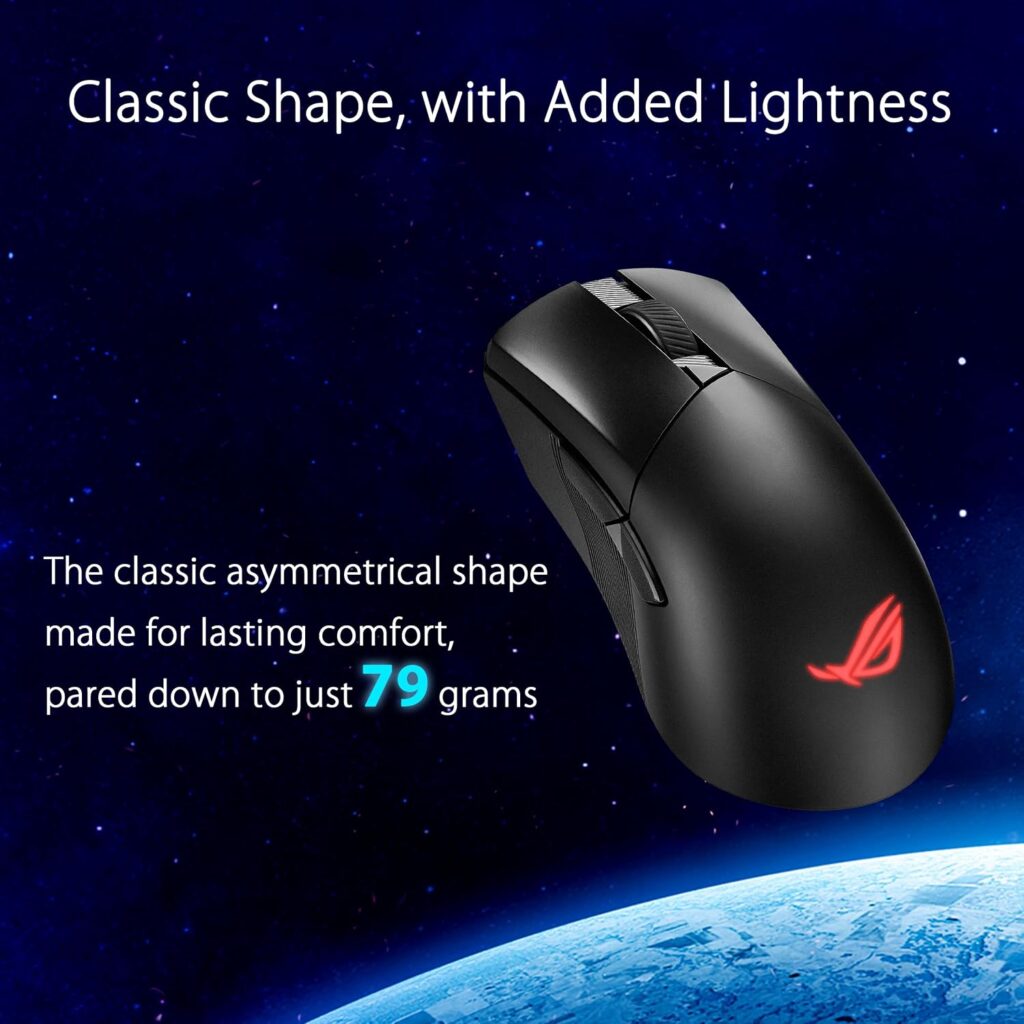
Quick Verdict: The Gladius III keeps the shape gamers already recognize and adds genuine ergonomic contouring for right-handed grips, along with tri-mode connectivity that works equally well for competitive play and everyday desk use. It’s the most balanced option in this comparison.
Best For: Right-handed users who want one mouse that performs well in games and doesn’t feel out of place at a work desk.
Key Specifications:
- ROG AimPoint optical sensor, up to 36,000 DPI
- Tri-mode connectivity: 2.4GHz RF, Bluetooth, wired USB
- Weight: approximately 79g
- Battery life: up to 119 hours (2.4GHz) or 143 hours (Bluetooth)
- 6 programmable buttons
- Compatible with Windows and macOS
What We Like
- Asymmetrical shape genuinely supports a right-hand grip rather than just being marketed as “ergonomic”
- Tri-mode connectivity covers gaming, travel, and office scenarios without extra accessories
- Long battery life reduces charging interruptions
What We Don’t Like
- Right-hand only, so it’s not an option for left-handed users
- 36,000 DPI is far beyond what most people will ever use in practice, treat it as a marketing ceiling, not a meaningful feature
Ergonomic Analysis: The asymmetrical shell supports the natural curve of a right hand better than a symmetric gaming mouse, though it doesn’t change wrist rotation the way a vertical mouse does. Emily Richardson’s take: a contoured standard-shape mouse like this is often the more realistic upgrade for gamers who find fully vertical mice too big a departure from what they’re used to.
Who Should Buy It? Right-handed users who want one mouse to cover both gaming and general computer use without compromising much on either.
Who Should Skip It? Left-handed users, and anyone specifically looking to correct wrist extension issues, a vertical mouse will do more for that goal.
Value for Money: At around $99.99, this sits in the mid-range for gaming mice. The tri-mode connectivity and sensor quality justify the price for someone who wants a long-term daily driver.
🛒 Check Price on Amazon2. TRELC Vertical Ergonomic Gaming Mouse
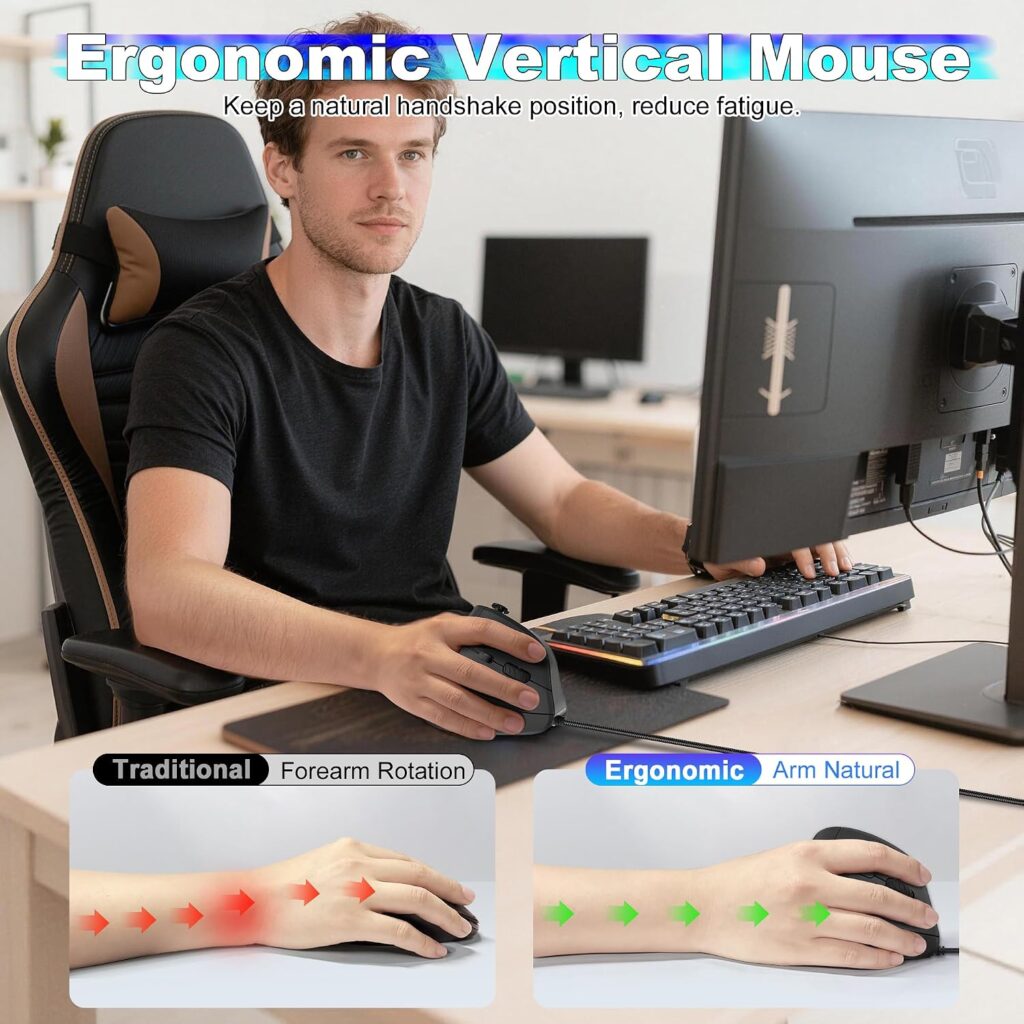
Quick Verdict: This is a genuinely vertical mouse with gaming-oriented extras, an 11-button layout, a 5-direction thumb rocker and on-board memory for profiles. It’s aimed squarely at people who want the wrist-position benefit of a vertical mouse without giving up programmability.
Best For: Gamers or heavy computer users who experience wrist discomfort and want a fully vertical grip with extensive button customization.
Key Specifications:
- Vertical, handshake-style ergonomic design
- 11 programmable buttons with on-board memory
- Optical sensor (PMW3325), listed sensitivity ranges vary by source
- Wired USB connection
- Weight: approximately 164g
What We Like
- True handshake grip keeps the forearm in a more neutral rotation than a standard mouse
- On-board memory saves button profiles across different computers
- 5-direction thumb rocker adds functional inputs without extra reaching
What We Don’t Like
- Wired-only, which limits desk flexibility compared with wireless options
- The listing’s DPI figures aren’t fully consistent between the main description (10,000 DPI) and the spec table (24,000 DPI), treat the higher number cautiously and check the current listing before buying
Ergonomic Analysis: A vertical mouse like this holds the hand at roughly a 90-degree angle rather than flat, which keeps the forearm from staying in a constantly pronated position. Controlled research on standard versus vertical mice backs up the posture and muscle-activity benefit, but the same study also found it took users noticeably longer to reach targets on the vertical design, so expect a real adjustment period, not just reduced accuracy for a day or two.
Who Should Buy It? Anyone dealing with wrist discomfort from long gaming or work sessions who wants heavy button customization without switching to a minimalist office mouse.
Who Should Skip It? Competitive FPS players who need the fastest, most predictable tracking, a specialized esports mouse like the Razer Viper V4 Pro will out-perform it there. Left-handed users should also note this is a right-hand vertical shape.
Value for Money: At around $28.99, it’s a reasonable entry point into vertical ergonomic mice with more gaming features than most budget vertical options offer.
🛒 Check Price on Amazon3. MICROPACK Ergonomic Wireless Vertical Mouse
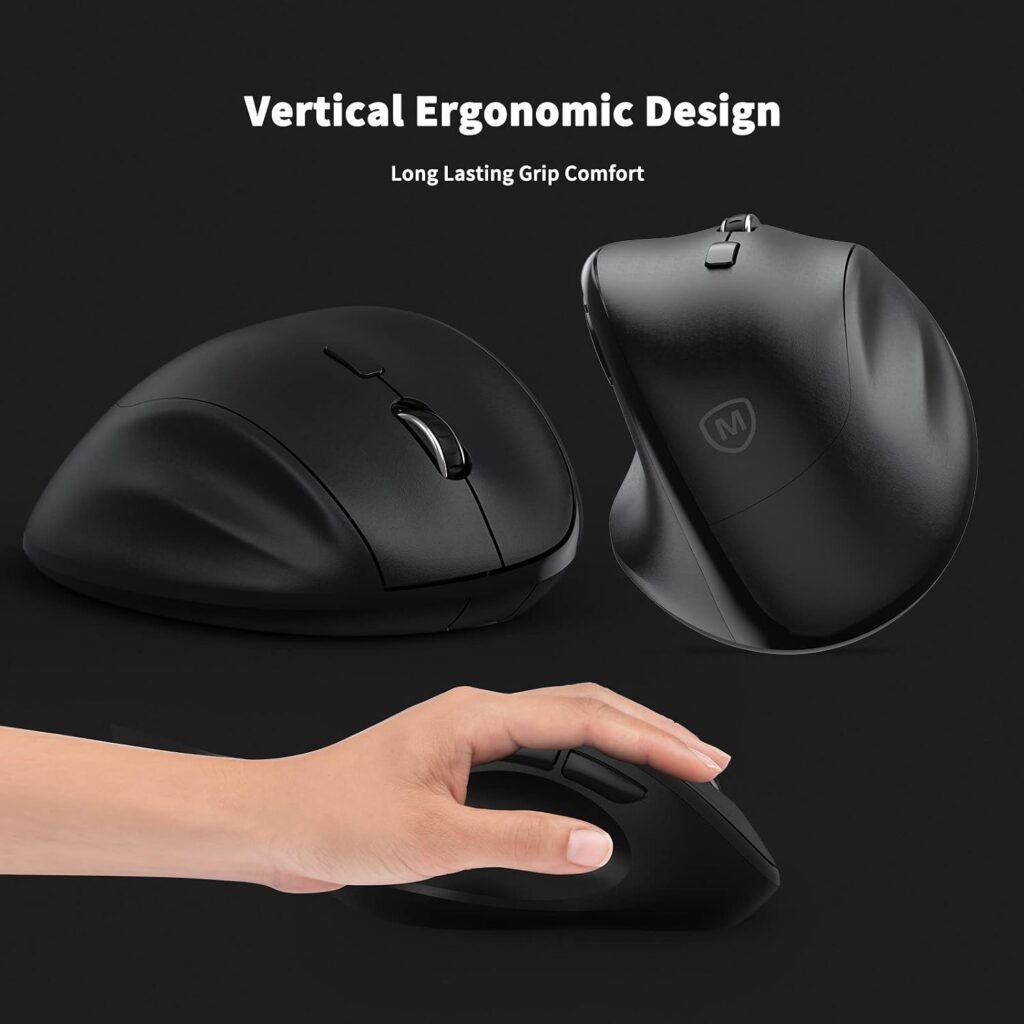
Quick Verdict: A no-frills vertical mouse at a very low price point, with a genuinely long battery life thanks to a single AA cell. It won’t compete with gaming-grade sensors, but it’s a low-risk way to test whether a vertical grip suits you.
Best For: Budget-conscious buyers who want to try a vertical ergonomic mouse before committing to a pricier model.
Key Specifications:
- Vertical, handshake-position ergonomic design
- Wireless RF connection via USB receiver
- Up to 1,600 DPI
- Single AA battery, rated up to 16 months
- Weight: approximately 119g
- Available in several colors
What We Like
- Very accessible price for anyone curious about vertical mice
- Long battery life means minimal maintenance
- Quiet clicks suit shared workspaces
What We Don’t Like
- 1,600 DPI ceiling and a basic optical sensor make it unsuitable for fast-paced or competitive gaming
- Sized for medium-to-large hands; the listing notes it may not suit smaller hands well
Ergonomic Analysis: The vertical shape delivers the same core benefit as pricier vertical mice, a more neutral forearm rotation, without the gaming extras. For office-heavy use where raw sensor performance matters less than comfort, this trade-off is reasonable.
Who Should Buy It? Someone mainly using the mouse for office work, browsing, or casual gaming who wants to try a vertical grip without a big financial commitment.
Who Should Skip It? Competitive gamers, and anyone with smaller hands who may find the shape too large.
Value for Money: At around $15.99, this is one of the most affordable ways to test a vertical mouse. Just don’t expect it to double as a serious gaming peripheral.
🛒 Check Price on Amazon4. Logitech G PRO X2 SUPERSTRIKE
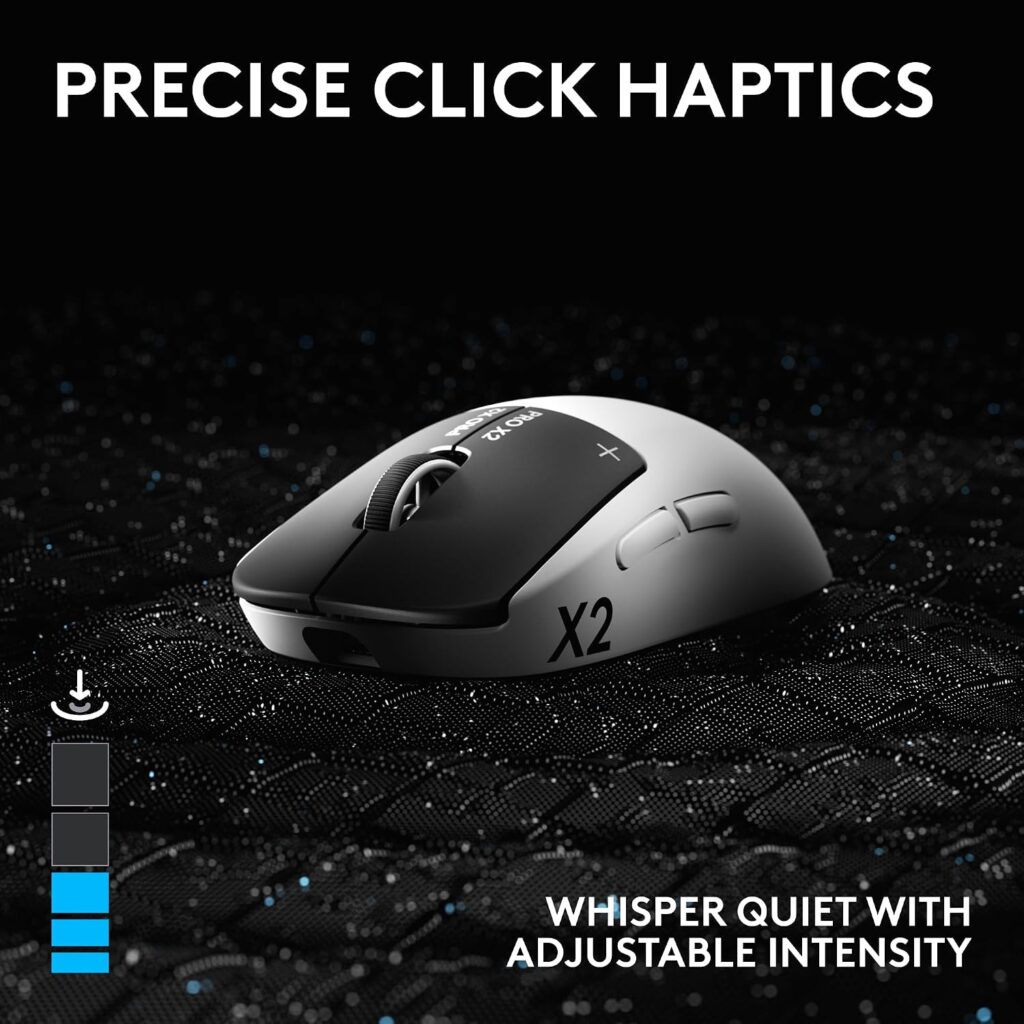
Quick Verdict: Logitech’s flagship esports mouse pairs a high-end sensor with adjustable magnetic switches and haptic feedback, and the listing specifically markets it for gaming and office use. It’s the most feature-dense option here, at a matching price.
Best For: Serious or competitive gamers who also want one high-performance mouse for desk work.
Key Specifications:
- HERO 2 sensor, up to 44,000 DPI
- LIGHTSPEED wireless plus USB-C wired connection
- Adjustable-actuation magnetic switches (10-level actuation, 5-level rapid trigger reset)
- Haptic Inductive Trigger System (HITS)
- Battery life: 60–90 hours
- Weight: approximately 61g
What We Like
- Adjustable click actuation is a genuinely useful feature for fine-tuning feel, not just a marketing checkbox
- Lightweight 61g shell reduces wrist and shoulder fatigue during fast movements
- LIGHTSPEED wireless keeps latency low without a wired tether
What We Don’t Like
- Premium pricing puts it well above most other options in this list
- Advanced features require Logitech’s G HUB software, and some functionality (like POWERPLAY charging) is sold separately
Ergonomic Analysis: This is a right-hand-oriented shape rather than a vertical mouse, so it supports the hand through contouring rather than changing wrist rotation. Its 61g weight is on the light side for a full-featured gaming mouse, though it’s worth noting that controlled studies haven’t consistently shown lower weight to translate into significantly less forearm muscle activity, the adjustable-actuation switches and shape are the more evidence-backed comfort features here.
Who Should Buy It? Competitive or frequent gamers who want top-tier performance and are willing to pay for adjustable switch technology.
Who Should Skip It? Anyone whose main goal is correcting wrist position for office work, a vertical mouse will address that more directly, and at a fraction of the price.
Value for Money: At around $179.99, this is priced for enthusiasts. The adjustable actuation and haptic feedback are genuinely unique features, but casual users are unlikely to use the full feature set.
🛒 Check Price on Amazon5. Razer Viper V4 Pro
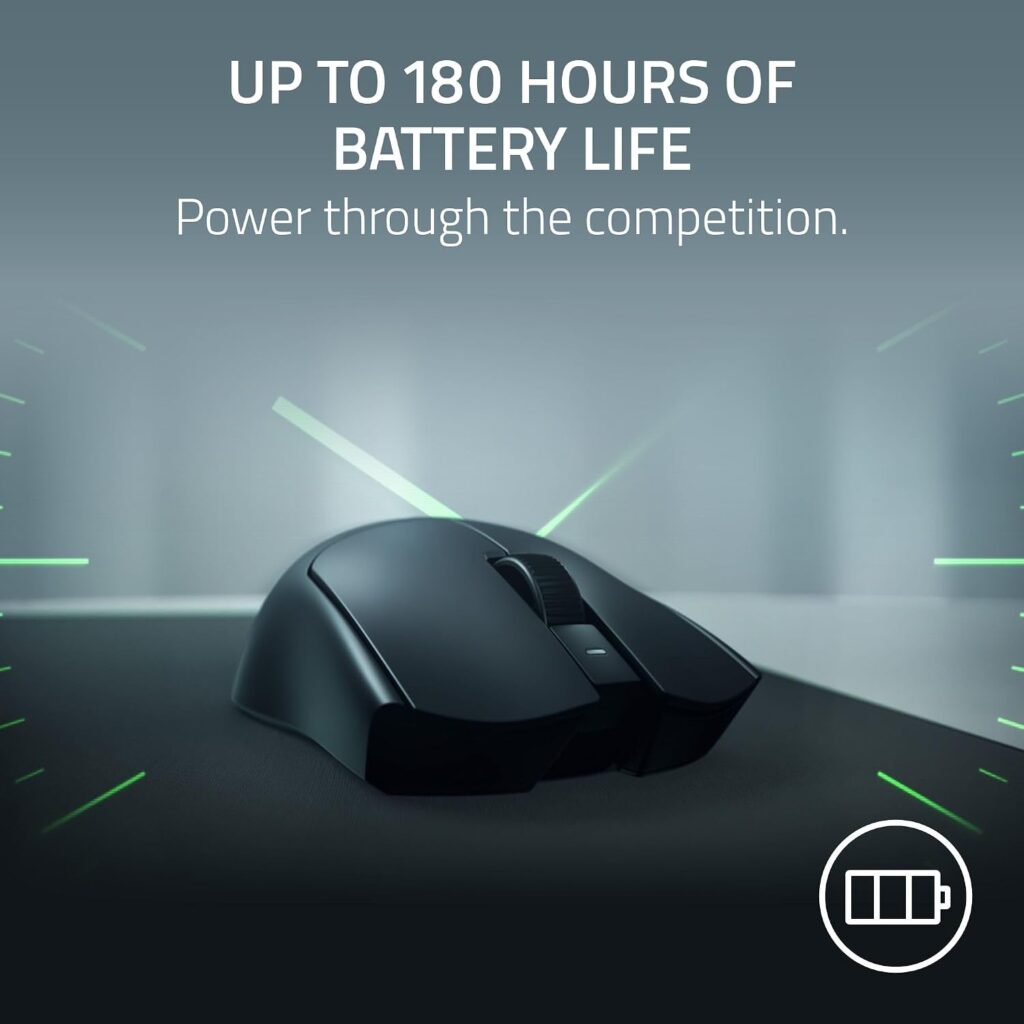
Quick Verdict: Built for competitive esports, the Viper V4 Pro is extremely light and extremely fast, with an 8,000Hz polling rate and a sensor tuned for high-speed tracking. It offers little in the way of ergonomic shaping, though, this is a performance-first mouse.
Best For: Competitive or fast-paced FPS players who prioritize speed and low latency above hand support.
Key Specifications:
- Focus Pro 50K optical sensor (Gen-3), tracking up to 930 IPS
- HyperSpeed Wireless (Gen-2) plus wired USB-C mode
- True 8,000Hz polling rate
- Optical switches, rated for 100 million clicks
- Battery life: up to 180 hours (1,000Hz) or 45 hours (8,000Hz)
- Weight: approximately 49g
What We Like
- Exceptionally light at 49g, reducing the physical effort needed for rapid flicks
- 8,000Hz polling and optical switches deliver genuinely competitive-grade responsiveness
- Long battery life at standard polling rates
What We Don’t Like
- Symmetric, minimalist shape offers very little ergonomic contouring compared with the ASUS or Logitech models in this list
- At full 8,000Hz polling, battery life drops sharply to around 45 hours
Ergonomic Analysis: It’s tempting to treat the 49g weight as the main ergonomic selling point, but gaming-specific research on mouse weight hasn’t found a significant reduction in forearm muscle activity from going lighter, so the weight is really about feel and speed, not a proven comfort benefit. The flat, symmetric shell also doesn’t support the hand the way a contoured or vertical mouse does. Users who need real wrist support alongside gaming performance may find this shape less comfortable over multi-hour sessions.
Who Should Buy It? Competitive players for whom raw speed and weight matter more than ergonomic shaping.
Who Should Skip It? Anyone whose primary concern is wrist or forearm comfort during long work sessions, this mouse’s minimalist shape isn’t built to address that.
Value for Money: At around $159.99, this is priced for its esports-grade components. It’s a strong choice for its target audience, but not an ergonomic mouse in the shape-focused sense.
🛒 Check Price on Amazon6. Arteck Multi-Device Wireless Bluetooth Mouse
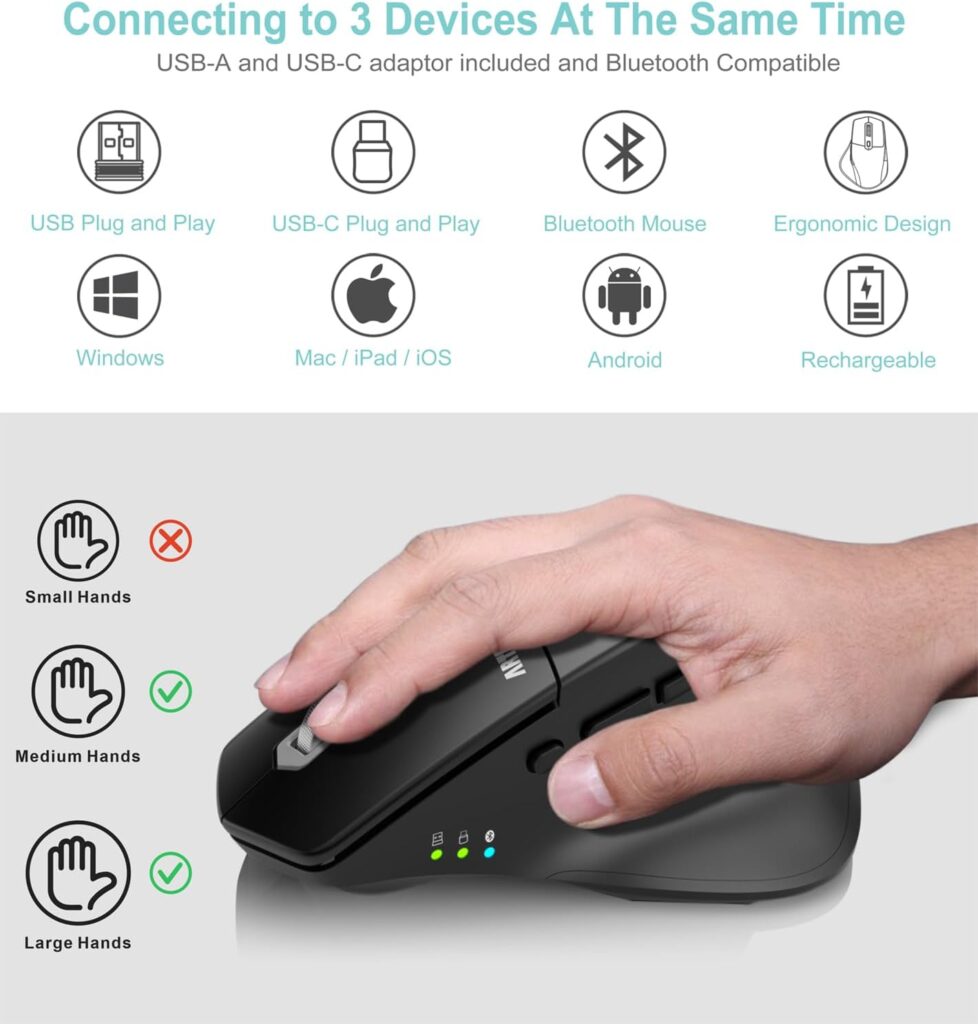
Quick Verdict: A right-hand ergonomic mouse built for office multitasking, with the ability to pair three devices at once and switch between them with a single click. It’s not marketed for gaming, but it’s a strong pick for hybrid work setups involving multiple computers or a laptop and tablet.
Best For: Office and remote workers who regularly switch between multiple devices during the day.
Key Specifications:
- Ergonomic right-hand shape with a soft thumb rest
- Connects to 3 devices simultaneously (USB-A, USB-C, and Bluetooth)
- Rechargeable battery, rated for roughly 4 months on a charge
- Up to 2,400 DPI
- Silent clicking mechanism
- Weight: approximately 210g
What We Like
- Three-device switching genuinely simplifies multi-computer workflows
- Silent clicks suit shared or open office environments
- Long-lasting rechargeable battery reduces the need for disposable batteries
What We Don’t Like
- The manufacturer’s own listing notes it’s built for medium-to-large hands and isn’t suitable for smaller hands
- 2,400 DPI and a straightforward optical sensor make it a poor fit for gaming
Ergonomic Analysis: The soft thumb rest and contoured shell support a natural hand and wrist position for typical office tasks, though this is a standard grip mouse rather than a vertical one, so it doesn’t change wrist rotation the way the TRELC or MICROPACK models do.
Who Should Buy It? Remote or hybrid workers juggling multiple devices who want one comfortable mouse for all of them.
Who Should Skip It? Gamers, and anyone with smaller hands who may find the shape too large to grip comfortably.
Value for Money: At around $18.84, the multi-device switching alone makes this a strong value pick for office-focused buyers.
🛒 Check Price on Amazon7. Macally Silent Wired Mouse
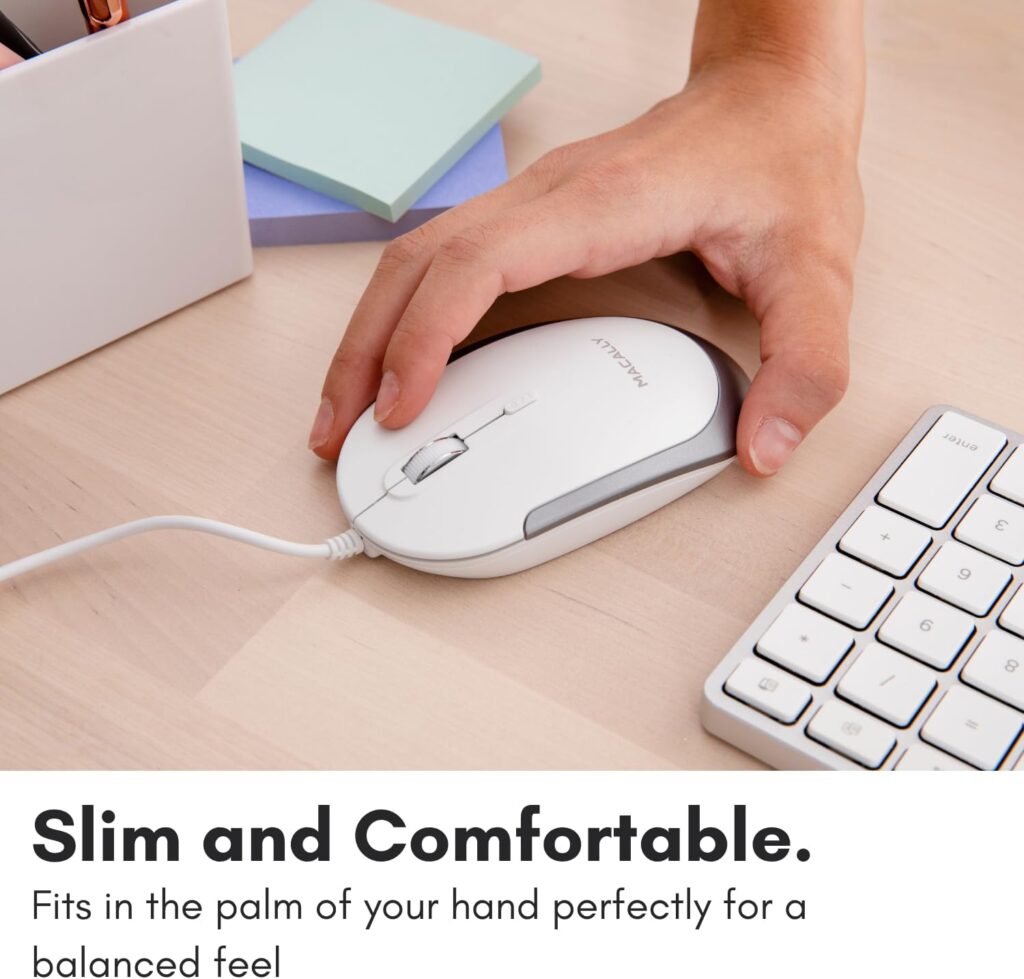
Quick Verdict: A simple, ambidextrous wired mouse with no ergonomic shaping to speak of, included here as a genuine budget baseline for basic office use. It’s not built for gaming or for wrist support, and it doesn’t claim to be, which is exactly why it earns a spot as a straightforward, honest budget pick.
Best For: A secondary desk, a simple home office setup, or anyone who just wants a reliable, quiet plug-and-play mouse.
Key Specifications:
- Ambidextrous, slim design
- Wired USB connection, 5ft cable
- Optical sensor, up to 2,400 DPI (4 selectable steps)
- 3 buttons
- Weight: approximately 72g
- Compatible with Windows, macOS, Linux, Chrome OS
What We Like
- Genuinely quiet clicks, useful in shared spaces
- Plug-and-play with no drivers needed, across nearly every major operating system
- Very low price for a reliable basic mouse
What We Don’t Like
- No ergonomic shaping at all, this is a flat, compact mouse with no wrist or palm support
- Only 3 buttons, so it won’t suit users who want programmable extras
Ergonomic Analysis: There isn’t much ergonomic reasoning to apply here, and that’s worth being upfront about. This is a compact, ambidextrous shape designed for portability and simplicity rather than long-session hand support. It’s a reasonable secondary mouse, not a wrist-comfort solution.
Who Should Buy It? Anyone who needs a dependable, quiet, low-cost mouse for basic tasks and doesn’t have specific ergonomic requirements.
Who Should Skip It? Gamers, and anyone experiencing wrist discomfort who should look at the vertical or contoured options above instead.
Value for Money: At around $19.99, it does exactly what it claims to do and nothing more, which is fine for its intended use case.
🛒 Check Price on AmazonComparison Table
| Product | Best For | Type | Key Ergonomic Feature | Weight | Connectivity | Rating |
|---|---|---|---|---|---|---|
| ASUS ROG Gladius III | Overall use | Standard, contoured | Asymmetric right-hand shell | ~79g | RF / Bluetooth / Wired | 4.6/5 |
| TRELC Vertical Gaming Mouse | Wrist pain | Vertical | Handshake grip, 11 buttons | ~164g | Wired | 4.0/5 |
| MICROPACK Vertical Mouse | Budget vertical option | Vertical | Handshake grip, thumb rest | ~119g | Wireless RF | 3.9/5 |
| Logitech G PRO X2 SUPERSTRIKE | Competitive gaming + work | Standard, contoured | Lightweight shell, adjustable switches | ~61g | LIGHTSPEED / Wired | 4.4/5 |
| Razer Viper V4 Pro | Ultra-fast competitive play | Symmetric, minimal shaping | Ultra-lightweight shell | ~49g | HyperSpeed / Wired | 4.3/5 |
| Arteck Multi-Device Mouse | Multi-device office work | Standard, contoured | Thumb rest, 3-device switching | ~210g | Bluetooth / USB-A / USB-C | 4.2/5 |
| Macally Silent Wired Mouse | Basic budget office use | Standard, ambidextrous | None (flat, compact shape) | ~72g | Wired | 4.1/5 |
Decision Framework: Which Product Should You Buy?
Choose the ASUS ROG Gladius III if: you want one mouse that handles both gaming and office work well, and you’re right-handed.
Choose the TRELC Vertical Gaming Mouse if: wrist discomfort is your main concern and you still want gaming-oriented buttons and programmability.
Choose the MICROPACK Vertical Mouse if: you want to try a vertical grip on a tight budget before committing to a pricier model.
Choose the Logitech G PRO X2 SUPERSTRIKE if: you’re a competitive or frequent gamer who wants top-tier switch and sensor technology and doesn’t mind paying for it.
Choose the Razer Viper V4 Pro if: raw speed and ultra-low weight matter more to you than ergonomic shaping.
Choose the Arteck Multi-Device Mouse if: you regularly switch between a laptop, desktop, or tablet during the workday.
Choose the Macally Silent Wired Mouse if: you just need a dependable, quiet, no-frills mouse for a secondary setup.
Common Mistakes When Buying an Ergonomic Gaming Mouse
- Buying based only on star ratings. A 4.6-star mouse built for a different hand size or grip style than yours won’t feel comfortable, regardless of its rating.
- Ignoring hand size and grip style. The same “ergonomic” label covers mice built for very different hand shapes, check the listed dimensions.
- Assuming higher DPI means better ergonomics. DPI affects sensitivity, not comfort. A mouse can have a huge DPI range and no ergonomic shaping at all.
- Expecting an instant fix for wrist pain. A vertical mouse may help reduce unnecessary strain, but it’s not a treatment for an existing injury.
- Overlooking connectivity needs. A mouse that’s excellent for wired desktop gaming might be a poor match if you actually need Bluetooth for a laptop-heavy workflow.
- Ignoring software compatibility. Some advanced features (adjustable actuation, programmable macros) depend on manufacturer software that may have limited macOS support.
- Buying the most expensive option by default. A $180 esports mouse won’t necessarily do more for office-related wrist discomfort than a $25 vertical mouse.
- Not checking left-hand vs right-hand design. Several ergonomic and gaming mice in this category, including most models reviewed here, are right-hand specific.
Best Practices for a More Comfortable Setup
- Keep the mouse close to your keyboard to avoid reaching, which pulls the elbow away from the body.
- Position your mouse and keyboard so your forearms stay roughly parallel to the floor and your wrist stays straight, per the OSHA Computer Workstations eTool guidance on pointer and mouse placement.
- Avoid resting your wrist directly on a hard desk edge during long sessions, a soft wrist rest can reduce contact stress.
- Take short movement breaks during long gaming or work sessions rather than staying in one position for hours.
- Adjust your mouse sensitivity so you’re not gripping tightly or over-exerting small hand muscles to control the cursor.
- If you switch to a vertical mouse, expect a short adjustment period of reduced accuracy while your hand adapts to the new grip.
Alternatives Worth Considering
- Best alternative for programmers or heavy typists: see our ergonomic mouse for programmers guide for models optimized around all-day precision work rather than gaming.
- Best alternative if you want more vertical mouse options: our best vertical mouse guide covers additional handshake-grip mice beyond the two featured here.
- Best alternative for a fully wireless office setup: check our wireless ergonomic mouse guide for cord-free picks built specifically around office comfort.
Frequently Asked Questions
Are ergonomic mice really better for gaming?
It depends on the type. Vertical ergonomic mice can reduce forearm strain during long sessions but may slightly reduce fine-motor precision compared with a purpose-built gaming mouse. Contoured gaming mice, like the ASUS ROG Gladius III, aim to offer both ergonomic support and gaming-level performance.
How long does it take to get used to a vertical mouse?
Most users need roughly one to two weeks of regular use to feel fully comfortable with a vertical grip. A controlled comparison of standard and vertical mice found that while the vertical design measurably reduced wrist pronation and muscle activity, users were also slower to reach on-screen targets with it, confirming that extra training and familiarization time is a real, measurable trade-off, not just a subjective impression.
Is a vertical mouse good for long gaming sessions?
A vertical mouse can be comfortable for long sessions because it reduces forearm rotation, but most vertical mice aren’t built with the sensor precision or polling rate that competitive gaming requires. They tend to suit casual gaming and office-heavy days better than ranked or esports play.
Can an ergonomic mouse cure wrist pain or carpal tunnel syndrome?
No. Ergonomic mice may help reduce unnecessary strain and encourage a more neutral wrist position, but they are not medical treatments and cannot cure carpal tunnel syndrome or other diagnosed conditions. Research is genuinely mixed here: some controlled studies on vertical mice have found reduced ulnar deviation without a corresponding drop in carpal tunnel pressure, so a posture change doesn’t automatically mean a medical condition is resolved. Persistent or worsening pain should be evaluated by a qualified healthcare professional, and NIOSH’s ergonomics research is a useful starting point if you want to understand musculoskeletal disorder risk factors in more depth.
What DPI is best for gaming?
Most gamers use somewhere between 400 and 1,600 DPI for actual gameplay, even on mice rated for 30,000+ DPI. A high maximum DPI mainly indicates sensor flexibility, not a setting you’re expected to use at full range.
Is a lightweight mouse more ergonomic than a heavier one?
Not necessarily. It’s a common assumption, but gaming-specific muscle activity research testing mice from 40g to 140g found no statistically significant difference in forearm muscle activity by weight, and the lightest mouse tested had the highest error rate. Shape, grip support, and how well the mouse fits your hand size appear to matter more than shaving off grams.
Do I need a wireless mouse for gaming, or is wired better?
Modern wireless gaming mice with dedicated receivers (like Razer HyperSpeed or Logitech LIGHTSPEED) offer latency close enough to wired connections that most players won’t notice a difference. Wired remains the simplest way to guarantee the lowest possible latency and never worry about battery life.
Are right-hand-only ergonomic mice a problem for left-handed users?
Yes, if you’re left-handed. Most ergonomic and vertical gaming mice, including every model in this guide, are shaped for right-hand use. Left-handed users should look specifically for ambidextrous or left-hand-specific models.
What’s the difference between a gaming mouse and an office ergonomic mouse?
Gaming mice generally prioritize sensor accuracy, polling rate, and programmable buttons for in-game actions. Office ergonomic mice prioritize wrist and hand comfort over multi-hour use. Some models, like the ASUS ROG Gladius III, try to combine both.
How much should I spend on an ergonomic gaming mouse?
Budget vertical mice starting around $15–$30 can meaningfully improve wrist comfort for office-heavy use. If competitive gaming performance matters more, expect to spend $100–$180 for a mouse with an advanced sensor and premium switches. Specifications and pricing can change, so check the current listing before purchasing.
Final Verdict
If you want the best overall balance of gaming performance and everyday comfort, the ASUS ROG Gladius III Wireless Aimpoint is the strongest pick in this comparison. If wrist discomfort is your main problem and gaming performance is secondary, the TRELC Vertical Ergonomic Gaming Mouse or the budget-friendly MICROPACK Ergonomic Wireless Vertical Mouse will do more for your forearm position. Competitive players chasing every millisecond of latency should look at the Razer Viper V4 Pro or the Logitech G PRO X2 SUPERSTRIKE, while anyone juggling multiple devices for work will get more practical value from the Arteck Multi-Device Mouse. None of these products is a universal answer, the right choice depends on whether you’re optimizing for competitive performance, wrist comfort, or a simple daily driver.
Compare the latest prices and availability before making your decision, since Amazon pricing, configurations, and stock can change.





