
Best Ergonomic Mouse for Carpal Tunnel 2026: 8 Vertical Mice Compared
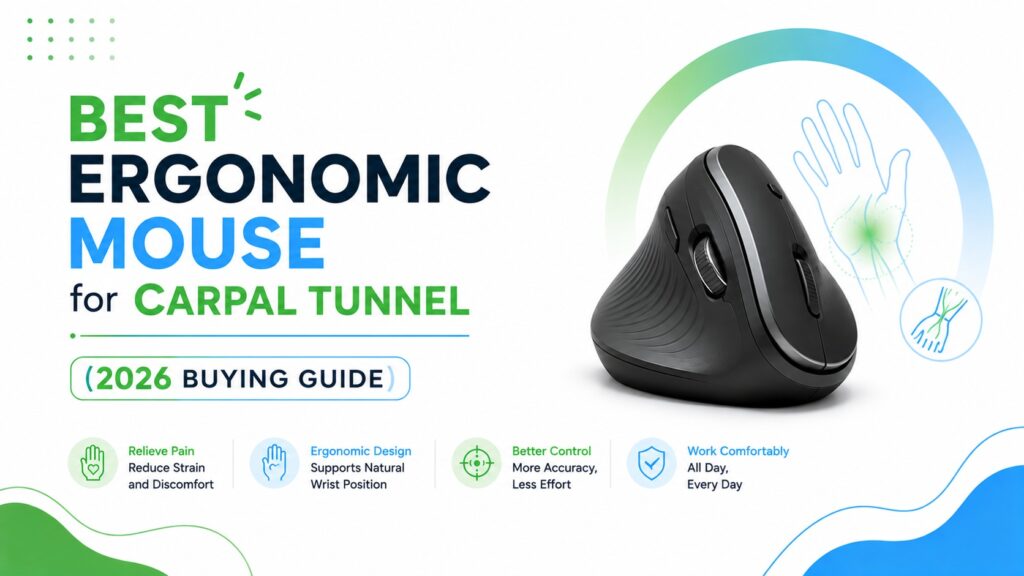
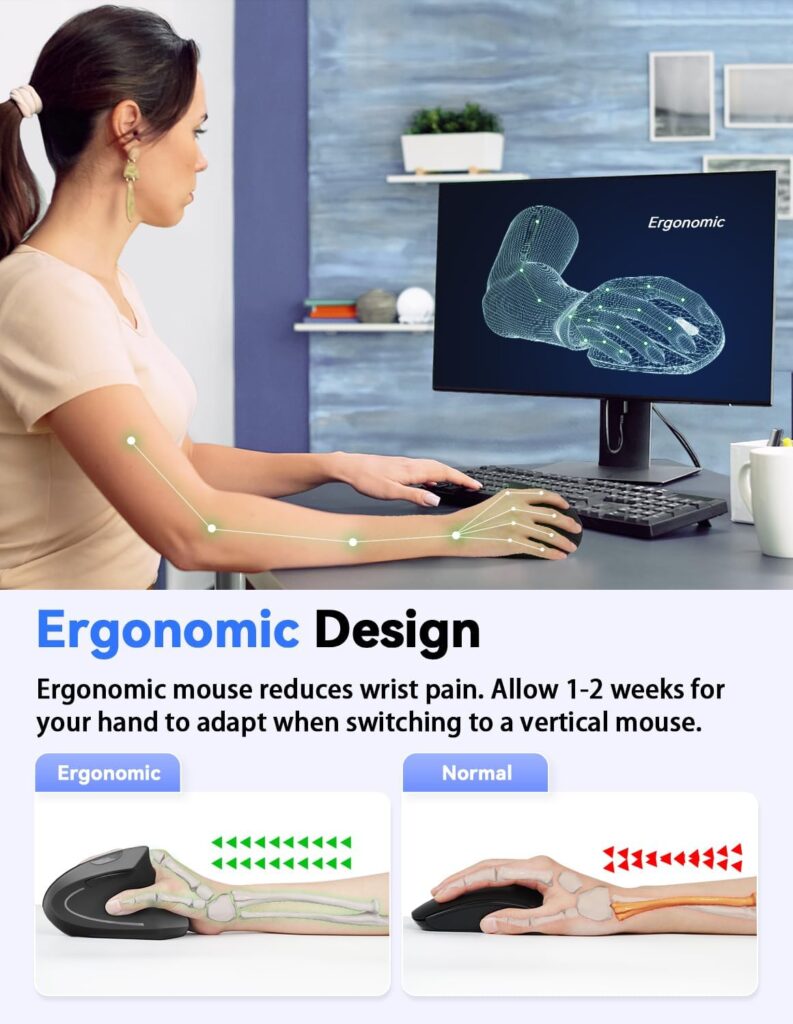
If your wrist starts aching by mid-afternoon, the shape of your mouse is probably part of the problem. A standard mouse keeps your forearm rotated flat against the desk for hours at a time, which is exactly the kind of repetitive position that can aggravate carpal tunnel symptoms. A vertical, ergonomic mouse is built around a different idea: let the hand rest in a more natural, handshake-like position instead.
This guide compares eight vertical mice, from the well-known Evoluent VMDMW to budget options under $20, so you can find one that actually fits your hand, your desk setup, and your budget; not just the one with the best marketing copy.
Quick Answer
🖱️Best Ergonomic Mice for Carpal Tunnel
Short on time? Here’s how these eight vertical mice stack up, based on ergonomic design, adjustability, and everyday usability.




Quick Verdict Table
| Product | Best For | Main Strength | Main Limitation | Rating | Link |
|---|---|---|---|---|---|
| Evoluent VMDMW | Long daily sessions, RSI-prone users | Fully programmable buttons, mature design | Highest price on this list | 4.6/5 | View |
| Nulea M510 | Budget shoppers wanting adjustable DPI | 57° angle, three DPI levels | Fewer programmable options | 4.2/5 | View |
| TECKNET 2.4G | Open offices, shared spaces | Very quiet clicks, 5 DPI steps | Side buttons not Mac-compatible | 4.2/5 | View |
| Anker Vertical Mouse | Anyone who prefers a wired connection | No batteries, no latency | Cable limits desk positioning | 4.3/5 | View |
| Perixx PERIMICE-713 | Tightest budgets | Lowest price, quiet main buttons | Buttons aren’t programmable | 4.0/5 | View |
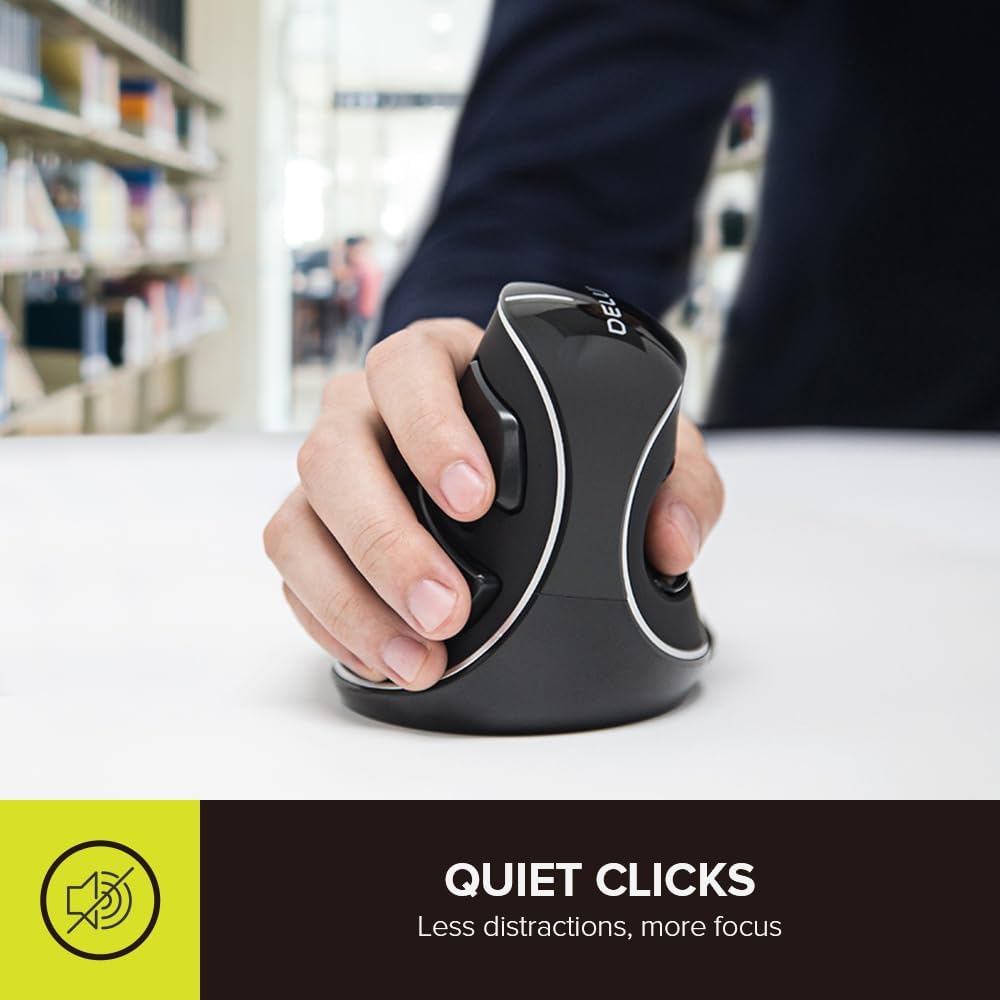
| DELUX M618Plus | Larger hands (6.7–7.5 in / 170–190 mm) | Removable wrist rest, sized for bigger palms | Bulkier shell, less travel-friendly | 4.0/5 | View |
| Adesso iMouse E1 | Simple plug-and-play wired setup | No driver needed, works cross-platform | Fewer DPI steps than rivals | 4.1/5 | View |
| Kensington K75575WW | Users who want a recognized ergonomics brand | Five DPI settings, auto-sleep battery saving | Mid-size shell may not suit larger hands | 4.0/5 | View |
Why Wrist Position Matters When You Type and Click All Day
A standard mouse forces your forearm to pronate; rotate so your palm faces down – for however many hours you’re working. Combine that with wrist extension (bending the wrist upward) and ulnar deviation (angling the wrist sideways toward the pinky), and you get a posture that many ergonomics resources flag as worth avoiding during long, repetitive computer sessions.
A vertical mouse changes the geometry. Instead of your palm facing the desk, it rotates toward a more neutral, “handshake” angle – somewhere between 45 and 90 degrees depending on the model. A controlled study published in the journal Ergonomics measured this directly: switching from a standard mouse to a vertical mouse reduced average forearm pronation from about 42° to 28° and lowered wrist extensor muscle activity, though it also took participants longer to reach on-screen targets while they were still adjusting to the new shape. That trade-off matches what manufacturers describe as an adaptation period; the posture benefit shows up quickly, but pointing precision takes a little longer to catch up.
What This Means: A steep, unfamiliar angle can feel worse before it feels better. Emily Richardson’s ergonomic evaluation approach treats that first-week clumsiness as normal rather than a sign the product is wrong for you – give any new mouse shape one to two weeks before deciding whether it works for you.
It’s worth being precise about what this research does and doesn’t show. A systematic review of alternative mouse designs found that one study using an epidural catheter to directly measure pressure inside the carpal tunnel saw a meaningful drop in ulnar deviation with a vertical mouse, but no significant reduction in carpal tunnel pressure itself. In other words, a vertical mouse can measurably change wrist posture and reduce muscle load without necessarily changing the specific internal pressure most closely tied to carpal tunnel syndrome. Separately, a meta-analysis published in the Journal of the Neurological Sciences found frequent computer mouse use was associated with higher odds of CTS among office workers (pooled odds ratio 1.93) – an association, not proof that the mouse itself causes the condition, since other repetitive-motion and individual factors are involved too.
None of this means a vertical mouse will resolve carpal tunnel syndrome. Carpal tunnel involves compression of the median nerve at the wrist, and its causes and treatment are medical matters – NIOSH’s review of the evidence points to repetitive and forceful hand activity, along with individual factors like age and certain medical conditions, as the more consistently supported risk factors, rather than wrist posture alone. What a well-fitted ergonomic mouse can do, based on the posture and muscle-activity research above, is reduce some of the repetitive strain that comes from an awkward, fixed hand position during long work sessions; which is a reasonable thing to want regardless of whether you have a diagnosed condition.
Buying Guide: What Actually Matters in a Carpal Tunnel-Friendly Mouse
1. Vertical angle. Steeper angles (closer to 90°) put the hand in a more upright position but take longer to adapt to. Moderate angles (around 45–57°) are usually an easier transition for first-time vertical mouse users. Lab research on slanted mouse designs has found that angles in roughly the 25–30° range from full pronation were enough to produce a measurable drop in forearm muscle activity, as summarized in a 2018 review of controlled trials on alternative mouse designs – so a moderate angle isn’t just an easier transition, it can also be doing real ergonomic work, not merely a “beginner” compromise.
2. Hand size fit. Most vertical mice are sold in a single “medium” shell, though a few brands offer size variants. Check the manufacturer’s palm-length and palm-width guidance before buying; a mouse that’s too small forces your fingers to overreach, and one that’s too large forces your palm to stretch.
3. Button placement and programmability. More buttons aren’t automatically better. What matters is whether the buttons sit where your fingers naturally rest, and whether you can remap them to reduce repetitive clicking for tasks you do often.
4. Connectivity. Wireless mice free you from a cable but need batteries or recharging. Wired mice never run out of power but tether you to a fixed cable length. Neither is objectively better; it depends on your desk setup.
5. Click force and noise. Some models advertise significantly quieter clicks, which matters if you’re in a shared office, on frequent calls, or simply sensitive to repetitive clicking sounds over a long day.
6. Weight and portability. A heavier mouse can feel more stable but is less convenient to carry between a home office and a coworking space or office desk.
7. Software compatibility. A few models only support full button customization on Windows, with limited or no support on macOS. If you’re on a Mac, check this before assuming every button will work as advertised.
8. Price-to-adjustability ratio. More expensive doesn’t always mean more ergonomic. Some budget models cover the fundamentals; a neutral vertical angle and adjustable DPI – perfectly well.
Product Reviews
1. Evoluent VMDMW Vertical Mouse
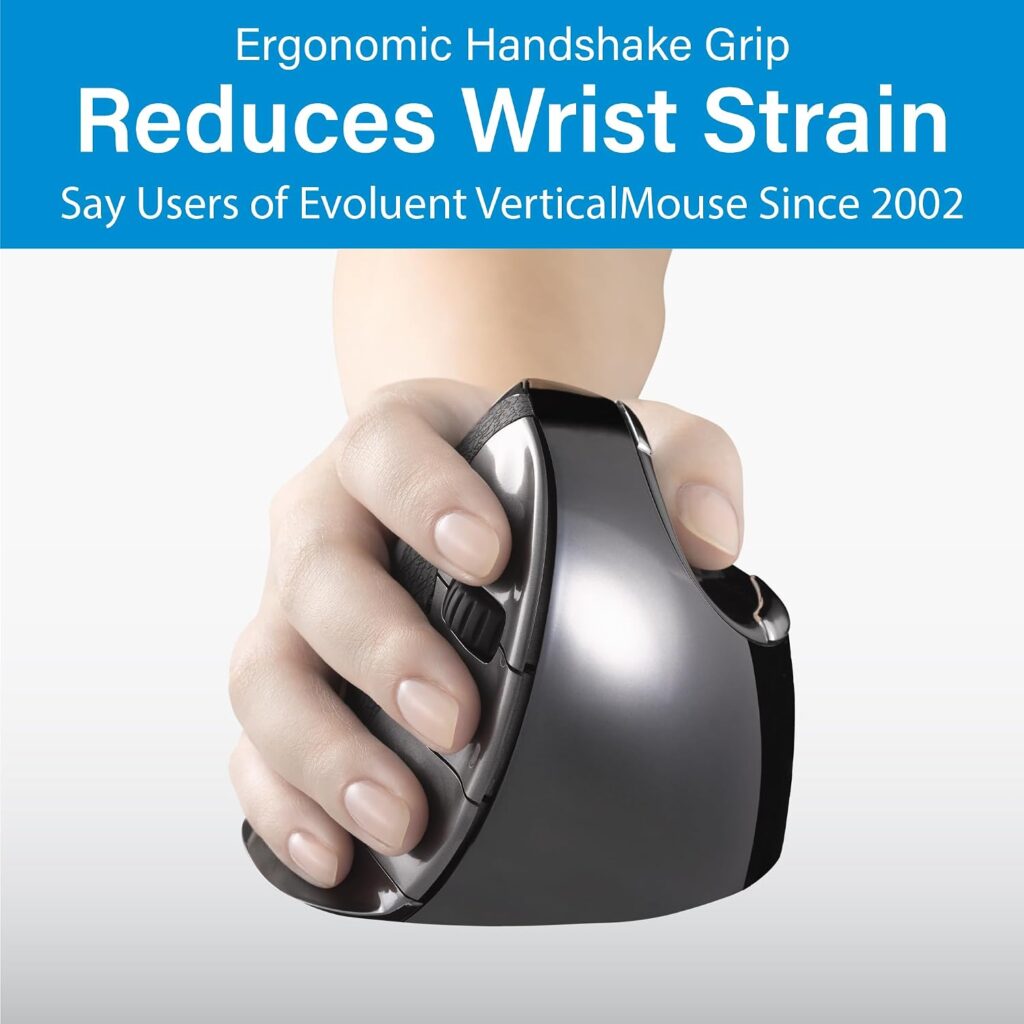
Quick Verdict: The Evoluent VMDMW is the most established name in vertical mice, built by the company that shipped the first commercial vertical mouse in 2002. It’s fully programmable, includes onboard DPI switching, and is aimed at people who spend six or more hours a day at a mouse.
Best For: Long working hours, users who want deep button customization, and anyone who has already tried a basic vertical mouse and wants a more refined shape.
Key Specifications:
- Right hand, medium shell
- USB wireless receiver, 1 AA battery (roughly 3 months per charge)
- Six programmable buttons via free Evoluent Mouse Manager (Windows)
- Four onboard pointer speeds with indicator lights
- Item weight: 8.8 oz; dimensions: 7″ L x 4.3″ W
What We Like
- Genuinely mature design refined over three decades
- Buttons can be assigned different functions per application
- Pinky lip keeps the little finger off the desk surface
What We Don’t Like
- Noticeably more expensive than every other option here
- Full programmability is Windows-only
- Medium shell only; sizing up or down means buying a different model in Evoluent’s range
Ergonomic Analysis: The VMDMW holds the hand in a genuine handshake position rather than a partial tilt, which is a more pronounced angle than several budget competitors. Emily Richardson’s ergonomic evaluation approach notes that a steeper, well-shaped angle like this one can feel more effective long-term precisely because it commits to the neutral position rather than compromising on it.
Who Should Buy It? Anyone whose mouse gets heavy daily use, six-plus hours; and who values software-level customization enough to justify the price.
Who Should Skip It? Casual or part-time computer users, and Mac-only households that won’t benefit from the full Windows-based button software.
Value for Money: Expensive relative to this list, but the price reflects a mature design and genuine programmability rather than just a vertical shell.
🛒 Check Price on Amazon2. Nulea M510 Vertical Mouse
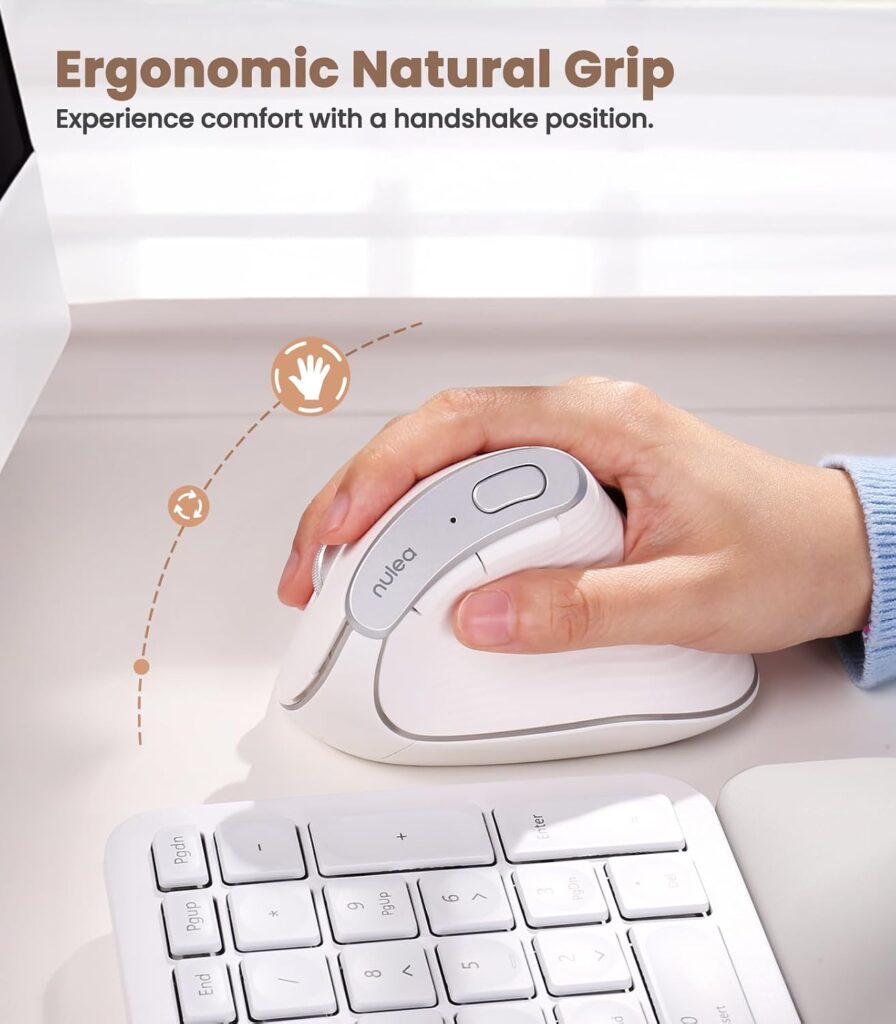
Quick Verdict: A budget-friendly vertical mouse with a 57-degree angle, three DPI settings, and six buttons – a solid entry point if you’ve never tried a vertical mouse and don’t want to spend much finding out whether it suits you.
Best For: First-time vertical mouse buyers on a budget.
Key Specifications:
- Right hand orientation
- 2.4 GHz USB wireless, 1 AA battery required
- Three DPI levels (800 / 1200 / 1600)
- Six buttons including forward/back and a “back to desktop” key
- Item weight: 5.6 oz
What We Like
- Low price relative to build quality
- Reasonable DPI range for everyday browsing and office work
- Metal scroll wheel feels more durable than plastic equivalents
What We Don’t Like
- No advanced software for remapping buttons
- Compatible devices list is limited to Windows and Mac OS specifics
- Glossy plastic finish can show fingerprints
Ergonomic Analysis: A 57-degree angle sits in a comfortable middle ground – steep enough to move away from a flat grip, moderate enough that most new users adjust within a few days.
Who Should Buy It? Anyone testing whether a vertical mouse works for them before committing to a pricier option.
Who Should Skip It? Users who specifically want per-application button programming.
Value for Money: Strong. It covers the core ergonomic fundamentals without a premium price tag.
🛒 Check Price on Amazon3. TECKNET 2.4G Ergonomic Vertical Mouse
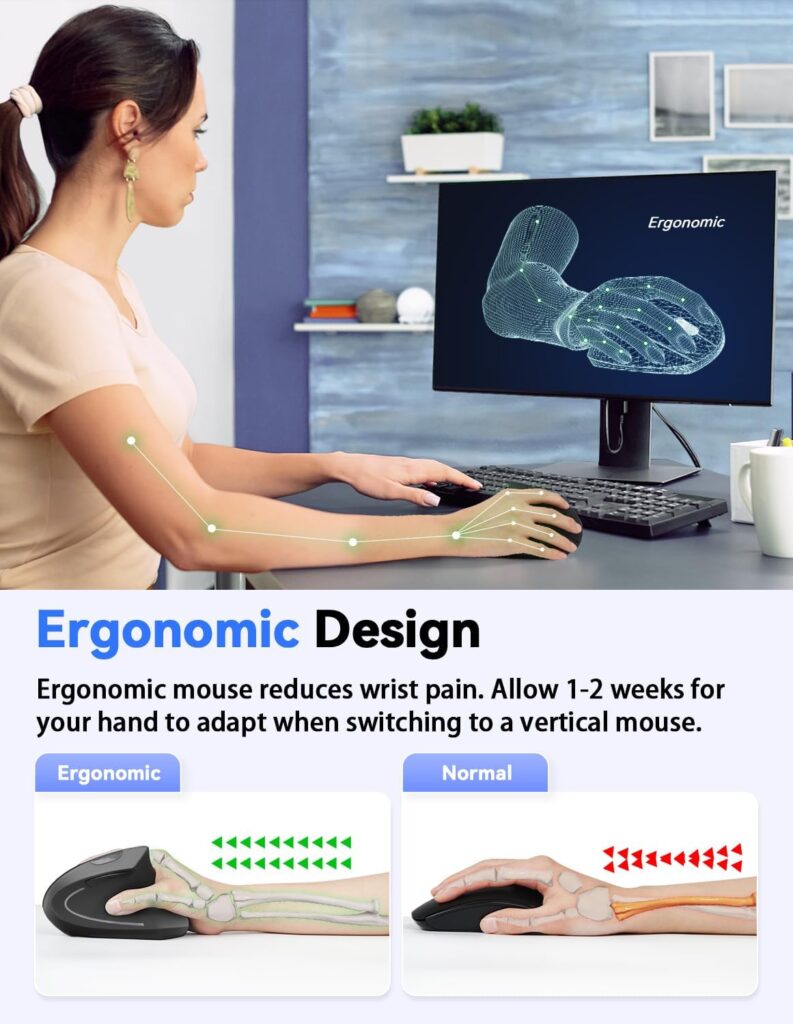
Quick Verdict: Notable mainly for its quiet clicks – TECKNET advertises noise reduced by more than 90% compared to a standard mouse – plus five DPI levels and a 12-month advertised battery life.
Best For: Shared offices, quiet households, or anyone on frequent video calls who doesn’t want clicking to be audible.
Key Specifications:
- Right hand, 2.4 GHz wireless USB receiver
- Five DPI settings (800–4800)
- 2 AAA batteries required (not included)
- Sleep mode after 8 minutes of inactivity
- Item weight: 3.84 oz
What We Like
- Genuinely quiet main buttons
- Wide DPI range for both precision and speed tasks
- Compact and lightweight
What We Don’t Like
- Side buttons are explicitly not supported on Mac
- Requires two AAA batteries rather than one AA
- Adaptation period of one to two weeks recommended by the manufacturer
Ergonomic Analysis: The vertical shape follows the same handshake principle as the other mice here, and the reduced click noise is a genuine quality-of-life factor for people who mouse-click frequently throughout the day.
Who Should Buy It? Anyone in a noise-sensitive environment, or who simply finds mouse clicking sounds distracting.
Who Should Skip It? Mac users who want the side buttons to function.
Value for Money: Good. Quiet clicks plus a wide DPI range at a modest price.
🛒 Check Price on Amazon4. Anker Vertical Mouse (Wired)
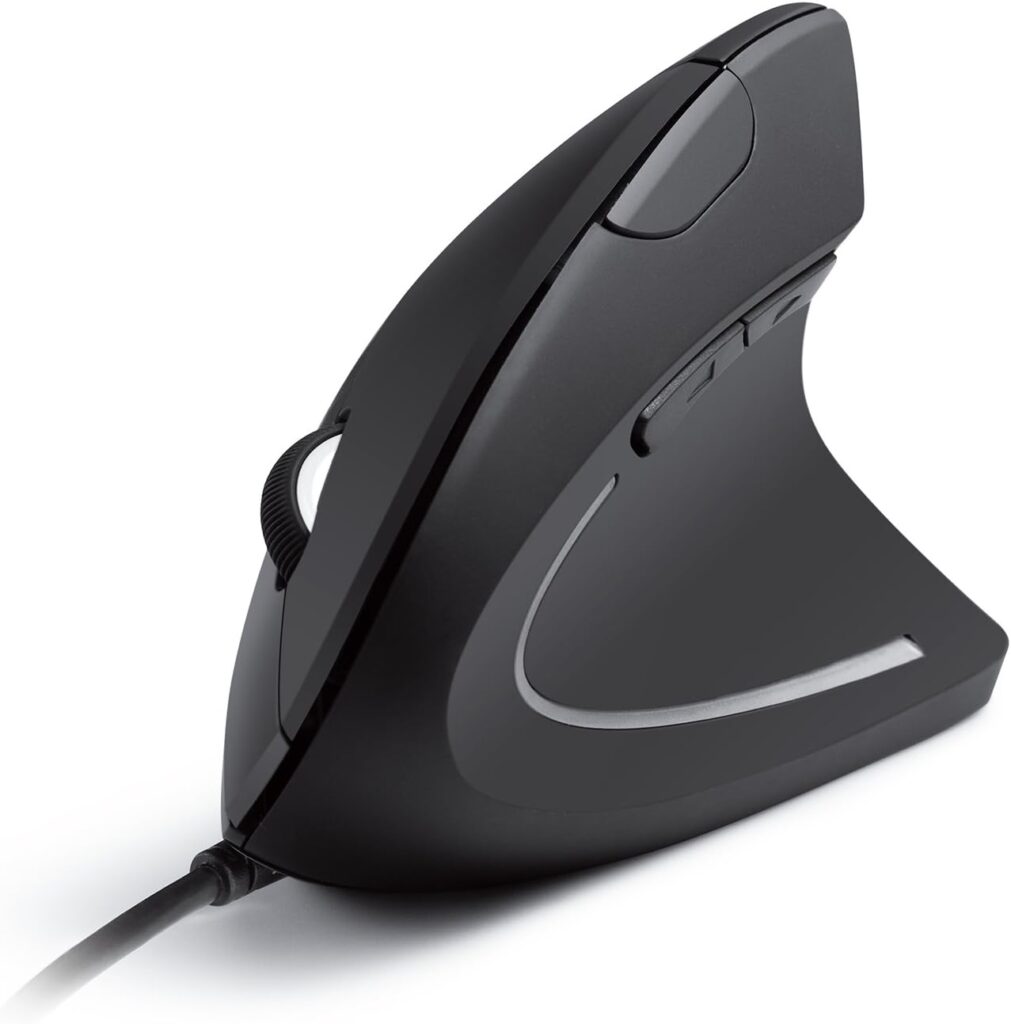
Quick Verdict: A wired, ambidextrous vertical mouse with two DPI settings and no batteries to manage – a good pick if a stable, always-on connection matters more to you than going cable-free.
Best For: Users who want to eliminate battery anxiety and wireless latency entirely.
Key Specifications:
- Ambidextrous compatible devices listing
- Wired USB, 1.5 m / 4.9 ft cable
- 1000/1600 DPI optical tracking
- Five buttons including next/previous navigation
- Item weight: 5.3 oz
What We Like
- No batteries, no pairing, no wireless dropout
- Competitively priced for a recognized brand
- Compact and lightweight shell
What We Don’t Like
- Fixed 4.9 ft cable limits desk arrangement
- Only two DPI steps, fewer than several wireless rivals
- No onboard button remapping software mentioned
Ergonomic Analysis: The design supports the same handshake-style wrist position as the wireless models on this list, with the added benefit of consistent, lag-free tracking since there’s no wireless signal to manage.
Who Should Buy It? Anyone who prefers wired peripherals or works in an environment with a lot of wireless interference.
Who Should Skip It? Anyone who needs to move the mouse further from the computer than the cable allows.
Value for Money: Solid, especially for a well-known brand at this price point.
🛒 Check Price on Amazon5. Perixx PERIMICE-713 Wireless Ergonomic Mouse
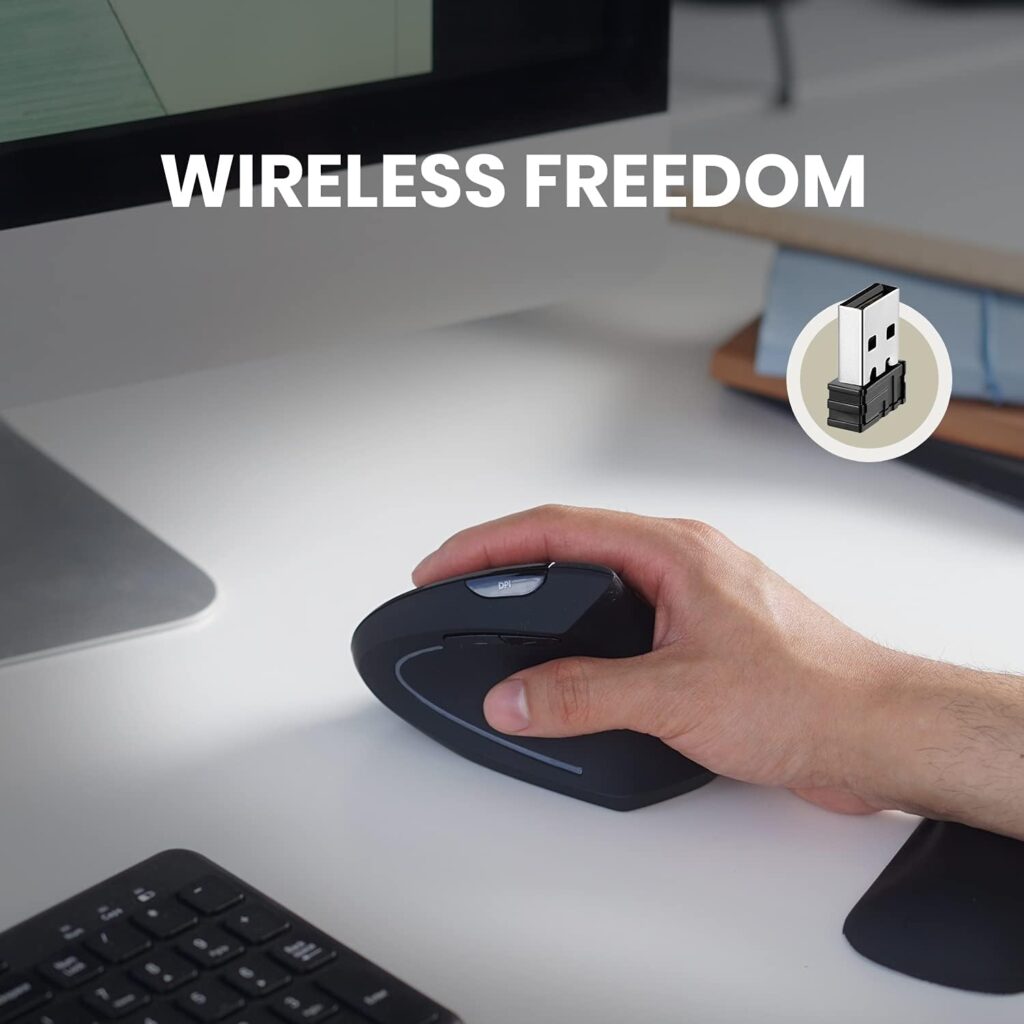
Quick Verdict: The cheapest mouse on this list, and one Perixx specifically markets toward RSI-prone users. It covers the core ergonomic basics – vertical shape, adjustable DPI, quiet primary buttons – without extra frills.
Best For: Readers on a tight budget who still want a genuinely vertical shape rather than a slightly angled standard mouse.
Key Specifications:
- Right hand, wireless 2.4 GHz USB
- Two DPI settings (1000/1600)
- 2 AAA batteries required (not included)
- Rubber-coated grip surface
- Item weight: 3.17 oz
What We Like
- Lowest price on this comparison
- Quiet left and right click buttons
- Stable, plug-and-play wireless connection
What We Don’t Like
- Buttons are not programmable
- Back/forward buttons unsupported on macOS
- Fewer DPI steps than pricier alternatives
Ergonomic Analysis: Perixx describes the design as supporting a neutral, upright wrist position, and notes that most users adapt to the shape within one to two weeks – a similar adjustment window to other vertical mice in this comparison.
Who Should Buy It? Budget-conscious buyers who mainly want the vertical shape itself, without needing extra DPI granularity or programmable buttons.
Who Should Skip It? Anyone who relies heavily on customizable buttons for productivity or gaming.
Value for Money: Excellent at this price – it’s hard to find a vertical mouse cheaper than this that still covers the fundamentals.
🛒 Check Price on Amazon6. DELUX M618Plus Vertical Mouse (Large Hands)
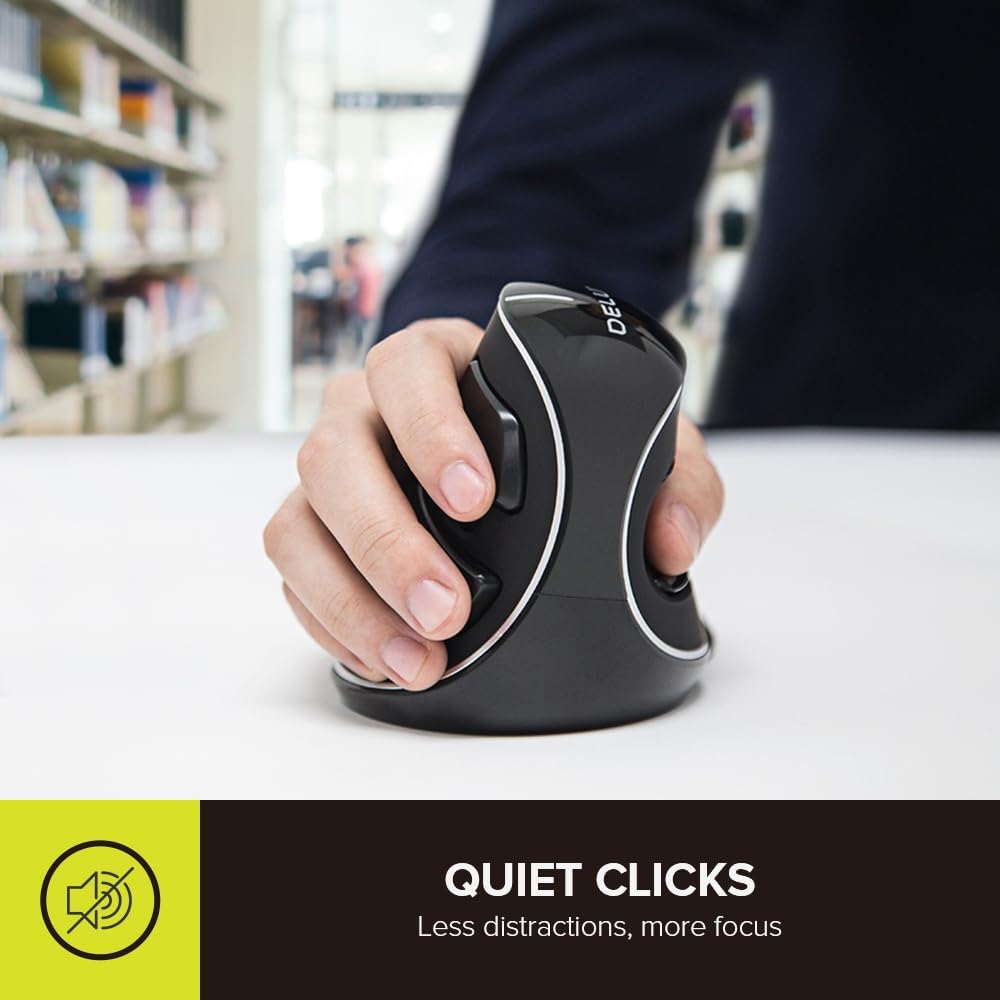
Quick Verdict: Specifically sized for larger hands, with a removable palm rest that lifts the wrist off the desk surface; a useful option if standard vertical mice have felt too small for you.
Best For: Users with hand lengths of roughly 6.7–7.5 inches (170–190 mm) and hand widths of 3.1–3.9 inches (80–100 mm), per DELUX’s stated sizing.
Key Specifications:
- Right hand, 2.4 GHz wireless, 1 AA battery
- Three DPI levels (800/1200/1600)
- Removable wrist/palm rest
- Silent buttons advertised at over 90% noise reduction
- Item weight: 6.3 oz
What We Like
- Genuinely sized for bigger hands rather than a one-size-fits-all shell
- Removable palm rest adds wrist support during long sessions
- Quiet clicks alongside the ergonomic shape
What We Don’t Like
- Bulkier and heavier than most other options here
- Limited Mac support; side buttons don’t work on macOS
- No Bluetooth or USB-C support
Ergonomic Analysis: The palm rest is the standout feature – it gives the wrist a cushioned surface to rest against rather than hovering unsupported, which can matter for users who find their wrist tiring during extended vertical mouse use.
Who Should Buy It? Anyone who has tried a standard-size vertical mouse and found it cramped or too small.
Who Should Skip It? Users with smaller or average hand sizes, who will likely find the standard-shell options on this list a better fit.
Value for Money: Reasonable – the specialized sizing and wrist rest justify a slightly higher price than the cheapest options here.
🛒 Check Price on Amazon7. Adesso iMouse E1 Vertical Mouse (Wired)
Quick Verdict: A straightforward wired vertical mouse with an illuminated accent and six buttons, aimed at users who want plug-and-play simplicity without setting up software or pairing a wireless receiver.
Best For: Simple desk setups where a driver-free, always-connected mouse is preferred.
Key Specifications:
- Right hand, wired USB (mini USB receiver style connector)
- 1000/1600 DPI adjustable via switch
- Six buttons
- “Ice blue” illumination accent
- Item weight: 4.8 oz
What We Like
- No drivers required; works on Windows or macOS out of the box
- Back/forward navigation shortcut built in
- Competitively priced for a wired option with a vertical shape
What We Don’t Like
- Only two DPI steps
- Illumination is a cosmetic feature some buyers may not want
- Fewer verified customer reviews than several other entries here
Ergonomic Analysis: The vertical shape supports the forearm in the same way as the other mice on this list, aiming to reduce the twisting motion associated with a flat, standard mouse grip.
Who Should Buy It? Users who want the simplicity of a wired, driver-free ergonomic mouse.
Who Should Skip It? Anyone who wants more granular DPI control or a wireless setup.
Value for Money: Fair – a functional, no-fuss option, though the DPI range is more limited than some competitors at a similar price.
🛒 Check Price on Amazon8. Kensington Ergonomic Vertical Wireless Mouse
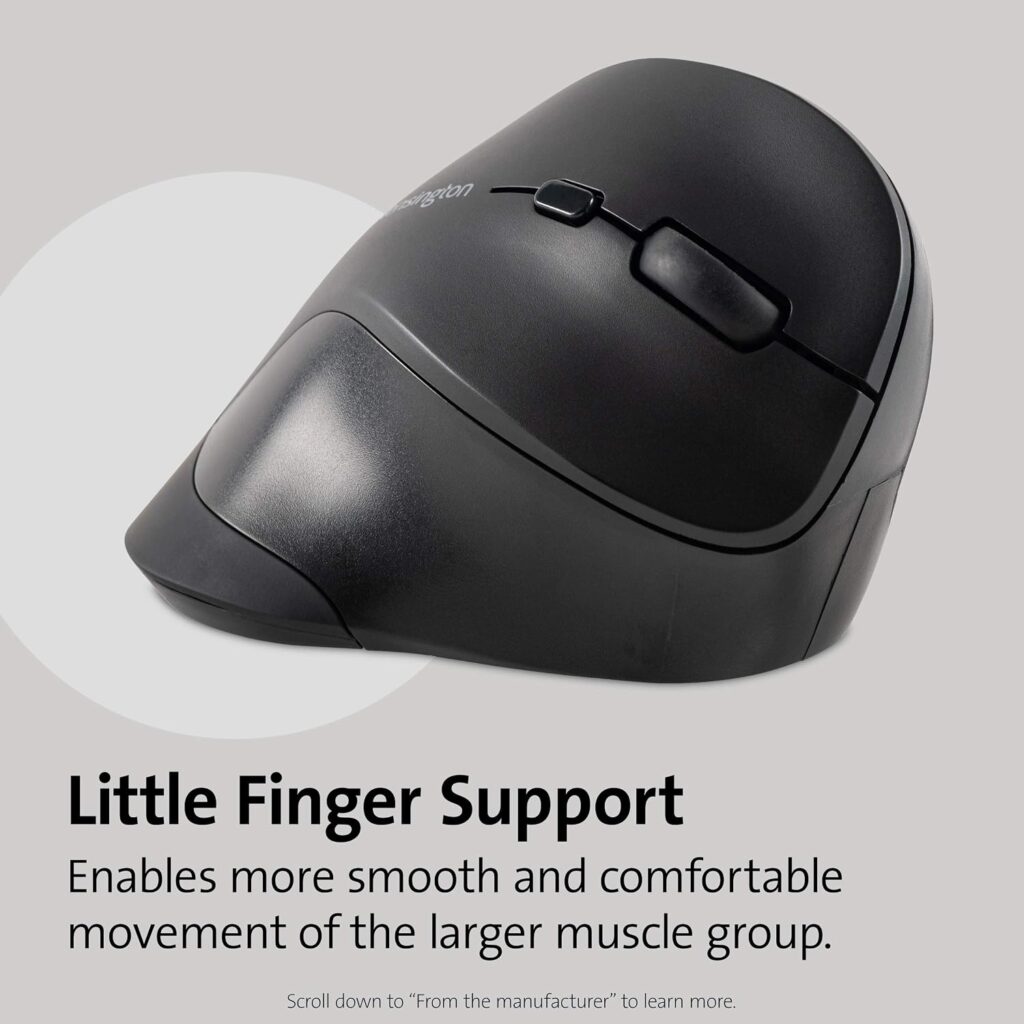
Quick Verdict: From a long-established ergonomics accessory brand, this mid-size wireless mouse offers five DPI settings and an angled slope designed to hold the wrist in a neutral handshake position.
Best For: Buyers who want a recognizable, established brand behind their ergonomic mouse purchase.
Key Specifications:
- Right hand, mid-size shell (a full-size variant is also sold)
- 2.4 GHz wireless, 1 AA battery included
- Five DPI settings (800–2400)
- Four buttons plus scroll wheel
- Item weight: 5.3 oz
What We Like
- Auto-sleep function helps extend battery life
- Storage compartment for the USB receiver when not in use
- TAA compliant, which may matter for institutional buyers
What We Don’t Like
- Mid-size shell may feel small for larger hands (a full-size version costs more)
- Only four buttons plus scroll wheel, fewer than several competitors
- No advanced button remapping software mentioned
Ergonomic Analysis: Kensington describes the angled slope as relieving soft tissue compression and improving wrist and forearm posture – consistent with the general handshake-position principle behind every mouse in this comparison.
Who Should Buy It? Buyers who want DPI flexibility and battery-saving features from an established ergonomics brand.
Who Should Skip It? Anyone with larger hands who would be better served by the DELUX M618Plus or Kensington’s own full-size variant.
Value for Money: Reasonable, particularly if brand reputation and battery-saving features matter to you.
🛒 Check Price on AmazonComparison Table
| Product | Best For | Type | Key Ergonomic Feature | Weight | Connectivity | Rating |
|---|---|---|---|---|---|---|
| Evoluent VMDMW | Heavy daily use | Vertical, wireless | Fully programmable, pinky lip support | 8.8 oz | USB receiver, 1 AA | 4.6/5 |
| Nulea M510 | Budget first-timers | Vertical, wireless | 57° handshake angle | 5.6 oz | 2.4G USB, 1 AA | 4.2/5 |
| TECKNET 2.4G | Quiet environments | Vertical, wireless | 90%+ quieter clicks | 3.84 oz | 2.4G USB, 2 AAA | 4.2/5 |
| Anker Vertical | No-battery preference | Vertical, wired | Consistent no-latency tracking | 5.3 oz | USB cable, 4.9 ft | 4.3/5 |
| Perixx PERIMICE-713 | Tightest budgets | Vertical, wireless | Quiet main buttons, rubber grip | 3.17 oz | 2.4G USB, 2 AAA | 4.0/5 |
| DELUX M618Plus | Larger hands | Vertical, wireless | Removable palm/wrist rest | 6.3 oz | 2.4G USB, 1 AA | 4.0/5 |
| Adesso iMouse E1 | Simple wired setups | Vertical, wired | Driver-free plug-and-play | 4.8 oz | USB, no driver | 4.1/5 |
| Kensington K75575WW | Brand-conscious buyers | Vertical, wireless | Angled slope, auto-sleep battery saving | 5.3 oz | 2.4G USB, 1 AA | 4.0/5 |
Decision Framework: Which Mouse Should You Buy?
Choose the Evoluent VMDMW if: you use a mouse for six or more hours daily and want the most refined, fully programmable design available, and price isn’t the deciding factor.
Choose the Nulea M510 if: you’ve never used a vertical mouse before and want an affordable way to find out whether the shape works for you.
Choose the TECKNET 2.4G if: you work somewhere quiet clicking genuinely matters – an open office, a shared home space, or frequent video calls.
Choose the Anker Vertical Mouse if: you’d rather avoid batteries and wireless dropout entirely and don’t mind a fixed cable.
Choose the Perixx PERIMICE-713 if: your budget is the primary constraint and you just want a genuinely vertical shape at the lowest possible price.
Choose the DELUX M618Plus if: a standard-size vertical mouse has felt cramped for your hand, or you specifically want a wrist rest built into the setup.
Choose the Adesso iMouse E1 if: you want a simple, driver-free wired mouse without setting up any software.
Choose the Kensington K75575WW if: you want a recognized ergonomics brand with solid DPI flexibility and battery-saving features.
Alternatives Worth Considering
If a vertical mouse doesn’t end up suiting your grip, a few other product categories are worth exploring:
- Trackball mice eliminate arm movement almost entirely, which some users with wrist sensitivity prefer over a vertical shape. See our best trackball mouse for ergonomics guide for options.
- Arthritis-friendly mice prioritize lighter click force over vertical angle, which may suit users dealing with joint stiffness rather than wrist rotation issues. Our ergonomic mouse for arthritis roundup covers this in more depth.
- General wrist-pain-focused mice that aren’t necessarily vertical, covered in our ergonomic mouse for wrist pain guide.
If you’re unsure whether a vertical mouse or a trackball would suit you better, our comparison of vertical mouse vs. trackball for wrist pain walks through the practical differences.
Common Mistakes to Avoid
- Buying based only on star ratings. A 4.5-star budget mouse and a 4.5-star premium mouse can serve very different needs – ratings don’t account for hand size or use case.
- Ignoring hand size guidance. Some brands, like DELUX, publish specific palm-length and palm-width recommendations. Skipping this step is a common reason vertical mice get returned.
- Expecting immediate comfort. Nearly every manufacturer on this list recommends a one- to two-week adjustment period. Judging a vertical mouse after one afternoon isn’t a fair test.
- Assuming “ergonomic” automatically means comfortable for you. Ergonomic design reduces certain awkward postures; it doesn’t guarantee comfort for every hand shape or grip style.
- Overlooking software compatibility. If you’re on a Mac, verify which buttons are actually supported before assuming full functionality.
- Ignoring desk space and cable length. A wired mouse with a short cable can be frustrating on a large desk; measure before buying.
- Treating a mouse as a full fix. Wrist strain is usually influenced by desk height, chair position, and monitor placement too – not the mouse alone.
- Skipping the disclaimer on medical claims. No mouse, regardless of price, is a substitute for a professional diagnosis if you’re dealing with persistent pain.
Best Practices for Everyday Comfort
- Keep the mouse close to your body so you’re not reaching forward, which adds unnecessary shoulder and forearm strain.
- Position your monitor so the top of the screen is roughly at eye level, reducing the temptation to hunch toward it.
- Avoid resting your wrist in a bent-upward position for extended periods, whether or not you’re using a vertical mouse.
- Take short movement breaks every 30–60 minutes rather than staying in one static position all day.
- Adjust your chair height so your elbows sit close to a 90-degree angle at the desk.
- Give any new mouse shape a genuine one- to two-week adjustment period before judging it.
- If pain persists beyond simple discomfort during the adjustment period, consult a healthcare professional rather than assuming a different product will resolve it.
Organizations like OSHA and NIOSH publish general workstation ergonomics guidance that covers desk height, monitor placement, and posture more broadly – useful reading alongside any single product change.
10 Frequently Asked Questions
Can an ergonomic mouse help with carpal tunnel syndrome?
Research on vertical mice has found they can reduce forearm pronation and lower wrist extensor muscle activity compared with a standard mouse. However, at least one study measuring pressure directly inside the carpal tunnel found a vertical mouse reduced wrist deviation without significantly lowering that pressure – so the posture benefit is real, but it isn’t the same as evidence that it treats or cures carpal tunnel syndrome. Persistent or severe symptoms should be evaluated by a healthcare professional.
Is a vertical mouse better than a standard mouse for wrist pain?
For many users, a vertical mouse reduces forearm rotation compared to a standard mouse, which some find more comfortable during long sessions. Comfort is individual, though, and some people find a standard mouse with a good grip works fine for them.
How long does it take to get used to a vertical mouse?
Most manufacturers, including several featured here, recommend a one- to two-week adjustment period. Expect reduced precision and some awkwardness in the first few days as your hand and cursor control adapt.
What angle should a vertical mouse be for carpal tunnel comfort?
There’s no single “correct” angle. Research on slanted and vertical mice has measured meaningful reductions in forearm pronation and muscle activity at angles as moderate as 25–30 degrees from full pronation, and closer to 90 degrees for a full vertical shape reduces pronation even further – in one study, from around 42° down to 28°. Moderate angles tend to be an easier transition for new users, while steeper angles offer a more pronounced handshake position once you’re adapted.
Are wireless or wired ergonomic mice better for wrist pain?
Neither is inherently better for wrist comfort – the choice comes down to convenience. Wireless avoids a cable but requires battery management; wired eliminates battery concerns but limits mouse positioning to the cable length.
Do I need a mouse with adjustable DPI?
Adjustable DPI lets you match cursor sensitivity to the task, which can reduce unnecessary hand movement for repetitive clicking tasks. It’s a helpful feature but not strictly essential for ergonomic comfort.
Can a vertical mouse work for left-handed users?
Most vertical mice, including the models in this article, are designed for right-hand use. Left-handed users typically need to search specifically for left-handed vertical mouse models, which are less common.
Is a trackball better than a vertical mouse for wrist pain?
Trackballs remove most arm movement since the device stays stationary, which some users with wrist sensitivity prefer. A vertical mouse still requires arm movement but changes the wrist angle. The better option depends on personal comfort and grip preference.
How much should I spend on an ergonomic mouse?
Effective vertical mice exist across a wide price range, from around $15 to over $100 in this comparison. A higher price generally buys more programmability and refinement, not necessarily better core ergonomics.
Should I see a doctor before buying an ergonomic mouse for wrist pain?
If you have persistent, severe, or worsening wrist pain, numbness, or tingling, it’s reasonable to consult a doctor or occupational therapist before or alongside trying a new mouse. An ergonomic mouse is a comfort and workspace tool, not a diagnostic or medical device.
Final Verdict
If you want the single most refined, fully programmable option and don’t mind paying for it, the Evoluent VMDMW is the strongest overall pick on this list. If price is your priority, the Perixx PERIMICE-713 covers the ergonomic fundamentals at the lowest cost here. If your hands run larger than average, the DELUX M618Plus is worth the extra consideration for its dedicated sizing and wrist rest. And if a quiet workspace matters to you, the TECKNET 2.4G stands out for its noticeably reduced click noise.
None of these mice will cure carpal tunnel syndrome, and none should replace medical advice for persistent symptoms. What they can offer is a more neutral wrist position during the hours you’re already spending at a computer – which, for many people, is a genuinely useful piece of a larger comfort strategy.
Check the current Amazon listing to see today’s price, available configurations and customer reviews before making your decision.





