
Best Ergonomic Mouse for Women 2026: 8 Top Picks for Smaller Hands and All-Day Comfort

If your wrist feels stiff or achy by mid-afternoon, the mouse sitting under your palm right now might be part of the problem. Most mice on the market are designed around an “average” hand size that skews larger, which is why so many women end up overstretching their fingers, tilting their wrist sideways, or gripping harder than they should just to click and scroll comfortably.
This guide looks at eight ergonomic mice that work well for smaller to medium hands, lighter grip pressure, and everyday work-from-home or office use. We compare vertical mice, compact wireless mice, and one traditional low-profile option, and we explain who each one genuinely suits; including who should probably skip it.
Emily Richardson, an ergonomics and work-from-home product specialist with more than 9 years of experience reviewing office accessories, notes that “ergonomic mouse for women” is less about marketing and color, and more about hand length, grip style, and how much desk space you have to work with.
Quick Answer
🖱️ Best Ergonomic Mice for Women – Quick Answer
Short on time? Here is our quick pick list based on hand fit, comfort, and everyday usability. Full reviews are below.


Quick Verdict Table
| Product | Best For | Main Strength | Main Limitation | Rating | Link |
|---|---|---|---|---|---|
| ProtoArc EM11 NL | Small-medium hands, everyday work | Built for hands under 7.5″ with quiet clicks | Side buttons aren’t programmable | 4.4/5 | View Price |
| Uineer Vertical Mouse | Budget-conscious buyers with smaller hands | 3-device Bluetooth switching, visible battery level | 1-2 week adjustment period for the vertical angle | 4.3/5 | View Price |
| TECKNET Ergonomic Mouse | Lowest starting price, first vertical mouse | Rounded shape suits a wider range of hand sizes | Uses a AA battery instead of built-in rechargeable | 4.5/5 | View Price |
| Lenovo Yoga Pro Mouse | Buyers who dislike the vertical shape | Symmetrical, soft-touch grip with premium build | Not a vertical design, so wrist rotation benefit is limited | 4.4/5 | View Price |
| Anker Vertical Mouse | Compact everyday desk use | Familiar handshake design at a mid-range price | Click sound is noticeable, no silent-click feature | 4.2/5 | View Price |
| Lekvey Vertical Mouse | Long battery life between charges | Up to 150 hours of use per charge | Sized for medium to large hands, not ideal if your hands are small | 4.3/5 | View Price |
| MEETION BTM010 | Buyers who want color and RGB options | Wide range of colors and left/right-hand versions | Manufacturer notes it suits medium-large hands best | 4.2/5 | View Price |
| Logitech G305 Lightspeed | Buyers who prefer a traditional, low-profile shape | Very lightweight, long battery life, precise tracking | Not a vertical or ergonomically shaped mouse | 4.6/5 | View Price |
Why “Ergonomic Mouse for Women” Is a Real Search, Not a Gimmick
Hand length and grip strength vary a lot between individuals, and average female hand length tends to run shorter than average male hand length. That single measurement affects a lot: how far your fingers reach the buttons, how much your wrist has to twist to reach a scroll wheel, and whether a mouse designed for a bigger palm forces your hand into an awkward stretch by the end of the day.
This doesn’t mean every woman needs the same mouse, or that men can’t use these same models comfortably. It means hand size and grip style are worth checking before buying, rather than assuming “ergonomic” automatically means “will fit my hand.”
Buying Guide: What Actually Matters in an Ergonomic Mouse
1. Hand Length and Grip Style
Most manufacturers list a rough hand-size recommendation (for example, “suits hands under 7.5 inches”). Measure from the base of your palm to the tip of your middle finger before buying; it takes ten seconds and prevents a lot of returns.
2. Vertical Angle
Vertical mice are typically angled between roughly 45° and 60°. A steeper angle rotates the forearm further out of the pronated (palm-down) position, which can feel more natural for some users but may take longer to get used to. A shallower angle is an easier transition if you’ve never used a vertical mouse before.
3. Weight and Portability
A lighter mouse is easier to carry between a home office and a coffee shop or co-working space, and it puts less strain on smaller hands during long sessions. Most models in this guide weigh between roughly 3 and 6 ounces.
4. Connectivity Type
Bluetooth mice pair directly with a laptop without a USB dongle, which is convenient if you’re short on ports. A 2.4GHz USB receiver tends to have slightly lower latency and doesn’t rely on your laptop’s Bluetooth chipset, but it does take up a port and is easy to misplace.
5. DPI and Sensitivity
DPI (dots per inch) controls how far the cursor moves relative to your hand movement. Lower DPI settings (around 800–1200) generally suit detail work, while higher settings suit fast browsing or larger monitor setups. Adjustable DPI lets you tune this to your preference rather than being stuck with one speed.
6. Battery Life and Charging
Rechargeable built-in batteries (charged via USB-C) avoid the ongoing cost and waste of disposable batteries, but they do eventually degrade with age. Replaceable-battery models are more of a hassle short-term but are easier to keep running indefinitely.
7. Button Placement and Multi-Device Support
Forward/back buttons are genuinely useful for browsing, but their placement matters more on a smaller hand; buttons positioned for a large thumb can be awkward to reach. Multi-device switching (Bluetooth pairing with two or three devices) is a real convenience if you move between a laptop and a tablet or second computer.
8. Compatibility
Check whether the mouse fully supports macOS if you’re on a Mac – several budget vertical mice disable the back/forward buttons on macOS, which is worth knowing before you buy.
Emily Richardson’s tip: A mouse can have excellent specifications on paper and still feel wrong the moment you pick it up, because grip comfort depends on hand shape as much as it depends on dimensions. When possible, check a retailer’s return policy before committing, especially for a vertical design you haven’t tried before.
Product Reviews
1. ProtoArc EM11 NL Wireless Ergonomic Vertical Mouse
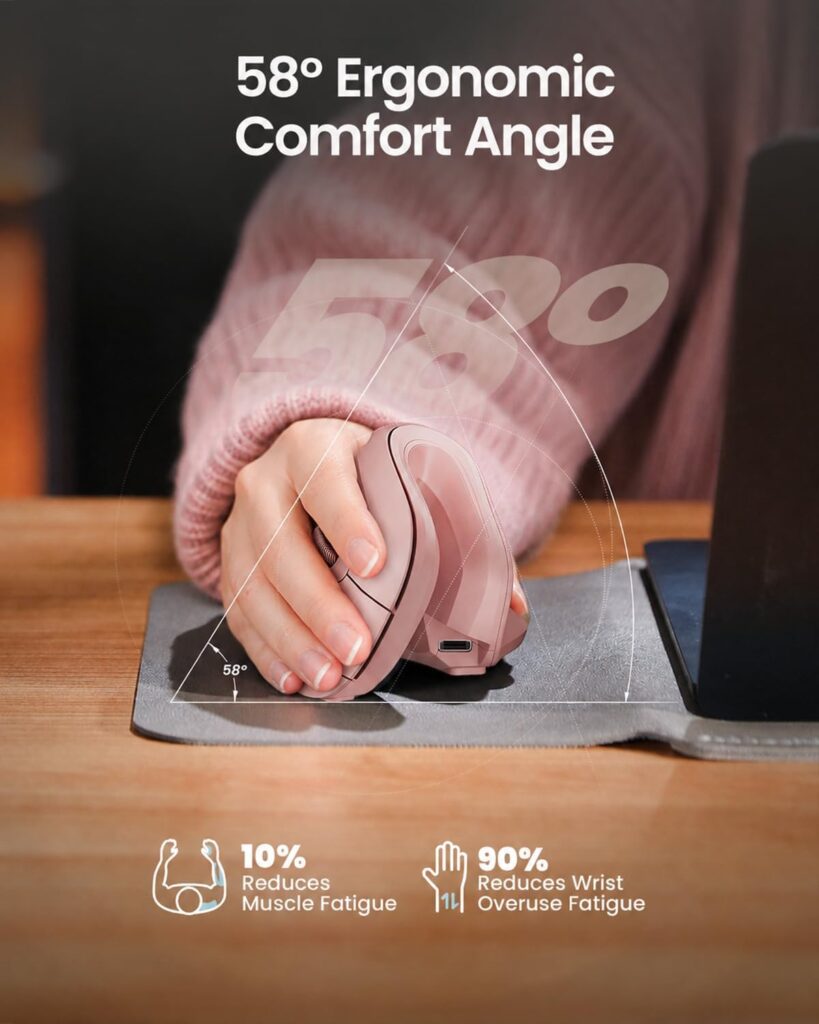
Quick Verdict: The ProtoArc EM11 NL is one of the few vertical mice on the market that explicitly states its intended hand-size range, which makes it a reliable starting point if you’re shopping specifically for a smaller hand. Its 58° angle, quiet main clicks, and three-device Bluetooth switching make it a solid all-rounder for a home office or shared workspace.
Best For: Users with hand lengths under 7.5 inches who want a well-rounded, quiet, rechargeable vertical mouse.
Key Specifications:
- Vertical angle: 58°
- DPI: 1000 / 1600 / 2400 (adjustable)
- Connectivity: Bluetooth and 2.4G USB-A receiver (sold separately connection modes, receiver included)
- Battery: 500mAh built-in, USB-C charging
- Buttons: 7, including forward/back navigation
- Weight: approximately 10.9 ounces (packaging weight; mouse itself is lighter)
What We Like:
- Manufacturer specifies a hand-size fit rather than a vague “comfortable for everyone” claim
- Main left/right clicks are quiet, which helps in shared offices
- Connects to up to three devices and switches with one click
What We Don’t Like:
- Forward and back buttons are not programmable
- No USB-C receiver included, only the 2.4G USB-A version, which may not suit newer thin laptops with USB-C-only ports
Ergonomic Analysis: The 58° vertical angle keeps the forearm closer to a neutral, handshake-like position instead of the fully palm-down posture of a traditional mouse. Emily Richardson notes that a 55–60° angle tends to be a reasonable middle ground for first-time vertical mouse users — steep enough to change wrist posture, but not so steep that it feels unfamiliar on day one.
Who Should Buy It? Anyone with a smaller-to-medium hand who wants a dependable everyday vertical mouse and doesn’t need programmable buttons.
Who Should Skip It? Users with larger hands, who may find the compact shape leaves the palm without enough support, and Mac users who specifically need a USB-C receiver.
Value for Money: At its typical price point, the EM11 NL offers a reasonable feature set for the price, particularly given the explicit small-hand fit guidance, which is uncommon at this price tier.
🛒 Check Price on Amazon2. Uineer Vertical Ergonomic Mouse
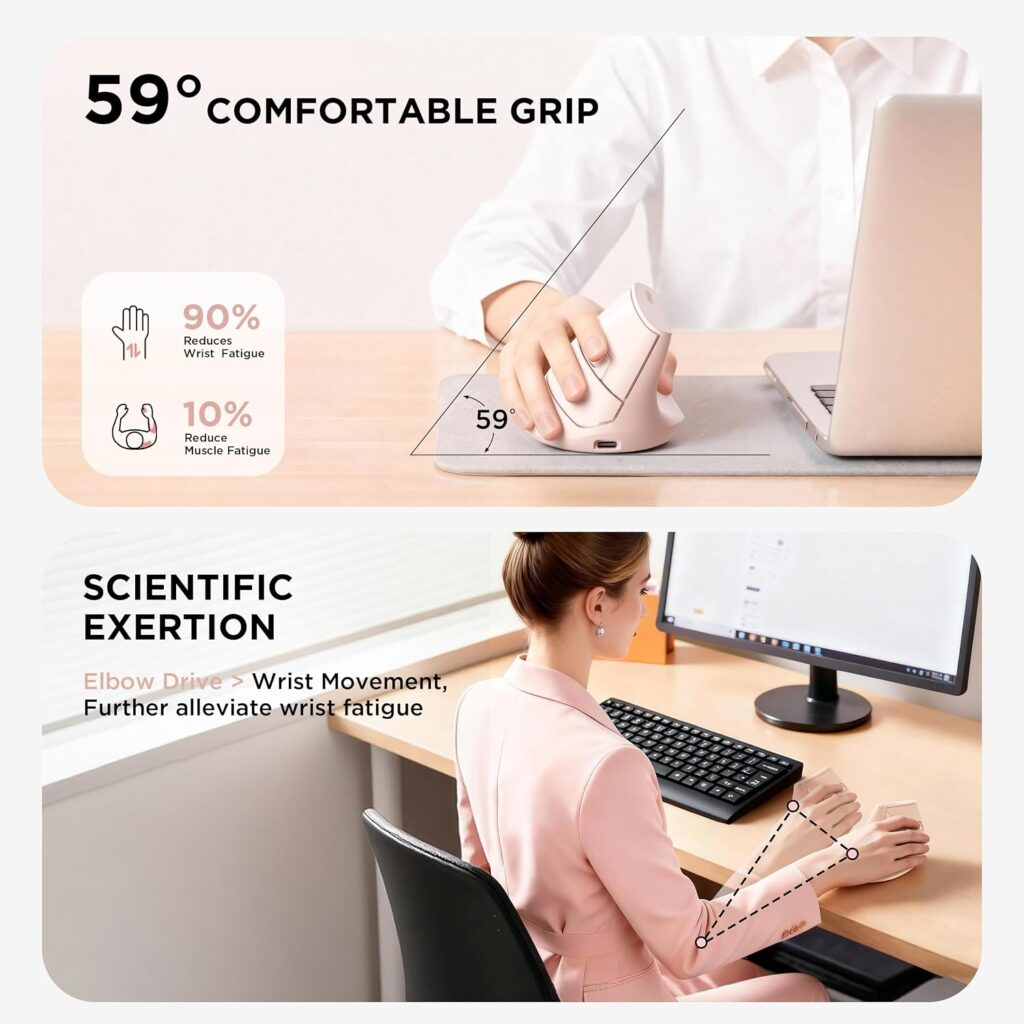
Quick Verdict: The Uineer vertical mouse is a budget-friendly option that still covers the fundamentals well: it explicitly recommends measuring your hand first, supports three connected devices, and includes a visible battery indicator so you’re not caught off guard mid-task.
Best For: Buyers with small to medium hands who want solid ergonomic basics without paying a premium.
Key Specifications:
- Connectivity: Bluetooth 5.0/4.0 and 2.4G USB receiver
- DPI: 800 / 1200 / 1600 / 2400 (adjustable)
- Battery: 500mAh rechargeable, USB-C charging, visible indicator
- Buttons: 6
- Weight: approximately 5.3 ounces
What We Like:
- Manufacturer directly advises measuring hand size before ordering, which reduces the odds of a poor fit
- Switches between three paired devices without repairing
- Battery indicator avoids the surprise of a sudden shutdown
What We Don’t Like:
- Manufacturer notes a 1–2 week adjustment period for the vertical angle, which is longer than some competitors mention
- Back/forward buttons don’t work on macOS
Ergonomic Analysis: Like other vertical mice in this list, the Uineer keeps the wrist closer to a neutral “handshake” position. What sets it apart slightly is the explicit sizing guidance in the product listing, which is a genuinely useful detail that many competing listings leave out entirely.
Who Should Buy It? Anyone shopping on a budget who has already confirmed a smaller hand size and wants multi-device Bluetooth switching.
Who Should Skip It? Mac users who rely on the back/forward buttons for browsing, and anyone who wants to start using a vertical mouse immediately without an adjustment period.
Value for Money: Among the vertical mice in this guide, the Uineer offers strong value, especially with the 12-month replacement guarantee mentioned in the listing.
🛒 Check Price on Amazon3. TECKNET Ergonomic Wireless Vertical Mouse
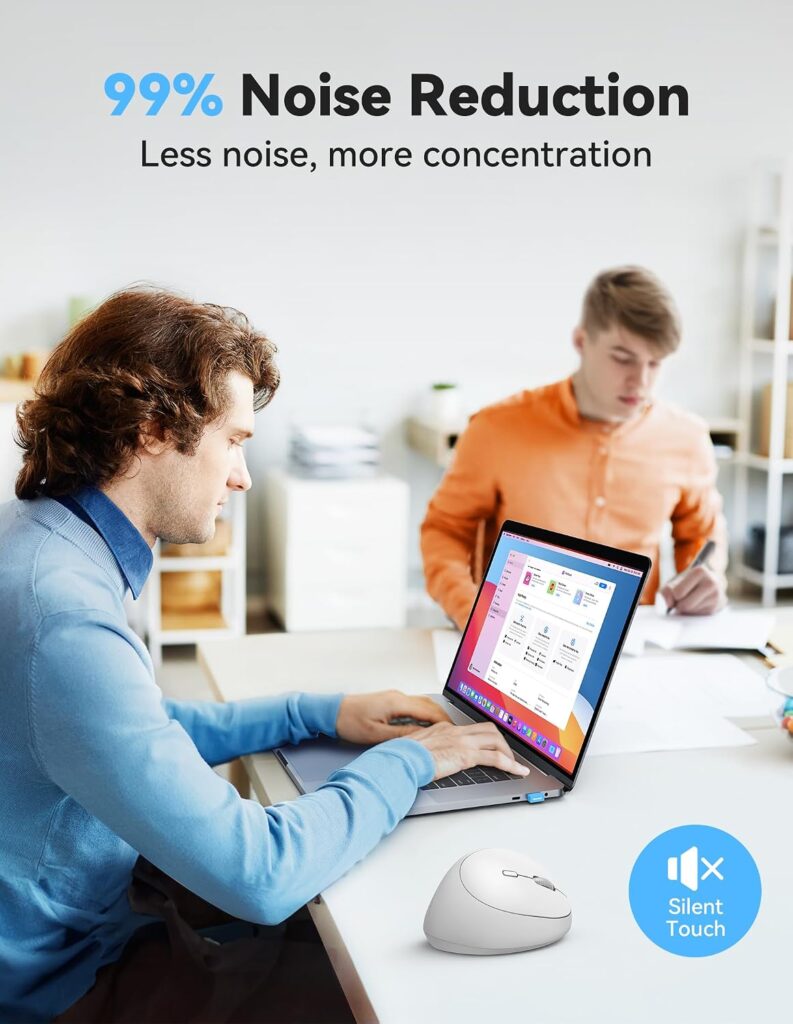
Quick Verdict: The TECKNET is the most affordable mouse in this guide and one of the easiest to recommend as a first vertical mouse, thanks to its rounded, no-sharp-corner shape that the manufacturer says suits a wide range of hand sizes.
Best For: First-time vertical mouse buyers on a tight budget.
Key Specifications:
- Vertical angle: 52°
- DPI: 800 / 1600 / 2400 / 3200 / 4800 (5 adjustable levels)
- Connectivity: 2.4GHz wireless via USB receiver
- Power: 1 AA battery (not built-in rechargeable)
- Buttons: 8, with a claimed 99%+ click-noise reduction on the main buttons
- Dimensions: 4.13″ L x 2.55″ W
What We Like:
- Lowest price point among the mice reviewed here
- Rounded shape without sharp edges, reasonably comfortable across a range of hand sizes
- Very quiet main clicks
What We Don’t Like:
- Runs on a single AA battery rather than a built-in rechargeable cell, so you’ll need to keep spares on hand
- Forward/back side buttons don’t work on macOS
Ergonomic Analysis: At 52°, this is one of the gentler vertical angles in the lineup, which can make it a comfortable entry point if you’ve never used a vertical mouse before and aren’t sure whether the angle will suit you.
Who Should Buy It? Budget-conscious buyers who want to try a vertical mouse for the first time without a big financial commitment.
Who Should Skip It? Anyone who specifically wants a rechargeable built-in battery, or Mac users who need full side-button functionality.
Value for Money: At its typical price, this is the best entry point in the guide for someone who is unsure whether a vertical mouse will work for them.
🛒 Check Price on Amazon4. Lenovo Yoga Pro Mouse
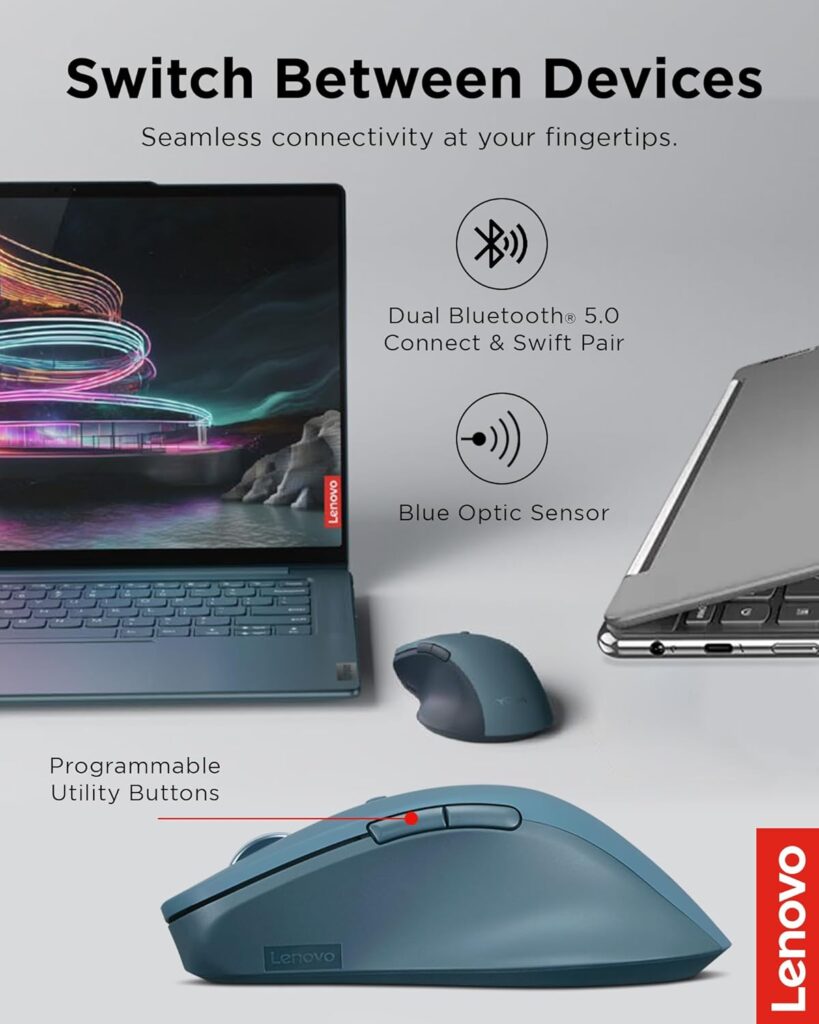
Quick Verdict: Not every reader wants a vertical mouse, and the Lenovo Yoga Pro is a good option for those who prefer a traditional, symmetrical shape but still want a soft, ergonomically considered grip and a genuinely premium build.
Best For: Buyers who find vertical mice uncomfortable or unfamiliar but still want an ergonomically shaped, well-made mouse.
Key Specifications:
- Connectivity: Bluetooth 5.1, dual-device quick pairing
- DPI: Up to 4000, with 3-stage on-the-fly adjustment
- Battery: Rechargeable, roughly 2–3 months per full charge
- Buttons: 6, including programmable side and top buttons
- Dimensions: 5″ L x 2.8″ W
What We Like:
- Soft-touch material on the sides improves grip comfort during long sessions
- Programmable buttons and a configurable scroll wheel add flexibility
- Long battery life between charges
What We Don’t Like:
- This is a symmetrical, full-sized mouse rather than a vertical design, so it won’t reduce forearm rotation the way a vertical mouse can
- Higher price point than most of the other options in this guide
Ergonomic Analysis: The Yoga Pro isn’t a vertical mouse, so it won’t rotate the forearm out of a pronated position the way the other products in this list do. What it does offer is a genuinely comfortable, well-balanced traditional shape with soft side padding, which can matter more than angle alone for users who find vertical mice awkward to hold.
Who Should Buy It? Readers who want an ergonomically considered mouse but have tried vertical designs before and didn’t get along with them.
Who Should Skip It? Anyone specifically looking for the wrist-rotation benefit of a vertical mouse, or buyers on a tighter budget.
Value for Money: The price sits above the vertical mice in this guide, but the build quality, programmable buttons, and battery life help justify it for users who want a traditional shape done well.
🛒 Check Price on Amazon5. Anker 2.4G Wireless Ergonomic Vertical Mouse
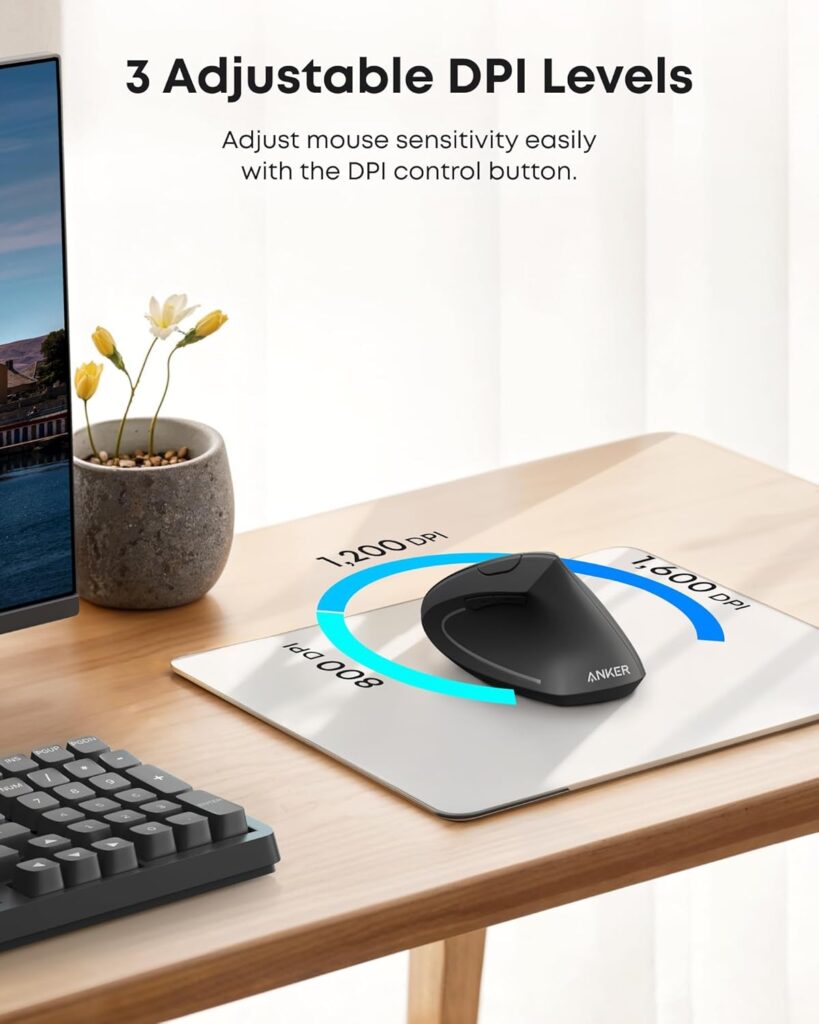
Quick Verdict: The Anker vertical mouse is a familiar, no-surprises option that covers the essentials of a handshake grip design at a mid-range price, with a straightforward 2.4GHz connection that doesn’t require Bluetooth pairing.
Best For: Everyday desk use where simplicity and a dependable brand matter more than extra features.
Key Specifications:
- Connectivity: 2.4GHz USB receiver (not Bluetooth)
- DPI: 800 / 1200 / 1600
- Power: 2 AAA batteries (not included), auto power-saving after 8 minutes idle
- Buttons: 6, including next/previous page buttons
- Dimensions: 4.72″ L x 2.94″ W
What We Like:
- Straightforward plug-and-play 2.4GHz setup with no Bluetooth pairing steps
- Familiar handshake grip shape from an established brand
- Auto power-saving mode helps extend battery life
What We Don’t Like:
- The manufacturer’s own listing notes that click sounds are unavoidable, so this isn’t the choice for a quiet, shared office
- Requires 2 AAA batteries, which are not included in the box
Ergonomic Analysis: This follows a standard handshake-style vertical grip, similar in concept to the other vertical mice here, and OSHA’s guidance on pointer devices notes that keeping the wrist in a straight, neutral posture near the keyboard is one of the more consistent ways to reduce awkward positioning during long computer sessions — a vertical shape is one way to work toward that posture, though desk and chair setup matter too.
Who Should Buy It? Buyers who want a dependable, no-frills vertical mouse and don’t mind an audible click.
Who Should Skip It? Anyone working in a quiet, shared space where a louder click would be distracting.
Value for Money: Reasonable for the brand recognition and reliability, though it doesn’t include rechargeable batteries at this price point, which is a bit of a letdown compared with some competitors.
🛒 Check Price on Amazon6. Lekvey Rechargeable Vertical Wireless Mouse

Quick Verdict: The Lekvey stands out mainly for its battery life, rated at up to 150 hours per charge, but its dimensions are listed as best suited to medium or large hands, which is worth knowing if you’re specifically shopping for a smaller grip.
Best For: Users with medium to large hands who don’t want to think about charging often.
Key Specifications:
- Connectivity: 2.4GHz USB receiver (no Bluetooth)
- DPI: 800 / 1200 / 1600
- Battery: Built-in rechargeable, up to 150 hours per charge, USB-C charging
- Buttons: 6, including page back/forward
- Dimensions: 5″ L x 3″ W (manufacturer recommends this size for medium or large hands)
What We Like:
- Long battery life compared with most other mice in this guide
- Simple plug-and-play 2.4G receiver, no drivers required
- 36-month manufacturer warranty is longer than most competitors offer
What We Don’t Like:
- The manufacturer’s own size guidance points toward medium or large hands, so smaller hands may find it a stretch
- No Bluetooth option, only the 2.4G receiver
Ergonomic Analysis: The vertical handshake position is the same underlying concept as the other vertical mice reviewed here. Where the Lekvey differs is simply in scale — it’s built around a larger palm, which can leave less support under a smaller hand and may increase, rather than reduce, strain for that user.
Who Should Buy It? Readers with medium-to-large hands who want long battery life and a straightforward wireless connection.
Who Should Skip It? Anyone with a smaller hand – the ProtoArc, Uineer, or TECKNET options above are a better starting point.
Value for Money: Solid value if your hand size matches the manufacturer’s recommendation; less so if it doesn’t, since comfort is the entire point of buying an ergonomic mouse in the first place.
🛒 Check Price on Amazon7. MEETION Ergonomic Wireless Vertical Mouse (BTM010)
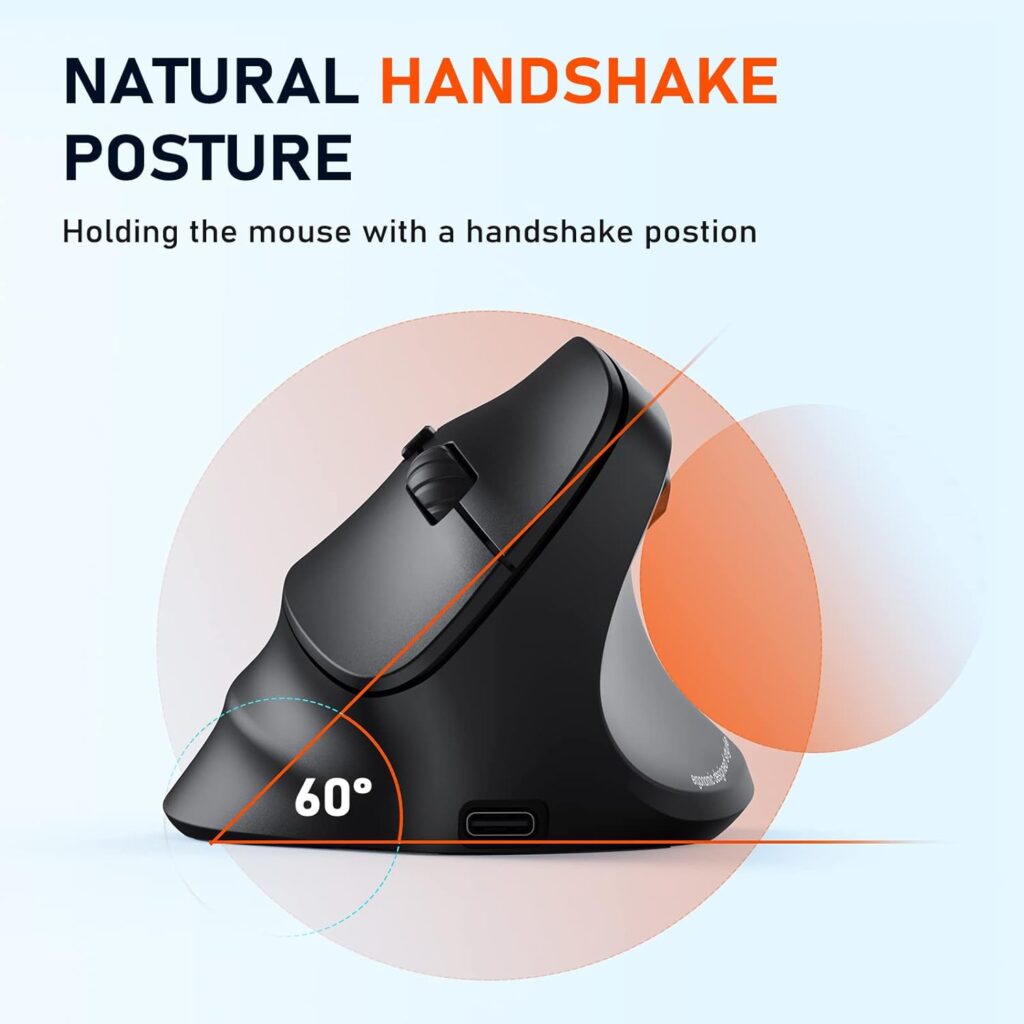
Quick Verdict: The MEETION BTM010 offers the widest range of colors and left- or right-hand versions of any mouse in this guide, plus RGB lighting for those who want a bit of personality on their desk, but the manufacturer notes it’s more suited to medium-to-large hands.
Best For: Buyers who want color choice, RGB lighting, or a left-handed version, and who have a medium-to-large hand.
Key Specifications:
- Connectivity: Dual Bluetooth (5.0/3.0) and 2.4G
- DPI: 1200 / 1600 / 2400 / 3200
- Battery: Rechargeable, up to roughly 2 months with lighting off, around 1 month with RGB on
- Buttons: 6, including forward/back navigation
- Dimensions: 4.3″ L x 3.1″ W x 2.8″ H
What We Like:
- Available in both left- and right-handed versions, plus a wide color range
- RGB lighting is a nice touch for a personalized desk setup
- Wide OS compatibility, including older Windows versions
What We Don’t Like:
- Manufacturer states this is more suitable for medium to large hands, and recommends checking dimensions carefully if your hands are smaller
- Back/forward buttons don’t work in Safari
Ergonomic Analysis: The vertical shape follows the same general handshake principle as the rest of this list, and the availability of a left-handed version is a genuine differentiator, since most ergonomic mice — including several others in this guide – are right-hand only.
Who Should Buy It? Left-handed users, or anyone who specifically wants a color or RGB option and has confirmed a medium-to-large hand fit.
Who Should Skip It? Smaller-handed users, and anyone who prefers a smooth, glide-friendly surface for lifting the mouse frequently – the manufacturer notes the design suits gliding more than lifting.
Value for Money: Reasonable, particularly for left-handed buyers, since left-handed ergonomic mice are a smaller category with fewer choices overall.
🛒 Check Price on Amazon8. Logitech G305 Lightspeed Wireless Mouse
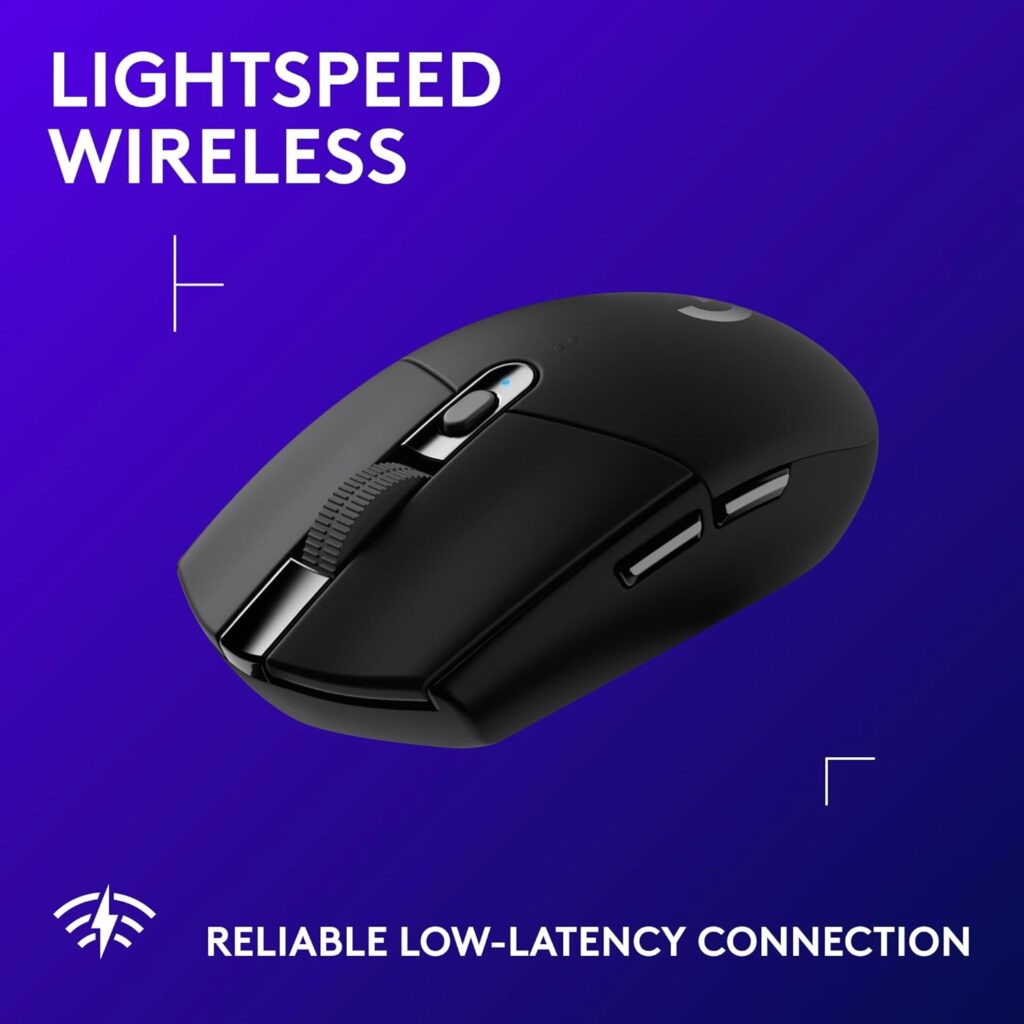
Quick Verdict: The G305 isn’t a vertical or ergonomically shaped mouse, and we’re including it specifically for readers who have tried vertical designs and prefer a traditional low, ambidextrous shape instead – it’s exceptionally light, has a long battery life, and tracks precisely.
Best For: Buyers who want a traditional-shaped, lightweight mouse rather than a vertical design.
Key Specifications:
- Connectivity: 2.4GHz Lightspeed wireless USB receiver
- DPI: Up to 12,000
- Battery: 1 AA battery, up to 250 hours (or roughly 9 months in Endurance mode)
- Buttons: 6
- Weight: approximately 3.4 ounces
- Dimensions: 4.59″ L x 2.45″ W
What We Like:
- Genuinely lightweight, which can reduce fatigue during long sessions regardless of shape
- Very long battery life on a single AA battery
- Precise optical sensor, useful for detail-oriented work as well as gaming
What We Don’t Like:
- This is a traditional, flat, ambidextrous shape, not a vertical or angled ergonomic design, so it won’t reduce forearm pronation the way the other mice in this guide do
- Marketed primarily as a gaming mouse, so the styling leans that direction
Ergonomic Analysis: Independent research on mouse posture, including a peer-reviewed comparison of flat, angled, and vertical mouse designs published in the journal Work, has found that increasing mouse height and angling the shape can improve wrist posture without hurting pointing performance – which is part of why vertical mice exist. A flat mouse like the G305 doesn’t offer that same postural benefit, but its light weight can still reduce the effort needed to move it across the desk.
Who Should Buy It? Readers who specifically dislike the vertical mouse feel and want a light, precise, traditional-shaped alternative.
Who Should Skip It? Anyone whose main goal is reducing wrist strain through a more neutral forearm position – a vertical mouse from earlier in this list is the better fit.
Value for Money: Strong value for the specs, especially given frequent discounts, but keep in mind you’re paying for gaming-grade precision rather than ergonomic design.
🛒 Check Price on AmazonComparison Table
| Product | Type | Key Ergonomic Feature | Weight | Connectivity | Rating |
|---|---|---|---|---|---|
| ProtoArc EM11 NL | Vertical | 58° angle, built for hands under 7.5″ | ~10.9 oz* | Bluetooth / 2.4G | 4.4/5 |
| Uineer | Vertical | Small-medium hand fit, 3-device switching | 5.3 oz | Bluetooth / 2.4G | 4.3/5 |
| TECKNET | Vertical | 52° angle, rounded universal shape | 3.52 oz | 2.4GHz USB | 4.5/5 |
| Lenovo Yoga Pro | Traditional (symmetrical) | Soft side grip, programmable buttons | 3.52 oz | Bluetooth 5.1 | 4.4/5 |
| Anker | Vertical | Handshake grip, auto power-save | 4.5 oz | 2.4GHz USB | 4.2/5 |
| Lekvey | Vertical | Handshake grip, sized for medium/large hands | 3.36 oz | 2.4GHz USB | 4.3/5 |
| MEETION BTM010 | Vertical | Left/right versions, medium-large fit | 3.68 oz | Bluetooth / 2.4G | 4.2/5 |
| Logitech G305 | Traditional (flat, ambidextrous) | Ultra-lightweight, precise sensor | 3.4 oz | 2.4GHz Lightspeed | 4.6/5 |
Decision Framework: Which One Should You Buy?
Choose the ProtoArc EM11 NL if: You have a smaller-to-medium hand and want a well-rounded, quiet, all-purpose vertical mouse.
Choose the Uineer if: You want to keep costs down but still get multi-device Bluetooth switching and a small-to-medium hand fit.
Choose the TECKNET if: You’ve never used a vertical mouse before and want the cheapest way to find out whether the angle suits you.
Choose the Lenovo Yoga Pro if: You’ve tried vertical mice and didn’t like them, but still want an ergonomically considered, premium-feeling traditional mouse.
Choose the Anker if: You want a simple, dependable 2.4GHz vertical mouse without Bluetooth pairing steps.
Choose the Lekvey if: Your hands are medium-to-large and you don’t want to charge your mouse often.
Choose the MEETION if: You’re left-handed, or you want RGB lighting and a wide color range, and your hand size matches the medium-large recommendation.
Choose the Logitech G305 if: You want the lightest possible mouse and don’t mind giving up the vertical wrist-angle benefit.
Common Mistakes to Avoid
- Buying based only on star ratings. A 4.6-star mouse built for large hands can be a worse fit for you than a 4.2-star mouse built for smaller hands.
- Ignoring hand size guidance. When a listing specifies a hand-length range, it’s worth measuring your own hand before ordering.
- Assuming “ergonomic” automatically means comfortable. Ergonomic design is a starting point, not a guarantee – fit still matters most.
- Skipping the adjustment period. Vertical mice usually take a few days to feel natural; judging one after ten minutes isn’t a fair test.
- Ignoring desk space. A larger vertical mouse needs more desk clearance to move comfortably, which matters on a compact desk.
- Overlooking macOS compatibility. Several budget vertical mice disable back/forward buttons on Mac – check this if you’re on Apple hardware.
- Choosing based on color alone. A great-looking mouse that doesn’t fit your hand will still cause discomfort.
- Forgetting to check the return policy. Since fit is so personal, a flexible return window is worth checking before you buy.
Best Practices for Everyday Comfort
- Keep the mouse at the same height as your keyboard and close to your body, rather than reaching out to the side.
- Move the mouse primarily from the elbow, not by flicking the wrist.
- Adjust DPI so you can cover the screen with light hand movement rather than a large arm sweep.
- Take short movement breaks every 20–30 minutes to rest the hand and wrist.
- Pair an ergonomic mouse with a properly set desk and chair height – a great mouse can’t fully offset a desk that’s too high or too low.
- Give a new vertical mouse at least a few days before deciding whether it works for you.
Alternatives Worth Considering
If a vertical mouse isn’t the right fit for your workflow, it’s worth looking at other ergonomic pointing devices. Our best vertical mouse guide covers more vertical options in detail, while our guide to ergonomic mice for small hands focuses specifically on compact fits. Left-handed readers can check our left-handed ergonomic mouse picks, and anyone managing existing wrist discomfort may find our ergonomic mouse guide for carpal tunnel useful as background reading — though it’s worth remembering that these products support comfort and positioning rather than treating any diagnosed condition.
Frequently Asked Questions
Is there a real difference between an ergonomic mouse for women and a standard ergonomic mouse?
There’s no separate technical category – the differentiator is fit. Mice marketed toward women, or specifically toward smaller hands, are usually sized and shaped for a shorter hand length and lighter grip, which can make a real difference in comfort even though the underlying ergonomic principles are the same for everyone.
What hand size is considered “small” for a mouse?
Manufacturers vary, but a hand length under roughly 7 to 7.5 inches (measured from the base of the palm to the tip of the middle finger) is commonly labeled small to medium in mouse product listings.
Are vertical mice actually more comfortable?
For many users, yes – vertical mice keep the forearm closer to a neutral, handshake-like position instead of the fully palm-down posture of a flat mouse. Comfort still depends on hand fit and personal preference, and some people simply prefer a traditional shape.
How long does it take to get used to a vertical mouse?
Most manufacturers and users report an adjustment period of roughly a few days to two weeks. Pointer accuracy and grip comfort typically improve steadily during that window.
Can an ergonomic mouse help with wrist pain?
An ergonomic mouse may help support a more neutral wrist position and reduce unnecessary strain during everyday use, but it isn’t a medical treatment and it can’t diagnose or cure a condition. If you’re experiencing ongoing or severe wrist pain, it’s worth speaking with a healthcare professional.
Do I need a vertical mouse, or would a smaller traditional mouse work just as well?
It depends on what’s causing your discomfort. If the issue is mainly reach and hand size, a smaller traditional mouse like the TECKNET can help. If the issue is more about wrist rotation and forearm posture, a vertical mouse is more directly aimed at that.
Are wireless ergonomic mice reliable for all-day work?
Yes, generally – most of the mice in this guide use either Bluetooth or a 2.4GHz USB receiver, both of which are well-established, low-latency connection types for everyday office use.
Do left-handed ergonomic mice exist?
They do, though the selection is smaller. The MEETION BTM010 in this guide is available in a left-handed version, and it’s worth checking specifically for “left hand” or “left-handed” in a product listing before buying.
Is a higher DPI always better?
Not necessarily. Higher DPI means the cursor moves further for the same hand movement, which suits fast browsing or large monitors, but it can make precise work like editing or design harder to control. Adjustable DPI settings let you match sensitivity to the task.
What should I do if a vertical mouse doesn’t feel right after a few weeks?
If discomfort continues well beyond the typical adjustment window, it’s worth reconsidering hand size fit, checking your desk and chair height, and, if pain persists, speaking with a healthcare professional rather than assuming the mouse alone is the fix.
Final Verdict
If you want one dependable, well-rounded pick built with smaller hands specifically in mind, the ProtoArc EM11 NL is the strongest overall choice in this guide. If price matters more, the Uineer and TECKNET both deliver solid ergonomic basics at a lower cost. If you’ve tried vertical mice before and prefer a traditional shape, the Lenovo Yoga Pro and Logitech G305 are worth a look – just know you’ll be trading the wrist-rotation benefit for a more familiar feel.
There’s no single “best” mouse for every reader. The right choice comes down to your hand size, how much you’re willing to spend, and whether you’re ready to spend a few days adjusting to a vertical grip.
Compare the latest prices and availability before making your decision.





