
Best Ergonomic Mouse for Large Hands 2026: 6 Options That Actually Fit
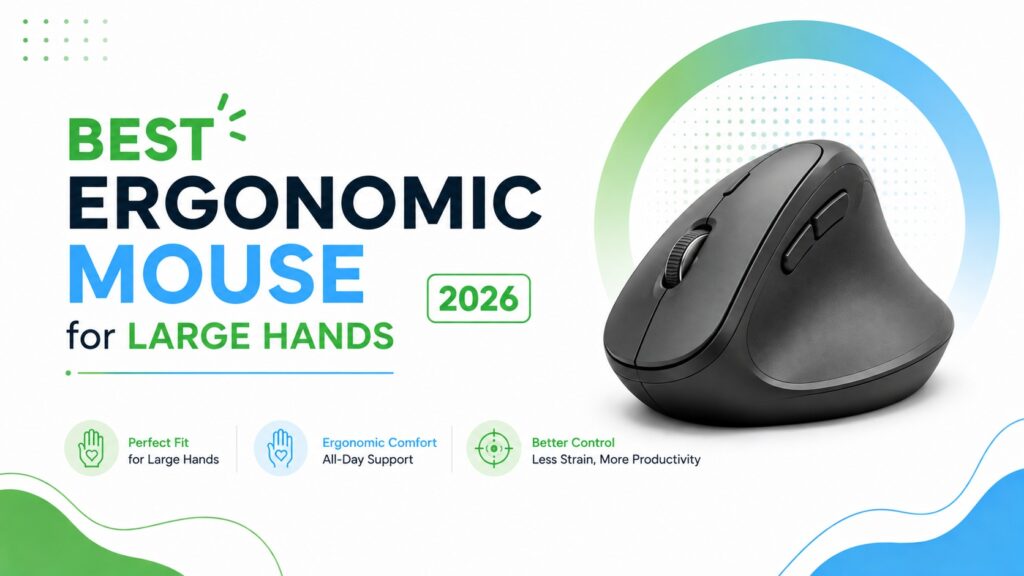
If your palm hangs off the edge of a standard mouse or your fingers curl awkwardly around the sides by the end of the workday, the problem usually isn’t your grip -it’s the mouse. Most mice on the market are sized for an “average” hand, and large hands are often left cramping around a shape that was never built for them. This guide reviews eight ergonomic mice, based on published specifications, manufacturer documentation, and verified Amazon listing data – with six shortlisted specifically for large-hand fit, and two more covered honestly as options that suit other hand sizes better.
Emily Richardson, an ergonomics and work-from-home product specialist with more than 9 years of experience researching office equipment, notes that hand size affects far more than comfort. It changes how your fingers reach the buttons, how much your wrist has to bend to reach the scroll wheel, and whether your palm gets full support or ends up floating past the edge of the shell.
Quick Answer
🖱️ Best Ergonomic Mice for Large Hands at a Glance
These six picks cover different budgets, grip styles, and hand-size ranges, from full-size wireless mice to vertical designs built around wrist positioning.






Quick Verdict Table
| Product | Best For | Main Strength | Main Limitation | Rating | Link |
|---|---|---|---|---|---|
| Logitech Signature M650 L | Overall daily use | Dedicated Large Size shell, quiet clicks | Only 3 buttons, no vertical angle | 4.6/5 | View |
| Evoluent VerticalMouse 4 | Wrist-neutral vertical grip | Upright design, broad palm support | Higher price, learning curve | 4.4/5 | View |
| Acer OMR272 | Spreadsheets, wide documents | Side-scroll wheel, 8 buttons | Side buttons aren’t programmable | 4.2/5 | View |
| INPHIC PM6 PRO | Budget-conscious large-hand users | Wide thumb rest, visible battery level | Build materials feel basic | 4.1/5 | View |
| E-YOOSO X-31 | Tightest budgets | Genuinely large body, side finger rests | Basic sensor, no rechargeable battery | 4.0/5 | View |
| Uineer U6P | Rechargeable everyday use | No disposable batteries, visible charge level | Mid-size shape, not for very large hands | 4.0/5 | View |
| TECKNET TK-MS017 | Small to medium hands | Quiet clicks, rechargeable, multi-device | Sized for S/M hands, not large | 3.9/5 | View |
| Amazon Basics Wireless Mouse | Cheap ambidextrous backup | Very low price, reliable connection | Compact body, no large-hand contouring | 3.7/5 | View |
Introduction
A mouse that’s too small for your hand tends to cause the same few problems: your fingers hang off the front edge, your palm never gets full contact with the shell, and your wrist has to twist or lift to reach the side buttons. Over a full workday, that adds up to a hand that feels tired or cramped by the afternoon.
Ergonomic mouse for large hands is a search a lot of people run after trying two or three “ergonomic” mice that still felt cramped. The word “ergonomic” on a product listing doesn’t automatically mean it fits a bigger hand – some ergonomic mice are actually shaped for small to medium hands. This guide focuses specifically on models with a big hand ergonomic mouse shape: wider bodies, longer palm rests, and in some cases a vertical or handshake grip that changes how the wrist sits relative to the forearm.
We’ll walk through what actually matters when buying a full size ergonomic mouse, review six specific products, and finish with a decision framework so you can match a mouse to your hand size, grip style, and budget.
Buying Guide: What to Look For in a Mouse for Large Hands
1. Overall Body Length and Width
This is the first thing to check. A mouse’s physical dimensions (length and width, usually listed in inches or millimetres) tell you whether your palm will actually rest on the shell or hang past the edge. As a rough guide, mice under about 4.3 inches long tend to feel small for a large hand, while mice around 4.6–5 inches long give the palm somewhere to land.
2. Grip Style: Palm, Claw, or Fingertip
How you naturally hold a mouse changes which shape works best.
- Palm grip – the whole hand rests on the mouse. Large hands using a palm grip usually need a taller, longer shell.
- Claw grip – the palm rests lightly while fingers arch over the buttons. A moderate hump height works better here than an extreme one.
- Fingertip grip – only the fingertips touch the mouse. Body size matters less, but button placement still needs to match finger length.
3. Vertical vs Traditional Shape
A vertical mouse is designed to keep the forearm in a more neutral position than a traditional mouse, because the hand grips it in an upright, handshake-like posture instead of resting flat with the palm facing down. For some large-handed users this reduces the twisting motion (forearm pronation) that a flat mouse requires. It isn’t automatically the right choice for everyone – some people find the angle takes real getting used to.
4. Thumb Rest and Finger Grooves
Large hands often benefit from a dedicated thumb rest or side groove, since the thumb otherwise has nowhere to sit except flat against the desk. A mouse with a sculpted thumb area (like the INPHIC PM6 PRO or the Acer OMR272) tends to feel less cramped over long sessions than a mouse with a flat, straight side.
5. Button Placement and Reach
Extra buttons only help if your fingers can actually reach them without stretching. On a wider mouse, side buttons that sit too far forward can force awkward thumb positioning. Check button count against how many you’ll realistically use – six buttons used well beats eight buttons that require reaching.
6. Weight and Sensor Quality
Heavier mice (roughly 4–5+ ounces) tend to feel more stable under a larger hand, while very light mice can feel like they’re sliding around. DPI (dots per inch) determines cursor sensitivity – higher isn’t automatically better, but a mouse with adjustable DPI levels lets you fine-tune tracking speed for your desk setup.
7. Connectivity and Battery Life
Wireless mice generally connect via a 2.4GHz USB receiver, Bluetooth, or both. Bluetooth is convenient for laptops with limited USB ports, while a dedicated receiver is often more reliable for gaming or precision tasks. Battery life varies widely between models – some run for months on AA batteries, while rechargeable models need a top-up every few weeks but avoid battery waste.
8. Software and Compatibility
Some mice, like the Evoluent VM4RW, include configuration software (Evoluent Mouse Manager) for remapping buttons. Others, like the Uineer model, work as true plug-and-play devices with no software layer. If you want custom button profiles per application, check for software support before buying.
For a deeper look at forearm posture specifically, see our guide on how to hold a vertical mouse correctly.
Product Reviews
1. Logitech Signature M650 L — Best Overall

Quick Verdict: The Logitech Signature M650 L is a full-size wireless mouse explicitly sold in a “Large Size” variant, which is a rare and useful distinction most competitors don’t offer. It pairs a soft, contoured thumb area with quiet clicks and dual Bluetooth/receiver connectivity, making it a dependable all-day option for anyone who doesn’t need a vertical grip.
Best For: Office workers and remote employees who want a comfortable, reliable everyday mouse without a steep learning curve.
Key Specifications:
- Dimensions: 4.65″ L x 2.58″ W
- Weight: 3.92 ounces
- Connectivity: Bluetooth Low Energy or Logi Bolt USB receiver
- Battery life: up to 24 months on a single AA battery
- Buttons: 3, with customizable side buttons via Logitech Options+
- DPI: up to 4,000
What We Like:
- Purpose-built Large Size shape rather than a generic “one size fits all” shell
- SilentTouch technology reduces click noise by roughly 90%, useful in shared spaces
- Long battery life reduces how often you think about the mouse at all
What We Don’t Like:
- Only 3 buttons total, which limits shortcut customization compared to 6–8 button rivals
- Not a vertical design, so it won’t suit users who specifically want an upright wrist angle
Ergonomic Analysis: Emily Richardson’s tip: a mouse doesn’t need extra buttons to be ergonomic – sometimes a well-shaped, correctly sized shell does more for comfort than a longer feature list. The M650 L’s rubber side grips and soft thumb area are what actually make it usable for a full workday, not the button count.
Who Should Buy It? Anyone with a large hand who wants a straightforward, quiet, low-maintenance mouse for office or home-office use.
Who Should Skip It? Users who specifically want a vertical or handshake grip, or who need more than three programmable buttons for workflow shortcuts.
Value for Money: At under $40, the dedicated large-size shell and two-year battery life make this one of the stronger value picks in this list.
🛒 Check Price on Amazon2. Evoluent Vertical Mouse 4 (VM4RW) – Best for Wrist Support

Quick Verdict: Evoluent is often credited with inventing the vertical mouse category, and the VM4RW carries that reputation forward. Its upright grip and broad bottom lip are designed to support the palm through long sessions, while a physical speed dial lets you adjust pointer sensitivity without breaking your grip.
Best For: Users who specifically want a vertical, handshake-style grip and are prepared for a short adjustment period.
Key Specifications:
- Weight: 7.2 ounces
- Connectivity: USB wireless receiver, up to 5 metres range
- Battery: 2 AAA batteries, roughly 3 months average life
- Buttons: 6, customizable through Evoluent Mouse Manager software
- Compatibility: Windows, macOS, and Linux
What We Like:
- Broad bottom lip gives the palm real support rather than a thin edge to balance on
- On-mouse speed adjustment means you don’t need to release your grip to change DPI
- Included software allows per-application button remapping
What We Don’t Like:
- Noticeably more expensive than the other options on this list
- The upright angle takes real adjustment time and won’t feel natural on day one
Ergonomic Analysis: A vertical mouse is designed to keep the forearm closer to a neutral, handshake-like position instead of the pronated (palm-down) posture a flat mouse requires. Emily Richardson’s evaluation approach notes that this can be genuinely useful for people who find flat mice uncomfortable over long sessions, though it is a comfort and positioning benefit – not a guaranteed fix for wrist pain, and it is not a substitute for medical advice.
Who Should Buy It? Large-handed users who work long hours at a computer and want to try a vertical grip specifically for wrist comfort.
Who Should Buy It? Anyone with a large hand who wants a straightforward, quiet, low-maintenance mouse for office or home-office use.
Value for Money: The price is high relative to the rest of this list, but the software support and Evoluent’s long track record with vertical mice justify it for users committed to this grip style.
🛒 Check Price on Amazon3. Acer Ergonomic Mouse OMR272 – Best for Productivity
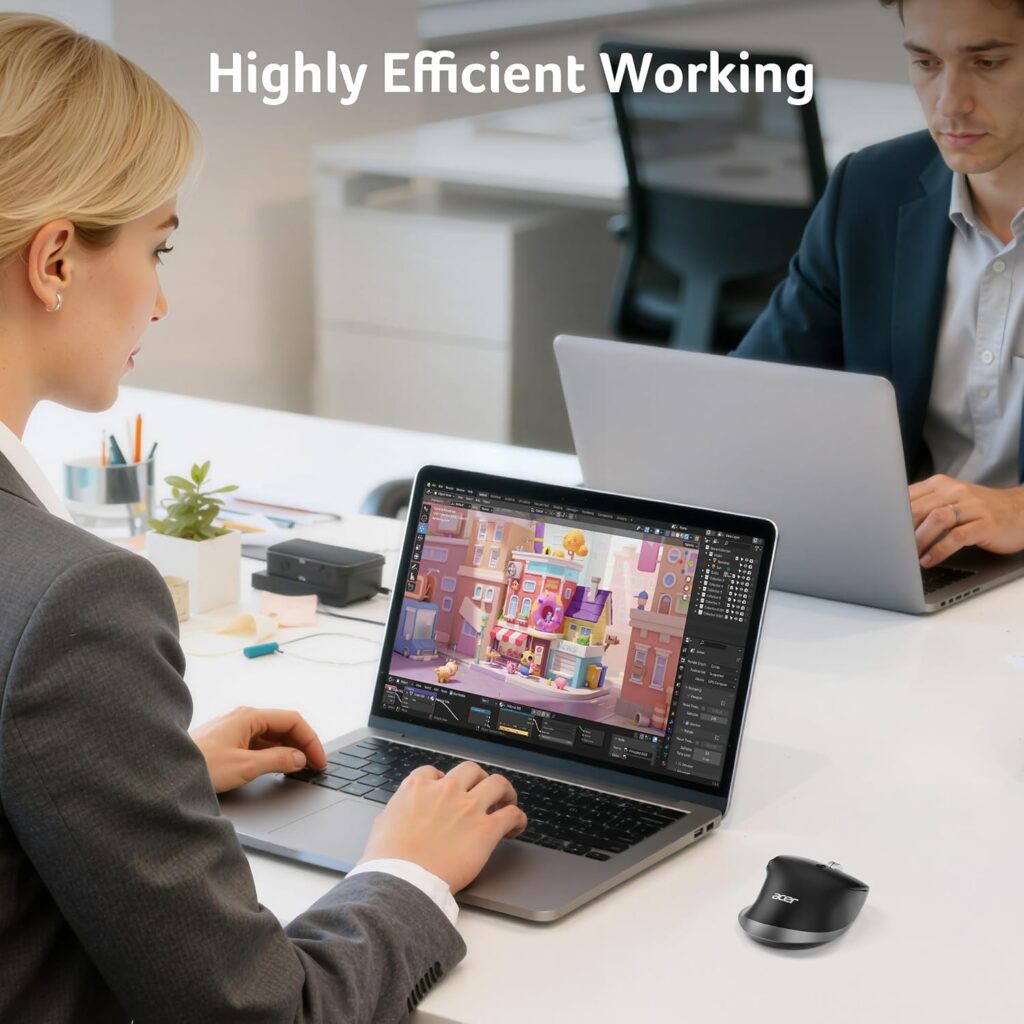
Quick Verdict: Acer markets this mouse specifically for “medium to large sized hands,” and the handshake-style shape backs that up. Its standout feature is a side-scroll wheel for horizontal navigation, which is genuinely useful for spreadsheets, timelines, and wide documents rather than just a marketing bullet point.
Best For: Users who spend significant time in spreadsheets, video editing timelines, or wide-format documents.
Key Specifications:
- Weight: 5.9 ounces (also listed as approximately 108g in some retailer listings)
- Connectivity: Bluetooth and 2.4GHz, switchable across 3 devices
- Battery: built-in 500mAh rechargeable, USB-C charging
- Buttons: 8, including forward/back and side-scroll
- DPI: 6 levels, from 800 to 4,800
What We Like:
- Side-scroll wheel genuinely speeds up navigation through wide spreadsheets
- Multi-device switching across Bluetooth and 2.4GHz is convenient for people using more than one computer
- Rechargeable battery avoids the ongoing cost of disposables
What We Don’t Like:
- The side-scroll button is explicitly not programmable, which limits its use beyond horizontal scrolling
- Acer notes the shape may need one to two weeks of adjustment for full comfort
Ergonomic Analysis: The handshake posture keeps the forearm and wrist closer to neutral than a flat traditional mouse, similar in principle to a vertical mouse but at a gentler angle. This can make it a reasonable middle ground for users who want some wrist benefit without committing to a fully vertical shape like the Evoluent.
Who Should Buy It? Large-handed users who work heavily in spreadsheets or timeline-based software and want side-scroll access without a separate accessory.
Who Should Skip It? Anyone who wants every button fully customizable, since the side-scroll button’s function is fixed by design.
Value for Money: At around $25, the rechargeable battery and multi-device switching make this a strong mid-range pick, though the fixed side-scroll button is worth knowing about before buying.
🛒 Check Price on Amazon4. INPHIC PM6 PRO – Best Value
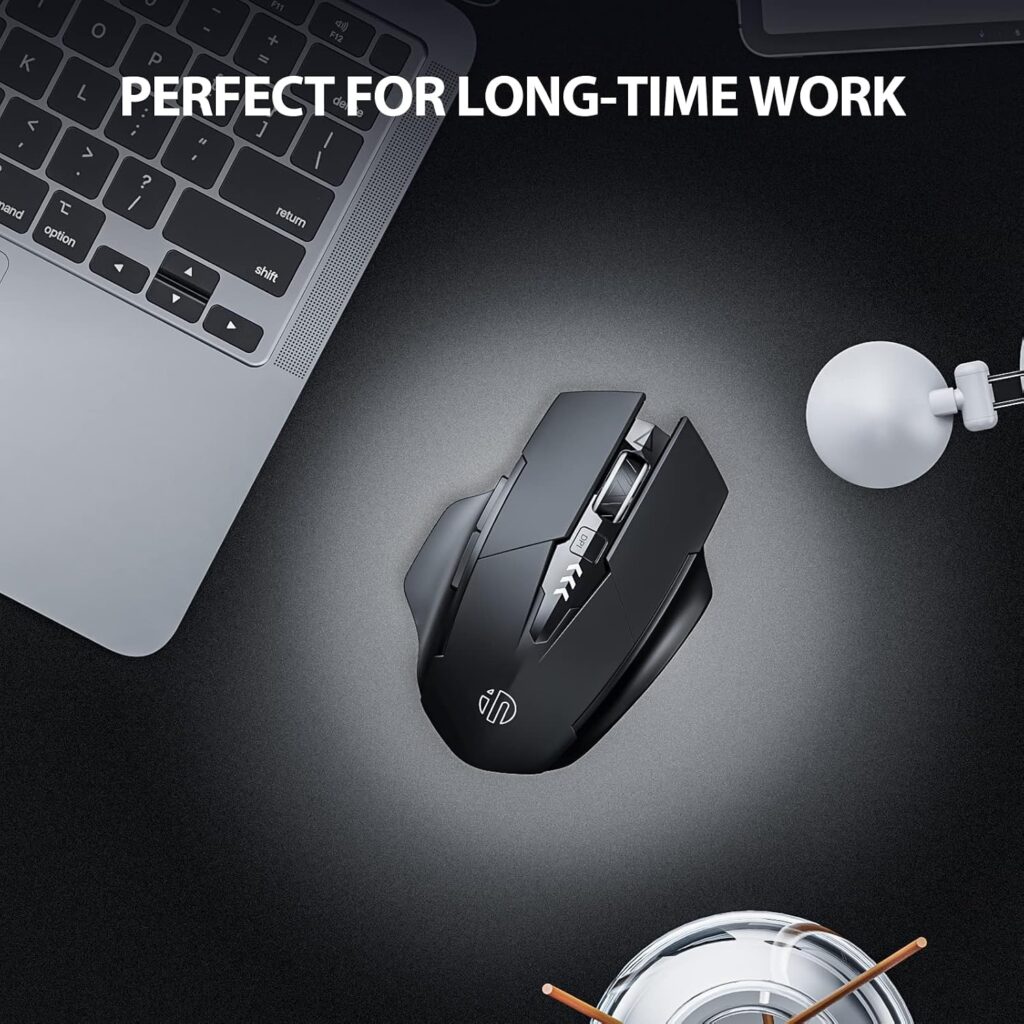
Quick Verdict: The INPHIC PM6 PRO is built around a noticeably wider thumb rest than most budget mice, aimed specifically at reducing pressure on the palm and fingers during long sessions. A visible battery indicator is a small but genuinely useful touch that’s often missing at this price point.
Best For: Large-handed users who want better thumb support without spending much beyond entry-level pricing.
Key Specifications:
- Dimensions: 4.33″ L x 3.15″ W
- Weight: 3.35 ounces
- Connectivity: USB 2.4GHz wireless, up to 10 metres range
- Battery: rechargeable lithium battery, roughly 3 months average life
- Buttons: 6, including DPI adjustment and forward/back
- DPI: 4 levels, from 800 to 2,400
What We Like:
- Wider thumb rest genuinely reduces the “nowhere to put my thumb” problem common on budget mice
- Visible battery level indicator removes the guesswork of when to recharge
- Auto-sleep mode helps extend battery life between charges
What We Don’t Like:
- Build materials feel noticeably more basic than the Logitech or Evoluent options
- Maximum DPI of 2,400 is lower than some competitors, which may matter for precision-heavy tasks
Ergonomic Analysis: Thumb support matters more than it might seem. Without a defined rest, the thumb has to actively grip the side of the mouse for hours, which can contribute to fatigue. Emily Richardson’s recommendation: for a budget mouse, prioritize a defined thumb area over extra buttons you may never use.
Who Should Buy It? Anyone with large hands who wants noticeably better thumb comfort than a typical entry-level mouse, on a tight budget.
Who Should Skip It? Users who need very high DPI for design or gaming precision, or who prefer a more premium material feel.
Value for Money: At under $16, the wider thumb rest and battery indicator are genuinely useful features rarely found at this price.
🛒 Check Price on Amazon5. E-YOOSO X-31 – Best Budget
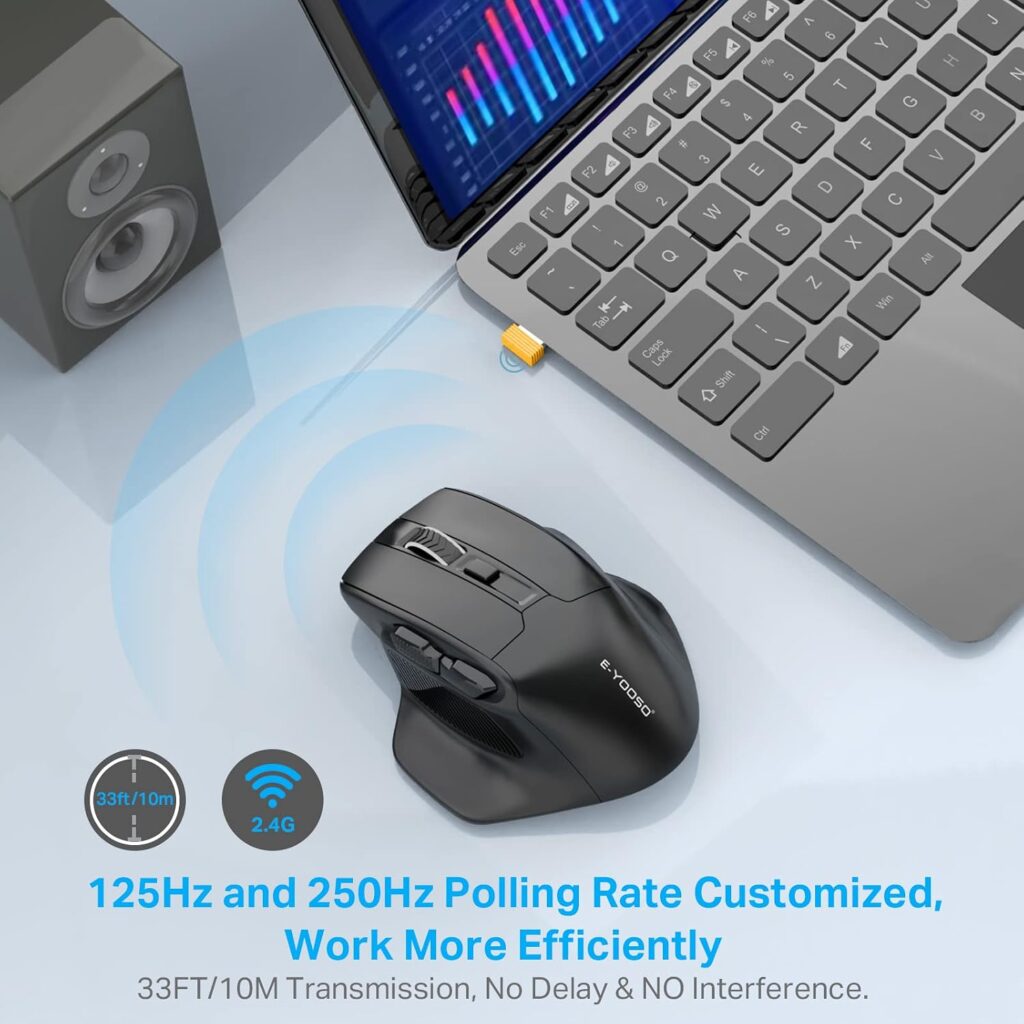
Quick Verdict: The X-31 is marketed directly as a “large wireless mouse for big hands,” and its dimensions back that claim up better than most sub-$20 mice. Side finger rests add real support, though the sensor and connectivity are basic compared to the pricier options on this list.
Best For: Buyers on a tight budget who specifically need a larger body rather than extra features.
Key Specifications:
- Dimensions: 4.96″ L x 3.85″ W (the largest footprint on this list)
- Weight: 5.9 ounces
- Connectivity: USB 2.4GHz wireless, up to 33 feet range
- Battery: 1 AA battery, up to 18 months average life
- Buttons: 6, including forward/back
- DPI: 5 levels, from 800 to 4,800
What We Like:
- Genuinely large body dimensions, the widest and longest shell in this comparison
- Side finger rests provide extra grip support that many budget mice skip
- Long battery life on a single AA reduces ongoing costs
What We Don’t Like:
- No Bluetooth option, USB receiver only
- Materials and build quality feel closer to entry-level than the mid-range picks on this list
Ergonomic Analysis: For a palm-grip user with genuinely large hands, raw body size often matters more than feature count. The X-31’s dimensions mean the palm gets full contact with the shell instead of hanging off the front edge, which is the core problem this article is meant to solve.
Who Should Buy It? Anyone prioritizing a large, supportive shell over software features or premium materials, especially on a strict budget.
Who Should Skip It? Users who want Bluetooth connectivity or a more refined build for daily professional use.
Value for Money: At under $20, this is the most size-for-money option on this list if raw dimensions are your top priority.
🛒 Check Price on Amazon6. Uineer U6P – Budget Alternative

Quick Verdict: The Uineer U6P is a solid, mid-size rechargeable mouse rather than a large-hand specialist. It’s included here as a budget alternative for users with moderately large hands who mainly want to avoid disposable batteries and don’t need a maximum-size shell.
Best For: Everyday users with medium to moderately large hands who want a simple, rechargeable, plug-and-play mouse.
Key Specifications:
- Dimensions: 4.65″ L x 3.23″ W
- Weight: 3.35 ounces
- Connectivity: USB 2.4GHz wireless, up to 10 metres range
- Battery: rechargeable via included USB-C cable, visible battery display
- Buttons: 6
- DPI: 4 levels, from 800 to 2,400
What We Like:
- Visible battery display and rechargeable design remove battery-buying hassle
- Genuinely plug-and-play with no driver installation required
- Comes with a 45-day refund window and 1-year replacement service
What We Don’t Like:
- Dimensions are closer to a standard mid-size mouse than a true large-hand shell
- Maximum DPI is on the lower end compared to some competitors here
Ergonomic Analysis: This isn’t a specialist large-hand mouse, so we’re recommending it specifically as an alternative rather than a primary pick — a reasonable option if your hands are only moderately larger than average and you’d rather prioritize the rechargeable battery over maximum body size.
Who Should Buy It? Buyers with moderately large hands who want a simple, affordable, rechargeable mouse and don’t need the widest available shell.
Who Should Skip It? Anyone with genuinely large hands who needs the extra length and width found on the E-YOOSO X-31 or Evoluent VM4RW.
Value for Money: At under $15, the rechargeable battery and included warranty coverage make it a fair pick, provided your hands aren’t at the larger end of the range.
🛒 Check Price on Amazon7. TECKNET Ergonomic Vertical Mouse (TK-MS017)

Quick Verdict: This is a genuinely well-reviewed vertical mouse with Bluetooth 5.0/3.0 and 2.4G connectivity, a rechargeable battery, and near-silent clicks. The catch for this guide is that TECKNET’s own product listing describes the 52-degree vertical angle as designed to fit S/M (small to medium) hands, not large ones.
Key Specifications:
- Dimensions: 4.92″ L x 2.76″ W
- Weight: 5 ounces
- Connectivity: Bluetooth 5.0/3.0 and 2.4G, USB-A receiver included
- Battery: 600mAh rechargeable, up to 2 months per charge
- Buttons: 6, including forward/back
- DPI: 6 levels, from 800 to 4,800
What We Like:
- Rechargeable battery with fast charging (around 1.5 hours for up to 2 months of use)
- Very quiet clicks, useful for shared or open-plan workspaces
- Multi-device Bluetooth switching
What We Don’t Like:
- Manufacturer-stated fit is S/M hands, so a large hand may feel cramped on the narrower vertical body
- Not a strong match for the core need this guide addresses
Who Should Buy It? Users with small to medium hands who want a compact vertical mouse. If that’s you, this is worth a look on its own merits.
Who Should Skip It? Anyone with genuinely large hands – the narrower 2.76″ width is a noticeably tighter fit than the Evoluent VM4RW’s vertical shell.
🛒 Check Price on Amazon8. Amazon Basics Wireless Optical Mouse

Quick Verdict: A simple, inexpensive 3-button mouse that works reliably as an everyday driver, but it’s an ambidextrous, compact-bodied design rather than a large-hand shell, so it isn’t built to solve the specific problem this guide covers.
Key Specifications:
- Dimensions: 3.97″ L x 2.28″ W
- Weight: 3.52 ounces
- Connectivity: USB 2.4GHz wireless (nano receiver)
- Buttons: 3 (ambidextrous)
- DPI: 1,600
What We Like:
- Very low price point
- Reliable, no-frills wireless connection
- Nano receiver stores inside the mouse for travel
What We Don’t Like:
- Compact ambidextrous body is on the smaller side and won’t give a large palm much support
- Only 3 buttons and a single DPI setting, with no ergonomic contouring
Who Should Buy It? Anyone who just needs a cheap, reliable backup mouse and isn’t dealing with hand-size discomfort.
Who Should Skip It? Large-handed users looking for a properly sized or contoured shell – this is a budget generalist mouse, not an ergonomic large-hand pick.
🛒 Check Price on AmazonComparison Table
| Product | Type | Key Ergonomic Feature | Weight | Connectivity |
|---|---|---|---|---|
| Logitech M650 L | Traditional (Large Size) | Soft thumb area, rubber side grips | 3.92 oz | Bluetooth / Logi Bolt |
| Evoluent VM4RW | Vertical (upright) | Broad palm-supporting bottom lip | 7.2 oz | USB wireless receiver |
| Acer OMR272 | Handshake posture | Side-scroll wheel for wide navigation | 5.9 oz | Bluetooth / 2.4GHz |
| INPHIC PM6 PRO | Traditional (large body) | Wide thumb rest | 3.35 oz | USB 2.4GHz |
| E-YOOSO X-31 | Traditional (largest body) | Side finger rests | 5.9 oz | USB 2.4GHz |
| Uineer U6P | Traditional (mid-size) | Rechargeable, visible battery level | 3.35 oz | USB 2.4GHz |
| TECKNET TK-MS017 | Vertical (S/M hands) | Quiet clicks, rechargeable | 5 oz | Bluetooth / 2.4GHz |
| Amazon Basics Wireless Mouse | Ambidextrous (compact) | Low-cost reliability | 3.52 oz | USB 2.4GHz |
Decision Framework: Which Mouse Should You Buy?
Choose the Logitech Signature M650 L if: you want a reliable, quiet, dedicated large-size mouse for everyday office or home-office work and don’t need a vertical grip or a long list of buttons.
Choose the Evoluent VerticalMouse 4 if: you specifically want to try a vertical, wrist-neutral grip and are willing to invest more upfront, and take a short adjustment period.
Choose the Acer OMR272 if: you spend a lot of time in spreadsheets, timelines, or wide documents and want side-scroll access built into the mouse itself.
Choose the INPHIC PM6 PRO if: you want noticeably better thumb support than a typical budget mouse, without spending much money.
Choose the E-YOOSO X-31 if: your hands are genuinely large and raw body size matters more to you than premium materials or Bluetooth.
Choose the Uineer U6P if: your hands are only moderately larger than average and you mainly want a simple, rechargeable, no-fuss mouse.
Alternatives to Consider
If none of the above feels like the right fit, a couple of related categories are worth a look. Readers whose hands are on the smaller side should check our best ergonomic mouse for small hands guide instead, since a large-hand mouse will feel oversized for a smaller grip. If joint discomfort is the main concern rather than hand size specifically, our best ergonomic mouse for arthritis guide covers lighter-touch and lower-force options.
Common Mistakes to Avoid
- Buying based only on star ratings. A 4.5-star mouse can still be the wrong shape for your hand – check dimensions, not just review scores.
- Ignoring the exact hand measurement. Length and width of a mouse matter more than a vague “large hand” label on the box.
- Assuming vertical automatically means better. A vertical mouse suits some grip styles and not others; it’s a design choice, not an automatic upgrade.
- Overlooking the thumb area. A mouse can look large overall while still leaving the thumb with nowhere comfortable to rest.
- Choosing based on button count alone. Extra buttons only help if your fingers can reach them without stretching.
- Ignoring desk and mouse pad space. Larger mice and vertical mice sometimes need slightly more room to move comfortably.
- Skipping the return policy. Since hand fit is personal, it’s worth confirming a product’s return window before committing, especially for pricier options like the Evoluent.
Best Practices for Comfortable Mouse Use
- Keep the mouse at the same height as your keyboard and close to your body to avoid reaching.
- Try to maintain a straight, neutral wrist rather than bending it up, down, or sideways while clicking.
- Use a light grip; a tense, tight hold on the mouse adds unnecessary muscle fatigue over a full day.
- Take short movement breaks every 20–30 minutes to change hand and wrist position.
- If you switch to a vertical or handshake-style mouse, give yourself one to two weeks before judging the fit.
The Occupational Safety and Health Administration’s guidance on pointing devices notes that a mouse should let you maintain a straight, neutral wrist posture, and that using a device that’s the wrong size for your hand can increase finger force and lead to awkward wrist positions – which lines up closely with what we found comparing these six products.
Frequently Asked Questions
What counts as a “large hand” for mouse sizing?
There’s no single official measurement, but as a general guide, hands over roughly 7.5 inches (19cm) from wrist crease to middle fingertip are often considered large for standard mouse sizing. If your palm regularly hangs off the front edge of a typical mouse, that’s a practical sign you’d benefit from a larger shell.
Is a vertical mouse good for large hands specifically?
Vertical mice can work well for large hands, especially models with a broad palm-supporting base like the Evoluent VM4RW. The upright grip changes wrist positioning rather than solving hand-size problems on its own, so it’s worth trying primarily for wrist comfort, not size alone.
Are ergonomic mice really better than standard mice?
For users whose hands don’t fit a standard mouse comfortably, a correctly sized ergonomic mouse can improve comfort and reduce unnecessary strain during long sessions. The benefit comes mainly from a better hand-to-shape match, not from any inherent superiority of “ergonomic” branding.
How long does it take to get used to a vertical mouse?
Most people need somewhere between a few days and two weeks to feel fully comfortable with a vertical mouse. Cursor accuracy and speed often take a short adjustment period since the hand is working at a different angle than usual.
Do large ergonomic mice work well for gaming?
Some do. The Evoluent VM4RW includes adjustable pointer speed without releasing your grip, and several traditional-shaped options here offer adjustable DPI up to 4,800. However, dedicated gaming mice with higher polling rates may still be preferable for competitive gaming.
Is a bigger mouse always better for large hands?
Not necessarily. Body size should match your grip style as much as your hand size. A palm-grip user generally benefits from a longer, taller shell, while a claw or fingertip grip user may prefer a moderately sized mouse with good button placement over sheer bulk.
Can an ergonomic mouse cure wrist pain or carpal tunnel syndrome?
No. Ergonomic mice may help improve comfort and encourage a more neutral wrist position, but they are not medical treatments and cannot cure carpal tunnel syndrome, arthritis, or other medical conditions. Persistent or severe pain should be evaluated by an appropriate healthcare professional.
Do I need software to use these mice?
Not always. The Evoluent VM4RW includes Evoluent Mouse Manager for button customization, and the Acer OMR272 and Logitech M650 L support optional software for extra features. The E-YOOSO, INPHIC, and Uineer models are plug-and-play with no software required.
What’s the difference between a claw grip and palm grip mouse?
A palm-grip mouse tends to be taller and longer, giving the full hand somewhere to rest. A claw-grip mouse usually has a lower profile with a moderate arch, since the fingers stay bent over the buttons rather than resting flat.
Should left-handed users with large hands buy a different mouse?
Yes, generally. Most of the mice in this guide, including the Evoluent VM4RW, are designed specifically for right-hand use. Left-handed users should check for an explicit left-hand model or an ambidextrous shape before purchasing, since using a right-hand mouse with the left hand can create additional contact stress.
Final Verdict
If you want the best all-around balance of comfort, reliability, and price for a large hand, the Logitech Signature M650 L is the strongest overall pick thanks to its dedicated Large Size shell. If wrist positioning is your main concern and you’re comfortable investing more, the Evoluent VerticalMouse 4 offers the most deliberate ergonomic design in this comparison. For spreadsheet-heavy or timeline-based work, the Acer OMR272 earns its place with a genuinely useful side-scroll wheel. And if budget is the deciding factor, the E-YOOSO X-31 offers the largest body for the lowest price, while the INPHIC PM6 PRO adds a better thumb rest for a small premium.
Compare the latest prices and availability before making your decision, since pricing and stock on Amazon can change.





