If your wrist feels stiff or achy by the end of the workday, the way you move your mouse across the desk could be part of the problem. A trackball mouse removes that repeated arm and wrist motion entirely; you move a ball with your thumb or fingers while your hand stays in one place. That single design difference is why trackballs have such a loyal following among people who sit at a computer for most of the day.
I’ve spent time comparing the specifications, design details, and verified user feedback on the trackball mice that consistently show up as strong options for ergonomic use in 2026. This guide breaks down eight models from budget-friendly thumb trackballs to precision finger-control designs so you can pick the one that actually fits your hand and your workspace, not just the one with the best marketing copy.
Emily Richardson, an ergonomics and work-from-home product specialist with over nine years of experience researching office equipment, notes that trackball ergonomics come down to a very personal fit: hand size, preferred control method, and how much desk space you’re working with all matter more than brand reputation alone.
🖱️ Best Ergonomic Trackball Mice 2026 – 8 Top Picks
Thumb control, finger control, or a hybrid vertical angle — every hand and workspace is different. Here are the 8 models worth comparing before you buy.


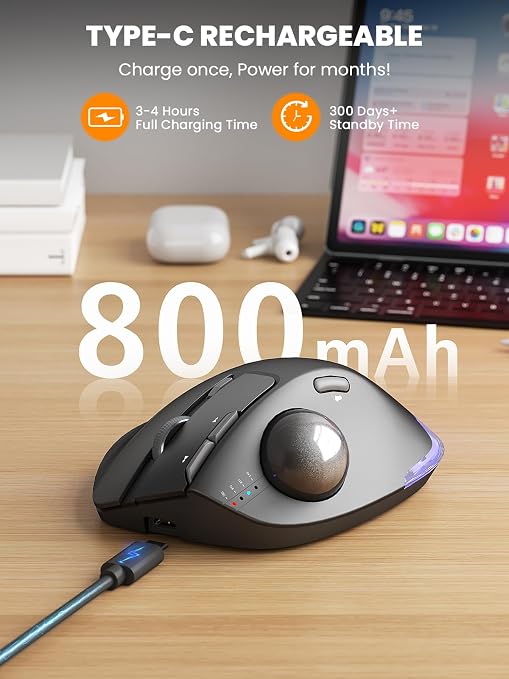


Not every category will matter to every reader — pick the one that reflects how you actually work.
| Product | Best For | Control Type | Connectivity | Weight | Rating | Link |
|---|---|---|---|---|---|---|
| Logitech ERGO M575S | Overall balance | Thumb | Bluetooth + USB receiver | N/A | 4.5/5 | View → |
| ProtoArc EM04 | Value | Thumb | Bluetooth + 2.4G | 120g | 4.4/5 | View → |
| ELECOM EX-G | Finger control precision | Finger | 2.4GHz wireless | 7.04 oz | 4.1/5 | View → |
| Kensington Orbit | Ambidextrous / left hand | Thumb | 2.4GHz + Bluetooth LE | 5.6 oz | 4.2/5 | View → |
| SABLUTE MAM1 Pro | Adjustable angle | Thumb | Bluetooth + 2.4G | 12.64 oz | 4.5/5 | View → |
| seenda Trackball | Budget | Thumb | Bluetooth + 2.4G | 116g | 4.3/5 | View → |
| TECKNET Trackball | Larger hands | Thumb | Bluetooth + 2.4G | 60g | 4.4/5 | View → |
| Nulea Trackball | Hybrid vertical design | Thumb | Bluetooth + USB receiver | 151.5g | 4.4/5 | View → |
Introduction
A lot of people switch to a trackball mouse after trying a vertical mouse or an ergonomic mouse and still feeling some strain, usually because the arm is still doing all the moving. A trackball takes a different approach: the device stays still, and only your thumb or fingers move. For anyone dealing with forearm fatigue, shoulder tension from reaching for the mouse, or simply a cluttered desk with limited mouse space, that’s a meaningful difference.
This guide focuses specifically on ergonomic trackball mice for 2026, covering thumb-controlled models, finger-controlled designs, and one hybrid vertical-trackball option. We’ll walk through what actually matters when buying one, review eight specific products with their real strengths and limitations, and help you land on the right choice for your hand size, budget, and daily workload.
If you’re still deciding between mouse types altogether, our guide on what an ergonomic mouse actually is and our comparison of vertical mouse vs. trackball are good starting points before you commit to a trackball specifically.
Trackball Mouse Buying Guide: What Actually Matters
1. Thumb Control vs. Finger Control
Most consumer trackballs use thumb control, where the ball sits on the side of the mouse and you roll it with your thumb. This tends to feel more natural for people coming from a standard mouse. Finger control trackballs, like the ELECOM EX-G, place a larger ball under your fingers for more precision, which some users prefer for detailed design or editing work but which can take longer to get comfortable with.
2. Ball Size and Tracking Sensor
Larger balls (like ELECOM’s 2.5mm ruby-bearing design or Kensington’s 40mm ball) tend to offer smoother, more precise tracking, while smaller thumb balls prioritize compactness over raw precision. Optical sensors are standard across most current models and are generally reliable on a wide range of surfaces.
3. Hand Size and Grip Fit
A trackball that feels great for a large hand can feel oversized or awkward for a smaller one, and vice versa. TECKNET, for example, is explicitly built with medium-to-large hands in mind, while seenda’s more compact shape suits smaller hands better.
4. Adjustable Tilt Angle
Some trackballs, like the SABLUTE MAM1 Pro, offer a switchable tilt (flat or angled) so you can find a wrist position that feels more neutral. A fixed angle isn’t necessarily worse, but it does mean the fit is less flexible if the default angle doesn’t suit you.
5. Connectivity and Multi-Device Switching
Most 2026 trackballs support Bluetooth, a 2.4GHz USB receiver, or both, and several let you pair up to three devices and switch between them with one click. If you regularly move between a laptop, desktop, and tablet, this is worth checking closely.
6. Battery Life and Charging
Battery-powered models (often using a single AA battery) can last many months per charge, while rechargeable models need more frequent top-ups but avoid disposable batteries. Neither is objectively better — it depends on whether you’d rather change a battery twice a year or plug in a USB-C cable every few weeks.
7. DPI Range and Customization
DPI (sensitivity) settings affect how far the cursor moves relative to how far you roll the ball. A wider adjustable range gives you more flexibility between precise editing work and faster everyday navigation.
8. Learning Curve
Nearly every trackball brand recommends a one- to two-week adjustment period. This is normal. If a product feels awkward on day one, that alone isn’t a reason to return it — genuine dealbreakers usually show up after that adjustment window, not before it.
Emily Richardson’s tip: A trackball mouse should reduce how much your arm has to move, not just relocate the discomfort somewhere else. If your thumb or fingers feel more tired than your wrist after switching, the ball size or control method may not suit your hand.
Product Reviews
1. Logitech ERGO M575S — Best Overall
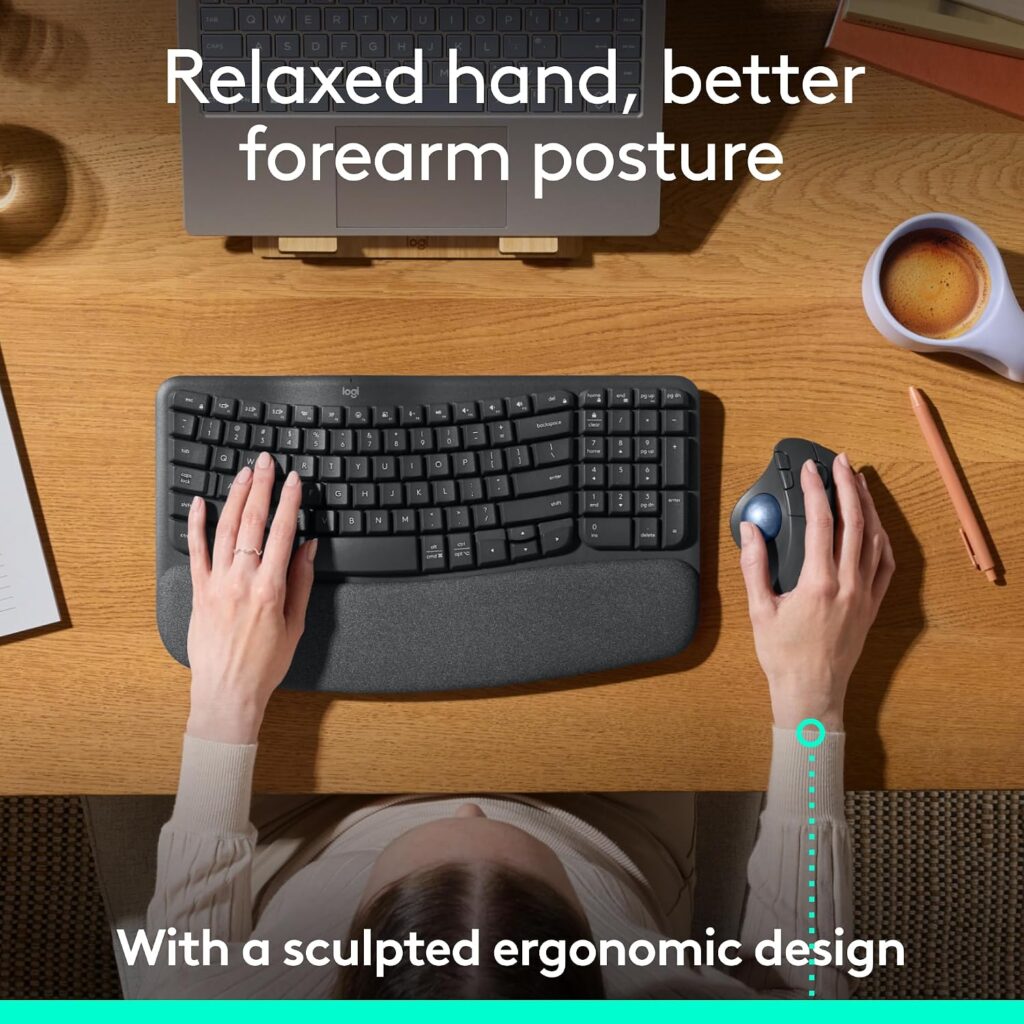
Quick Verdict: The ERGO M575S is a well-rounded thumb-control trackball with a sculpted shape, dual Bluetooth/USB-receiver connectivity, and a long battery life rating. Logitech states it was developed with input from their Ergo Lab and user-tested for comfort, which adds a layer of credibility beyond typical marketing claims.
Best For: Users who want a dependable, well-reviewed trackball without a steep learning curve.
Key Specifications:
- Connectivity: Bluetooth and USB receiver (Logi Bolt)
- Sensor: Optical, up to 2000 DPI
- Battery: Up to 18 months (1 AA battery included)
- Buttons: 3 customizable buttons
- Compatible with Windows and macOS
What We Like
- Comfortable sculpted shape designed with ergonomist input
- Long battery life reduces maintenance
- Reliable dual connectivity between devices
What We Don’t Like
- Only right-hand oriented, so left-handed users are not accommodated
- Mid-range price compared to some budget alternatives
Ergonomic Analysis: The M575S keeps the hand resting in place while the thumb operates the ball, which can reduce the repetitive arm movement associated with standard mice. Logitech’s own materials cite reduced forearm muscle strain compared to a traditional mouse, though as with all such figures, results can vary by user and usage pattern.
Who Should Buy It? Anyone wanting a well-established, broadly compatible trackball without needing to research niche brands.
Who Should Skip It? Left-handed users, and anyone who specifically wants finger-ball control instead of thumb control.
Value for Money: At around $49.99, it sits mid-pack in price but offers strong build quality and brand support, which is a reasonable trade-off for most buyers.
🛒 Check Price on Amazon2. ProtoArc EM04 — Best Value
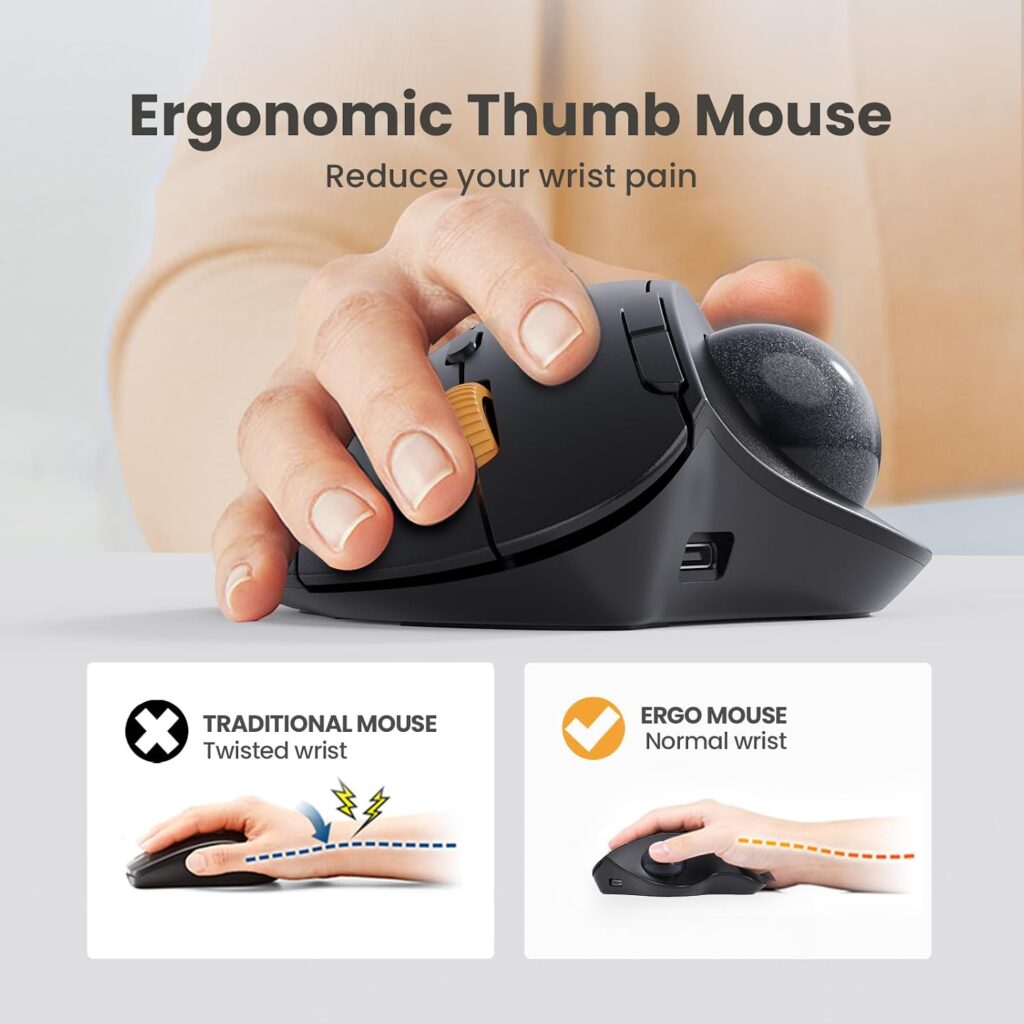
Quick Verdict: The EM04 offers thumb-trackball control, triple-device Bluetooth/2.4G switching, and a rechargeable battery at a noticeably lower price than the Logitech model, making it a strong value pick for anyone trying trackballs for the first time.
Best For: Budget-conscious buyers who still want multi-device switching and adjustable DPI.
Key Specifications:
- Connectivity: Bluetooth and 2.4G USB receiver
- Sensor: Trackball-based, up to 1600 DPI, 5 DPI levels
- Battery: Built-in rechargeable, roughly one month per charge
- Buttons: 6, though back/forward buttons aren’t Mac-compatible
What We Like
- Competitive price for the feature set
- Quiet clicking mechanism
- Multi-surface use, including on a leg or sofa
What We Don’t Like
- Buttons are not programmable
- Back/forward buttons don’t work on macOS
Ergonomic Analysis: Like other thumb-trackball designs, the EM04 is built to reduce wrist and arm movement by letting the thumb do the navigating. The curved shape is comparable to pricier competitors, though the materials feel a step down in refinement.
Who Should Buy It? First-time trackball users who want to test the format without a big financial commitment.
Who Should Skip It? Mac users who rely heavily on back/forward navigation buttons, or anyone wanting programmable buttons.
Value for Money: At roughly $35.99, this is one of the better price-to-feature ratios in this list.
🛒 Check Price on Amazon3. ELECOM EX-G — Best for Finger-Ball Control
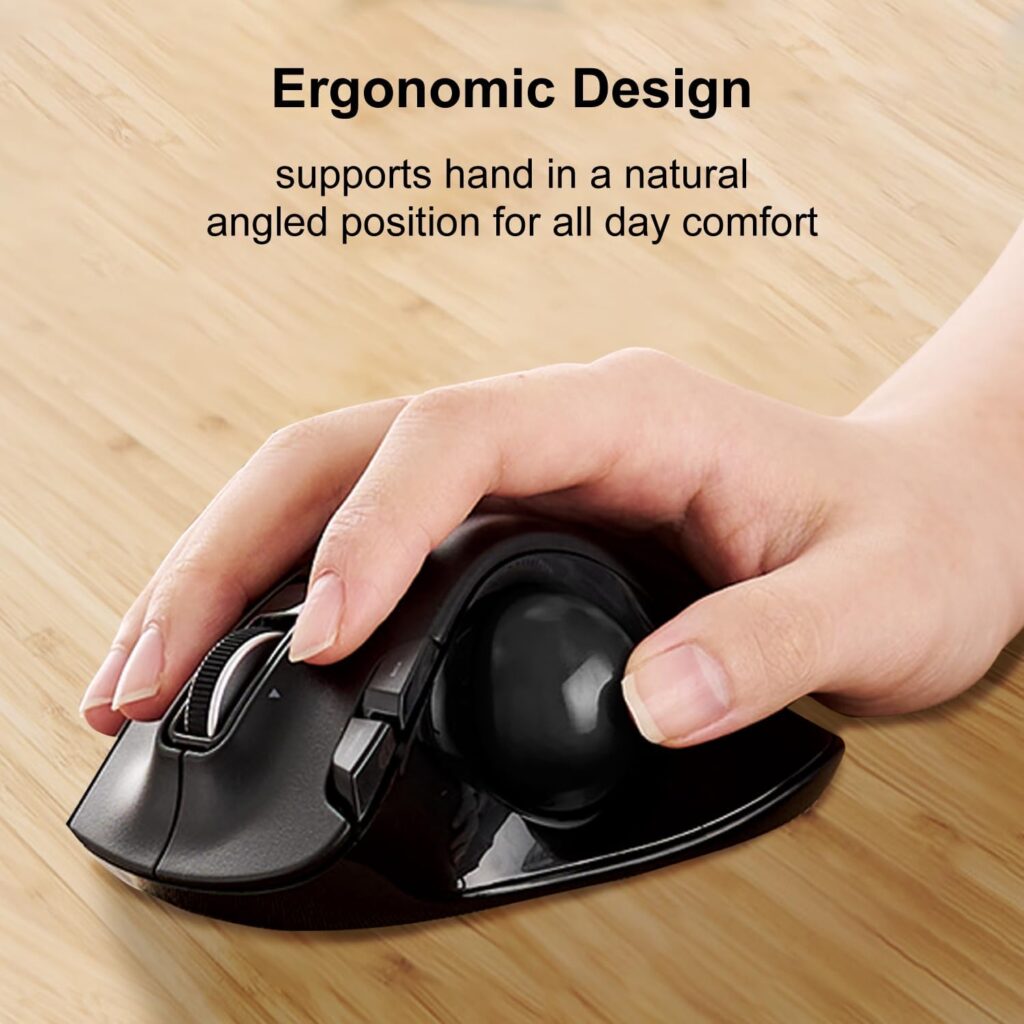
Quick Verdict: The EX-G stands apart from the thumb-control crowd with a large ball operated primarily by the fingers, supported by three ruby ball bearings for smooth, low-maintenance tracking. It’s a favorite among users who do detailed cursor work like photo editing or CAD.
Best For: Users who want more precise, finger-driven control rather than thumb operation.
Key Specifications:
- Connectivity: Wireless USB receiver (2.4GHz)
- Sensor: Optical gaming sensor, switchable 500/1500 DPI
- Buttons: 6, including tilt-scroll for horizontal scrolling
- Battery: 1 AA battery included
What We Like
- Large ball with ruby bearings for smooth, precise tracking
- Ball pops out easily for cleaning
- Long-standing reputation among finger-trackball users
What We Don’t Like
- Finger-control style has a longer learning curve for users coming from a standard mouse
- Lower average rating than several other models on this list, which is worth weighing against its specialist appeal
Ergonomic Analysis: Finger control shifts fine motor work to the fingers rather than the thumb, which some users find less fatiguing over long, precision-heavy sessions. It’s a genuinely different feel from thumb trackballs, so trying to judge it by thumb-trackball standards can be misleading.
Who Should Buy It? Users doing detailed cursor work, or anyone who has tried thumb trackballs and found the thumb tiring.
Who Should Skip It? Anyone wanting a quick, no-learning-curve switch from a standard mouse.
Value for Money: At around $35.99, it’s reasonably priced for a specialist finger-control design, though buyers should factor in the adjustment period.
🛒 Check Price on Amazon4. Kensington Orbit with Scroll Ring — Best Premium / Ambidextrous
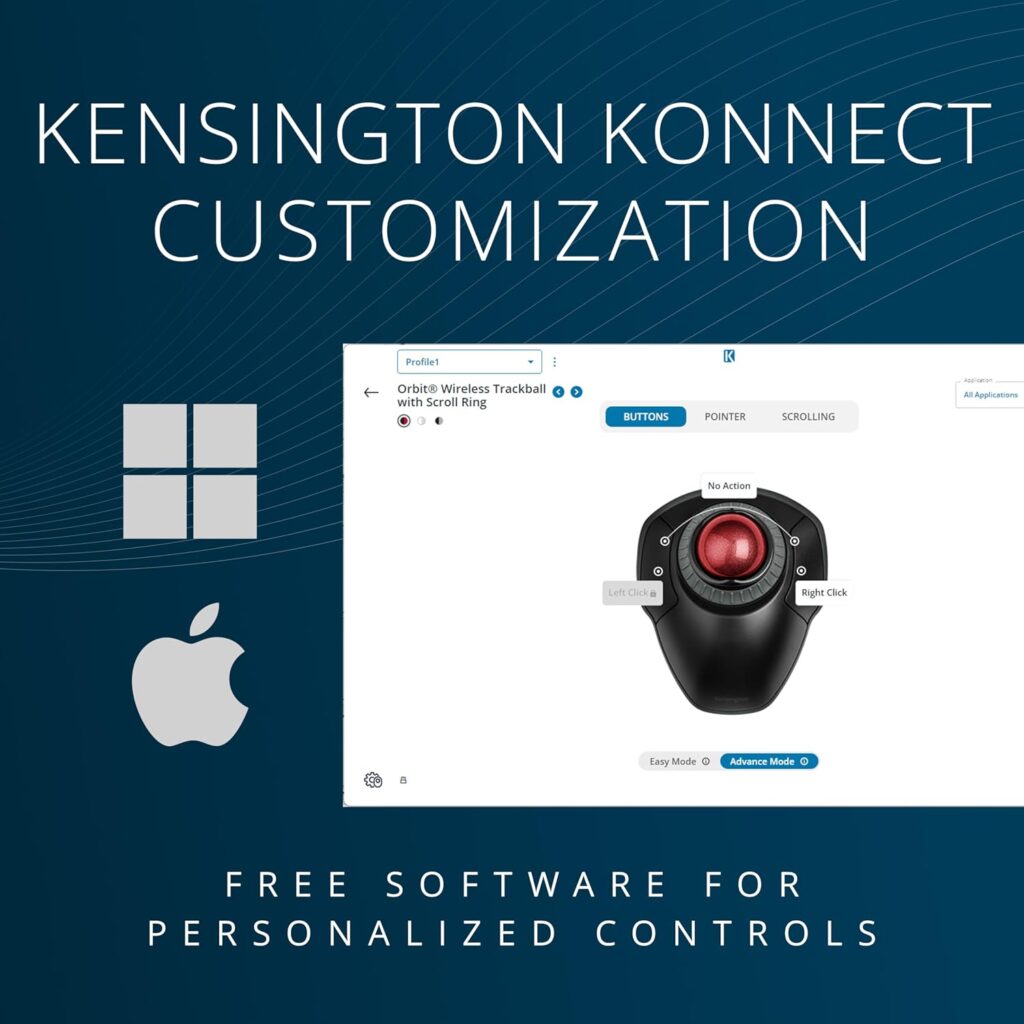
Quick Verdict: Kensington has one of the longest track records in the trackball category, and the Orbit with Scroll Ring reflects that experience with a genuinely ambidextrous design, a dedicated scroll ring, and dual wireless connectivity with strong encryption.
Best For: Left-handed users, or anyone who wants a trackball that isn’t locked to a single hand orientation.
Key Specifications:
- Connectivity: 2.4GHz and Bluetooth LE, 128-bit AES encryption
- Sensor: Optical, DPI settings of 400/800/1200/1600
- Ball: 40mm precision sphere
- Battery: 2 AA batteries included
What We Like
- Ambidextrous shape works for right- or left-handed users
- Scroll ring makes long-page navigation easier
- Strong brand reputation and long warranty (3 years)
What We Don’t Like
- Lower average rating (4.2) compared to some competitors, largely tied to the ambidextrous shape being less contoured than hand-specific designs
- Only 2 physical buttons, fewer than most competitors here
Ergonomic Analysis: Ambidextrous designs generally sacrifice some contouring in exchange for flexibility. For left-handed users, this is often the more comfortable option in this list simply because most trackballs are right-hand shaped by default.
Who Should Buy It? Left-handed users, or households where the mouse is shared between right- and left-handed people.
Who Should Skip It? Right-handed users who want a more contoured, hand-specific shape, since dedicated right-hand designs may fit more snugly.
Value for Money: At roughly $46.99, it’s priced similarly to the Logitech model, with the ambidextrous shape being the main differentiator.
🛒 Check Price on Amazon5. SABLUTE MAM1 Pro — Best Adjustable Angle
Quick Verdict: The MAM1 Pro’s standout feature is a switchable 0°/18° tilt, letting you choose between a flat position and a more angled, handshake-like posture. Combined with a wide DPI range and quiet clicks, it’s a flexible option for people who aren’t sure what angle suits them yet.
Best For: Users who want to experiment with wrist angle without buying multiple mice.
Key Specifications:
- Connectivity: Bluetooth (dual mode) and 2.4G USB receiver
- Sensor: Trackball, DPI range of 800–4800, 5 levels
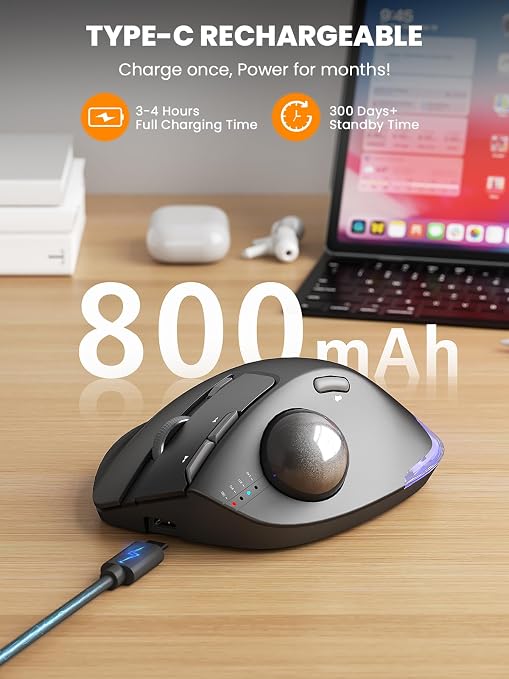
- Battery: Rechargeable via USB-C
- Buttons: 8, with an optional Windows-only driver for customization
What We Like
- Adjustable tilt gives more flexibility than fixed-angle competitors
- Wide DPI range suits both precision and fast navigation tasks
- Quiet click design, useful in shared workspaces
What We Don’t Like
- Customization driver is not compatible with macOS
- Backlight and extra features add some bulk and weight (roughly 12.6 oz) compared to more minimal designs
Ergonomic Analysis: The 18° tilt option is meant to bring the wrist closer to a natural resting posture rather than a flat position, which is the same underlying idea behind vertical mice, just applied to a trackball. Whether it feels better than the flat setting is genuinely individual, which is why the adjustability itself is the real advantage here.
Who Should Buy It? Buyers who want to try an angled wrist position without committing to a fully vertical mouse.
Who Should Skip It? Mac users who want full driver-based customization, since the current driver is Windows-only.
Value for Money: At about $39.99, it undercuts the Logitech and Kensington options while offering more adjustability, making it a strong mid-tier pick.
🛒 Check Price on Amazon6. seenda Wireless Trackball Mouse — Best Budget Pick
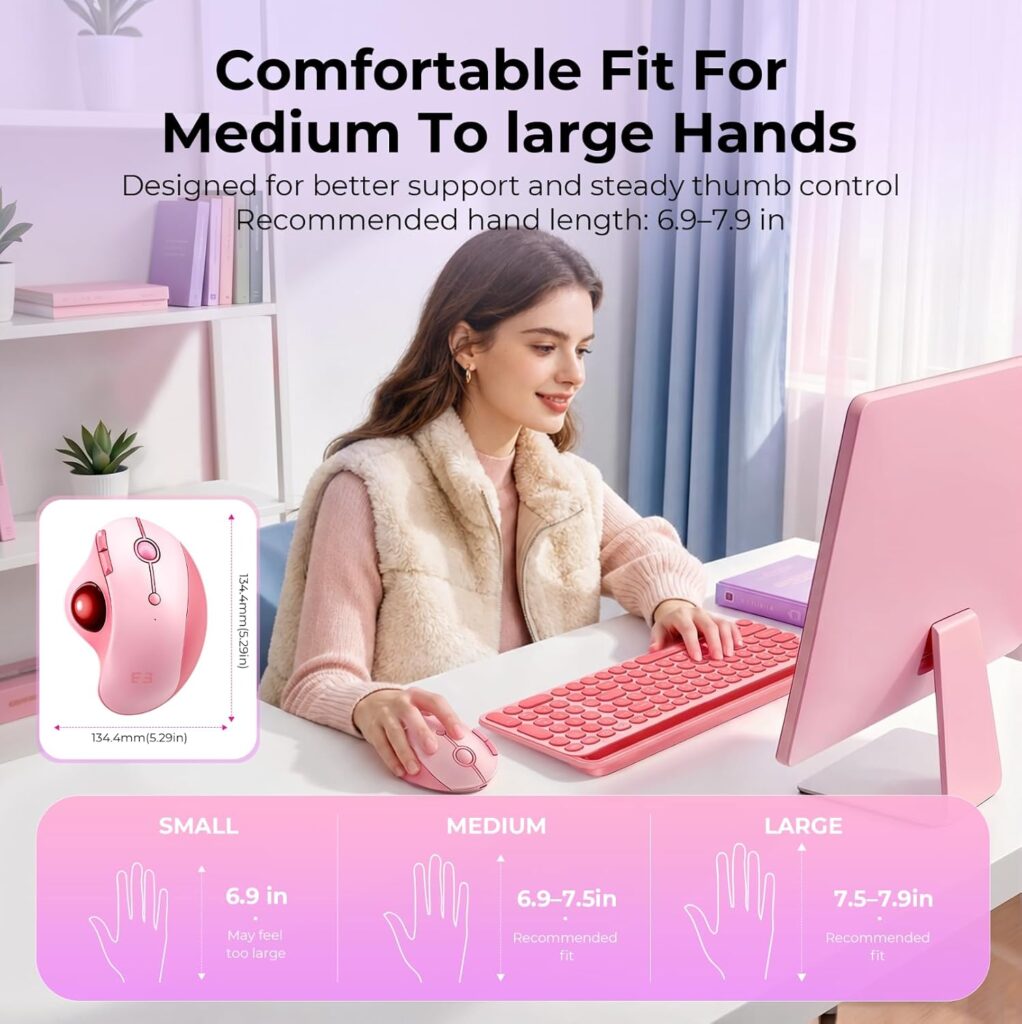
Quick Verdict: At under $30, the seenda trackball is the most affordable option in this roundup, with a contoured thumb-control shape, multi-surface tracking, and a rechargeable battery.
Best For: Buyers on a tight budget, or anyone wanting a low-commitment way to try a trackball for the first time.
Key Specifications:
- Connectivity: Bluetooth and 2.4G USB receiver, 3-device switching
- Sensor: Optical, 5-level adjustable DPI
- Battery: Rechargeable lithium-ion, included
- Weight: 116g
What We Like
- Lowest price point in this comparison
- Rechargeable design avoids disposable batteries
- Tracks on a range of surfaces, including fabric
What We Don’t Like
- Materials and finish feel less premium than higher-priced competitors
- Smaller shape may not suit users with larger hands as well as TECKNET or SABLUTE
Ergonomic Analysis: The contoured shape follows the same thumb-trackball logic as pricier models, keeping the hand stationary while the thumb navigates. It won’t match the refinement of the Logitech or Kensington models, but the core ergonomic mechanism is the same.
Who Should Buy It? First-time trackball buyers who want to test the concept before investing more.
Who Should Skip It? Users with larger hands, or anyone who wants a more premium build and finish.
Value for Money: Excellent for the price, though buyers should expect a more basic feel than the pricier options here.
🛒 Check Price on Amazon7. TECKNET Wireless Trackball Mouse — Best for Larger Hands
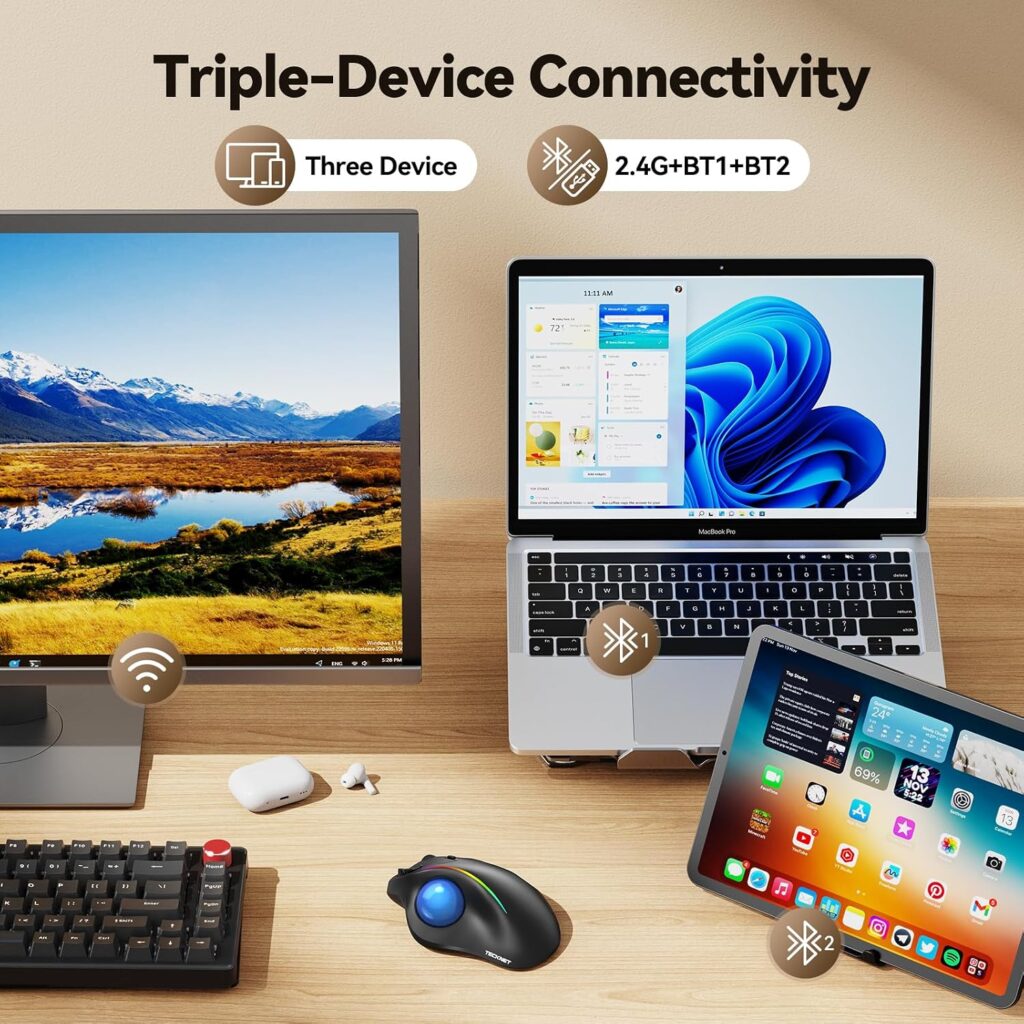
Quick Verdict: TECKNET’s trackball is explicitly sized for medium-to-large hands, with a 16° vertical angle and a quick-charging rechargeable battery, making it a solid pick for users who find smaller trackballs cramped.
Best For: Users with larger hands who find compact trackballs uncomfortable.
Key Specifications:
- Connectivity: Bluetooth (dual) and 2.4G USB receiver, 3-device switching
- Sensor: Optical, DPI range 100–1200, 5 levels
- Battery: 500mAh rechargeable, roughly 15-minute fast charge
- Dimensions: 5.5″ x 4.1″ x 2″
What We Like
- Larger body genuinely suited to bigger hands
- Fast charging reduces downtime
- RGB lighting for users who like it (optional and can be turned off)
What We Don’t Like
- The larger size may feel bulky for users with smaller or average hands
- Manufacturer recommends a 1–2 week adjustment period, longer than some competitors mention
Ergonomic Analysis: TECKNET’s 16° vertical angle is a modest tilt rather than a dramatic one, aiming to nudge the forearm toward a more neutral posture without a steep learning curve. The larger shape is the more distinguishing ergonomic factor here.
Who Should Buy It? Users with larger hands who’ve found other trackballs too small.
Who Should Skip It? Users with smaller hands, who may find the shape harder to control comfortably.
Value for Money: At around $31.99, it’s competitively priced for a size-specific design.
🛒 Check Price on Amazon8. Nulea Wireless Trackball Mouse — Best Hybrid Vertical Design
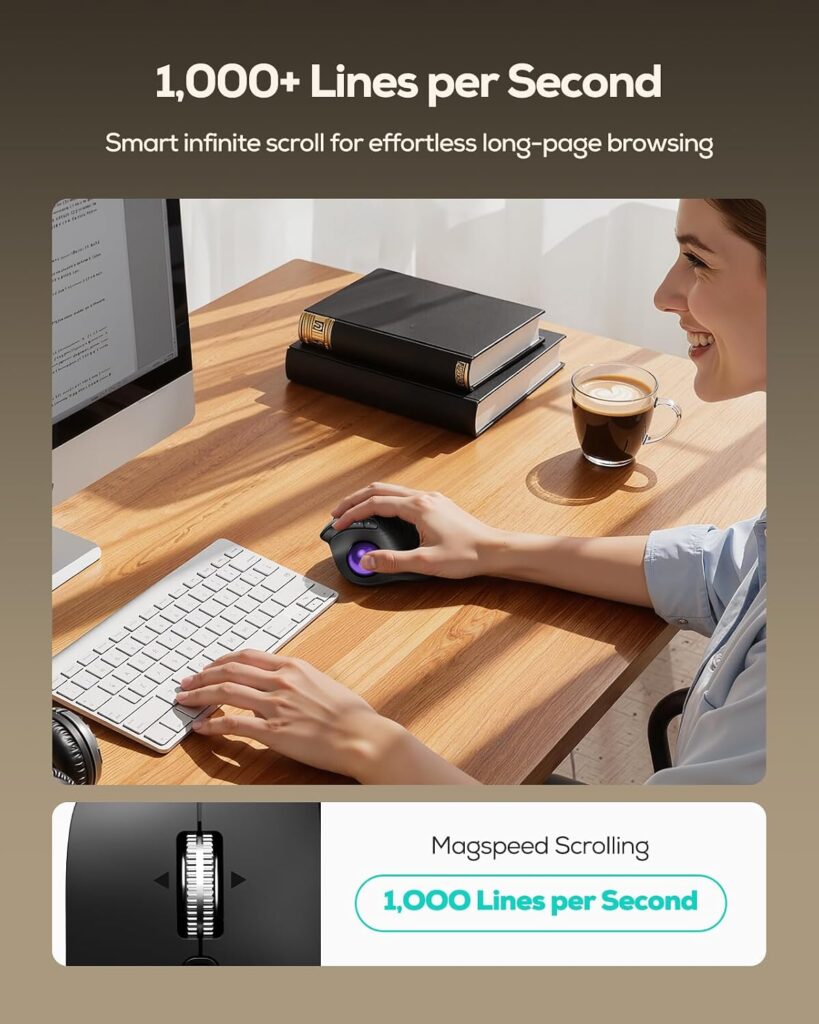
Quick Verdict: The Nulea trackball combines a 65° vertical tilt with thumb-ball control, essentially merging the vertical mouse and trackball categories into one device. It’s a niche pick, but a genuinely interesting one for users who like both formats.
Best For: Users who want the wrist-neutral angle of a vertical mouse combined with the stationary-hand benefit of a trackball.
Key Specifications:
- Connectivity: Bluetooth, USB receiver included, 3-device switching
- Sensor: Optical, 3-level DPI (600/800/1000)
- Battery: Rechargeable, included
- Weight: Approximately 151.5g
What We Like
- Combines two ergonomic approaches (vertical angle + trackball) in one device
- Silent click design
- Multi-surface tracking, useful for tight or unconventional workspaces
What We Don’t Like
- Lower maximum DPI range than several competitors, which may feel limiting for fast-paced tasks
- The hybrid shape has a steeper learning curve than either a standard vertical mouse or a standard trackball alone
Ergonomic Analysis: A 65° tilt is a fairly steep angle, closer to some dedicated vertical mice than to typical trackballs. Combined with thumb-ball control, this design asks the hand to adapt to two ergonomic adjustments at once, which can be very comfortable for the right user but disorienting for someone expecting a conventional trackball feel.
Who Should Buy It? Users who already like vertical mice and want to add trackball-style stationary control.
Who Should Skip It? Anyone wanting a straightforward, low-learning-curve trackball experience.
Value for Money: At about $42.99, it’s reasonably priced for a design that effectively covers two ergonomic mouse categories at once. For more on the vertical side of this comparison, see our Best Vertical Mouse 2026 guide.
🛒 Check Price on AmazonComparison Table
| Product | Best For | Control Type | Connectivity | Weight | Rating | Link |
|---|---|---|---|---|---|---|
| Logitech ERGO M575S | Overall balance | Thumb | Bluetooth + USB receiver | N/A | 4.5/5 | View → |
| ProtoArc EM04 | Value | Thumb | Bluetooth + 2.4G | 120g | 4.4/5 | View → |
| ELECOM EX-G | Finger control precision | Finger | 2.4GHz wireless | 7.04 oz | 4.1/5 | View → |
| Kensington Orbit | Ambidextrous / left hand | Thumb | 2.4GHz + Bluetooth LE | 5.6 oz | 4.2/5 | View → |
| SABLUTE MAM1 Pro | Adjustable angle | Thumb | Bluetooth + 2.4G | 12.64 oz | 4.5/5 | View → |
| seenda Trackball | Budget | Thumb | Bluetooth + 2.4G | 116g | 4.3/5 | View → |
| TECKNET Trackball | Larger hands | Thumb | Bluetooth + 2.4G | 60g | 4.4/5 | View → |
| Nulea Trackball | Hybrid vertical design | Thumb | Bluetooth + USB receiver | 151.5g | 4.4/5 | View → |
Decision Framework: Which Trackball Should You Buy?
Choose the Logitech ERGO M575S if: you want a dependable, well-reviewed trackball with strong brand support and don’t need left-hand compatibility.
Choose the ProtoArc EM04 if: you’re trying a trackball for the first time and want to keep costs down without giving up multi-device switching.
Choose the ELECOM EX-G if: you prefer finger-driven precision over thumb control, especially for detailed editing work.
Choose the Kensington Orbit if: you’re left-handed, or you want a trackball the whole household can share regardless of hand dominance.
Choose the SABLUTE MAM1 Pro if: you want to experiment with wrist angle and aren’t sure whether a flat or tilted position suits you.
Choose the seenda Trackball if: budget is your top priority and you want the lowest-cost way to try the format.
Choose the TECKNET Trackball if: you have larger hands and have found other trackballs too compact.
Choose the Nulea Trackball if: you like the idea of a vertical mouse but want the stationary-hand benefit of a trackball as well.
Alternatives Worth Considering
- Best alternative if trackballs don’t suit you: a dedicated vertical mouse — see our Best Vertical Mouse 2026 guide.
- Budget alternative: the seenda Wireless Trackball, reviewed above.
- Premium alternative: the Kensington Orbit with Scroll Ring, for its ambidextrous design and encryption features.
- Better option for precision editing: the ELECOM EX-G’s finger-control design.
Common Mistakes When Buying a Trackball Mouse
- Assuming “ergonomic” automatically means comfortable. Fit depends on your hand size and grip style, not just the label.
- Ignoring the learning curve. Most trackballs need one to two weeks before they feel natural — judging one after a single afternoon isn’t a fair test.
- Choosing based only on star ratings. A 4.1-star finger trackball may suit you better than a 4.5-star thumb trackball if you prefer finger control.
- Overlooking hand size. A compact trackball can feel cramped for larger hands, and an oversized one can feel unwieldy for smaller hands.
- Skipping compatibility checks. Some customization software or extra buttons don’t work on macOS — check this before buying if you’re on a Mac.
- Buying the most expensive option assuming it’s automatically the most comfortable. Price often reflects features and brand support more than ergonomic fit.
- Ignoring desk space needs. One advantage of a trackball is that it doesn’t need much room to operate; if desk space is tight, this should factor into your decision.
- Expecting a single product to fix existing pain. A trackball may help reduce unnecessary strain, but it isn’t a treatment for an existing medical condition.
Best Practices for Using a Trackball Mouse
- Position the trackball close to your body so your shoulder doesn’t need to reach forward.
- Keep your wrist in as neutral a position as possible rather than resting it at an angle against the desk edge.
- Adjust DPI settings to match the task — lower for detailed editing, higher for general browsing.
- Take short movement breaks during long sessions, regardless of how ergonomic your mouse is.
- Pair the trackball with a properly adjusted chair and desk height for the best overall effect; our guide on ergonomic mouse vs. regular mouse covers how mouse choice fits into the bigger picture.
Frequently Asked Questions
Is a trackball mouse better than a regular mouse for wrist pain?
A trackball may help reduce unnecessary arm and wrist movement because your hand stays stationary while you move the ball. It isn’t a guaranteed fix for existing wrist pain, and persistent discomfort should be discussed with a healthcare professional. For more detail, see our page on whether an ergonomic mouse really helps wrist pain.
How long does it take to get used to a trackball mouse?
Most manufacturers recommend one to two weeks of regular use before a trackball starts to feel natural. This adjustment period is normal and doesn’t necessarily indicate the product is a poor fit.
Should I choose a thumb trackball or a finger trackball?
Thumb trackballs are generally easier to adapt to if you’re coming from a standard mouse, since the grip feels more familiar. Finger trackballs, like the ELECOM EX-G, can offer more precision for detailed work but usually take longer to get comfortable with.
Are trackball mice good for gaming?
Some trackballs work for slower-paced games or productivity-adjacent tasks, but most competitive gamers prefer standard high-DPI mice for fast, precise movement. Trackballs are generally better suited to office and everyday computer use.
Can left-handed users use a trackball mouse?
Most trackball mice on the market are designed for right-hand use. Ambidextrous options, like the Kensington Orbit with Scroll Ring, are one of the few widely available choices that work equally well for left-handed users.
Do trackball mice work on any desk surface?
Yes — since the ball itself moves rather than the mouse body, most trackballs work on a wider range of surfaces than standard optical mice, including uneven or textured surfaces, though results can vary slightly by model.
Are more expensive trackball mice always better?
Not necessarily. Price often reflects brand reputation, build materials, and extra features like programmable buttons or scroll rings, rather than a guaranteed ergonomic advantage. A well-fitted budget trackball can outperform a premium one that doesn’t suit your hand.
What DPI should I use with a trackball mouse?
Lower DPI settings (around 400–800) suit detailed, precise work, while higher DPI settings (1200 and above) suit faster general navigation. Most trackballs let you switch between several DPI levels on the fly.
Can a trackball mouse replace a vertical mouse?
They solve slightly different problems. A vertical mouse changes your forearm rotation, while a trackball reduces arm and wrist movement altogether. Some users prefer one over the other, and a few hybrid products, like the Nulea trackball, attempt to combine both approaches. Our vertical mouse vs. trackball comparison covers this in more depth.
Is a trackball mouse worth it for everyday office work?
For people who spend several hours a day at a computer, a trackball can reduce the repetitive reaching and wrist extension associated with a standard mouse. Whether it’s “worth it” depends on your budget, hand size, and willingness to go through a short adjustment period — but for many long-session users, the trade-off is a reasonable one.
Final Verdict
If you want the most well-rounded option with strong brand backing and broad compatibility, the Logitech ERGO M575S is the safest overall pick. If price is your main concern, the ProtoArc EM04 offers similar thumb-control comfort for less. Users who prefer finger-driven precision should look at the ELECOM EX-G, and left-handed users will likely find the Kensington Orbit with Scroll Ring the most comfortable ambidextrous option available.
There isn’t a single “best” trackball for everyone — the right pick depends on your hand size, your preferred control method, and how much you’re willing to spend. Whichever model you choose, give it the full adjustment period before deciding whether it’s the right long-term fit.
Compare the latest prices and availability before making your decision, since pricing and stock on Amazon can change.