
Logitech MX Vertical vs Lift: Which One Should You Buy?
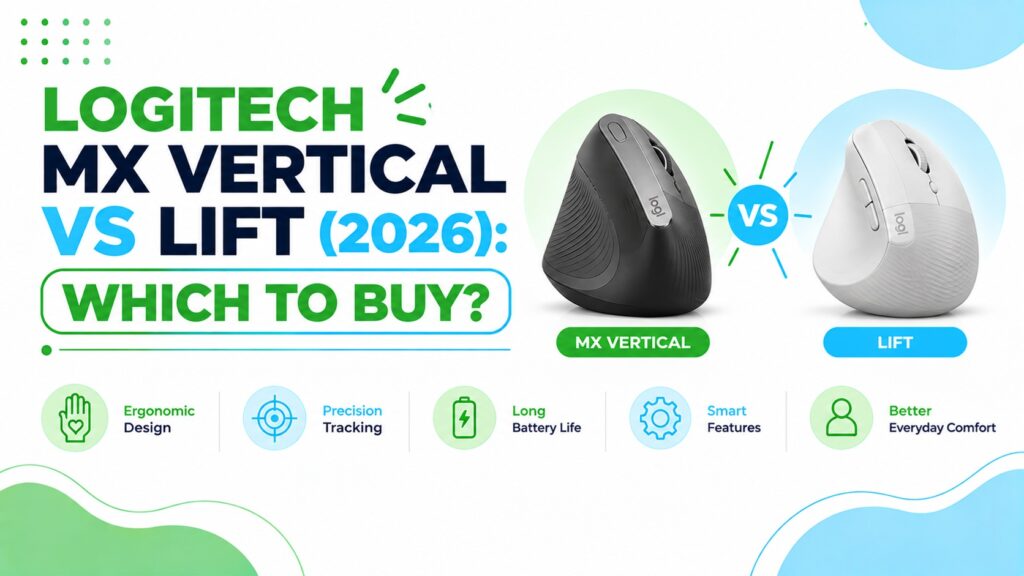
You spend hours at a computer, your hand and forearm feel tired by mid-afternoon, and you have decided to try a vertical mouse. Then you search “logitech mx vertical vs lift” and find two mice that look almost identical in the photos, cost roughly the same, and both carry a 4.4-star rating on Amazon.
That similarity is not an accident. Both use a 57° vertical angle, both put the hand in a handshake-style position, and both come from Logitech’s ergonomic range. The real differences sit in the details: hand size, weight, battery type, connectivity, left-handed availability and price.
A vertical mouse is designed to keep the forearm in a more neutral position than a traditional mouse by turning the hand on its side. That reduces how far the forearm has to rotate inward, a movement called pronation. Whether it helps you depends on how the mouse fits your hand and your desk.
This comparison helps you decide between the two, and shows where the MX Master 3S and MX Master 4 fit if you would rather skip the vertical shape entirely. A mouse can have excellent specifications and still feel wrong if the shape does not suit your hand, so I have focused on fit before features.
At ErgoFixes, our product evaluations combine manufacturer specifications, verified retailer and Amazon listing data, customer feedback, review patterns, and ergonomic design analysis. We assess products across factors such as comfort, adjustability, materials, functionality, durability, and overall value, using multiple sources to provide a balanced and practical recommendation.
If you want deeper single-product coverage, see our Logitech MX Vertical mouse review and our Logitech Lift vertical mouse review.
Quick Answer
For most people, I would pick the Logitech Lift. It uses the same 57° vertical angle as the MX Vertical, weighs 4.4 oz instead of 8 oz, costs a little less on the listings we reviewed, and is the only one of the two with a left-handed version. Choose the MX Vertical if your hands are larger or you prefer a rechargeable USB-C battery.🖱️ Logitech MX Vertical vs Lift: Our Picks at a Glance
All eight Amazon listings we reviewed, in one place. Prices came from the listings at the time of writing and can change.



Quick Verdict Table
| Product | Best For | Main Strength | Main Limitation | Rating | Link |
|---|---|---|---|---|---|
| MX Vertical (Graphite) | Larger hands, rechargeable fans | USB-C rechargeable, 57° angle | Heavier and bulkier, right-hand only | 4.4/5 | 🛒 Check Price |
| Lift (Graphite) | Small to medium hands, most desks | Light, quiet clicks, left-hand version | Too small for large hands | 4.6/5 | 🛒 Check Price |
| Lift (Sand) | Same as Lift, neutral colour | Same Lift hardware | Same size limit | 4.6/5 | 🛒 Check Price |
| Lift (Rose) | Same as Lift, softer colour | Same Lift hardware | Same size limit | 4.6/5 | 🛒 Check Price |
| Lift (Off White) | Same as Lift, lowest listed price | Same Lift hardware | Listing details differ slightly from other colours | 4.6/5 | 🛒 Check Price |
| MX Master 3S (Bluetooth) | Anyone who dislikes vertical mice | 8K DPI, MagSpeed scroll, quiet clicks | Not a vertical design, no receiver included | 4.3/5 | 🛒 Check Price |
| MX Master 4 (Graphite) | Power users who want premium features | Haptics, Actions Ring, 8K DPI | Highest price, not vertical | 4.2/5 | 🛒 Check Price |
| MX Master 4 (Pale Gray) | Same as MX Master 4, lighter colour | Same feature set | Listing OS requirements are stricter | 4.2/5 | 🛒 Check Price |
Buying Guide: What Actually Separates These Two Mice
A mouse can have excellent specifications and still feel wrong if the shape does not suit your hand. Here are the factors that matter most for this comparison.
1. Hand Size and Fit
This is the single biggest decision. Logitech markets the Lift for small to medium hands, and Amazon’s listing says the same. The MX Vertical is the larger mouse. Its listing says it fits a variety of hand shapes and sizes, but the Amazon weight of 8 oz compared with 4.4 oz for the Lift tells you it is a bigger object.
Emily Richardson’s tip: Before buying any ergonomic mouse, check the return terms on the listing. Fit is personal, and a mouse that looks right on paper can still feel awkward in your hand.
2. Weight and Desk Footprint
The Lift’s listing shows 4.4 oz and about 4.3″ x 2.7″. The MX Vertical’s listing shows 8 oz. A lighter mouse is easier to move for people with limited desk space or those who use a laptop on the go. A heavier mouse can feel steadier for some people. Neither is wrong; it depends on how you work.
3. Battery: Rechargeable vs AA
The MX Vertical has a rechargeable battery charged through USB-C. The listing quotes up to 4 months per charge, and a one-minute quick charge is described as giving about three hours of use. The Lift uses a single AA battery, and Logitech quotes up to 24 months. Battery life varies with how you use the mouse.
If you dislike buying batteries, the MX Vertical may appeal. If you dislike charging, the Lift wins.
4. Connectivity and Multi-Device Use
Both connect by Bluetooth or a USB receiver. The MX Vertical listing mentions an included USB receiver and USB-C cable. The Lift lists Bluetooth Low Energy or the Logi Bolt USB receiver. Both mention working across multiple computers, and Logitech’s Logi Options+ software is needed for button customisation on Windows and macOS.
5. Buttons, Sensor and Click Feel
Both use a 4000 DPI sensor. The MX Vertical has a dedicated cursor speed switch. The Lift’s DPI is adjustable through software, and the listing highlights quiet clicks and a SmartWheel. If you work in a shared office or a quiet home, the quieter clicks on the Lift are a practical advantage.
6. Left-Handed Availability
The Lift is sold in right-handed and left-handed versions. The MX Vertical listing shows right-hand orientation only. For left-handed users, this decides the question.
7. Price and Value
The listings we reviewed showed the MX Vertical at $77.99 (list price $119.99) and Lift colours between $67.49 and $74.99. Amazon pricing and availability can change, so compare the current listings before you decide.
8. Who Should Not Buy a Vertical Mouse
Some people dislike the posture, and some tasks, such as fast precision work, can feel slower at first. Research is also mixed on whether vertical mice help with medical conditions, as the research summary below explains. If you have persistent or severe pain, talk to an appropriate healthcare professional.
What the Research Says About Vertical Mice
None of the studies below tested the MX Vertical or the Lift. They examine vertical and slanted mouse designs in general, which is useful for understanding the shape but does not prove either Logitech model will work for you.
Research Insight: pronation and muscle activity. In a small study of 16 people published in Ergonomics, Quemelo and Vieira measured lower forearm pronation (28° vs 42°) and lower wrist extensor activity with a vertical mouse than with a standard one. Time to reach targets was longer (4.2 vs 3.4 seconds), and the authors noted that extra training and familiarisation may be needed.
What this means: Turning the hand on its side reduces how far the forearm twists, which may mean less muscular effort for some people. The trade-off is a new movement pattern, so expect a short adjustment period, particularly for precise work such as photo editing or detailed spreadsheets.
Research Insight: steeper is not always better. A CDC-archived study, later published in Work, compared flat, angled and vertical mice. All of the concept mice reduced forearm pronation compared with a flat mouse, but the fully vertical benchmark mouse had the poorest pointing performance. The authors concluded that raising the mouse and angling the top surface can improve wrist posture without hurting performance.
Separately, a Clinical Biomechanics study by Chen and Leung used twelve people and five mice with different slant angles. A 25° slant showed lower activity in two forearm muscles, but larger slant angles were linked to more wrist extension and higher activity in the finger extensor muscle.
What this means: There is a trade-off between less forearm rotation and more wrist extension as the angle increases. The 57° design on both Logitech mice sits toward the vertical end, so some people may feel a precision penalty at first and others may find it comfortable. This is one reason the trial period and return terms matter.
Research Insight: carpal tunnel. In a study of 21 people with carpal tunnel syndrome, researchers writing in Applied Ergonomics found that a vertical mouse reduced ulnar deviation but did not reduce carpal tunnel pressure. The authors did not recommend for or against these devices and said the choice depends on personal preference. A later Work study of three mouse types found no significant difference in carpal tunnel severity scores between mice, although neutral wrist postures were more common among vertical mouse users.
What this means: Vertical mice change wrist and forearm position, but that is not the same as treating a medical condition. Ergonomic products can improve comfort and positioning, but they are not medical treatments.
Practical example: If you work at a desk for several hours a day and your forearm feels fatigued, a vertical mouse is a reasonable low-cost thing to try. Pair it with a sensible desk setup and breaks, and see a healthcare professional if discomfort persistsBuying Guide: What Actually Separates These Two Mice
A mouse can have excellent specifications and still feel wrong if the shape does not suit your hand. Here are the factors that matter most for this comparison.
1. Hand Size and Fit
This is the single biggest decision. Logitech markets the Lift for small to medium hands, and Amazon’s listing says the same. The MX Vertical is the larger mouse. Its listing says it fits a variety of hand shapes and sizes, but the Amazon weight of 8 oz compared with 4.4 oz for the Lift tells you it is a bigger object.
Emily Richardson’s tip: Before buying any ergonomic mouse, check the return terms on the listing. Fit is personal, and a mouse that looks right on paper can still feel awkward in your hand.
2. Weight and Desk Footprint
The Lift’s listing shows 4.4 oz and about 4.3″ x 2.7″. The MX Vertical’s listing shows 8 oz. A lighter mouse is easier to move for people with limited desk space or those who use a laptop on the go. A heavier mouse can feel steadier for some people. Neither is wrong; it depends on how you work.
3. Battery: Rechargeable vs AA
The MX Vertical has a rechargeable battery charged through USB-C. The listing quotes up to 4 months per charge, and a one-minute quick charge is described as giving about three hours of use. The Lift uses a single AA battery, and Logitech quotes up to 24 months. Battery life varies with how you use the mouse.
If you dislike buying batteries, the MX Vertical may appeal. If you dislike charging, the Lift wins.
4. Connectivity and Multi-Device Use
Both connect by Bluetooth or a USB receiver. The MX Vertical listing mentions an included USB receiver and USB-C cable. The Lift lists Bluetooth Low Energy or the Logi Bolt USB receiver. Both mention working across multiple computers, and Logitech’s Logi Options+ software is needed for button customisation on Windows and macOS.
5. Buttons, Sensor and Click Feel
Both use a 4000 DPI sensor. The MX Vertical has a dedicated cursor speed switch. The Lift’s DPI is adjustable through software, and the listing highlights quiet clicks and a SmartWheel. If you work in a shared office or a quiet home, the quieter clicks on the Lift are a practical advantage.
6. Left-Handed Availability
The Lift is sold in right-handed and left-handed versions. The MX Vertical listing shows right-hand orientation only. For left-handed users, this decides the question.
7. Price and Value
The listings we reviewed showed the MX Vertical at $77.99 (list price $119.99) and Lift colours between $67.49 and $74.99. Amazon pricing and availability can change, so compare the current listings before you decide.
8. Who Should Not Buy a Vertical Mouse
Some people dislike the posture, and some tasks, such as fast precision work, can feel slower at first. Research is also mixed on whether vertical mice help with medical conditions, as the research summary below explains. If you have persistent or severe pain, talk to an appropriate healthcare professional.
What the Research Says About Vertical Mice
None of the studies below tested the MX Vertical or the Lift. They examine vertical and slanted mouse designs in general, which is useful for understanding the shape but does not prove either Logitech model will work for you.
Research Insight: pronation and muscle activity. In a small study of 16 people published in Ergonomics, Quemelo and Vieira measured lower forearm pronation (28° vs 42°) and lower wrist extensor activity with a vertical mouse than with a standard one. Time to reach targets was longer (4.2 vs 3.4 seconds), and the authors noted that extra training and familiarisation may be needed.
What this means: Turning the hand on its side reduces how far the forearm twists, which may mean less muscular effort for some people. The trade-off is a new movement pattern, so expect a short adjustment period, particularly for precise work such as photo editing or detailed spreadsheets.
Research Insight: steeper is not always better. A CDC-archived study, later published in Work, compared flat, angled and vertical mice. All of the concept mice reduced forearm pronation compared with a flat mouse, but the fully vertical benchmark mouse had the poorest pointing performance. The authors concluded that raising the mouse and angling the top surface can improve wrist posture without hurting performance.
Separately, a Clinical Biomechanics study by Chen and Leung used twelve people and five mice with different slant angles. A 25° slant showed lower activity in two forearm muscles, but larger slant angles were linked to more wrist extension and higher activity in the finger extensor muscle.
What this means: There is a trade-off between less forearm rotation and more wrist extension as the angle increases. The 57° design on both Logitech mice sits toward the vertical end, so some people may feel a precision penalty at first and others may find it comfortable. This is one reason the trial period and return terms matter.
Research Insight: carpal tunnel. In a study of 21 people with carpal tunnel syndrome, researchers writing in Applied Ergonomics found that a vertical mouse reduced ulnar deviation but did not reduce carpal tunnel pressure. The authors did not recommend for or against these devices and said the choice depends on personal preference. A later Work study of three mouse types found no significant difference in carpal tunnel severity scores between mice, although neutral wrist postures were more common among vertical mouse users.
What this means: Vertical mice change wrist and forearm position, but that is not the same as treating a medical condition. Ergonomic products can improve comfort and positioning, but they are not medical treatments.
Practical example: If you work at a desk for several hours a day and your forearm feels fatigued, a vertical mouse is a reasonable low-cost thing to try. Pair it with a sensible desk setup and breaks, and see a healthcare professional if discomfort persistsLogitech MX Vertical vs Lift: Product Reviews
1. Logitech MX Vertical (Graphite)
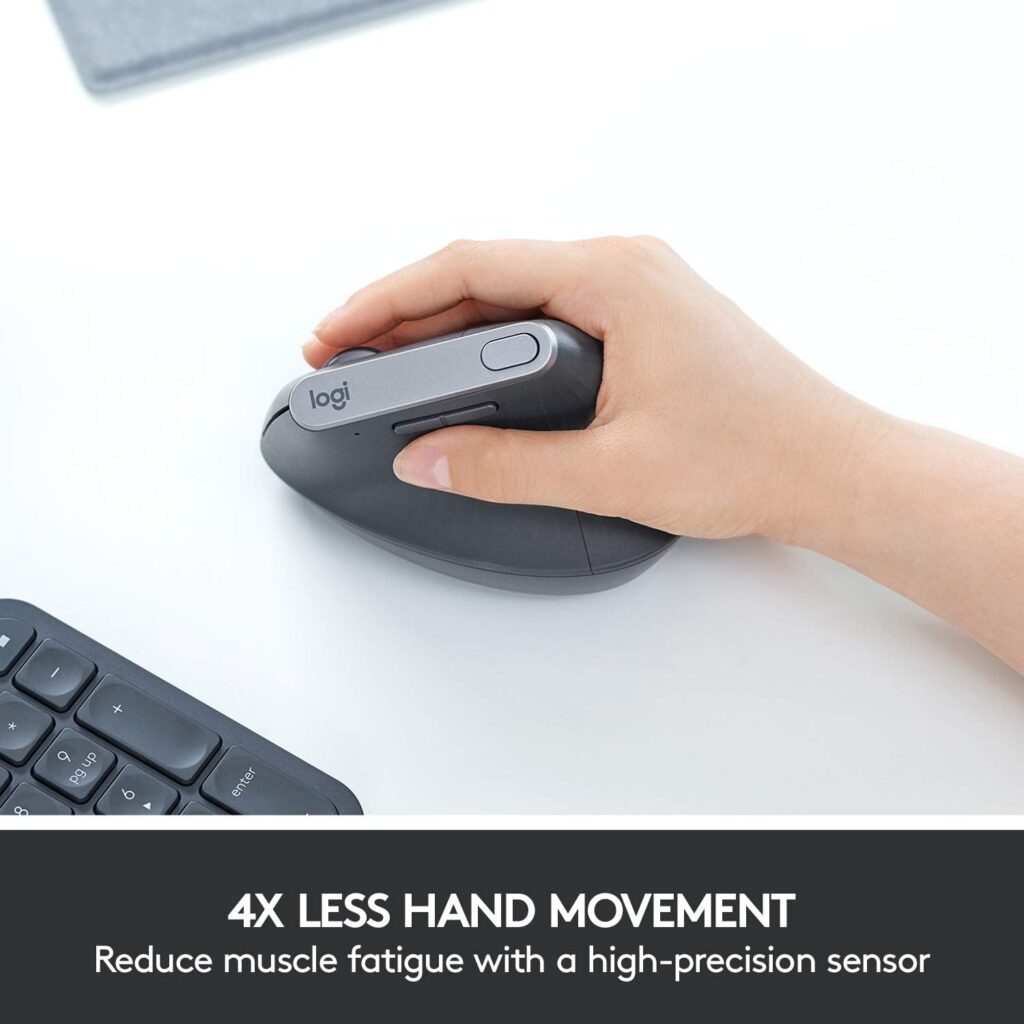
Quick Verdict: The MX Vertical is the bigger, rechargeable option in the pair. It suits people with larger hands who want a USB-C battery. At the price we saw ($77.99), it is competitive, but it is heavier and right-hand only.
Best For: Larger hands, desk-bound users, and anyone who prefers rechargeable devices.
Key Specifications (from the Amazon listing):
- 57° vertical angle with thumb rest
- 4000 DPI optical sensor with cursor speed switch
- Rechargeable lithium polymer battery, up to 4 months
- Bluetooth or USB receiver, range listed as 10 m
- Weight listed as 8 oz; right-handed
- 4 buttons; works with Windows, macOS, iPadOS, Linux, Chrome OS and Android
What We Like
- Rechargeable battery with fast top-up charging
- DPI switch button for quick cursor speed changes
- Roomier shape for larger hands
- Listing rating of 4.4 from over 15,000 reviews
What We Don’t Like
- Heavier than the Lift
- Right-handed only
- Battery life is shorter than the Lift’s AA battery (4 months vs 24 months, per listings)
Ergonomic Analysis: The 57° angle places the hand in a handshake-like orientation, which can reduce pronation compared with a flat mouse. Logitech claims a 10% reduction in muscular activity versus a standard mouse. That is a manufacturer claim, so treat it as a design goal, not a guarantee.
Who Should Buy It? Users with medium to large hands who like to charge devices through USB-C.
Who Should Skip It? Small-handed users, left-handed users, and people who want the lightest option.
Value for Money: At $77.99, it is reasonable if size and rechargeability matter. If they do not, the Lift gives similar ergonomics for less on several colours.
🛒 Check Price on Amazon2. Logitech Lift Vertical Ergonomic Mouse (Graphite)
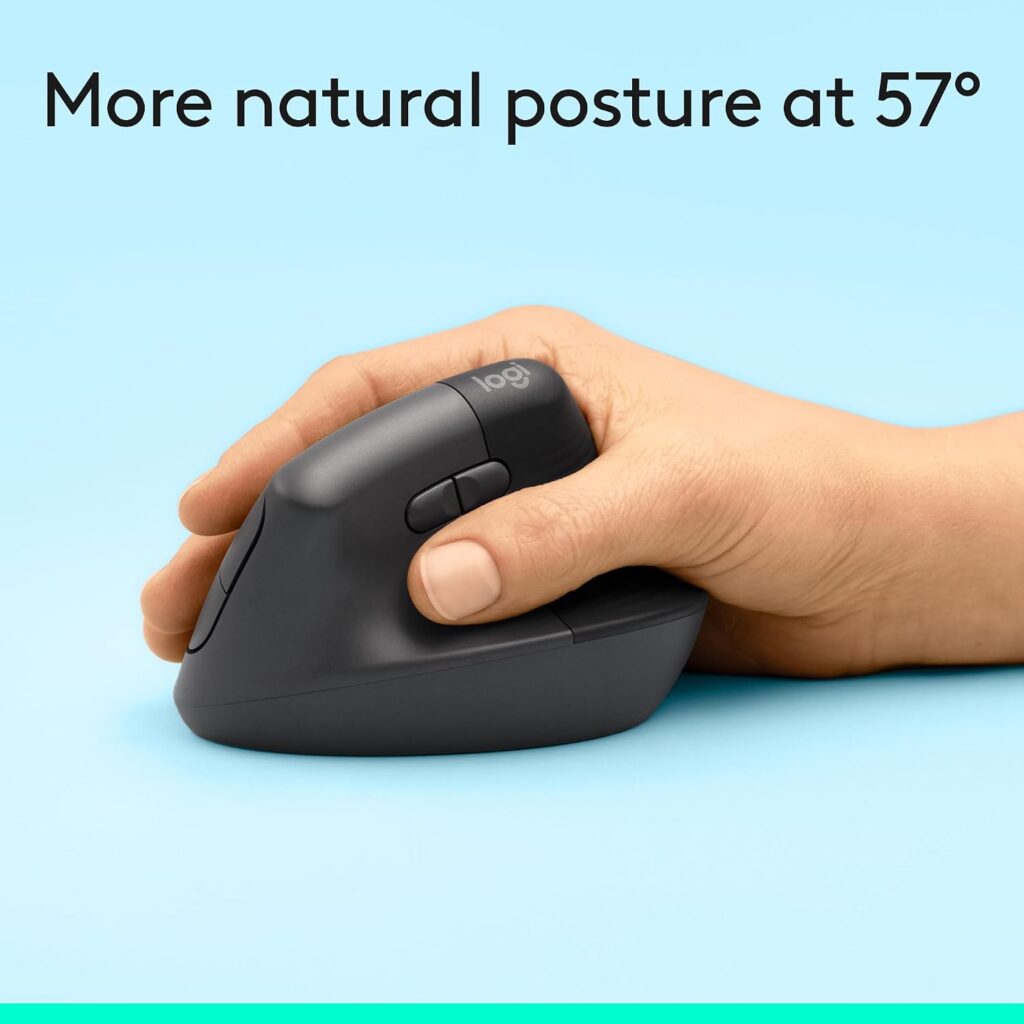
Quick Verdict: The Lift keeps the 57° vertical shape but shrinks it, lightens it and quiets the clicks. For most people with small to medium hands, it is the better starting point. The price on the Graphite listing is shown at cart, so check it directly.
Best For: Small to medium hands, laptop users, shared spaces, and left-handed users (via the left-handed version).
Key Specifications (from the Amazon listing):
- 57° vertical angle with soft textured grip and thumb rest
- 4000 DPI, adjustable through software
- 1 AA battery, up to 24 months quoted
- Bluetooth Low Energy or Logi Bolt USB receiver
- Weight 4.4 oz; 108 x 70 x 71 mm per the product description
- 6 buttons, 4 customisable; quiet clicks and SmartWheel
- Listing rating 4.4 from over 14,000 reviews
What We Like
- Light and compact
- Long AA battery life
- Quiet clicks
- Left-handed version available
What We Don’t Like
- Too small for large hands
- AA battery rather than rechargeable
- 1-year warranty listed on this variant; check current terms
Ergonomic Analysis: The Lift offers the same angle as the MX Vertical in a smaller body. For a small hand, a smaller body can mean the fingers reach the buttons without stretching, which is part of positioning the hand comfortably.
Who Should Buy It? Anyone with small to medium hands who wants a vertical mouse without a big footprint.
Who Should Skip It? People with large hands, who may find it cramped.
Value for Money: Strong. You get the same angle and good features for a modest price.
🛒 Check Price on Amazon3. Logitech Lift Vertical Ergonomic Mouse (Sand)
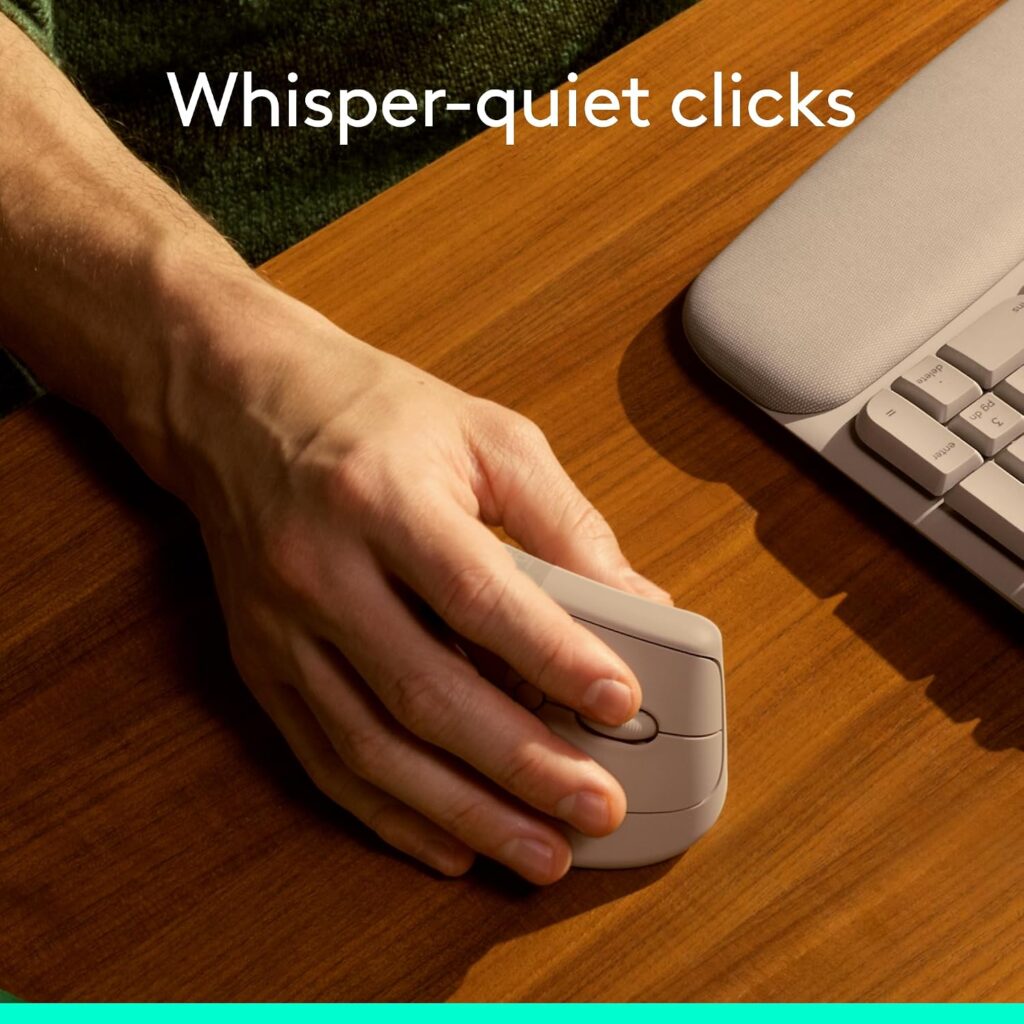
Quick Verdict: The same Lift in a warm neutral tone. The hardware and ergonomic design match the Graphite version, so choose this one based on colour and current price.
Best For: Lift buyers who want a lighter-looking mouse on the desk.
What Differs: Listed at $69.99 with a 30-day low-price note. The listing says the Logi Bolt receiver and one AA battery are included. Recycled plastic content for Sand is listed at 56%.
What We Like: Same angle, quiet clicks and long battery life as other Lift colours.
What We Don’t Like: Same size limit as every Lift. Colour variations can have slightly different listing details, so confirm the specs before ordering.
Who Should Buy It? Lift buyers who like the colour.
Who Should Skip It? Anyone with large hands.
Value for Money: Good at the listed price.
🛒 Check Price on Amazon4. Logitech Lift Vertical Ergonomic Mouse (Rose)

Quick Verdict: The Lift in rose. It is functionally the same mouse, and the listing we reviewed carried an Amazon’s Choice badge.
Best For: Lift buyers who want a softer colour.
What Differs: Listed at $74.99, a smaller saving than other colours. Recycled plastic content for Rose is listed at 54%.
What We Like: Same ergonomics and battery life as the other Lift colours.
What We Don’t Like: Priced higher than Off White and Sand on the listings we saw. The URL provided for this product uses a different product name from the listing title, so confirm you land on the correct Lift page.
Who Should Buy It? Anyone who likes the colour and does not mind the small price difference.
Who Should Skip It? Buyers who want the lowest price or have large hands.
Value for Money: Fair; the colour is the main difference.
🛒 Check Price on Amazon5. Logitech Lift Vertical Ergonomic Mouse (Off White)
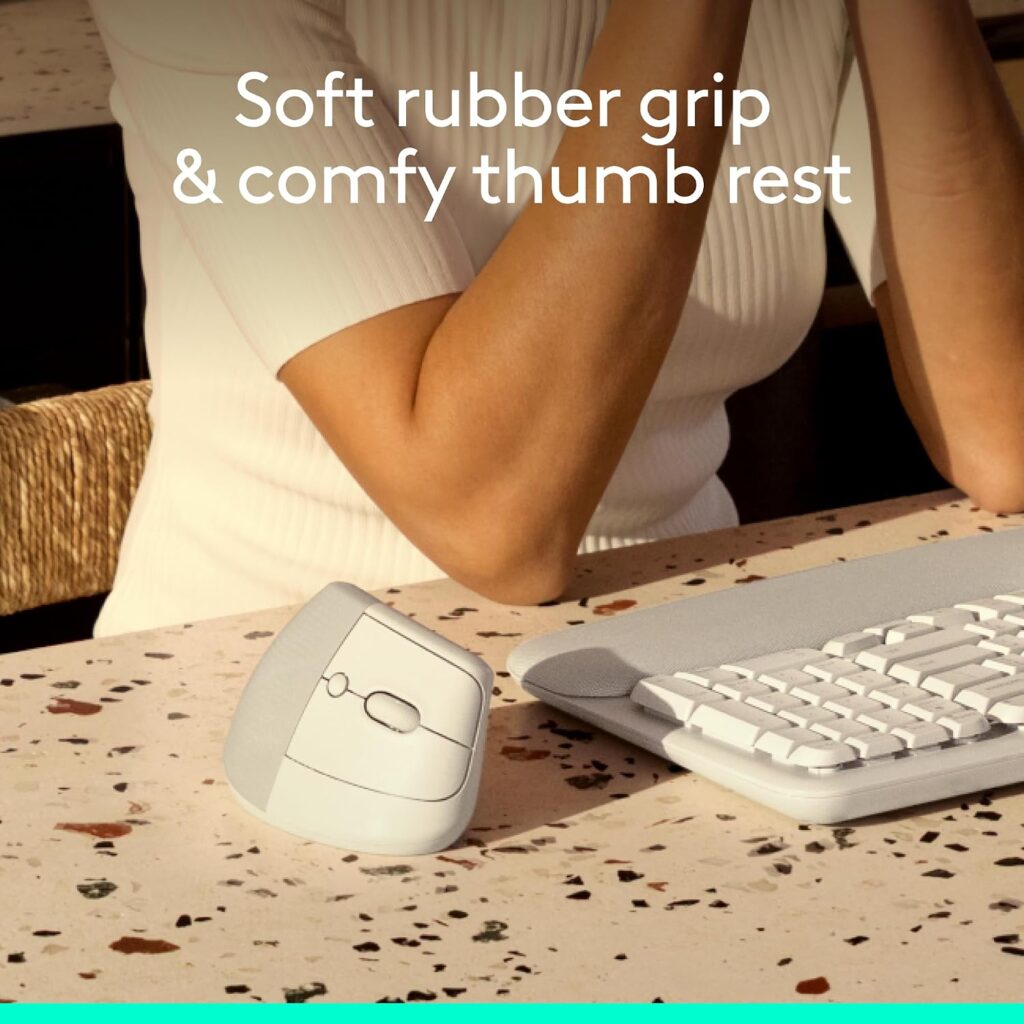
Quick Verdict: The lowest-priced Lift colour among those we reviewed ($67.49 on the listing). The hardware is the same Lift, though the listing’s detail fields differ from the other colours.
Best For: Lift buyers who want the lowest listed price.
What Differs: The operating system field on this listing shows Chrome OS, Linux and Windows 10, and the included-components section is not shown. The product description still states Windows, macOS, iPadOS, Chrome OS and Linux compatibility. Specifications can vary by listing, so check the manufacturer’s current specifications before purchasing.
What We Like: Lowest listed price and same ergonomic design.
What We Don’t Like: Inconsistent listing details make it harder to verify what is in the box.
Who Should Buy It? Price-focused Lift buyers who confirm the details first.
Who Should Skip It? Anyone who needs a clear included-components list, or has large hands.
Value for Money: Strong, subject to confirming the listing.
🛒 Check Price on Amazon6. Logitech MX Master 3S Bluetooth (Graphite)
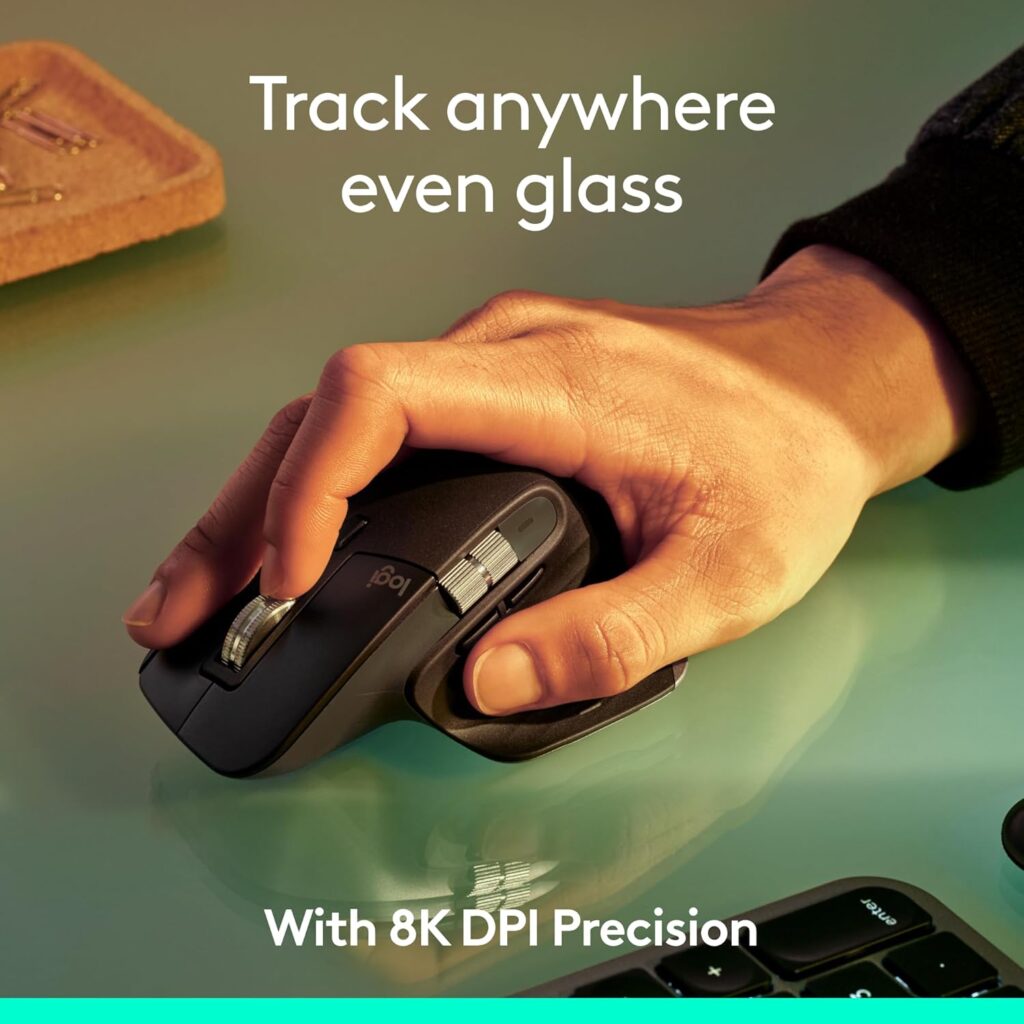
Quick Verdict: Not a vertical mouse. The MX Master 3S is a sculpted conventional mouse for people who tried vertical and did not like it, or who need more buttons and faster scrolling.
Best For: Users who prefer a conventional shape with a thumb scroll wheel and plenty of customisation.
Key Specifications (from the Amazon listing):
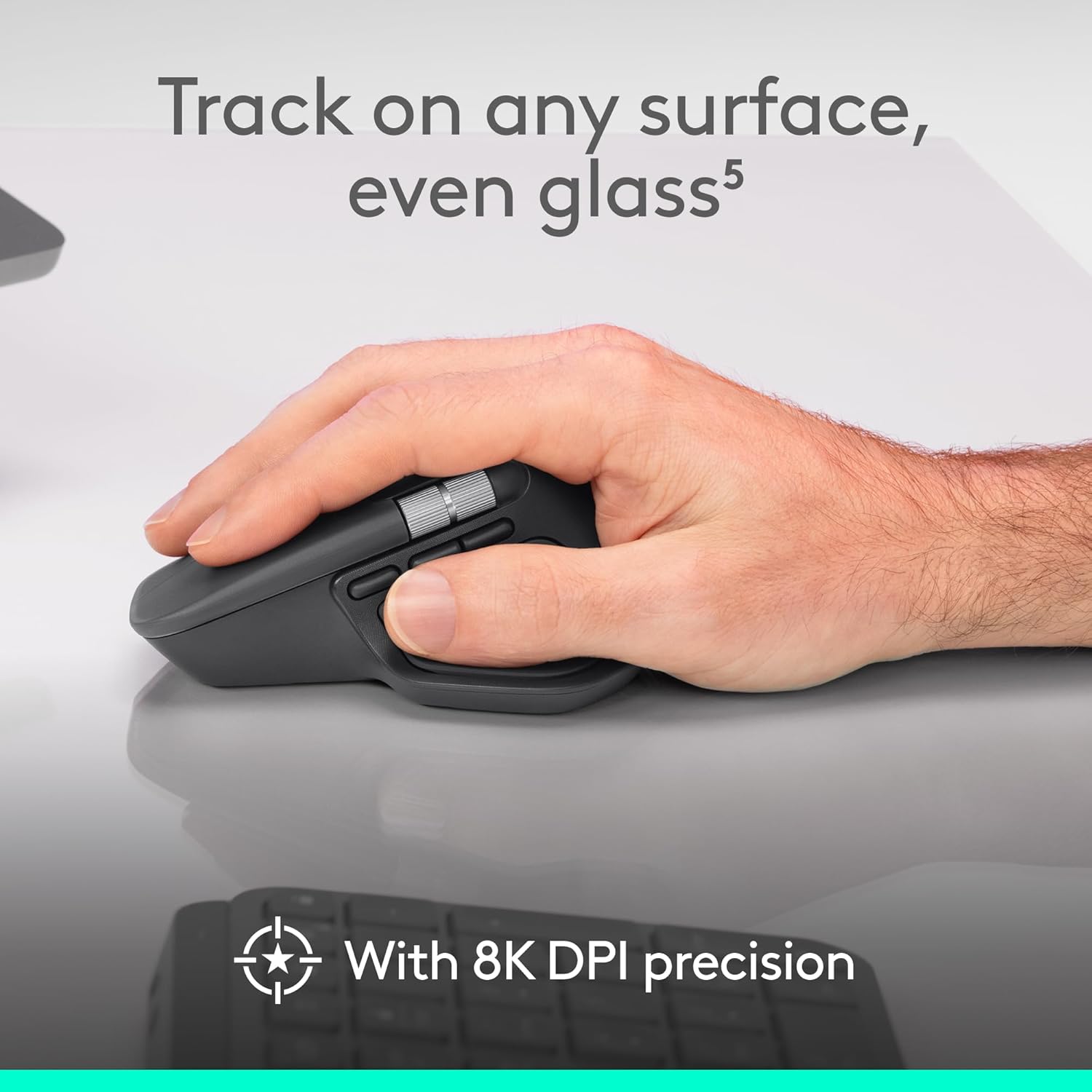
- 8000 DPI sensor, works on glass per Logitech’s claim
- Quiet clicks, MagSpeed scroll wheel
- 7 buttons; Bluetooth for up to 3 devices
- Battery life quoted at 70 days
- Weight 5 oz; 4.92″ x 3.32″
- Listing rating 4.6 from 701 reviews; $79.99 (list $99.99)
What We Like
- Strong scrolling and customisation
- Quiet clicks
- Works across Windows, macOS, Linux and Chrome OS
What We Don’t Like
- Not vertical, so forearm pronation is the same as other conventional mice
- This Bluetooth edition does not include a USB receiver or charging cable, per the listing
- Larger body may not suit small hands
Ergonomic Analysis: Logitech describes the silhouette as shaped for a more natural wrist posture, but it keeps the palm-down position, so it does not target pronation the way a vertical design does.
Who Should Buy It? People who value features over a vertical posture.
Who Should Skip It? Anyone specifically seeking to reduce forearm pronation, or without a spare USB-C cable.
Value for Money: Good for a feature-rich mouse at $79.99.
🛒 Check Price on Amazon7. Logitech MX Master 4 (Graphite)
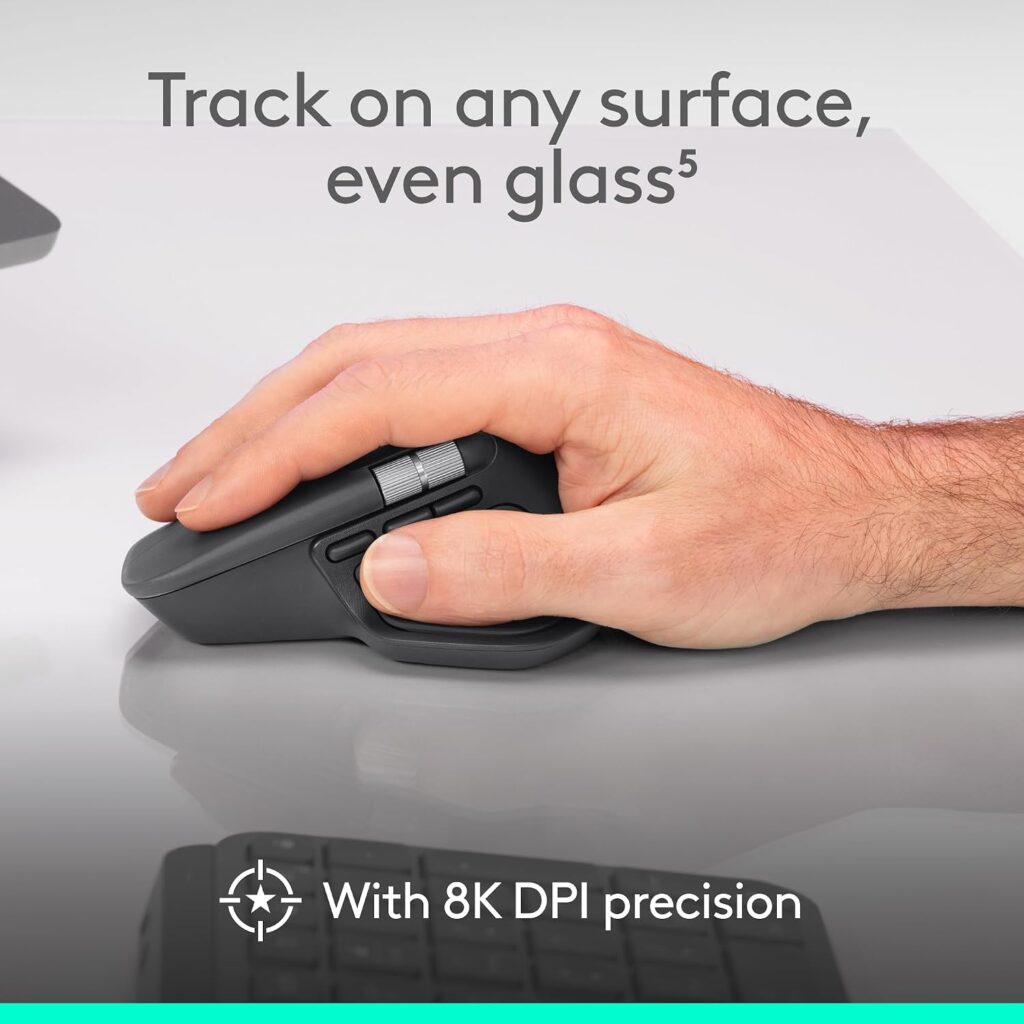
Quick Verdict: The MX Master 4 is the premium conventional option, with haptic feedback and an Actions Ring overlay. It costs more and is not vertical, so I would only suggest it to buyers who want those features.
Best For: Power users who value productivity features over a vertical posture.
Key Specifications (from the Amazon listing):
- Haptic Sense Panel and Actions Ring
- 8000 DPI sensor; MagSpeed scroll wheel; quiet clicks
- 7 buttons; Bluetooth or USB-C dongle connectivity
- Battery life quoted at 70 days
- Listing rating 4.3 from 2,100 reviews; $119.99
What We Like
- Rich customisation and haptic feedback
- Quiet clicks and precise scrolling
- Recycled plastic and recycled cobalt content noted on the listing
What We Don’t Like
- Highest price in this group
- Not vertical
- The listing’s weight figure looks inconsistent, so we have left it out; check the manufacturer’s specification. Also confirm whether the USB-C dongle is included, since the components list only mentions the mouse and documentation.
Ergonomic Analysis: It offers a natural tilt and a thumb scroll wheel. It keeps the standard hand position rather than the handshake position of a vertical mouse.
Who Should Buy It? Creative and productivity users who will use the features.
Who Should Skip It? Anyone buying primarily for a vertical posture, or on a tight budget.
Value for Money: Reasonable only if you will use the haptics and shortcuts.
If you are weighing premium options more broadly, our premium ergonomic mouse comparison covers the wider field.
🛒 Check Price on Amazon8. Logitech MX Master 4 (Pale Gray)
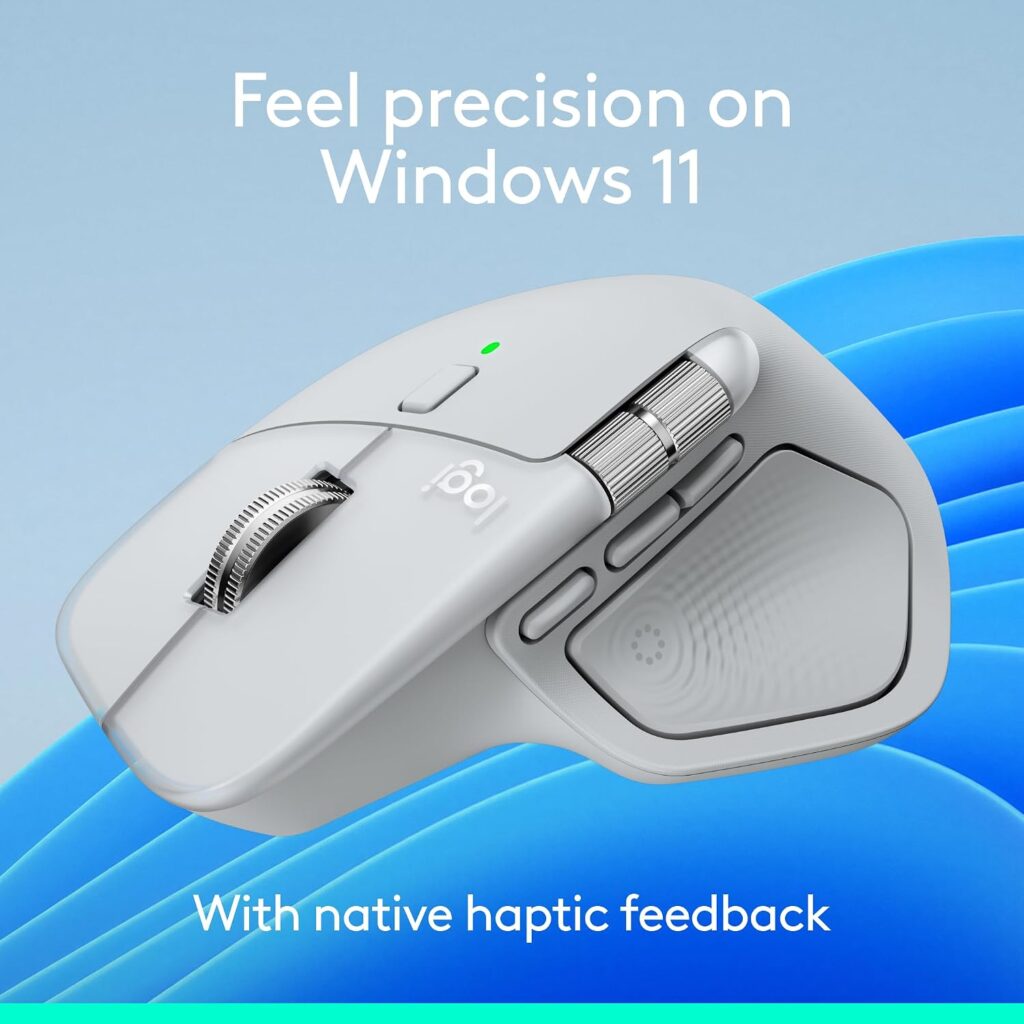
Quick Verdict: The same MX Master 4 in a lighter colour. The main thing to check is the operating system requirement on this listing.
Best For: MX Master 4 buyers who prefer a lighter colour.
What Differs: Listed at $119.99 with an Amazon’s Choice badge. Minimum OS on this listing is stated as ChromeOS 137, macOS 14 Sonoma and Windows 11, which is stricter than the Graphite listing. Check compatibility before ordering.
What We Like: Same features, plus a slightly higher recycled-plastic note for Graphite (54%) than Pale Gray (48%) on the listing.
What We Don’t Like: Same price and same non-vertical design. The battery description on this listing says nonstandard battery, while the Graphite listing says AA, so confirm the details.
Who Should Buy It? Buyers on newer operating systems who want the lighter finish.
Who Should Skip It? Anyone on older Windows or macOS versions.
Value for Money: Same as the Graphite version.
🛒 Check Price on AmazonComparison Table
| Product | Best For | Type | Key Ergonomic Feature | Weight (listing) | Connectivity | Amazon Rating |
|---|---|---|---|---|---|---|
| MX Vertical | Larger hands | Vertical | 57° angle, thumb rest | 8 oz | Bluetooth or USB receiver; USB-C charging | 4.4 (15,114) |
| Lift (Graphite) | Small to medium hands | Vertical | 57° angle, compact body | 4.4 oz | Bluetooth LE or Logi Bolt; AA battery | 4.4 (14,006) |
| Lift (Sand) | Small to medium hands | Vertical | Same as Lift | 4.4 oz | Bluetooth LE or Logi Bolt; AA battery | 4.4 (14,006) |
| Lift (Rose) | Small to medium hands | Vertical | Same as Lift | 4.4 oz | Bluetooth LE or Logi Bolt; AA battery | 4.4 (14,006) |
| Lift (Off White) | Lowest listed price | Vertical | Same as Lift | 4.4 oz | Bluetooth or USB; AA battery | 4.4 (14,006) |
| MX Master 3S (Bluetooth) | Features over posture | Sculpted conventional | Thumb rest, shaped body | 5 oz | Bluetooth only | 4.6 (701) |
| MX Master 4 (Graphite) | Premium features | Sculpted conventional | Natural tilt, thumb wheel | Check listing | Bluetooth, USB-C dongle (confirm inclusion) | 4.3 (2,100) |
| MX Master 4 (Pale Gray) | Premium features | Sculpted conventional | Natural tilt, thumb wheel | Check listing | Bluetooth, USB-C dongle (confirm inclusion) | 4.3 (2,100) |
Which Product Should You Buy?
Choose the Logitech Lift if:
- You have small to medium hands
- You want the lightest vertical option
- You are left-handed
- You prefer quiet clicks and a long-lasting AA battery
Choose the Logitech MX Vertical if:
- Your hands are larger and the Lift feels cramped
- You prefer a rechargeable USB-C battery
- You like having a dedicated cursor speed switch
Choose the MX Master 3S if:
- You tried a vertical mouse and disliked it
- You want a conventional shape with strong scrolling and customisation
Choose the MX Master 4 if:
- You want premium productivity features and are comfortable with the higher price
Skip all of them if you have persistent or severe pain. A mouse is not a medical treatment, and a healthcare professional can advise on your situation.
Common Mistakes When Choosing Between These Mice
- Ignoring hand size. This is the most common mistake. A mouse that is too large or too small can undermine the ergonomic benefit.
- Assuming “ergonomic” means automatically comfortable. The shape has to suit your hand and your task.
- Buying based only on star ratings. The Lift and MX Vertical both sit at 4.4 on Amazon, which tells you little about fit.
- Overlooking battery type. AA versus rechargeable affects running costs and convenience.
- Ignoring return terms. A trial period matters because it can take time to adapt.
- Expecting a mouse to fix a poor setup. Desk height, chair position and posture matter at least as much.
- Not checking compatibility. Listing details vary by colour, especially for the MX Master 4.
Best Practices for Using a Vertical Mouse
OSHA’s computer workstation guidance describes neutral positioning as a comfortable working posture in which joints are naturally aligned. It also advises changing position frequently through the day.
Here are practical steps that fit this comparison:
- Keep the mouse close to the keyboard so you do not reach. OSHA’s pointer and mouse guidance lists this as a quick tip, along with maintaining a straight, neutral wrist and avoiding a tight grip.
- Set your desk and chair so your forearm sits roughly parallel to the floor.
- Avoid gripping the mouse tightly.
- Give yourself an adjustment period before judging a vertical mouse.
- Take regular movement breaks, even with a good mouse.
- Consider alternating hands for some tasks, which OSHA also suggests as a quick tip.
For more on mouse options, see our best premium ergonomic mouse guide.
Alternatives Worth Considering
- Best alternative if you dislike vertical mice: the MX Master 3S Bluetooth edition, with a sculpted conventional shape.
- Premium alternative: the MX Master 4, if haptics and shortcuts matter to you.
- Other designs: If neither vertical nor sculpted mice feel right, a trackball is a different approach. We will cover that separately.
Frequently Asked Questions
Is the Logitech MX Vertical better than the Lift?
Neither is better for everyone. The MX Vertical suits larger hands and offers a rechargeable battery. The Lift suits small to medium hands, weighs less, has quieter clicks and offers a left-handed version. Choose based on hand size first, then battery preference and price.
Which is better for small hands, the MX Vertical or the Lift?
The Lift. Logitech designed it for small to medium hands, and its Amazon listing shows a weight of 4.4 oz compared with 8 oz for the MX Vertical. If you have small hands, a smaller body can make the buttons easier to reach.
Is the Lift smaller than the MX Vertical?
Yes. The Lift listing shows 4.4 oz and about 4.3″ x 2.7″, while the MX Vertical listing shows 8 oz. The two share the 57° vertical angle, but the Lift is the more compact mouse.
Which has better battery life, the MX Vertical or the Lift?
The Lift. Its listing quotes up to 24 months on one AA battery, while the MX Vertical lists up to 4 months per charge. The MX Vertical is rechargeable through USB-C, though, and a one-minute charge is described as giving about three hours of use. Battery life varies with use.
Is the MX Vertical available for left-handed users?
The Amazon listing for the MX Vertical shows right-hand orientation only. The Lift is sold in both right-handed and left-handed versions, so left-handed users should look at the Lift.
Does a vertical mouse help with wrist pain?
It may help some people feel more comfortable by reducing forearm pronation, but results vary. Research is mixed for medical conditions: one study of 21 patients found a vertical mouse changed wrist position without reducing carpal tunnel pressure. For persistent or severe pain, consult an appropriate healthcare professional.
How long does it take to get used to a vertical mouse?
It varies by person. A study in Ergonomics found longer time to reach targets with a vertical mouse and suggested extra familiarisation may be needed. Give yourself a fair trial period and check the return terms on the listing before buying.
Do the MX Vertical and Lift work with both Mac and Windows?
Yes. Both listings show compatibility with Windows, macOS, iPadOS, Chrome OS and Linux, and Logitech’s Logi Options+ software is used for customisation on Windows and macOS. Minimum operating system versions vary by listing, so check yours.
Is a vertical mouse good for long working hours?
It can be a comfortable choice for long sessions because it keeps the forearm less twisted than a flat mouse. Comfort still depends on hand fit, desk setup and regular breaks. No mouse replaces movement and posture changes throughout the day.
Is the MX Vertical worth it compared with the cheaper Lift?
Only if you need what it offers: a larger body, a USB-C rechargeable battery or the speed switch. The listings we reviewed showed the Lift at $67.49 to $74.99 and the MX Vertical at $77.99. If you have small or medium hands, the Lift is usually the better value.
Final Verdict
If you have small to medium hands, buy the Logitech Lift. It delivers the same 57° vertical idea in a lighter, quieter, more compact mouse, and it is the only one with a left-handed option.
If your hands are larger or you want a rechargeable battery, choose the Logitech MX Vertical. It is the roomier of the two, though heavier.
If you try vertical and it does not suit you, the MX Master 3S is a sensible conventional alternative, and the MX Master 4 is the premium step up.
My recommendation is simple: let hand size make the first decision, then use battery type and price to break the tie.





