
Ergonomic Mouse vs Regular Mouse: The Science of Wrist Pain (2026 Guide)

If your wrist or forearm feels tired after a long day of mousing, you have probably seen a vertical mouse advertised as the fix. It looks odd, it costs more than a basic mouse, and the marketing is full of phrases like “scientifically designed”. I wanted to separate what the evidence supports from what the packaging promises.
It is worth taking the mouse seriously, because we use it a lot. A paper in the journal Work notes that modern computer users use the mouse almost three times as much as the keyboard, and that posture is one risk factor for upper-limb injury. In plain terms, a small posture difference is repeated across a whole working day. That does not mean any one mouse will protect you, but it explains why the shape of the device is a fair thing to question.
In this guide I compare an ergonomic mouse vs a regular mouse on posture, muscle load, precision, comfort over long sessions and price. I also cover who is likely to benefit, who should skip the upgrade, and how the eight models below fit different hands and budgets.
One point up front: ergonomic products are about comfort and positioning. They are not medical treatments. If you have persistent or severe pain, numbness or tingling, please speak to a qualified healthcare professional rather than shopping your way out of it.
Quick Answer
An ergonomic mouse can be more comfortable than a regular mouse for many people, mainly because it reduces how far the forearm twists inward. The research supports a change in wrist and forearm posture. It does not show that an ergonomic mouse treats or prevents any medical condition. For long daily mouse use, it is a low-risk upgrade worth trying.
I looked at eight mice for this guide: five ergonomic designs and three regular mice. The regular mice are included on purpose, because the honest answer to “is it worth it?” depends on what you would be replacing.🖱️ Our Top Picks at a Glance
Five ergonomic designs and three regular mice, so you can compare both sides of the decision. Prices were visible on Amazon.com when this guide was prepared.


Quick Verdict Table
| Product | Best For | Main Strength | Main Limitation | Rating | Link |
|---|---|---|---|---|---|
| UGREEN Ergonomic Wireless Mouse | Most people trying vertical for the first time | Bluetooth + 2.4G, 3 devices, $15.99 | Newer operating systems required | 4.4/5 | Check Price |
| Lekvey Rechargeable Vertical Mouse | Medium to large hands, no battery swaps | USB-C rechargeable, quiet clicks | Not suitable for small hands; no Bluetooth | 4.4/5 | Check Price |
| Anker 2.4G Vertical Mouse | Buyers who want a long-established model | 53,000+ reviews, 18-month warranty | Needs AAA batteries (not included); no Bluetooth | 4.2/5 | Check Price |
| Microsoft Sculpt Ergonomic Mouse | A gentle step away from a regular mouse | Angled shape with thumb scoop | Highest price in this guide; dated compatibility list | 4.4/5 | Check Price |
| MICROPACK Ergonomic Wireless Mouse | Budget buyers with medium to large hands | Up to 16 months battery (listed), $15.99 | Lowest rating of the ergonomic group; variant details are unclear | 4.1/5 | Check Price |
| Amazon Basics 3-Button Wired Mouse | Light use and the lowest possible budget | $9.70, 93,000+ reviews, simple and compact | Flat, palm-down shape with no ergonomic features | 4.6/5 | Check Price |
| HP Wired Mouse 100 | Left-handed or ambidextrous regular use | Contoured ambidextrous body, 1600 DPI | Wired; still a palm-down posture | 4.3/5 | Check Price |
| Acer 2.4GHz Wireless Mouse | Cable-free regular mouse for larger hands | 5 DPI levels up to 4000, battery indicator | AA battery not included; not Bluetooth | 4.4/5 | Check Price |
Ergonomic Mouse vs Regular Mouse: What Is Actually Different?
A regular mouse is a flat or gently domed device that you operate with your palm facing down. An ergonomic mouse changes the shape or angle so your hand sits in a different position, most often a handshake-style orientation.
The key difference is forearm pronation, which is the inward twist of the forearm that turns your palm downwards. A standard mouse needs a lot of it. A vertical mouse needs less.
| Feature | Regular mouse | Ergonomic (vertical or angled) mouse |
|---|---|---|
| Hand position | Palm down (pronated) | Closer to a handshake (more neutral) |
| Forearm twist | Higher | Lower |
| Learning curve | None | Usually a few days to a few weeks |
| Pointing precision at first | Familiar and fast | Often slower until you adapt |
| Typical price in this guide | $9.70 to $14.99 | $15.99 to $75.90 |
| Desk footprint | Small and flat | Taller, often wider |
| Portability | Usually good | Often bulkier in a bag |
A vertical mouse is designed to keep the forearm in a more neutral position than a traditional mouse. That sentence is the entire core of the design. The rest of this article is about whether that difference matters in practice, and for whom.
Is an Ergonomic Mouse Actually Worth It?
Short answer: research consistently shows that vertical and angled mice change posture and can lower some forearm muscle activity. The evidence that they reduce pain or treat a condition is weaker and more mixed. For a deeper look at the pain question specifically, see our evidence review on whether an ergonomic mouse really helps wrist pain.
Research Insight: Research has linked vertical mice with a more neutral forearm position. In a study published in the journal Ergonomics, 16 participants used both a standard and a vertical mouse. Average forearm pronation was 28° with the vertical mouse and 42° with the standard one, and extensor carpi muscle activity was 13% versus 16%.
What this means: the vertical shape let the forearm rest closer to its natural position, so some wrist extensor muscles worked a little less. It is a sample of 16 people, so it shows a direction, not a guarantee.
Practical example: if you spend six hours a day in spreadsheets and design tools, a small reduction in sustained muscle effort, repeated all day, is the kind of difference that may show up as less forearm tiredness by the evening.
The trade-off: The same Ergonomics study found participants took longer to reach targets with the vertical mouse (4.2 seconds versus 3.4). A CDC-hosted evaluation of flat, angled and vertical mice, with 12 experienced mouse users, found that angled concept mice reduced forearm pronation compared with a flat mouse. The fully vertical benchmark reduced pronation but had the poorest pointing performance. The authors concluded that increasing mouse height and angling the top case can improve wrist posture without hurting performance.
Technique also matters. A new shape does not fix old habits on its own, so how you hold the mouse during the first weeks makes a difference.
What this means: posture and precision pull in opposite directions. Angled designs aim for the middle ground, which is why the Microsoft Sculpt has a place in this guide.
Practical example: when you first try a vertical mouse, rest your hand lightly on its side, keep the wrist straight and move the mouse with your forearm rather than flicking from the wrist. Lower the DPI while you adapt.
Carpal tunnel pressure: This is the area where marketing most often runs ahead of the evidence. A peer-reviewed study in Applied Ergonomics measured carpal tunnel pressure in 21 people who already had carpal tunnel syndrome. The vertical mouse reduced ulnar deviation, but none of the ergonomic devices tested reduced carpal tunnel pressure. The authors did not endorse a strong recommendation for or against any device and noted that choice depends on personal preference.
What this means: a better wrist angle is not the same as lower pressure inside the carpal tunnel. I would never describe a vertical mouse as a treatment. If you have numbness, tingling or persistent pain, an ergonomic mouse should not be your only step, and a healthcare professional is the right person to ask.
Important: none of the studies above tested the eight mice in this guide. They examined research prototypes or specific commercial designs. The UGREEN, Lekvey, Anker and MICROPACK share the general vertical concept, and the Sculpt shares the angled concept, so the findings are relevant background. I cannot say any of these products produces the same results, and no research cited here shows that they do.What the research adds up to:
| Question | What research suggests | Confidence |
|---|---|---|
| Does it reduce forearm pronation? | Yes, consistently | High |
| Does it reduce some forearm muscle activity? | Often, in small studies | Moderate |
| Does it slow you down at first? | Yes, often for a while | Moderate |
| Do all ergonomic designs work equally well? | No, results vary by design | Moderate |
| Does it reduce carpal tunnel pressure? | Not shown | Low evidence |
| Does it cure or prevent a medical condition? | No evidence it does | Not supported |
For setup advice beyond the mouse itself, the OSHA computer workstations eTool is a useful government reference on desk, chair and input device positioning.
An ergonomic mouse is worth it if you use a mouse for several hours a day, notice forearm or wrist fatigue with a regular mouse, and are willing to spend a week or two adapting. It is less worthwhile for occasional use, for precision-heavy work you cannot slow down, or for very small hands.
The price gap is also small at the lower end. The UGREEN and MICROPACK are listed at $15.99, only $5 to $6 more than the cheapest regular mice here. That makes trying one a low-risk experiment.
Buying Guide: What Actually Matters in an Ergonomic Mouse
I keep these eight factors in mind for every mouse review. They matter more than any star rating.
Hand size and fit. A mouse can have excellent specifications and still feel wrong if the shape does not suit your hand. The Lekvey listing states plainly that it is not suitable for small hands and is larger than a traditional mouse. The UGREEN is described as a good choice for larger hands, and the MICROPACK and Acer listings target medium to large grips.
Vertical, angled or conventional design. Full vertical designs change posture the most. Angled designs such as the Sculpt change it less but are easier to adapt to. Conventional mice need no adaptation but keep the palm-down position. The research covered above points the same way: angled designs tend to balance posture and precision better than fully vertical ones, although those studies used research prototypes and specific commercial models, not the mice reviewed here.
Grip style and thumb position. Vertical mice generally rest the thumb on a side platform. If you like to lift and reposition your mouse often, check how it feels in your grip, because some people find the side-resting position awkward at first.
Precision and sensor settings. DPI settings let you slow the cursor down, which can offset the early slowness of a vertical mouse. The Anker, Lekvey and MICROPACK offer up to 1600 DPI, the UGREEN up to 4000 and the Acer up to 4000. A lower DPI setting often feels easier for fine control. The Ergonomics study above measured slower target times with a vertical mouse, so starting at a lower DPI while you adapt is a sensible approach.
Connectivity. Bluetooth is convenient for laptops with limited ports, but a 2.4G receiver is plug-and-play. Only the UGREEN offers both among the ergonomic mice. Mac users with USB-C-only laptops will need an adapter for USB-A receivers such as the one used by the Lekvey.
Battery type. Rechargeable models avoid battery swaps. AA and AAA models are easy to replace but may need batteries you do not have. Several listings do not include them, so check before ordering.
Click noise. If you share a space, quiet clicks matter. The UGREEN, Lekvey and MICROPACK all advertise quiet clicks. The Anker listing notes that click sounds are unavoidable.
Handedness and compatibility. The Anker, Lekvey, UGREEN, MICROPACK and Acer are listed as right-handed designs. The Sculpt, Amazon Basics and HP are listed as ambidextrous, though the Sculpt’s thumb scoop suggests a right-hand shape. Check operating system support too. The UGREEN lists minimum versions of ChromeOS 137, macOS 13 and Windows 11.
Emily Richardson’s recommendation: if you work from home for several hours a day, prioritise proper fit and workspace compatibility before paying extra for features such as extra buttons or very high DPI that you may rarely use.
Product Reviews
1. UGREEN Ergonomic Wireless Mouse (Best Overall)
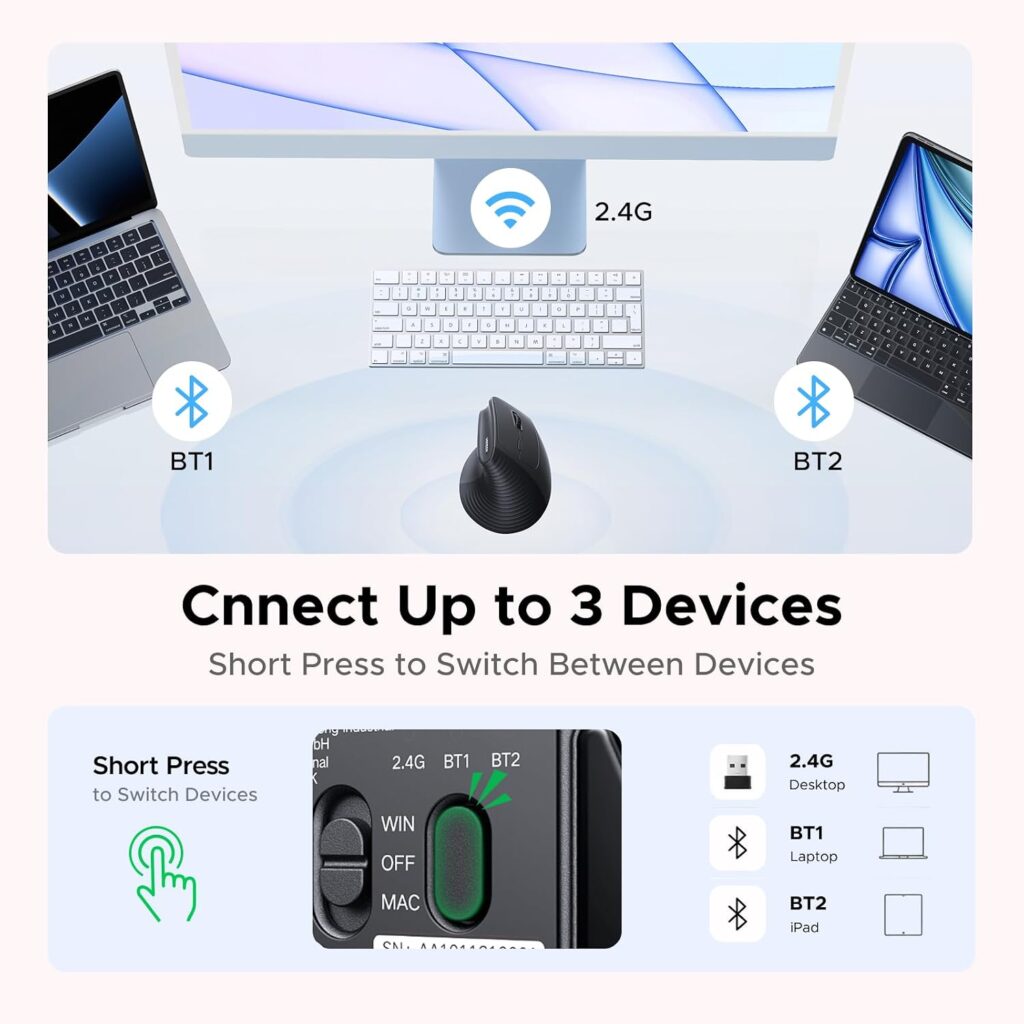
Quick Verdict: The UGREEN is the most flexible ergonomic mouse in this guide. It combines a vertical handshake shape with Bluetooth, a 2.4G receiver and support for up to three devices, at one of the lowest prices in the group. Its main drawback is the minimum operating system requirement.
Best For: First-time vertical mouse buyers who switch between a laptop, desktop or tablet.
Key Specifications:
- Type: vertical, right-handed
- Connectivity: Bluetooth and 2.4G, up to 3 devices, 10 m listed range
- DPI: 1000 / 1600 / 2000 / 4000
- Buttons: 5, with quiet clicks
- Power: 1 AA battery, listed battery life up to 12 months
- Warranty: 1 year (manufacturer)
- Price seen: $15.99 (listing showed a $21.99 list price)
What We Like
- Dual connectivity and multi-device switching are rare at this price
- PTFE glide feet are listed for smoother, quieter tracking
- Quiet-click buttons suit shared spaces
- Listed minimum OS versions include macOS, ChromeOS and Windows
What We Don’t Like
- Listed minimum versions (Windows 11, macOS 13, ChromeOS 137) exclude older computers
- AA battery is required, and the listing does not say one is included
- Right-handed only
Ergonomic Analysis: The vertical shape places the hand in a handshake-like orientation, which reduces forearm pronation compared with a flat mouse. The listing positions it for larger hands, so people with small hands should be cautious.
Who Should Buy It? Hybrid workers and anyone using more than one device who wants to try a vertical design cheaply.
Who Should Skip It? Left-handed users, small-handed users, and anyone on an older operating system.
Value for Money: Strong. At $15.99 it costs little more than a regular mouse while adding a posture-focused shape and flexible connectivity.
🛒 Check Price on Amazon2. Lekvey Rechargeable Vertical Mouse (Best Rechargeable)
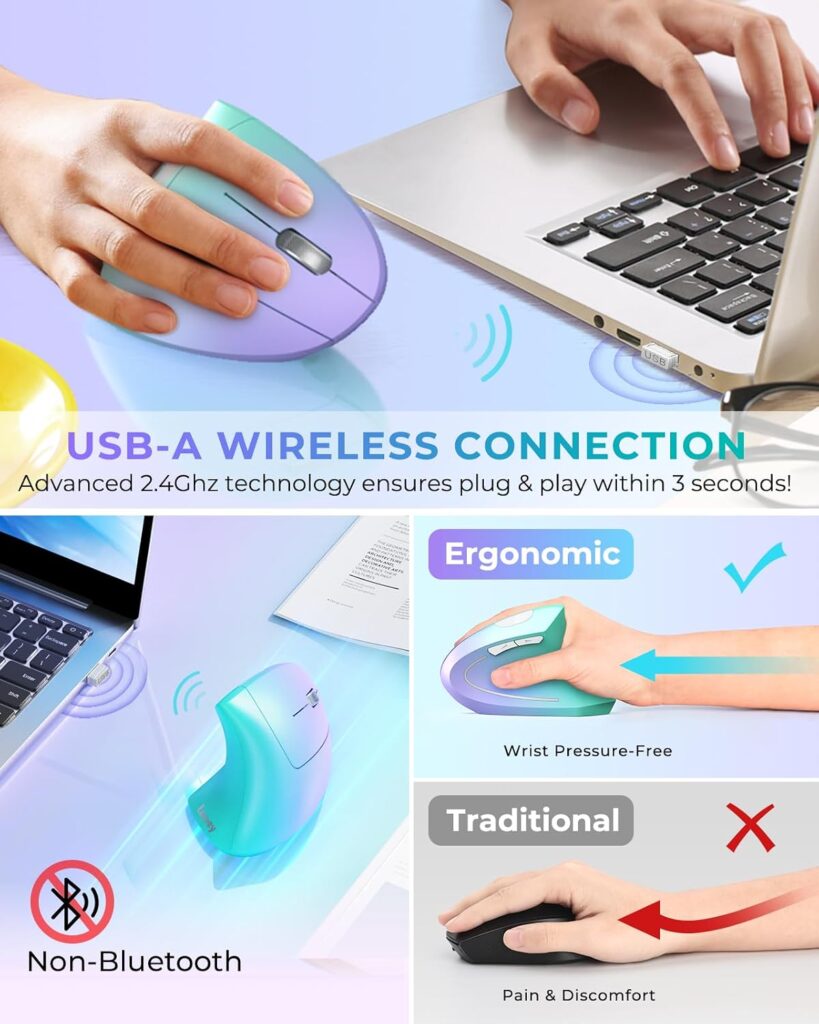
Quick Verdict: The Lekvey is a good choice if you want to stop buying batteries. It charges over USB-C, offers quiet clicks and comes in several colours. The trade-off is a larger body and a 2.4G-only connection.
Best For: Medium to large hands and people who prefer a rechargeable mouse.
Key Specifications:
- Type: vertical, right-handed
- Connectivity: 2.4G USB-A receiver (no Bluetooth)
- DPI: 800 / 1200 / 1600; 6 buttons
- Battery: built-in rechargeable, listed as about 150 hours from a 3-hour charge
- Size: about 5.0 x 3.0 x 2.5 in; about 95 g (3.36 oz) per the listing
- Warranty: 24 months
- Price seen: $29.99
What We Like
- USB-C charging with a cable included
- Quiet low-noise clicks
- Rubberised finish and several colour options
- Two-year warranty
What We Don’t Like
- The listing states it is not suitable for small hands
- USB-A receiver means Mac laptops with only USB-C ports need an adapter
- Battery details in the specification table are inconsistent with the rechargeable description, so confirm before buying
Ergonomic Analysis: The vertical design aims to promote a neutral handshake position and reduce forearm twisting. The larger body gives a full-hand grip, which can be more comfortable for bigger hands but awkward for smaller ones.
Who Should Buy It? People with medium to large hands who work mostly at one desk.
Who Should Skip It? Small-handed users, anyone who needs Bluetooth, and travellers who want a compact mouse.
Value for Money: Fair to good. It costs about twice the UGREEN, so the rechargeable battery and warranty need to matter to you.
🛒 Check Price on Amazon3. Anker 2.4G Wireless Vertical Ergonomic Mouse (Most Reviewed)
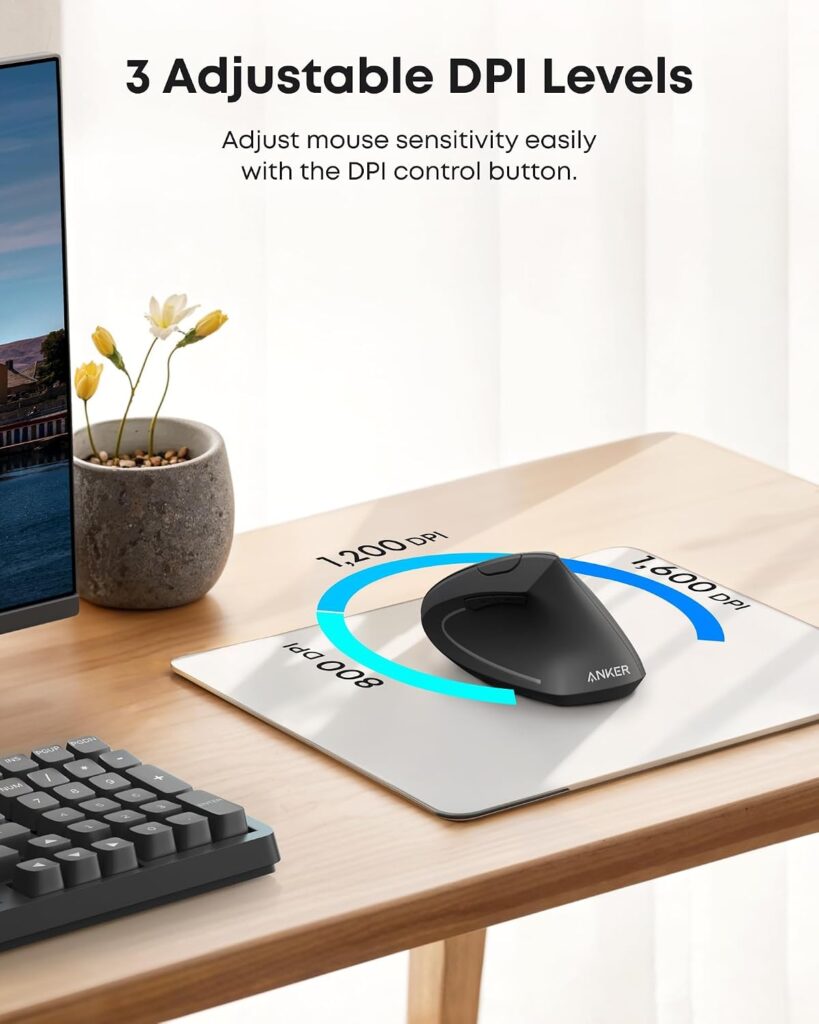
Quick Verdict: The Anker is one of the best-known vertical mice on Amazon, with more than 53,000 ratings at 4.2 out of 5. It is simple, reliable in design and backed by an 18-month warranty. It lacks Bluetooth and does not include batteries.
Best For: Buyers who prefer a long-established model and a straightforward USB receiver.
Key Specifications:
- Type: vertical, right-handed
- Connectivity: 2.4G USB receiver (stored in the mouse), 5 m listed range, not Bluetooth
- DPI: 800 / 1200 / 1600; 5 buttons
- Power: 2 AAA batteries (not included); power-saving mode after 8 minutes of inactivity
- Size: about 4.72 x 2.94 in
- Warranty: 18 months
- Price seen: $29.99
Weight is listed inconsistently on the page (3.4 oz in the description and 4.5 oz in the specification table), so I do not give a single figure.
What We Like
- Very large review base
- Receiver stores in the base for travel
- Page forward and back buttons
- 18-month warranty
What We Don’t Like
- Batteries are not included
- Click noise is described as unavoidable
- No Bluetooth, and the listing’s compatibility details are mixed
Ergonomic Analysis: The vertical form is intended to hold the wrist in a neutral handshake position. The Anker has no hand-size warning on its listing, but fit still depends on your grip.
Who Should Buy It? People who value a large review history and a simple 2.4G setup.
Who Should Skip It? Anyone who wants Bluetooth, a rechargeable battery or silent clicks.
Value for Money: Fair. It costs more than the UGREEN with fewer connectivity options, so the extra price mostly buys brand familiarity and warranty length.
🛒 Check Price on Amazon4. Microsoft Sculpt Ergonomic Mouse (Best Gentle Transition)
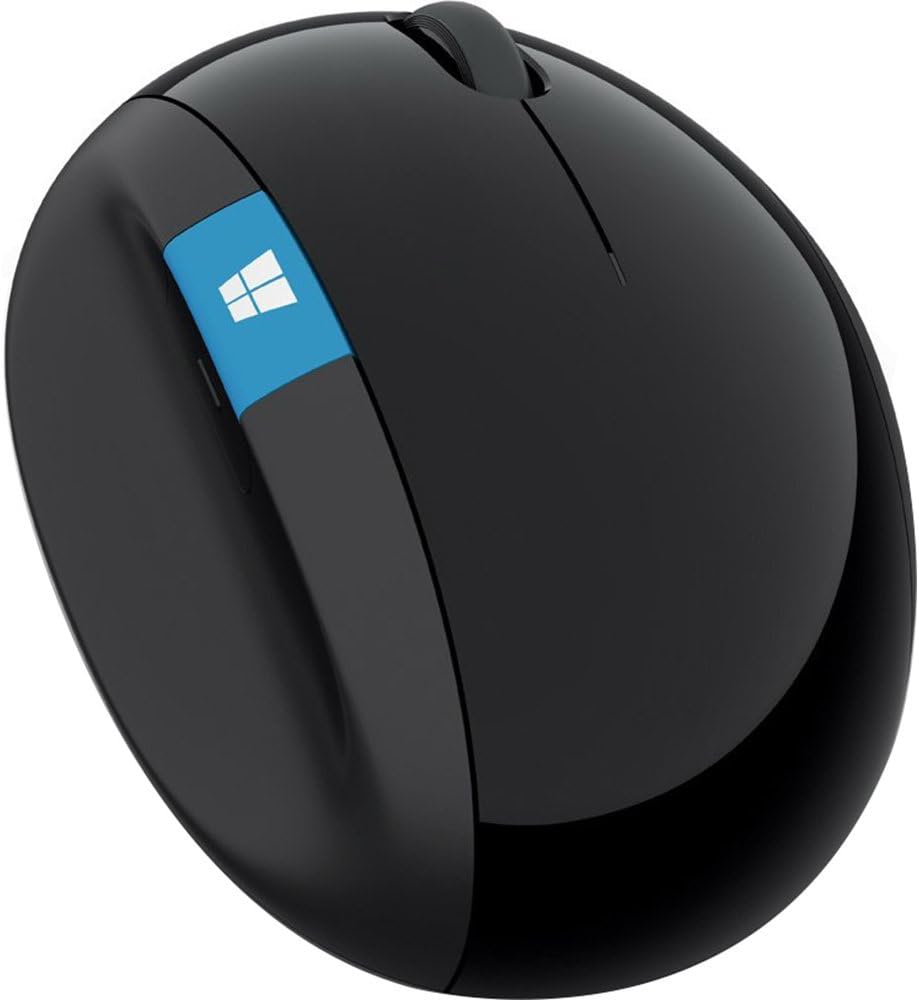
Quick Verdict: The Sculpt does not go fully vertical. It uses a sculpted, angled body with a thumb scoop, which makes it easier to adapt to if a vertical mouse feels too strange. It is also the most expensive mouse here, and its listing shows signs of age.
Best For: People who want a posture-focused shape without a big change in how they move the mouse.
Key Specifications:
- Type: angled, sculpted body with thumb scoop
- Buttons: 3, plus a Windows button, back button and 4-way scroll wheel
- Power: 2 AAA batteries (included)
- Size: about 5.51 x 3.87 in
- Hand orientation: listed as ambidextrous, although the thumb scoop suggests a right-hand design
- Price seen: $75.90
The listed weight (0.041 oz) is clearly an error, so I have left it out.
What We Like
- Angled shape is easier to adapt to than a full vertical
- Thumb scoop is designed to support the hand and wrist
- Batteries are included
- Established brand with strong review numbers (4.4 stars from nearly 4,000 ratings)
What We Don’t Like
- It costs three to five times more than most mice here
- The Windows button is oriented around the older Start screen
- The compatibility list is dated, so check it against your operating system
- Left-handed users should verify the shape before buying
Ergonomic Analysis: Angled designs are the middle ground in the research. They aim to reduce pronation while keeping more of a familiar pointing feel.
Who Should Buy It? Windows users who want a more comfortable shape without relearning how to mouse.
Who Should Skip It? Budget buyers, Mac users who want current compatibility details, and anyone who wants the largest posture change.
Value for Money: Hard to justify unless you specifically want the angled shape. The UGREEN is cheaper but a bigger change.
🛒 Check Price on Amazon5. MICROPACK Ergonomic Wireless Mouse (Longest Battery)
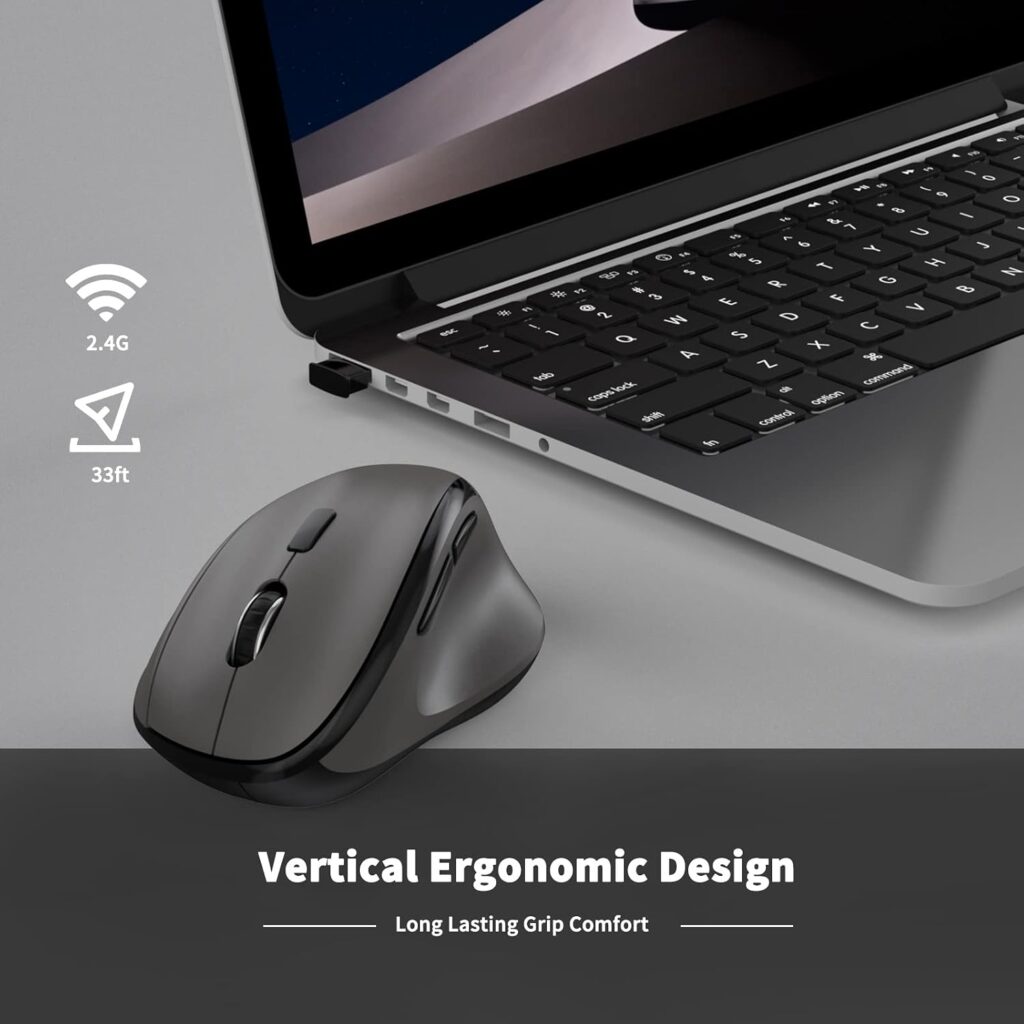
Quick Verdict: A low-cost vertical mouse with a full-size body and a very long listed battery life. It has the lowest rating among the ergonomic models and the listing is less consistent about connectivity, so I would check the exact variant before ordering.
Best For: Budget buyers with medium to large hands who want a low-maintenance mouse.
Key Specifications:
- Type: vertical, right-handed
- Connectivity: USB dongle on the grey variant, range up to 32 ft listed
- DPI: up to 1600; 6 buttons
- Power: 1 AA battery, up to 16 months listed
- Size: 11.8 x 7.5 x 5.8 cm (about 4.6 x 3 x 2.2 in); about 4.2 oz
- Warranty: 1 year
- Price seen: $15.99
What We Like
- Long listed battery life with an on/off switch
- Designed for medium to large grips (the listing mentions palms over 7.5 in)
- Quiet clicks
- Low price in many colours
What We Don’t Like
- 4.1 stars is the lowest rating of the ergonomic group
- Different variants (USB wireless, rechargeable 3-mode, wired) share one listing, and the connectivity field is ambiguous
- Not intended for small hands
Ergonomic Analysis: The handshake-style position with a thumb rest is meant to reduce wrist rotation. As with any vertical mouse, a gradual switch helps.
Who Should Buy It? Someone who wants to test a vertical mouse for as little as possible.
Who Should Skip It? Small-handed users and anyone who wants the most established brand support.
Value for Money: Good on price, with a little more risk on consistency.
🛒 Check Price on Amazon6. Amazon Basics 3-Button Wired Mouse (Best Budget Regular)
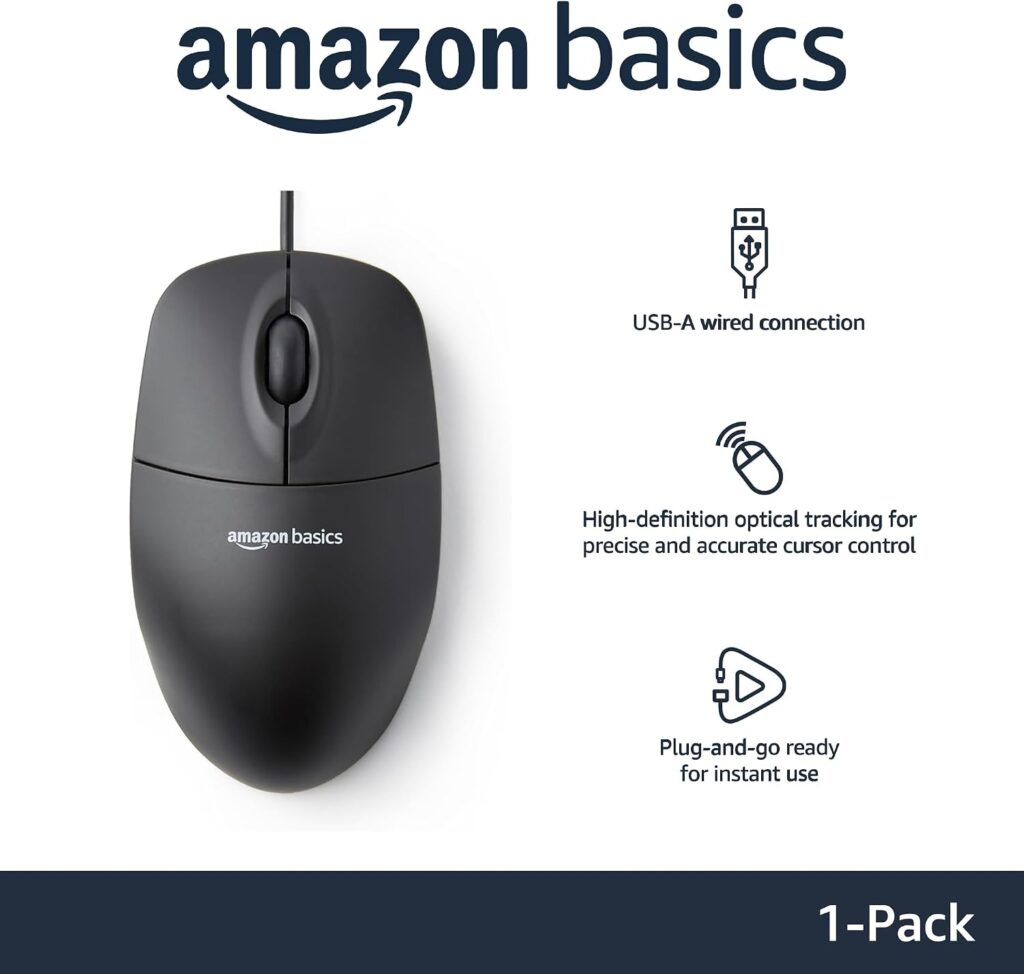
Quick Verdict: This is the standard against which every ergonomic mouse should be judged. It is cheap, compact and well reviewed, with 4.6 stars from more than 93,000 ratings. It has no posture-specific design at all.
Best For: Occasional use, a spare mouse, or anyone with very small hands who finds ergonomic shapes too large.
Key Specifications:
- Type: conventional, ambidextrous, wired
- Connectivity: USB-A, 4.9 ft cable
- DPI: 1000; 3 buttons
- Size: about 4.3 x 2.4 x 1.4 in; about 2.89 oz
- Warranty: 2 years listed
- Price seen: $9.70
What We Like
- Lowest price in this guide
- Compact, light and easy for smaller hands
- No battery or pairing to manage
What We Don’t Like
- Flat shape keeps the forearm pronated
- Cable limits positioning
- USB-C-only computers need an adapter
Ergonomic Analysis: A small, low-profile mouse like this tends to encourage a claw or fingertip grip. That can be comfortable for short sessions, but it does not address pronation.
Who Should Buy It? Light users, small hands, and anyone who simply wants a cheap, dependable mouse.
Who Should Skip It? Heavy daily users who already notice wrist or forearm fatigue.
Value for Money: Excellent as a regular mouse, and not an ergonomic product.
🛒 Check Price on Amazon7. HP Wired Mouse 100 (Best Regular for Left-Handers)
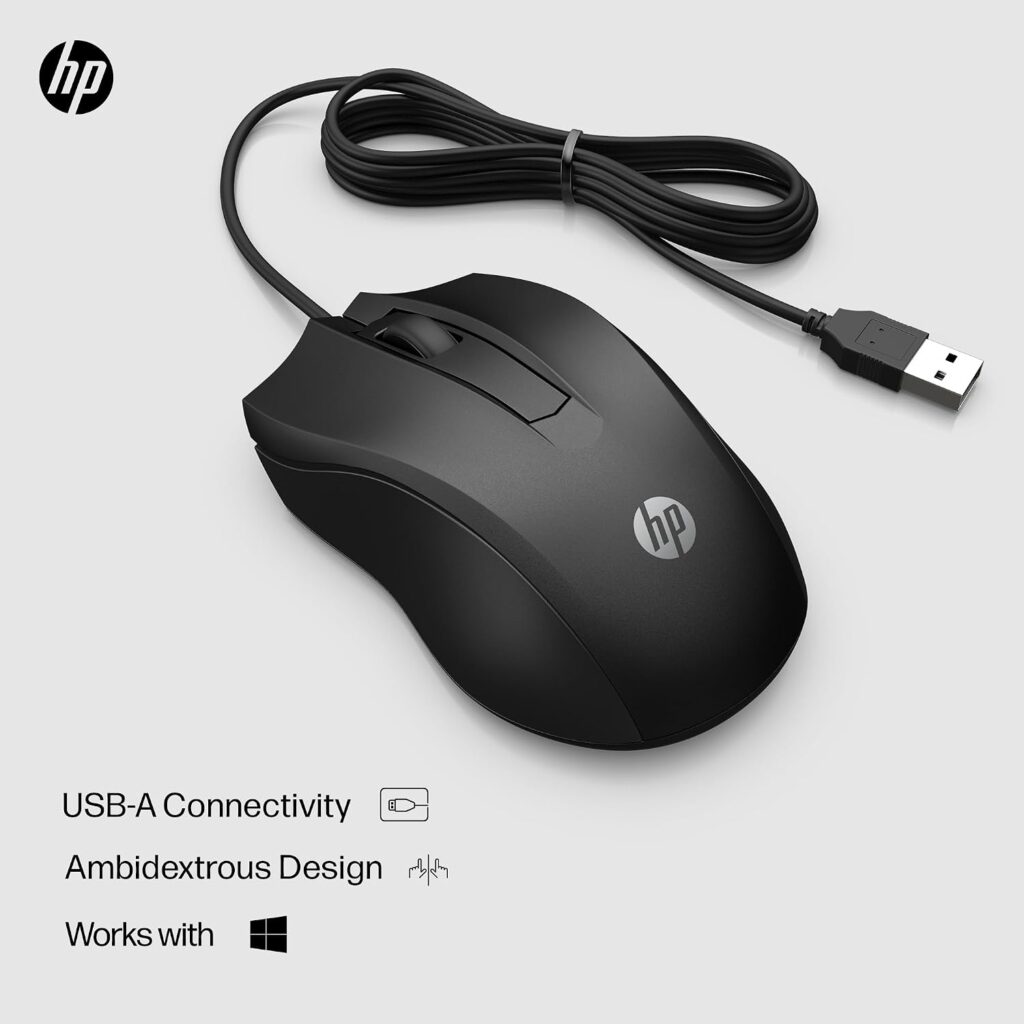
Quick Verdict: A budget wired mouse with a contoured, ambidextrous body and a 1600 DPI sensor. It is slightly larger than the Amazon Basics and may suit a palm grip better. It remains a palm-down design.
Best For: Left-handed or ambidextrous users who want a simple, inexpensive mouse.
Key Specifications:
- Type: conventional, ambidextrous, wired
- Connectivity: USB-A
- DPI: 1600; 3 buttons with scroll wheel
- Size: about 5 x 3.2 in; about 3.84 oz
- Warranty: 1 year
- Price seen: $10.95
What We Like
- Ambidextrous contour suits either hand
- Slightly larger body for a palm grip
- Low price
What We Don’t Like
- Fewer reviews than the Amazon Basics (782 ratings)
- Wired, with no posture-specific design
- The compatibility text on the listing is partly inconsistent, so check your operating system
Ergonomic Analysis: The listing uses “ergonomic design” and “contoured comfort”, but the shape is still a conventional mouse that keeps the palm down.
Who Should Buy It? Left-handed users on a tight budget.
Who Should Skip It? Heavy users with forearm fatigue.
Value for Money: Good for a basic mouse.
🛒 Check Price on Amazon8. Acer 2.4GHz Wireless Mouse (Best Regular Wireless)
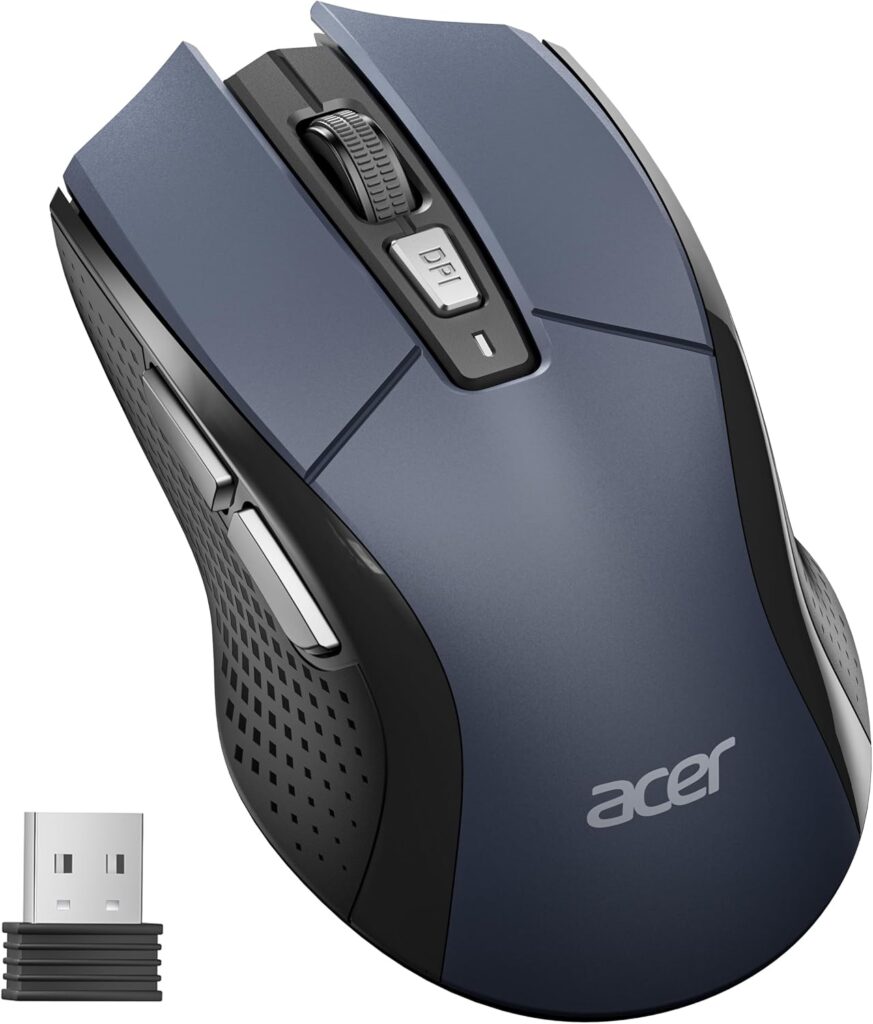
Quick Verdict: A conventional wireless mouse with five DPI levels, a battery and DPI indicator light, and a body sized for medium to large hands. It adds convenience, not posture benefits, and the battery is not included.
Best For: People who want a cable-free regular mouse for home or office use.
Key Specifications:
- Type: conventional, right-handed
- Connectivity: 2.4GHz USB-A receiver, 33 ft listed range, not Bluetooth
- DPI: 800 / 1200 / 2400 / 3200 / 4000; 6 buttons
- Power: 1 AA battery (not included); standby after 10 minutes
- Size: about 4.9 x 2.7 in; about 3 oz
- Warranty: 1 year
- Price seen: $14.99
What We Like
- Indicator light for DPI and low battery
- Forward and back buttons
- Larger body than most basic mice
What We Don’t Like
- AA battery is not included
- USB-A receiver only
- No change in forearm posture
Ergonomic Analysis: The mouse is a conventional palm-down design. It is a better fit for larger hands than the smallest mice, but it does not reduce pronation.
Who Should Buy It? Medium to large-handed users who want wireless convenience and no ergonomic learning curve.
Who Should Skip It? Anyone looking for a posture-focused change.
Value for Money: Good for a feature-rich basic mouse.
🛒 Check Price on AmazonFull Comparison Table
| Product | Type | Key Ergonomic Feature | Weight | Connectivity | Rating |
|---|---|---|---|---|---|
| UGREEN Ergonomic Wireless Mouse | Vertical, wireless | Handshake position | 6 oz (as listed) | Bluetooth + 2.4G | 4.4/5 |
| Lekvey Rechargeable Vertical Mouse | Vertical, wireless | Handshake position, medium/large hands | 3.36 oz | 2.4G USB receiver | 4.4/5 |
| Anker 2.4G Vertical Mouse | Vertical, wireless | Handshake position | ~3.4–4.5 oz (listing varies) | 2.4G USB receiver | 4.2/5 |
| Microsoft Sculpt Ergonomic Mouse | Angled, wireless | Thumb scoop, sculpted body | Not reliably listed | USB (battery-powered) | 4.4/5 |
| MICROPACK Ergonomic Wireless Mouse | Vertical, wireless | Handshake position with thumb rest, medium/large grip | 4.2 oz | USB dongle (grey variant) | 4.1/5 |
| Amazon Basics 3-Button Wired Mouse | Regular, wired | None (compact, flat) | 2.89 oz | Wired USB-A | 4.6/5 |
| HP Wired Mouse 100 | Regular, wired | Contoured ambidextrous body | 3.84 oz | Wired USB-A | 4.3/5 |
| Acer 2.4GHz Wireless Mouse | Regular, wireless | Medium-to-large body | 3 oz | 2.4G USB-A receiver | 4.4/5 |
Decision Framework: Which Product Should You Buy?
Choose the UGREEN if: You want the best overall balance of posture-focused design, connectivity and price.
Choose the Lekvey if: You have medium to large hands, work at one desk and would rather charge than replace batteries.
Choose the Anker if: You want a long-established vertical model with a big review history and a longer warranty.
Choose the Microsoft Sculpt if: You want a more comfortable shape without a big change in technique, and you are comfortable paying more.
Choose the MICROPACK if: You want the cheapest way into vertical mice and have medium to large hands.
Choose the Amazon Basics if: You use a mouse lightly, have small hands, or simply need an inexpensive spare.
Choose the HP Wired Mouse 100 if: You are left-handed or ambidextrous and want a basic wired mouse.
Choose the Acer if: You want a regular wireless mouse with adjustable DPI and a larger body.
Skip the upgrade altogether if: You mouse for under an hour a day and feel no discomfort. Your money is better spent on a good chair or monitor position.
Common Mistakes to Avoid When Buying an Ergonomic Mouse
- Assuming “ergonomic” means automatically comfortable. Fit matters more than the label.
- Ignoring hand size. Several vertical listings warn that the shape is large.
- Buying and abandoning after two days. Slower pointing is common while you adapt.
- Using a vertical mouse with a poor desk setup. A desk that is too high will still lift your shoulder.
- Choosing on star ratings alone. A 4.6-star basic mouse is not an ergonomic product.
- Skipping connectivity checks. USB-A receivers need adapters on USB-C-only laptops.
- Expecting a treatment. An ergonomic mouse is a comfort tool, not a medical device.
Best Practices for Using an Ergonomic Mouse
These habits help whichever mouse you choose, and they do not cost anything. The OSHA computer workstations guidance covers the same principles in more detail.
- Keep the mouse close to your body so your upper arm stays near your side.
- Aim to keep your wrist straight, not bent up or sideways.
- Rest your forearm on the desk or an armrest where practical.
- Set your desk and chair height so your elbow is roughly at a comfortable right angle.
- Lower the DPI while you adapt to a new mouse.
- Use keyboard shortcuts to reduce repetitive clicking.
- Take short movement breaks through the day. A NIOSH study of data-entry workers compared a standard schedule of two 15-minute breaks with the same schedule plus four 5-minute breaks. The 42 workers reported less eye and upper-body discomfort with the extra breaks, and data-entry output was comparable. It studied data-entry work, not mouse products, so treat it as general support for short breaks. A few minutes away from the mouse every hour or so is a reasonable starting point.
If you want to compare other ways to reduce wrist strain, read our guide to vertical mouse vs trackball, and see our best vertical mouse 2026 round-up for more models.
Alternatives to Consider
- Best alternative type: trackball. A trackball keeps the hand still and moves the cursor with the thumb or fingers. It suits people who dislike moving the whole arm, and it takes up less desk space. Our vertical mouse vs trackball comparison covers the trade-offs.
- Gentler alternative: Microsoft Sculpt. Closer to a regular mouse but with more posture support.
- Budget alternative: UGREEN or MICROPACK. Both undercut most vertical mice.
- Small hands: none of the vertical mice here is marketed specifically for small hands. The Anker and MICROPACK have the smallest listed footprints, but fit cannot be judged from numbers alone. A compact regular mouse or a trackball may be the better route.
Frequently Asked Questions
Is an ergonomic mouse better than a regular mouse?
For many people, yes in terms of posture. Studies show vertical and angled mice reduce forearm pronation and can lower some muscle activity. Whether that translates into less discomfort varies by person. An ergonomic mouse is not a medical treatment.
Does an ergonomic mouse help wrist pain?
It may help comfort by encouraging a more neutral wrist and forearm position, but the evidence for pain relief is mixed. One study found that a vertical mouse did not reduce carpal tunnel pressure. If you have persistent pain, speak with a healthcare professional.
What is the difference between a vertical mouse and a normal mouse?
A normal mouse is flat and used palm down. A vertical mouse stands the hand on its side in a handshake-like position, which reduces forearm twisting. The trade-offs are a learning curve, a larger body and a higher price.
Is a vertical mouse good for long hours?
It can be, if it fits your hand and you adapt your technique. People who spend many hours on a mouse often find a more neutral posture less tiring. Combine it with good desk height, breaks and movement for the best result.
How long does it take to get used to a vertical mouse?
Most people need a few days to a few weeks. Research shows pointing is often slower at first. Lowering the DPI, using your forearm to move the mouse and sticking with it for at least a week can help you judge fairly.
Is an ergonomic mouse worth it for office work?
Yes, if you use a mouse for several hours daily or notice forearm tiredness. The price gap can be small, with models like the UGREEN costing about $15.99. For occasional use, a regular mouse is usually enough.
Can an ergonomic mouse prevent carpal tunnel syndrome?
There is no good evidence that any mouse prevents or cures carpal tunnel syndrome. In a peer-reviewed study of 21 people with carpal tunnel syndrome, a vertical mouse changed wrist position but did not reduce carpal tunnel pressure. NIOSH’s ergonomics and musculoskeletal disorders research frames prevention as a mix of task design, posture and workplace changes, not a single product. For numbness or tingling, see a healthcare professional promptly.
Are vertical mice bad for gaming or precise work?
They can feel slower for fast, precise movements, especially at first. A CDC-hosted comparison of flat, angled and vertical mice found that the fully vertical design had the poorest pointing performance of the group tested. Many gamers and designers prefer a conventional or angled mouse for fine control.
Are vertical mice good for small hands?
Often not. Several listings in this guide say the shape suits medium to large hands, and the Lekvey states it is not suitable for small hands. Small-handed users should consider a compact regular mouse or a trackball.
What should I look for when buying an ergonomic mouse?
Check hand-size fit, vertical or angled design, handedness, connectivity, battery type, click noise and compatibility. Treat star ratings as a secondary signal. A mouse that fits your hand and desk is better than one with a long feature list.
Final Verdict
If you want the best overall balance of posture-focused design, connectivity and price, choose the UGREEN Ergonomic Wireless Mouse. If you prefer a rechargeable mouse and have medium to large hands, the Lekvey is the better fit. If you want a proven, widely reviewed model, the Anker is a solid choice, and if you want a gentle first step, the Microsoft Sculpt is worth the premium only if that angled shape appeals to you.
If you use a mouse lightly, have very small hands, or feel no discomfort, a regular mouse such as the Amazon Basics or HP Wired Mouse 100 is perfectly reasonable.
My overall view: an ergonomic mouse is a sensible, low-cost experiment for heavy users. It is not a guaranteed fix, and it works best alongside good desk setup, regular breaks and professional advice if symptoms persist.
Check the current Amazon listing to see today’s price, available colours and customer reviews before you decide.





