
Best Premium Ergonomic Mouse 2026 (Is It Worth It?)
Written by the ErgoFixes editorial team, with buying criteria from Emily Richardson.
At ErgoFixes, our product evaluations combine manufacturer specifications, verified retailer and Amazon listing data, customer feedback, review patterns, and ergonomic design analysis. We assess products across factors such as comfort, adjustability, materials, functionality, durability, and overall value, using multiple sources to provide a balanced and practical recommendation.
Quick Answer: What Is the Best Premium Ergonomic Mouse?
The best premium ergonomic mouse for most office users is the Logitech MX Master 3S. It is the only mouse in this guide that combines a sculpted thumb rest, quiet clicks, multi-device switching and a serious productivity feature set. It costs the most here, and it is not the right choice for everyone.
Is a premium ergonomic mouse worth it? Sometimes. A higher price buys build quality, software, scroll control and connectivity. It does not automatically buy a healthier wrist position. If your main goal is a more neutral forearm angle, a $22 vertical mouse can do the same posture job, and I explain why below.
At ErgoFixes, our product evaluations combine manufacturer specifications, verified retailer and Amazon listing data, customer feedback, review patterns, and ergonomic design analysis. We assess products across factors such as comfort, adjustability, materials, functionality, durability, and overall value, using multiple sources to provide a balanced and practical recommendation. Where those sources disagree, I say so.🖱️ Our Top Picks at a Glance
Seven mice, from a true premium productivity mouse to two low-cost vertical designs. Prices are as shown on Amazon.com when I researched this guide, and they change.



Quick Verdict Table
How I scored: 40% ergonomic fit for office use, 25% comfort-relevant features (weight, buttons, scroll, quiet clicks), 20% value for money, 15% reliability signals such as warranty and review base. These are editorial scores based on specifications, listing data and public feedback.| Product | Best For | Main Strength | Main Limitation | Rating | Link |
|---|---|---|---|---|---|
| Logitech MX Master 3S | All-day office and creative work | Thumb rest, quiet clicks, software | Price and 141g weight | 4.6/5 | Check Price |
| Razer DeathAdder V3 Pro | Light, precise right-hand mousing | 64g, 90-hour battery | Gaming-first, no vertical angle | 4.0/5 | Check Price |
| ASUS ROG Harpe Ace Aim Lab | Claw-grip users wanting low weight | About 54g, tri-mode wireless | Shape suits claw grip only | 3.8/5 | Check Price |
| HyperX Pulsefire Haste 2 | Budget-conscious lightweight users | 61g, 100-hour battery | Compact shell, Windows-focused | 3.9/5 | Check Price |
| Lenovo Yoga Pro Mouse | Everyday office, two computers | Silent clicks, dual Bluetooth | Bluetooth only, 4000 DPI cap | 4.0/5 | Check Price |
| TECKNET Vertical Mouse | Trying a vertical mouse cheaply | 57° angle, 3-year registered warranty | Heavier, plastic build | 4.3/5 | Check Price |
| Redragon Vertical Mouse | Small to medium hands | Clear sizing guidance, 3 devices | Too small for large hands | 4.1/5 | Check Price |
Why Choosing a Premium Ergonomic Mouse Is Harder Than It Looks
If you search for a high end ergonomic mouse, you find two very different things sold under one label. One is the productivity mouse, like the Logitech MX Master series. The other is the esports mouse, which is light, fast and described as “ergonomic” because the shell is contoured for a right hand.
Neither is a vertical mouse. A luxury vertical mouse exists, but it is a small niche, and the best-known examples are covered in our reviews of the Logitech MX Vertical and the Evoluent VerticalMouse.
That is why I built this guide around the real question behind the search: is spending $60 to $120 on a mouse worth it for comfort, especially if wrist discomfort is what sent you looking? To answer that, I compare premium mice with two vertical designs that cost about $22.
Emily Richardson’s tip: decide what you need the mouse to fix first. A mouse that is wrong for your hand size or grip will not be rescued by a premium price tag.
What to Look for in a Premium Ergonomic Mouse
1. Forearm Posture and Mouse Shape
A conventional mouse keeps your forearm rotated palm-down (pronated). A vertical mouse turns the hand towards a handshake position, which may feel more natural if standard mice make your forearm or wrist feel tense.
Research insight: Occupational health bodies treat awkward postures and repetitive motion as risk factors for work-related musculoskeletal disorders, and NIOSH’s overview of ergonomics and work-related musculoskeletal disorders lists both. For mouse users, two separate questions follow: does a different mouse change your posture, and does that change your symptoms? The evidence is stronger for the first than the second.
On posture, a 2023 study in the journal WORK by Oveisi and colleagues compared vertical, traditional and flat mice using questionnaires and observation. Neutral wrist postures were most common among vertical mouse users, while differences in carpal tunnel symptom scores between mouse types were not statistically significant. The authors concluded that vertical mice seem better on some indicators but that more studies are needed.
On symptoms, a 2015 Applied Ergonomics study measured pressure in 21 patients with carpal tunnel syndrome. The vertical mouse reduced wrist ulnar deviation, but none of the devices examined reduced carpal tunnel pressure. A systematic review of alternative mouse designs likewise describes the posture effects of vertical mice as variable.
There is also a performance cost. A comparison of flat, angled and vertical mice found that all the concept mice reduced forearm pronation relative to a flat mouse, but the fully vertical design had the poorest pointing performance.
What this means: A vertical or angled mouse can reliably change your wrist and forearm position. That is a different claim from relieving a medical condition, and none of these studies examined the TECKNET, Redragon or any other specific product in this guide. Treat the research as support for the design idea, not as proof that a particular mouse works.
Practical example: Treat a vertical mouse as a comfort experiment. Try it for two weeks, expect slower pointing at first, and see whether your forearm feels less tense. If you have persistent or severe pain, speak to a healthcare professional rather than shopping your way out of it.
2. Hand Size and Grip Style
Hand fit decides more than any specification. A palm grip suits a larger body with a thumb rest, like the MX Master 3S. A claw grip suits a shorter, lower-profile shell, like the ASUS Harpe Ace. Redragon states that its vertical mouse suits hand lengths up to 7.5 inches (19.05 cm), which is useful because many brands give no size guidance at all.
Measure from your wrist crease to the tip of your middle finger before buying.
3. Weight
Weight in this guide ranges from about 54g (ASUS) to about 159g (TECKNET). I could not find strong research showing that a lighter mouse lowers strain, so I treat weight as a preference. Some people enjoy an easy glide, while others prefer a heavier mouse that feels planted.
4. Sensor Settings and Reach
A higher DPI number does not make a mouse more comfortable. What matters is that the pointer crosses your screen without you straining. OSHA’s computer workstation guidance notes that a mouse that is too sensitive may need excessive finger force, while one that is not sensitive enough may require large wrist movements.
All seven mice here have adjustable DPI. Set it so your forearm moves the cursor, not your fingers.
5. Buttons, Scroll and Click Noise
For office work, a good scroll wheel and sensible side buttons save repetitive effort. The MX Master 3S leads here with 7 buttons, a thumb wheel and Quiet Clicks, which Logitech says cut click sound power by 90 percent compared with the MX Master 3. The Lenovo Yoga Pro and both vertical mice also advertise silent buttons.
6. Connectivity, Battery and Compatibility
Check whether you need Bluetooth, a USB receiver or both, and which operating system you use. Several Amazon listings show narrow operating system fields (for example, Windows only) even when brands advertise broader support, so confirm on the manufacturer page. Battery claims range from about three months (Lenovo, TECKNET) to 70 days (MX Master 3S, per Logitech) to 90 to 100 hours of continuous use (Razer, ASUS, HyperX).
7. Warranty and Build
Warranties here run from one year (ASUS, Lenovo) to two years (Razer, HyperX, Redragon) to three years with registration (TECKNET). Premium price does not always mean the longest warranty.
8. Desk Setup Around the Mouse
OSHA advises placing the keyboard and mouse close together at about the same height to reduce reaching. No mouse fixes a desk that is too high or a mouse that sits far out to the side.
Is a Premium Ergonomic Mouse Worth It?
Short answer: A premium mouse is worth it if you use a computer for many hours, value quiet clicks, scroll control and multi-device switching, and your hand fits the shape. It is not worth it if the only goal is a more neutral forearm, because inexpensive vertical mice can address that.
Paying more tends to buy: better materials, more refined software, smoother scroll mechanisms, stronger wireless performance and longer support.
Paying more does not buy: a guarantee of comfort, a cure for wrist pain, or a better fit for your hand. The studies above compare mouse shapes, not price tiers, and I did not find a controlled study showing that premium-priced mice give better comfort outcomes than budget ones.
Emily Richardson’s tip: if you work from home for several hours a day, prioritise fit and adjustability before paying extra for features you may never use.
Product Reviews
1. Logitech MX Master 3S

Quick Verdict: The MX Master 3S is the most complete premium office mouse in this guide. It is built around a sculpted palm and thumb rest, 7 buttons, a thumbwheel and quiet clicks. Amazon shows 4.6 out of 5 from 8,876 ratings.
Best For: All-day office, spreadsheet and creative work with a medium to large right hand.
Key Specifications:
- Weight: 141g (4.97 oz); dimensions about 124.9 x 84.3 x 51 mm, per Logitech’s published specifications
- Sensor: Darkfield, up to 8000 DPI
- Buttons: 7, plus scroll wheel, thumbwheel and gesture button
- Connectivity: Bluetooth and Logi Bolt receiver (included in this listing)
- Battery: rechargeable Li-Po; Logitech rates it at up to 70 days
- Price on listing: $118.99
What We Like
- Thumb rest and contoured palm support suit long sessions
- Quiet Clicks reduce noise in shared spaces
- Very customisable through Logi Options+ software
What We Don’t Like
- Highest price in this guide
- Heavier than every other mouse here except the two verticals
- Reviewers report the soft-touch finish can wear over time
Ergonomic Analysis: The MX Master 3S keeps a conventional palm-down forearm position, so it does not offer the posture change of a vertical mouse. What it offers is support: a deep thumb rest and a contour that fills the hand, which may reduce the need to grip tightly. OSHA’s guidance on avoiding a tight grip on the mouse is relevant here.
Data discrepancy: The listing’s summary calls the mouse “ambidextrous” and quotes an “18 months” battery. Logitech rates the battery at up to 70 days, and independent specification sheets describe the shape as right-handed. Treat the listing summary with caution.
Who Should Buy It? Heavy daily users with medium or large hands who also value software features.
Who Should Skip It? Left-handed users, small-handed users, anyone who wants a vertical angle, and anyone watching the budget.
Value for Money: Fair at a premium price. Note that Logitech has since released the MX Master 4, which adds haptic feedback and an extra button and is reported to be heavier at about 150g. Reviews suggest the 3S is still the better buy when discounted, so compare current prices before choosing.
🛒 Check Price on Amazon2. Razer DeathAdder V3 Pro
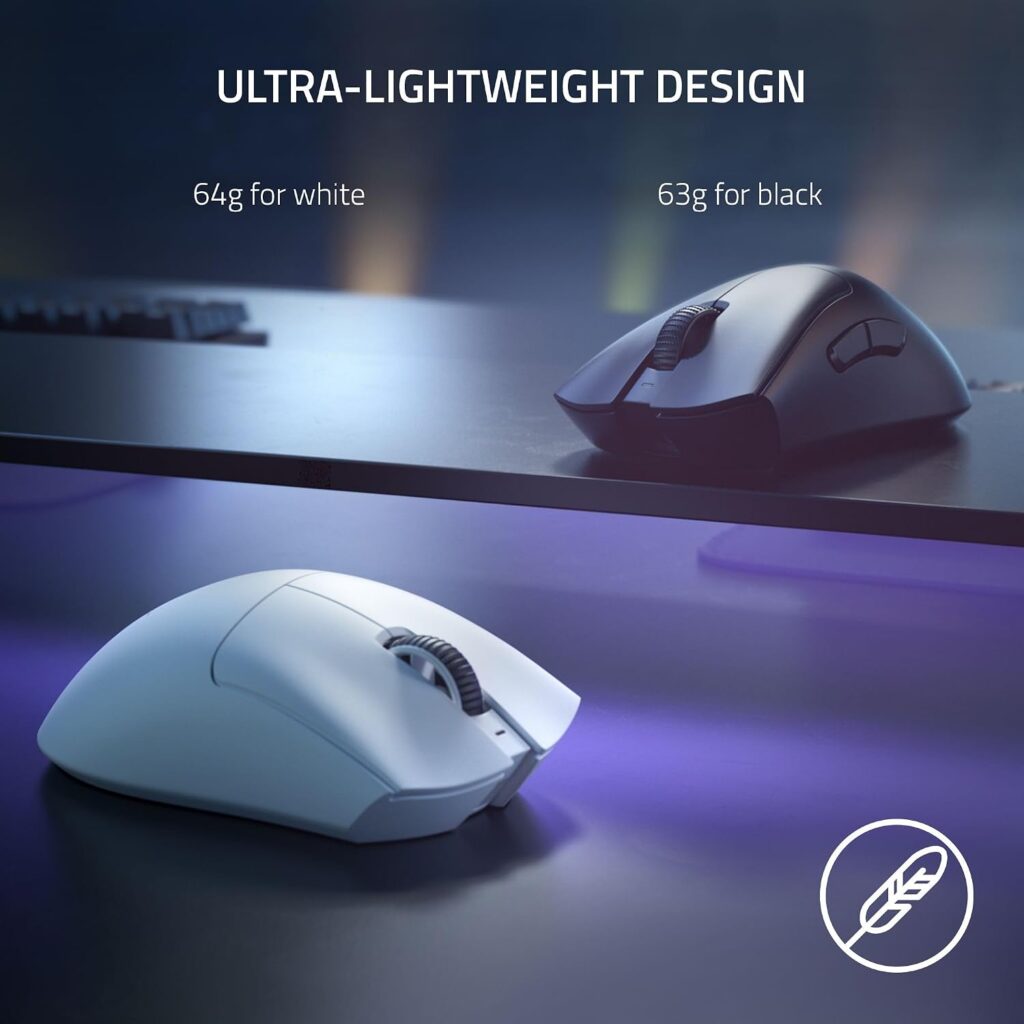
Quick Verdict: A gaming mouse with a famously comfortable shape. At 64g in white (63g in black) it is the lightest premium option with a full-size body. It suits office use better than its marketing suggests, as long as you accept the gaming-first software.
Best For: Right-handed users who want a light, full-size mouse with long battery life.
Key Specifications:
- Weight: 2.26 oz (64g) in white; Razer lists 63g for black
- Size: 5.0 x 2.67 in (128 x 68 x 44 mm) per Razer’s official figures
- Sensor: Focus Pro 30K optical
- Battery: up to 90 hours; USB-C charging
- Buttons: 5 programmable
- Price on listing: $79.99 against a $149.99 list price at the time of research
What We Like
- Very light for a full-size shell
- Strong battery life
- Reliable optical switches rated for 90 million clicks
What We Don’t Like
- Designed for esports, so the shape favours one grip style
- Needs Razer Synapse software for customisation
- Retail data conflicts on Bluetooth: Amazon’s table lists it, while independent reviews describe 2.4 GHz and USB-C only
Ergonomic Analysis: Razer’s announcement for the V3 Pro describes a lighter, refined ergonomic shape. That means a hand-fitting contour, not a neutral forearm angle. Low weight reduces the effort to start and stop the mouse, though I found no strong evidence that this lowers strain.
Who Should Buy It? Palm or relaxed-claw gripers who want precision and low weight.
Who Should Skip It? Left-handed users, people who need Bluetooth multi-device switching, and anyone wanting a vertical posture.
Value for Money: Good at the discounted price shown on the listing. Pricing can change, so check the current listing.
🛒 Check Price on Amazon3. ASUS ROG Harpe Ace Aim Lab Edition
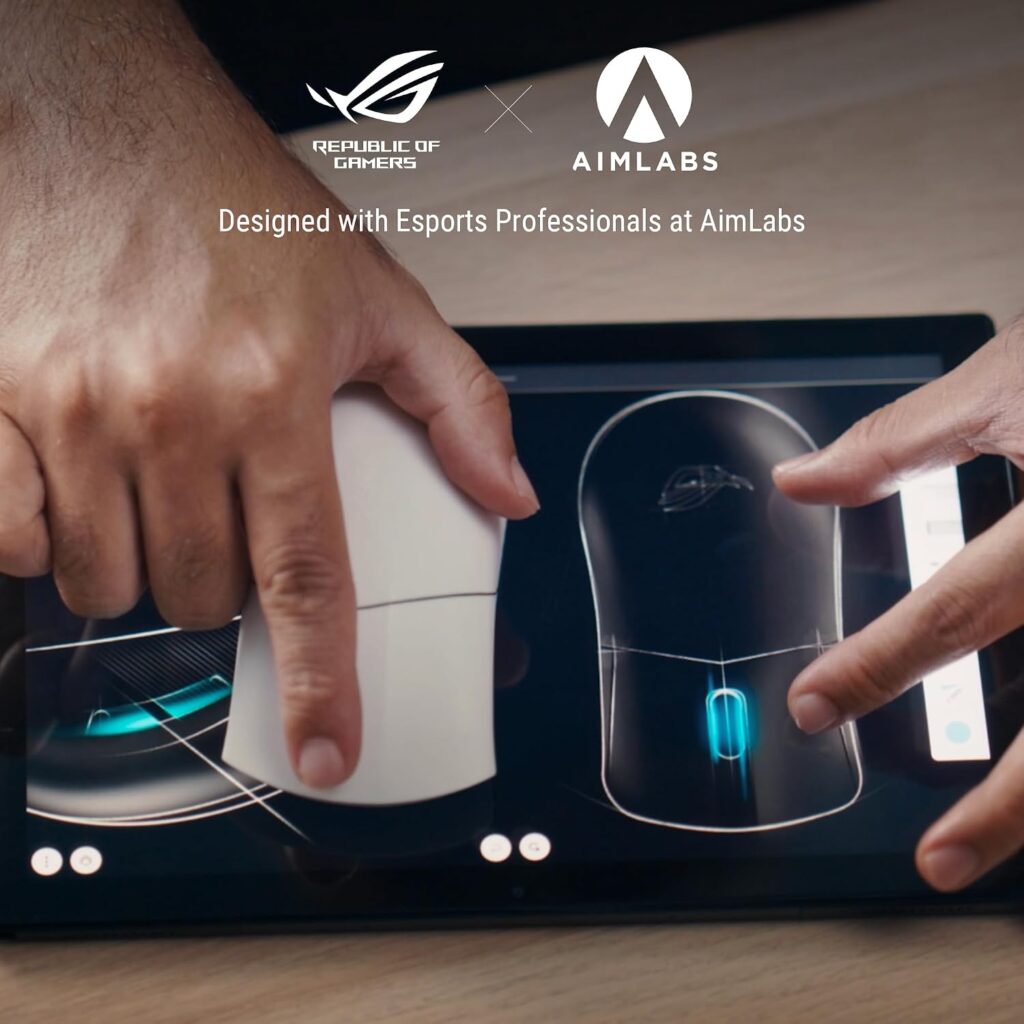
Quick Verdict: This is the lightest mouse in the guide and a specialist tool. It is a semi-symmetrical right-handed mouse developed around claw-grip esports players. Amazon shows 4.3 out of 5 from 831 ratings.
Best For: Claw-grip users who want a very light wireless mouse.
Key Specifications:
- Weight: 1.9 oz (about 54g)
- Sensor: ROG AimPoint, up to 36,000 DPI
- Connectivity: wired USB, 2.4 GHz and Bluetooth for up to three devices
- Battery: up to 90 hours claimed
- Warranty: 1 year
- Price on listing: $84.99
What We Like
- Lowest weight in this guide
- Three connection modes
- Includes grip tape and spare feet
What We Don’t Like
- Shape is tuned for a claw grip and may feel cramped in a palm grip
- The listing lists Windows 10 and 11 only, and its battery field is unclear, so confirm both with ASUS
- One-year warranty is the shortest here
Ergonomic Analysis: A low, narrow shape can reduce wrist lift for some claw-grip users, but it also encourages a tense fingertip grip if you are not used to it. I would only choose this if you already use a claw grip.
Who Should Buy It? Claw-grip users with small to medium hands.
Who Should Skip It? Palm-grip users, large hands and Mac users until compatibility is confirmed.
Value for Money: Reasonable for gamers, harder to justify for pure office use.
🛒 Check Price on Amazon4. HyperX Pulsefire Haste 2 Wireless
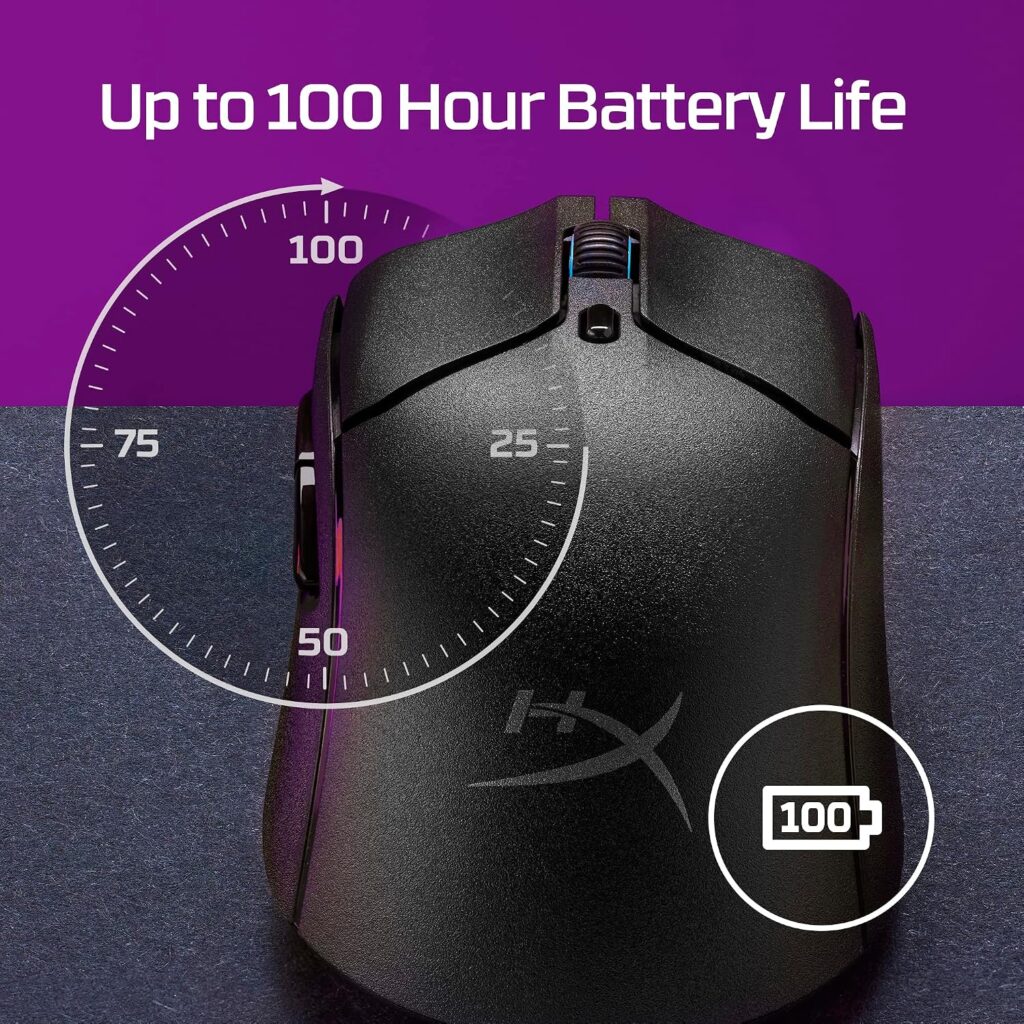
Quick Verdict: A lightweight, symmetrical mouse at a mid price. It brings the main benefits of the gaming group, low weight and long battery life, without the highest cost.
Best For: Users who want a light, ambidextrous-shaped mouse and have small to medium hands.
Key Specifications:
- Weight: 2.15 oz (about 61g); 4.9 x 2.6 in
- Sensor: HyperX 26K, up to 26,000 DPI
- Connectivity: 2.4 GHz, Bluetooth and USB-C
- Battery: up to 100 hours
- Buttons: 6 programmable
- Warranty: 2 years
- Price on listing: $59.99 against an $89.99 list price at the time of research
What We Like
- Dual wireless modes
- Grip tape and spare skates included
- Symmetrical shape works for either hand
What We Don’t Like
- Compact for larger hands
- The listing mentions Windows, Xbox and PlayStation, but not macOS
- The listing’s spec table says “Laser” movement, while the description only names a “HyperX 26K Sensor”; confirm the sensor type with HyperX
Ergonomic Analysis: A compact symmetrical shell works well for fingertip and claw grips, but large palms may overhang. It offers no vertical angle.
Who Should Buy It? Smaller-handed users or left-handers wanting a light mouse.
Who Should Skip It? Palm-grip users with large hands and Mac-first households.
Value for Money: Good. It is the cheapest lightweight wireless option here.
🛒 Check Price on Amazon5. Lenovo Yoga Pro Mouse
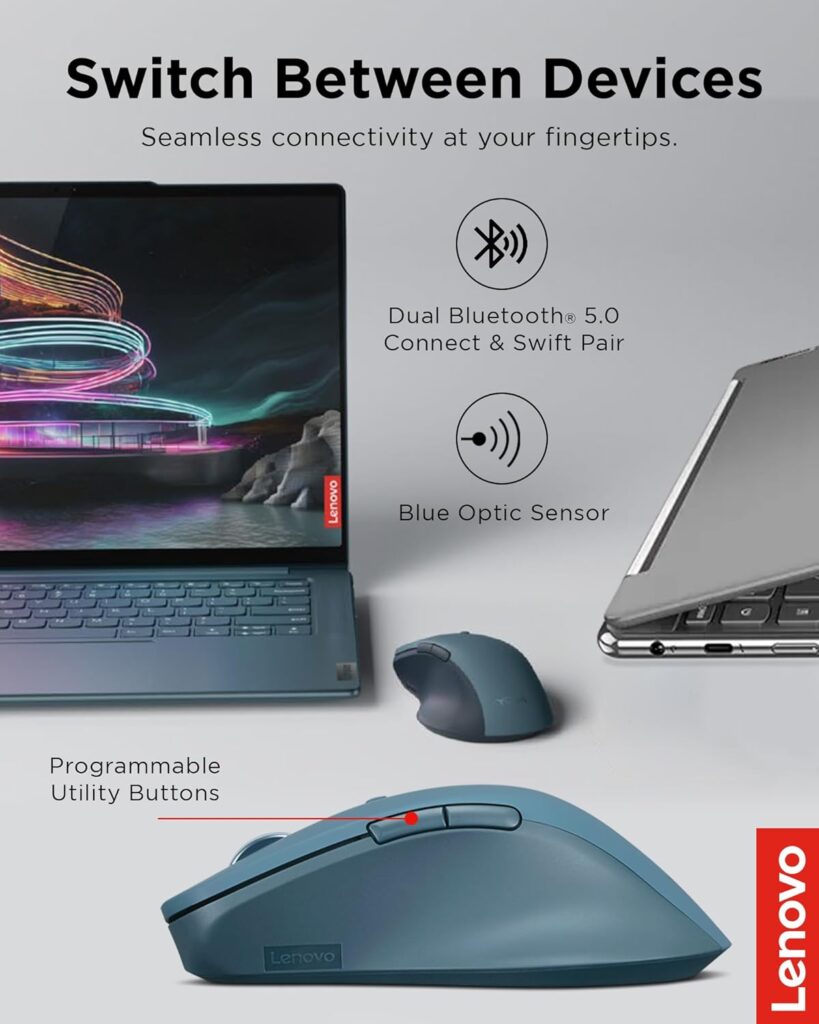
Quick Verdict: A sensible mid-price office mouse with a soft-grip finish, silent buttons and dual-host Bluetooth. It does not have premium features, but it covers the basics well. Amazon shows 4.4 out of 5 from 1,430 ratings.
Best For: Office users switching between a laptop and a second computer.
Key Specifications:
- Weight: 3.52 oz (about 100g); 5 x 2.8 in
- Sensor: optical, up to 4000 DPI with three on-the-fly stages
- Connectivity: Bluetooth 5.1, dual host
- Battery: about 3 months, USB-C
- Buttons: 6
- Warranty: 1 year
- Price on listing: $39.99 (some colours show $27.99)
What We Like
- Silent left and right buttons
- Soft material on the sides improves grip
- Easy switching between two devices
What We Don’t Like
- Bluetooth only, with no receiver
- The listing’s operating system field says Windows 10
- The listing calls it symmetrical yet right-handed, which is confusing
Ergonomic Analysis: A medium-weight, full-size shape with a thumb rest is a reasonable choice for general use. It does not change forearm angle.
Who Should Buy It? Users who want a quiet, simple office mouse without paying MX Master money.
Who Should Skip It? Anyone needing a USB receiver or high DPI.
Value for Money: Good, particularly for the colours priced lower.
🛒 Check Price on Amazon6. TECKNET Vertical Ergonomic Mouse
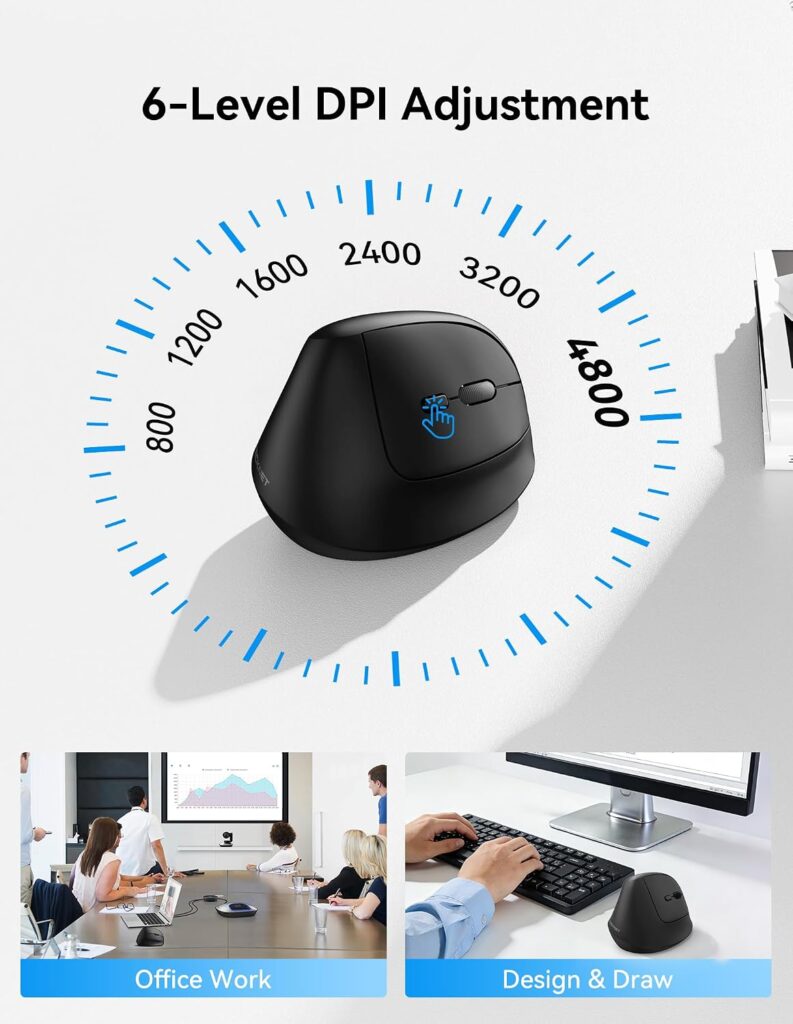
Quick Verdict: The cheapest way to try a vertical posture in this guide, with a 57° angle and silent clicks. Amazon shows 4.6 out of 5 from 1,174 ratings. It is where I would start if wrist comfort is your main reason for shopping.
Best For: First-time vertical mouse users and those on a budget.
Key Specifications:
- Angle: 57° vertical
- Weight: 5.6 oz (about 159g); 4.2 x 2.8 in
- Sensor: optical with six DPI levels up to 4800
- Connectivity: Bluetooth 5.3 and 2.4 GHz, three devices
- Battery: up to 3 months from a 2 to 3 hour charge
- Warranty: 36 months if registered
- Price on listing: $21.99
What We Like
- Vertical posture at a very low cost
- Silent clicks, rechargeable battery and three-device switching
- Longest warranty here, subject to registration
What We Don’t Like
- Heavier than most mice in this guide
- Side buttons are not supported on macOS, according to the listing
- Plastic build and a learning curve
Ergonomic Analysis: A 57° tilt is designed to move the forearm away from full pronation. As covered above, research on whether that helps is mixed, so treat it as a comfort trial. Allow a couple of weeks to adjust, because pointing accuracy often needs practice with vertical designs.
Who Should Buy It? Anyone curious about vertical mice who does not want to spend much.
Who Should Skip It? Gamers, Mac users who need side buttons, and users with very small hands.
Value for Money: Excellent. If you want to try the vertical idea, our ergonomic mouse under $50 guide covers more budget options.
🛒 Check Price on Amazon7. Redragon Wireless Vertical Mouse
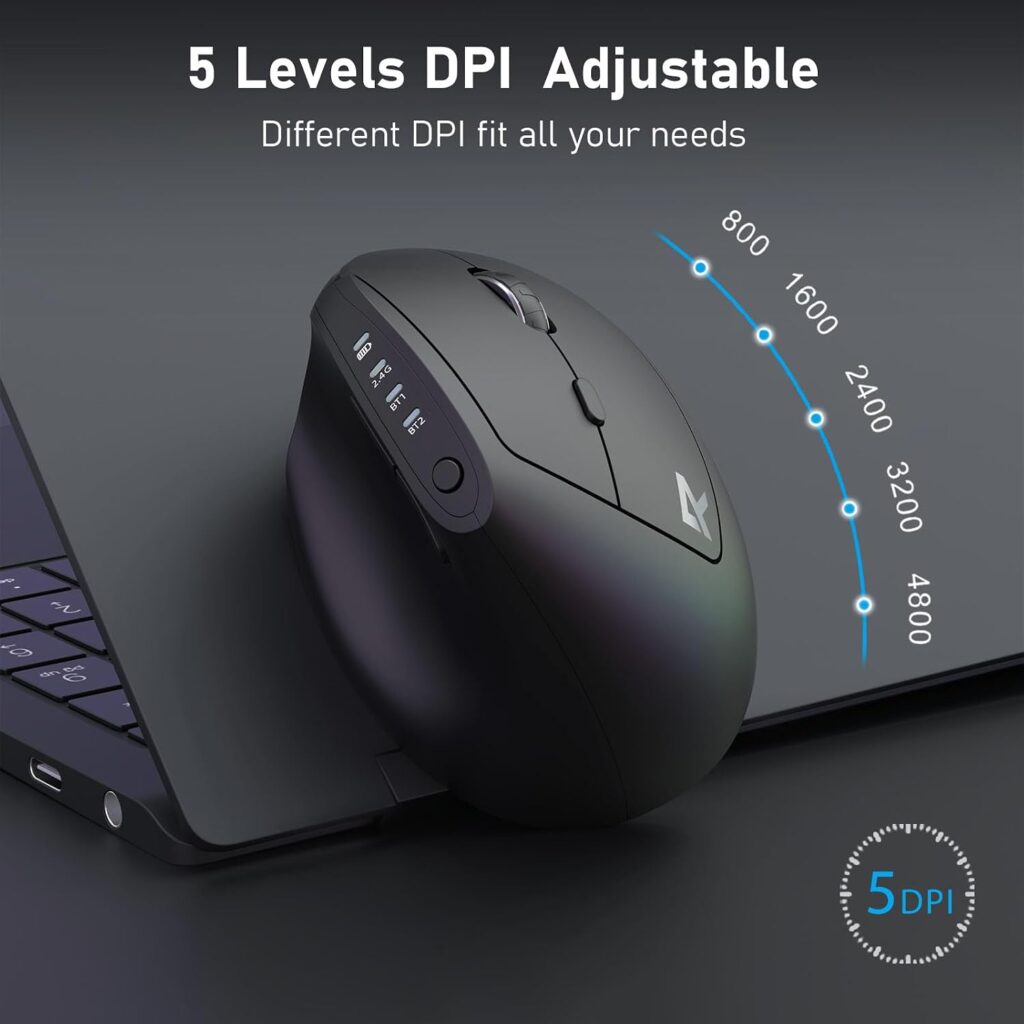
Quick Verdict: A budget vertical mouse that tells you honestly who it fits. Redragon says it suits hand lengths up to 7.5 inches and suggests about two weeks to adapt. Amazon shows 4.6 out of 5 from 3,750 ratings.
Best For: Small to medium hands.
Key Specifications:
- Weight: 5 oz (about 142g)
- Sensor: optical, five DPI levels up to 4800
- Connectivity: Bluetooth and 2.4 GHz USB-A receiver, up to three devices
- Battery: 500 mAh, USB-C charging
- Warranty: 2 years
- Price on listing: $21.99, with a coupon showing $17.99 at the time of research
What We Like
- Clear sizing guidance
- Large review base
- Works with Windows and macOS per the listing
What We Don’t Like
- Too small for large hands
- The vertical angle is not stated on the listing
- Receiver is USB-A, so you may need an adapter on newer laptops
Ergonomic Analysis: A vertical shape encourages a more handshake-like grip. The hand-length limit is the most important number on the page, so measure first.
Who Should Buy It? Smaller-handed users trying a vertical mouse.
Who Should Skip It? Users with hands longer than 7.5 inches, and gamers.
Value for Money: Very good, particularly with the coupon if it is still active.
🛒 Check Price on AmazonComparison Table
| Product | Type | Weight | Connectivity | Hand Fit | Listing Price | Rating |
|---|---|---|---|---|---|---|
| Logitech MX Master 3S | Sculpted productivity | 141g | Bluetooth + Bolt | Medium to large, right | $118.99 | 4.6/5 |
| Razer DeathAdder V3 Pro | Lightweight contoured | 63 to 64g | 2.4 GHz + USB-C* | Medium to large, right | $79.99 | 4.0/5 |
| ASUS ROG Harpe Ace Aim Lab | Lightweight, claw grip | About 54g | 2.4 GHz, Bluetooth, USB | Small to medium, right | $84.99 | 3.8/5 |
| HyperX Pulsefire Haste 2 | Lightweight symmetrical | About 61g | 2.4 GHz, Bluetooth, USB-C | Small to medium, either | $59.99 | 3.9/5 |
| Lenovo Yoga Pro Mouse | Full-size office | About 100g | Bluetooth (dual host) | Medium, right | $39.99 | 4.0/5 |
| TECKNET Vertical | Vertical, 57° | About 159g | Bluetooth + 2.4 GHz | Not stated | $21.99 | 4.3/5 |
| Redragon Vertical | Vertical | About 142g | Bluetooth + 2.4 GHz | Up to 7.5 in hand length | $21.99 | 4.1/5 |
Which Mouse Should You Buy? A Decision Framework
Choose the Logitech MX Master 3S if you work at a computer all day, want the most refined software and quiet clicks, and your hand is medium to large.
Choose the Razer DeathAdder V3 Pro if you want a light, full-size right-hand mouse and do not need Bluetooth.
Choose the ASUS ROG Harpe Ace if you already use a claw grip and want the lowest weight.
Choose the HyperX Pulsefire Haste 2 if you want a lightweight wireless mouse for less, or you are left-handed.
Choose the Lenovo Yoga Pro Mouse if you want a quiet everyday office mouse that pairs with two computers.
Choose the TECKNET Vertical if your main goal is a more neutral forearm position at the lowest cost.
Choose the Redragon Vertical if you have smaller hands and want a vertical mouse with clear sizing guidance.
Skip all seven if you have persistent or severe pain, numbness or tingling. Speak to a healthcare professional first.
Common Mistakes When Buying an Expensive Mouse
- Paying for DPI. 26,000 or 36,000 DPI is a gaming spec. Office comfort depends on sensible settings, not the maximum.
- Ignoring hand size. A mouse that is too big or small forces a tense grip.
- Assuming “ergonomic” means vertical. Gaming and office brands both use the word for different things.
- Buying on star ratings alone. Ratings reflect satisfaction for that buyer’s hand, not yours.
- Overlooking operating system support. Side buttons and software can vary by platform.
- Skipping the adjustment period. Brands such as Redragon suggest around two weeks to adapt to a vertical mouse, and research shows pointing precision can suffer at first.
- Expecting the mouse to fix the desk. Chair, desk height and reach still matter.
- Treating a mouse as medical treatment. It can change comfort and posture; it does not treat a condition.
Best Practices for Mouse Comfort
- Keep the mouse close to the keyboard to limit reaching, as OSHA recommends.
- Move from the elbow and shoulder rather than flicking the wrist.
- Hold the mouse lightly and avoid squeezing.
- Set your desk and chair so your wrist stays straight.
- Take short breaks and change position through the day. OSHA’s guidance suggests building micro-pauses into computer sessions, including a five-minute break from computer tasks every hour.
- Rotate between tasks, such as keyboard shortcuts and mouse work.
- Try new mouse shapes gradually for the first week.
Alternatives Worth Considering
- Premium vertical: Read our Evoluent VerticalMouse review if you want a well-known vertical design with a more premium price.
- Logitech vertical: Our Logitech MX Vertical review covers a vertical option from the same brand as the MX Master.
- Newer Logitech: The MX Master 4 is the newer sibling to the 3S. Compare current prices before deciding.
- Budget: See our ergonomic mouse under $50 guide.
Frequently Asked Questions
Is a premium ergonomic mouse worth it?
Yes, if you use a computer for many hours and value fit, quiet clicks, software and multi-device switching. No, if your only goal is a more neutral wrist position, because a $22 vertical mouse can do that. Premium pricing improves features and build, not guaranteed comfort.
What is the best ergonomic mouse for long work hours?
For most people, the Logitech MX Master 3S is the best premium choice in this guide thanks to its thumb rest and quiet clicks. If you want a vertical posture instead, the TECKNET or Redragon vertical mice offer a low-cost starting point.
Is a vertical mouse good for wrist pain?
A vertical mouse may feel more comfortable because it reduces forearm rotation. Research is mixed, though: one study of patients with carpal tunnel syndrome found it reduced ulnar deviation but not carpal tunnel pressure, and a 2023 study found only that vertical mice looked better on some indicators. It is a comfort aid, not a treatment. For persistent pain, see a healthcare professional.
Are gaming mice ergonomic?
Some are comfortable, but “ergonomic” in gaming usually means contoured for a hand, not a neutral forearm. A mouse like the Razer DeathAdder V3 Pro can be comfortable for the right hand, but it does not change your forearm angle.
Does a more expensive mouse reduce strain?
Not by itself. I found no evidence that price predicts comfort. Fit, grip, desk setup and break habits matter more. A premium mouse is worth paying for when its shape and features match how you work.
How long does it take to get used to a vertical mouse?
Redragon suggests about two weeks. A study of flat, angled and vertical mice found the fully vertical design had the poorest pointing performance, so expect slower precision at first, especially for fine tasks like photo editing.
Is the MX Master 3S still worth buying in 2026?
Yes, for many buyers. Logitech has released the MX Master 4, but reviews suggest the 3S offers most of the same daily experience and often sells for less. If the price gap is small, the newer model may be worth a look.
What hand size do I need for these mice?
It varies. Redragon states a limit of 7.5 inches (19.05 cm) for its vertical mouse. The MX Master 3S suits medium to large hands, while the ASUS and HyperX mice are more compact. Measure your hand before choosing.
Is a lightweight mouse better for your wrist?
Not necessarily. A light mouse takes less effort to move, but I did not find strong research showing it reduces strain. Treat weight as a preference rather than a health feature.
When should I see a doctor instead of buying a new mouse?
If you have persistent or severe pain, numbness, tingling or weakness in your hand or wrist, speak to a healthcare professional. A mouse can change comfort and posture, but it cannot diagnose or treat a condition.
Final Verdict
If you want the best premium ergonomic mouse for long office days, buy the Logitech MX Master 3S, preferably when it is discounted, and check the newer MX Master 4 price first.
If you want light weight and a full-size shape, the Razer DeathAdder V3 Pro is the better premium alternative.
If your real aim is a more neutral forearm, do not start by spending $100. Try the TECKNET or Redragon vertical mouse first, then decide whether a premium model adds anything you need.
Check the current Amazon listings to see today’s prices, available configurations and customer reviews before making your decision.





