
Best Ergonomic Mouse Under $20: 7 Budget Vertical Picks for 2026

If your wrist starts aching by mid-afternoon, the mouse under your palm is a likely suspect. I’ve spent years researching ergonomic office gear for ErgoFixes, and one of the questions I hear most is whether a decent vertical mouse has to cost $60 or more. It doesn’t. Several budget vertical mice do the core job, which is keeping your forearm out of a twisted, palm-down position, for less than a takeout dinner.
This guide compares seven vertical mice, all listed under $20 at the time of writing. I’ll cover what makes a mouse ergonomic, where each of these compromises, and which one fits your hand size, devices, and desk.🖱️ Quick Answer: Best Ergonomic Mouse Under $20
The best ergonomic mouse under $20 for most people is the Anker USB Wired Vertical Mouse: a familiar vertical shape, no batteries, and the largest review base here. Want wireless? The seenda MOU-302 suits multi-device users and the UGREEN suits tight budgets.




Quick Verdict Table
| Product | Best For | Main Strength | Main Limitation | Rating* | Link |
|---|---|---|---|---|---|
| Anker USB Wired Vertical Mouse | Overall reliability | Largest review base, simple setup | Wired only, 2 DPI levels | 4.4/5 | 🛒 View |
| UGREEN Ergonomic Wireless Mouse | Tight budgets | Lowest listed price, 4 DPI levels | AA battery, newer OS versions listed | 4.3/5 | 🛒 View |
| TECKNET Wired Vertical Mouse | Wired, more DPI control | 4 DPI levels, LED indicator | Side buttons don’t work on macOS | 4.4/5 | 🛒 View |
| PHILIPS SPK7628 Ergonomic Mouse | Small to medium hands | Listed for hands up to 7″ | No Bluetooth, fewer reviews | 4.3/5 | 🛒 View |
| seenda MOU-302 Vertical Mouse | Multi-device users | 3-device switching, rechargeable | May feel small for large hands | 4.6/5 | 🛒 View |
| Acer Ergonomic Mouse Wireless | Large hands, rechargeable | Rechargeable, medium-large shape | No Bluetooth, not Mac compatible | 4.3/5 | 🛒 View |
| Nulea Ergonomic Vertical Mouse | Personalized desk setups | RGB modes, metal scroll wheel | RGB may not suit offices | 4.4/5 | 🛒 View |
Why the Shape of Your Mouse Matters for Your Wrist
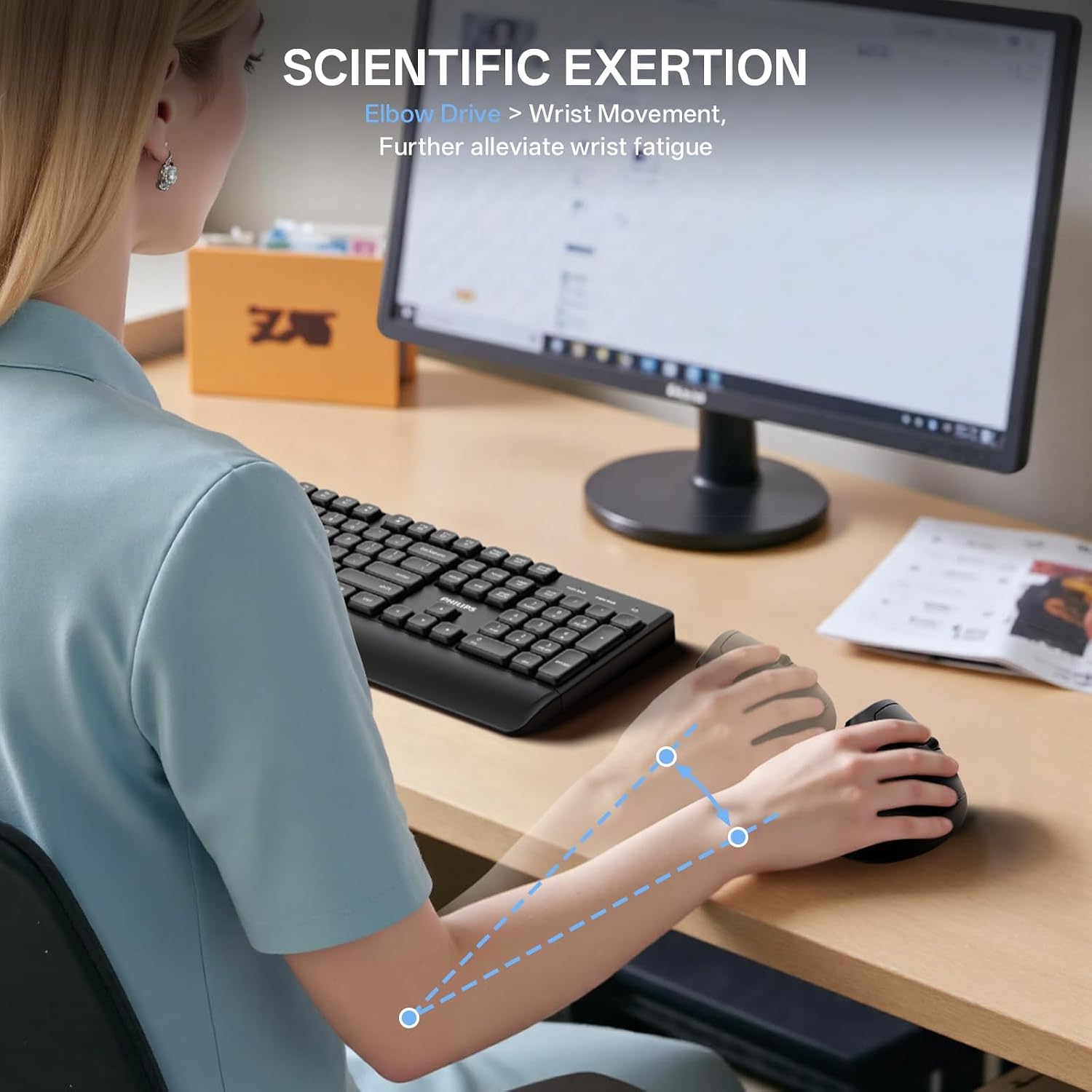
A standard flat mouse holds your forearm palm-down, a rotation called pronation. Vertical and angled mice aim to reduce that rotation by turning your hand closer to a handshake position.
Research Insight: A peer-reviewed study in the journal Work had twelve people use a flat mouse, an upright mouse, and three concept mice. All three concept mice reduced forearm pronation compared with the flat mouse, with no difference in pointing performance. The fully vertical mouse also reduced pronation, but it had the poorest pointing performance.
What this means: Raising and angling a mouse is a supported way to reduce forearm rotation. But a steeper mouse is not automatically a better one. It’s a trade-off between posture and precision, and that study didn’t test any of the products in this guide.
Angle matters too, and more isn’t always better. A Clinical Biomechanics study tested five slanted mice with twelve participants. As the slant increased, muscle activity in the forearm and upper trapezius decreased, but wrist extension and activity in one finger extensor muscle increased.
What this means: Several listings here quote a 57° angle. That study didn’t test those mice, so it can’t tell us whether 57° is the sweet spot for you.
Placement matters as much as shape. OSHA’s Computer Workstations eTool warns that a mouse placed away from the keyboard can lead to awkward postures, and that a pointing device that is too big or too small can increase finger force and push the wrist into awkward positions. That’s why hand size fit gets so much attention below.
Emily Richardson’s tip: Give a vertical mouse a genuine week of daily use before judging it. The first few days are mostly muscle memory.
Buying Guide: What to Check Before You Buy
1. Hand size and grip fit
Vertical mice aren’t one-size-fits-all. The seenda and PHILIPS are listed for small to medium hands, while TECKNET and Acer target medium to large hands. A mismatch means your fingers either overreach or feel cramped, which cancels out part of the benefit.
2. Wired vs. wireless
Wired mice (Anker, TECKNET, Nulea) need no batteries. Wireless mice (seenda, UGREEN, PHILIPS, Acer) free up desk space but need charging or a new battery eventually.
3. DPI range
DPI controls how far the cursor moves relative to your hand. Adjustable levels, like TECKNET’s 1000 to 6400, let you slow down for precise work. It isn’t the main comfort factor, but it’s a useful convenience.
4. Multi-device connectivity
If you switch between a laptop, tablet, and desktop, the seenda and UGREEN each connect to up to three devices.
5. Operating system compatibility
This catches people out. The Acer is listed as not compatible with Mac, and side buttons on the TECKNET, Nulea, and Acer don’t work on macOS. The Anker listing names Windows 10 and Linux only, and the UGREEN lists Windows 11, macOS 13, and ChromeOS 137 as minimum versions. Specifications can vary by model or region, so check the current listing.
6. Click noise
Most of these advertise quiet clicks, which matters in shared offices or late-night work.
7. Build quality
Most use plastic enclosures. The Nulea’s listing describes a metal scroll wheel, which is the one durability-oriented difference here.
8. Warranty
Warranty ranges from 1 year (UGREEN, PHILIPS, Acer) to 18 months (Anker) to 2 years (seenda, Nulea). TECKNET offers lifetime support with registration.
Product Reviews
1. Anker USB Wired Vertical Mouse: Best Overall
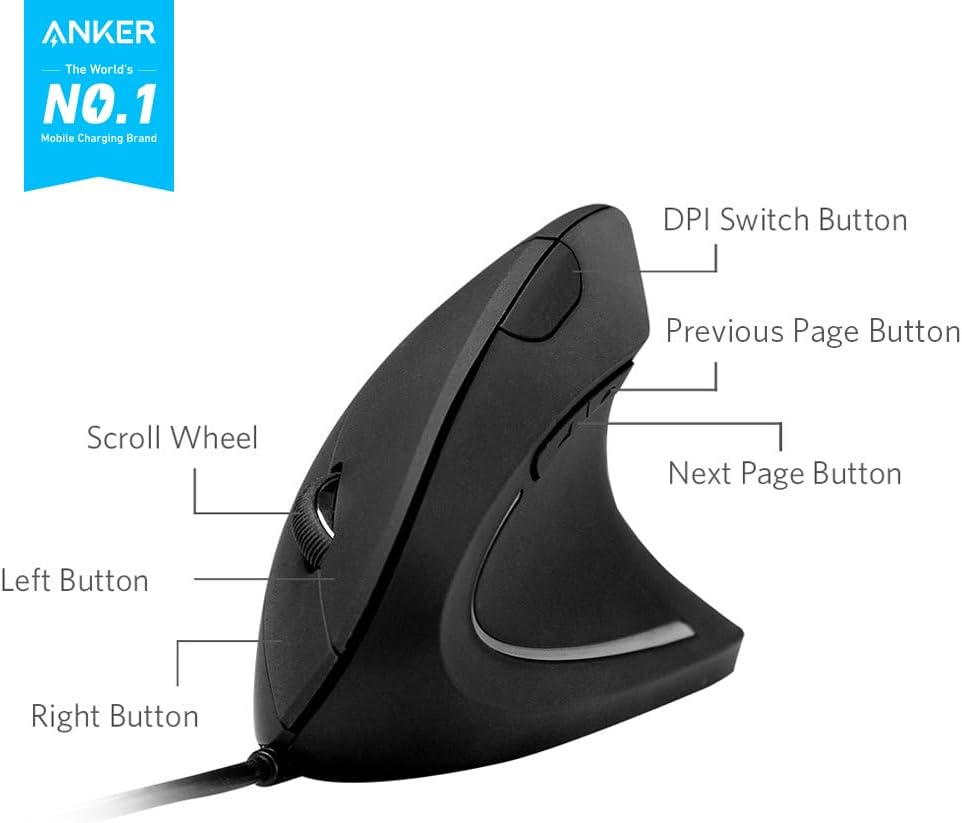
Quick Verdict: The Anker earns “best overall” through consistency. With more than 9,000 Amazon reviews and a 4.4-star average, it has the largest review base here, and it keeps a simple vertical design without extras. If you want something that just works and don’t mind a cable, this is my pick.
Best For: Anyone wanting a no-fuss vertical mouse.
Key Specifications:
- Connectivity: USB wired, 1.5m/4.9ft cable
- DPI: 1000/1600
- Buttons: 5, ambidextrous
- Weight: 5.3oz; 120 x 62.8 x 74.8mm
- Warranty: 18 months
What We Like:
- Handshake grip designed to reduce wrist and forearm strain
- Next/previous buttons for browsing
- No batteries or charging
- Far more customer reviews than any other mouse here
What We Don’t Like:
- Wired only
- Just two DPI levels
- The listing names Windows 10 and Linux, so Mac users should check compatibility first
- An ambidextrous shape may be less contoured than hand-specific designs
Ergonomic Analysis: The vertical, ambidextrous shape aims to keep the forearm less pronated than a flat mouse, consistent with the general mechanism in the research above. That study didn’t test this product, so treat it as design rationale, not proof.
Who Should Buy It? Windows users wanting the most-reviewed option here.
Who Should Skip It? Anyone who needs wireless, more DPI steps, or confirmed Mac support.
Value for Money: At $16.99, it’s a solid deal for what it offers. For a closer look, read our full Anker vertical mouse review.
🛒 Check Price on Amazon2. UGREEN Ergonomic Wireless Mouse: Best Value
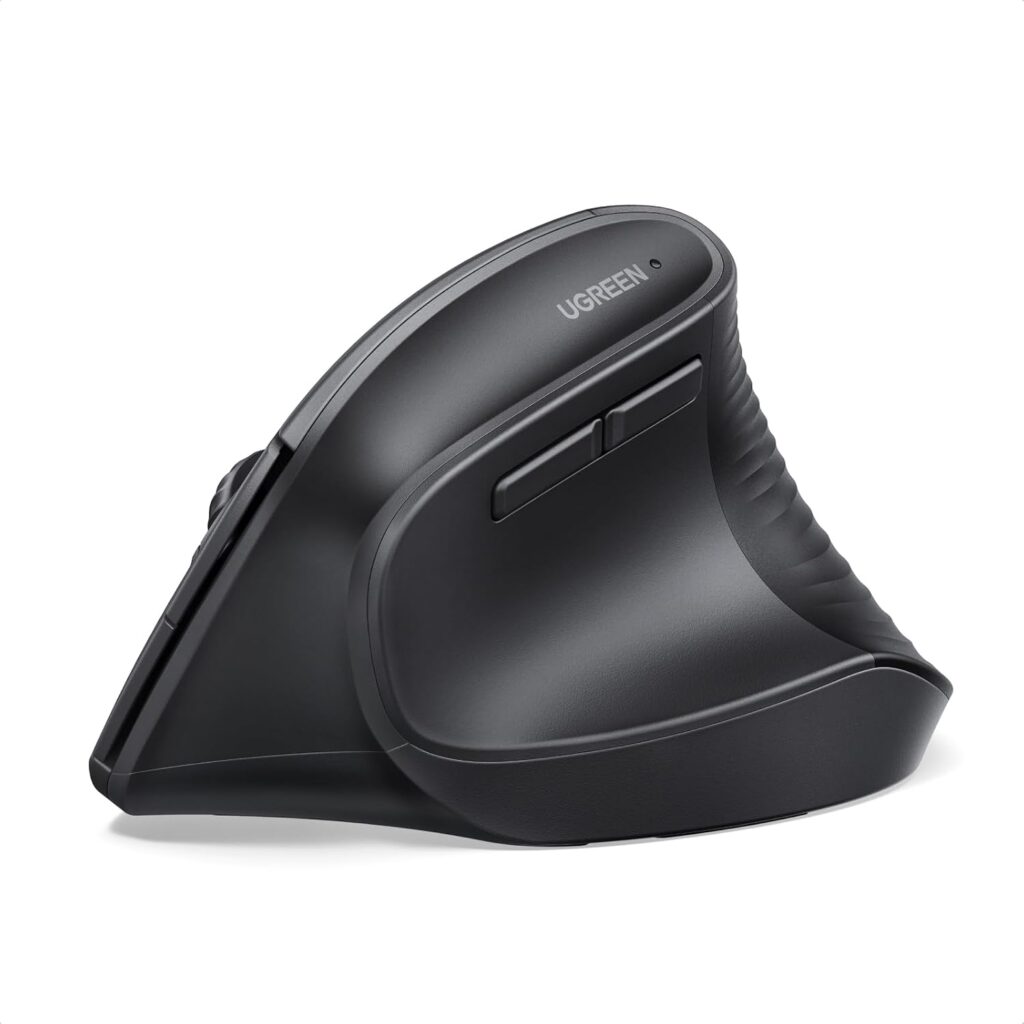
Quick Verdict: At $14.99, the UGREEN was the lowest-priced listing here, and it still offers dual 2.4G and Bluetooth connectivity, four DPI levels, and a design aimed at larger hands.
Best For: Budget-focused buyers with medium to large hands who want wireless.
Key Specifications:
- Connectivity: Bluetooth and 2.4G, up to 3 devices
- DPI: 1000/1600/2000/4000
- Buttons: 5
- Battery: 1 AA, listed up to 12 months
- Range: 10m; warranty: 1 year
What We Like:
- Widest DPI range at this price
- PTFE glide feet for smoother tracking
- Connects to up to 3 devices
- Long stated battery life
What We Don’t Like:
- Uses a replaceable AA battery, not a built-in rechargeable
- Listed minimum OS versions are recent (Windows 11, macOS 13 Ventura, ChromeOS 137), so older systems may not be supported
- Aimed at larger hands, so smaller hands may find it big
Ergonomic Analysis: It follows the same handshake-grip principle as the others. The listing describes it as suited to larger hands or long computer sessions, which fits its size.
Who Should Buy It? Medium-to-large-handed users on up-to-date systems.
Who Should Skip It? Small-handed users or anyone on an older operating system.
Value for Money: One of the stronger price-to-feature ratios here. If you’d rather step up in quality, see our ergonomic mouse under $50 guide.
🛒 Check Price on Amazon3. TECKNET Wired Vertical Mouse: Best Wired Option
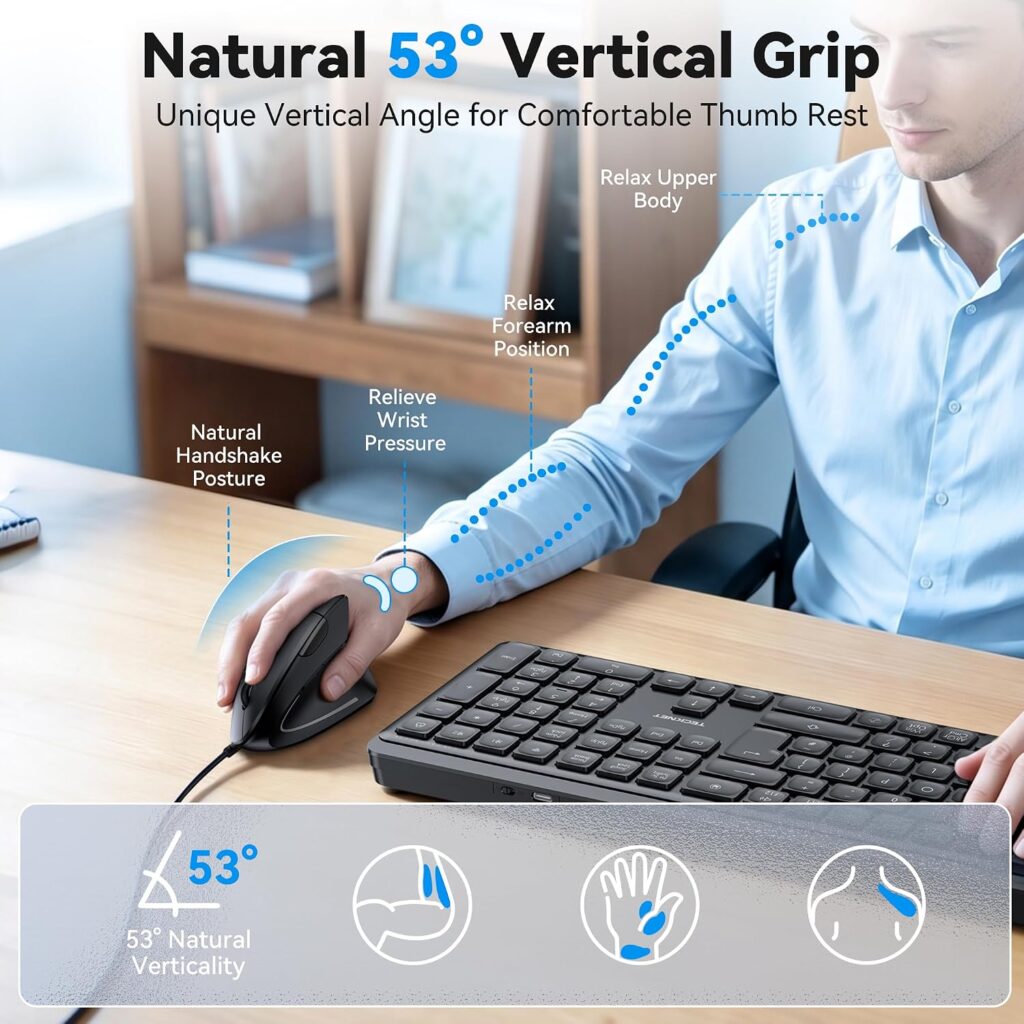
Quick Verdict: With about 3,900 reviews and a 4.4-star average, the TECKNET has the second-largest review base here. Its four DPI levels (up to 6400) and LED indicator offer more control than the Anker, but the shape targets medium to large hands.
Best For: Wired users who want more DPI options.
Key Specifications:
- Connectivity: USB wired, plug and play, 1.5m cable
- DPI: 1000/1600/3200/6400 with LED indicator
- Buttons: 6
- Fit: medium to large hands (per the listing)
- Support: lifetime with registration
What We Like:
- Four DPI levels
- LED confirms your DPI setting
- Silent clicks
- Lifetime support offer
What We Don’t Like:
- Side buttons don’t work on macOS
- The listing says it suits medium to large hands better
- Wired only
Ergonomic Analysis: The vertical shape follows the same neutral-grip logic. The main caveat is fit, which the brand itself flags.
Who Should Buy It? Windows and Linux users with medium to large hands.
Who Should Skip It? Mac users who need side buttons, or small-handed users.
Value for Money: At $15.99, the DPI range and review volume are strong for the price.
🛒 Check Price on Amazon4. PHILIPS SPK7628 Ergonomic Mouse: Best for Small Hands
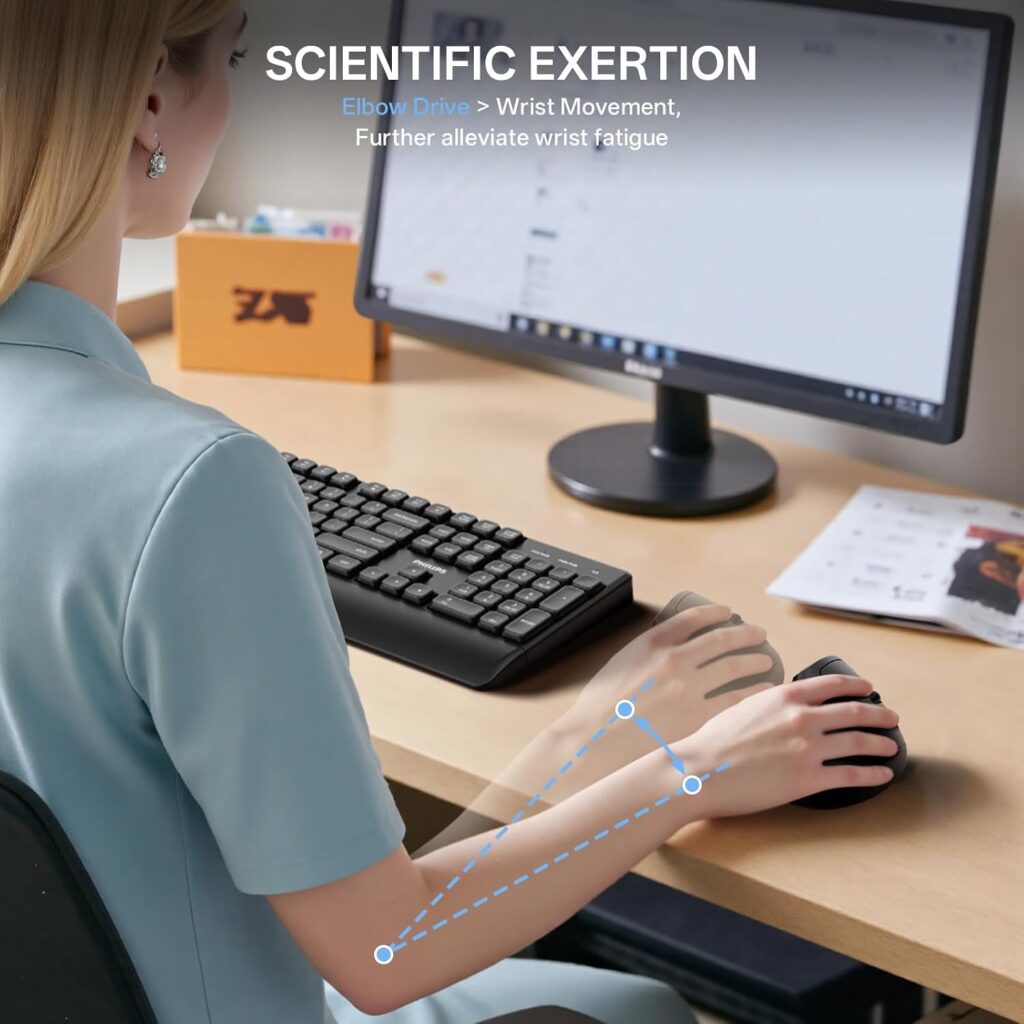
Quick Verdict: PHILIPS lists this mouse for hand lengths up to 7 inches, which makes it one of the few options genuinely aimed at smaller hands. It’s wireless, lightweight, and quiet.
Best For: Small to medium hands.
Key Specifications:
- Connectivity: 2.4GHz wireless only (not Bluetooth)
- DPI: 800/1200/1600
- Buttons: 6, silent
- Weight: 5.3oz; battery: 1 AA (included)
- Warranty: 1 year
What We Like:
- Designed around smaller hands
- Stated 57° grip angle
- Lightweight and travel-friendly
- Auto sleep mode
What We Don’t Like:
- No Bluetooth; newer MacBooks and iPads need a USB-C adapter (not included)
- Only 360 reviews, the smallest sample here
- Maximum DPI is 1600
Ergonomic Analysis: PHILIPS states a 57° angle. As covered above, research shows that slant angle affects muscle activity, but I haven’t found independent testing of this exact model, so the benefit rests on the design, not on published results for this mouse.
Who Should Buy It? Buyers whose hands find other vertical mice too large.
Who Should Skip It? USB-C-only device owners who don’t want an adapter.
Value for Money: At $19.99 it sits at the top of the range, justified mainly if hand size is your issue.
🛒 Check Price on Amazon5. seenda MOU-302 Wireless Vertical Mouse: Best Wireless / Multi-Device
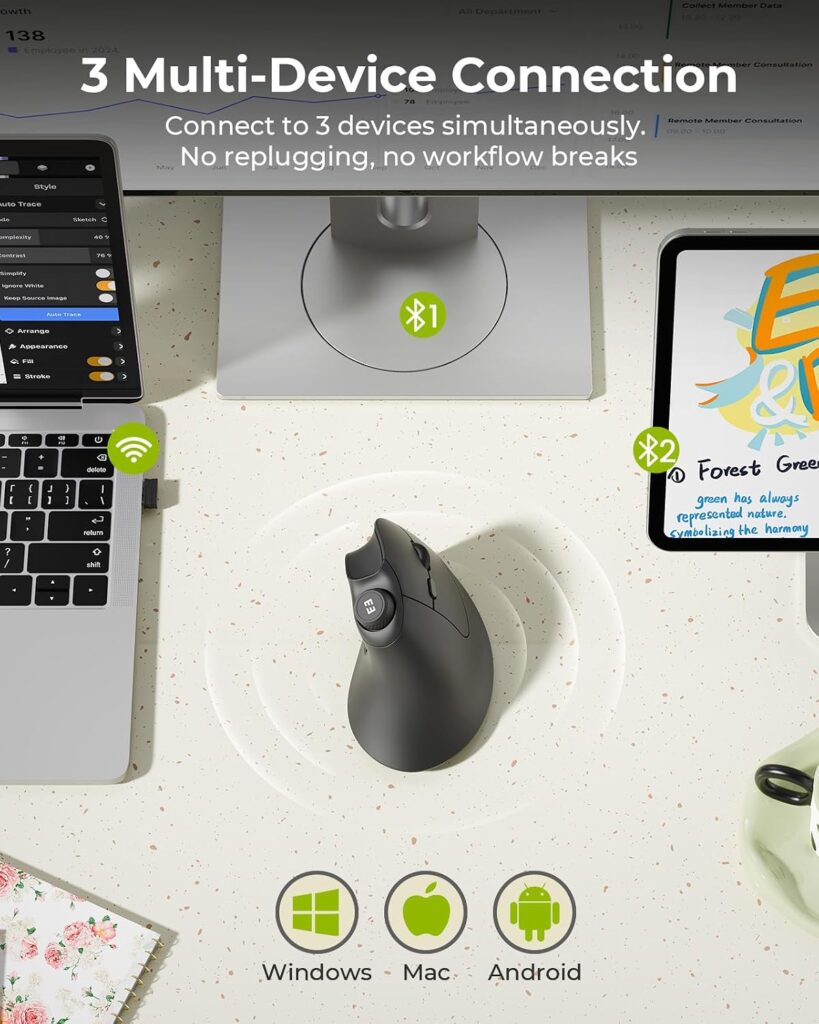
Quick Verdict: The seenda has the highest Amazon rating here (4.6 stars from about 1,700 reviews) and carries an Amazon’s Choice badge. It offers 3-device switching, a volume knob, and a USB-C rechargeable battery listed at up to two months per charge.
Best For: Hybrid workers who switch between a laptop, tablet, and desktop.
Key Specifications:
- Connectivity: Bluetooth (2 channels) and 2.4G USB
- DPI: 1000/1600/2400
- Buttons: 7 including volume knob
- Battery: 500mAh, USB-C
- Weight: 6.4oz; warranty: 2 years
- Fit: small to medium hands
What We Like:
- Highest customer rating here
- Useful volume knob
- Rechargeable, so no AA batteries
- Quiet clicks
What We Don’t Like:
- Listed for small to medium hands, so it may feel cramped for large ones
- Colored variants cost more than the $19.99 black version
Ergonomic Analysis: It uses the same handshake principle, in a compact shape suited to smaller hands.
Who Should Buy It? Multi-device users with small to medium hands.
Who Should Skip It? Large-handed users.
Value for Money: At $19.99, the extra connectivity and rechargeable battery justify the price for the right user.
🛒 Check Price on Amazon6. Acer Ergonomic Mouse Wireless: Best for Large Hands
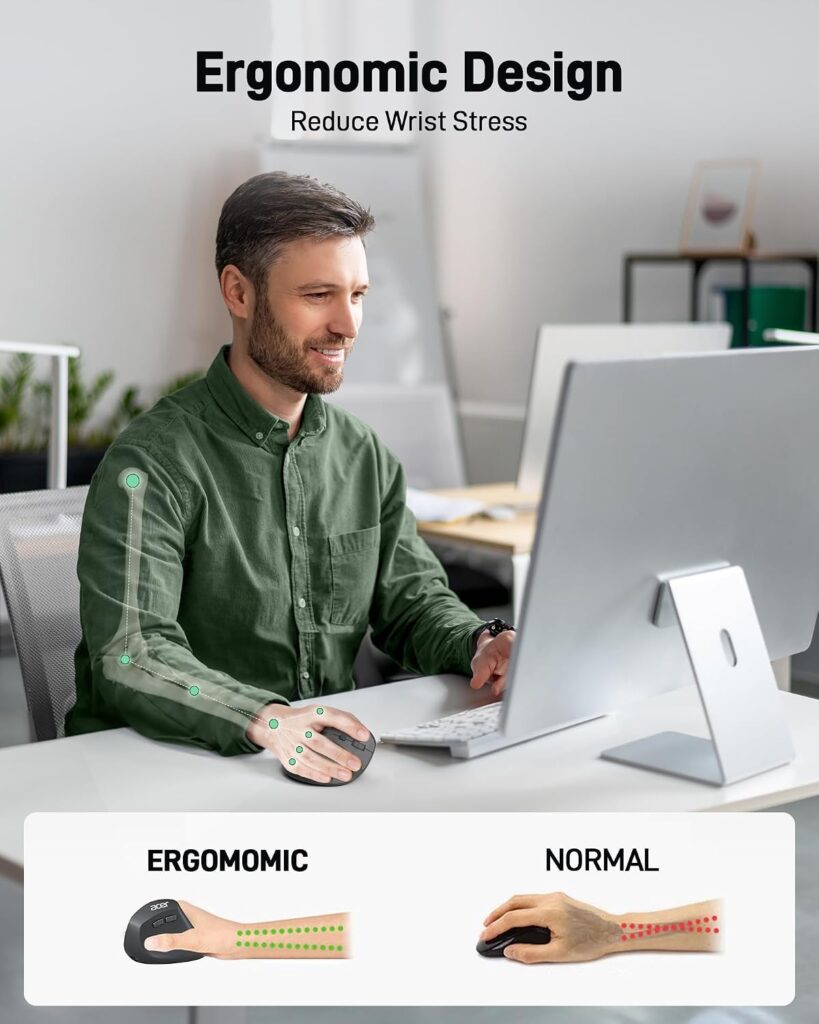
Quick Verdict: Acer’s mouse targets medium to large hands with a 57° tilt and a 300mAh rechargeable battery listed at about 30 days. The listing claims muscle activity reductions of up to 10%, but that’s a manufacturer claim I couldn’t verify independently.
Best For: Windows, Linux, or Chrome OS users with larger hands.
Key Specifications:
- Connectivity: 2.4G USB-A only (no Bluetooth)
- DPI: 1000/1200/1600
- Buttons: 6
- Weight: 5.1oz; range: about 32ft (10m)
- Warranty: 1 year
What We Like:
- Rechargeable battery
- Shaped for larger hands
- Forward/back buttons
- Long wireless range
What We Don’t Like:
- No Bluetooth and listed as not compatible with Mac
- Acer says the design may need 1 to 2 weeks of adjustment
Ergonomic Analysis: The 57° tilt is a tilt-based design. As noted earlier, research shows angle affects muscle activity with trade-offs, and the “up to 10%” figure comes from Acer’s own listing, not an independent study I could find.
Who Should Buy It? Larger-handed Windows users who want rechargeable.
Who Should Skip It? Any Mac user.
Value for Money: At $19.99 it’s the top of the range, and the Mac incompatibility narrows its appeal.
🛒 Check Price on Amazon7. Nulea Ergonomic Vertical Mouse: Best for RGB / Customization
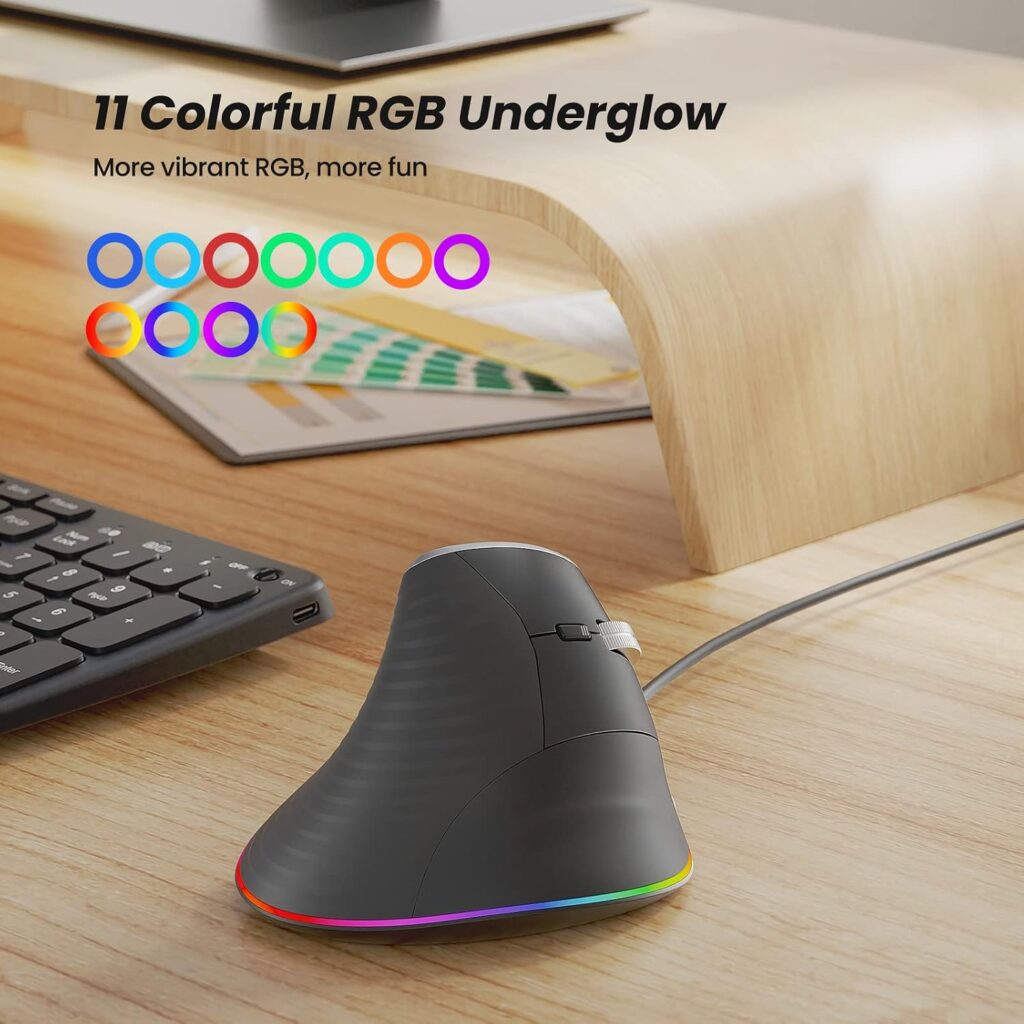
Quick Verdict: The Nulea stands out for 11 RGB lighting modes and a metal scroll wheel. With 4.4 stars from about 1,950 reviews, it suits people who want a more personalized desk.
Best For: Home offices and gaming-adjacent setups.
Key Specifications:
- Connectivity: USB wired, 5.9ft cable
- DPI: 800/1200/2400/3200
- Buttons: the title says 6 but the specs table says 4, so confirm before buying
- Warranty: 2 years
What We Like:
- 11 RGB lighting patterns
- Metal scroll wheel
- Four DPI levels
- 2-year warranty
What We Don’t Like:
- RGB may look out of place in a professional office
- Forward/back buttons don’t work on macOS, and buttons are non-programmable
- Wired only, and the button-count discrepancy in the listing
Ergonomic Analysis: It uses a listed 57° grip and the same vertical logic as the rest. Nothing about the lighting or metal wheel affects posture.
Who Should Buy It? Home users who want RGB.
Who Should Skip It? Shared-office and Mac users.
Value for Money: At $18.99 with a 2-year warranty, it’s reasonable if you’ll actually use the RGB.
🛒 Check Price on AmazonComparison Table
| Product | Best For | Type | Key Feature | Weight | Connectivity | Rating* |
|---|---|---|---|---|---|---|
| Anker Vertical Mouse | Overall reliability | Wired | Ambidextrous vertical grip | 5.3oz | USB | 4.4/5 |
| UGREEN Wireless Mouse | Lowest listed price | Wireless | 4 DPI levels, PTFE feet | 6oz | BT / 2.4G | 4.3/5 |
| TECKNET Wired Mouse | Wired + DPI range | Wired | 1000–6400 DPI | 6oz | USB | 4.4/5 |
| PHILIPS SPK7628 | Small hands | Wireless | Listed for hands ≤7″ | 5.3oz | 2.4G only | 4.3/5 |
| seenda MOU-302 | Multi-device | Wireless | Volume knob, 3 devices | 6.4oz | BT / 2.4G | 4.6/5 |
| Acer Ergonomic Mouse | Large hands | Wireless | Rechargeable, 57° tilt | 5.1oz | 2.4G only | 4.3/5 |
| Nulea Vertical Mouse | Customization | Wired | RGB, metal scroll wheel | 6.4oz | USB | 4.4/5 |
Which Mouse Should You Buy?
Choose the Anker if: you want the most-reviewed option and don’t mind a cable.
Choose the UGREEN if: price is your priority and you have medium to large hands on a recent operating system.
Choose the TECKNET if: you want wired with more DPI control and don’t rely on Mac side buttons.
Choose the PHILIPS if: other vertical mice feel too big for your hand.
Choose the seenda if: you switch between multiple devices and want the highest-rated option here.
Choose the Acer if: you have larger hands, want rechargeable, and use Windows, Linux, or Chrome OS.
Choose the Nulea if: you want RGB lighting and a metal scroll wheel.
Common Mistakes to Avoid
- Buying on star rating alone. A 4.6-star mouse built for small hands won’t suit large ones.
- Ignoring hand size guidance. Several listings state a target size.
- Assuming “ergonomic” means comfortable for everyone. The shape still has to fit your grip.
- Skipping the OS check. The Acer is listed as not Mac compatible, and several side buttons don’t work on macOS.
- Expecting a fix for existing pain. A vertical mouse isn’t a treatment.
- Placing the mouse too far from the keyboard. OSHA flags this as a source of awkward postures.
- Judging it in the first hour. Give yourself about a week.
Best Practices for Using an Ergonomic Mouse
- Keep the mouse close to the keyboard, as OSHA’s Computer Workstations eTool recommends.
- Use keyboard shortcuts for common actions to cut down on mousing, another OSHA tip.
- Take short movement breaks every 30 to 60 minutes.
- Alternate hands occasionally if your workflow allows it.
- Let your hand rest in the mouse’s contour instead of gripping tightly. In a CDC-hosted study of an alternative mouse design, thirty adults had up to 11.5° lower forearm pronation than with a standard mouse, but lower wrist extensor muscle activity appeared only in the group that received instructions on how to hold it. What this means: how you hold the mouse matters, though that study covered one alternative design, not these products.
- Set up your chair, desk height, and monitor properly too. A mouse can’t offset a poor setup.
Alternatives
Want more features? Our ergonomic mouse under $50 guide covers a step up in sensors and build.
Don’t want a vertical learning curve? The Censprin USB Wired Mouse ($14.99) is listed with an ergonomic shape rather than a vertical grip, which may be an easier first step. The trade-off: it’s a 3-button mouse, and the listing gives limited detail on shape and DPI, so check reviews before buying.
Want a closer look at the top pick? Read our Anker vertical mouse review.
FAQ
Are ergonomic mice really better for wrist comfort?
They can be, for the specific problem they target. Research such as a study in the journal Work found that angled and raised mouse designs reduced forearm pronation compared with a flat mouse. Comfort still depends on fit and setup, and no mouse guarantees pain relief.
Is a vertical mouse good for long work hours?
Many people find a vertical grip more comfortable over long sessions because it reduces forearm rotation. Fit, mouse placement, and regular breaks matter just as much. Research also suggests that a fully vertical design may cost some pointing precision.
How long does it take to get used to a vertical mouse?
Most people need a few days to about two weeks. Acer and Nulea both mention an adjustment period in their listings.
Can a mouse under $20 be as good as a $50+ model?
It can offer the same basic vertical concept. What you often give up is sensor refinement, premium materials, and extra features, though specifications vary by model.
Do ergonomic mice help with carpal tunnel syndrome?
An ergonomic mouse may reduce sustained wrist strain, but it isn’t a medical treatment and cannot diagnose or cure carpal tunnel syndrome. A NIOSH-led prospective study found that forceful exertion was strongly associated with carpal tunnel syndrome in the workplaces studied, and that individual factors such as obesity also contributed. So posture is only one part of a bigger picture. If you have persistent pain, numbness, or tingling, speak with a healthcare professional.
Should I choose a wired or wireless ergonomic mouse?
Wired options (Anker, TECKNET, Nulea) need no batteries. Wireless options (seenda, UGREEN, PHILIPS, Acer) free up desk space but need charging or new batteries.
Is DPI important for an ergonomic mouse?
DPI affects cursor speed, not comfort directly. Adjustable levels, like TECKNET’s four, help you match different tasks.
Do I need a specific mouse for small hands?
If standard vertical mice feel bulky, try one listed for smaller hands, such as the PHILIPS SPK7628 or seenda MOU-302. OSHA notes that a pointing device that is too big or too small can increase finger force and awkward wrist positions.
Are vertical mice compatible with Mac?
It varies. The Acer is listed as not compatible with Mac, and side buttons on the TECKNET and Nulea don’t work on macOS. Always check the current listing.
What’s the difference between a vertical mouse and a standard ergonomic mouse?
A vertical mouse turns your hand toward a handshake position, which more directly reduces forearm rotation. A mouse listed only as having an “ergonomic shape” usually stays closer to a flat grip.
Final Verdict
For most people, the Anker USB Wired Vertical Mouse is the best ergonomic mouse under $20: a familiar design, no batteries, and the biggest review base here. If price is your priority, the UGREEN is the lowest-priced listing, as long as your system meets its OS requirements. If you work across several devices, the seenda MOU-302 is worth the extra few dollars.
Match the mouse to your hand size, operating system, and connection preference, not just the star rating. And remember that a mouse is one piece of the setup, so pair it with good placement and regular breaks.
Check the current Amazon listings for today’s prices, available colors, and customer reviews before deciding.





