
Best Cable Management for Desk Setup 2026
— From Tangled to Tidy —
We tested 9 of the most popular cable management products on Amazon — under-desk trays, magnetic clips, reusable ties, adhesive raceways, and a full multi-piece kit — checking real install difficulty, weight capacity, and how clean the desk actually looks afterward. Here’s what’s worth buying in 2026.
The Nettbe Reusable Cable Ties are our overall pick — the highest-rated and most-reviewed product in this entire test, and genuinely useful for almost any cable bundling job. If you want a proper under-desk tray to hide your power strip, the Litwaro Under Desk Cable Tray is well-reviewed and easy to install. If you want everything in one order, the N NOROCME 192-Piece Kit covers trays, clips, sleeves, and ties together for under $16.
Our Top 3 Picks
Three answers to the three questions we get asked most: which one overall, which under-desk tray, and which one if you want a complete kit in one purchase.
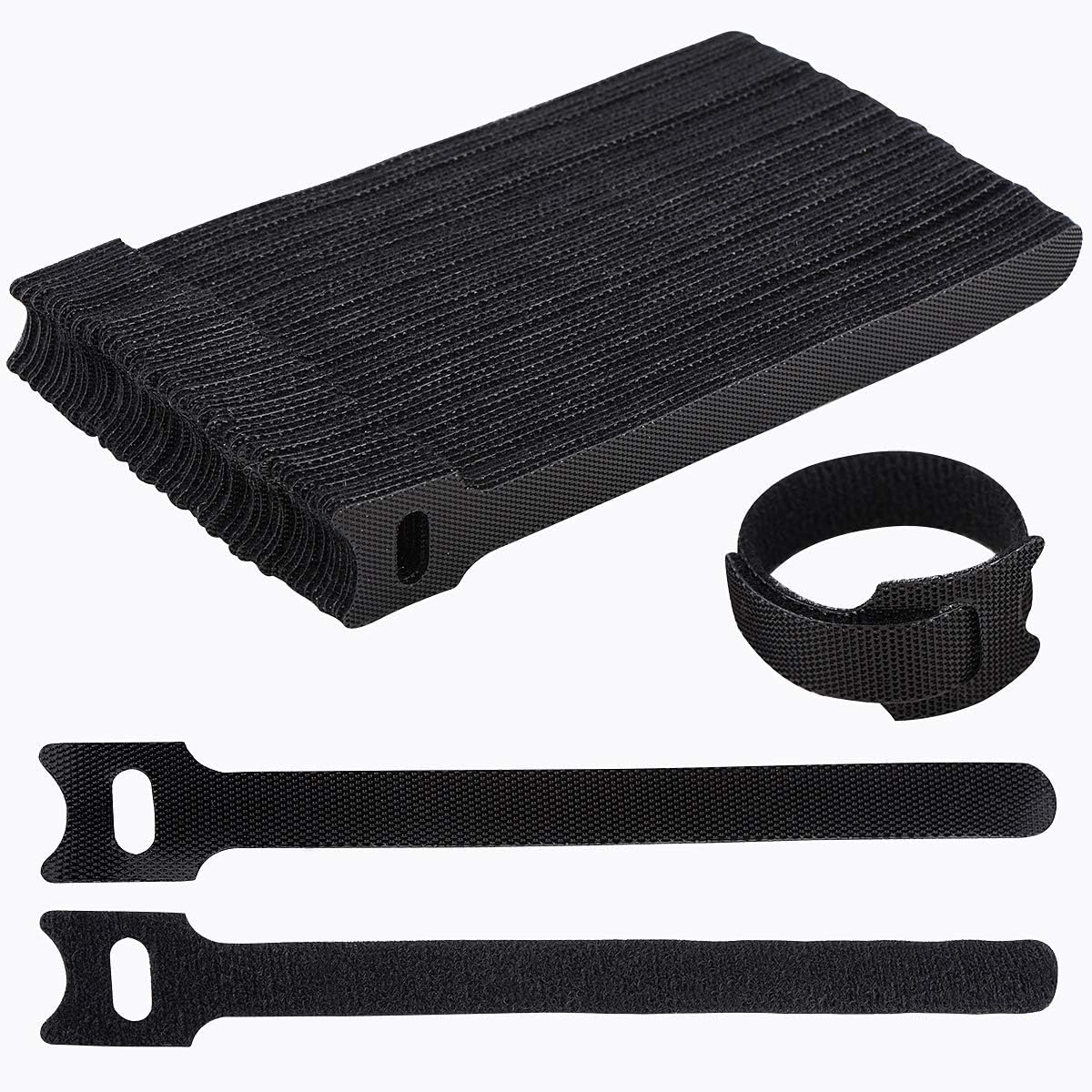
The highest-rated and most-reviewed cable product we found anywhere — reusable, cheap, and useful for nearly every cable in your setup.
Check Price on Amazon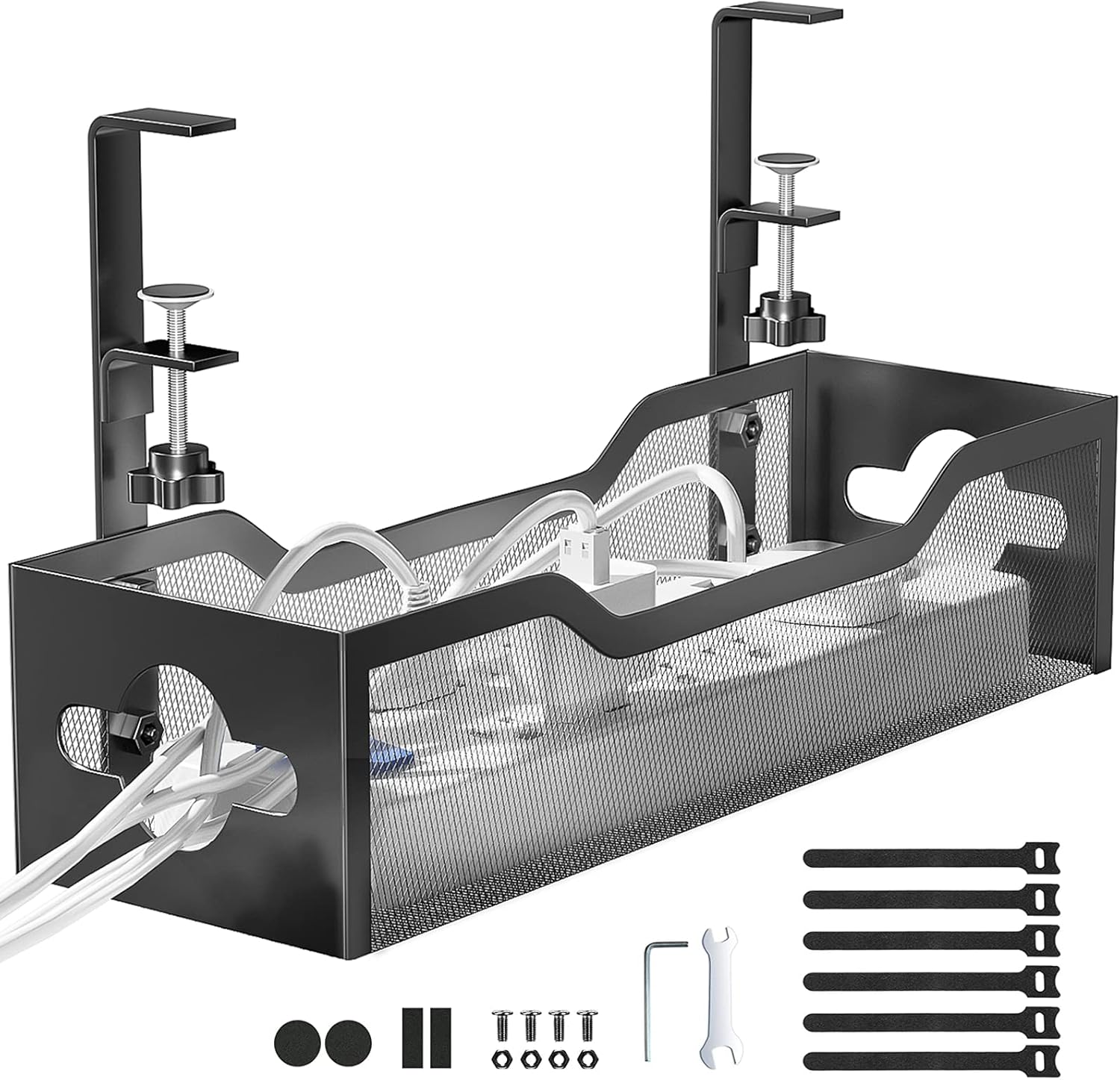
A genuine no-drill metal mesh tray that hides your power strip and cables completely off the floor.
Check Price on Amazon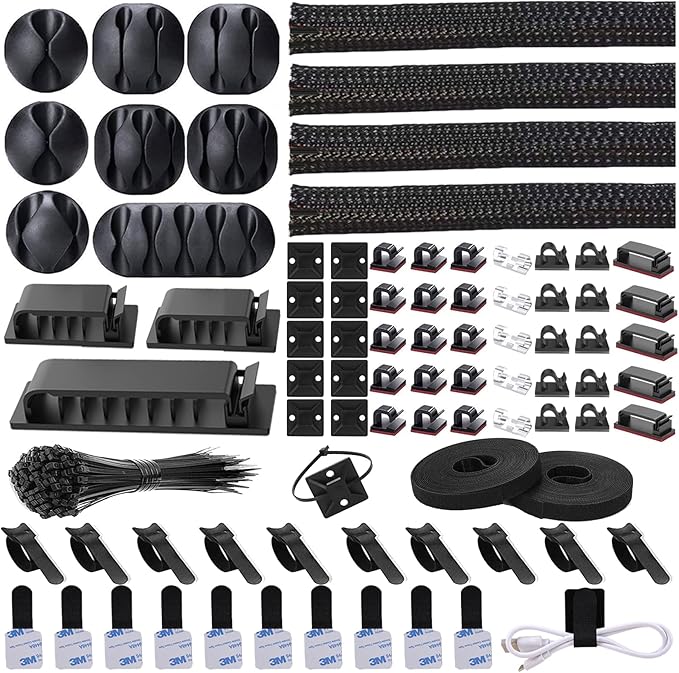
192 pieces covering sleeves, clips, ties, and mounts — everything needed for a full desk cable overhaul in one order.
Check Price on AmazonFull Comparison Table
Every cable management product we tested, side by side. Type is labeled clearly since trays, clips, and ties solve different parts of the problem.
| Product | Type | Rating | Pieces / Size | Install | Price | |
|---|---|---|---|---|---|---|
| Litwaro Cable Tray |
Under-desk tray | 4.7★ (3.3k) | 13.38″ (up to 32″) | No-drill clamp | $13.99 | View |
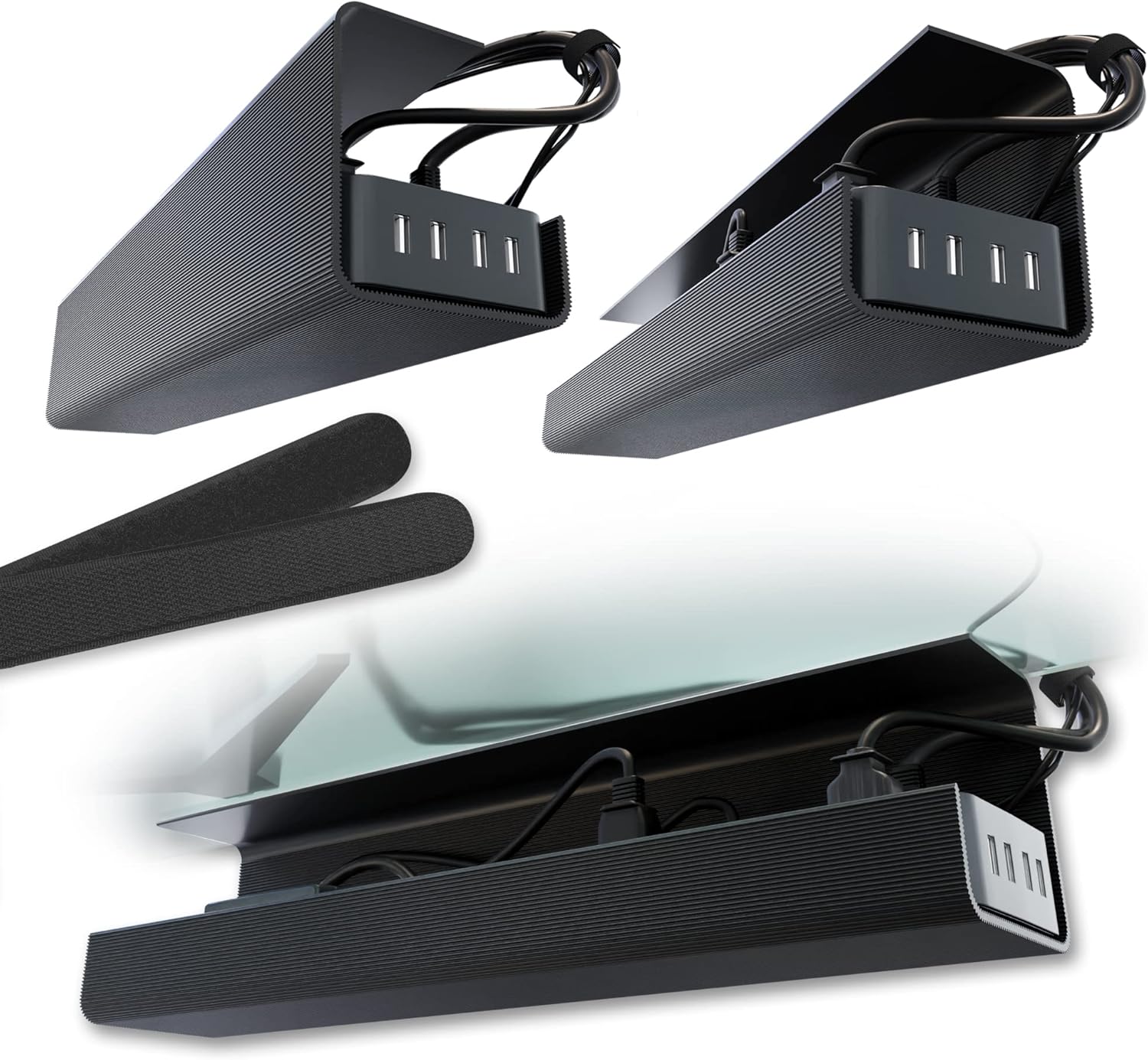 Scanfield Cable Tray (2-Pack) Scanfield Cable Tray (2-Pack) |
Under-desk tray | 4.5★ (6.7k) | 17″ x 5″, 2-pack | Adhesive | $31.95 | View |
 Univivi Fabric Cable Tray Univivi Fabric Cable Tray |
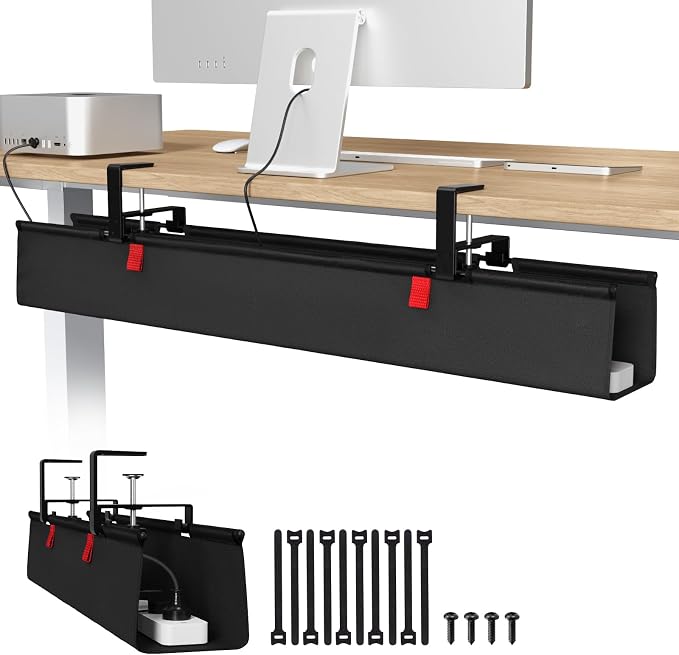
Under-desk tray (fabric, large) | 4.6★ (769) | 36″ (up to 48″) | Clamp or screw | $39.99 | View |
 Costop Magnetic Cable Clips Costop Magnetic Cable Clips |
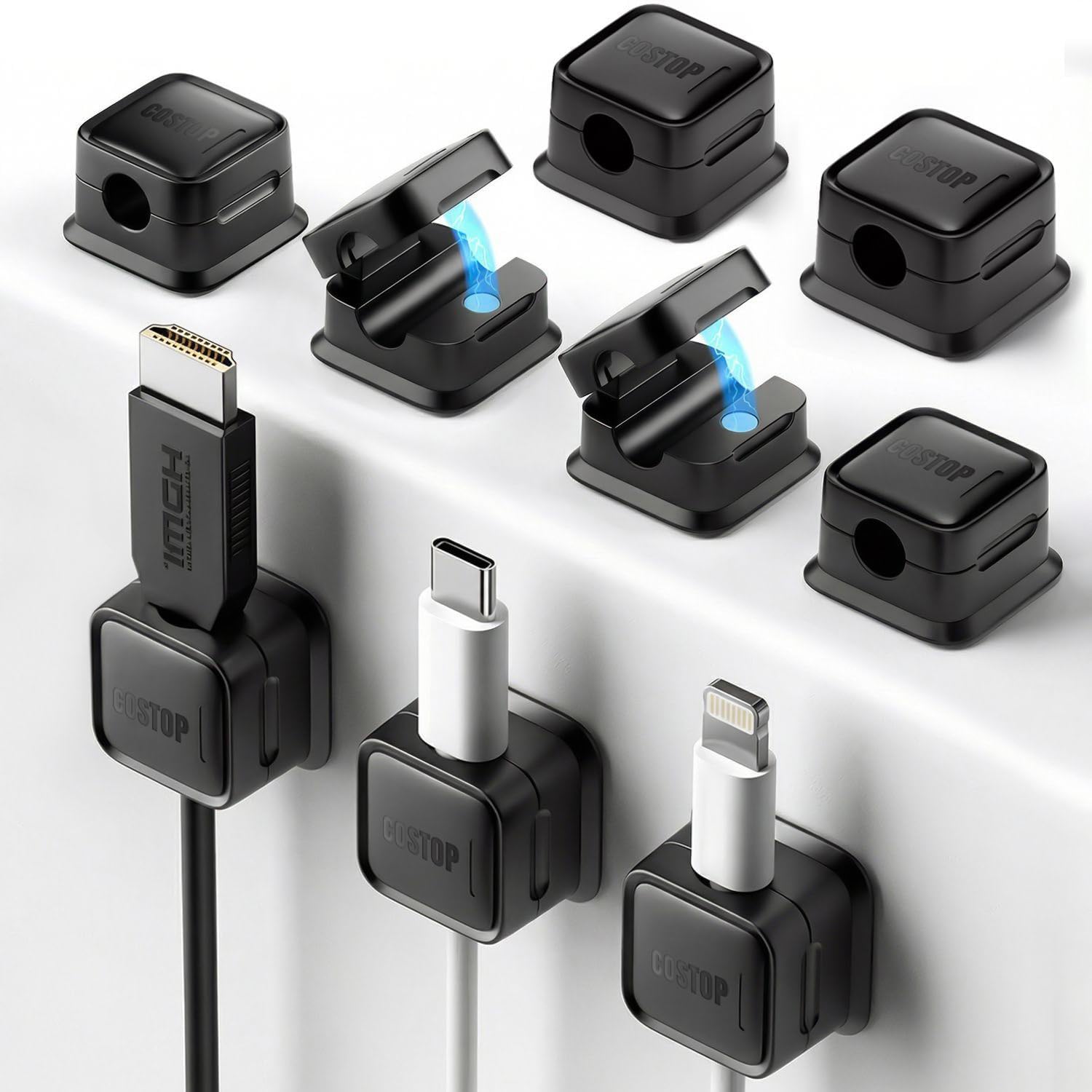
Cable clips | 4.6★ (6.6k) | 9-pack | Adhesive | $9.99 | View |
| N NOROCME 192-Piece Kit |
Complete kit | 4.6★ (6.5k) | 192 pieces | Mixed | $15.75 | View |
| Nettbe Reusable Cable Ties |
Cable ties / straps | 4.8★ (14.4k) | 60-pack, 6″ | Wrap & lock | $6.29 | View |
 YECAYE J-Channel (6-Pack) YECAYE J-Channel (6-Pack) |
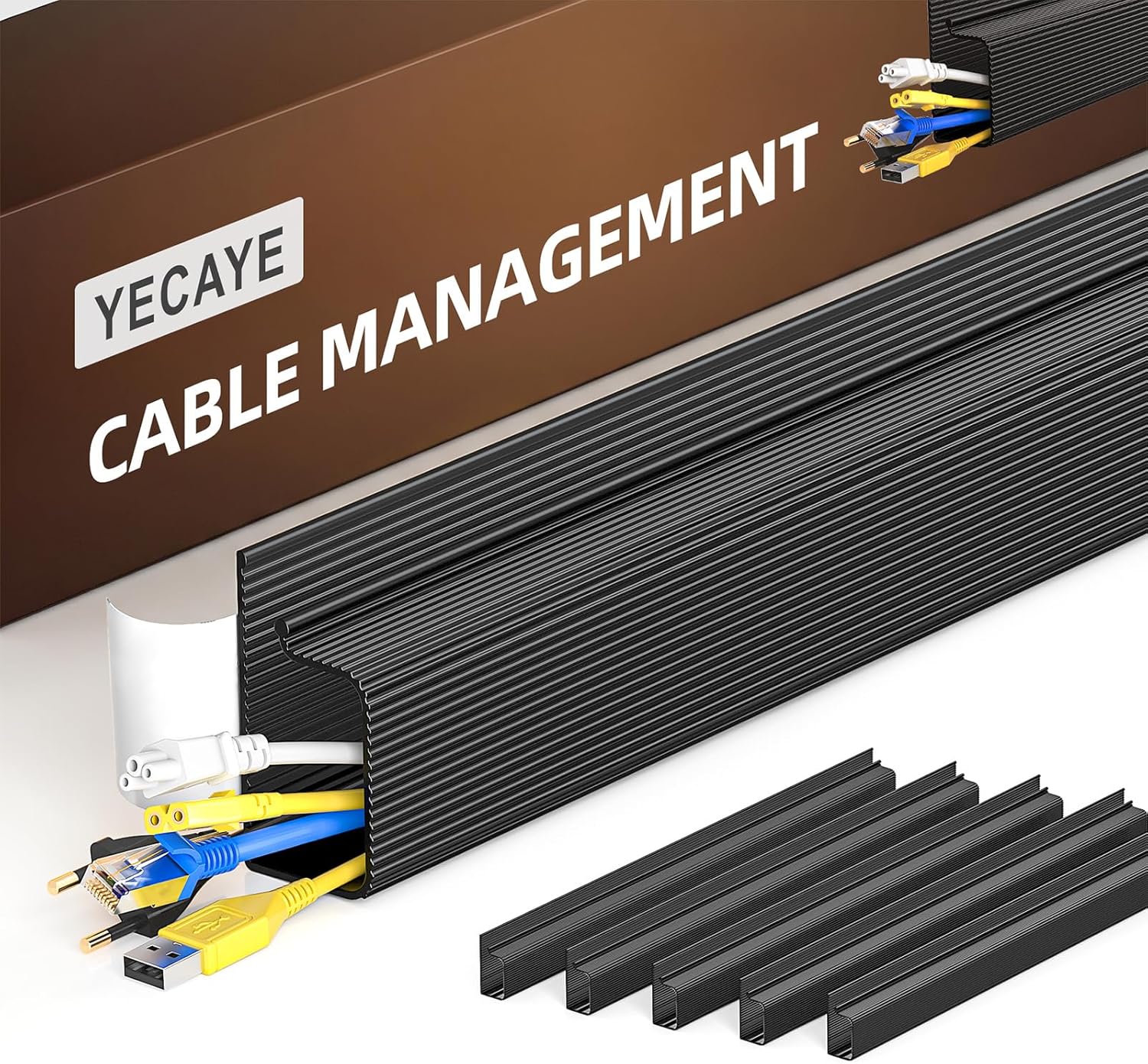
Cable raceway / channel | 4.6★ (8.8k) | 6 x 15.7″ channels | Adhesive | $16.98 | View |
 JOYROOM Magnetic Cable Clips JOYROOM Magnetic Cable Clips |
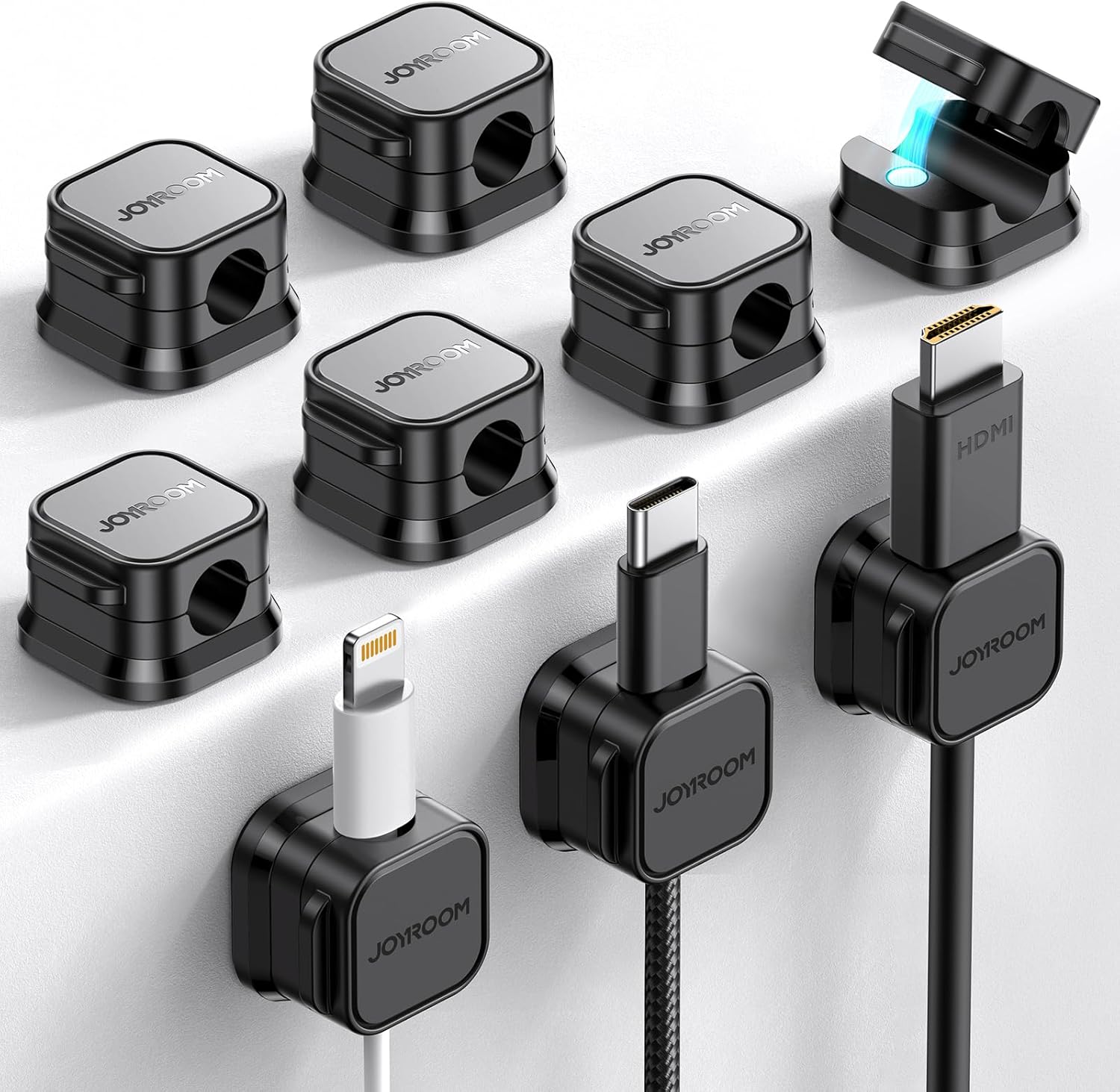
Cable clips | 4.6★ (2.3k) | 9-pack | Adhesive | $9.99 | View |
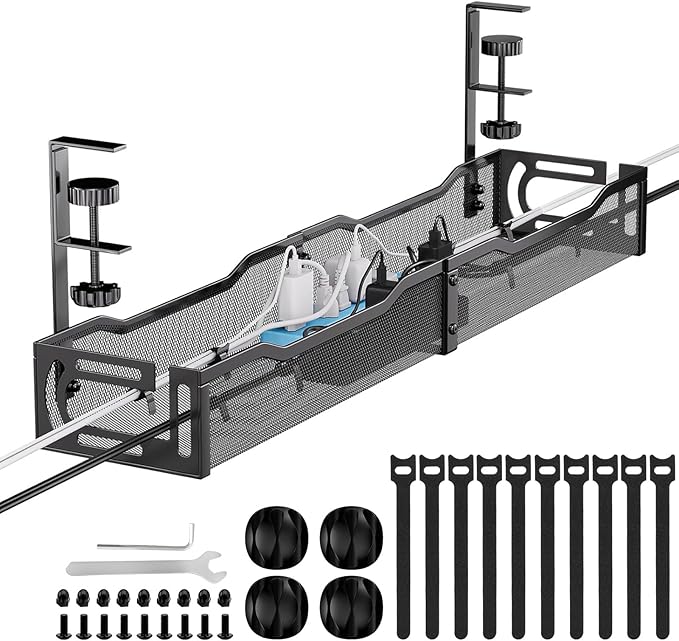 Mzmaxy Cable Tray Mzmaxy Cable Tray |
Under-desk tray | 4.8★ (1.2k) | 25″ | No-drill clamp | $20.39 | View |
All 9 Cable Management Products, Reviewed
Specs, honest pros and cons, and our verdict on who each one actually suits.
Litwaro Under Desk Cable Management Tray
Pros
- Assembles in about 3 minutes with no drilling, and the clamp works both inward and outward
- Sold in 7 different sizes, from 13.38″ up to 32″, so you can match your exact desk width
- Mesh design resists dust buildup better than solid-bottom trays
Cons
- 15 lb capacity is on the lower end — a large power strip plus multiple transformers can approach that limit
- Only fits desks between 0.4″ and 2″ thick, so check your desk edge before ordering
Scanfield Under Desk Cable Management Tray (2-Pack)
Pros
- Second-highest review count in this entire test, at over 6,600 ratings
- No-drill adhesive install works on glass desks, where a clamp mount often can’t grip
- Two trays included, enough to split a power strip and a separate hub or router
Cons
- Permanent adhesive means repositioning later is harder than with a clamp mount
- Most expensive per-tray price among the under-desk trays in this test
Univivi No Drill Under Desk Cable Management Tray
Pros
- Largest capacity in this test — the 36″ size is available up to 48″ for wide desks
- Fully unfolds for easy loading and removal, unlike fixed-shape metal trays
- Flame-retardant fabric adds a safety margin metal-mesh trays don’t specifically claim
Cons
- Most expensive product in this entire test
- Needs at least 5.3″ of clearance along the desk edge, which rules out desks with built-in drawers close to the front
Costop 9-Pack Magnetic Cable Clips
Pros
- Second-highest review count of any clip-style product in this test
- Magnetic closure lets you open and close one-handed, faster than a snap-shut clip
- Sold in four color options, useful for color-coding different cable types
Cons
- The manufacturer’s own instructions recommend waiting 12–24 hours before full use for the adhesive to cure
- 0.3″ slot size won’t accommodate thicker cables like some HDMI or power bricks
N NOROCME 192-Piece Cable Management Kit
Pros
- By far the most pieces of any single product in this test — enough for a complete desk-and-wall cable overhaul
- Split-design cable sleeves let you load and remove wires without disconnecting anything first
- Works out to roughly $0.08 per piece, the best per-item value in this entire test
Cons
- Doesn’t include an under-desk tray, so a power strip still needs somewhere to sit
- With so many piece types, sorting and using everything takes more upfront time than a single-purpose product
Nettbe Reusable Cable Ties (60-Pack)
Pros
- The highest rating and highest review count of any product in this entire test, at 4.8 stars across over 14,000 ratings
- Reusable hook-and-loop design means you can undo and re-tie as your setup changes, unlike disposable zip ties
- Cheapest product in this test, at just over $0.10 per tie
Cons
- Ties bundle cables together but don’t hide or route them — you’ll still want a tray or clips for full organization
- 40mm max diameter limits how many cables you can bundle into a single tie
YECAYE J-Channel Cable Management (6-Pack)
Pros
- Third-highest review count of any product in this test, at nearly 8,800 ratings
- Outward-facing opening makes adding or removing cables noticeably easier than a fully enclosed channel
- Removable with gentle heat and no residue, unusual for an adhesive-mounted product
Cons
- The manufacturer notes powder-coated walls or uneven surfaces can hinder adhesion
- Needs a full 24 hours before the bond reaches full strength
JOYROOM 9-Pack Magnetic Cable Clips
Pros
- Includes a spare replacement adhesive pad, so a worn-out mount doesn’t mean buying a whole new clip
- Longest warranty of any clip-style product in this test, at 2 years
- 60° rotating shaft design makes single-handed cable insertion smoother than a fixed clip
Cons
- Smaller review count than the very similar Costop clips at the same price
- Same 7.5mm slot limitation as most clip-style products — thick cables won’t fit
Mzmaxy 25″ Cable Management Under Desk Tray
Pros
- Tied for the highest rating of any product in this entire test, at 4.8 stars
- 25″ length hits a middle ground between the compact Litwaro and the oversized Univivi
- Standing desk-specific marketing, with a two-piece design that assembles for easy transport
Cons
- Shortest warranty of any product in this test, at just 3 months
- Smallest review count among the under-desk trays here
How We Test, and What to Look For
Most people need more than one type of product here — a tray hides the power strip, but clips and ties handle everything else.
Real weight capacity check
We load each tray with a realistic power strip and cable bundle to see how close it comes to the stated weight limit before sagging.
Install difficulty timed
We time how long each product actually takes to install, and note whether it requires tools, curing time, or a helper.
Surface compatibility tested
Adhesive-mounted products are tested against wood, glass, and laminate desk surfaces to confirm the bond actually holds.
Honest flaws, not just praise
Every review above lists real drawbacks, including limitations the manufacturer’s own listing quietly discloses.
Start with a tray, then layer in clips and ties
An under-desk tray solves the biggest visual problem — a tangled power strip on the floor. Clips and ties then handle the individual cords running from your desk down to the tray, keeping them from dangling loose in between.
Best under-desk cable trays →Clamp vs. adhesive mounting
Clamp mounts are reversible and reposition easily but need a desk edge between roughly 0.4″ and 2″ thick. Adhesive mounts work on glass and unusual edges but are harder to move once installed and typically need a 12–24 hour cure before bearing weight.
Best cable organiser boxes →Standing desks need slack, not just tidiness
A standing desk raises and lowers throughout the day, so cables need enough slack to avoid stretching or disconnecting at full height — a rigid, tightly-managed cable run that looks great sitting down can yank a cable loose once the desk rises.
Cable management for standing desks →Going wireless reduces the problem at the source
A wireless keyboard, mouse, and headset remove several cables from the equation entirely, meaning less to manage in the first place. It won’t eliminate power cables, but it meaningfully shrinks what you need trays and clips for.
How far a wireless desk setup can go →Common Questions
What’s the single best first purchase for cable management?
An under-desk tray solves the biggest visible problem first — getting your power strip and its tangle of cords off the floor. See our tray picks →
Should I use a clamp mount or adhesive mount?
Clamp mounts are reversible and work well on standard desk edges; adhesive mounts are necessary for glass desks or edges too thin or thick to clamp. See our full tested roundup →
How do I manage cables on a standing desk?
Leave enough slack in every cable run to accommodate the desk’s full height range, and use a spiral wrap or slack-management sleeve rather than pulling cables taut. See our full standing desk guide →
Can I really eliminate all the cables on my desk?
Wireless keyboards, mice, and headsets remove several cables, but most setups still need at least a power cable and often a monitor cable — full elimination is rare, but major reduction is realistic. See how far you can go wireless →
What’s the difference between cable clips and cable ties?
Clips mount to a surface and hold a single cable in a fixed position; ties bundle multiple cables together into one manageable strand, but don’t attach to anything. Most setups benefit from both. See our clip and tie picks →
Is a full cable management kit worth it over buying pieces separately?
A kit is usually cheaper per piece if you need a mix of sleeves, clips, and ties anyway, though it won’t include a dedicated under-desk tray. See our best complete kits →
Browse Every Cable Management Guide by Need
Every guide below builds on the testing above — organized by type, use case, budget, and step-by-step help so you can jump straight to what applies to you.
By Type
Trays, boxes, clips, and sleeves each solve a different part of the cable clutter problem.
By Use Case
Standing desks and wireless setups both change how you should approach cable management.
By Budget & Kits
What you actually get at each price tier, and where a complete kit makes more sense than individual pieces.
Step-by-Step Guide
The complete process for going from tangled to tidy.
Still Not Sure Where to Start?
If you want one product that helps almost everywhere, start with the Nettbe reusable ties. If your real problem is a messy power strip, get the Litwaro tray. Want to solve it all in one order? The N NOROCME 192-piece kit covers nearly everything.
Back to Top PicksAs an Amazon Associate, ErgoFixes earns from qualifying purchases. Prices and availability are accurate as of the publish date and are subject to change. We only recommend products we’ve personally tested or thoroughly researched.