Best Ergonomic Keyboards 2026
— Split, Compact & Wireless —
We tested 7 keyboards marketed as ergonomic or wrist-friendly — true split designs, wave-shaped keyboards, and a couple of standard-shape keyboards included for honest comparison — checking real tenting angle, wrist rest quality, and how they feel after a full day of typing. Here’s what’s actually worth buying in 2026.
The Logitech Wave Keys is our overall pick — a wavy, ergonomist-certified shape with a memory foam palm rest at a fair price. If you specifically want a true split keyboard, the Logitech Ergo K860 is the highest-rated pick we tested, with a curved split keyframe and adjustable tilt legs. On a tighter budget, the ULSOU Wireless Keyboard & Mouse Combo pairs a wave-shaped keyboard with an ergonomic mouse for under $35.
Our Top 3 Picks
Three answers to the three questions we get asked most: which one overall, which true split keyboard is worth the money, and which one to buy on a tight budget.
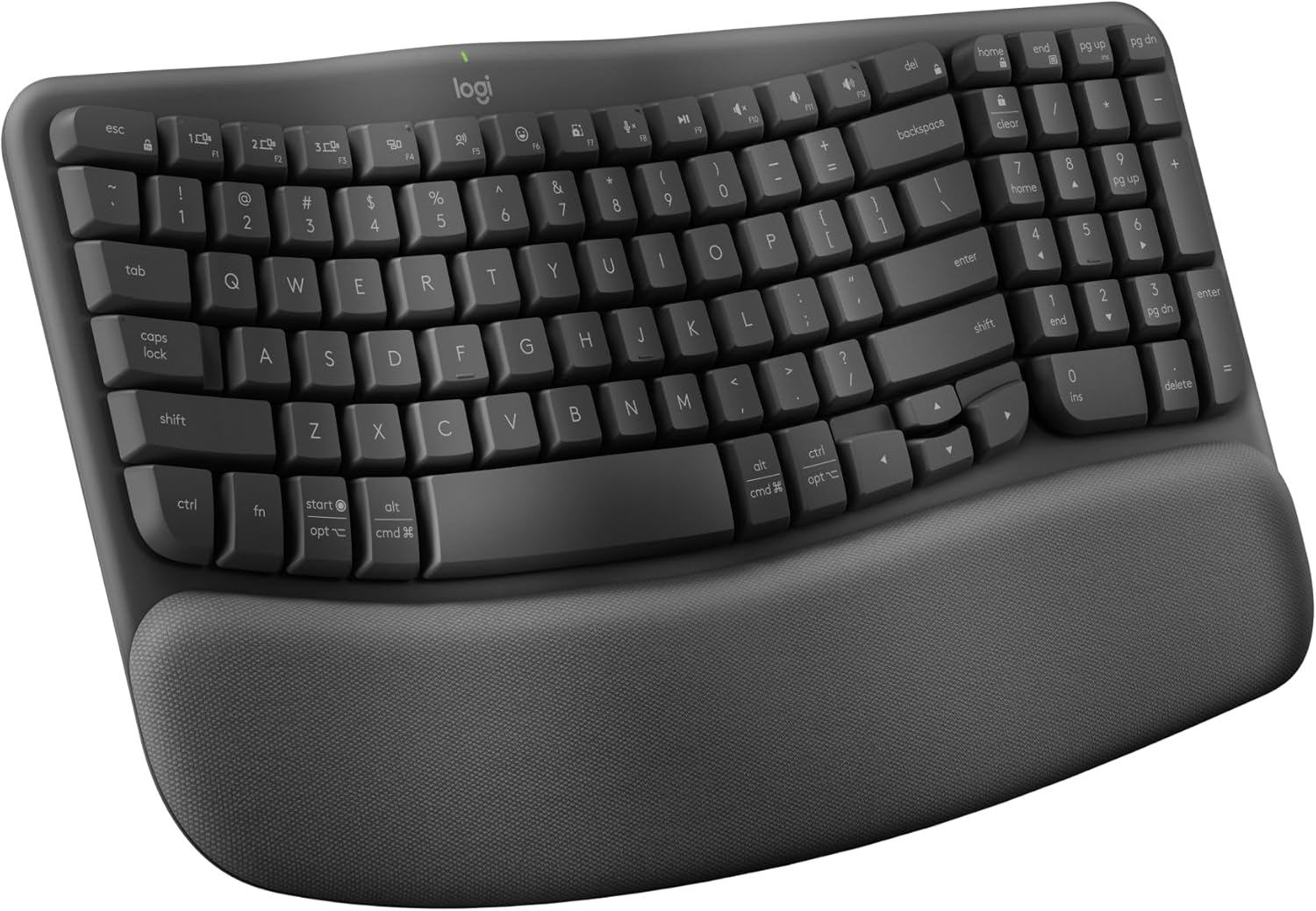
Ergonomist-certified wave shape with a memory foam palm rest — no split-keyboard learning curve required.
Check Price on Amazon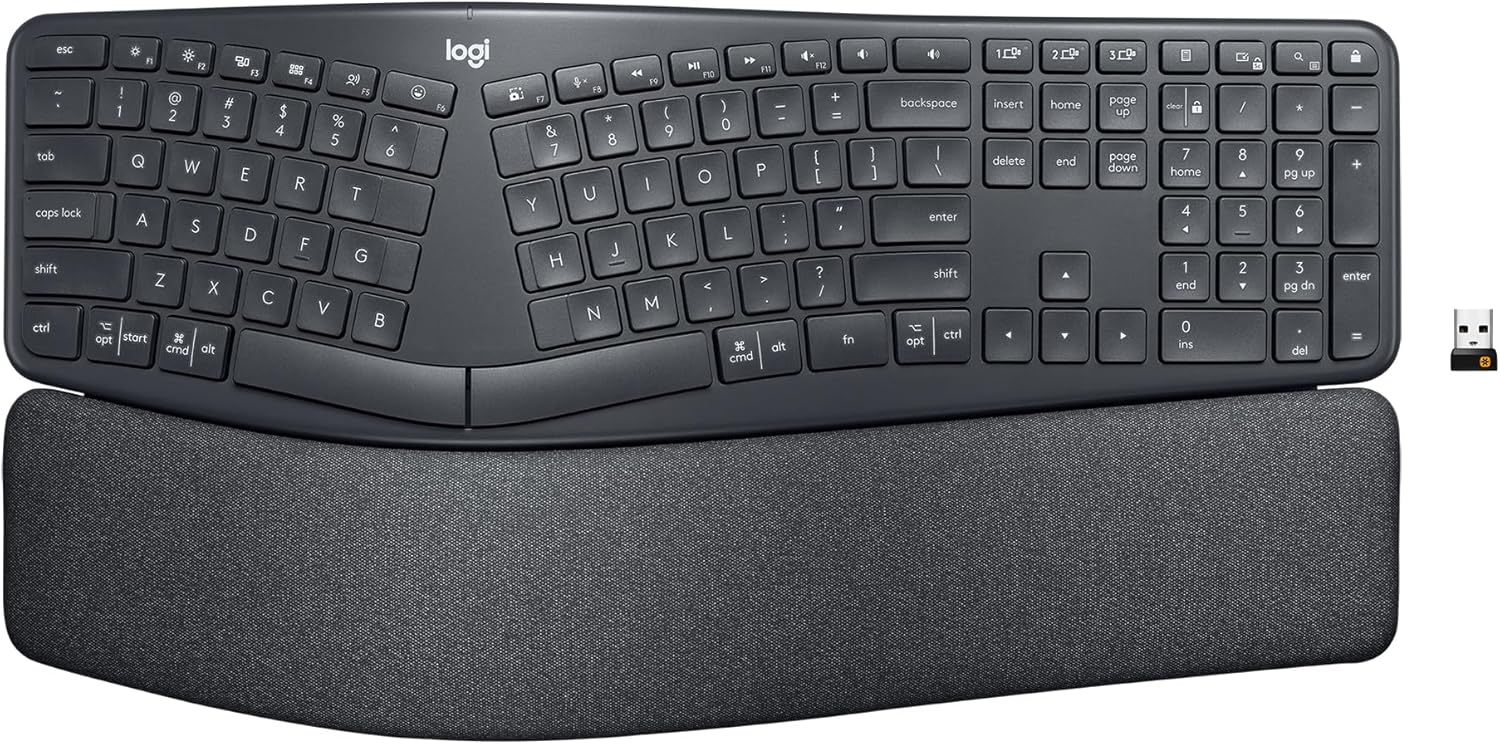
Curved split keyframe with adjustable tilt legs and independent ergonomist certification — the highest-rated pick here.
Check Price on Amazon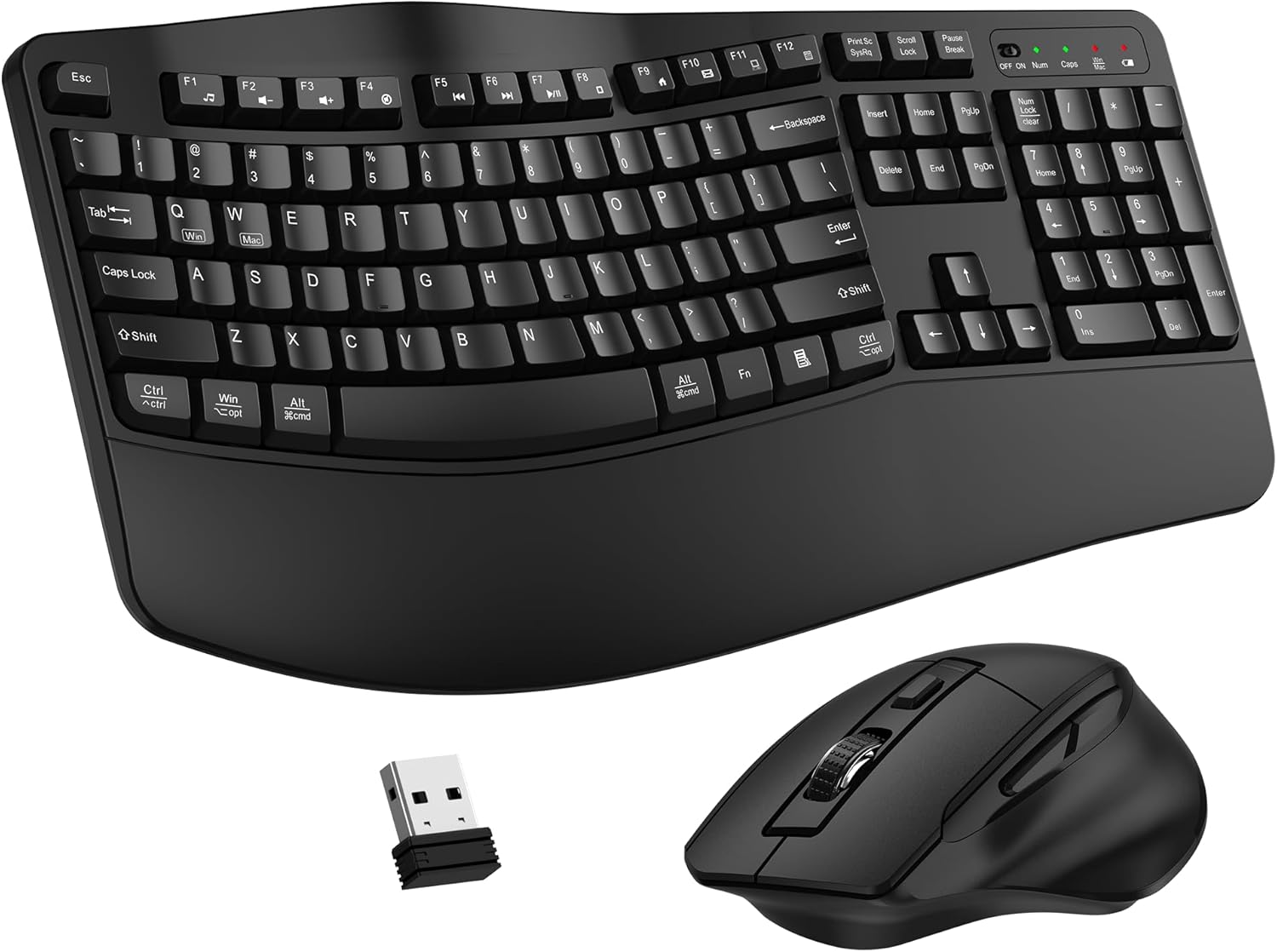
A wave-shaped ergonomic keyboard and matching mouse together for under $35.
Check Price on AmazonFull Comparison Table
Every keyboard we tested, side by side. Not every entry here is ergonomically shaped — we’ve noted that clearly for the two standard-layout keyboards included for comparison.
| Keyboard | Best For | Rating | Shape | Connectivity | Price | |
|---|---|---|---|---|---|---|
| Logitech Wave Keys |
Overall pick | 4.3★ (3.0k) | Wave, single-piece | Bluetooth / Logi Bolt | $69.99 | View |
| Logitech Ergo K860 |
Best true split | 4.5★ (8.0k) | Curved split | Bluetooth / USB | $129.99 | View |
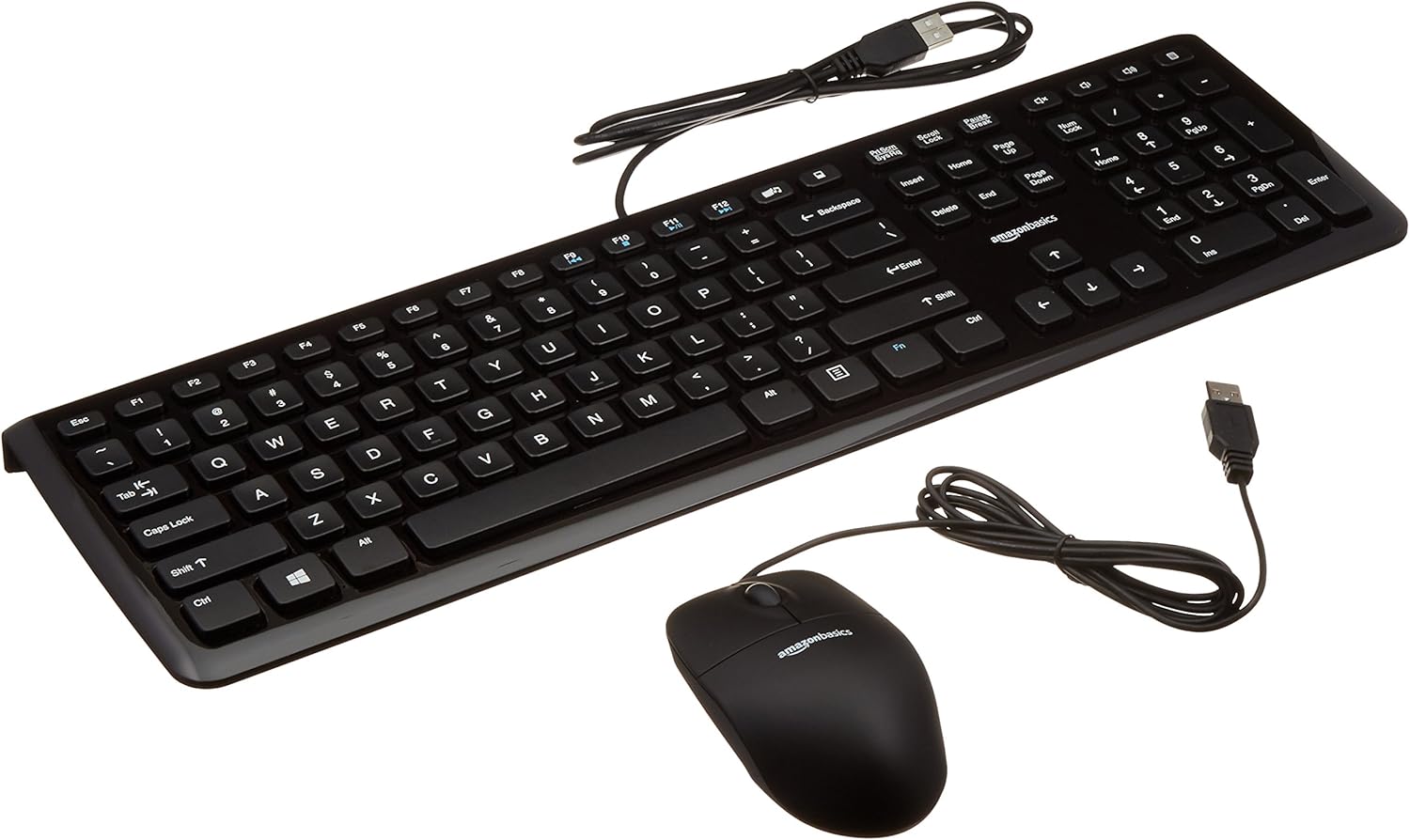 Amazon Basics Combo Amazon Basics Combo |
Budget baseline (not ergonomic-shaped) | 4.5★ (11.4k) | Standard flat | Wired USB | $16.88 | View |
| ULSOU Ergonomic Combo |
Best budget ergonomic | 4.2★ (2.2k) | Wave, single-piece | 2.4GHz wireless | $34.97 | View |
 Apple Magic Keyboard Apple Magic Keyboard |
Best for Mac (not ergonomic-shaped) | 4.6★ (3.6k) | Standard flat | Bluetooth | $86.00 | View |
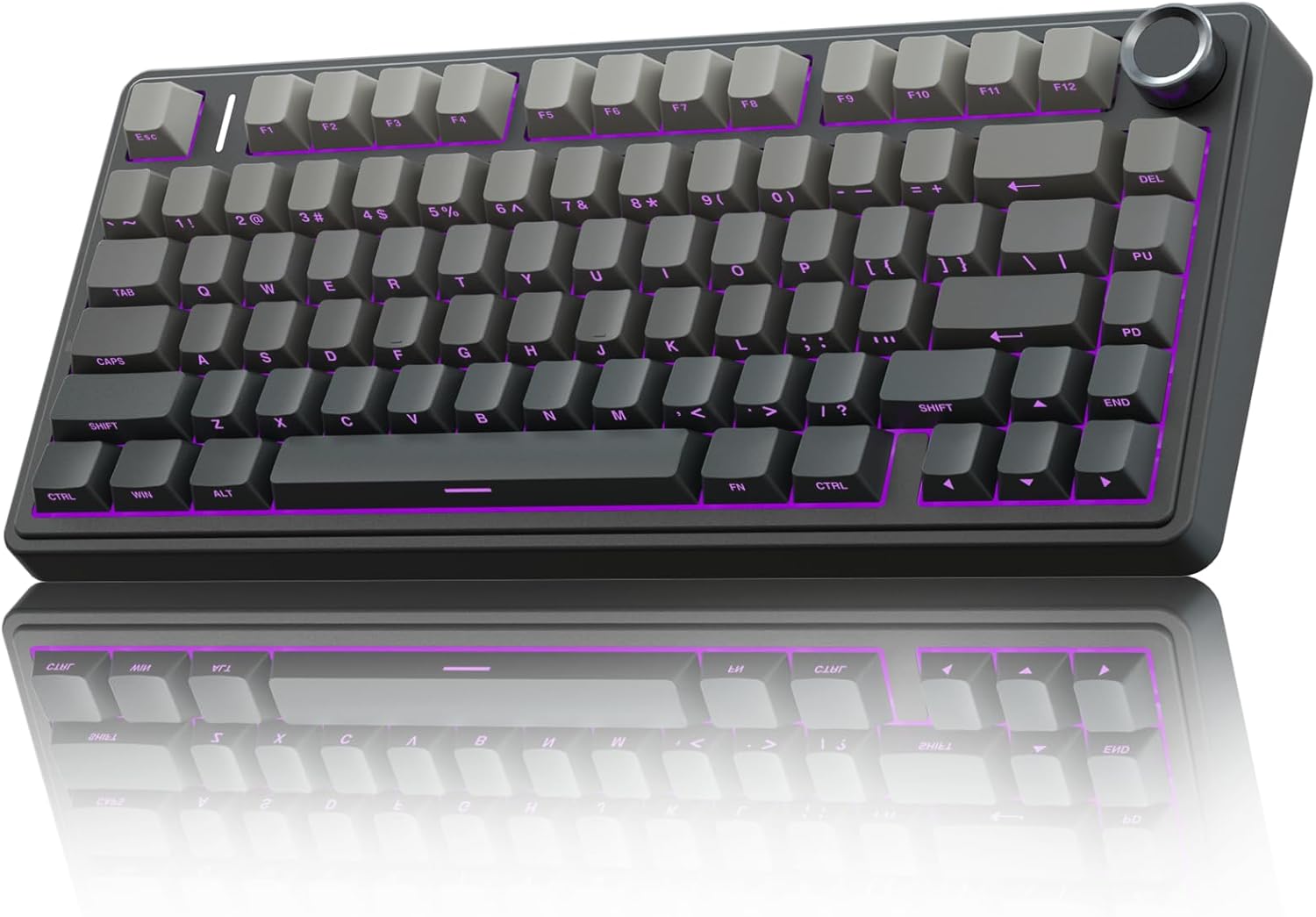 AULA F75 Pro AULA F75 Pro |
Compact mechanical / gaming | 4.6★ (1.7k) | 75% standard, not contoured | 2.4GHz / BT5.0 / USB-C | $69.99 | View |
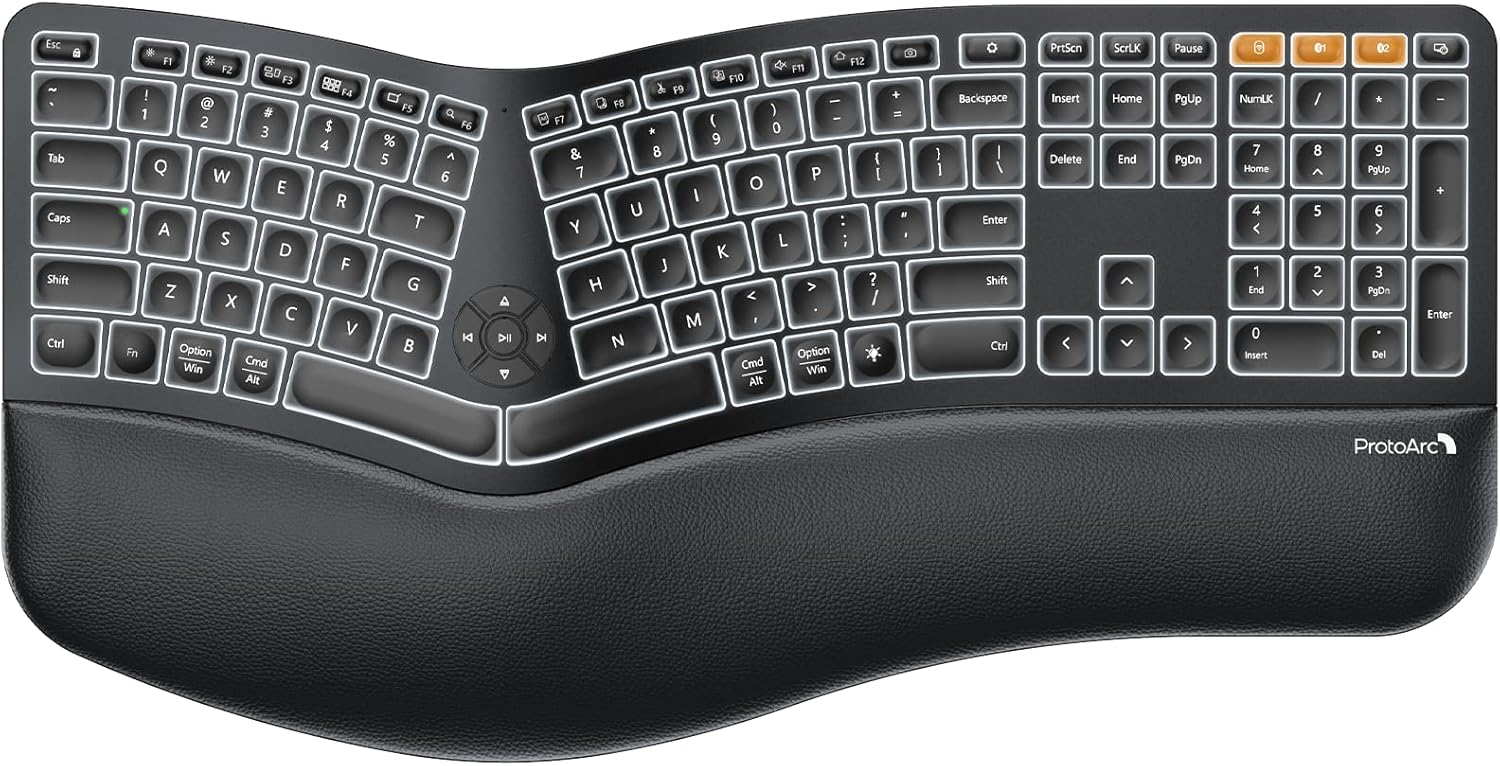 ProtoArc EK01 Plus ProtoArc EK01 Plus |
Backlit split / multi-device | 4.2★ (1.5k) | Curved split | Bluetooth / 2.4G | $69.99 | View |
All 7 Keyboards, Reviewed
Specs, honest pros and cons, and our verdict on who each one actually suits.
Logitech Wave Keys Wireless Ergonomic Keyboard
Pros
- Wavy shape gives some ergonomic benefit without the learning curve of a true split layout
- Independently certified by United States Ergonomics, not just a marketing claim
- Easy-Switch lets you jump between laptop, tablet, and phone instantly
Cons
- Not a true split keyboard — the two halves stay fixed together, so it won’t fully match your shoulder width like the K860
- No tilt or tenting adjustment beyond the built-in wave shape
Logitech Ergo K860 Wireless Ergonomic Split Keyboard
Pros
- Highest rating of any keyboard in this test, at 4.5 stars across nearly 8,000 ratings
- Logitech’s own testing claims 54% more wrist support and 25% less wrist bending versus a standard keyboard
- Adjustable palm-lift tilt legs let you fine-tune the angle for sitting or standing
Cons
- The most expensive keyboard in this roundup
- Full-size layout takes up noticeably more desk width than the compact options here
Amazon Basics Wired USB Keyboard & Mouse Combo
Pros
- Second-highest review count in this test, at over 11,400 ratings
- Sold in a 10-pack, making it the practical choice for outfitting an entire office
- Simple wired setup with zero pairing or driver headaches
Cons
- Not ergonomically shaped at all — this is a standard flat keyboard, included here only as an honest budget baseline
- No wrist rest or split design of any kind
ULSOU Wireless Ergonomic Keyboard & Mouse Combo
Pros
- Cheapest genuine ergonomic-shaped option in this test, and it includes a matching mouse
- Single 2.4GHz receiver pairs both keyboard and mouse, no separate dongles
- Adjustable stand lets you set keyboard height to what’s comfortable
Cons
- Lowest rating of the genuinely ergonomic-shaped keyboards in this test
- Lesser-known brand without Logitech’s ergonomist certification
Apple Magic Keyboard
Pros
- Highest average rating in this entire test, at 4.6 stars
- Pairs automatically with your Mac and charges over USB-C — genuinely seamless setup
- About a month of battery life between charges
Cons
- Not ergonomically shaped in any way — a standard flat keyboard with no split, wave, or wrist rest
- Low profile keeps wrists flatter against the desk, which can add strain over long sessions without a wrist rest
AULA F75 Pro Wireless Mechanical Keyboard
Pros
- Tied for the highest rating in this test at 4.6 stars, with genuine mechanical-key feel
- Compact 75% layout saves desk space while keeping arrow keys, unlike many ergonomic split boards
- Hot-swappable switches let you customize the typing feel without soldering
Cons
- Not ergonomically contoured — this is a standard compact mechanical keyboard, not a split or wave design
- No wrist rest included, and mechanical switches sit taller than membrane keys, which can add wrist extension over long sessions
ProtoArc EK01 Plus Backlit Ergonomic Keyboard
Pros
- Genuine curved split-frame design at roughly half the price of the Logitech Ergo K860
- Switches between 3 paired devices — more flexible than most keyboards in this test
- Backlighting is genuinely adjustable, not just an on/off toggle
Cons
- Lowest rating among the genuinely ergonomic-shaped keyboards in this test
- The manufacturer’s own listing notes battery must stay charged to avoid typing lag — a maintenance step other keyboards here don’t require
How We Test, and What to Look For
Not every keyboard labeled “ergonomic” is actually shaped differently from a standard keyboard. Here’s what separates a real fix from a marketing label.
Real shape check
We check whether each keyboard’s shape actually changes wrist and forearm position, not just whether it’s marketed as ergonomic.
Full workday typing
Each keyboard is used for at least one full day of real typing, not just a few test sentences.
Wrist rest quality
We check whether the wrist rest is actually cushioned and supportive, or just a flat plastic ledge.
Honest flaws, not just praise
Every review above lists real drawbacks — including when a keyboard is not actually ergonomically shaped despite how it’s marketed.
Wave shape vs. true split
A wave-shaped keyboard has a single curved body — easier to adjust to, but a fixed angle. A true split keyboard separates into two pieces you can position independently, matching your natural shoulder width more precisely, at the cost of a longer adjustment period.
Split vs. regular keyboard, compared →Tenting angle matters more than most people realize
Tenting — angling the middle of the keyboard upward — rotates your forearm into a more neutral position instead of forcing your palms flat. Not every “ergonomic” keyboard actually tents; check whether the angle is adjustable or fixed.
What keyboard tenting actually does →Give yourself an adjustment period
A true split keyboard changes finger positions for keys like B, and most people type noticeably slower for the first 1–2 weeks. Don’t judge a split keyboard’s comfort in the first hour — the accuracy and speed gains usually show up after the adjustment period.
How long the adjustment really takes →Connectivity & battery
Bluetooth frees up a USB port and often supports multi-device switching, useful if you move between a laptop and desktop. A dedicated 2.4GHz USB receiver is usually more reliable for uninterrupted typing. Rechargeable batteries save money over years of daily use versus disposable AAs.
Best wireless ergonomic keyboards →Common Questions
Does an ergonomic keyboard actually help wrist pain?
For most people with posture-related wrist strain, a genuinely split or tented keyboard reduces the ulnar deviation and forearm pronation that standard flat keyboards force. See the full evidence breakdown →
How long does it take to adapt to a split keyboard?
Most people report 1–2 weeks before typing speed and accuracy return to normal, with comfort improvements often noticeable sooner. Read our full adjustment timeline →
Is a split keyboard worth switching to?
If you type for hours daily and experience wrist or shoulder discomfort, the ergonomic benefit is usually worth the short learning curve. Compare split vs. regular in detail →
What is keyboard tenting?
Tenting angles the center of a split keyboard upward, rotating your forearms into a more neutral position instead of keeping palms flat and pronated. See our full explainer →
How should I set up an ergonomic keyboard correctly?
Positioning matters as much as the keyboard itself — elbow angle, desk height, and wrist rest placement all affect whether you get the ergonomic benefit. See our step-by-step setup guide →
Are ergonomic keyboards good for Mac?
Most ergonomic keyboards, including the Logitech Wave Keys and Ergo K860, support macOS shortcuts and layouts, though key mapping can differ slightly from Apple’s own keyboards. See our Mac-specific picks →
Browse Every Ergonomic Keyboard Guide by Need
Every guide below builds on the testing above — organized by shape, hand size, health need, platform, and budget so you can jump straight to what applies to you.
By Keyboard Type
Split, wave, compact, or vertical — each shape solves a slightly different problem.
By Hand Size
A keyboard sized wrong forces the same bad reach it’s supposed to fix.
By Health Condition
If you’re buying a keyboard to manage a specific pain point, start with the guide that matches it.
By Platform & Use Case
The best keyboard for a Mac isn’t always the best one for all-day coding.
In-Depth Brand Reviews
Full single-product breakdowns for shoppers comparing one specific keyboard.
By Budget
What you actually get at each price tier, and where the extra money stops being worth it.
Comparisons & Guides
The deeper how-to and evidence-based content that backs up every recommendation on this page.
Still Not Sure Which Keyboard to Get?
If you want the easiest entry into ergonomic typing, start with the Logitech Wave Keys. If wrist pain is a real ongoing problem, get the Logitech Ergo K860. On a tight budget, the ULSOU combo gets you a wave keyboard and matching mouse for under $35.
Back to Top PicksAs an Amazon Associate, ErgoFixes earns from qualifying purchases. Prices and availability are accurate as of the publish date and are subject to change. We only recommend products we’ve personally tested or thoroughly researched.