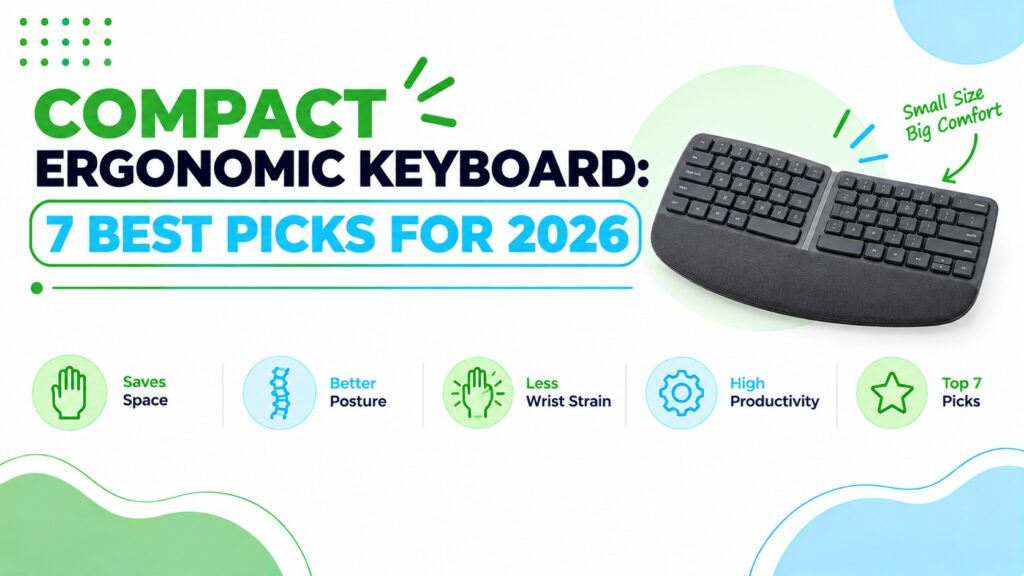
Best Compact Ergonomic Keyboard 2026 (TKL & 75% Layouts Explained)
I kept seeing the same problem. Someone buys a full-size ergonomic keyboard, then finds the mouse sits so far to the right that their shoulder starts to complain. The number pad is the culprit more often than people expect.
A compact ergonomic keyboard tries to fix both problems at once: a more natural hand position and a smaller footprint. In this guide I compare seven options, explain what “compact” really means, and tell you where each one falls short. If you are still deciding on the overall style, our best ergonomic keyboards guide covers the full range.⚡ Quick Answer: Best Compact Ergonomic Keyboards
Short on desk space? These are my seven picks, ordered by how well they balance a smaller footprint with a more natural typing position. Prices are the Amazon listing prices I saw and can change.


What is the best compact ergonomic keyboard? For most people, the Logitech Wave Keys is the best compact ergonomic keyboard in this list. At 14.8 inches wide on the listing, it is noticeably narrower than the 17.95-inch Logitech Ergo K860, and it still adds a wave-shaped frame and a cushioned palm rest. If you want a true split, the Kinesis Freestyle2 is the more adjustable choice.
Quick Verdict Table
| Product | Best For | Main Strength | Main Limitation | Rating | Link |
|---|---|---|---|---|---|
| Logitech Wave Keys | Everyday home-office use | Narrow frame plus memory-foam palm rest | Not a true split; no tenting | 4.4/5 | 🛒 Check Price |
| Kinesis Freestyle2 | Custom hand and shoulder positioning | Fully separable halves | Wired; listing is for Windows/Linux/Chrome | 4.2/5 | 🛒 Check Price |
| MoKo Foldable | Travel and occasional use | Folds flat, rechargeable | Compressed layout; no wrist rest | 3.9/5 | 🛒 Check Price |
| Omikamo Foldable | Tight budgets, tablets, small bags | Smallest footprint, lowest price | Small key area; less suited to all-day typing | 3.8/5 | 🛒 Check Price |
| ProtoArc EK01 Plus | Dim rooms, multi-device desks | Backlight and large battery | Full-size footprint | 4.2/5 | 🛒 Check Price |
| Nulea RT05C | Wired budget split | Big wrist rest, plug and play | Heaviest here; listing shows QWERTZ | 4.0/5 | 🛒 Check Price |
| Logitech Ergo K860 | Long daily typing sessions | Curved split frame, three tilt settings | Largest and priciest | 4.3/5 | 🛒 Check Price |
What “Compact” Really Means (TKL, 75% and Beyond)
Here is a straight answer on the jargon, because it affects what you buy.
- Full-size: includes the number pad. Usually the widest layout.
- TKL (tenkeyless): removes the number pad but keeps the function row, arrow keys and navigation cluster. Typically around 87 keys.
- 75%: a more squeezed layout that keeps the arrow keys and function row but packs the navigation keys tightly. Typically in the low 80s for key count.
- Compact ergonomic boards: these use their own layouts. Some drop the number pad, some shrink the frame, and some fold.
A note on TKL and 75%: the seven picks below are compact in footprint, but none is a strict TKL or 75% layout. True ergonomic TKL boards are a small category, and most of the keyboards that market themselves as ergonomic keep a number pad. If a number-pad-free layout is non-negotiable, check each product page for the key layout before buying, and see the alternatives section further down.
Do Compact Keyboards Help With Wrist Comfort?
Short answer: they can help your overall posture, but a compact layout is not a treatment for any condition. If you have persistent or severe pain, please speak to a healthcare professional.
Research Insight: In a laboratory study published in Applied Ergonomics, Delisle and colleagues had 27 participants do a simulated computer task with the mouse on the left side of a standard keyboard that had a number pad. Shoulder flexion, shoulder abduction and wrist extension were lower with the left-handed mouse position. The authors suggested that, for people who do not need the number pad, a keyboard without one is probably preferable when the mouse sits on the right.
A NIOSH-funded laboratory study by Dennerlein and Johnson in Ergonomics tested 30 adults on mouse-heavy tasks. When the keyboard was shifted to mimic a model with no number keypad, so the mouse sat closer to the body’s centreline, wrist extension dropped slightly and shoulder posture became more neutral. The paper reports that shoulder flexion, abduction and external rotation fell by roughly 50%. Muscle activity was mostly unchanged, and average grip force on the mouse was slightly higher, which the authors suggested may reflect unfamiliarity with the new position.
What this means: a keyboard without a number pad lets the mouse sit closer to your body, and in these two studies that was associated with a more neutral shoulder posture and slightly less wrist extension. Both were short laboratory tasks with small groups, and both measured posture rather than pain. The second paper’s authors note it is not known whether such small differences matter, though they may add up over a long working day. Neither study tested any keyboard in this guide, so they do not show that any of these products will reduce discomfort.
Practical example: if you use the number pad only for the odd spreadsheet, a compact board with the mouse close to your right hand is a reasonable thing to try. Give it a few days to feel normal, since grip force was slightly higher at first in that study. If you enter figures all day, a separate number pad you can place on the left may suit you better.
What About Split and Wave Designs?
Research Insight: In a 2009 study in Ergonomics, Rempel and colleagues had 24 experienced typists use seven split-keyboard configurations. A lower keyboard height was linked to a lower elbow height and less wrist ulnar deviation and forearm pronation, while slope and opening angle had mixed effects. A 15-degree opening angle looked like a reasonable balance in that study.
What this means: the geometry of a keyboard changes wrist and forearm posture, but “more split” is not automatically better, and height matters too. This is why I like adjustable options. It also explains why I do not trust any single number on a product page.
OSHA’s guidance is cautious on this point. Its computer workstation keyboard page says alternative keyboards help maintain neutral wrist postures, but the available research does not conclusively show they prevent discomfort or injury.
Emily Richardson’s tip: For a small home office, a compact keyboard that you can position correctly will usually serve you better than a larger premium board that forces your mouse out to the side. Fit to the desk comes before extra features.
How to Choose a Compact Ergonomic Keyboard: 7 Factors That Matter
1. Layout and number pad
Decide first whether you need a number pad. Without one, your mouse can sit closer to your body. With one, your mouse hand travels further. If you need numbers regularly, plan for a separate keypad rather than assuming you can live without it.
2. Keyboard shape: wave, curved split or fully split
A wave or curved frame (like the Logitech Wave Keys) gently angles your hands. A fixed split (like the K860) opens the frame further. A fully separable split (like the Kinesis Freestyle2) lets you set the angle and width yourself. More adjustment means more setup time, and for some people a bigger learning curve.
3. Real footprint
Check the listed width and depth, not just the word “compact.” On the listings supplied, the Wave Keys is 14.8 inches long, the Freestyle2 is 15.94 inches, and the K860 is 17.95 inches. Foldable boards are far smaller, but they trade away key space.
4. Height, tilt and wrist rests
Keyboard height and angle affect wrist extension. Tilt feet help, but a thick palm rest can also raise your hands. OSHA notes that opinions vary on wrist and palm supports, but says proper use has been associated with reduced muscle activity and more neutral wrist angles. Use a rest during pauses rather than as a place to anchor your wrists while you type.
5. Key type and feel
Membrane and scissor-style keys are generally quieter and lower in profile, which suits shared spaces. Mechanical-style switches feel more tactile but can be louder. Low-profile keys on foldable boards can feel shallow, so consider your typing habits.
6. Connectivity and battery
Bluetooth with multi-device switching suits laptop, tablet and phone users. Wired boards avoid batteries and pairing but add a cable. Specifications can vary by model or region, so check the listing before ordering.
7. Compatibility and returns
Confirm your operating system. The Kinesis listing here is described for Windows, Linux and Chrome, so Mac users should check compatibility with the manufacturer first. Also keep the return window in mind, because a new layout can take a few weeks to settle.
Best Compact Ergonomic Keyboards: Reviews
Prices below are listing prices at the time I reviewed them. Amazon pricing and availability can change. At ErgoFixes, our product evaluations combine manufacturer specifications, verified retailer and Amazon listing data, customer feedback, review patterns, and ergonomic design analysis. We assess products across factors such as comfort, adjustability, materials, functionality, durability, and overall value, using multiple sources to provide a balanced and practical recommendation.
1. Logitech Wave Keys: Best Overall Compact Ergonomic Keyboard
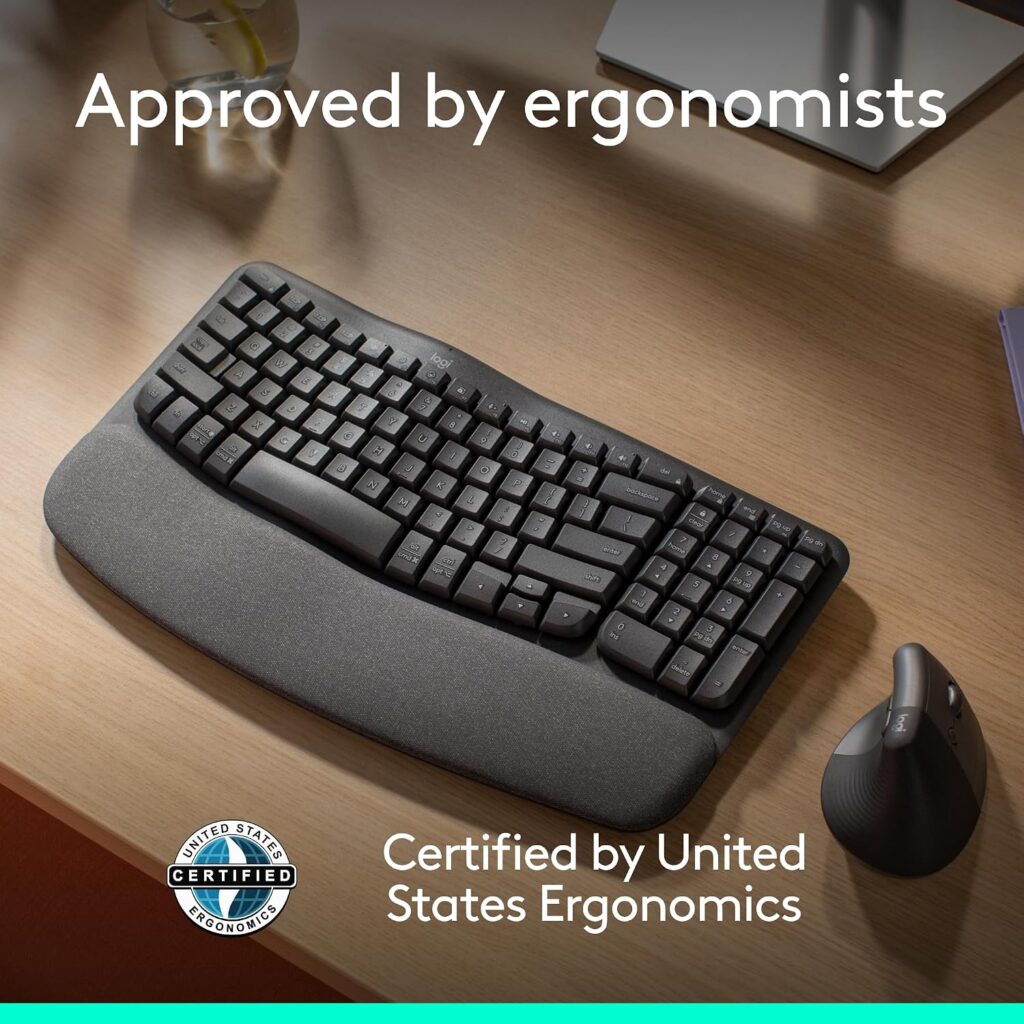
Quick Verdict: The Wave Keys is the easiest keyboard here to recommend. It keeps a familiar layout, adds a wave-shaped frame with a memory-foam palm rest, and takes less width than the K860. It is not a true split, so the ergonomic change is gentle rather than dramatic.
Best For: People moving from a standard keyboard who want a smoother, low-risk transition.
Key Specifications (from the Amazon listing):
- Listed price: $69.99; rating 4.2/5 from 3,098 reviews
- Size: 14.8″ L × 8.62″ W × 1.18″ H; weight 2.16 lb
- Membrane keys; cushioned palm rest
- Bluetooth or Logi Bolt receiver; Easy-Switch across up to 3 devices
- Windows, macOS, iPadOS and ChromeOS support listed; up to 3 years of battery life per Logitech (usage dependent)
- 1-year limited hardware warranty
What I Like
- Narrower than the full-size ergonomic boards in this list
- Palm rest is built in and cushioned
- Easy-Switch pairing suits multi-device desks
- Multiple colours available
What I Don’t Like
- No tenting or adjustable split angle
- Listing shows 101 keys, so check the layout image to confirm whether a number pad is included
- Membrane typing feel will not please everyone
Ergonomic Analysis: A wave-shaped frame angles each hand slightly inward, which can reduce the pull toward ulnar deviation without forcing you to relearn anything. Logitech says the keyboard is certified by United States Ergonomics, which is a manufacturer claim rather than something I have independently verified.
Who Should Buy It? Home-office workers and students who want a modest ergonomic upgrade that fits an ordinary desk.
Who Should Skip It? Anyone wanting a real split or adjustable tenting. Look at the Freestyle2 or K860 instead.
Value for Money: At about $70, it is fair value for the footprint, build and wireless flexibility.
🛒 Check Price on Amazon2. Kinesis Freestyle2 (9″ Separation): Best Adjustable Split
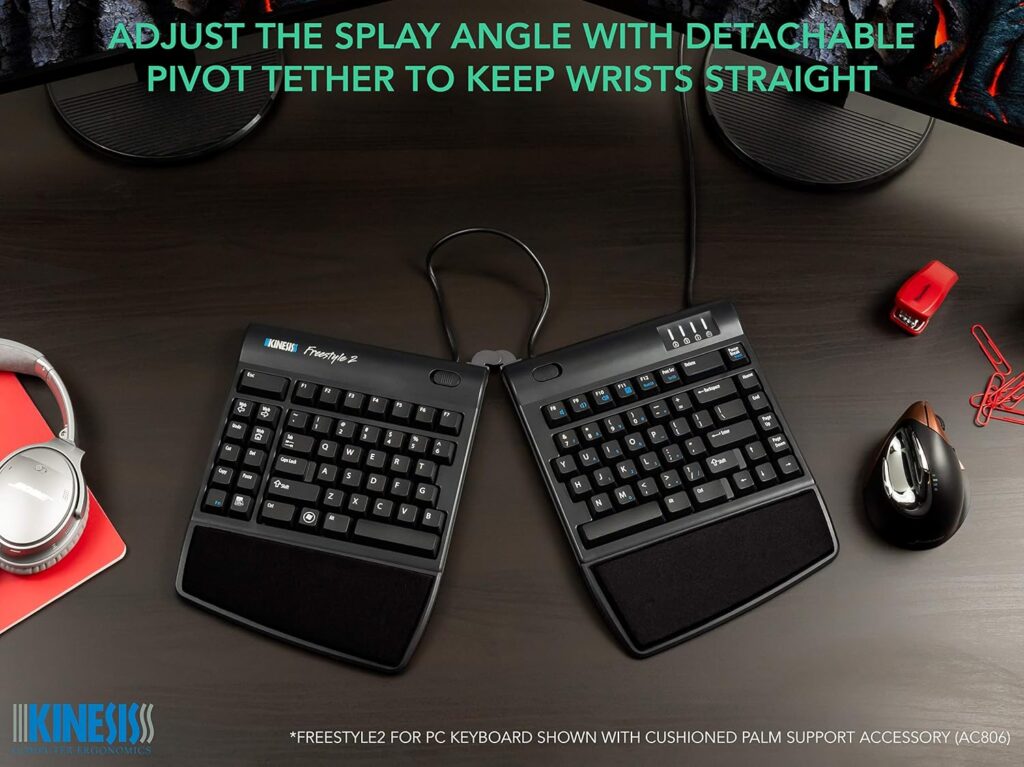
Quick Verdict: The Freestyle2 is for people who want to set their own hand and shoulder position. The two halves are separate, so you can open them up to suit your shoulder width. It is wired and has a number pad, so it is compact only in the sense that you control the layout of the halves.
Best For: Typists who know a fixed frame never quite fits them.
Key Specifications:
- Listed price: $94.00 for the 9″ separation version (a 20″ version is listed at $110.00); rating 4.3/5 from 1,435 reviews
- Size: 15.94″ L × 9.25″ W × 1.26″ H; weight about 2 lb
- Low-force tactile membrane keys; embedded numeric keypad
- USB wired; Windows, Linux and Chrome listed
- No special software required
What I Like
- Two separate halves for flexible positioning
- Low activation force
- Plug and play, with no drivers
What I Don’t Like
- Wired only on this listing
- The listing describes PC support, so Mac users should confirm compatibility first
- The listing does not mention a wrist rest or tenting accessory in the box, so check what is included
- Takes experimenting to find a good setting
Ergonomic Analysis: Separating the halves lets your forearms follow your own shoulder width instead of the keyboard’s. As Rempel’s research suggests, angle and height both matter, so adjust slowly.
Who Should Buy It? People who want control and do not mind a cable.
Who Should Skip It? Anyone who needs Bluetooth or a built-in palm rest.
Value for Money: Reasonable for an adjustable design from a specialist brand.
🛒 Check Price on Amazon3. MoKo Ergonomic Foldable Keyboard: Best Foldable
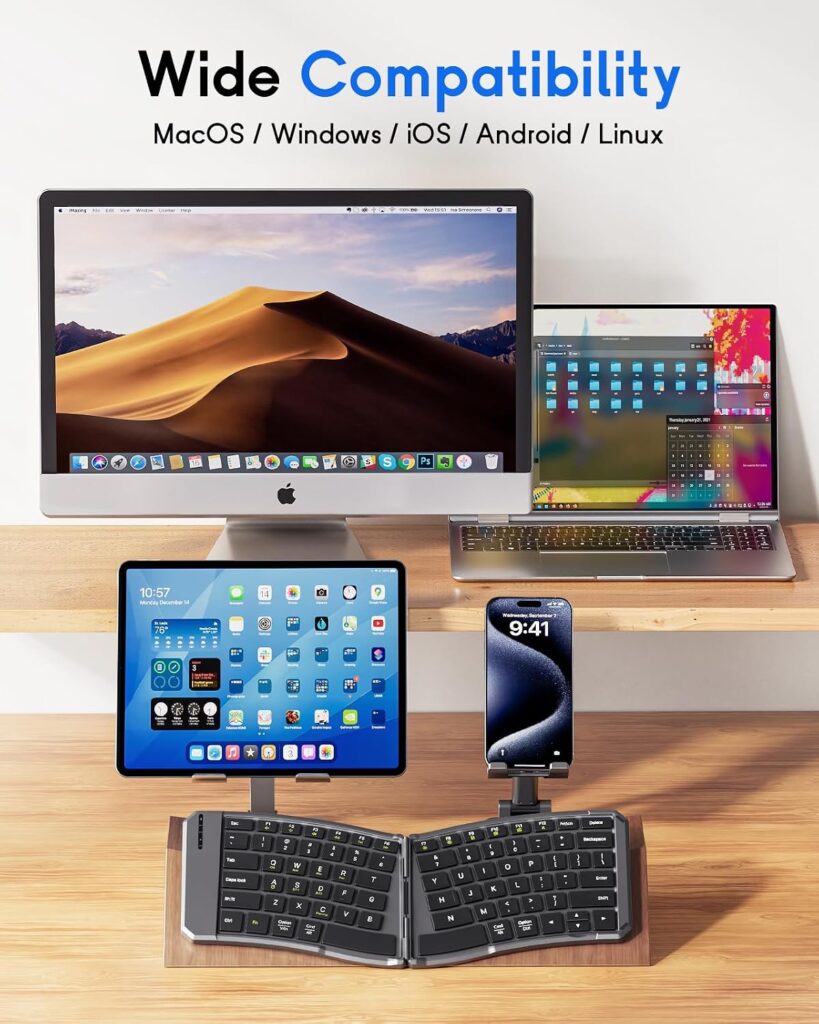
Quick Verdict: This is a travel board that happens to have a curved, split-style layout. Folded, it slips into a bag. As a daily driver it is a compromise, but a useful one if you move between desks, cafés and client sites.
Best For: Laptop and tablet users who travel.
Key Specifications:
- Listed price: $35.99; rating 4.4/5 from 465 reviews
- Open size 14.09″ × 4.92″; folded about 7.09″ × 4.92″ (per the listing)
- 80 keys, scissor mechanism; rechargeable (listing says 25–30 hours per charge)
- Bluetooth for up to 3 devices; listing also mentions a 2.4G receiver
- Locking clasp so it can be used on the lap
What I Like
- Genuinely small when folded
- Rechargeable over USB-C
- Quiet scissor keys
What I Don’t Like
- No wrist rest
- Compressed 80-key layout takes adjustment
- Listing details are inconsistent in places, including the weight, so I have not quoted one
Ergonomic Analysis: The curve places hands more naturally than a flat travel keyboard, but it has no tenting and no palm support. Think of it as a better travel option, not a full ergonomic desk setup.
Who Should Buy It? Frequent travellers and occasional typists.
Who Should Skip It? Heavy daily typists. Choose the Wave Keys or K860 instead.
Value for Money: Good for the price if portability is the goal.
🛒 Check Price on Amazon4. Omikamo Ergonomic Foldable Keyboard: Best Budget
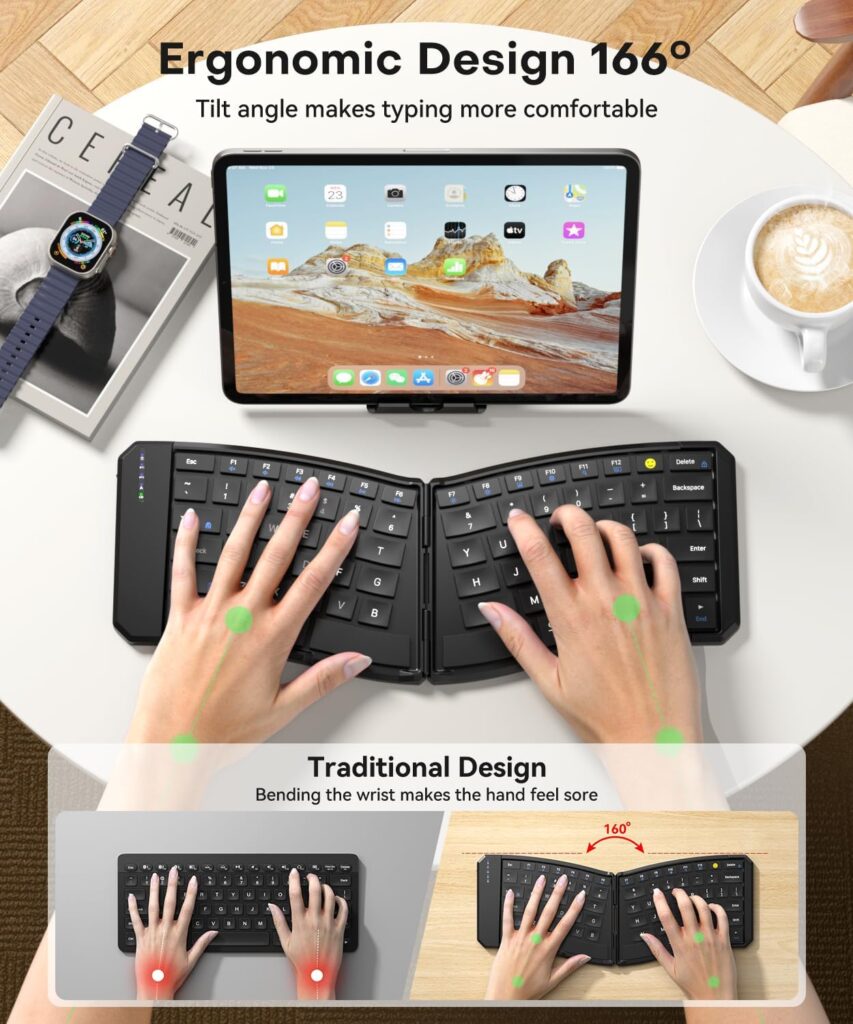
Quick Verdict: The Omikamo is the smallest and cheapest board here. Its V-shaped, split-style design is aimed at tablets, phones and light travel use. For long typing sessions, a larger keyboard is the safer choice.
Best For: Budget buyers who need something very portable.
Key Specifications:
- Listed price: $24.99; rating 4.1/5 from 556 reviews
- Open size 10.12″ × 5.7″; folded 7.09″ × 5.7″; weight about 0.55 lb
- 80 keys, scissor switches; 210mAh battery (listing says up to 70 hours standby)
- 2.4G receiver plus two Bluetooth channels
- Listing says the V-shape is 166 degrees; this is a manufacturer figure
What I Like
- Lowest price and smallest footprint
- Three connection channels
- Lap-use support wire on the back
What I Don’t Like
- Small key area; the listing itself notes an adaptation period
- No wrist rest
- Light weight may be less stable on a desk
Ergonomic Analysis: A mild V-shape can help keep hands from bending outward, but with a keyboard this small, shoulder and forearm positioning still depends on how you sit.
Who Should Buy It? Tablet users on a tight budget.
Who Should Skip It? Full-day typists and anyone with larger hands. See our guide to the best ergonomic keyboard for large hands.
Value for Money: Strong for the price, within its limits.
🛒 Check Price on Amazon5. ProtoArc EK01 Plus: Best Backlit Option
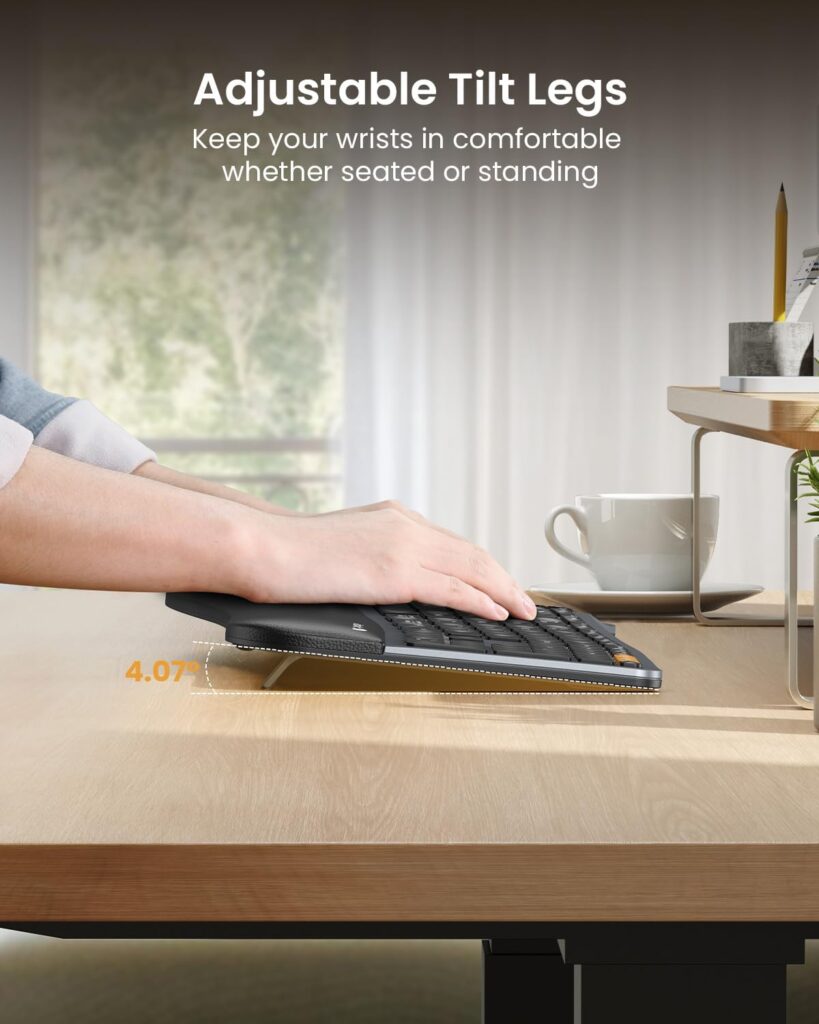
Quick Verdict: The EK01 Plus is a full-size curved split keyboard with a wrist rest and backlighting. It costs about the same as the Wave Keys but needs more space. The seller itself warns that it may occupy more desk space.
Best For: People who type in dim rooms and switch between devices.
Key Specifications:
- Listed price: $74.99 (other colours priced higher); rating 4.3/5 from 1,114 reviews
- Curved split frame, scooped scissor keys, 117 keys listed
- Backlight with three brightness levels; battery life ranges from about 12–13 hours at high brightness to 90–100 days with the light off (per listing)
- Bluetooth or 2.4G, up to 3 devices; cannot be used wired
- Wrist rest and tilt feet with three angles; 2000mAh USB-C battery
What I Like
- Backlighting is rare in ergonomic keyboards
- Large battery
- Includes both a wrist rest and tilt options
What I Don’t Like
- Full-size footprint
- Wireless only
- Listing compatibility is mostly Windows, macOS and Android; check your device
Ergonomic Analysis: The curved frame is similar in concept to the K860’s. The “54% more support” figure on the listing is a manufacturer claim measured against its own comparison, so treat it as marketing rather than proof.
Who Should Buy It? Evening workers and multi-device users with enough desk.
Who Should Skip It? Small-desk users; choose the Wave Keys.
Value for Money: Good for the feature list.
🛒 Check Price on Amazon6. Nulea RT05C: Best Wired Value
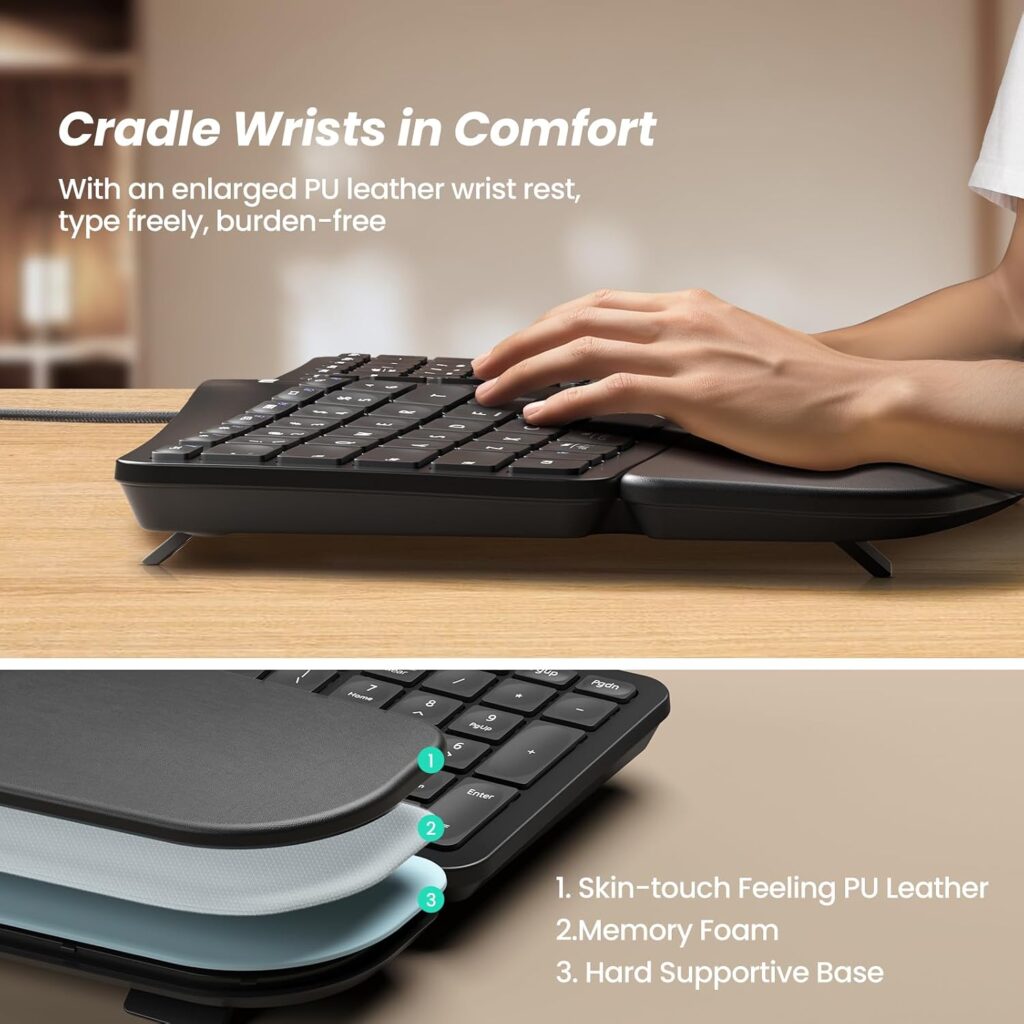
Quick Verdict: A budget wired split keyboard with a big wrist rest and three tilt angles. It is the heaviest keyboard here and not compact in any strict sense. Check the key layout carefully, because the listing shows QWERTZ.
Best For: Wired-keyboard fans who want a split frame without paying premium prices.
Key Specifications:
- Listed price: $48.99; rating 4.3/5 from 422 reviews
- Weight 3.04 lb; 101 keys; USB wired with braided cable
- Split design with an oversized leatherette wrist rest; three tilt angles
- Windows, macOS and Linux compatibility listed; 12-month warranty
What I Like
- Low price
- Generous wrist support
- No pairing or batteries
What I Don’t Like
- Heavy and large
- Listing shows a QWERTZ layout, which is a German-style layout; confirm it before ordering
- Wired only
Ergonomic Analysis: The split frame and wrist rest follow the same principles as pricier boards, but with less refinement and fewer adjustments.
Who Should Buy It? Budget shoppers with space who want a wired split keyboard.
Who Should Skip It? Small-desk and travel users.
Value for Money: Good, once you confirm the layout.
🛒 Check Price on Amazon7. Logitech Ergo K860: Best Premium (If You Have the Space)
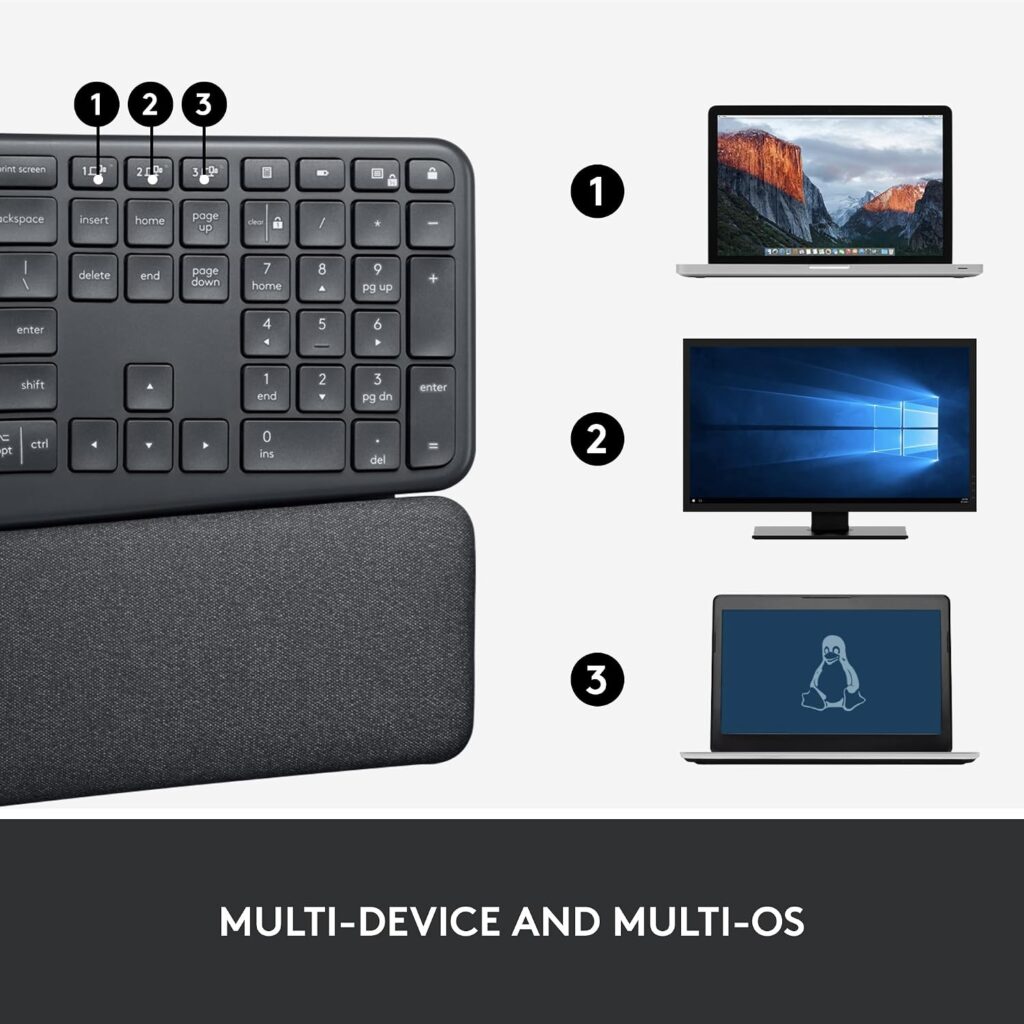
Quick Verdict: The K860 is the most polished ergonomic design in this group, and the most popular, with 8,072 ratings. It is also the biggest and costs the most. If desk space allows, it is a strong pick. If not, the Wave Keys is the better fit.
Best For: Long daily typing sessions on a roomy desk.
Key Specifications:
- Listed price: $149.99; rating 4.4/5 from 8,072 reviews
- Size: 17.95″ L × 9.17″ W × 1.89″ H; weight 2.56 lb
- Curved split keyframe, scooped keys, memory-foam wrist rest
- Tilt legs at 0, -4 and -7 degrees
- Bluetooth or USB receiver; Windows, macOS, Linux and ChromeOS listed
What I Like
- Refined shape and wrist support
- Adjustable palm lift
- Large review base
What I Don’t Like
- Widest keyboard in this guide
- Highest price
- The “25 per cent less wrist bending” claim comes from Logitech’s own comparison
Ergonomic Analysis: The sloped, curved frame is designed to reduce forearm twisting and wrist bending. For a deeper look at fixed splits, see our best split ergonomic keyboard guide.
Who Should Buy It? Full-time typists with space and budget.
Who Should Skip It? Small-desk users and anyone on a tight budget.
Value for Money: Fair at the price if you will use it daily.
🛒 Check Price on AmazonComparison Table
| Product | Type | Listed Size | Weight | Connectivity | Key Ergonomic Feature | Rating |
|---|---|---|---|---|---|---|
| Logitech Wave Keys | Wave frame | 14.8″ × 8.62″ | 2.16 lb | Bluetooth / Logi Bolt | Palm rest, wave shape | 4.4/5 |
| Kinesis Freestyle2 | Separable split | 15.94″ × 9.25″ | 2 lb | USB wired | Adjustable splay | 4.2/5 |
| MoKo Foldable | Foldable curve | 14.09″ × 4.92″ open | Not reliably listed | Bluetooth (2.4G mentioned) | Curved key layout | 3.9/5 |
| Omikamo Foldable | Foldable V-shape | 10.12″ × 5.7″ open | 0.55 lb | 2.4G + 2× Bluetooth | V-shaped split | 3.8/5 |
| ProtoArc EK01 Plus | Curved split | Full-size (not listed) | Not listed | Bluetooth / 2.4G | Wrist rest, tilt feet | 4.2/5 |
| Nulea RT05C | Split | Not listed | 3.04 lb | USB wired | Large wrist rest | 4.0/5 |
| Logitech Ergo K860 | Curved split | 17.95″ × 9.17″ | 2.56 lb | Bluetooth / USB receiver | Split frame, 3 tilt angles | 4.3/5 |
Which Compact Ergonomic Keyboard Should You Buy?
Choose the Logitech Wave Keys if you want the best overall balance of footprint, comfort and price.
Choose the Kinesis Freestyle2 if you want to set your own hand and shoulder position and do not mind a cable.
Choose the MoKo if you want a foldable board that you can take on trips.
Choose the Omikamo if price and size matter most, and you will only type in short bursts.
Choose the ProtoArc EK01 Plus if you want backlighting and multi-device switching and have the space.
Choose the Nulea RT05C if you want a wired split keyboard on a budget, once you confirm the layout.
Choose the Logitech Ergo K860 if you type all day, have a roomy desk and want the most refined design.
Emily Richardson’s recommendation: If you work from home for several hours a day, prioritize proper fit, adjustability and desk compatibility before paying for features you may not use.
Alternatives Worth Considering
- Need an actual TKL layout? True ergonomic TKL boards are uncommon. Kensington lists a Pro Fit Ergo TKL model (KB675 EQ) on its own site; check current availability and specifications there, since it was not part of this roundup.
- Need a number pad but want a narrow keyboard? A compact board plus a separate number pad you can place on the left is an option. The Kinesis range also offers one.
- Prefer a wireless, full-featured split? See our best wireless ergonomic keyboard guide.
Common Mistakes When Buying a Compact Ergonomic Keyboard
- Assuming “compact” means “ergonomic.” A small keyboard can still force awkward wrist angles.
- Ignoring the layout. Check the key count and the layout image before ordering.
- Buying on star ratings alone. A 4.4 rating means little if the shape does not fit your hands.
- Forgetting the learning curve. Expect a few weeks for muscle memory to settle.
- Resting your wrists while typing. Palm rests are for pauses.
- Skipping the compatibility check. Operating systems and layouts differ.
- Expecting a keyboard to fix everything. Desk height, chair height and monitor position all matter too.
Best Practices for Setup
- Keep your mouse close. Pull it in so your upper arm stays near your side.
- Aim for a neutral wrist. OSHA’s good working positions guidance describes hands, wrists and forearms as straight and roughly parallel to the floor, with elbows bent between about 90 and 120 degrees.
- Lower the keyboard before adding tilt. Height changes can matter as much as angle.
- Take movement breaks. The same OSHA page notes that staying in one posture for long periods is not healthy, however good the posture. A Cochrane review of office ergonomic interventions rated the evidence for physical changes such as arm supports as unclear, but found that supplementary breaks may reduce neck and upper limb discomfort among data entry workers (two studies). That is a small evidence base, so treat breaks as a sensible habit rather than a guaranteed fix.
- Phase in a new layout. Alternate with your old keyboard for the first week.
- Pair it with the right mouse. Our guide to the best ergonomic keyboards covers matching accessories.
Frequently Asked Questions
Are ergonomic keyboards worth it?
An ergonomic keyboard is worth it if you type for long periods and want a more neutral hand and wrist position. It is not a medical treatment. OSHA notes the evidence that alternative keyboards prevent discomfort or injury is not conclusive, and a Cochrane review of office ergonomic interventions also describes the evidence as unclear. Treat it as a comfort upgrade and combine it with good desk setup and breaks.
What is a compact ergonomic keyboard?
A compact ergonomic keyboard combines a posture-focused design, such as a wave, curve or split, with a smaller footprint. Many drop the number pad or fold for portability. “Compact” is not a strict standard, so always compare the listed dimensions and key count.
Is a TKL keyboard better for ergonomics?
A TKL keyboard removes the number pad, so the mouse can sit closer to your body. Research suggests that can be linked to a more neutral shoulder posture. It will not fix wrist angle by itself, so pair it with proper height and a comfortable mouse position.
Is there a 75% ergonomic keyboard?
They exist, but they are rare compared with standard 75% boards. Most keyboards marketed as ergonomic keep a fuller layout. If you want a 75% layout, check the product page carefully for the layout and whether the shape is actually ergonomic.
Can a compact keyboard help with wrist pain?
It may help comfort by letting you position your mouse closer and your arms in a more neutral posture. It is not a cure for any condition. If pain is persistent or severe, speak to a healthcare professional.
Are small ergonomic keyboards good for large hands?
They can feel cramped, particularly foldable boards with compressed layouts. If you have larger hands, a wider frame may feel better. Our large hands keyboard guide goes into this in more detail.
How long does it take to get used to an ergonomic keyboard?
Most people need roughly one to three weeks to settle into a wave or split layout, and sometimes longer for a fully separated design. Individual experience varies, so give yourself time and avoid judging it in the first few days.
Are foldable ergonomic keyboards good for daily use?
They are better for travel and occasional use than all-day typing. Compressed layouts, shallow keys and no wrist rest limit comfort during long sessions. For daily desk use, a sturdier keyboard like the Wave Keys is a safer choice.
Do I need a wrist rest with a compact ergonomic keyboard?
Not necessarily. A rest can help during pauses, but it should not be where your wrists live while you type. If your desk is high, a rest can also push your wrists upward, so check your height first.
Wireless or wired for a compact ergonomic keyboard?
Wireless is better if you move between devices or want a tidy desk. Wired avoids batteries and pairing issues. Choose based on how you work: the Wave Keys and ProtoArc suit multi-device setups, while the Freestyle2 and Nulea suit fixed desks.
Final Verdict
If you want the best overall compact ergonomic keyboard, choose the Logitech Wave Keys. It is not the most dramatic ergonomic design, but it fits ordinary desks and offers the easiest transition.
If you want control over your hand position, the Kinesis Freestyle2 is the better pick. If you travel, take the MoKo; if budget is tight, the Omikamo. Choose the ProtoArc if you need backlighting, the Nulea for a wired split, and the Logitech Ergo K860 if you type all day and have the space.