
Best Monitor Arms & Risers 2026
— Desk Mounts Tested —
We tested 7 of the most popular monitor arms on Amazon — single, dual, triple, and ultrawide-rated mounts — checking real weight capacity, height and reach range, clamp vs. grommet stability, and how they hold up under daily adjustment. Here’s what’s actually worth buying in 2026.
The HUANUO FlowLift Dual Monitor Stand is our overall pick — the #1 best seller in Computer Monitor Arms, with by far the most ratings of anything we tested. If you want the highest-rated single arm and don’t mind paying more, the Ergotron LX is the industry benchmark at 4.7 stars. On the tightest budget, the ErGear Single Monitor Arm is under $20 and still VESA-compatible with up to 34″ screens.
Our Top 3 Picks
Three answers to the three questions we get asked most: which one overall, which one is the highest quality, and which one to buy on a tight budget.
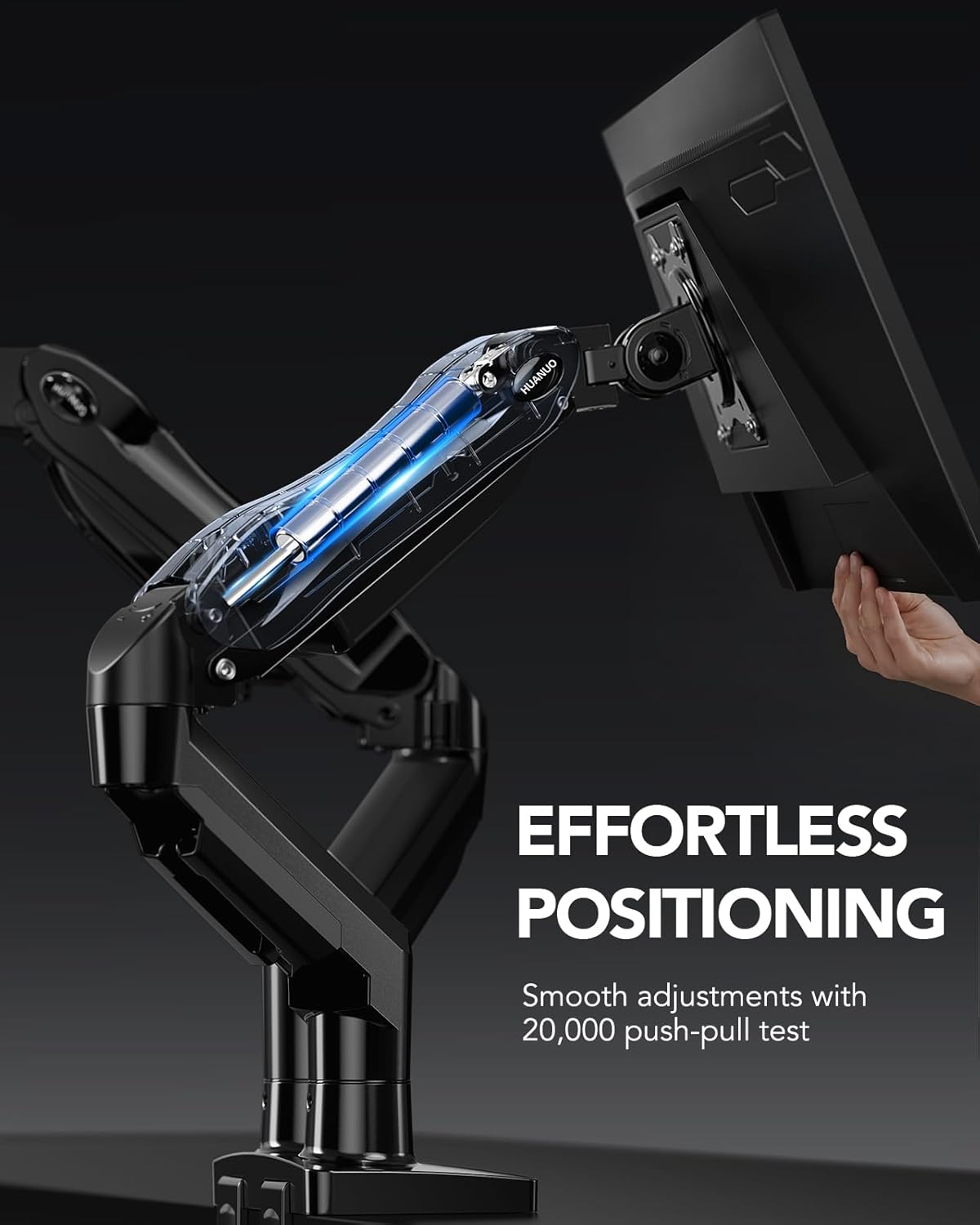
The #1 best seller in Computer Monitor Arms, with more ratings than any other product in this test combined.
Check Price on Amazon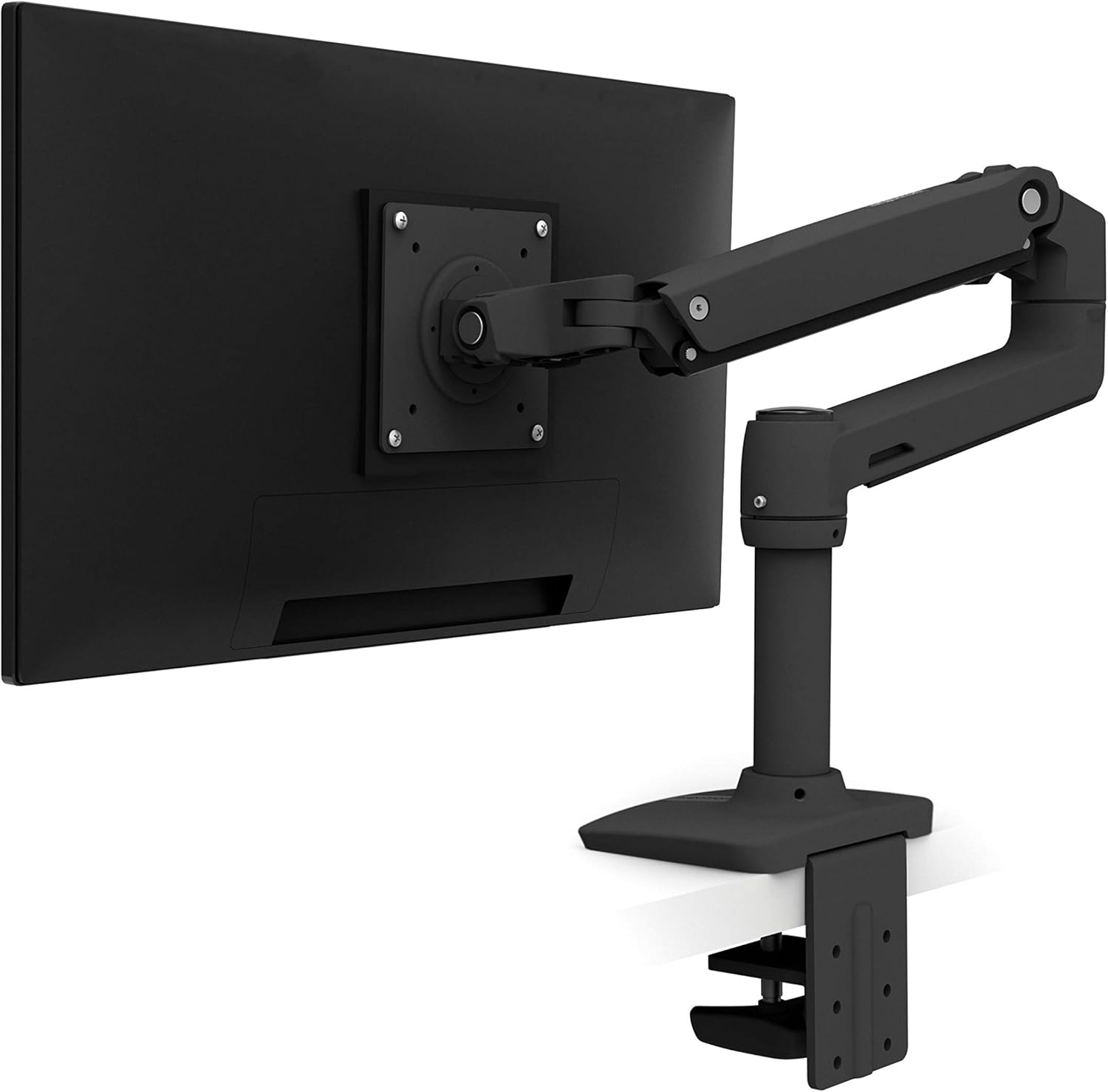
The industry-standard monitor arm, backed by a 10-year warranty and the highest rating in this test.
Check Price on Amazon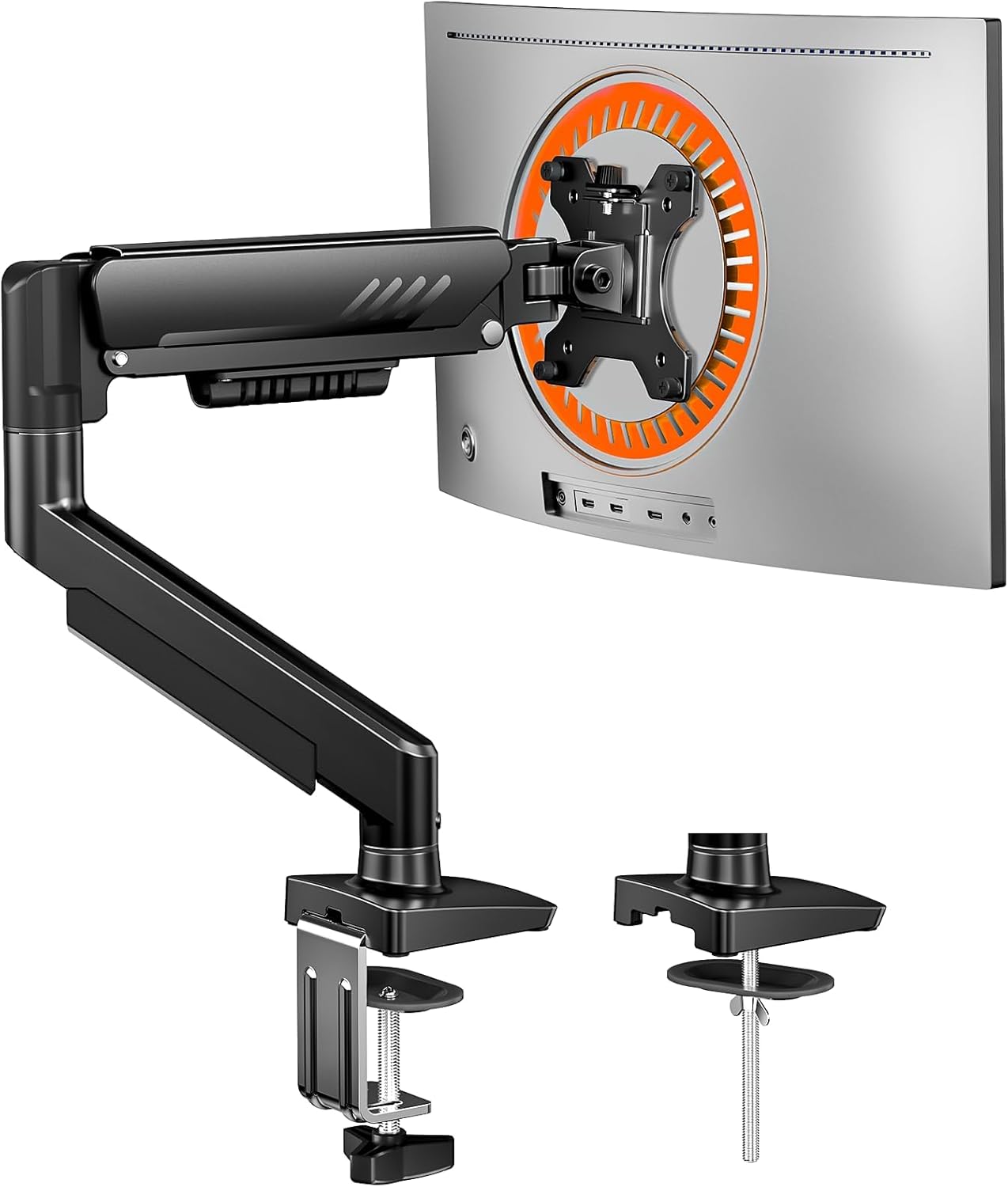
Tool-free VESA mounting and up to 34″ compatibility for under $20 — the cheapest arm in this test.
Check Price on AmazonFull Comparison Table
Every monitor arm we tested, side by side.
| Arm | Best For | Rating | Screen Size | Weight Capacity | Price | |
|---|---|---|---|---|---|---|
| HUANUO FlowLift Dual |
Overall pick / dual monitor | 4.6★ (34.6k) | 13″–32″ (each) | 4.4–19.8 lbs (each arm) | $54.62 | View |
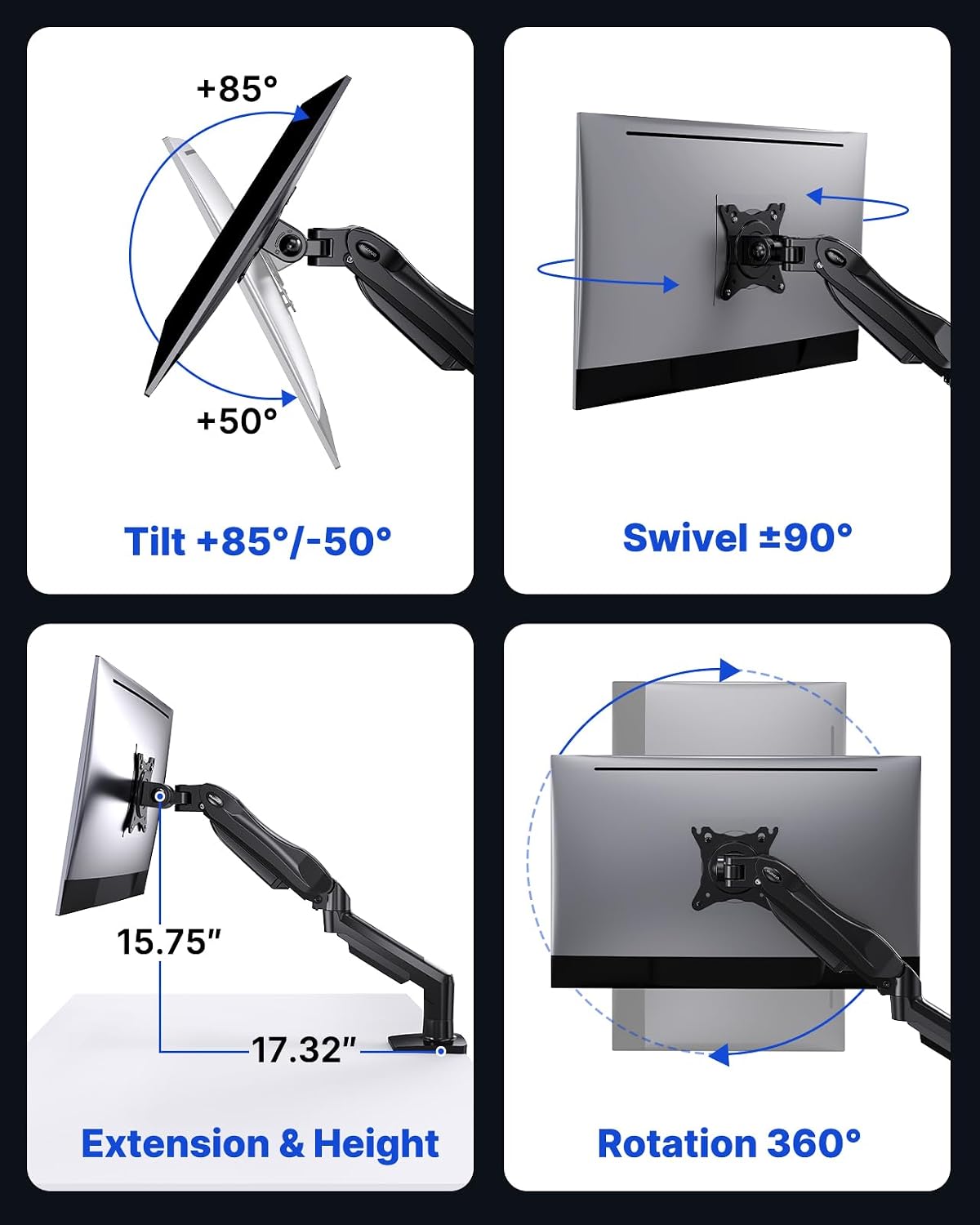 HUANUO FlowLift Single HUANUO FlowLift Single |
Best HUANUO single arm | 4.6★ (16.4k) | 13″–32″ | 4.4–19.8 lbs | $35.99 | View |
| ErGear Single Arm |
Best budget | 4.4★ (4.1k) | 13″–34″ | Up to 19.8 lbs | $19.99 | View |
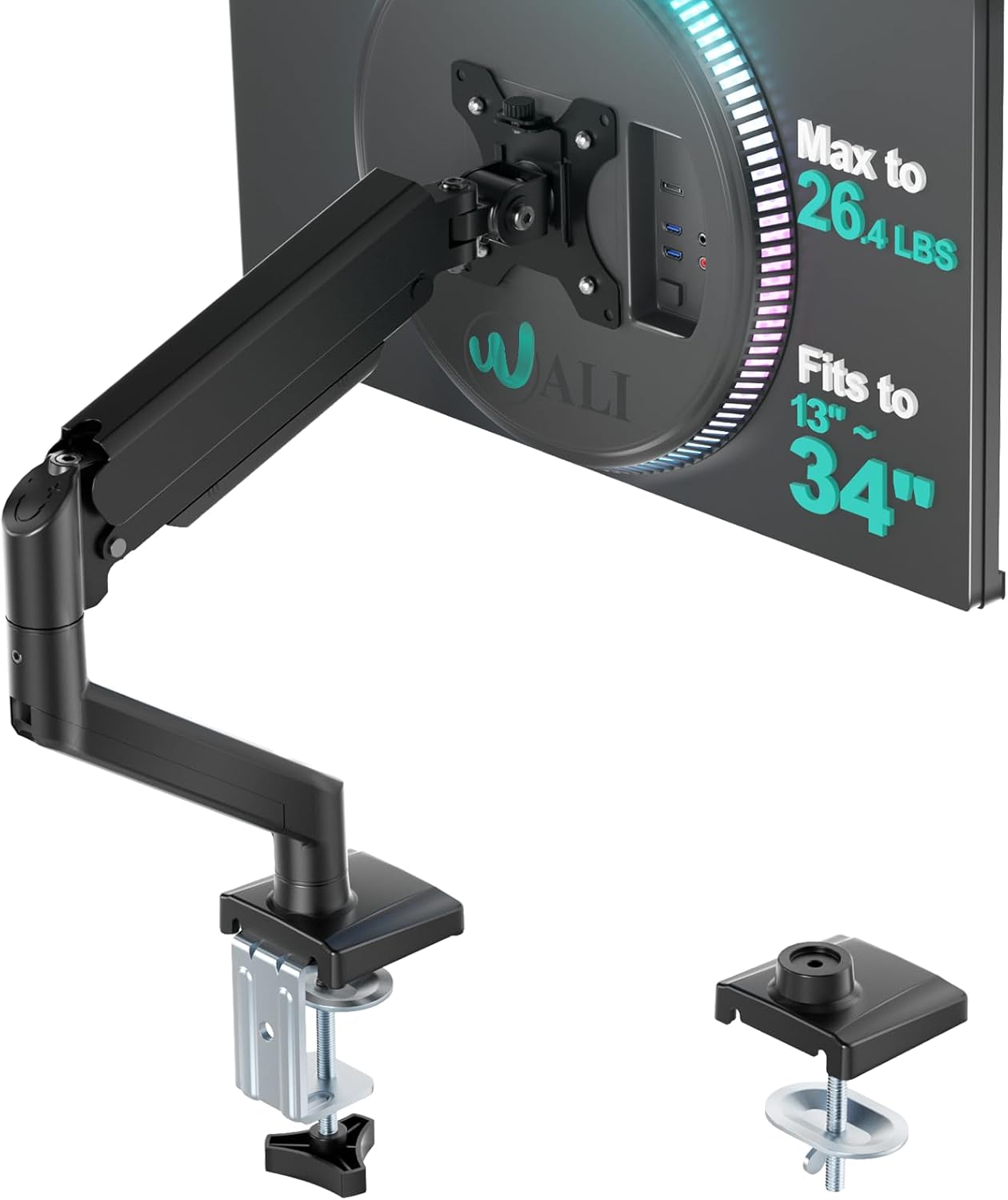 WALI Single Monitor Mount WALI Single Monitor Mount |
Highest capacity / longest warranty | 4.4★ (17.1k) | 13″–34″ | Up to 26.4 lbs (flat) | $23.49 | View |
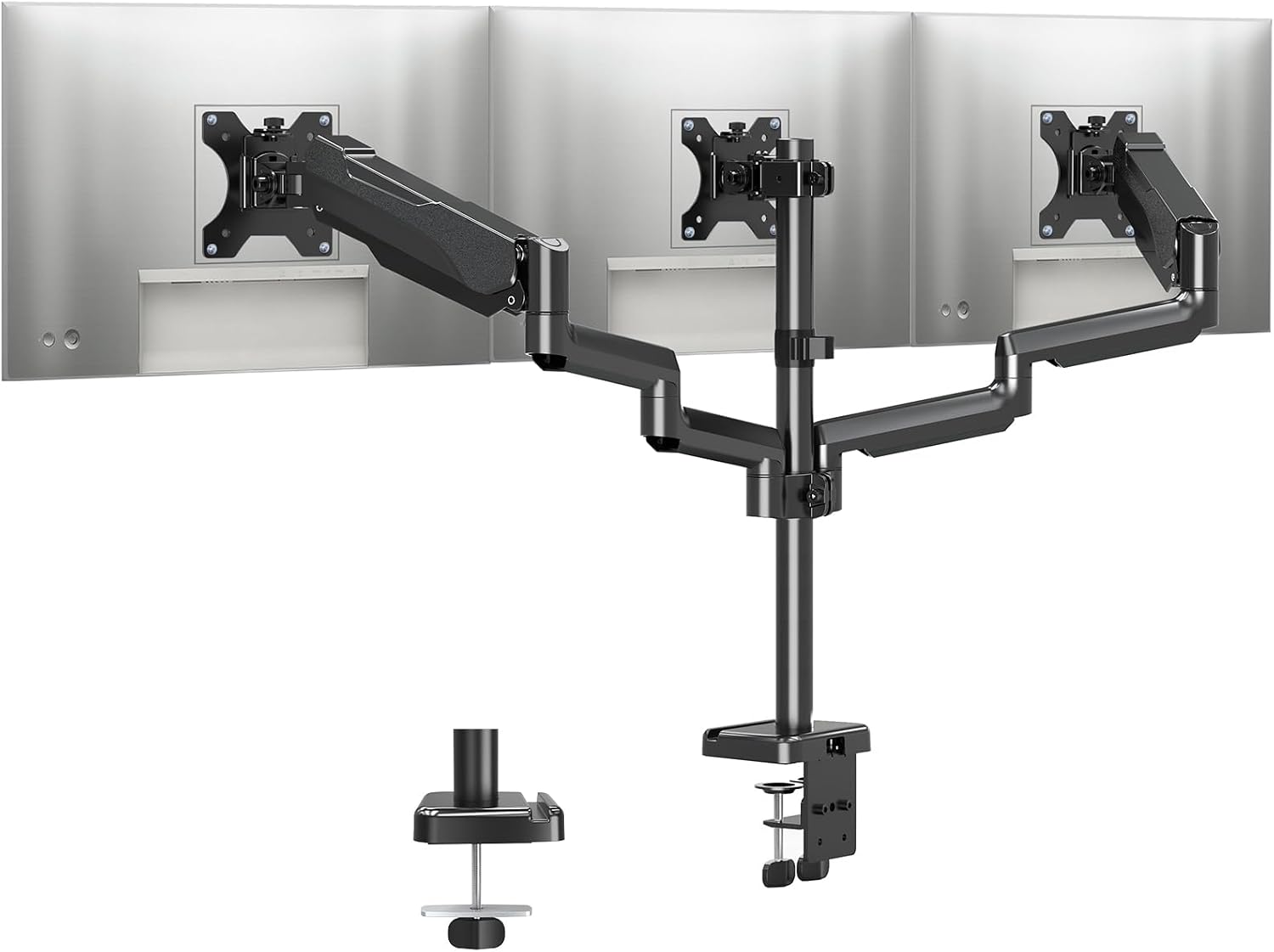 MOUNTUP Triple Monitor MOUNTUP Triple Monitor |
Best triple monitor | 4.4★ (3.3k) | Up to 27″ (each, x3) | 4.4–19.8 lbs (each arm) | $66.48 | View |
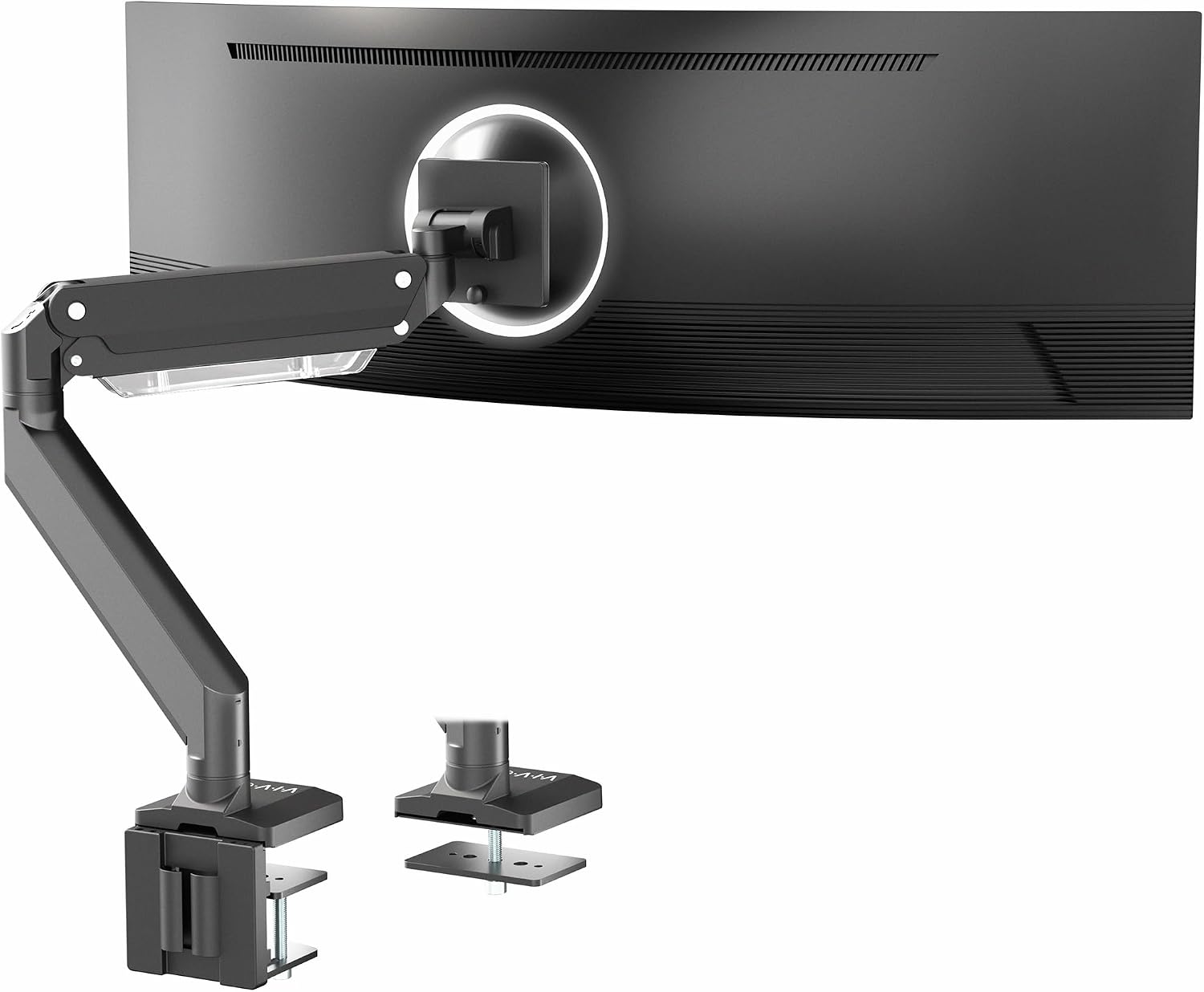 VIVO Premium Aluminum VIVO Premium Aluminum |
Best for ultrawide monitors | 4.3★ (1.9k) | 17″–49″ | Up to 33 lbs | $99.99 | View |
| Ergotron LX |
Highest rated / premium | 4.7★ (10.9k) | Up to 34″ | 7–25 lbs | $219.00 | View |
All 7 Monitor Arms, Reviewed
Specs, honest pros and cons, and our verdict on who each one actually suits.
HUANUO FlowLift Dual Monitor Stand
Pros
- By far the most-reviewed monitor arm on Amazon, at over 34,500 ratings, and ranked #1 in its category
- Dual C-clamp base plus optional grommet mounting gives genuinely stable side-by-side support
- Backed by a 5-year warranty, longer than most arms in this price range
Cons
- The manufacturer’s own listing warns against plastic or glass desks — check your desk material first
- Requires desk thickness between 0.59″–3.54″ with no crossbeam underneath — measure before buying
HUANUO FlowLift Single Monitor Mount
Pros
- Second-highest review count in this entire test, at over 16,300 ratings
- Same 4.6-star rating as its dual-arm sibling, with a genuinely fast 3-minute setup
- Holds tension without repeated screw adjustment, unlike some cheaper single arms
Cons
- The listed max-supported screen size on the spec sheet (27″) is narrower than the “13-32 inch” marketed range — double check your monitor’s actual dimensions
- Same desk-thickness and material restrictions as the dual version
ErGear Single Monitor Arm
Pros
- Cheapest monitor arm in this test by a wide margin, at under $20
- Fully tool-free VESA mounting, faster to set up than screw-based competitors
- Compatible up to 34″, 2″ wider than the HUANUO arms’ 32″ max
Cons
- Only 2-year warranty, shorter than the HUANUO or WALI options
- Smallest review count among the sub-$25 arms in this test
WALI Single Monitor Mount
Pros
- Highest weight capacity for flat screens of any arm in this test at this price, at 26.4 lbs
- Tied for the longest warranty in this entire roundup at 10 years, matching the far pricier Ergotron LX
- Widest swivel range of any arm here, at a full ±180°
Cons
- Curved-screen weight capacity drops significantly to 19.8 lbs, the same as most cheaper arms here
- Smallest tilt range (+70°/-45°) of the mid-priced arms tested
MOUNTUP Triple Monitor Stand Mount
Pros
- The only genuine triple-monitor arm in this test, mounting three screens on one pole
- Heavy-gauge steel springs are rated to hold three displays stably, not just one at a time
- Standing pole design frees up significantly more desk space than three separate single arms
Cons
- Screen size caps at 27″, smaller than the single and dual arms in this test
- Narrowest tilt range in this test at just ±35°
VIVO Premium Aluminum Monitor Arm
Pros
- Highest weight capacity of any arm in this test, at up to 33 lbs — built specifically for large ultrawide panels
- The only arm here explicitly rated for 49″ ultrawides and 1000R curved screens
- Full aluminum construction rather than steel, generally more resistant to sag under sustained load
Cons
- Lowest rating among the mid-to-premium arms in this test
- Narrowest rotate range here at 180°, versus 360° on every other arm tested
Ergotron LX Monitor Arm
Pros
- Highest rating of any monitor arm in this test, at 4.7 stars across nearly 11,000 ratings
- Ergotron is the brand most premium office furniture makers use as their reference standard
- Backed by extensive quality testing and a 10-year warranty with expert technical support
Cons
- By far the most expensive arm in this test, at roughly 3–10x the price of the budget options
- Lower maximum weight capacity than the WALI or VIVO, at 25 lbs versus 26.4–33 lbs
How We Test, and What to Look For
A monitor arm only helps your posture if it’s actually rated to hold your specific monitor. Here’s what to check before buying.
VESA pattern verified
We confirm each arm’s compatible VESA hole patterns and check that they match common monitor mounting standards, not just the marketed screen-size range.
Sag test under real weight
Each arm is loaded with a monitor near its rated weight limit and checked for drift or sagging over a full day, not just at first setup.
Clamp vs. grommet stability
We test both mounting options on the same desk to see which holds more securely for that particular desk thickness and material.
Honest flaws, not just praise
Every review above lists real drawbacks, including spec inconsistencies we found between marketed and listed screen-size ranges.
Check your monitor’s weight, not just its size
A 27″ monitor can weigh anywhere from 8 to 20+ lbs depending on the panel and stand material. Weigh your specific monitor (or check the manufacturer spec) before assuming any arm marketed for its screen size will actually support it long-term.
Best arms for large monitors →Confirm your VESA mounting pattern
Almost all arms in this category support 75x75mm and 100x100mm VESA patterns, but some larger or older monitors use different patterns entirely. Check the back of your monitor for VESA holes before buying — no holes means you’ll need an adapter.
Our full setup guide →Clamp or grommet — check your desk first
C-clamp mounts require accessible desk edge space and a specific thickness range. Grommet mounts need a drilled hole but often sit flatter and more stable. Most arms in this test support either, so measure your desk’s thickness and edge access before choosing.
Best clamp mounts (no drilling) →Arm vs. simple riser
A monitor arm gives you height, depth, tilt, and rotation adjustment in one motion. A fixed riser is cheaper and simpler but only solves height — worth considering if you don’t need to reposition your screen often.
Monitor arm vs. stand, compared →Common Questions
Is a monitor arm better than a monitor stand?
An arm gives full-motion adjustment (height, depth, tilt, rotation) in one movement, while a stand or riser only fixes height — an arm is worth it if you reposition your screen often. See our full comparison →
What height should my monitor be for correct posture?
The top of your screen should sit at or just below eye level when you’re sitting up straight, roughly an arm’s length away. Use our full setup guide →
Do I need a clamp or grommet mount?
A clamp requires no drilling and works on most desk edges; a grommet needs a hole in your desk but often sits flatter and more securely. Most arms in this test support both. See our clamp mount picks → or our grommet mount picks →
Will a monitor arm hold my ultrawide monitor?
Only if the arm is specifically rated for it — most standard monitor arms cap around 20–27 lbs, while a 49″ ultrawide can weigh 25–33 lbs. Check the weight rating carefully. See our ultrawide-rated picks →
Is the Ergotron LX worth the price over a budget monitor arm?
It carries the highest rating and longest track record in this category, but a well-reviewed budget arm covers most people’s needs for a fraction of the price. See our premium arm breakdown →
Can I mount a laptop and monitor together on one arm?
Yes, with a dual-arm mount and a laptop tray attachment — this is a popular setup for people who use a laptop as a second screen alongside a monitor. See our laptop + monitor combo picks →
Browse Every Monitor Arm Guide by Need
Every guide below builds on the testing above — organized by type, screen size, mounting method, budget, and brand so you can jump straight to what applies to you.
By Arm Type
Single, dual, or a simple riser — each solves a different desk layout.
By Screen Size & Use Case
Not every arm is rated for large, heavy, or dual-device setups — check before you buy.
By Mounting Method
How the arm attaches to your desk matters as much as the arm itself.
In-Depth Brand Reviews
Full single-product breakdowns for shoppers comparing one specific arm.
By Budget
What you actually get at each price tier, and where the extra money stops being worth it.
Comparisons & Guides
The deeper how-to and comparison content that backs up every recommendation on this page.
Still Not Sure Which One to Get?
If you want the safest all-round pick, start with the HUANUO FlowLift Dual. If you want the best possible quality and don’t mind paying more, get the Ergotron LX. On a tight budget, the ErGear Single Arm gets you tool-free VESA mounting for under $20.
Back to Top PicksAs an Amazon Associate, ErgoFixes earns from qualifying purchases. Prices and availability are accurate as of the publish date and are subject to change. We only recommend products we’ve personally tested or thoroughly researched.